EXPERT INSIGHT & TRUSTED REVIEWS

EXPERT INSIGHT & TRUSTED REVIEWS

What in Tech is a user-supported site. When you purchase through our links, we may earn an affiliate commission at no additional cost to you. Learn more

The 8 Best Quiet Laptops for a Silent Setup in 2025

Quiet Laptop

The 8 Best Quiet Laptops for a Silent Setup in 2025

Finding a sweet spot between noise, performance and price

Quiet Laptop

We’ve updated this article to cover 2025 releases.  After reviewing the latest laptops, many of our top picks have been changed to new offerings. It’s a good time to buy a quiet PC, with our top 3 choices, in particular, boasting fantastic performance and value alongside their low decibel count.

Hear a noise?

Me neither, because today’s feature is about finding peace and quiet!

Many laptop options look beautiful and run well, but unfortunately come at the cost of obnoxious decibel levels when performing tasks.

This guide will take you through the quietest laptops available today for a variety of needs and budgets.

1

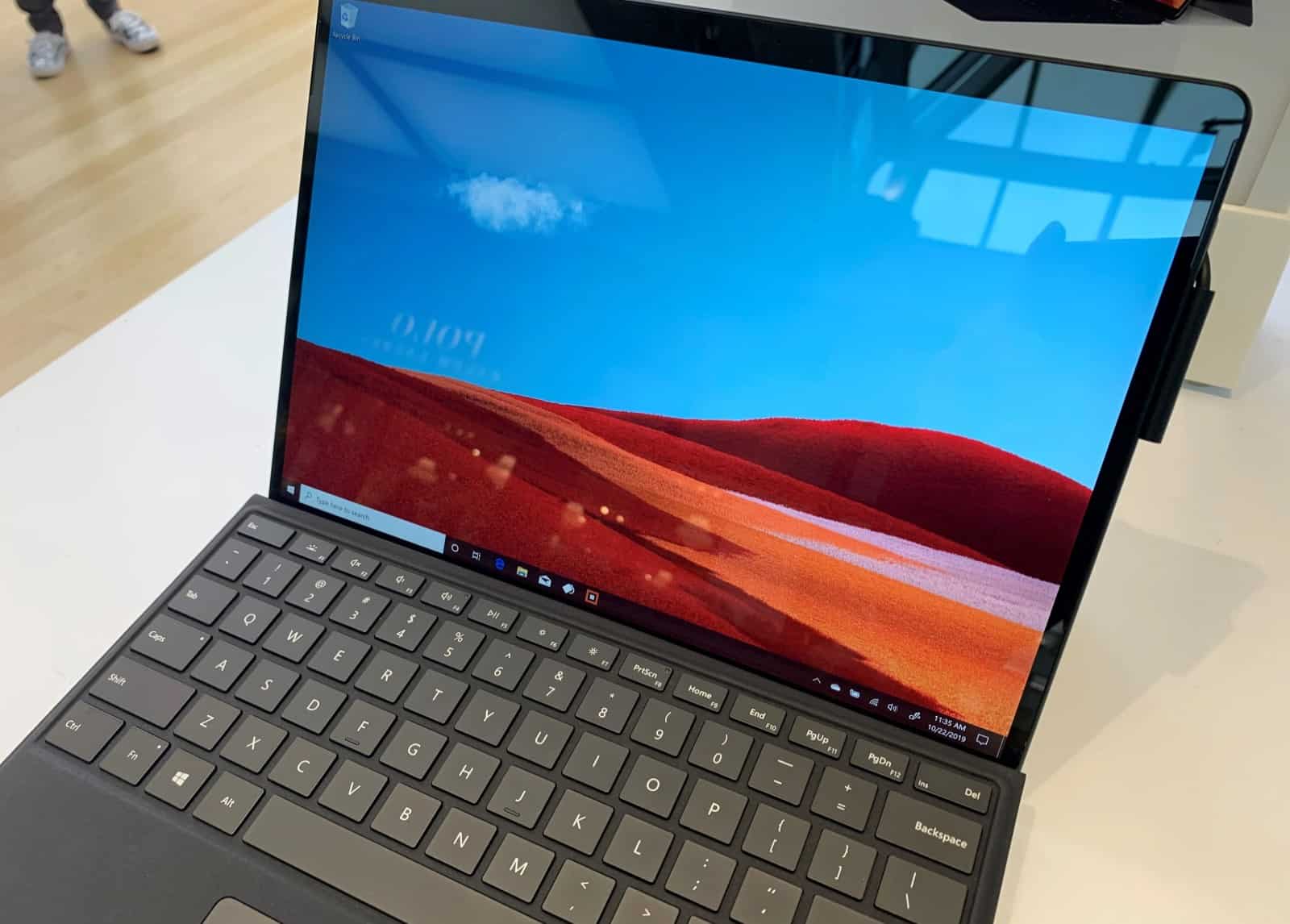
microsoft surface pro x 2

Quietest Laptop for General Use

Microsoft Surface Pro X

Our Rating: 9.5/10

2

MSI Pulse GL66

Best Quiet Gaming Laptop

MSI GL66

Our Rating: 9.5/10

3

Macbook Air 2020

Quietest Macbook

Apple MacBook Air

Our Rating: 9/10

4

ASUS Chromebook Flip C434 3

Best Quiet Budget Laptop

ASUS Chromebook Flip C434

Our Rating: 8.5/10

microsoft surface pro x 2

Microsoft Surface Pro X

Quietest Laptop for General Use

SPECIFICATIONS*

CPU: Microsoft SQ1 | Graphics: Adreno™ 685 GPU | RAM: 16GB | Screen: 13″ – 2880 x 1920 | Storage: 512GB | Weight: 1.7lbs

REASONS TO BUY

+ Runs very quietly

+ Light, sturdy & beautiful build quality

+ Good specs for typical users

REASONS TO AVOID
– Slightly expensive
 
– Power users (gamers, producers, etc) will want to see our picks below
 

Our Rating: 9.5/10

2025 update: A new fanless Surface model, the Pro 9, has released. It is notably superior with its new processor, graphics, and 5G features (although heavier and thicker than the Pro X).

The reason we’ve kept the Pro X as our top recommendation is that we’re currently seeing it run at a notably discounted price. At the time of writing, the most basic 16GB Pro 9 version is around 30-40% more expensive. While it’s a better laptop, we think that most of you will be more than happy with the Pro X’s performance.

The Pro X will likely be discontinued over the next year or so though, so if you’re reading this article and it’s out of stock, similarly priced or you’re a more serious user who will appreciate the performance bump, then pick up the Pro 9, it’s a fantastic machine.

For those serious about a quiet laptop that still offers great performance for the average user, nothing comes close to the Surface Pro X.

The edition we’ve featured here is, from our reviews, the best fanless laptops we’ve found on the market. This means instead of using traditional loud fan cooling, the Surface Pro X is intelligently designed to operate on passive cooling alone even at high loads (it’s able to maintain great temperatures during most activities, which is impressive in itself).

The Pro X is sharply designed to be incredibly light and portable while still offering a decent amount of screen real estate with a fantastic 2880 x 1920 resolution.

We specifically cite the 16GB SQ1 version as the best value for someone after a silent laptop with a bit of longevity. 512GB is also plenty of space in today’s cloud storage/streaming world providing you’re not playing many big games (if you’re after the best gaming laptop, see our next pick).

Microsoft Surface Pro X

Source: CAM

On a budget? We have cheaper choices further below, but if you still want the unparalleled design of the Pro X, you can go for the 8GB RAM/128GB version and still expect a decent machine for general use. We just encourage users to pick the 16GB version to get a smoother experience and a laptop that will last longer where possible.

It’s worth noting that some versions of the Surface Pro (e.g. all Pro 8 models and i7 Pro 7s) are not fanless laptops and will produce more noise. What really impresses us with the Pro X is how in previous iterations, it was the high-spec versions that needed fans while the budget choices were fanless. Now, Microsoft has managed to build an in-house processor that runs fanless even with a premium device. To put it simply: the Pro X doesn’t feel like you’re sacrificing performance for quietness.

Ports are one of the only areas we wish were a little stronger, with the Pro X having 2 x USB-C. We would’ve liked to see a traditional USB-A port remain. We know manufacturers are phasing these out, but there’s clearly still a demand for products with standard USB from many users (still, worst case if that’s you, a USB hub is an easy replacement).

Full teardown of the Pro X shows confirms no fans. Source: iFixit

We’ve specifically included the version without a keyboard or pen because these accessories tend to be cheaper individually. Some users may be fine with budget versions of the keyboard and pen, and we appreciate others may actually be perfectly fine without one/both and could act perfectly as a quiet tablet, or a tablet/laptop hybrid. Choose what combination fits your budget and needs best.

We will say that one of the other great USPs for the Pro X is that the official keypad (and likely many of its budget versions) is incredibly quiet. I found it much quieter than a traditional keyboard while still providing a great feel for longer typing sessions.

We love that this Microsoft offering doesn’t compromise in any significant way someone who needs less noise and performance.

With its decent specs to boot, the Pro X is a great option not just for general users, but also for studio builds, audio recording, or voice-over work.

With great performance capability, portability, a fantastic screen, and (of course) very low decibel production all for a very decent price, this is easily our choice for the overall best quiet laptop available today.

MSI Pulse GL66

MSI Pulse GL66

Best Quiet Gaming Laptop

SPECIFICATIONS

CPU: Core i7-12700H | Graphics: GeForce RTX 3070 | RAM: 16GB | Screen: 15.6″ 1080p 144hz | Storage: 512GB NVMe | Weight: 2.25kg

REASONS TO BUY

+ Nice, sturdy build quality

+ Fantastic specs for mid-range laptop gaming

+ Gorgeous screen for smooth gameplay

+ Good thermal controls to reduce fan noise

REASONS TO AVOID
– Quiet for a gaming laptop, but loud compared to our other picks
 
– Can run a little hot during high performance
 

Our Rating: 9.5/10

2025 update: The Pulse GL66 has overtaken our previous top gaming pick, the GF65.

While the Gl66 is a direct improvement and at a great price point, we still want to shout out the GF65. The processor and GPU are inferior, but still very capable, so if you’re on a very tight budget and see it at a notably lower price, it’s a good alternative.

Looking at gaming? The market is a completely different ballgame.

We’ll start by saying there is nothing close to a silent gaming laptop. PCs designed for games come with powerful GPUs and other specs designed to run titles at acceptable settings/framerates which you simply cannot achieve without active cooling (there is no fanless gaming laptop on the market today).

The good news is that some choices are way better than others at providing low-decibel outputs with the right settings.

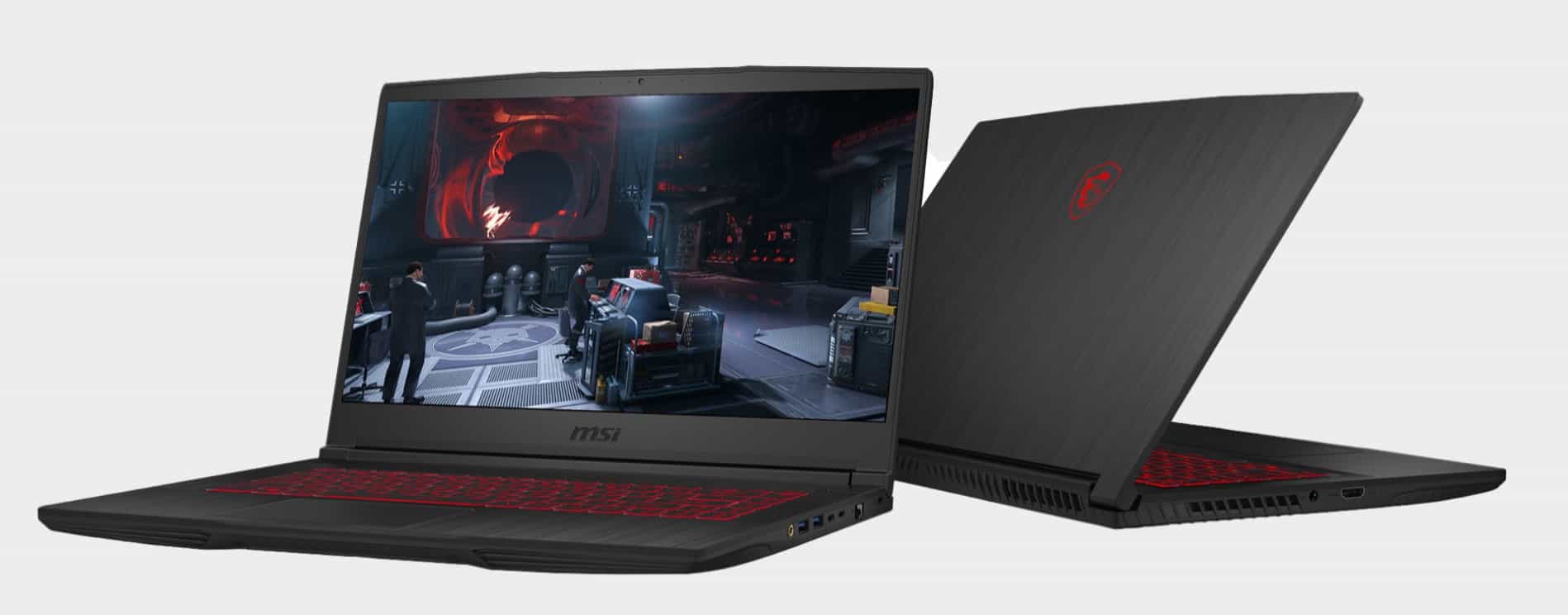
This is where the MSI GL66 Pulse comes in.

With an excellent design that is thick/large enough to provide both a decent screen size (with thin bezels) and, most importantly for noise reduction, a great internal layout for heat dissipation.

The laptop is portable, but not ultralight, and I say this to its credit. It allows the GL66 to have enough inner airflow that it only needs 2 larger fans. Big fans are actually an advantage for a quiet setup, as they can spin at lower RPMs to achieve the same as a very fast-spinning set of small fans (it’s the RPM that usually dictates the noise level).

When using it, I found it still comfortable enough to sit on my lap for a lighter gaming session.

MSI Pulse GL66 2

Source: MSI

This setup means that the MSI GL66 is deceptively quiet compared to its competitors when performing general use/average tasks.

For gaming, you will, of course, hear the fans kick in, and there is no decent laptop where this isn’t the case.

But not only does the GL66 run on better internal heat dissipation than many other fan-dependent gaming laptops, MSI also offers one of the best control suites of all the PC gaming brands with its Dragon Center software.

This will allow you to customize/control your fan speeds, and set limits to what you want them to run up to even when playing games. This is the cherry on top of an already quiet gaming PC when compared to its counterparts.

But I love the GL66 for so much more than just low-noise output.

MSI Pulse GL66 3

Source: MSI

It offers incredible value across the board:

  • One of the cheapest laptops with an RTX 3070, one of the best value laptop GPUs for 2023.
  • Perfect secondary specs to complement the GPU; with a Core i7-12700H, 16GB RAM & 512GB NVMe SSD (the quietest storage type available)
  • A fantastic screen for the price range with 144hz, fast response time, and an IPS panel with decent color accuracy (great for esports or more immersive titles)
  • Gorgeous backlit keyboard (that is also rather quiet while still providing the tactile feedback needed for gaming)

With these specs, you won’t just get fantastic performance in any game available today (and likely well into the future), you’ll also have a PC perfect for general use and even production tasks. This doubles up as the best quiet video editing laptop on the list.

As we said before, you won’t get a fanless/silent gaming offering.

But how about a low-noise laptop with a quiet keyboard that also doubles as the best value in terms of specs and builds quality in its price range?

If quiet gaming is your goal, we don’t think you’ll find better than this.

Macbook Air 2020

Apple MacBook Air

Quietest Macbook

SPECIFICATIONS

CPU: Apple M2 | Graphics: Integrated M2 Graphics | RAM: 8GB | Screen: 13.3″ 2560 x 1664 Retina | Storage: 256GB | Weight: 1.24kg

REASONS TO BUY

+ Incredibly quiet fanless setup that still runs cool

+ Beautiful, sturdy & lightweight

+ Long-lasting battery life

+ Very nice screen for content/production work

REASONS TO AVOID
– Expensive
 
– Graphics are decent, but don’t expect a powerful gaming machine
 

Our Rating: 9/10

2025 Update: We’ve updated our top Macbook pick to the latest fanless Air model.

If you are of the Mac persuasion and are looking for a silent Macbook, the closest you’ll come is the latest edition of the Macbook Air.

Lead by the powerful new Apple M2 chip, this is a fanless Macbook and a self-proclaimed “no-noise laptop” that runs entirely off of passive cooling due to the great internal architecture of the device.

This is a really impressive feat, given the ultra-portable lightweight nature of the Air, we can’t overstate how hard it is to get a product this small that also keeps a level temperature without noise.

Tied with its 256GB SSD, you can expect quietness even under heavy loads. 

This laptop also comes with an impressively quiet keyboard. With its focus on thinness, the keys are very light and therefore have short press-travel/produce very low decibels compared to most market competitors.

M1 MacBook Air

The Macbook Air also comes with some nice specs for general use and light to mid-range work, with:

  • Apple’s gorgeous retina display technology on a 13.3-inch 2560 x 1664 screen, one of the most stunning displays at its price-range
  • 8-core Apple-designed CPU with both great processor power and an impressive integrated GPU (for light gaming/editing, serious production users and gamers will want to look at our MSI pick or the Macbook Pro).
  • 8GB RAM and a very fast SSD in either 256GB or 512GB
  • 2 USB-C ports

Bearing in mind this isn’t a MacBook Pro and the Air has serious limitations on what specs it can run with its tight space, this is an impressive offering; tied with macOS and their various well-optimized in-house software, this is easily one of the best laptops for general use & media (especially with its fantastic screen).

Source: Apple

What’s more to say? This is, without doubt, the best quiet MacBook on the market, and perfect for anyone who doesn’t need the more advanced capabilities of the Pro (we cover the best Pro option below if you’re a power user).

asus chromebook c434 2

ASUS Chromebook Flip C434

Best Quiet Budget Laptop

SPECIFICATIONS*

CPU: Intel Core M3-8100Y | Graphics: Intel HD Graphics 615 | RAM: 4GB | Screen: 14″ 1080p Touchscreen | Storage: 64GB | Weight: 1.45kg

REASONS TO BUY

+ Very impressive value

+ Quiet, fanless cooling

+ Good specs for general use (internet, e-mails, etc)

+ Sturdy, flip-style touchscreen capability

REASONS TO AVOID
– Chrome OS, no Windows apps
 
– At this price, specs of course limited for users who want something fast/more than general use
 

Our Rating: 8.5/10

The last of our top picks is for those who are looking for the best cheap quiet laptop on the market, while still meeting the needs of most general use consumers

The Flip C434 meets that feat very well, with the specific model we are recommending being another fanless laptop.

This ASUS offering is a Chromebook, meaning it runs off of Google’s Chrome OS as opposed to the usual Windows 10 choice.

If you are just a lightweight general user, ChromeOS can be a perfect solution, as it is a less demanding operating system than Windows that can run on cheaper PC hardware and still provide you with all the mainstream applications you’d expect (anything from internet browsing to media/Netflix to Office applications). The main exceptions (i.e. where you’d want Windows) are PC gaming and production work like video editing/animation – we recommend our other picks for such tasks.

Asus Chromebook flip c434

Source: ASUS

With an M3-8100Y processor, 8GB RAM & 64GB eMMC storage, these secs are on the lower end.

But again, with ChromeOS, you can still expect a relatively smooth experience for general and standard business use.

The C434 has great secondary hardware/build quality for its price also; with a bright, full-HD touchscreen and a 2-in-1 laptop design, we love that you can put this laptop into a tablet orientation for media watching, presenting, or simple touch activities.

ASUS Chromebook Flip C434 3

Source: ASUS

With an all-metal exterior, backlit keyboard, and beautifully thin bezels around its screen, you may not be getting the most powerful pick, but as far as silent budget laptops go, this is the closest you’ll get with some great value.

Note: we have provided cheaper options further below which are perfectly capable, but we’d recommend this as a minimum if your budget can stretch as far.

If you don’t have the budget for the Surface Pro 7 but noise is still important to you, know that the C434 is somewhat close to the Pro 7 in noise output (minus a less-quiet keyboard); you lose some specs/longevity, but it’s easily the best quiet budget laptop choice today.

Alternative Picks – Best of the Rest

While the top 4 are our top picks for the best quiet laptops available today, we’ve included a few more worth your consideration if your requirements are a little more unique/your preferred laptop above is out of stock.

HP Omen 17-cb1080nr

Quietest 17-inch Gaming Laptop: 17-CK0010NR

We choose the MSI GL65 Leopard as the quietest gaming laptop overall. But if you’re after a larger screen, this HP omen pick is a great option.

With its larger space for heat dissipation and similarly great mid-range specs, it’s a powerful gaming PC with HP software to control fan speeds for noise reduction as required

Our Rating: 8/10

ASUS VivoBook Flip 14

Cheapest Quiet Laptop: ASUS VivoBook Flip 14

If you want to go even cheaper than our top budget pick and would value the full utility of a Windows OS, the VivoBook Flip 14 is another impressively valuable fanless laptop.

It’s worth noting that the specs on this device are very basic, but if your needs are too (say, a budget quiet student laptop), this may be all you need.

Our Rating: 7/10

Acer Chromebook 514

Cheapest Quiet Chromebook: Acer Chromebook 514

Very close to ranking as our best quiet budget pick, the Acer 514 is an impressively cheap quiet laptop. The reason we don’t give it the top budget accolade is its disappointing 4GB RAM, but if you only have very basic requirements, this is an excellent choice (you can expect it to run faster than the VivoBook Flip 14 if you don’t need Windows).

Our Rating: 7/10

Apple MacBook Pro M1 Edition

Quietest Macbook Pro: Apple MacBook Pro M1 Edition

To wrap up our list is what we’d recommend for those users after the best quiet Macbook with performance in mind. Yes the Pro M1 edition isn’t fanless like the Air, but still runs impressively quiet in most processes and is a powerhouse in comparison (this is what you’ll need if you’re looking at production work or video editing on top of day-to-day laptop use).

Our Rating: 8.5/10

Tips for Buying a Silent Laptop

Although we’d recommend the picks above, we wanted to share some tips as part of this buying guide and also offer some of the methodologies behind how we picked our top quiet portable PCs.

First: no laptop is truly silent, this is a figure of speech.

But many of the above picks come quite close, and the decibel levels (of the non-gaming choices) aren’t anything anyone would complain about in a library.

What tends to create the more note-worthy dB output is using a keyboard, which is why our top picks (especially the Surface Pro 7) are tailored towards keyboards known for lower travel than similar counterparts.

Avoiding Fans

Usually, the main perpetrator of noise in a PC is loud fan cooling. If you are serious about creating a very quiet laptop setup, you should focus on our fanless PCs above which use clever internal layout/heat dissipation to not rely on fans.

If you want a higher-end machine for a lot of longevity, then you can still keep an eye out for machines that have decent thermal performance. More power does not automatically mean louder; even if a machine has fans, it may only need them for the kind of activity you couldn’t do on fanless PCs anyway, so don’t fret too much if you like our top gaming/MacBook Pro picks.

Avoid HDDs

3.5″ hard drives are notorious for being one of the nosiest parts of a PC; when data is collected from them, the discs spin loudly and often create a decibel level even higher than loud fans.

So a simple tip from us if you’re looking for a low noise laptop: ensure the storage is either a 2.5″ or NVMe solid-state drive.

None of our picks above use 3.5″ HDDs, and the good news is many laptops today don’t, but it’s still worth checking. 

Integrated GPU

If you are not a big gamer, the next big way to cut down on noise is by buying a laptop with an integrated GPU (like all of our non-gaming picks above).

This means that your CPU is effectively designed to also provide graphical capability. For most needs, including 4k video, software use (even light gaming at times) this is all you need. The only exception being GPU-intensive work like video editing and, of course, gaming.

For Gaming

All the above rules are worth bearing in mind if you’re after a quiet gaming laptop (except you do want a separate GPU in a gaming PC), but there are a couple more points to consider too.

While not a universal truth, a good rule of thumb is that larger/thicker gaming laptops tend to run quieter. This is because the internal layout has more space for airflow and heat dissipation, meaning their fans don’t have to engage for lower workloads. Additionally, large gaming laptop shells can hold big fans which can spin at lower RPMs during low-mid activity.

Additionally, look for what kind of design is in place for the laptop you’re looking at: how many fans/heat pipes does it have, what are existing users calling out (including if the keyboard is quiet, etc).

As we’ve said in this guide though, don’t expect a silent gaming laptop, a PC with a decent set of specs (particularly a GPU) capable of playing titles well is always going to make some noise, but you can mitigate it with the points above, and also if you’re purchasing our recommended picks, you’ll be in a good place to use fan control software to maximize what noise you’re willing to accept.

Alternative: Noise Cancelling Headphones

This may sound like a dramatic solution, but on the off-chance you want a laptop that makes a lot of noise and is mainly bothered about its sound for your own ears, then getting a nice pair of noise-canceling headphones like the fantastic Sony WH-1000XM3s can be an amazing option.

This may sound like an expensive solution, but they are simply fantastic headphones for anybody remotely worried about noise (not just in a laptop setting, as someone easily distracted by noise, I can personally attest to how life-changing the XM3s have been for me, amongst the many, many others who have them).

If you don’t want to fork out that much, some nice audiophile headphones for media/gaming usually provide enough isolation to cut out most noise, if you’re interested, check out our feature on them here (we also talk about the 1000XM3s here).

That’s about it for this feature. We do a deep dive refresh of this list 2-3 times a year so the options you see are well up to date. We hope you enjoy the peace and quiet!

Top Picks

Best of the Rest: Quick-Fire Picks

What's Next?

About the author

Picture of Kaelum Ross
Kaelum Ross
Kaelum Ross, BSc is the Lead Writer at What in Tech and a leading authority in PC hardware and software. With a career as a senior IT professional, Kaelum has led multi-million dollar projects covering everything from bespoke software development to complex Windows hardware upgrades. Today, Kaelum uses his expertise to serve What in Tech's readers and has been featured in numerous global publications including New York Magazine and Lifewire.

* Specifications throughout our articles are double-checked and intended to inform our users, but should not be treated as factual information. When making final decisions on your products, please check the manufacturer pages to confirm the fine details.

The 5 Best Gaming Laptops With Touchscreen in 2025

gaming-laptop-with-touchscreen

The 5 Best Gaming Laptops With Touchscreen in 2025

I updated this feature in March after reviewing the latest releases of 2025. Although touchscreen gaming laptops are often underrepresented, 2025 is actually a good year for them, with our top 2 releases in particular offering excellent value.

It’s surprisingly very uncommon to see a good gaming laptop with a built-in touchscreen.

Manufacturers instead tend to favor focussing on graphics cards and high refresh rate screens.

This is understandable for many users, but what about the creatives, designers, and touchscreen enthusiasts that want the best of both worlds?

We’ve put together today’s feature to answer just that; we’ll be guiding you through the best touchscreen gaming laptops available today (with a few different budgets in mind).

Top Picks

Best of the Rest: Quick-Fire Picks

Overall Best Gaming Laptop With Touchscreen: HP Envy 16 Gaming Laptop 16″

2025 update: If you like this pick but want it at an even higher spec, HP has a 64 GB RAM 4TB SSD version available. Note that these specs won’t improve gaming much, but good for those after more storage and multi-tasking.

If you’re a designer that demands a touchscreen capable of very fine artistic detail or you’re focused on the most powerful gaming possible, we would instead draw you towards Zephyrus Duo pick directly below.

But if you’re gaming focussed but still demand a touchscreen experience there is no better choice today than the GV301QE.

Led by an RTX 3060 GPU, Intel 14-core i7-13700H, 16GB DDR4 RAM & a 1TB SSD; the Envy 16 is very capable of reaching high settings, resolution, and framerates in most of the latest/upcoming titles (and will comfortably be able to meet the best settings @ 60FPS in competitive games/esports even 120FPS for many of them), not to mention its specs also lend itself nicely to video/other production work.

Boasting a  16″ 120Hz WQXGA touchscreen display, if paired with even a budget stylus, we appreciate the utility this screen can provide to creatives/designers, especially given its fairly decent sRGB color accuracy.

We’re so pleased to see that ASUS managed to pack in the 120Hz alongside the touchscreen, excellent resolution, and specs; it really makes all the difference for gaming over a traditional 60Hz screen (which most touch options are).

There’s another great perk we want to highlight with this HP gaming laptop; its excellent design/build quality.

Despite being very thin & light relative to many other 16″ gaming laptops, the Envy feels built to last and boasts a gorgeous look, backlit keyboard, and responsive trackpad.

What’s more, while you can never expect much battery longevity from a gaming laptop (especially when the GPU is in high use), the Envy has good onboard software for fan control. This is such a great addition that means if you need to be portable and aren’t gaming, you can expect to last several hours. Many gaming laptops lack such an option.

With its decent specs, pleasant screen, and fantastic build quality, we really appreciate HP’s answer to meeting this massive market gap.

If you’re looking for the best gaming laptop with a touchscreen (and can’t stretch to our dual-screen picks below) then we think you’re going to love the HP Envy 16.

Best High-End Gaming Laptop With Touchscreen: ASUS ROG Zephyrus Duo SE

What an incredible offering this is.

Recently featured in What in Tech as the most powerful laptop in any category, the Zephyrus Duo manages to get around the 60hz limitation of touchscreens with a unique, innovative setup.

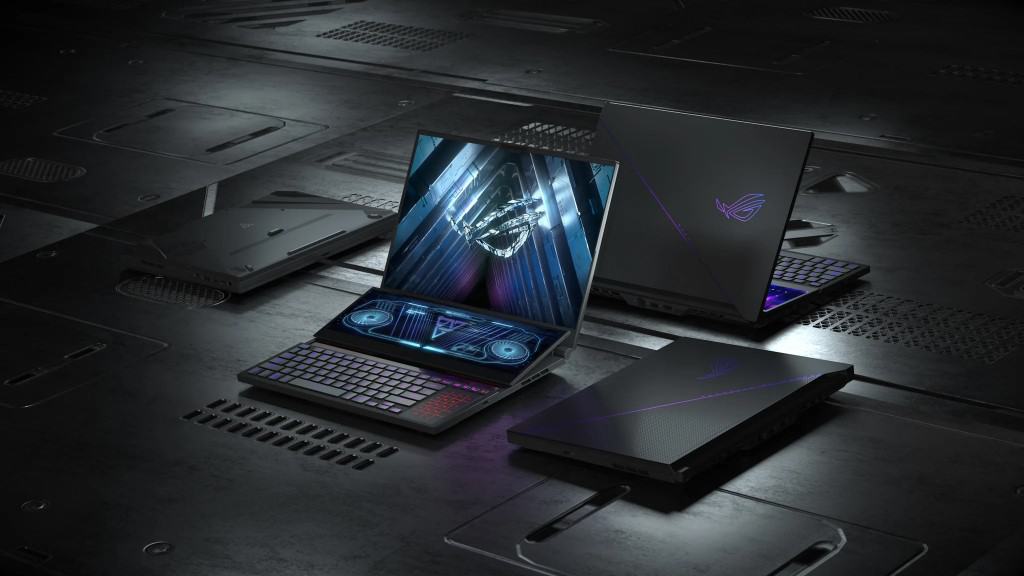
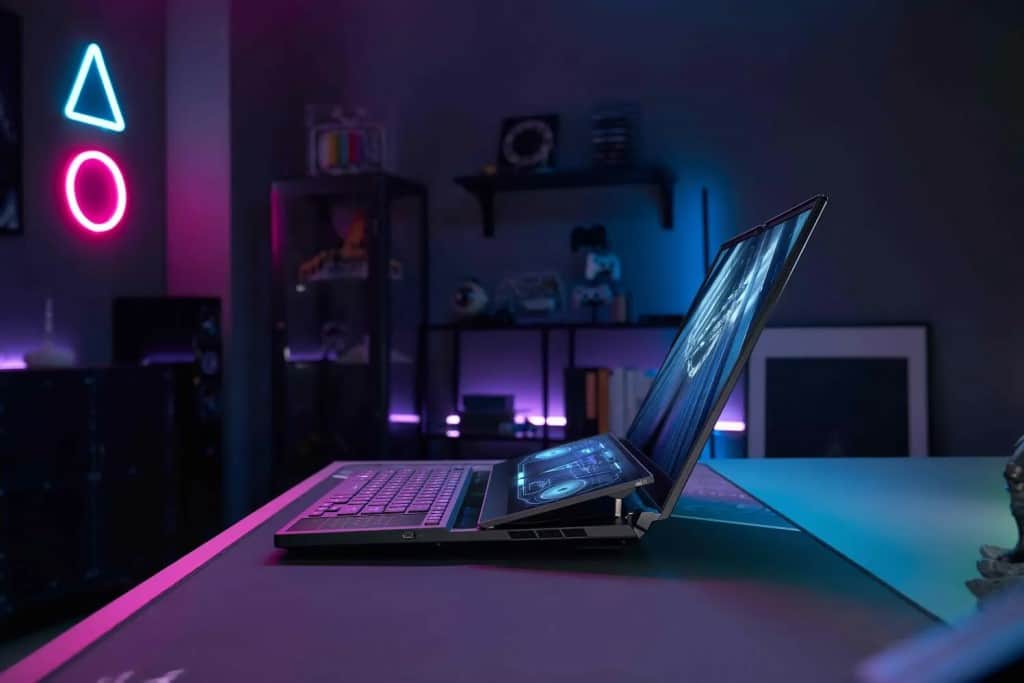
As you might be able to tell, the Duo is a dual-screen laptop.

Boasting a half-size second screen above the keyboard, this new type of laptop innovation has been designed with everything from creatives to gamers in mind.

You can throw any type of content you want on there, so the possibilities are pretty much limitless; anything from custom UI in your favorite work software to discord/key thermals/twitch stats during gaming.

As we’ve mentioned previously, there is no laptop on the market with a touchscreen above 60Hz, but a high refresh rate is such an integral part of a high-quality gaming experience.

The Duo manages this by making its second screen touch-based, with excellent pressure sensitivity suited for professionals and passionate creatives alike, the panel rotates to a radius that is very comfortable to draw on for long periods of time, while still also being large enough to be suitable for detailed drawing.

One of my favorite things about the updated Duo model: the newest version now boasts a main 240hz 16 inch WQXGA touchscreen display. An amazing screen for gaming and design work, boasting excellent color capabilities, contrast & 3ms response times.

We think ASUS has cracked the puzzle for a perfect touchscreen gaming laptop with the Duo; having the very ergonomic second touchscreen empowers the main monitor to boast a high refresh rate, which is the best monitor combination you can get.

And this is just the screen capabilities, we haven’t even got to the hardware.

Boasting an RTX 4090 GPU, Ryzen 9 7945HX (the best gaming CPU & GPU), 64GB DDR4 RAM & 2x2TB SSD, the specs on this device are incredible.

Quick note: the Amazon listing does offer cheaper variations of these specs. Tighter budget users can opt for 32GB + 2TB SSD which is still excellent for a high spec build.

Not only can you expect one of the best laptops for gaming at high settings, refresh rates, and picture quality, but also a machine that is more than capable of great performance in your production/creativity software of choice.

Finally, it’s worth touching on the superb build quality of the Zephyrus Duo.

It’s nice to see a unique, premium gaming laptop come with the sturdiness and physical longevity we would hope to see; with a gorgeous aluminum build, decent internal thermal design, tactile individually-lit RGB keyboard, and a great size/weight relative to other similar options. It feels like a high-end offering in nearly every sense.

One limitation worth pointing out is battery life; with any high-end gaming machine (not to mention one with 2 screens) you have to expect a life of no more than a few hours when performing demanding tasks; if you demand portability at a specific time, you can easily turn the second screen off temporarily though.

If you are serious about buying the best gaming laptop with a touchscreen built-in, this is the best choice you can get; and we expect the Zephyrus Duo to reign supreme in this category for a while.

Best Cheap Gaming Laptop With Touchscreen: Lenovo Flex 5

If you want a gaming laptop with touchscreen functionality, the top choices all carry expensive price tags.

That said, if your budget is tight and you’re creatively focussed but still want to achieve some light gaming, the Lenovo Flex 5 is a fantastic budget touchscreen laptop and one of the most popular on the market for a reason.

At an incredible price for everything it includes, the Flex boasts a Ryzen 4500U CPU and 16GB DDR4 RAM.

The 4500U is the standout spec here; Ryzen’s 4th gen is easily one of the best for budget processors and tied in with the integrated Vega 6 graphics and generous RAM size (many options at this budget without touchscreen are 8GB!), you’re not going to be able to play the latest titles like Cyberpunk/Red Dead Redemption 2 at acceptable settings.

But if you’re focused on less demanding esports titles or older games like Minecraft/Fortnite, the Flex can still meet decent standards.

If you’re a fan of emulation, it’s also not a bad budget laptop for just that (with emulators tending to be dependent on CPU capability, so the lack of a standalone GPU is less of an issue).

Your main problem using this device for gaming will be storage space; with a limited 256GB size – the kind of games that the Flex 5 can run will usually be smaller which largely mitigates, but if you have any larger titles in mind, you’ll have to be careful with what you keep installed.

Note: There is a brand new iteration of the Flex 5 out with a 4700U processor (even better for budget gaming/work) & up to 1TB in SSD space; we have focussed on the basic model as its more readily available, but if you see the upgraded version available, we recommend stretching your budget a little further to that if you can.

Of course, if you demand to play more titles for under $1,000, you’ll have to look at non-touch gaming laptops, as you won’t get better value than the Flex for a combined choice.

Touch-wise, we’re simply floored with everything the device boasts for touch capabilities, despite its incredibly low price tag.

With a well-built 2-in-1 form factor with a responsive, pressure sensitivity touchscreen suitable for everything from notetaking to detailed drawing, and a high-quality Lenovo stylus included, many non-touch offerings have the same specs/price as the Flex 5! So it’s no surprise that it’s one of the best-selling budget laptops today.

For those focusing on the touch capability, we also think you’ll really appreciate the 360-degree rotation capability of the Flex, being able to draw in a tablet-like form factor makes all the difference for longer sessions.

Speaking of longer sessions, the Flex doesn’t cheap out on battery life too, able to impressively run up to 10 hours.

Yes, if your wallet allows, we recommend a more expensive pick from the list if you want to play games at high settings.

But if you’re a user that demands a touchscreen, and still wants some graphical capability all for less than 4-figures, you really won’t find anything better than this; it’s the cheapest touchscreen gaming laptop we can recommend, and an incredible offering for its price.

Alternative Picks – Best of the Rest

While the top 3 options are our main picks for the best gaming laptops with touch screen, we wanted to quickly highlight a couple of additional choices that may meet more specific requirements/budgets better (these are also excellent alternatives if the above choices are out of stock).

Best Gaming Laptop For Creatives: ASUS ZenBook Pro Duo

Our pick for the overall best dual-screen laptop available today – if you demand a main high-quality touchscreen but still want powerful gaming capability, this is your best option, read our full coverage here.

Best Touchscreen Gaming Laptop Mid-Range Alternative: HP Spectre x360 15T

If your budget is in-between our cheapest Flex pick and the more premium offerings on the list, the HP Spectre x360 is the best machine to fill the gap.

While we would recommend stretching further to one of our picks with an RTX 2000/3000 series card, the 1650ti still packs a decent punch and will serve you well for mid-range titles.

What's Next?

About the author

Picture of Kaelum Ross
Kaelum Ross
Kaelum Ross, BSc is the Lead Writer at What in Tech and a leading authority in PC hardware and software. With a career as a senior IT professional, Kaelum has led multi-million dollar projects covering everything from bespoke software development to complex Windows hardware upgrades. Today, Kaelum uses his expertise to serve What in Tech's readers and has been featured in numerous global publications including New York Magazine and Lifewire.

The 5 Longest Lasting Laptops of 2025

Longest Lasting Laptop

The 5 Longest Lasting Laptops of 2025

Longest Lasting Laptop

We updated this article in March to cover the new models on the market in 2025. Our top picks have been updated to include this year’s improvements.

When buying a new PC, why does it so often feel like you’re getting something that isn’t built to last more than a couple of years?

I know how frustrating this can be. Thankfully, we’ve reviewed a ton of decent laptops and have put this list together to rank them for longevity to save you the heartache of disappointment!

This isn’t a list of the most expensive laptops. I’ve specifically sought out choices that represent a combination of great longevity and value. Yes, the most future-proof laptops will technically be several thousand dollars, but there are huge diminishing returns over the choices below.

1

Lenovo ThinkPad E16

Longest Lasting Laptop for Business/General Use

Lenovo ThinkPad E16

Our Rating: 10/10

2

ASUS ROG Strix G16

Longest Lasting Laptop for Gaming & High-End Production

ASUS ROG Strix G16

Our Rating: 9.5/10

3

ASUS TUF Gaming F15

Mid-Range Gaming Pick

ASUS TUF Gaming F15

Our Rating: 9.5/10

4

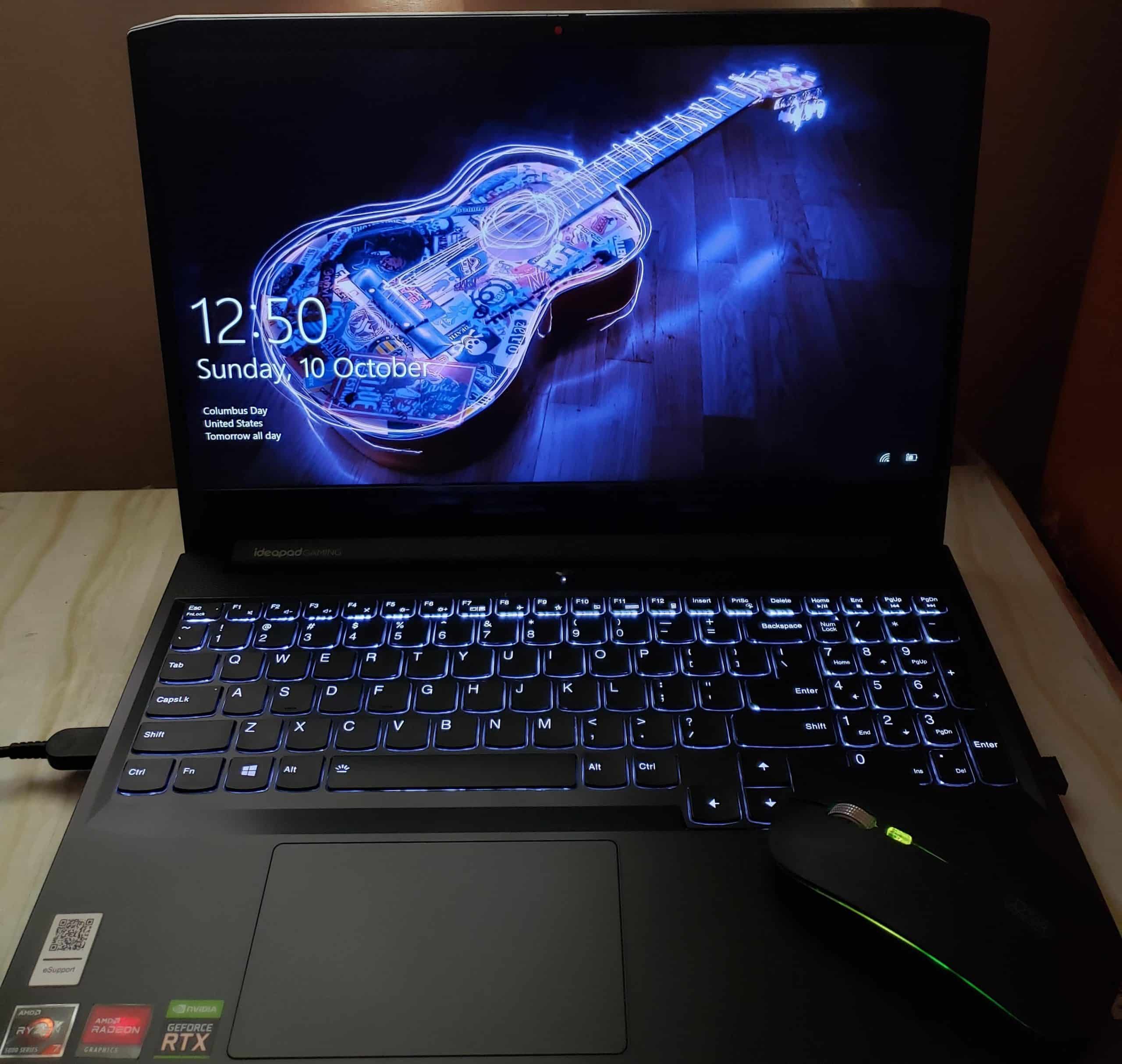
Lenovo Ideapad 3

Budget Pick

Lenovo Ideapad 3i

Our Rating: 9/10

5

HP Envy X360

Touchscreen Pick

HP Envy X360

Our Rating: 9.25/10

Longest Lasting Laptop for Business/General Use: Lenovo ThinkPad E16 Gen 2 

Lenovo is nearly always at the top of my list when someone enquires about a non-gaming focussed laptop built for the long-term (think e-mails, web browsing, Netflix, and basic software/Microsoft Office).

ThinkPads have a fantastic reputation as a rugged, high-durability laptop range. They’re not only made to last physically but also boast fantastic battery life and an internal build/thermal quality that retains over years.

Of course, you still need the ThinkPad to have decent specs, and that’s where this E16 model comes in.

The specific capacity that we’re highlighting boasts a fantastic Intel Ultra 5-125U processor & 16GB RAM. This pairing (and the onboard graphics of the Ultra 5) will work together to handle pretty much any business/general use task you can throw at them with great speed.

We love the inclusion of a 512GB NVMe SSD too, which is the fastest mainstream storage solution available for laptops. Not only will this mean the included Windows 11 Professional will run very smoothly, but you’ll have a huge amount of space (more than most laptops) for long-term file storage.

Note: depending on your budget, there are many different versions of the Thinkpad Gen 2 to consider. You can increase the specs to include Intel Core Ultra 7 155U & 32GB RAM  & also change the storage space. I was most impressed by the 125U model highlighted in terms of value.

  • 16GB vs 32GB: the latter is a nice upgrade but will have diminishing returns. Don’t feel forced to upgrade to it (I personally run a laptop on 16GB and do lots of intensive tasks).
  • Storage space is completely dependent on your needs. I think many longevity-focussed users will like the freedom of 1TB but you will be fine with 512GB, or even 256GB if you mostly use cloud storage.
  • 125U vs 155U:  I prefer the value of the 125U, but the 155U is a notable upgrade if you happen to spend a lot of time doing intensive tasks (high-capacity spreadsheets, programming, etc). If you are just a general PC user, the 125U is more than enough.

The E16 has some other nice quality-of-life features we like to see in a premium laptop like a full HD IPS screen, a 720p webcam + shutter for privacy and a USB 3.1 Type-C Gen 1 port.

Overall, if you’re not doing lots of gaming or work that requires a high-end GPU (video editing or rendering), then I think you’ll love what the Thinkpad E15 can do. I’ve not come across anything that balances durability, thermal quality, specifications, and price better than this range.

2025 update: The E16 gen 2 overtakes our previous Lenovo pick from 2024, it’s a brand-new offering on the market and a great time to pick up.I

Our Rating: 10/10

ASUS ROG Strix G16

Longest Lasting Laptop for Gaming / High-End Production: ASUS ROG Strix G16

Now, for those after some serious longevity for gaming or video editing/rendering, you’ll want something with a powerful GPU to go alongside the other high-end specs.

With an absolutely beastly RTX 4070, this is one of the best graphics card available for laptops today and works alongside a top-range i9-14900HX & 16GB of DDR5-5600 RAM to achieve fantastic framerates on pretty much any title available. You can expect Cyberpunk 2077, Red Dead Redemption 2, the latest Call of Duty, and all upcoming games for the next few years to run at an impressive spec.

To be very clear; when it comes to gaming, there is no such thing as full future-proofing. There are always new graphics cards and more intensive games coming out.

With that said, this set of specs is not just fantastic by today’s standard but is good enough that even when they’re no longer “top-of-the-line”, I expect them to hold some real power for way longer than a majority of competitors.

If you happen to use your machine for general use too, know that between the main specs of the G16, it will pretty much destroy any task you can throw at it for a long time.

Another reason we love this machine is its wonderful screen. This is a QHD 240hz display. Not only are you getting the capability to games and other content at an incredibly high spec, but with decent contrast/color accuracy too. We’re impressed by the screen included here, it will be the perfect accompaniment for a top-tier laptop for many years to come, and with the RTX 4070 at the helm, you’ll have a GPU powerful enough to make the most of it.

With any decent gaming PC needs to come to a lot of storage. This G16 model includes a 1TB SSD which will provide fantastic loading times and speed during non-gaming tasks. That said, if there’s anything I wish was better about this laptop, it would be an inclusion of a 2TB drive. Given so many games reach 200GB+ these days, it can be easy to fill up even 1 terabyte of space.

That said, there’s a very important inclusion; a second M.2 SSD slot. This gives you the freedom to upgrade your storage later on. The good thing about this is adding a second NVMe yourself is very easy and usually a lot cheaper than having it built in. So my advice to you is start with the base model, see how 1TB feels, and if you’re running out, pick up a second large drive to meet your needs!

With longevity being the focus, I also rate ASUS’s track record in producing durable and efficient laptops. With a very sturdy (yet ergonomic) exterior, a beautifully laid out inner internal cooling, and options to customize the level of noise/fans yourself within ASUS’s custom software, I’m really pleased to see the design of the laptop suit the quality of the internal specs. You would be surprised how many high-end picks reduce the price by ultimately not creating a product designed to last, especially when it comes to thermal performance.

It is an expensive device, but between its fantastic internal/external build quality, screen and specs? There’s so much value in this choice.

The Strix G16 is such a joy to use, and my comfortable pick for the top long-lasting gaming laptop available today.

2025 update: The Strixc G16 replaces my previous top MSI pick. It’s a great time to pick up a longevity focussed gaming laptop as the 4070 GPU is a fantastic offering.16GB DDR5-5600

Our Rating: 9.5/10

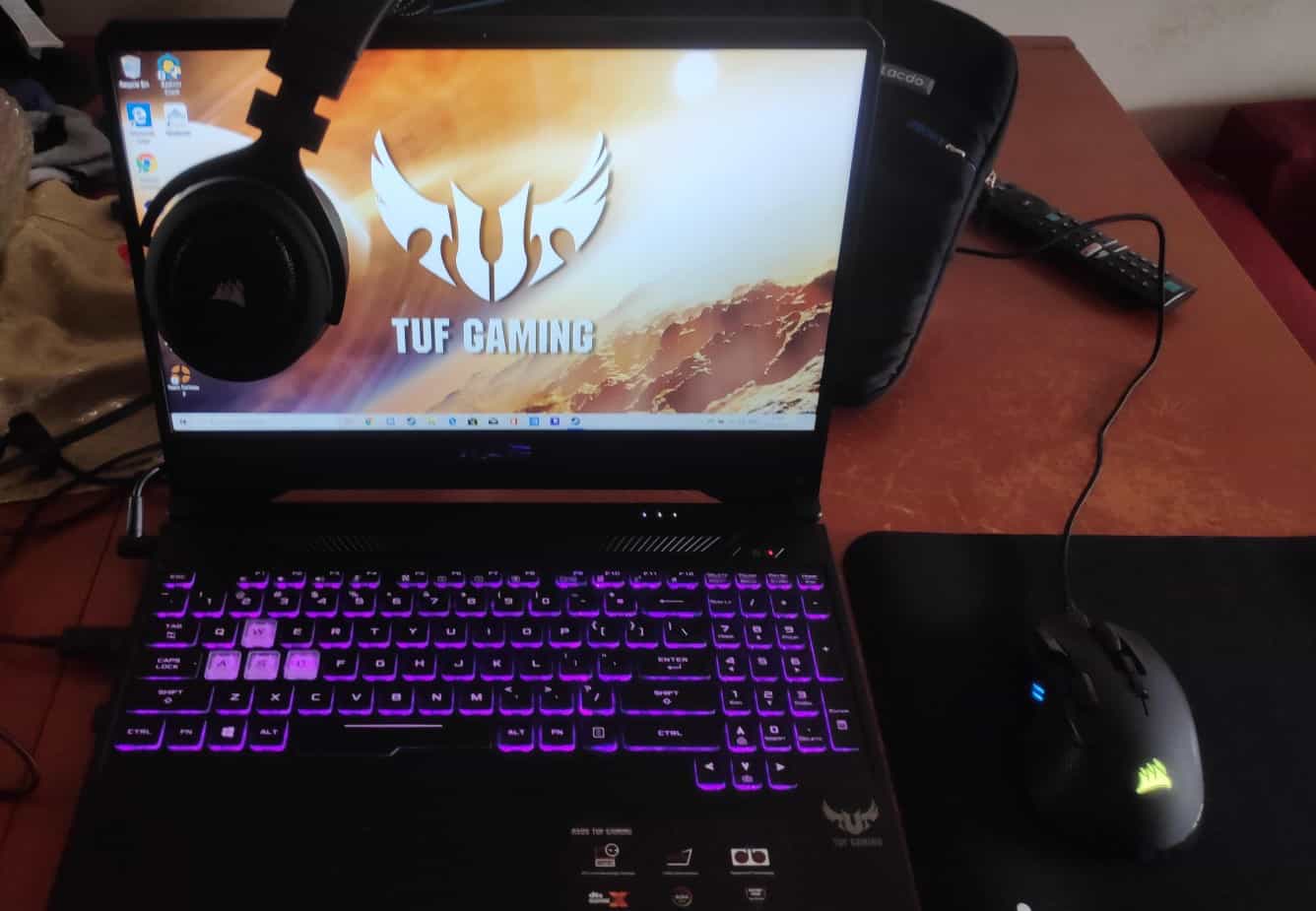
ASUS TUF Gaming F15

Longest Lasting Gaming Laptop (Mid-Range): ASUS TUF Gaming F15

As much as I’d love to recommend the above pick to everyone, I understand many gaming budgets will be in the lower 4-figure range. The ASUS TUF Gaming F15 is perfect for someone after some serious longevity for gaming, but without the budget for our top MSI pick.

Boasting an RTX 3060 graphics card alongside an Intel Core i7-12700H. This GPU/CPU combo is quite formidable at a mid-range price in 2023. You’ll be able to play close to every title in excellent sittings at FHD with high FPS (which will last into the future for many games too).

You’re also getting 16GB DDR4 RAM and a 1GB NVMe SSD. I’m happy to see that ASUS didn’t skimp out and include 512GB here (which would be almost expected at the price). For hungry users, there’s still an additional slot to upgrade later if needed.

You might be thinking “at this price, where does the ASUS TUF Gaming F15 cut corners?”. Well, I can’t really find an answer to that as it excels in its other areas too!

Take its screen for instance, with a decent IPS panel running at 300hz and adaptive sync to counter screen-tearing; you’ll be getting sharp, and smooth gameplay on a laptop that can actually produce high FPS. The color accuracy and brightness aren’t as impressive as some higher-end screens, but it’s perfectly decent for the price.

It’s worth bearing in mind that 300FPS will be achieved in games like Fortnite, LoL, and other well-optimized competitive titles. Don’t expect these framerates while maxing out the latest meaty single-player games. This is completely fine, as ultra-high Hz are more important for competition anyway.

The TUF also boasts a beautiful and sturdy design, a comfortable backlit keyboard with enough tactlessness for gaming, and inbuilt thermals that have had a good track record from most other users. ASUS really focussed a lot on durability in this build, even passing some well-regarded tests for military-grade toughness.

If you can’t stretch to our top RTX 3070Ti pick, don’t fret. This is such a great gaming offering for anyone looking in the mid-range price point.

2025 update: If you like the look of this pick but want something slightly cheaper, there is a 3050Ti model with an 11th Gen Intel CPU to cater to lower budgets.

While I would certainly recommend you pick up the 3060 12700H version if you can afford it, this cheaper model is still an impressive offering for its price and will do well in most modern games.

Our Rating: 9.5/10

Lenovo Ideapad 3

Best Cheap Long Lasting Laptop: Lenovo Ideapad 3i

Now, for general users, we would definitely steer you towards the ThinkPad if possible (even reducing its specs) because those machines are built like tanks, and have long-lasting battery life.

That said, if you’re looking for the cheapest laptop that still offers specs we see as being suitable for the medium-long term (for business and personal use, not gaming/high-end production), then this cheaper Lenovo offering packs a decent punch!

Boasting some specs not often seen from a reputable laptop manufacturer in this price range, you’re getting 8GB RAM, a 256GB SSD & a Core i5-1135G7 processor. We expect these to all provide you with everything you need for general use like basic software, Office, internet browsing, and Netflix/Amazon Prime/Disney Plus for a decent amount of time.

So with all that said, why is this our budget long-lasting laptop choice? Well, there are two areas that may bother some users:

  1. 8GB RAM is a notable downgrade compared to 16GB. If you like to do a lot of tasks at once (e.g. multiple tabs/programs), you’ll begin to notice your machine become slower more than you would with 16GB. This usually won’t be observable in the initial year or two, but it will become more of a problem faster than with 16GB.
  2. A 256GB SSD might be plenty for some, but I like the freedom a 512GB-1TB drive gives to longevity focussed users (this is mostly personal preference though, if you mostly use online apps and stream, you won’t be affected too much)
  3. The CPU is a notable downgrade compared to the ThinkPad options. This will be mostly fine if you are a basic user, but its age will show more quickly as the years pass

This makes our take sound super negative, but for the price, the 3i is still a very well-built machine. I would definitely recommend stretching to our top Thinkpad picks if possible, but if that isn’t achievable for you, then this laptop will still serve your personal use better than any other competitors at its price range.

2025 update: If you are interested in the 3i but would prefer even cheaper, there are now smaller-sized models available in this listing. Most of these do have slightly lesser specs than the 3i we’ve linked but are still impressive for their lower price-point.

Our Rating: 9/10

HP Envy X360

Longest Lasting Touchscreen Laptop: HP Envy X360

If you’re looking for a high-performance touchscreen laptop that is as future-proof as a mid-range device can get, the HP Envy X360 edition is a fantastic option.

The latest version of this classic flagship line from HP’s laptop division has a lot going for it, alongside its 15.6-inch touchscreen (with a gorgeous 400-nit IPS panel) is a powerful Intel 11th Gen Corei7-1195G7 CPU with 16GB RAM and a TB M.2 NVMe SSDs (which will make your OS/file use feel like a smooth dream).

With these specs, you can expect this to last a long time for personal use and general work; but the LG Gram excels in another type of longevity: battery life. 

With an awesome 3-cell 51W lithium battery, the laptop can last up to a juicy 9.5 hours (of course, don’t expect this for a bunch of intensive tasks, but it’s still a great achievement).

If touch and/or battery are important to you, the X360 is a great pick-up and one of the most popular setups on the market for a reason.

Our Rating: 9.25/10

Laptop Brands that Last the Longest?

To end this feature, we just wanted to address this common query. Prospective buyers often ask “how long do Lenovo/HP laptops last?”, etc.

The truth is there isn’t a one-size-fits-all long-lasting brand, it depends on the model (namely build/cooling quality, CPU, GPU, RAM).

If we had to name the longest-lasting laptop brand, it would typically be Lenovo, specifically their ThinkPad range.

However, this is a huge generalization, and a $1,000 HP laptop will (usually) last longer than an $800 ThinkPad.

So we’d highly recommend looking at the picks above which have been tailored to this question, but if you want to look further, focus on user reception and laptop reviews of certain models that seem to fare in the medium/long term and making sure you have decent enough specs (including a beefy GPU if you’re gaming).

What's Next?

About the author

Picture of Kaelum Ross
Kaelum Ross
Kaelum Ross, BSc is the Lead Writer at What in Tech and a leading authority in PC hardware and software. With a career as a senior IT professional, Kaelum has led multi-million dollar projects covering everything from bespoke software development to complex Windows hardware upgrades. Today, Kaelum uses his expertise to serve What in Tech's readers and has been featured in numerous global publications including New York Magazine and Lifewire.

The 8 Best Dual Screen Laptops of 2025

Dual Screen Laptop

The 8 Best Dual Screen Laptops of 2025

An incredible innovation for serious users: We review the best

Dual Screen Laptop

We have significantly updated this article for 2025. There’s been a huge wave of new dual-screen models that we’ve reviewed, many of which have overtaken our previous top picks. Bear in mind that some of the below picks are legacy laptops that we’ve included for completeness, but generally speaking, most users will want to pick one of the laptops discussed in the top two picks.

Of all the innovative portable technology we’ve come across, nothing meets the “once you use it, you’ll struggle to go back” category more than a dual-screen laptop.

These revolutionary setups include a second monitor underneath your main display.

Back in 2019 when introduced, some sites wrote off dual display laptops as a gimmick or distraction.

But with the recent new iterations and dramatic improvement in their quality, as well as more publications actually getting to try them, it is fast becoming the next generation of laptops for video editing, productivity, and even gaming/general use.

We’ve reviewed the latest and greatest models. Today’s feature is here to guide you through the best options available today for your different needs and budgets.

1

ASUS ZenBook Pro Duo 15 OLED UX582

Overall Best Dual Screen Laptop

ASUS ZenBook Pro Duo UX582

Our Rating: 10/10

2

asus zenbook duo

Best Cheap Dual Screen Laptop

ASUS ZenBook Duo UX482

Our Rating: 9.5/10

3

ASUS ROG Zephyrus Duo 16

Best Dual Screen Gaming Laptop

ASUS ROG Zephyrus Duo 16

Our Rating: 9.75/10

4

OMEN X 2S

Alternative Gaming Pick

OMEN X 2S

Our Rating: 6/10

5

Thinkbook Plus Gen 2 2

Best Dual Screen Laptop for Business

Lenovo ThinkBook Plus Gen 2

Our Rating: 8.5/10

ASUS ZenBook Pro Duo 15 OLED UX582

Overall Best Dual Screen Laptop: ASUS ZenBook Pro Duo UX582

2025 update: There have been some huge releases this year, so you’re somewhat spoilt for choice. The below is the review for the classic UX582 model as pictured, but this year I would divide the best overall pick into 3 options:

  1. The new double-screen ZenBook model: This is ASUS’s new flagship premium laptop. Unlike other dual-screen laptops, the second screen is full-size. The design of this model is fantastic as ASUS have developed a keyboard that can flip between separation from the screens to allow for dual-display, or covering the bottom screen for use as a traditional laptop while traveling. The specs of the screen are fantastic for 2025 too. I would say this is the model most productivity users should go for. The only reason it’s not the sole recommendation is that it does not have a standalone GPU like other models. If you are a gamer or need high graphics processing for your work, I’d recommend the next option.
  2. The ASUS Zenbook Pro 14 Duo 2025 is the best new edition of the classic series (with one half-sized second screen attached to the bottom part of the laptop instead of 2 full-screens). The key advantage here is the addition of the RTX 4060, making it a much more powerful machine for graphics (although if you are solely looking for gaming, check out my gaming pick further below).
  3. The review below is based on last year’s model of the Zenbook Pro Duo, we’ve kept it intact as the core features are the same as the 2025 version (just with lesser specs) and if you are not an intensive user, I recommend looking to see if this model is available as we’ve seen it occasionally go for a reduced price.

There are multiple great options in the multi-screen laptop space, but unless you’re on a tight budget or are looking for gaming, nothing comes close to the ZenBook Pro Duo.

There is so much to love about this offering, but let’s start with the obvious…

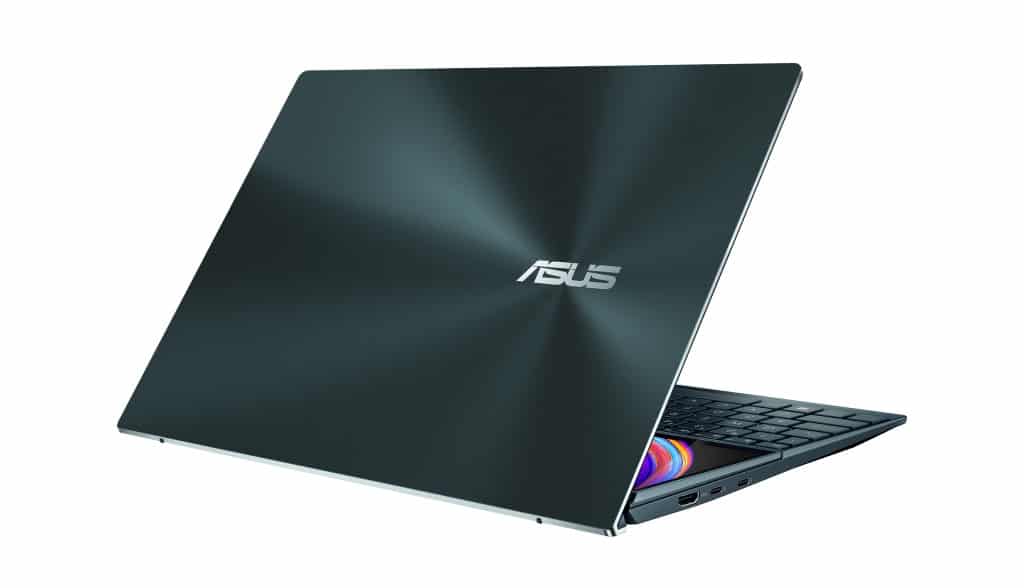
The included ASUS ScreenPad Plus is the best second monitor available today. Its specs and software capability combine to provide unmatched productivity options for creatives/professionals compared to any other laptop technology we’ve used.

Boasting 4K OLED IPS touchscreens for both your main screen (3840×2160) & the ScreenPad Plus (3840×1100) with excellent HDR capability, bright 400-nits and a 100% DCI-P3 color gamut, these displays are all capable of an incredible picture.

We really appreciate how ASUS has matched the specs of the main screen with the secondary monitor. Not only do they both have wonderful pictures suitable for professionals, media, and gamers alike, but there are also tons of pre-built and customizable utilities across applications:

  • For photographers, artists, and other designers -> You have the capability to use the second screen for most of your UI (clearing up the main screen), specific favorite shortcuts, and/or a zoomed version of your picture/design for detail touch-up.
  • For programmers – > Code windows can be extended by nearly 50% or the bottom panel can be used to display debugs, previews (or even a video call if you’re multi-tasking).
  • For general use -> Quick app accessibility, displaying the same content across multiple screens, writing notes while watching a main-screen video, the possibilities are huge.

We could go on for music producers, video editors, and many more, but you probably get the idea.

ASUS ZenBook Pro Duo 15 OLED UX582 2

Source: alfredator

Nearly every popular program today (from Photoshop to Visual Studio) has customizability to get the setup you want with your screen layout.  The Pro Duo makes this easier with plenty of presets available.

With the inclusion of the high-quality active stylus and excellent pressure variability on both screens, we really can’t think of a type of user that will be left wanting more from a design/note-taking perspective either.

Ergonomically, the setup feels carefully designed for your head to alternate between the two screens without discomfort, with a very thin bezel between the two displays and a slight tilt in the bottom half of the laptop to create a more comfortable angle (these may sound minor, but its subtle features like this that can make or break an experience long-term, and ASUS has refined the Duo in these important nuanced ways).

We will say that if you’re the sort of user that likes to use their laptop on their actual lap, the Pro Duo can feel a bit clunky. It’s definitely more of a desk/table setup.

What makes this offering extra special is the fantastic specs that match the high-quality external setup.

Led by a powerful Intel 12th gen core i7 CPU, 16GB RAM, and a very capable RTX 3060 GPU, the machine is clearly made with smooth operation in mind, including decent hardware for 4k video editing, advanced designers, and gamers.

With an enormous 1TB PCIe solid-state drive included, we’re pleased to see the storage solution is appropriately sized for creative demands too.

Which Pro Duo version to purchase?

If you search through Amazon, you’ll see a ton of different Pro Duo models. Many sound similar but actually boast outdated CPUs & GPUs. I’d recommend following our updated links to the latest versions we’ve reviewed.

I chose to feature the RTX 3060 model as I believe it represents the best balance between price and utility that most users will want.

If you’re using your laptop for high-end professional work (or simply want the most powerful version), you could opt for the RTX 3080 + 32GB RAM model. This is a great upgrade, but I think it may be overkill for many non-gamers.

If gaming is your main focus, you can get a lot done on either the 3060 or 3080 Pro Duos, with the latter performing about 40% better in gaming benchmarks. We would say, however, that the new Zephyrus Duo 16 we recommend further below would be the ideal pick for gamers.

ASUS has announced a new Pro Duo 14 OLED model; with a slightly smaller, brighter screen that has decreased the resolution to 2.8K in aid of a 120hz refresh rate (alongside a few tiny quality-of-life improvements).

We don’t know what the release date of this version is yet (likely late 2022/early 2023) but we would say it’s not worth waiting out for. The 3060/3080 versions we recommend here are both new 2022 models and will have very similar specs to the upcoming 14-inch version. In addition, the improvements are negligible and many will even prefer the existing 4k 60Hz screen over the new 2.8K 120hz display.

Is there anything we don’t like about the Pro Duo?

Well, to be honest; very little. This dual-screen ASUS laptop excels across the board.

One thing we would point out is a challenge you will get with most dual-screen laptops; the keyboard placement requires some getting used to.

Because these laptops have a second screen built-in, the keyboard is pushed to the very bottom of the machine, and the trackpad to the right (instead of its usual under-keyboard alignment).

Mostly, it just requires some muscle-memory relearning to get used to the new trackpad placement.

ASUS ZenBook Pro Duo 15 OLED UX582 3

The Pro Duo has a lot of gaming potential – Source: aryaan04

Price-wise, yes this is an expensive laptop, but with everything on offer, we are pleasantly surprised by the value included.

When you consider the great CPU, RAM, GPU & storage accompanying the machine’s base specs and how both displays are some of the most beautiful 4k screens we’ve come across, it doesn’t feel like you’re just paying an unfair premium for the second display.

If you are a productivity user, we think the combination of powerful specs and the utility of the ScreenPad Plus could be treated as an investment that can markedly improve your output.

Still, we appreciate this not everyone will have the budget for this, and some of our options below (including the next one) are notably cheaper for you.

The battery life ranges from about 3-5 hours depending on usage. This is disappointing compared to an average laptop, but considering the power draw required for 2 bright, high-res displays, it’s nice to see it can still clock a few hours.

Finally, the Pro Duo has the build quality we hope for from a premium laptop. With a full aluminum exterior, very high-quality hinges, a tactile/satisfying keyboard, and a striking design, this is a rugged product that feels built for longevity.

It even demonstrates this by meeting the US MIL-STD 810G military-grade standard, a certification that involves tests with high pressures, salt fog, light rain/water spray, and certain levels of mechanical shock.

We’re pleased by the thermal design which does a decent job at keeping the system under control. Benchmarks have recorded high temperatures during very demanding activity, but never beyond the realm of normality for a powerful PC.

With everything said, we are simply floored by what a fantastic offering the ZenBook Pro Duo is.

Ticking pretty much every box we could hope for in displays, specs, software, and build quality, this is not just our top pick for the best dual-screen laptop available today, but one of the best PCs available in any category.

Our Rating: 10/10

asus zenbook duo

Best Cheap Dual Screen Laptop: ASUS ZenBook Duo

Now, as much as we love the Pro Duo, ASUS has crafted a budget dual-screen laptop that is equally compelling relative to its attractive mid-range price.

“Cheap” is of course relative. The Duo will still run you well over $1,000. But any cheaper and the quality of the product would be hampered, we really like the balance ASUS has struck between specs, screen quality, and price here.

Note: Be careful to go for the latest UX482 models instead of the UX481 version, which has outdated GPU/CPU hardware (as do some of the 2021 UX482 models, which is why we recommend following our linked products where possible).

The tech world has come out in near-unanimous praise for the new ZenBook Duo version, with its leading feature being an automatic-tilting ScreenPad Plus that provides an additional 7 degrees tilt for better ergonomics, viewing angles, and airflow.

On top of that, this new Duo model comes with some great specs for a mid-range machine.

With a Core i5-1135G7 Processor (with onboard Iris X graphics), 8GB RAM, and 512GB storage; you are, of course, not going to get the same performance as you do on the Duo Pro with its superior specs and standalone graphics card.

But for cheap to mid-range use, this laptop still packs a punch with the 11th gen Intel CPU leading the charge and would be great for work, media, and production users on a budget.

If your budget is somewhere in between this version and the Pro Duo, there are two higher-spec Zenbook Duo models we’d recommend.

Slightly more expensive is the 1195G7 Duo model with a notably upgraded CPU, certainly worth the ~$100 extra if possible.

If you can stretch further to around the $1,500 mark, the MX450 Duo version is our favorite. Not only is the GPU notably better than the integrated graphics of the other versions, but it also boasts twice the storage space and RAM. These updates would be particularly notable for video editors and gamers.


asus zenbook duo 2

Source: ASUS

Screen-wise, the UX482 boasts 14-inch + 12.65-inch duo full HD touch IPS panels that still get nice, bright, and colorful with 400 nits and a 100% sRGB color gamut.

The picture quality won’t be as good as the Pro Duo’s 4K HDR screen but is legitimately impressive for the price with everything else included in the offering.

Port-wise, the ZenBook Duo feels nicely up-to-date too. With HDMI 1.4, 2 x Thunderbolt 4 Type-C USB ports, 1 x USB 3.2 gen 1 & decent onboard audio, Wi-fi, and Bluetooth. No corners feel cut on its outputs and we appreciate the double type-C ports.

With military-grade 810H testing certification, sturdy material, tactile keyboard, and a beautiful aesthetic, the ZenBook Duo’s build quality is rivaled by little else at the price point.

Sure, the Pro Duo feels like the all-encompassing choice, but we’re still really impressed by all of the boxes the Duo manages to tick. Even without the second screen, this would feel like a decent, high-quality offering.

But with the duo display in mind as well? If you’re looking for a cheap multi-screen laptop, the latest Duo is a fantastic, high-value offering.

Our Rating: 9.5/10

ASUS ROG Zephyrus Duo 16

Best Dual Screen Gaming Laptop: ASUS ROG Zephyrus Duo 16

2025 update: There are new versions of the Duo 16 released that bring the series up to 2025 gaming standards. Our favorite model is the 4090 edition which is one of the most powerful gaming laptops on the market in 2025. If you would like something cheaper, the 4080 edition is also an excellent choice. Bear in mind too that while I would recommend forking out for one of these models if possible, budget users would be fine with the ZenBook 4060 model which still packs a powerful punch for gaming..

The ZenBook Pro Duo, with its decent CPU and standalone GPU, can pack a decent punch for dual-screen laptop gaming.

But if gaming is your main focus, then the Zephyrus Duo is a simply incredible choice (and also has plenty of capabilities elsewhere).

Important note: The linked model has fewer reviews due to being brand new on the market. The Zephyrus Duo is already a formidable, popular gaming choice, but we highly recommend our latest model highlights that include 3000-series GPUs.

The specs on the latest Zephyrus Duo models are simply mouth-watering.

Starting with screens. With a ROG Nebula HDR technology, up to 1,100 nits of brightness, and a mini LED panel, the contrast is stunning and better than many premium gaming monitors.

Both of these screens also offer an excellent 3ms response time, G-sync Compatability & fantastic color. The main screen boasts a QHD resolution and 165Hz refresh rate which, from our experience, is a great sweet spot for gamers. We can’t speak of just how fantastic gaming content looks on these screens.

The second display on both models offers a fantastic picture quality rivaling the ZenBook Duo Pro.

Not only does the second monitor boast a great ergonomic tilt, but also some brilliant software for gamers and creators alike.

ASUS ROG Zephyrus Duo 16 2

Source: ASUS

We’ve already discussed what fantastic utility a dual-screen can offer for productive users, but gamers also have some fantastic options available:

  1. Many modern titles work with the ROG ScreenPad Plus to offer UI menus on the secondary screen (also reducing on the main screen).
    • Anything from quests in single-player titles to top builds/metrics in competitive games/MMOs
  2. Core hardware thermal UI options if you are focused on temp control or even overclocking.
  3. Easily one of the best streaming laptops for Twitch and more; with a game on the main display and stats/chat/camera angles on the sub-screen.
  4. Any other second-screen software you could find useful; our favorite examples are Discord, Skype, or TeamSpeak.
  5. If you’re a fan of CEMU, this also happens to be the perfect PC to emulate Wii U/DS games (with the best way on the market to emulate these consoles’ second screens).

What’s even more impressive is that the laptop actually has the hardware to accommodate both QHD and 165Hz.

Boasting a fresh-on-the-market premium AMD Rzyen 9 6900HX CPU, 32GB DDR5 RAM, 2TB SSD &, of course, its all-powerful RTX 3080 Ti GPU, there is little more to be desired spec-wise.

Whether you’re after immersive titles like Cyberpunk 2077/Red Dead Redemption 2, competitive games like Overwatch/Fornite/League, or a VR-ready PC, the Duo 16 is very capable of ticking all the boxes (and is also a compelling offering for high-end video editing/design).

ASUS ROG Zephyrus Duo 16 3

The build is rugged aluminum and the overall design is quite striking. The Duo 16 remains surprisingly portable for its 16″ form factor and is a true sight to behold and use. The exception to that rule is that you’ll mostly need a power outlet available when gaming because the battery will quickly dissipate with all of the specs and screens 

The keyboard, with its beautiful custom RGB layout, is equally stunning; it’s tactile and responsive relative to many other gaming keyboards. We certainly don’t rank it up there with the best mechanical keyboard offerings, but we haven’t come across much better for laptops.

Now with all that said, the price tag is undeniably huge. We have focussed on the 3080 Ti edition because we love that there is 0 compromise: with the best laptop GPU on the market and an incredible screen/secondary set of specs, it’s as powerful as you could ever need in today’s market.

That said, the 3060 and 3070 Ti editions of the Duo 16 are both excellent in their respective price ranges. We would simply suggest you choose the version that best matches your budget.

If you have the budget, know that we don’t just rank the RTX 3080 Ti Duo 16 as one of the best dual-screen gaming laptops, but one of the top laptops for gaming in any category.

Our Rating: 9.75/10

OMEN X 2S

Alternative Budget Dual Screen Gaming Laptop: OMEN X 2S

2025 update: We have kept our OMEN X 2S review for completeness as some of our readers have still been asking me about it, but realistically, we don’t recommend this choice anymore. This is due to the specs being notably outdated, with no models boasting 4000-series GPUs. Even if the Zephyrus Duo 16 is out of stock or out of your price range, we would sooner recommend you pick up a Zenbook Pro Duo for gaming over the 2S.

Lead by its Intel i7-9750H CPU, NVIDIA RTX 2070 Max-Q GPU 8, 16 GB RAM & a 512 GB SSD, despite its lower price tag, the X 2S is still capable of decent gaming at great refresh rates.

Speaking of refresh rates, the 2S boasts a G-Sync enabled 144hz full HD main screen with an IPS panel and decent colors/contrast suitable for high-speed gaming.

One of the most impressive specs of the 2S is the second screen. Despite clocking in at just 5.98-inches diagonally, it’s still full HD with another bright IPS panel.

Even with the more modest specs of this HP dual-screen laptop, the second display is still crystal clear and feels beautiful to use for secondary content.

Another standout feature of the 2S is its fantastic speaker setup designed by Bang & Olufsen.

While we would never recommend any laptop speakers as your main audio solution when some fantastic headphones exist for just that, it’s still a great back-up and worthy for sharing content/media with others.

OMEN X 2S 2

Source: HP

Another sturdily built device, the 2S looks very sharp. With its tough hinge, tactile RGB keyboard, and thermal design suitable for its specs, there’s little to complain about in the laptop’s physical longevity.

The main problem with the OMEN X 2S is simply its spec age; the RTX 2070-MAX Q still packs an OK punch and is perfectly capable of high refresh rates in most competitive titles and great settings on new games.

But with the RTX 3000 series now on the market, it’s not that 2070 is automatically redundant, but the above choices are light-years ahead in performance and value.

Also, it’s worth pointing out that the second screen is complete without tilt. This is something more common in the first dual-screen laptop generation (some of this comes down to personal preference, but we expect most users to prefer to ergonomics of a 2nd monitor lifted up by at least a few degrees).

So, as good as this offering is/was, you can probably see why we would push you towards any of the RTX 3000 offerings available across the Pro Duo and Duo 16 laptops versions.

Our Rating: 6/10

Best Dual Screen Laptop for Business: Lenovo ThinkBook Plus Gen 2

Our last main choice is a step in a different direction for a double-screen laptop.

Lenovo is a powerhouse brand in the world of business-class computers, and the ThinkBook Plus represents their latest innovations in productivity for office/meeting spaces.

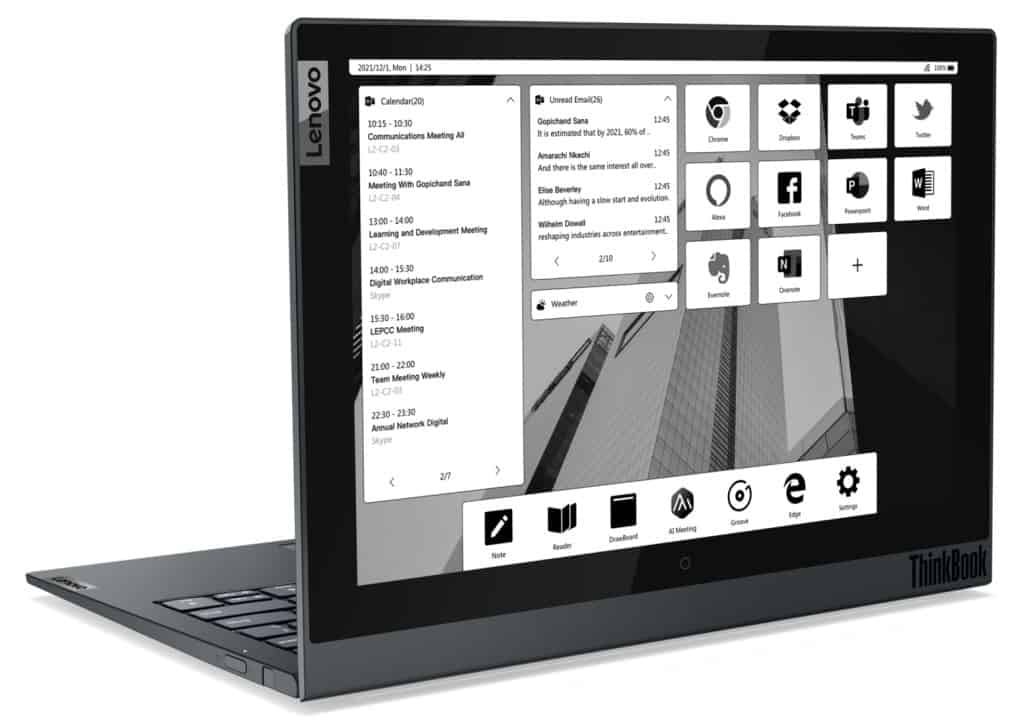
Instead of the usual second screen underneath the main display, the Plus adopts a screen on the other side of the monitor lid.

This may sound a bit counter-intuitive for productivity, but in the world of business settings and intensively-overstimulating modern work environments, Lenovo has come up with a new take.

The Plus’s second screen is a gorgeous full HD e-ink touch display.

Alongside the high-quality included stylus pen, this e-ink monitor, similar to those found on a Kindle (but higher-quality) is designed to be used while the laptop is closed. Think of the environments where having a laptop fully out is awkward: be it meetings, commutes, or quick impromptu sessions, these are the kinds of settings where the Plus excels.

What’s more, those environments are where an e-ink display is more than suitable; anything from quick note-taking, drawing diagrams to explain a concept, to reading documents/news content.

It may sound like a gimmick, but an e-ink screen on a closed laptop is notably less intrusive and easier to hold in these settings.

Also, anyone who works in modern screen-focussed jobs knows how subtlely exhausting it can be to look at business content on a bright monitor all day (especially when these are often office documents/spreadsheets, black text on white backgrounds can be subtle fatiguing to the human brain over long stretches of time).

This very notion is why so many modern workers still love notes/minutes on good old-fashioned paper.

Thinkbook Plus Gen 2 2

Source: Lenovo

But I think the ThinkBook’s responsive e-ink touch display represents a great next step for this type of use. Collating, organizing, and editing notes on a PC is so much easier than on physical pads. The Plus offers easy integration to popular apps like OneNote to transfer and manage your business notes, diagrams, and more.

So, we don’t just appreciate the ThinkBook Plus from a productivity perspective, but also from an ergonomic one. Lenovo has designed this setup to give work users a much-needed eye break.

But with all that said, we know working on the main display is still the dominating part of most business users’ days, and that’s what makes the Plus such a compelling offering; it still excels as a single-screen laptop.

Boasting a Core  i5-1130G7 CPU, 16 GB RAM & a 512 GB SSD, the hardware is more than capable of great general use, advanced office applications (including intensive spreadsheet capability), and perfect for multi-tasking (video calls, etc.).

The main display is also beautiful, its 13.3″ size keeping it portable for the previously described closed-top use, while still remaining large enough for productivity. Tied with a WQXGA resolution, IPS panel, and decent contrast/color gamut, it’s gorgeous for viewing various content (including media).

The Plus’s specs hit a perfect sweet spot for business laptop users. Anything more wouldn’t provide a marked improvement for most, but anything less would begin to deteriorate its experience and longevity/future-proofing.

We do think that the above choices will be a better pick for a majority of users. We think of the Thinkbook more as a great option for a certain niche.

If you are focused on modern non-design work, or simply love the idea of an e-ink option for your content, we think Lenovo has created a special unique laptop here.

It’s a worthy purchase if you prefer its utility to the other dual-screen Windows laptops we’ve covered today.

Our Rating: 8.5/10

Alternative Picks – Best of the Rest

While the top 5 dual-screen laptops are our picks for the best of the category, there are a few more options that may be worth considering if you have a niche requirement, we’ve added them as quick-fire choices below.

ASUS ZenBook Duo UX481

Cheapest Dual Screen Laptop: ASUS ZenBook Duo UX481

The UX481 is the previous generation of our top budget pick, the ZenBook Duo UX482.

The specs on this last iteration are, of course, not as good as the new model. We think that the price difference for the UX482 models are more than worth it.

But if your usage is fairly basic and you’re looking for the cheapest multi-screen laptop possible, we’re seeing these models occasionally discounted at really low rates, it’s still a great general use/productivity PC if you are on a tighter budget.

Our Rating: 7/10

Apple MacBook Pro

Best Dual Screen MacBook: New Apple MacBook Pro 16-Inch

For Apple fans or those that rely on Mac OS, we didn’t want to completely miss you out.

While calling any MacBook a dual-screen laptop is a bit of a stretch, the newest 16-inch pro model comes with a mini-LED strip above the keyboard designed to be customizable with different software for your key options (e.g. color sliders, and other settings that are more easily selected with touch).

With its tiny size, you’re not going to get the productivity joy of our other top picks, but the MacBook Pro has a lot more going for it, and this mini screen is a step in the right direction for improved creative setups.

Our Rating: 9/10

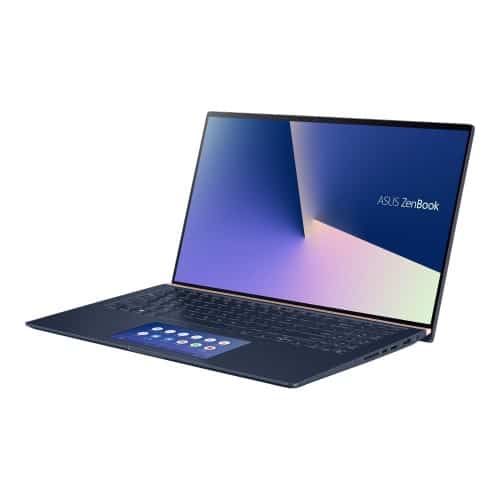
ASUS ZenBook 15

Alternative Budget Dual Screen Laptop: ASUS UX534FTC-AS77 ZenBook 15

The model underneath the Duo and Duo Pro, the ZenBook 15 is marketed as a cheaper option, putting more of its value focus on its main screen.

For an impressive price, you’re getting a gorgeous 4k IPS screen with some decent mid-range specs to accommodate it.

The second screen is integrated into the trackpad, which won’t give you the same next-generation experience as the Duo.

But if your budget is very tight and you need to focus on the specs of your main display for creative work, this is a great alternative.

Our Rating: 8/10

How we chose the best dual-screen laptops

With appreciation to how a new dual screen laptop is an important investment, a lot of research and deliberation has been put into the various factors that decide what we consider to be the top choices.

We’ve balanced lots of details/nuances that won’t be completely covered here, but the below headings make up a majority of the ranking factors and what is most important for users:

Hardware specifications

It doesn’t matter how gorgeous a dual laptop’s screens are if you don’t have the specs to make use of them.

At the forefront of our decision-making is ensuring that the CPU, RAM, GPU, and storage on offer for our top choices are appropriate for the needs of the specified user.

The ZenBook Pro Duo, for example, balances premium specs suitable for every type of creative professional, including 4k content producers, while not compromising on capabilities for general users and even offering some gaming prowess for those that have entertainment as their secondary concern.

While for those that have gaming at the heart of their decision-making, we have chosen the Zephyrus Duo which, similarly to the Pro Duo, has great all-around specs, but with more of a budget focus on its graphics card to maximize settings and FPS in games.

We’ve also ensured our budget picks like the ZenBook Duo boast enough power to consider them suitable for comfortably running their duo screen setup even at a cheaper price range.

Screen quality

The capability of both the main and secondary screens has been a fundamental part of choosing our top picks.

We appreciate that many creative professionals or those after a premium experience are focused on display capability. 

What in Tech has lots of experience reviewing various monitor categories and appreciate how important panel type, contrast ratio, nits-rating, color gamuts, and more can affect the overall quality.

So as well as focussing on the obvious areas like resolution and screen-size, we’ve ensured our top options balance these other vital secondary specs that really maximize how good your picture is.

We’re pleased to say the display specs of our top options, particularly the ZenBook Pro Duo and Zephyrus Duo, are up to the challenge of virtually any type of professional/creative user.

For gamers, we’ve retained a focus on excellent picture quality, but also ensured our top options (the Zephyrus Duo and HP X 2S) boast high refresh rates and low response times, both integral to a high-quality gaming experience.

For budget users, we’ve offered the option to choose between the next-gen dual-screen setup of the ZenBook Duo, still boasting gorgeous FHD screens, or the ASUS ZenBook, which only has a second screen on its trackpad, but boasts a superior 4k main display if that is particularly important to you.

Build quality

With the purchase of an innovative new laptop, we know a focus for users will be on the physical longevity of your prospective device.

A notable part of the ranking has included consideration for the build quality of each laptop (material used, hinges, any relevant certifications, etc.), many of the offerings are also existing popular products which have allowed us to understand the number of users with issues or any challenges with warranty/customer service.

We’re pleased to report that dual-screen laptop manufacturers seemed to have recognized that these offerings, with their notable price-tags, needed to be made to last.

All of our choices are made of decent material and boast quality not always seen at their respective price-range (the top ASUS picks take this even further with their military-grade certifications).

Our build ranking extended to the ergonomics of the choices too; we’ve considered the tactility and responsivity of keyboards, the pressure sensitivity of touch screens & the angle to which the laptops can open.

And finally, we’ve also considered the second screen placement as a qualitative factor; most notably if the screen tilts to a comfortable angle for viewing/drawing, as well as the size of the bezel in between the screens (thinner frames ranking higher).

Dual Screen Laptop 2

Thermal solution

Throughout the research and deliberation of how to rank each 2 screen laptop, we’ve put real stock into how devices perform in various thermal/cooling benchmarks, and if their results are acceptable for their relative power outputs.

We are pleased to report that for the most part, the offerings on display throughout this feature have thermal designs, including intelligent fan/heatpipe placements, that work to efficiently cool the systems.

There have been some examples of thermal throttling seen online, even across the top options, but these have usually been minor cases and, to an extent, to be expected with such advanced hardware/screen setups.

Battery life

We’ve stated throughout this guide that the battery life of dual-screen laptops isn’t on par with traditional portable computers; you can expect to achieve between 2.5-6 hours for most offerings (which is still impressive for the amount of power draw a 2 screen setup & premium hardware demands).

Despite this, we’ve still been sure to consider the variability in battery life between our top options as a ranking factor, with the ZenBook Pro Duo and Duo boasting some of the best batteries of the options on the list.

Software & user experience

The best part of having a laptop with 2 screens is simply being able to use the second screen for whatever you want; dragging, dropping, and customizing any type of window you can think of.

Although with that said, we think with this category, it was prudent to provide some slight extra ranking favor to ASUS, which specifically has some decent software availability to make exploiting the utility of a second screen as easy as possible (especially for the new ZenBook Duo model, with access to ASUS ControlPanel, a revamped set of UI options for popular design/productivity software).

We ranked the ZenBooks and Zephyrus offerings at the top for much more than the improved user experience, but it is still an appreciated value-add that is worth calling out.

Ports

All picks have suitable ports for most users, but we have included some consideration in our rankings for those that excel at providing excellent outputs.

The new ZenBook Duo model, for instance, pleasantly including 2 x USB Thunderbolt 4 type-C ports, is an impressive feature at the budget,  and is a nice recognition for the many creatives focussed on these picks, who will undoubtedly benefit from high transfer rate options.

Price

We haven’t just dubbed the most expensive laptop the best choice (if we had, we’d be recommending the premium RTX 3080 Zephyrus Duo to everybody!).

While some of our top picks are high-end choices, we’ve ranked based on value to the end-user for different requirements.

The ThinkPad Plus, for example, is more modestly specced, which is a better value offering for business users who don’t necessarily need high refresh rates, 4k screens, powerful GPUs, etc.

While the ZenBook Pro Duo better balances the screen & hardware demands of both professional creatives and users after a premium experience across any function, specifically recommending the cheaper version, which we think represents a better sweet-spot than the 32GB option.

The same consideration has been made for our budget picks (ranking less expensive dual-screen laptops based on their value/capability, not just on which is the cheapest, the latest ZenBook Duo is the clear stand-out with this in mind).

Sound (low importance)

Although not a heavy factor, we’ve considered the speaker sound quality in the above picks during our rankings; as you can expect with modern laptops, no speakers represent sound good enough for primary use, and we’d always recommend a speaker/headphone setup.

That said, the speakers on display in many of these devices are perfectly serviceable for sharing basic content with others/simple use – the HP X 2S, in particular, have impressive speakers as far as laptops go.

In terms of onboard codecs for audio input, there wasn’t a notable difference between any of the options, all capable of outputting great sound with a decent pair of headphones.

Dual Screen Laptop 3

What is a dual-screen laptop?

A dual-screen laptop is designed to offer an experience that rivals modern multi-display desktop setups all within a portable laptop unit.

This is done by placing a second screen directly on top of the keyboard area.

This is the ideal placement as it ensures that only a thin bezel lies between the main and secondary screens. Ergonomically, it allows users to quickly look between the two screens comfortably, even for longer sessions.

Some critics initially wrote this off as a gimmick, but that’s become a less popular opinion the more we’ve seen how exciting the possibilities of a laptop with 2 screens are:

  • Most dual-screen laptops (especially ASUS) have preset software for popular programs to maximize your workspace (e.g. Photoshop UI on the bottom screen with pictures/drawings maximized on top)
  • Even when there aren’t presets available, customization offers endless options, such as:
    • Your most important work settings to declutter the main screen
    • Note-taking during a main screen video lecture
    • Skype/Discord call and chat while main screen gaming

These are just some examples. With the ability to place any content on the secondary display, the possibilities are as limitless as your imagination; dual-screen laptops are an innovation that is likely here to stay because they provide so much utility for creatives, professionals, and general users.

Are dual-screen laptops worth it?

Do you need a laptop with 2 displays? No, a traditional portable computer with decent hardware is still capable of the essentials for most.

However, we think in a lot of cases, choosing one of the top picks above is more than worth the price for a few reasons.

The most significant one is that, with everything else these offerings provide, the premium you’re paying for the dual-screen isn’t nearly as bad as many other laptop innovations and feels like a fantastic value add for most users.

Consider our top pick, the ZenBook Pro Duo.

Even if you take away the second screen, you are still left with one of the most stunning primary 4K HDR IPS displays, a fantastic CPU, GPU, and RAM capacity for modern computing, an incredibly striking design and build quality that is both fined-tuned for ergonomics and physical longevity.

The premium choices aren’t just good for their second monitor, they tick all the boxes we expect from any high-end PC without corner-cutting.

And if you’re a lower/mid-range user without the budget, the ZenBook Duo is an equally compelling example; competing with many other cheaper single-screen offerings at its price range.

Yes, there is a premium for a duo screen laptop, but:

For creatives and professionals, we would argue the productivity-gains from the second monitor will quickly outweigh the additional cost (in other words, it’s a decent investment).

For gamers, there are certainly some great single-screen options, but there’s a reason why most desktop-gamer setups have a second monitor; not having easy access to other content like Discord calls, guides, or streaming when your main screen is focussed on your game can be frustrating. You don’t need a second screen, but it’s a fantastic upgrade and worth the extra budget if you have it.

We also like that the specs of our top choices tend to lend them well to all sorts of different types of computing.

In other words, you’re not paying for just one type of device; the ZenBook Pro Duo or ROG Zephyrus Duo could both comfortably operate as a 4k video editing PC, a gaming laptop, a media device, and accommodate a majority of other mainstream demands.

With all that said, there are a couple of situations you may want to consider a more traditional laptop:

Low budgets – While we think the extra cost is worth the value-add for most people, we appreciate they are still more expensive than the average laptop. If you find yourself unable to accommodate the cheaper picks comfortably, then we would recommend focussing on the budget options of our longest-lasting laptop feature.

Ultra-portable requirements – Dual screen offerings are very capable of being moved around (especially with their sturdy build qualities) – however – if you are the kind of user who is very rarely settled in one location for more than an hour, prefers using a PC on your lap or is often without an outlet for more than a few hours at a time, DS laptops may not be the best choice due to their low battery life and better alignment on a desk. If this describes you, there are some traditional options more suitable.

For most users, however, 2-screen offerings are easily the best multi-tasking laptops available today and worth the money if your budget allows.

Final Word

And there you have it! The above picks are not just what we think are the best dual-screen laptops available, but with consideration to the incredible specs, build qualities, and value of picks like the ZenBook Pro Duo and Zephyrus Duo, we’d go as far as to call these some of the best laptops available for gaming, video editing, visual work, and other productivity/entertainment goals across any category.

So yes, there is a premium for a second screen. But as far as premium laptops go, this is one of the greatest additions in many, many years to portable innovation. Investing in one for your next laptop isn’t just exciting, but also opens up so many creative ways to maximize productivity and enjoy your entertainment.

What's Next?

About the author

Picture of Kaelum Ross
Kaelum Ross
Kaelum Ross, BSc is the Lead Writer at What in Tech and a leading authority in PC hardware and software. With a career as a senior IT professional, Kaelum has led multi-million dollar projects covering everything from bespoke software development to complex Windows hardware upgrades. Today, Kaelum uses his expertise to serve What in Tech's readers and has been featured in numerous global publications including New York Magazine and Lifewire.

The 10 Best Gaming Laptops on Amazon in 2023

Best Gaming Laptop on Amazon

The 10 Best Gaming Laptops on Amazon in 2023

Best Gaming Laptop on Amazon

I significantly updated this feature in June to cover all the new releases over 2023. Now is a great time to buy a gaming laptop, with the 4000-series cards freshly released and likely to be the king of laptop GPUs for the foreseeable future.

There are thousands of different laptop on Amazon.

How are you supposed to decide exactly what’s best for your gaming setup (and wallet!)?

I’ve reviewed the notable options and ranked them to easily guide you through the best gaming laptops on Amazon today, for all different budget considerations.

1

MSI Thin GF63

Overall Best Gaming Laptop on Amazon (Mid-Range)

MSI Thin GF63

Our Rating: 9.5/10

2

Acer Nitro 17 Gaming Laptop

Best Pick Under $1,500

Acer Nitro 17

Our Rating: 9.75/10

3

Acer Nitro 5 GTX 1650

Budget Pick

Acer Nitro 5 GTX 1650

Our Rating: 8.75/10

4

MSI Stealth 17 Studio

Most Powerful Gaming Laptop Pick

MSI Stealth 17 Studio

Our Rating: 9.5/10

5

Lenovo IdeaPad 3

Cheapest Pick

Lenovo IdeaPad 3

Our Rating: 7.5/10

MSI Thin GF63

Overall Best Gaming Laptop on Amazon (Mid-Range Pick): MSI Thin GF63

I’ve been very impressed by what MSI offers in the laptop space for many years, and gaming is at the forefront of that.

For the top mid-range pick, I wanted to find the best gaming laptop for $1,000 on Amazon as this tends to be the most common price range my readers will enquire on. This choice is just a touch more expensive than that, but paying that bit more is definitely worth it, as you gain access to an RTX 4050 laptop.

This graphics card, as far as portable gaming goes, is the best you’ll get around the $1,000 mark. Many competitors offer RTX 3000 series cards at this price range. It’s a fantastic deal, especially when the device is well-rounded in its other specs.

With great performance, you’re going to be able to play a majority of games at 1080p high settings with excellent framerates. And it will be well future-proofed for big upcoming titles. If you’re looking to get high framerates & resolutions with max settings in intensive games, you’ll have more luck with our premium picks below or desktop options. But rest assured, most titles will look fantastic on the GF63

Working alongside the 4050 is a Core i7-12650H, 16GB DDR4 RAM & a 512GB NVMe SSD. Not only are these specs more than enough for ensuring the GPU isn’t bottlenecked by the hardware, but they’re capable of giving you a very smooth general-use experience with the laptop (be it web browsing, videos, or other program usages).

It’s annoyingly common to see laptops come with the latest GPUs but skimp on CPU or RAM to keep the costs low. That’s really why I rate the GF63 so highly, it’s the full package spec-wise.

Although I’m happy to see 512GB over 256GB that many other builds at this price come with, the main area that left me longing was the storage space. It will serve you initially but is a little low for a gaming PC if you’re interested in multiple large titles. There is another drive bay you can easily use to upgrade your storage should you need to. Don’t be fooled by lower price laptops that have larger drives; I’ve been through them and their specs suffer in other ways to compensate for this (especially GPU, which is more important for your setup).

The laptop is well-designed. One of the things I like about MSI the most is its ability to create sturdy, long-lasting PCs. With a good track record of thermal management for the powerful specs, a beautiful backlit keyboard, and a fantastic full HD IPS 144Hz screen.

If your budget is around the $1,000 mark, this is the best gaming laptop on Amazon for you.

Our Rating: 9.5/10

Acer Nitro 17 Gaming Laptop

Best Gaming Laptop under $1,500 on Amazon: Acer Nitro 17

If you can stretch your budget a little further, the Nitro 17 is a fantastic laptop where you can expect a further ~30% improvement in games compared to our above pick.

Acer Nitro has been a common feature in my gaming laptop articles, they consistently manage to offer excellent value in this series over the years.

This is achieved here with the great combination of the RTX 4070 and Ryzen 7 7735HS, both fantastic specs for this price range. You can expect to comfortably play most titles in great settings, 1080p with a very high frame rate.

You have a wonderful screen to enjoy those high frame rates on too. Boasting a full HD, IPS, 165Hz panel with low latency and great color accuracy. The screen gives off vibrant pictures and a snappy response time to match the fast reaction needs of competitive gaming.

Working alongside the CPU and GPU is 16GB of DDR5 RAM and a 1TB NVMe SSD. In all of the previous laptops I’ve featured in this price range, the manufacturer always skimps out slightly and provides a 512GB drive. So it’s really nice to see 1TB provided here (which feels more realistic as a storage size for serious gamers).

The list goes on: beautiful design, tactile RGB keyboard, good thermals, and solid build quality. I really like that this 17″ gaming laptop doesn’t feel like it skimps on any area and is a good all-around pick worth its price tag.

If you can stretch your budget to the Nitro 17, you’re going to love it. This machine is such a fantastic value for what you’re getting.

Our Rating: 9.75/10

Acer Nitro 5 GTX 1650

Best Budget Gaming Laptop on Amazon: Acer Nitro 5 GTX 1650

You have to respect that with this budget, manufacturers are very limited on what kind of parts they can include. With that said, I’m pleasantly surprised by just how good this Nitro 5 model is for its ridiculously low price point.

Led by the GTX 1650, you still have a graphics card capable of running most games at fair settings/frame rates. If you’re playing older games/many of the popular titles that are well optimized (Fortnite, Overwatch, WoW, etc.), you’re still going to get great frame rates on them suitable for competitive gaming.

Accompanying the GPU is the very capable 9th Gen Intel Core i5-9300H, 8GB DDR4 RAM & a 256GB NVMe SSD. While you won’t get very far with high-end production work on this laptop (high-end video editing, rendering, etc.), it will still do very well when it comes to general use for things like web browsing, videos, and standard work if needed.

You have some easy options to upgrade this laptop also. Acer has sensibly installed 1 stick of 8GB RAM (instead of 2 x 4GB) to allow you to easily add a second 8GB RAM stick if you like. There’s also a 2.5″ drive slot if you wish to expand your storage.

Another reason we picked this as the top budget choice is that the laptop still has some impressive design features for its price range. With a good build quality, a 1080p IPS screen, and a USB 3.1 Type C port, you’re really getting a lot for your money here.

On top of being a great budget choice, I’d also suggest this is one of the best gaming laptops for beginners, kids, teenagers, or simply someone who’s behind on gaming and has some titles to catch up on alongside their general laptop use.

Rest assured, although it isn’t going to give you the same performance as our top picks, we still love the value of this Nitro 5 model. There’s a reason it’s one of the best-selling gaming laptops on Amazon.

2023 update: I’ve retained the Nitro 5 as the budget pick as I know some readers are very price focussed. With that said, if your budget can stretch to it, I would really recommend going for the IdeaPad Gaming 3, which boasts a HUGE upgrade for a relatively small price increase.

Our Rating: 8.75/10

MSI Stealth 17 Studio

Most Powerful Gaming Laptop on Amazon: MSI Stealth 17 Studio

Our next pick is for those looking for the most expensive gaming laptop on Amazon that is worth buying (not needlessly pricey for pointless bells and whistles).

There are some diminishing returns when comparing this laptop to our laptop pick under $1,500 for gaming alone (that said it has a whole lot more going for it). There’s a bit of an awkward zone between these two picks, where many manufacturers up the price by including more RAM, drive space, and better CPUs, but these are all secondary for machines that are already powerful enough when it comes to these specs).

Now with all that said, what you’re getting in the Stealth 17 the best laptop GPU available today: the RTX 3090 (I expect it to remain the best for a while too).

With some incredible additional specs to go with it. You can expect this laptop to perform about 60-80% better than the Nitro 17 in games. That is a fantastic improvement considering how great the Nitro 17 already feels. This would be perfect for someone looking for a VR-ready laptop or a reader who doesn’t want to compromise on game settings now or in the next few years.

Accompanying the powerhouse GPU is a beastly Core i9-13900H, 64GB of DDR5 RAM & a 2TB SSD. These are some seriously fantastic specs that will empower you to do some serious production work, with the Stealth 17 doubling as a 4k video editing laptop/suitable for other intensive tasks.

I was really quite impressed when I saw the design of the Stealth 17 in person. It looks and feels fantastic. The build quality is what you’d hope for in a premium gaming laptop and although the machine runs hot, the thermal solution is more than capable of keeping the device manageable.

And then there is the amazing display. On top of reaching great color accuracy and a sharp 3ms latency, it’s running at a very impressive 240hz QHD/1440p. Some laptops with these ultra-high refresh rates don’t have the specs to actually run games to take advantage of this, but the beauty of the Stealth 17 is that it does. Some premium gaming laptops will push their screens to 360hz @ 1080p, but I think that opting for 1440p is much better. The resolution increase will be more significant (I’d argue even for many e-sports enthusiasts) than the diminishing returns of 240hz vs 360hz.

I’m so impressed with this laptop. It’s a pricey offering but the specs, build quality and thermal solution are classic examples of getting what you pay for. If you’re serious about buying the most powerful laptop possible, this is the pick for you.

Our Rating: 9.5/10

Lenovo IdeaPad 3

Cheapest Gaming Laptop on Amazon: Lenovo IdeaPad 3

Now let’s be clear, I’m being very generous in calling this pick a gaming laptop and I would highly recommend you save up the extra money to at least get the budget Acer Nitro pick above for gaming.

That being said, I appreciate that some readers will be looking for the cheapest laptop for gaming on Amazon, even if that means some serious limitations.

This Lenovo laptop is impressive for its price point. With a capable Ryzen 5 3500U processor, 8GB DDR4 RAM & a 256GB SSD. You can still expect it to be a decent runner for general usage and office work.

For games, you’ll be relying on the integrated Vega 8 graphics; which still do a semi-decent job on older titles. You’ll be able to run games like Fortnite, Minecraft, and league of legends on lower settings.

Another credit to the IdeaPad 3 is that it has a nice build quality for its price. It’s a very slim, lightweight laptop that would be ideal for travel.

If your budget is very tight and you need a new PC now; then as long as you can respect that this is a light gaming PC, you’re still getting excellent value.

Our Rating: 7.5/10

Alternative Picks

The top 5 picks are our main favorite choices for your various budgets when considering the best gaming laptop on Amazon.

That being said, we’ve included some additional worthy choices for some other price brackets that are popular – we’d still recommend these laptops if they work for your budget.

Best Gaming Laptop under $1,200 on Amazon: ASUS TUF506IV-AS76

Between our top 2 picks is a choice that doesn’t upgrade the GPU, but does offer a fantastic design, upgraded processor, and impressive 1TB SSD. We featured one of the cheaper TUF models in our best 144HZ laptops feature.

Our Rating: 8.5/10

Best Gaming Laptop under $800 on Amazon: Acer Nitro 5 RTX 3050

Inbetween our top overall and top budget picks is space for this fantastic Acer Nitro 5 unit – Getting an RTX 3050 for this price is still excellent if it’s as far as you can go.

Our Rating: 9/10

Second Best Amazon Gaming Laptop under $1,200: Acer Predator Helios 300

One other very decent option in this price range was worth calling out; this doesn’t have the same storage capacity as the ASUS laptop but has an improved thermal solution and fantastic 3ms response time which is why we ranked it at the top of our list for high-refresh-rate laptops, perfect for competitive gaming.

Our Rating: 8.75/10

Best Amazon Gaming Laptop under $1,500 Alternative: ASUS ROG Strix G15

Now if you’re up for spending a little more than our second pick, this is one of the top gaming laptops on Amazon by ASUS. And their ROG brand really stands out with its fantastic design. For the extra price, you’re getting 240Hz and more storage, so worth considering.

Our Rating: 8.75/10

Best Laptop under $2,000 on Amazon: CUK MSI GP65 Leopard

If you like the look of our best laptop under $1,500 pick, but want something with a little higher spec, this is a great future-proofed choice (it won’t get you much more performance in gaming, but it’s RAM, CPU, and storage are very impressive for other tasks).

Our Rating: 9/10

What's Next?

About the author

Picture of Kaelum Ross
Kaelum Ross
Kaelum Ross, BSc is the Lead Writer at What in Tech and a leading authority in PC hardware and software. With a career as a senior IT professional, Kaelum has led multi-million dollar projects covering everything from bespoke software development to complex Windows hardware upgrades. Today, Kaelum uses his expertise to serve What in Tech's readers and has been featured in numerous global publications including New York Magazine and Lifewire.

The 5 Best 120hz Laptops of 2023

120hz Laptop

The 5 Best 120hz Laptops of 2023

Reviewing the best high-FPS options for different budgets

120hz Laptop

I updated this article in June to cover any new releases in 2023.

It’s worth adding that many 2023 gaming laptops with 3000 series GPUs have moved towards 144Hz screens. I’d highly recommend checking out our overall gaming laptop feature which includes better offerings, but I’ve also pointed out in this feature where there might be a notably better 144hz alternative available.

60fps? That’s old-school!

Nowadays, the big laptop manufacturers have come out with some fantastic machines that can output double the standard 60fps framerates.

This is why today’s feature will be taking you through the best 120hz laptops on the market. I’ve reviewed and ranked them for gaming (and other uses) with lots of different budgets in mind.

1

Dell G15 RTX 3050 Ti

Overall Best 120hz Laptop

Dell G15 RTX 3050 Ti

Our Rating: 9.5/10

2

Lenovo IdeaPad Gaming 3 RTX 3050 2

Best Pick Under $800

Lenovo IdeaPad Gaming 3

Our Rating: 8.75/10

3

ASUS ROG Zephyrus G14 2

Best 14-Inch Pick

ASUS ROG Zephyrus G14

Our Rating: 8.5/10

4

MSI GF65 Thin 9SD-252 2

Alternative Pick under $1,000

MSI GF65 Thin 9SD-252

Our Rating: 8.75/10

5

ASUS TUF RTX 2060 2

Honorable Mention

ASUS TUF RTX 2060 Gaming Laptop

Our Rating: 8/10

Dell G15 RTX 3050 Ti

Overall Best 120hz Laptop for Gaming: Dell G15 RTX 3050 Ti

At the top of the list is an offering from Dell that represents fantastic value for its price range.

An RTX 3050 Ti laptop, this GPU can handle a lot for its price. If you’re into newer titles you can expect to achieve decent graphics settings on these (with nothing on the horizon that the RTX 3050 Ti couldn’t play in some capacity).

But of course, with its 15.6-inch 120hz display, where the machine really shines is its ability to play mid-tier games at very high refresh rates. This is one of the best laptops for Fortnite, Overwatch, and other competitive esports at 120fps.

Dell G15 2

Source: _i_am_sus

Working alongside the GPU is a Ryzen 7 5800H & 16GB RAM, great components to go alongside the GPU. We don’t expect you’ll need more than 16GB of RAM for a long time which is why even our longevity-focused picks have this capacity. That said, the RAM slots could be upgraded at a later date should you desire. These specs will be decent for business and personal use too (not just a gaming machine).

While there are some other compelling options below, I’ve picked this laptop as our top choice due is its fantastic reliable performance.

With great thermals, solid material, and a sturdy (+ beautiful) keyboard, this gaming laptop has been built to last. The similarly priced 120hz alternatives have some minor issues that we talk about below; while it was a very close race to the top pick, we think it’s worth paying an extra 5-10% for a laptop that is durable and doesn’t run very loudly.

Overall, the Desll G15 offers a fantastic value at its mid-range price and is our choice for the best 120hz laptop available today.

Our Rating: 9.5/10

Lenovo IdeaPad Gaming 3 RTX 3050 2

Best Cheap 120hz Laptop under $800: Lenovo IdeaPad Gaming 3 RTX 3050

Now, we appreciate some readers will be looking for the best pick on a tighter budget.

It’s important to realize that if you want to achieve high-FPS gaming, you do need to have some horsepower. That’s where this Lenovo gaming laptop strikes a fantastic balance (we think it’s incredible that they’ve managed to produce a laptop capable of 120fps gaming at this price range).

Lead by its RTX 3050 graphics card, AMD Ryzen 5-5600H & 8GB RAM, this PC packs a decent punch for gaming.

Lenovo IdeaPad Gaming 3 RTX 3050

Source: Litkid_05

You can still expect to achieve 120fps on Fornite, Minecraft, Overwatch, LoL, and other older competitive games (providing you play with the settings to around medium). An RTX 3050 will still be able to run newer titles, as long as you can limit your expectations (i.e. low settings, 30-60fps at 1080p).

We love also that despite the budget price-point, this Lenovo laptop is still of excellent build quality, and comes with all the usual quality-of-life features you expect on a good portable gaming PC (lit keyboard, Windows 10 included, and a decent thermal solution).

The one downside of the cheapest 120hz laptop on the market is its subpar battery life. You can expect a few hours for general use and 2-3 for gaming (but again, at this budget, you won’t find anything better).

You’re not getting the performance of a more expensive future-proofed laptop at this price, but the fact that you can have a machine that balances 120fps gaming for older esports and can still play most newer titles at lower settings/fps really is an impressive feat.

This is, without a doubt, the best cheap 120hz laptop available on the market today.

2023 update: There is an updated version of the Ideapad 3 which boasts a notably improved processor and DDR5 RAM. Its list price is $900, but I have seen it on sale a lot around the same price as our featured model. If the newer model is on sale or only slightly more expensive, I highly recommend the upgrade if your budget can accommodate it.

Our Rating: 8.75/10

ASUS ROG Zephyrus G14 2

Best 14-inch 120 Hz Laptop under $1500: ASUS ROG Zephyrus G14

If you’re after a more portable gaming PC than the rest of our choices, the G14 is one of the best examples of how to achieve an excellent lightweight high-refresh-rate laptop.

With an RTX 2060 Max-Q, its performance is slightly less than our top choice’s GPU (in the region of 5-10%, as Max-Q cards are made for ultra-thin laptops). However, the G14 also boasts a Ryzen 9 4900HS CPU. This is a fantastic edition and for CPU-intensive games, will gain back a lot of the lost performance from its GPU’s “Max-Q” label. You’ll still be able to use its great 120hz display for esports titles like Overwatch, Fortnite, and Dota 2

With 16GB of RAM and a 1TB SSD, this machine has plenty of capability as a business and personal use laptop too.

ASUS ROG Zephyrus G14

Source: CrazyGelo

But perhaps the best of all of its unique features is its superb design and build quality. With a gorgeous aesthetic and thermal solution for its size (only 3.64 lbs and 0.7″ thick!), the G14 really feels like a very premium laptop built to last

Finally, with the Max-Q and Ryzen 4000-series both being power-efficient iterations, the laptop has a superb battery life; which, alongside its build quality, really solidifies its place as a machine for portable gaming.

The G14 is comfortably our top pick for the most portable 120hz pick. I love that in its tight space, it still manages to pack a great punch.

Our Rating: 8.5/10

MSI GF65 Thin 9SD-252 2

Best 120hz Laptop under $1000: MSI GF65 Thin 9SD-252

For those who can’t stretch to our top pick, there is thankfully a fantastic alternative MSI gaming laptop under $1000.

This is from the exact same GF65 range that has been featured many times on WIT. This model runs off a GTX 1660ti GPU. Which, while not as powerful as the RTX 2060, doesn’t run too far behind in capability. Typically, the difference is usually around 5-10% less FPS, which will still give you all the horsepower you need to use its beautiful 120hz screen for mid-range competitive esports (and enough power to still enjoy newer/upcoming titles).

MSI GF65 Thin 9SD-252

Source: MSI

Alongside the GPU, you are getting the same fantastic processor as our top pick which is perfect for handling business and personal use laptop needs also. This edition has 8GB RAM instead of 16GB. However, you can simply upgrade that to 16GB at a later date if you need to.

With the same excellent build quality, keyboard, and trackpad as our top pick, we still rate this choice very highly (still including the nice quality of life features too, like a USB type C port and a 720p webcam).

It’s a great pick for those wanting something a little more than budget but a little less than our top pick.

Our Rating: 8.75/10

ASUS TUF RTX 2060 2

Alternative RTX 2060 Choice: ASUS TUF FX505 Gaming Laptop

As mentioned in our top 120hz laptop pick, although we love the MSI RTX 2060 offering, there is a cheaper choice in this ASUS TUF PC.

The price seems like wizardry for what you’re getting. The cheapest RTX 2060 laptop on the market, this model comes along with a respectable Ryzen 7 3750H, 16GB DDR4 RAM, and a 512GB SSD. All of which are very worthy of accompanying this GPU and not leaving any bottlenecks for gaming or general use (this is certainly capable of similar high FPS/settings gameplay to the MSI laptop pick) and you’ll have the option to upgrade the RAM to 32GB in the future if desired.

As you would expect with an ASUS laptop, the aesthetic, RGB keyboard, and material for the exterior build are all very nice and perfect for a gaming machine. This 120hz laptop is also IPS, so we have no complaints about the screen.

ASUS TUF FX505 Gaming Laptop

Source: Faiz_

Where we decided to slightly give the edge to MSI’s offering as our top pick is in its thermals and reliable performance. A notable minority of users have complained of errors, blue screens, very loud fans, and some delays in getting a warranty replacement/repair with the FX505.

Now it’s worth saying that this is a minority, most users seem to be happy with receiving what is largely an insanely cheap budget RTX 2060 laptop for gaming. We just think it’s worth the extra money for the MSI offering as a piece of mind that you’re getting a unit that is unlikely to run into any problems (when you spend this kind of money, you want something that will last).

But with all that said, if you don’t mind the cons mentioned above, you are getting a fantastic GPU, specs, and machine at a mind-blowing price, this ASUS 120hz laptop has a lot going for it.

Our Rating: 8/10

What's Next?

About the author

Picture of Kaelum Ross
Kaelum Ross
Kaelum Ross, BSc is the Lead Writer at What in Tech and a leading authority in PC hardware and software. With a career as a senior IT professional, Kaelum has led multi-million dollar projects covering everything from bespoke software development to complex Windows hardware upgrades. Today, Kaelum uses his expertise to serve What in Tech's readers and has been featured in numerous global publications including New York Magazine and Lifewire.

Top 5 Laptops With The Best Webcams in 2022

Laptop With Best Webcam

5 Laptops With The Best Webcams in 2022

Despite the world of Zoom, Skype, and streaming, laptops have really fallen behind the curve on camera technology.

Even if you buy something long-lasting, you can no longer expect a decent webcam by default.

This is why today’s feature is here to guide you through which laptops have the best cameras for video calls (& more).

But also, due to the state of laptop cameras, we’ve included other options like the best standalone cameras if you’re on a budget.

Top Picks

Best Standalone Webcams for Budget Laptops

Before we Start…

If you’re looking for a laptop with a great webcam, we need to make one thing clear; in nearly every case, it’s better to use a tablet camera for video calls or purchase a standalone webcam for your machine.

Sounds strange right? Why would a tablet have a better camera than your expensive laptop?

Well, with the popularity of tablet cameras, innovations in this area have skyrocketed.

Laptop brands, on the other hand, have gotten lazy.

Many premium options may only have disappointing 720p cameras (not to mention that tablets are usually thicker than a modern laptop screen, so it’s easier for them to install something powerful).

With this in mind, here’s our recommendation for you in order of preference:

  1. Use a tablet with a type cover (best picks below) for great calls that can still emulate the laptop experience for less.
  2. If you demand a full Windows 10 /Mac OS laptop, then we would recommend focussing on the other specs of your purchase (i.e. a PC with good hardware for longevity) and buy a separate webcam (our top recommendations are below).
  3. If you really want to buy a full laptop and use its webcam instead of a standalone one, we’ve recommended your best options below. 

Top Laptop With Best Webcam: Samsung Galaxy Tab S7

Starting with a tablet + keyboard cover combo may sound like a bit of a ruse.

But as we alluded to above, if you’re serious about having a good built-in camera for Zoom, Skype, or other video call platforms, the tablet solutions available offer a much better value.

The S7 boasts an 8MP front camera capable of 1080p video calls with fantastic quality (don’t assume all full HD cameras are the same, the S7 does well in various lighting conditions and is perfectly suitable for a professional setting).

We also love that Samsung has placed the built-in front cam on the side so that it is on top of the device when you’re in landscape mode (which is where most users will be after taking video calls, many other tablets still put the front cam at the top of portrait mode).

Another reason why we recommend a tablet/keyboard hybrid for photo/video-focused users is that they often come with fantastic rear cameras.

The S7 is a shining example of this, with a 13MP (+ second 5MP wide cam) capable of recording in up to 4k @ 30fps.

Considering traditional laptops don’t even have rear cameras, this is a fantastic value add.

While you may not take many video calls using this camera, it would be useful for professional recording or showing something in your environment during a call.

Although built-in webcams are the focus of this feature, the S7 gets our top accolade because it balances so much more.

With an absolutely stunning 11-inch 2560 x 1600 (WQXGA) TFT display, any content will look fantastic on this device, and can be easily navigated with the highly responsive touchscreen or included S-Pen (one of the best tablet pens on the market). 

What’s more, with the S7’s fantastic high-quality keyboard cover (with trackpad) & specs that can cope with decent PC work, you can get a lot done even with the Android OS operating on this offering.

If you’re a gamer, or advanced business user who demands more complicated Windows 10 software (like remote desktop, advanced video editing or intense excel functions, etc.) then you may prefer our runner-up pick or a premium laptop with one of the standalone cameras towards the bottom of this feature. 

But we expect most of our readers will instead be the sort who use their device for web browsing, video calls, media, documents on Microsoft Word, and other general functions; this is where the S7 will offer you amazing value alongside its webcam, portability and beautiful screen.

For the average user who needs a laptop with a top webcam for calls, the Galaxy Tab S7 is a wonderful solution.

2022 update: Very fresh to the market is the S8 and larger S8+ variants of the Samsung Tab series. These versions have better specs and most notably for this post, better cameras, however, the S7 still remains a formidable pick compared to the average laptop choice; so go with what your budget can accommodate.

Best Traditional Laptop With Good Webcam: HP Spectre x360 GEM Cut

Although we’ve tried to make clear that the best built-in webcam laptop solution is a tablet hybrid or a laptop + standalone webcam, we appreciate some users demand an all-in-one setup with full Windows 10.

If that is the case, then the HP Spectre x360 offers a decent camera and comes with some mouth-watering specs to make it a decent productivity machine.

Capable of decent 1080p video quality @ 30fps; the webcam won’t be as detailed or clear as the Tab S7 despite being close to double the price (you might see why we favor tablets) but as far as Windows 10 laptops go, it’s one of the best available today and certainly good enough for professional Zoom/Skype calls.

With HP acknowledging the webcam will likely be used for such means, we appreciate they have included dedicated mute and camera kill-switch buttons to save you from blundering or becoming the next viral video with your kid walking in unexpectedly!

The unit also gives good customization on heat control, so you can change settings to ensure your laptop is ultra-quiet during important calls.

If this webcam is enough to meet your needs, then we’re pleased to say we have nothing but positives to say about the rest of the hardware.

Lead by an Intel i7-1065G7 CPU, 16GB RAM & a 512GB SSD, the GEM Cut is well capable of some longevity and you can expect it to perform well for various productivity tasks (it might not be the most powerful machine for games, but you could certainly do some light gaming if desired).

Its build quality is fantastic, operating as a 2-in-1 laptop that can swivel around and be used with a high-quality HP active stylus pen, the full HD screen is capable of gorgeous colors with its IPS/WLED panel and we love that the bezels on the device to maximize the portability of its 13.3″ display.

As far as traditional devices go, this is one of the best built-in webcam laptops available today with some fantastic hardware alongside it

While we prefer some of our other picks, this is a great option if you demand a full Windows 10 laptop for video calls.

Budget Laptop/Chromebook With Best Camera: Google Pixelbook Go

If you want a traditional laptop unit but are on a budget and/or you would be comfortable with Chrome OS instead of Windows 10 (still capable of most user demand) then we would highly recommend the Pixelbook Go over the above choice.

The reason? Well surprisingly, the Go boasts a fantastic front duo camera not only capable of decent quality in various light, but also video up to 1080p @60fps.

This is a brilliant offering relative to every other laptop available today, especially with the price in mind!

Despite the Chromebook brand often being labeled as a PC type for basic use, the Pixelbook Go packs a powerful punch.

With 8GB RAM (or 16GB if you can stretch to it) & a Core i5 processor behind it, this Google laptop is capable of much more than video calls. You can expect a smooth experience across Google/Microsoft Office products, web browsing, media, and other common applications.

This device really shines for build quality too; it’s incredibly light and thin with a gorgeous design and battery life.

If you don’t need Windows 10 (which is the case for many non-gaming users today) then this machine is very capable of handling some advanced tasks.

Not only does it have the best Chromebook camera, but beats most of the other Windows laptop competition out there too (being one of the only laptops with a 1080p camera at 60fps), all for a fantastic price.

Apple Laptop With Best Camera: iPad Pro 4th Gen + Magic Keyboard

If you’re trying to ascertain the Macbook with the best webcam built-in, you’ll probably be surprised to see us suggest an iPad + keyboard combo for Apple fans.

But if you are an average user with a focus on media, web browsing, documents, and good quality video calls, the iPad Pro really does feel like the best option for you.

Starting with the camera, the 4th gen iPad Pro boasts a 7MP front cam capable of 1080p @ 60fps or 30FPS with HDR.

This will be a fantastic setup for video calls and one of the best available in any category today.

The photo/video capability on the rear of the device is mouth-watering, with a quad-camera setup capable of 4k at up to 60fps, there are very few devices that can rival the iPad Pro’s built-in camera capabilities.

As good as they are, the reason why we’re happy to recommend this as the best built-in Apple laptop choice is that at this point, the specs of the iPad Pro compete with many PCs (including the MacBook Air).

Lead by the A12Z Bionic chip, as long as your work can be completed without Mac OS (which many average users will be fine with) you can expect a really nice, smooth experience with the Pro and a set to rival a laptop when tied with the fantastic magic keyboard.

Of course, if you need a MacBook (for personal taste, Mac OS requirement, or the extra computational power it offers), then the MacBook Pro is going to be your best choice and still notably more powerful, but know that even the latest edition only has a 720p webcam. 

Considering the latest MacBook Pro is one of the most incredible laptops on the market in every other way, it’s disappointing to see Apple PCs matching Windows laptops in their webcam laziness.

However with all its other incredible utility, if a Mac OS laptop is what you need, purchasing one of the top standalone webcams alongside the Pro will be the right option for you.

But for the rest of you, we love how far Apple has taken the iPad.

The Pro 4th gen + magic keyboard is simply an amazing solution for the average user and easily the best Apple laptop webcam avaialble.

Alternative Windows 10 Laptop With Good Webcam: Microsoft Surface Pro 7

Our last pick is for those who like the idea of a smaller tablet device as their workstation but still require a full Windows 10 OS.

While the HP Spectre x360 above boasts better specs and a slightly better camera, the Surface Pro 7 is a great ultra-portable device capable of 1080p quality with its 5mp front camera.

An advantage over the Spectre is its rear 8MP camera if you would like a system that can better take photos of your environment, which can be really handy in some personal Zoom/Skype video calls.

Where you’ll enjoy the Surface Pro 7, is in its capabilities as an ultra-portable productivity machine.

With a stunning 2736 x 1824 resolution, 10th gen Intel i5 CPU, and 8GB RAM (or i7 + 16GB for high-end users), the Surface is very capable of competing with more traditional laptops for business use, multi-tasking as well as a pleasure to consume personal media/web browsing content on.

Tied with the iconic ergonomic and ultra-silent surface keyboard, the Surface Pro 7 (specifically i5 edition) is also one of our top picks for the quietest laptop available, with its fanless intelligent thermal design, it’s a beauty to work on with sturdy build quality.

Yes, some of the other cameras on the list (especially the standalone options below) are superior to the Pro 7, but if you need an all-in-one device that is still perfectly capable of decent video calls alongside its great capability as a Windows 10 PC, this is one of the best laptop webcam options available today

Best Budget Laptop With Webcam Option – Standalone

As you’ll see from our top picks, having a device with a good built-in webcam can be expensive.

This is why, if you need to use a full Windows 10 or Mac OS system, we highly recommend instead looking for a device on our longest-lasting laptop feature, and using one of the webcams below alongside it.

Not only will this likely work out cheaper, but you’ll also get a fantastic picture from our overall/premium pick below (and still a great picture from our budget choice).

Overall Best Webcam: Logitech C920x Pro

This Logitech series has ruled the webcam market for years, and for a good reason.

With superb 1080p quality with fantastic lighting adjustment for all common video call environments, if you need a full Windows/Mac laptop but still want a high-quality webcam for professional/personal Zoom, Skype or Discord calls, we highly recommend the C920x

Best Premium Webcam: Razer Kiyo

If budget is of less concern, you are looking for a streaming camera, or simply work in an environment that demands very impressive call quality, the Kiyo is a fantastic choice.

With 1080p @ 60FPS or HDR-enabled 30FPS with plenty of intelligent technology built in to optimize the picture and get something very presentable even in the most professional of settings.

Best Cheap Webcam: Microsoft LifeCam HD-3000

While we would recommend at least the C920X if at all possible, we respect that some users will be looking for a video call setup as cheaply as possible.

The HD-3000 meets this well; it may only be 720p, but its image is stable and reasonably clear in common call light conditions (the audio quality isn’t great, so a headphone mic would be preferred if possible)

Note that with the picks on our list, you wouldn’t see benefit from the HD-3000, but if you had your hearts set on an ultra-cheap laptop that had a barely passable built-in webcam, this would be a good option to work alongside it.

Best Built-In Laptop Camera Final Word

If you were looking for a simple answer to this question, hoping there would be an all-encompassing laptop with a fantastic webcam, we’re sorry we can’t fulfill that desire!

But keeping honest, the laptop market is shockingly behind right now in offering good webcams for Zoom and the other software so commonly used.

However, know that our choices above are great, and the standalone webcams are fantastic – there are still great options, it just might not be exactly what you expected!

What's Next?

About the author

Picture of Kaelum Ross
Kaelum Ross
Kaelum Ross, BSc is the Lead Writer at What in Tech and a leading authority in PC hardware and software. With a career as a senior IT professional, Kaelum has led multi-million dollar projects covering everything from bespoke software development to complex Windows hardware upgrades. Today, Kaelum uses his expertise to serve What in Tech's readers and has been featured in numerous global publications including New York Magazine and Lifewire.

Lenovo Flex vs Yoga in 2022 – Differences Compared

lenovo flex vs yoga cover

Lenovo Flex vs Yoga Laptops in 2022

Lenovo is one of the greatest names in the PC manufacturing business.

This brand has produced countless iterations of decent portable choices, and standing tallest amongst their Ideapad laptops are the Flex and Yoga series models.

But how do you decide between these 2 offerings?

Today’s feature is here to help by detailing the differences between the Lenovo Flex and Yoga, and informing you which is better depending on your budget and requirements.

Table of Contents

Differences Between Lenovo Flex and Yoga

Short answer: the IdeaPad Flex laptops are usually defined by being the cheaper, more mainstream choice of laptops. While the IdeaPad Yoga is the “premium” range designed for users after the longest-lasting 2-in-1 machines.

First Main Difference – Price

There’s no denying it; a majority of the Flex choices are notably cheaper than the Yoga offerings. However what you’re getting for your money is really what the question is about, which we talk more about in the other 2 key differences.

Bear in mind that there are expensive Flex laptops and cheap Yoga laptops, we break down which is best in each price-bracket later in this feature.

Second Main Difference – Build Quality

  • Lenovo Flex laptops are generally made of cheaper plastics/metals and may have more basic hinges and designs to keep costs as affordable as possible for the mainstream.
  • The Lenovo Yoga series, on the other hand, are often made with very high-quality metal, feel impressively durable, and are often extremely slim/some of the most beautiful laptops you’ll find on the market.

Now don’t get us wrong; for the average consumer, the build quality of an IdeaPad Flex laptop is still excellent. The durability of their hinges is unrivaled at their price range, you really won’t find better without spending significantly more.

The Yoga’s build quality is more important if you’re purchasing something pricey (say, around/over $1,000) and want to make sure that your expensive laptop is built to last (especially important with those who plan on constantly switching between tablet and laptop mode and challenging the longevity of the hinge).

Third Main Difference – Hardware

  • Lenovo Flex laptops are usually built with less powerful specs. Think less RAM, slower CPUs, smaller SSDs, and screens that are slightly less colorful/vibrant.
  • Yoga laptops will often come with better main specs. One area this range often shines in is the quality of their displays. If you’re purchasing a premium Yoga PC, some of the options expand into 4k, 500-nits, and excellent color accuracy.

As we alluded to in the price discussion, the hardware is very dependent on budget. Don’t assume you are getting a laptop with better specs just because it is a Yoga. We’ll explain more below…

Lenovo Flex vs Yoga – Which is Better?

So, now that we’ve been through the key differences, which comes out on top?

As a rule of thumb, we’d say that if you are looking for a budget to low-mid range laptop, the Lenovo Flex range is perfect for you.

If you are looking for a premium 2-in-1 laptop that is built to perform and last, go for the Yoga series.

BUT, this is just a rule of thumb, and we want to help you choose the exact right laptop for your needs.

The problem? This rule of thumb is not universal when considering the IdeaPad Flex vs Yoga. These types of Lenovo laptops come in many different models of different quality.

To put it another way; the most expensive IdeaPad Flex laptop will be way better than the cheapest Yoga laptop. Other resources imply that the Yoga series is “always” better. Yes, this will usually be true, but stating it’s “always” the case is just lazy.

So, how do you determine which one is right for you?

This will all depend on what requirements and budget you have.

This is why the rest of today’s feature is dedicated to which series comes out on top for each of the main budget requirements, or even where a different laptop range should be considered.

Overall Best Flex / Yoga Laptop (Budget Choice): Lenovo Ideapad Flex 5 14″ 2-in-1 Laptop

Arguably one of the best laptops available on the market in any category, this pick feels like a bit of a no brainer to satisfy most readers of the list.

The Ideapad Flex 5 14″ hits the perfect sweet spot between build quality, hardware, great battery life, and price. The only touchscreen laptop that really comes close to this Lenovo offering is the latest HP Envy x360 model. However with that machine, you’re paying more to get less RAM, so you can probably see why we rate the Flex 5 so highly.

Boasting a 4th gen Ryzen processor, 16GB RAM, and a 256GB SSD, the specs on this machine are unrivaled in its price range. You have hardware that is perfect to provide enough performance for general use, media, and drawing/notetaking.

You’re getting an IPS panel touchscreen here with decent brightness. We appreciate Lenovo not going for a TN/VA panel as many convertible laptops do at this cost. You’re not going to get quite the same display vibrance as that of the premium Yoga picks below, but we doubt you’ll find better at this price.

The build quality is also deceptively good for the budget; with a nice, sturdy hinge that feels designed to be rotated 360 degrees regularly. The laptop’s material is decently durable, looks great, and also comes with a thermal design capable of keeping at decent temps even during intensive computer work.

Yes, the build quality will be inferior when compared to our Yoga picks, but we still think that the average user that can’t stretch to 4 figures will still be pleasantly surprised by what’s on offer here.

We love that Lenovo has still included a pen despite everything else on offer here. The pen is usually one of the sacrifices manufacturers make at the very low price-points.

Lenovo Yoga C740 vs Flex 5

Before we count the Yoga series out at this price range, it’s only fair to show you the Yoga laptop that the Flex competes with.

The latest Yoga C740 model is a decent offering focussed on the Yoga’s superior build quality. It also offers a large SSD than the Flex.

But we simply can’t recommend it over the fantastic Flex 5 for pretty much every type of user because the C740 comes with half the RAM and a significantly inferior CPU. You’ll miss the performance boost of the Flex 5 way more than the slightly superior build quality of the C740 (if you want both, check our next pick out).

What else is there to say? By what feels like wizardry, this IdeaPad Flex laptop is the clear winner at a budget to mid price range, and arguably one of the best touchscreen laptops on the market. If you can’t stretch to our Yoga picks below, we think you’ll love this Flex model.

2022 update: Although we still like the 2021 edition of the Flex, Lenovo has released an updated version with a fantastic 5500U processor, if you see it available for a similar (or <10% extra) we recommend picking this up.

Best Flex / Yoga Laptop Under $1,000: Lenovo ThinkBook Yoga 14s

Next up is one of the best Yoga laptops on the market and perfect for someone after a Windows 10 PC just under the 4-figure mark.

The Thinkbook 14s Yoga has some similar main specs to our top Flex choice. Led by the 11th Gen Intel i7-1165G7 processor, this CPU rivals the performance of the Ryzen 4500U (with both laptops having a decent 16GB RAM).

So, in the Lenovo Flex 5 vs Yoga 14s battle, where does this premium option come out on top?

Well firstly, the 14s Yoga boasts a 512GB SSD, twice the size of our top Flex pick and what we consider a nice storage option if your budget can stretch this far.

This Yoga choice also takes its display further. Led by another IPS panel, you are getting 300 nits of brightness and a 100% sRGB color gamut all housed in a gorgeous thick glass glossy display. If you plan on consuming a lot of media or writing/drawing a lot, it’s hard to overstate how beautiful a screen this will be to perform on.

Finally, there is the build quality of the Yoga 14s.

Like we said before, the Flex 5 is a well-built machine that feels deceptively sturdy for its price range.

But there’s no denying that the Yoga 14s is not just notably more durable, but also one of the best looking laptops at the $1,000 dollar mark. With some gorgeous colors, a high-quality metal, and excellent hinges, the machine is a sight to behold.

And what’s more, this thing is light. It’s impressive to see specs of this magnitude in such a lightweight machine. It’s even notably thinner than the Flex (which is already very thin as it is).

Performance-wise, you won’t see crazy benefits from spending the extra money on the Yoga 14s over the top Flex PC.

But that’s only because all the real benefit has been recorded in its amazing screen, build, design, and storage space.

The Yoga 14s is built to last. If you’re looking at the $1,000 price-point, this is comfortably our best choice for the best 2-in-1 touchscreen laptop.

2022 update: The Yoga 14s is till a formidable choice, but the updated Yoga 6 is something we recommend in 2022 if you see it available.

Best Premium Flex / Yoga Laptop: Lenovo ThinkPad X1 Yoga 5th Gen

Our next pick is for those after the best convertible touchscreen laptop possible in either the Flex or Yoga range.

The X1 Yoga combines the sleek, beautiful 2-in-1 design of the Yoga series with the incredible durability and first-class performance of the ThinkPad series (Lenovo’s most classic offering designed to last an incredibly long time).

In terms of RAM and CPU, the X1 Yoga doesn’t do better than our Yoga pick directly above.

But that’s not what you’re paying the extra money for, the performance is already good enough with these specs. Where this Yoga offering goes so much further is in its screen.

A 4k laptop, this screen doesn’t just have a striking UHD resolution, but also 500-nits of brightness, excellent color accuracy, and a finish that works well as an anti-reflective/fingerprint surface. It’s one of the nicest laptop screens we’ve come across.

What’s more, the X1 Yoga has a pair of Thunderbolt 3 USB Type-C ports, alongside all of the other ports you’d hope for in a premium model. Perfect for transferring data to and from it’s enormous 2TB PCIe SSD. You won’t find a better storage solution on a laptop this lightweight.

The final area we want to discuss on the X1 is its superb build quality. Yes, we’ve made it clear that beautiful design and top durability is what the Yoga series is all about. But the X1 takes this further, with excellent results across noise and thermal benchmarks, the fact that the machine offers stable performance as a lightweight 4K convertible laptop is truly remarkable; there really isn’t anything else like it on the market.

Don’t be concerned by the lack of customer reviews here; this is just because the 5th gen is the latest iteration of a long line of ThinkPad X1 Yoga laptops, the series already has a great reputation.

If budget isn’t a concern for you, and you like the sound of having an incredible 4k screen to go alongside the top-of-the-line build quality for ultralight laptops, then we don’t think you’ll find better than the ThinkPad X1 Yoga 5th gen.

Cheapest Flex / Yoga Laptop: Lenovo Chromebook Flex 5 13″

Our final pick is for users who are essentially after the cheapest touchscreen laptop possible that is still suitable for general use.

The Chromebook Flex 5 is an excellent option for this. While you may be getting a reduced Chrome OS instead of Windows 10, we think this will cover the needs of many people looking at this budget range (if you do want a full Windows laptop, the cheapest offering we would recommend is this Flex model).

What really stands out to us with the Chromebok Flex 5 is how it doesn’t feel like a cheap laptop. The build quality is decent, the display bezels are relatively thin, the weight/dimensions are low and yet the battery life is fantastic. 

Of course, in a laptop of this price, the specs are notably diminished from our other picks. With only 4GB RAM, a Core-i3 processor, and 64GB memory, you can expect a reduction in performance over the more expensive picks. The full HD laptop screen is well built and relatively pretty, but won’t provide the same brightness and colors as our other picks.

But with that said, with the Flex 5 13″ running on Chrome OS, the machine is still perfectly suitable for general web browsing, media use, and simple document tasks.

Would we push you towards our IdeaPad Flex 14″ top pick if you can? Absolutely, but if your budget can’t stretch that far, know this Flex offering is a fantastic one and gets a lot done for its low price.

Lenovo Flex vs Yoga for Gaming?

If you’re after the best gaming laptop, we cannot recommend either of these laptop models.

There are companies that not only have laptops with significantly better graphical capabilities (full GPUs, not just integrated graphics) but also come with screens designed for high refresh rate gameplay.

The only time we’d recommend these Lenovo PCs is if you absolutely need a 2-in-1 laptop that also has some gaming potential. If that’s the case, then go with one of the premium Yoga picks above.

But for most after a gaming laptop, look at our features on the best 144hz laptops, or the best gaming laptops available on Amazon.

Lenovo Flex vs Yoga Final Word

If you’re a general user with a low to mid-range budget, chances are you’ll prefer our Flex laptops picks above.

If you’re a buyer with more of a budget after the best touchscreen laptop possible (and perhaps the best-looking laptop range too), then the Yoga will be for you.

Either way, whatever your budget, we love both of these ranges and think you will too. Lenovo has shown again and again that they can create laptops ahead of the competition in their respective price brackets.

What's Next?

About the author

Picture of Kaelum Ross
Kaelum Ross
Kaelum Ross, BSc is the Lead Writer at What in Tech and a leading authority in PC hardware and software. With a career as a senior IT professional, Kaelum has led multi-million dollar projects covering everything from bespoke software development to complex Windows hardware upgrades. Today, Kaelum uses his expertise to serve What in Tech's readers and has been featured in numerous global publications including New York Magazine and Lifewire.

The 10 Most Powerful Gaming Laptops in 2021

Most Powerful Gaming Laptop

The 10 Most Powerful Gaming Laptops in 2021

It’s an exciting time for those after a high-end gaming setup.

Between the new RTX series GPUs and some amazing innovations in screen technology, if you have the budget for a premium gaming machine, you have some truly special offerings available.

But how do you tell which one is the best?

Today’s feature is here to guide you through the most powerful gaming laptops today, for those after the best setup possible.

This isn’t simply a list of the most expensive gaming laptops, but high-end options actually worth buying (with some different budgets in mind).

Top Picks

Best of the Rest: Quick-Fire Picks

Most Powerful Gaming Laptop Worth Buying: ASUS ROG Strix Scar 15

Although there are several great high-end options available, nothing quite ticks all the boxes like this ASUS gaming laptop.

The latest Strix model is a testament to the ongoing improvements of the series, excelling across the board from build quality to hardware.

Speaking of hardware, nothing is more important for choosing a powerful gaming PC, and the Scar 15 boasts:

  • RTX 3080 ROG Boosted GPU – With 16GB of GDDR6 Memory and impressive secondary specs, it’s the best laptop graphics card today
  • AMD Ryzen 9 5900HX CPU – > The most powerful gaming laptop processor available
  • 32GB DDR4 RAM – > While 16GB is plenty, 32GB is perfect for premium users after as much future-proofing as is reasonable
  • 1TB NVMe M.2 SSD – > Plenty for a decent gaming library, and we really appreciate how ASUS has not cheaped out by going for a smaller SSD + larger HDD. If you want more space, there is an easily accessible slot for an additional drive

These specs are unmatched in nearly every other mobile gaming computer available today (and especially at its price).

The combo of an RTX 3080 and the high-end 5th gen Ryzen CPU can accomplish unmatched FPS, resolutions, and high-setting combos in even the most demanding of titles (more than capable of fantastic graphics in games like Cyberpunk 2077 and Red Dead Redemption 2).

With hardware this capable, we’re pleased to see ASUS have accompanied the Scar 15 with one of the best gaming laptop screens we’ve come across.

In 15.6″ display boasts QHD/1440p resolution, 165hz & 3ms response time, all in a gorgeous IPS panel with a 100% DCIP-3 gamut, adaptive sync, and excellent contrast/brightness.

Don’t underestimate how common it can be for the most powerful gaming laptops to come with a screen that doesn’t feel suited for the hardware (especially secondary specs like color gamut/response time).

A 2k screen with a high refresh rate and low latency is such an incredible value add for users, balancing the demands of immersive gamers who will enjoy high-res/gorgeous colors, with the needs of competitive/esports gamers who are focused on response time, refresh rate, and clear contrast for identifying variations in the environment.

So, with display and hardware ticked off, the last main area to cover is build-quality; and we’re pleased to say the Scar 15 doesn’t disappoint here either.

Somehow the lightest and thinnest laptop compared to its previous iterations while retaining fantastic sturdiness, the Scar 15 looks and feels like a high-end offering made to last.

Speaking of looks; on top of its chicly designed lid and beautiful black metal exterior, this ASUS gaming laptop includes an individual-key customization RGB keyboard.

Sure, this is a flashy perk, but it can also be helpful for gamers to assign certain macros and/or key commands to different color schemes to very quickly identify positioning in games with demanding bindings (but we won’t lie, the real reason we love this feature is that the keys look so good).

Ergonomically, the keyboard is what you would hope for in a premium offering, with a mechanical, tactile feel we expect is suitable for even demanding esports laptop gamers.

The battery life is also impressive as far as demanding gaming PCs go; with a 90W battery, it’s very common for laptops in this price-range to almost forget about gaming without a power socket, so we appreciate the Scar 15 still offers some genuine portability in its size, battery, and longevity.

We’re also pleased with the cooling solution on display here. Boasting 4 fan outlets & a thermal metal compound intelligently built around the machine, like nearly all high-end gaming laptops, you will see high temps when pushing it in demanding games for long periods of time, but the Scar 15 seems to perform relatively decently in benchmarks and has good software availability for manual control if you desire (with good options for those after quiet laptop settings too).

We were even pleasantly surprised to see some fairly decent speakers on the device. Onboard audio is never something we recommend when there are such great headphone solutions available, but as far as a back-up solution/something to share content with others goes, you don’t find many laptop gaming speakers of this caliber.

Is there anything we don’t like about the Scar 15? Well, very little, but it’s worth pointing out the laptop doesn’t have a webcam.

We expect this is to minimize the bezel size as much as possible (and also because laptop manufacturers usually include awful built-in webcams so perhaps ASUS has decided to skip altogether). Either way, if you want a webcam, we’d recommend a standalone choice (some options at the bottom of this feature).

Port-wise, we’re pleased to see HDMI, ethernet, 3 x USB 3.2 Gen 1 Type-A & 1 x USB 3.2 Type-C with power & DisplayPort capability. We would have liked to see thunderbolt and a card reader for creatives, but think the output availability is still great as far as premium gaming requirements demand.

The Scar 15 may be an expensive offering, but we’re actually floored with the level of value it provides; many laptops with similar across-the-board success boast significantly higher price-tags.

ASUS has knocked it out of the park with this latest iteration; balancing incredible specs, build quality, display & price.

Not only do we consider this the best value RTX 3080 offering, but it’s comfortably our choice for the most powerful gaming laptop worth buying today.

A quick note on where to buy RTX 3000 series laptops

Before we jump into our next pick, we wanted to advise that you may have some difficulty picking up certain models because RTX 3070 & 3080 laptops are very high in demand/often out of stock due to their fantastic capability.

As good as our top choices are, the reason we’ve made this feature 10-picks long is that there are great alternatives for a powerful gaming laptop, don’t feel like you need to wait for our #1 pick to be in stock. 

It may be our favorite, but all of the options we’re recommending today are worthy of a premium setup.

Most Powerful Gaming Laptop: ASUS ROG Zephyrus Duo SE GX551

Now, while the Scar 15 represents, to us, the best balance between high-end gaming power and value for money, the GX551 is more suitable for those after the world’s most powerful gaming laptop bar-none.

On the surface, the Zephyrus Duo SE seems very similar to the Scar 15; also lead by the unmatched RTX 3080, Ryzen 9 5900HX, and 32GB DDR4 RAM, the hardware is fantastic but equally capable to our top pick.

So what makes this choice extra special? Well, if you check out the product listing, you’ll notice it’s a dual-screen gaming laptop.

Previously featured in What in Tech, multi-display laptops come with an independent second screen above the keyboard.

Although this technology is often cited as perfect for multi-tasking creatives, there’s a reason why desktop gaming setups nearly always have 2+ screens, not being able to show anything but your fullscreen game isn’t ideal, so a dual-screen laptop for gaming is an exciting prospect.

Preset software exists for the second screen, but you can ultimately put anything you want there, unlocking many options:

  • The ROG ScreenPad plus works with some modern titles to provide custom UI (often reducing main-screen clutter).
    • Things like quests in single-player games to favorite builds/metrics in competitive titles and MMOs
  • Customize to show core thermal UI and maximize cooling control during gaming
  • One of the best laptops for streaming and Twitch; capable of gaming on the main screen with your chat, camera angles & key metrics on the second display
  • Pretty much any other second-screen software you can think of being useful – such as Discord, Skype, Teamspeak, or an internet browser
  • One of my off-beat favorite utilities: if you’re interested in CEMU and Wii U/DS emulation, this is one of the only devices in the world capable of giving you a suitable experience for their second screens!

What’s more, the main screen of the Zephyrus Duo, on top of boasting fantastic low latency/colors/blacks, is a 4k 120hz display.

This is an incredible setup for immersive gaming and esports, but if you’re specifically focussed on the latter, there is also a GX551 model with a 300hz full HD screen instead (one of the highest Hz laptops available today, with hardware capable of using it in competitive games like Overwatch, Dota 2, Fortnite & more).

Note: don’t be dissuaded by the lack of reviews, the GX 551 3080 edition is brand new on the market and is already part of a dual-screen gaming laptop family that is heavily praised (like its 3070 brother).

Although the main specs emulate the Scar 15, you are getting twice the storage with a fantastic 2TB NVMe SSD, one of the largest solid-state drives we’ve seen built into a laptop; alongside the Thunderbolt Type-C port, this device doubles up as a great creative/production machine if you have demands outside of gaming.

Boasting high-quality thermal control, all-metal build quality, and tactile RGB keyboard responsiveness rivaled by little else, the GX551 feels designed to capably accommodate its high-end hardware.

You won’t get the same battery life as the Scar 15 due to the additional power draw of the second screen (though, if you are in a situation that demands portability, you can always temporarily disable it).

While the GPU, CPU, and RAM leading the device are on par with our top pick, the additional screen capabilities on offer here make the Zephyrus Duo a truly one-of-a-kind offering in its price range.

If your budget allows, this is the most powerful 4k gaming laptop available today, and an incredible solution for high-end users.

Most Powerful 17″ Gaming Laptop: Razer Blade Pro 17

Our top 2 picks are focused on the most powerful 15-inch gaming laptop offerings, but if you’re in the market for the largest display possible without compromise on power, this Razer offering is a fantastic fit.

Boasting many of the same specs as our top 2 picks, the Blade Pro 17 includes the unbeatable RTX 3080, 32GB DDR4 RAM & a 1TB NVMe SSD.

The difference in spec here is the CPU, with an Intel Core i7-10875H 8-Core processor leading the charge.

We do give a slight edge to the Ryzen 9 5900HX, but with the 10875H’s fantastic single-core performance (important for gaming), the difference is not significant enough that we’d recommend going with a 15-inch laptop if you demand 17-inches.

The screen options available are mouth-watering too, with the choice of either 4k 120hz or FHD 360hz.

The latter is the highest refresh rate gaming laptop available today – if your soul-purpose is esports, this will be a very attractive offering to you alongside specs that can accommodate 360FPS in less demanding competitive titles.

There’s great port-connectivity too; including a UHS-3 card reader, 2 x USB-C ports (one with Thunderbolt) & one of the few HDMI2.1 laptops around. The outputs are suitable not just for gamers, but creative professionals too.

Now, this is Razer we’re talking about, so you can expect them to be focused on the aesthetics & build.

The Blade Pro 17 doesn’t disappoint here, ranking as one of the most beautiful gaming laptops we’ve come across, it boasts an individually backlit Razer Chroma RGB keyboard, a frame made from a single unit of enforced aluminum, thin screen bezels & a minimalist design that is matched by little else.

On top of all that, it is nearly 25% smaller than its previous iterations; despite its large 17.3.” form-factor, it still boasts fantastic portability.

The Razor Blade Pro 17’s battery life is middle-of-the-road for a premium gaming laptop; likely achieving somewhere between 4-7 hours depending on the operation.

Not only is its 360hz option arguably the best esports laptop available today, but either screen package of the Blade Pro 17 boasts incredible utility in specs, portability, and a gorgeous design.

This is comfortably our choice for the most powerful 17-inch gaming laptop available in today’s market.

Cheapest RTX 3080 Laptop: GIGABYTE AORUS 17G YC

The Aorus 17G is a fantastic offering and was close to competing with some of our other top picks for their spots.

But as we’re here to cover the most powerful gaming laptops in the world today, the 17G may not be #1, but is still very close (especially for its price-point) and offers some USPs that might make it your favorite choice (especially as a budget option compared to the Razer Blade Pro for 17-inch gamers).

The specs on the 17G YC pack a serious punch for the price; with an RTX 3080, i7-10870H, 32GB memory, and a 1TB NVMe PCIe SSD.

There is one key difference compared to many of our other picks; the RTX 3080 is a variant that has 8GB GDDR memory instead of 16GB.

We expect this has largely been done to keep the laptop cheap and also deceptively portable for a 17-inch.

To clarify, half of the video memory does not mean half of the performance in games.

Yes, you can expect a decrease in performance that will vary in significance across titles. But by and large, this is still the top-range RTX 3080 we’re recommending in our other picks and worthy of a high-end gaming build (it’s only in the competition of amazing laptops like the Scar 15 does this pick feel second best).

To match its decent specs, the 17G includes a full HD 300hz IPS panel.

We feel like Gigabyte could’ve gotten away with offering 240Hz or another common lower-refresh rate, so we’re really pleased to see they’ve catered the laptop well to competitive gamers who need an extremely high frame-rate.

The display is excellent, and with its IPS panels, looks nice and vibrant; we will say it is slightly inferior to our top Razer & ASUS gaming laptop picks – with a lower color gamut and nits rating, the screen doesn’t give you the same level of picture/brightness (but is still decent).

So, where does the Aorus 17G YC excel (other than its great price)?

Let’s start with the best part; it’s the thinnest and lightest 17″ laptop with a full mechanical keyboard, the Aorus 17G is a compelling e-sports laptop for high-end users or those simply after a portable setup with the best tactile feedback possible (though other choices on this list still have some great keyboards).

The battery is also a respectable 99 watts; this is still a premium gaming machine, so don’t expect more than a few hours while playing demanding titles, but relatively speaking, it’s a decent runner.

Despite being one of the cheapest RTX 3080 laptops, we’re pleased to see the YC doesn’t cheap out on secondary areas; with good onboard Wi-Fi/Bluetooth, serviceable speakers, a camera suitable for basic calls, and I/O ports that include Thunderbolt 3, HDMI 2.1, mini DP 1.4 & a UHS-II card reader.

If you don’t want to spend as much on a 17-inch laptop, we’d go as far as to say the YC is the most powerful 17-inch gaming laptop when value is considered and is still capable of some incredible performance. 

Most Powerful Gaming Laptop Under $2,000: ASUS TUF 3070

The last of our top highlights is for those who are excited at the prospect of owning a top-range RTX 3080 laptop but can’t quite stretch to the demanding budgets.

The latest ASUS TUF PC, a long line of successful laptops previously featured on What in Tech, boasts some really excellent specs that won’t get you the same performance as the above. But, relative to budget, will still provide excellent value.

The model we’ve chosen is based on a $2,000 budget and boasts an RTX 3070 with 8GB GDDR6, Intel Core i7-11370H, 24GB DDR4 RAM & a 2TB SSD.

The RTX 3070 is the 3080’s smaller brother; the latter tends to provide (roughly speaking) around 10-15% improved performance in gaming.

While this is a great improvement, 90% of the power of an RTX 3080 is still very capable, which is why we’re happy to recommend 3070 laptops in an article focusing on the most power – you’ll still be able to play the latest titles with great settings/some older competitive titles at excellent framerates and/or have great capability for a virtual reality laptop.

The 11370H CPU, fresh as part of the Intel 11th gen, has great single-core performance. It’s worth noting that it’s only a quad-core processor, the sweet spot for gaming is 6-8, but this CPU is still very capable for its budget.

24GB of RAM is plenty and you will not see a notable difference from our 32GB offerings (if you really need to, you can go down to 16GB without much consequence today, but for a premium user, there are benefits to 24+ for improved future-proofing).

We’ve chosen the 2TB SSD as the listing is fairly cost-efficient for adding it over the 1TB model; though of course, if you need to go even cheaper, 1TB is more than enough for many gamers, with upgrade options easily accessible.

With an adaptive-sync FHD IPS display that boasts 240Hz, 3ms, and a 100% sRGB color gamut, the display may not reach the highs of the Razer Blade Pro’s refresh rate or the Scar 15’s vibrancy, but for the price? This is still a screen very capable of a premium gaming experience, and while 240hz may not be the highest refresh rate, it’s still enough for esports-focussed gamers if you can’t stretch your budget further.

We have no complaints design-wise; with a gorgeous and sturdy gunmetal grey build, a tactile keyboard that rivals our more expensive choices, and one of the best battery lives on the list.

We’re also pleased to see Thunderbolt 4 on offer here in its type-C port, alongside 3 x USB type-A and HDMI 2.0.

The 3070 edition of the ASUS TUF represents a great choice for those that need to balance a desire for the most future-proof gaming laptop they can find, while still paying attention to a realistic budget.

Alternative Picks – Best of the Rest

While the top choices are our absolute favorite picks, we appreciate that in the market of the most powerful gaming laptops, some options are often out of stock.

This is why we’ve included 5 more options well worthy of your consideration if the top laptops are unavailable, or do not match your exact requirements.

Cheapest RTX 3080 15.6″ Laptop: CUK MSI GE66 Raider

Still boasting the 16GB version of the RTX 3080, it may not have the same top-level CPU, but this MSI gaming laptop packs an impressive punch and is a great alternative to the Scar 15.

Cheapest RTX 3070 Laptop: GIGABYTE AORUS 15G XC

The cheapest laptop on the list, the 15G is the perfect second-choice to the ASUS TUF (or first choice if the slight budget drop suits you better and you don’t mind its smaller SSD).

Most Powerful Gaming Laptop Under $2,500: HIDevolution ASUS ROG Zephyrus G15

This ASUS ROG laptop variation is a very powerful gaming machine.

We do think that, once you get to this price-point, it’s more effective to stretch that little bit further to pick up an RTX 3080 laptop, but if you can’t, it’s a great choice.

High End Gaming Laptop Alternative: MSI GE66 Raider 10UH

Another variation of the classic MSI GE66, this specific listing is suitable if you like the look of the GE66 Raider (or Scar 15) but demand very large storage space and/or RAM (e.g. production users).

Most Portable High-End Gaming Laptop: CUK GS66 Stealth

With great battery, lightness (relative to other premium choices) & a sleek, minimalist design, the GS66 Stealth carries a premium for these qualities, but is a great choice if they’re very important to you.

Final Word

And there you have it! After much deliberation over specs, build quality, display and overall price/value, the above are our final takes on the most powerful gaming laptops in the world today.

If you see one of the top options out of stock, we appreciate how frustrating that can be, but we’ll re-iterate a point made above: all of the options here are very capable of a powerful gaming build.

We’ve made this list 10 picks long because we know the top few choices won’t always be available, they all represent a great balance across what is most important for a high end gaming laptop.

What's Next?

About the author

Picture of Kaelum Ross
Kaelum Ross
Kaelum Ross, BSc is the Lead Writer at What in Tech and a leading authority in PC hardware and software. With a career as a senior IT professional, Kaelum has led multi-million dollar projects covering everything from bespoke software development to complex Windows hardware upgrades. Today, Kaelum uses his expertise to serve What in Tech's readers and has been featured in numerous global publications including New York Magazine and Lifewire.

The 5 Best 144hz Laptops of 2021

144hz Laptop

The 5 Best 144hz Laptops for Gaming in 2021

If you’ve tried 144hz before, then you’ll know how exciting it is that the top manufacturers have moved towards creating more laptops with this high refresh rate.

Gaming feels like a whole new, buttery-smooth experience when you’re reaching such high frame rates, whether it’s for immersive titles or to give you the edge in competitive e-sports.

So, today’s feature is here to take you through the best 144hz laptops for gaming available today with a few different budgets in mind.

Top Picks

Overall Best 144hz Gaming Laptop: Acer Predator Helios 300

Sitting comfortably at the top of the list is this fantastic mid-range offering from Acer.

Lead by its RTX 2060 6GB GPU, you’ll not only be able to run newer/upcoming games at respectable settings, but you’ll have the capability to use this Acer 144hz laptop’s fantastic screen to its full potential with games like Fortnite, Overwatch and other competitive esports titles (playing these in 144FPS really makes all the difference).

Alongside the GPU is an Intel Core i7-10750H CPU & 16GB DDR4 RAM, which are both perfectly placed specs to not only work with the RTX 2060 but ensure your system has some longevity for business and personal use if required.

For storage, you have a 512GB NVMe SSD, which is perfect to maximize the speed of your OS & favorite software/games. If you play large titles and want them installed at once, you will likely need to upgrade the storage at a later date. The Helios 300 has a convenient second drive bay that could easily host a second SDD/HDD at a later date.

But let’s talk more about that screen! On top of its capability as a 144 FPS laptop, the panel is IPS, Full HD with 72% NTSC (good for gaming, effectively the same as 99% SRGB accuracy meaning great colors), 300-nits of brightness, and 3ms response time. We love these specs. Balancing a bright, colorful IPS panel with a high refresh rate and low latency is perfect for snappy gameplay and it’s an impressive set of features for the price.

Finally is the build quality, the Helios 300 not only looks and feels durable and made to last but has a good reputation from its userbase as a laptop with long-lasting, well-performing thermals/cooling (such an underrated feature when buying a laptop, not having good cooling leads to all sorts of doom and gloom down the road).

While you can take the capability of a high refresh rate laptop even further if you invest in one of our slightly more expensive picks below, we think the Helios 300 represents the best balance of build quality, specs, display, and price which is why we confidently rank it as the overall best 144hz laptop available today.

Best 144hz Gaming Laptop Under $1500: MSI GL65 Leopard

Now, as much as we love our top Acer pick, this 144hz MSI laptop is one of the best for gaming in any category (previously featured on What in Tech) if you can stretch your budget a little further.

The difference? Well, the GL65 is an RTX 2070 laptop. While the RTX 2060 is a great GPU, you can expect to see an increased FPS of around 20% in a majority of titles with this upgraded card. Given we’re talking about very high refresh rate laptops here, this performance bonus really means a lot (e.g. being able to max out specs on older games at 144FPS and being able to play newer/upcoming games even more fluidly).

The fact that this bonus comes at around a 15% cost increase feels like a steal, as most laptops with more expensive GPUs tend to have diminishing returns. The GL65, on the other hand, feels like a value add.

Elsewhere on the system, like our top pick, you’re getting the great 10750H CPU, 16GB RAM, and a fast 512GB NVMe SSD (with a second drive bay for a later upgrade should you need it, but we love how these picks have a decently sized main-drive via NVMe as it’s ideal for your OS and favorite software).

You’re getting another fantastic Full HD IPS 72% NTSC 3ms latency display that is so perfectly suited for taking advantage of the powerful hardware on here, games will look fantastic.

And finally is the build quality. With great thermals (gets loud when running games, but keeps temps under control), a sturdy frame/material, a great tactile keyboard, and overall beautiful design (with all the extras you’d expect: USB type C port, decent Wi-Fi, etc.), we don’t really have any major complaints with the GL65 (the battery life isn’t amazing, but then that’s pretty much the case with any demanding gaming laptop at this price).

If you’re looking for a capable 144 fps laptop and can go a little bit beyond the budget of our top pick, this is an amazing offering.

Best Cheap 144hz Gaming Laptop Under $1000: Acer Nitro 5 RTX 2060

Previously featured at the top of our overall best gaming laptops list, the Nitro 5 represents an incredible value offering and is the cheapest RTX 2060 laptop with a high refresh rate (that doesn’t feel like it’s taped together!).

With the fantastic RTX 2060 GPU, it packs a great punch for high FPS Minecraft, Fornite, and other less intensive titles (and can still play any new game at more traditional framerates).

You may be asking “why didn’t we rank this as #1 if it runs an RTX 2060 at the price”. Well, it’s a great laptop, but for people specifically focussed on very high FPS gaming, there’s a couple of slight downfalls:

  • The CPU is an i7-9750H – don’t get us wrong, this is still a great processor at the price range. But with our top two picks coming with the 10th gen version of this processor, you’re going to be slightly more bottlenecked with this previous-gen CPU.
  • The display (available in 15.6 or 17.3-inches), while still a great-looking 144hz IPS panel, lacks a couple of the extra-sharp specs our top picks possess, namely the color accuracy and response time which are not as good on this model. We think these improvements are worth the extra money for a competitive gaming laptop.
  • The included storage is a 256GB NVMe SSD – like our top picks, you have the option to add a second SSD/HDD, but we like the main NVMe storage to be a little larger to handle your favorite software.

Now with all that said, this is still a fantastic deal if your budget is around the $1000 mark.

There’s a reason we ranked this is as the top overall choice on our larger laptop feature, we just think that high refresh rate laptop-focussed users may appreciate the lower response times, better colors, and faster CPU of our top picks.

But if you want to stick to this price range, go for it. The Nitro 5 is easily the best budget 144hz laptop available today.

Best 17.3″ 144hz Gaming Laptop: ASUS ROG Strix G17 2020 Edition

Also ranking as the most powerful 144hz laptop for those with an extended budget, the G17 2020 edition is a beast of a gaming laptop.

Leading this PC’s graphical capability is an RTX 2070 Super GPU. This is easily the best video card on the list, and you can expect around a 10% performance increase in games compared to the RTX 2070 MSI laptop listed above, perfect for 144fps gaming with esports titles (and you’ll still get great settings/frame rates from new & upcoming games too).

The other important specs are similar to the MSI Leopard. With an Intel Core i7-10750H, 16GB DDR4 RAM (upgradable to 32GB+ in the future if needed, but 16 is more than enough) & a 512GB NVMe SSD (with a second slot for upgrades). All of these, especially the 10th gen Intel processor, compliment the RTX 2070 GPU beautifully. It feels like a well-balanced machine that isn’t getting bottlenecked in any area.

The display also looks phenomenal for gaming, with a Full HD IPS panel, 3ms response time, and its large 17.3″ screen size. Combined with the most powerful GPU we’ve seen for today’s 144hz picks, this laptop is a great sweet-spot for gaming.

Finally, with this being one of ASUS’s premium 144hz laptops, the build quality, design, and thermal functionality of the device are all fantastic.  The addressable RGB lighting on the keyboard and bottom strip is particularly stunning (if you don’t know, ARGB means that instead of being stuck with a static single color, you can change the lighting to however you please, as the stock photo suggests).

If you’re in the market for a large gaming laptop or are simply looking for the most powerful 144hz portable computer we recommend, this is it.

Cheapest 144hz Gaming Laptop: ASUS TUF Gaming A15

What about those who want to game at 144hz as cheaply as possible? This ASUS laptop is your ideal choice.

The A15 is lead by a GTX 1650 GPU. Now, while we would recommend at least an RTX 2060 if possible, the GTX 1650 can still get a lot done for high refresh rate gaming if you’re playing older esports titles and don’t mind lower settings (laptop benchmarks have seen this machine play Overwatch, CS: GO Fornite and more at 144 fps with a balance of medium-low).

Elsewhere on the system is a Ryzen 5 4600H CPU, 8GB DDR4 RAM & a 512GB SSD. We like that at this budget range, the CPU is one of AMD’s new models (which have recorded some great performance in and out of games), and the A15 could’ve easily included a 256GB SSD at this price. It’s nice that budget gamers won’t feel the need to upgrade their storage early on.

Of course, 8GB RAM feels a little low, but thankfully ASUS has sensibly installed a single 8GB stick (as opposed to 2 x 4GB that some brands frustratingly go with). So upgrading with an additional 8GB RAM at a later date is entirely doable.

Note: As per the laptop Amazon listing, there are two versions of this model: the AMD 4600H version, and the Intel i7-9750H version. While the AMD CPU is the new generation, the Intel processors is a higher version of their previous 9000 series. Essentially, these two CPUs perform very similarly, so pick whichever model is in stock/lower-priced (we’ve only focussed on the AMD model here because it is currently the best price).

Finally, we’re happy to see that despite this being a very cheap 144hz laptop, ASUS has still retained great build quality (including the RGB keyboard/trackpad), decent thermals, and an IPS panel for a good display (albeit not as good as our top picks, but great for the cheapest option).

If possible, we recommend forking out the extra %10-20 cost for our Acer Nitro pick as an RTX 2060 and 16GB RAM makes all the difference.

That being said, we know some users just want a machine for 144 fps Fortnite, Minecraft, Overwatch, and other less-demanding esports titles. If that’s you, then the A15 is a great budget choice.

What's Next?

About the author

Picture of Kaelum Ross
Kaelum Ross
Kaelum Ross, BSc is the Lead Writer at What in Tech and a leading authority in PC hardware and software. With a career as a senior IT professional, Kaelum has led multi-million dollar projects covering everything from bespoke software development to complex Windows hardware upgrades. Today, Kaelum uses his expertise to serve What in Tech's readers and has been featured in numerous global publications including New York Magazine and Lifewire.