EXPERT INSIGHT & TRUSTED REVIEWS

EXPERT INSIGHT & TRUSTED REVIEWS

What in Tech is a user-supported site. When you purchase through our links, we may earn an affiliate commission at no additional cost to you. Learn more

The 6 Best Motherboards With 8 RAM Slots in 2026

Motherboard With 8 RAM Slots

The 6 Best Motherboards With 8 RAM Slots in 2026

Motherboard With 8 RAM Slots

I updated this article after checking for any new releases in 2026. That said, there haven’t been any new 8-slot boards since early 2022.

Today’s 8 RAM options run on HEDT chipsets that are a few years old. These are still very powerful for niche requirements but will have some diminishing returns compared to modern mid-range chipsets (e.g. the below picks have limited Intel processor and DDR5 compatibility).

With that in mind, unless you were aware of these limitations before even reading this article and know what you’re doing, I would highly recommend any builder serious about high-end performance checking out out my premium E-ATX motherboard feature. The top few picks in this article include options that not only boast support for more modern CPUs/GPUs, but also DDR5 support up to 192GB. Even for memory-focussed users, this combo will nearly always outweigh DDR4 @ 256GB.

If you told me there would be motherboards with 256GB RAM support 20 years ago, I would have laughed at your funny joke.

And yet, here we are!

AMD and Intel’s innovations have come so far that there are now premium offerings that boast 8 DIMM slots capable of up to 32GB each.

While the average user does not need this amount of RAM, if you’re building a serious setup for production, hosting, or the most powerful PC you possibly can, then this capability could really take you to the next level.

Today’s feature is here to guide you through the best motherboards with 8 RAM slots. These are premium offerings with lots more going for them than just the RAM, too.

1

MSI Creator TRX40

Best AMD Motherboard With 8 RAM Slots

MSI Creator TRX40

Our Rating: 9.5/10

2

ASUS ROG Strix X299-E Gaming II

Best Intel Motherboard With 8 RAM Slots

ASUS ROG Strix X299-E

Our Rating: 9.5/10

3

Asus Prime TRX40-PRO

Budget AMD Pick

ASUS Prime TRX40-PRO

Our Rating: 9.25/10

4

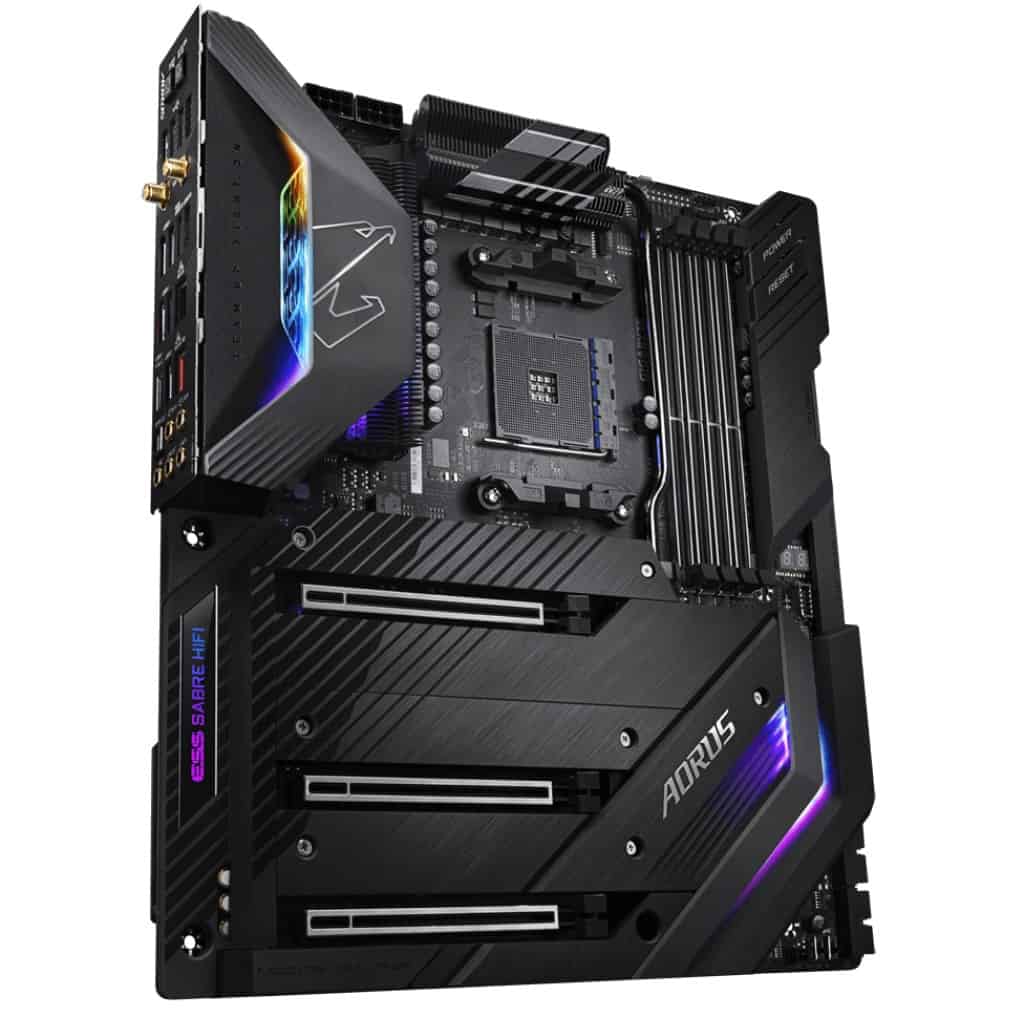
GIGABYTE X299X AORUS Master

Budget Intel Pick

GIGABYTE X299X AORUS Master

Our Rating: 9/10

5

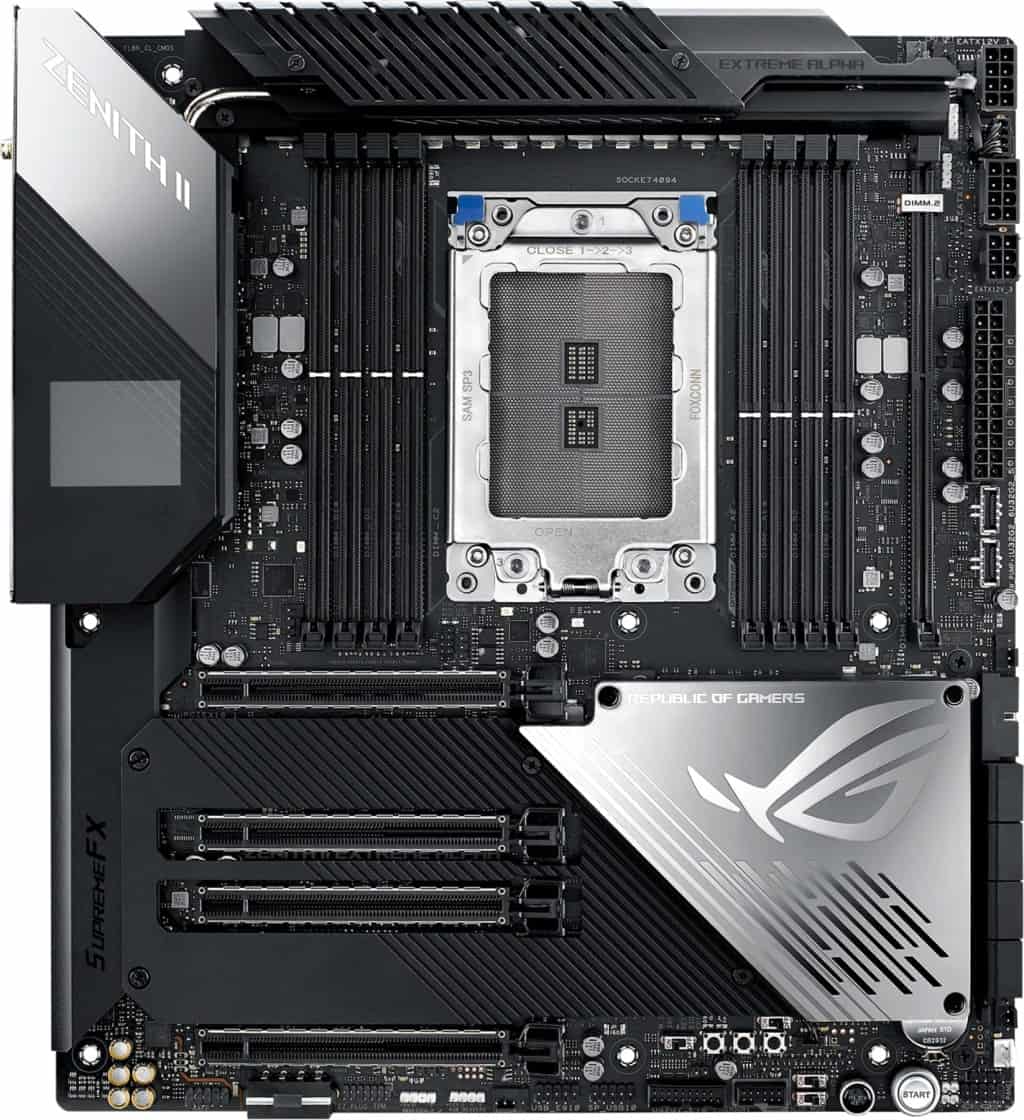
ASUS ROG Zenith II Extreme Alpha

High-End AMD Pick

ASUS ROG Zenith II Extreme Alpha

Our Rating: /10

6

ASUS ROG Rampage VI Extreme Encore

High-End Intel Pick

ASUS ROG Rampage VI Extreme Encore

Our Rating: 9.25/10

MSI Creator TRX40

Best AMD Motherboard With 8 RAM Slots: MSI Creator TRX40

We’re starting with AMD in no particular order (both leading manufacturers are kings in the high-end desktop space, though AMD is a great choice for those after a CPU with the most cores).

The MSI Creator TRX40 is a fantastic offering. While no mobo with 8 ram slots is cheap, this option achieves a great sweet spot; balancing most of the features you expect in a premium motherboard, while not carrying the 4-figure price tag some HEDT hardware can creep up to.

This Threadripper motherboard doesn’t just boast 8 RAM slots but also supports up to 256GB DDR4 RAM.

Don’t assume this is the case for all 8-sotted offerings, many only go up to 128GB/even 64GB in some budget cases.

What’s more, its JEDEC RAM capacity allows you to achieve 256GB RAM @ 3200MHz, this is an insane speed for this quantity of JEDEC which we would often expect to be bottlenecked further at these amounts.

This is an E-ATX motherboard, with an incredible level of power drawn across the board. With a Threadripper CPU and powerful GPU/s, we can’t imagine any builder, be it for rendering, gaming, or other high-end needs, would be left wanting more power than a build on this motherboard could offer.

Speaking of GPUs; with 4x PCIe 4.0 x16 slots and compatibility for 3-way Nvidia SLI or 3-way AMD Crossfire GPU setups, the amount of graphical capability here is insane. I’m really impressed by MSI’s ability to balance the power draw between the RAM, CPU, GPU, and other onboard features.

The motherboard excels storage-wise too, with 6 SATA 6Gb/s ports & up to 3 M.2 storage slots. I expect this to be a decent option (alongside a premium PC case with high storage capacity) for those after a server motherboard or one for virtual hosting.

On the notion of overclocking your key specs; the Creator TRX40 also lives up to its HEDT name. With plenty of heatsinks operating through the board to maintain appropriate thermal control.

You might not have the bells and whistles of our pricier picks below. But relative to many other options on the market, you can get expect to achieve some impressive speeds.

It’s also worth touching on the I/O panel port and Wi-Fi/audio availability here too. With a whopping 9 x USB 3.2 type-A outputs (some equipped for Flash BIOS use also), a 20G USB type-C port, in-built Intel Wi-Fi 6/bluetooth, Realtek ALC1220 Codec/outputs for high-quality 7.1 audio & 10G Super LAN. 

The inner connectivity is equally impressive, with tonnes of 4-pin fan connectors, ARGB/RGB headers, and all the other ports you’d expect.

What else is there to say? Not only is this the best motherboard with 8 DIMM slots for AMD builders, but it’s an offering that excels in all the categories HEDT users demand.

If you’re looking for the most power possible without getting into nearly 4 figures for your motherboard alone, this is an incredible choice.

Our Rating: 9.5/10

ASUS ROG Strix X299-E Gaming II

Best Intel Motherboard With 8 RAM Slots: ASUS ROG Strix X299-E Gaming II

If you are instead, after an Intel LGA 2066 motherboard with 8 DIMM slot capability, our top pick comfortably goes to this ASUS offering.

Coming in at a very impressive price point for the features, it’s a worthy rival to our top AMD choice.

With its 8 RAM slots also supporting up to 256GB RAM at impressive speeds (or lower quantities at up to 4266MHz). Whether it’s quantity, speed, or a mix of both, you won’t find better RAM capacity at this price point.

With a very impressive set of PCI-e 3.0 x16 slots, you will have the option to install up to 3-way GPU builds with SLI or Crossfire.

ASUS is also a great reliable brand as far as decent BIOs and onboard overclocking software go; often ranking very favorably in benchmarks if you’re after a fantastic OC motherboard.

Another offering with 3 x M.2 slots, the E Gaming II isn’t just great for storage, but also slightly trumps our top AMD pick with an extra 2 SATA ports totaling 8 (6 was already impressive!).

Port-wise, there’s a lot on offer here. With 9 x USB 3.2 Type-A & 1 x Type-C ports, as well as a SupremeFX CODEC S1220A leading its audio ports are perfect for high-quality speakers or headphones. There is little left to desire network connectivity-wise (the LAN port is 2.5G vs our top AMD pick’s 10G, but I don’t expect many users will notice this difference much).

Also for those aesthetic focussed folk, ASUS is a great brand for offering onboard ARGB lighting with the fantastic ASUS ARGB software/onboard headers. I’ve seen these create beautifully illuminated builds alongside an RGB PC case.

Alongside one of the Core-i9 10000X series CPUs in its X299 socket, it’s hard to imagine any type of user wanting more from a high-end build.

At an incredible price for the offering, this is comfortably our top pick for the best Intel mobo with 8 RAM slots.

Our Rating: 9.5/10

Asus Prime TRX40-PRO

Best Budget AMD Motherboard With 8 RAM Slots: Asus Prime TRX40-PRO

Looking for a cheap motherboard with 8 RAM slots feels like a bit of an oxymoron; you’re not going to find the budget options of the mainstream market here.

But with that said, there’s still a huge difference in the price range between the top 8 DIMM options and the cheapest. I’m pleased to say this AMD offering is a very decent choice for those with a tighter budget.

One of the cheapest Threadripper motherboards available today, I’m impressed that the TRX40-PRO still boats 256GB memory support across its 8 DIMM outputs. I expect with the onboard specs, you won’t get quite the same speeds as that of our top AMD pick @ 256GB, but the board will still be capable of a very impressive speed/GB balance when compared to a huge majority of other market offerings.

One of the biggest changes to our more expensive offerings is a slightly reduced power draw to PCIe. With 3 4.0 slots, it’s still a fantastic capability for a budget, but supports a max of 2-way SLI/CLX instead of our main choice’s triple-GPU capability. It’s really up to your if this matters, dual GPUs will still offer incredible utility for most HEDT builds.

The unit still boasts plenty of onboard M.2, VRM, and active chipset thermal protection with its heatsink arrays (alongside the great ASUS UEFI BIOs, you’ll have plenty of customization available).

For storage, we’re pleased to see the TRX40-PRO boasts 3 x M.2 slots and 8 x SATA ports at 6Gb/s; if your prime needs are storage, this may even be a better choice for you than our overall best AMD pick!

Port-wise, you still have a great array of connectivity, with 9 x USB-Type A, 1 x USB Type-C, and decent onboard audio. Compared to our more expensive picks, it’s worth noting the outputs are slightly less capable, with only 3 of the Type-A USB ports being 3.2 Gen 2 (we expect most users will be fine balancing their needs here though).

There is no included Wi-Fi or Bluetooth onboard. We expect this has been done to achieve both the fantastic price and also minimize the power draw. If you do need these, a good Wi-Fi card and Bluetooth adapter will do the job just fine.

The budget hasn’t compromised on headers either, with decent fan, RGB & ARGB connectivity.

If the reduced ports, no Bluetooth/Wi-FI, missing third GPU capability, and slightly lower expected RAM speeds don’t bother you much, know I very nearly made this our top overall AMD pick. It’s great for the price and I was impressed by the performance I saw from it.

Our Rating: 9.25/10

GIGABYTE X299X AORUS Master

Best Budget Intel Motherboard With 8 RAM Slots: GIGABYTE X299X AORUS Master

Although our top pick is already a very cheap 256GB motherboard offering, there’s another compelling option in the AORUS Master.

Previously highlighted on our E-ATX motherboard feature, I consider it one of the best HEDT options on the market and have reviewed some fantastic builds operating on it.

Let’s start with one of the most impressive capabilities of the X299X; its PCIe bandwidth is capable of 4-way GPU builds (with a 48-lane CPU).

You’d be forgiven for thinking this means it’s better than many of our pricier offerings, and for those focussed on graphical capability, it’s a very compelling choice!

RAM-wise, the system still boasts the ability to support 256GB RAM (we expect slightly lower speeds than the top overall/high-end Intel choices, but not significant in the grand scheme of things). Bear in mind that if your CPU is <48 lanes, the maximum support will be 128GB RAM (still a fantastic amount even for a production machine).

Port-wise, the motherboard is still plenty equipped with 9 x USB 3.2 Type-A and 1 x Type-C. The audio codec is a little more basic than our higher ends choices but still capable of great sound output to the average listener (especially with a good pair of headphones). We’re happy to see the board still includes Wi-Fi and Bluetooth too.

The inner connectivity is still good, with plentiful fan headers and outputs for the front I/O panel.

The only thing to reiterate is that to access its 4-way GPU capability, and many other features (including 256GB RAM instead of 128GB max) the motherboard requires a 48-lane CPU to draw from.

That’s the secret to the X299X, part of its lower price tag is achieved by utilizing more capability from the onboard CPU.

While more expensive offerings definitely still require high-lane CPUs for their capability, they can get more done with less. With this dependence, you can also expect to be a little more limited speed-wise if you choose to use all of the Master’s functionality (e.g. quad GPU, 256GB RAM, max storage).

So if you’re a top-end user, you may desire one of the other picks. But on a budget, there is no contender more worthy than the Aorus Master.

Our Rating: 9/10

ASUS ROG Zenith II Extreme Alpha

Best High-End AMD Motherboard With 8 RAM Slots: ASUS ROG Zenith II Extreme Alpha

Now, we will say that we think the mid-range or budget AMD board picks will satisfy many users, even those after a HEDT setup with 256GB RAM.

That said, if you want the best sTRX4 motherboard possible in the premium price range, this is our choice for you.

With its E-ATX form factor, the Zenith II Extreme Alpha has a feature list as long as its name and is an incredible solution for balancing high-end RAM, CPU, GPU, and storage combinations.

With its 8 DIMM slots, this ASUS offering doesn’t just support 256GB RAM, but according to user reports, can handle that quantity at 3600MHz.

This is an incredible achievement on modern hardware, if your needs are of a serious production/rendering persuasian, this RAM capability could be a game-changer for high-end productivity.

The PCI-express 4.0 x16 capability is what you would hope for in a top-end choice, with excellent bandwidths capable of 3-way SLI/Crossfire and unrivaled overclocking capability.

Now, onto storage…

The Extreme Alpha boasts, wait for it…5 PCIe 4.0 bandwidth M.2 drive & 8 x SATA ports!

We are floored by how ASUS has managed to utilize the power draw to incorporate this on top of all of the other specs throughout the motherboard and we can’t imagine anybody needing more storage capability.

There is no compromise on ports either, with 2 x USB Type-C, 6 x USB 3.2 Gen 2 & 4 x USB3.2 Gen 1 outputs, we haven’t come across a motherboard with more USB connectivity. These are accompanied by a 10Gbps ethernet port, AX200/Wi-fi 6, and a fantastic codec for high-quality audio output.

Internal headers are what you would expect in a premium ASUS mobo too, with plenty of connectivity for ARGB/RGB lighting and 4-pin fans.

As you’d expect at this high-end price, it’s also one of the most beautiful motherboards we’ve come across.

Not only does it have some gorgeous ARGB lighting surrounding the top and bottom, but its various heatsinks are designed in a way that has clearly put aesthetics in the equation (without compromise on thermal control capability, something the Extreme Alpha is unrivaled for).

Speaking of thermal control, with all of its onboard heatsinks, intelligent layout, various buttons to test/switch during failed OCs, and fantastic BIOs, the Extreme Alpha is one of the best overclocking motherboards available for Threadripper (or any socket, for that matter).

There is even a customizable OLED screen to display either key thermals or other overclocking stats you’re focussed on at a given time.

Is there anything I don’t like about this offering? Well, I could certainly say it’s easy to praise something that is this expensive because it has all of the bells and whistles you can imagine. But that comes at a price that might be overkill for some builds.

So with that in mind, ask yourself: do you need everything the Extreme Alpha offers to enjoy the benefits of 8 RAM slots? No, our above choices are very respectable offerings.

But if you want to build on the most powerful AMD HEDT motherboard possible in nearly every sense of the word, then this is the choice for you.

Our Rating: 9/10

ASUS ROG Rampage VI Extreme Encore

Best High-End Intel Motherboard With 8 RAM Slots: ASUS ROG Rampage VI Extreme Encore

Last but most certainly not least is our premium 8 DIMM Intel motherboard option.

The Extreme Encore is made for the top echelon of HEDT and overclocking with its 16 70 amp power stages giving an incredible capability across the board.

Its 8 RAM slots are capable of 256GB with decent speeds, its PCIe capable can support up to 3-way Crossfire/SLI & with 3 x m.2 outputs and 8 x SATA ports, it’s got fantastic storage allotment.

Similar to our top AMD pick, the overclocking capability is top class. Working alongside the fantastic AI overclocking/UEFI BIOs is an active VRM heatsink & onboard M.2 heatsinks (not to mention an incredible array of fan headers).

It’s one of the best-looking motherboards, with its metal heatsinks sharply covering many of the more traditional “ugly” board components, with ASUS design lighting on the front and further illumination on the bottom; this would look gorgeous in a clear PC case.

One thing we will say; if you are trying to support the best of the best as we expect for this price range, we think that AMD may be the better choice for you.

That’s not to say the Extreme Encore isn’t capable of an immensely powerful build for rendering, production, server-building, or more.

We just recognize that our AMD premium pick above offers unparalleled connectivity with PCIe 4.0 and its 5 M.2 slots amongst all the other incredible features.

That said, if your heart is set on an Intel HEDT, this is comfortably our choice for the best 8 RAM slot motherboard for LGA 2066 and still packs an incredible punch.

Our Rating: 9.25/10

LGA 1200, 1700 or AM4 Motherboards with 8 RAM Slots

We appreciate some users may be looking for significant RAM on mainstream, non-HEDT motherboards.

However, for 8 RAM slots, you need to be looking at LGA 2066and sTRX4 motherboards.

Not only are these the only type with support for 8 slots, but also the only sockets that can accommodate up to 256GB of RAM.

On top of this, if you are building a production/hosting machine that requires 8 RAM slots, we expect you’ll probably want a HEDT motherboard to match anyway. These machines give you CPUs with insane amounts of cores, the power to draw lots of PCIe slots (for multi-GPU builds), and much more.

If however, you want to build a setup with mainstream GPUs, then check our best E-ATX motherboard picks, which include premium AM4/LGA1200 mobos (some of which can accommodate a hefty 128GB RAM).

What's Next?

About the author

Picture of Kaelum Ross
Kaelum Ross
Kaelum Ross, BSc is the Lead Writer at What in Tech and a leading authority in PC hardware and software. With a career as a senior IT professional, Kaelum has led multi-million dollar projects covering everything from bespoke software development to complex Windows hardware upgrades. Today, Kaelum uses his expertise to serve What in Tech's readers and has been featured in numerous global publications including New York Magazine and Lifewire.

The Easy Guide to I/O Shields – What are They, Do you Need One, and How to Install?

IO Shield

The Easy Guide to I/O Shields

Everything you need to know explained in plain English

IO Shield

There is a surprising lack of simple answers to the common queries around I/O shields.

What is an I/O shield?

Do you need one?

How do you install an I/O shield anyway?

Thankfully, the answers to these questions are quick and easy. Today’s feature is here to guide you through everything you need to know about I/O shields.

Table of Contents

What is an IO shield?

An I O shield, or “motherboard input-output shield” is a metal plate that is included with nearly every motherboard on the market. 

These plates are designed to be installed at the rear of a PC case where there will be a cutout hole perfectly designed to fit snugly. Each IO shield is designed to match the ports of the motherboard it comes with (i.e. holes in the same locations).

What does an IO shield do?

A PC IO shield has 2 main purposes; the first is to protect against electromagnetic interference (EMI) between your motherboard and the components you are connecting to the IO panel (USB, HDMI, ethernet, etc.).

The second purpose is to act as another physical barrier on the back of the case. Without the IO shield, you will have an enormous hole for dust (and potentially insects) to enter your computer.

One could argue an IO shield also makes the back of your PC look neater too!

What are the Metal flaps/prongs on the IO shield?

As per the example picture below, a majority of mobo IO shields have some little “prongs” or “flaps” near some/all of the port cut-outs.

These are used to allow a part of the metal on the IO shield to lightly touch the metal on the motherboard’s IO panel, this then offers sound static grounding between the shield and your motherboard, further reducing the chances of any electrical interference.

IO Shield Example

Do I need an IO shield for my PC?

Your motherboard should come with an IO shield (either separately or already pre-installed) so for most users, the question is really why wouldn’t you install the IO shield? It offers some additional protection, improves the look of your device, and is super easy to install as we detail below.

If for whatever reason, you don’t have one, how important is an IO shield? Well, many people (myself included) have gone through periods of not using one with their PC.

The electromagnetic interference protection is not as big a concern now that most connections you make on your IO panel are digital. Your only real risk is if you are plugging something into a port on your motherboard’s IO panel and accidentally slip/have the output touch a part of your motherboard and short a component.

This is a worst-case scenario, and if you’re careful, the chances of something like this happening are very low. If, for example, you were just trying to skip using an IO shield temporarily while a replacement was being delivered, then this isn’t much cause for concern; we all understand being impatient with a shiny new PC. (I’ve had colleagues who have not used one on a build for 5+ years!).

The other problem is of course the rear of your PC being significantly exposed to dust/insects – to me, this issue is the more annoying one, but can be negated with regular cleaning.

Disclaimer: While the risks of not using an IO shield are very low, it’s still a risk that you have to accept – we will always recommend using a shield where possible.

How do I install an IO shield?

Motherboard-IO-Panel Example

Thankfully, installing an IO shield is one of the most simple parts of a PC and should be added to your case before you install your motherboard.

  1. Align the metal I/O plate with the cut-out on the back of your PC case on the inside, the easiest way to establish what way your plate needs to be is by seeing how it aligns with your motherboard, and then matching that position with the orientation your motherboard will be installed.
    • Take the IO panel on the right for example, if you aligned this motherboard with the back of your PC case and saw that the circular audio ports were on the bottom, then you know you need to install the computer’s IO plate with the circular ports downwards.
  2. If your IO shield has any metal prongs/tongs that are already bent, these should be pointing into the case (as they are supposed to make light contact with the motherboard once it is installed).
  3. Now that you’re aligned, simply apply some pressure and push the IO shield onto the case hole (from the inside).
    • With some light force, you should hear a “clacking” or “popping” noise to confirm the shield has attached to the case.
  4. And that’s all there is to do on the install IO shield process! When you’re installing your motherboard, the ports should neatly align with the IO shield like the example picture in this section.
    • If the IO shields prongs/tongs aren’t touching the metal of the motherboard ports, you can lightly bend them to do so, however, most should be set up to touch automatically.

How to remove an IO Shield?

Removing an IO shield is very simple.

First, uninstall your motherboard from the PC case. Once there is nothing connected to your IO panel (other than the PC case it “popped” into), simply push the IO shield with some pressure from the outside of the case inwards.

After a moment or two, the computer IO shield should pop out.

Where can I buy a replacement IO shield?

If your motherboard did not come with an IO plate, my first piece of advice would be to contact the supplier, as every motherboard should absolutely come with one.

If for whatever reason, you can’t get an IO shield replacement from the buyer, I would try these things (in order of recommendation):

  • Contact your motherboard manufacturer, they will usually be able to re-arrange a replacement.
  • If not, check Amazon, eBay, or Ali Express for your motherboard model number as they may have the exact model in stock.
  • There are a couple of mesh IO plates available online, such as the IOmesh. These allow you to fashion your own IO plate by snipping holes in the mesh in the places you need room for input to come through. It’s not as elegant/dustproof as a traditional metal plate, but it’s a nice, easy alternative if needed.
  • Failing that, you can try the universal IO shield below (recommended for experienced DIY’ers only).

Custom / Universal IO Shield Option

The SuperMicro MCP-260-00011-0N is a simple blank IO shield that is usually used for covering a PC case IO panel cut-out that has no ports.

However, some tech-savvy folk have previously used this as a replacement IO shield by drilling through the necessary holes.

We would strongly recommend trying our replacement steps above before trying this one, and only attempting if you have some competence with cutting metal accurately.

Final word on IO shields

And that’s really is all there is to know for the average PC builders on I/O connector plates! It’s thankfully one of the nicer parts of an installation.

We appreciate it can be a pain if you’re running into problems with a motherboard not including one. But from my experience, manufacturers and suppliers are usually well equipped to supply a replacement (providing the mobo is still in production).

Good luck and happy building!

What's Next?

About the author

Picture of Kaelum Ross
Kaelum Ross
Kaelum Ross, BSc is the Lead Writer at What in Tech and a leading authority in PC hardware and software. With a career as a senior IT professional, Kaelum has led multi-million dollar projects covering everything from bespoke software development to complex Windows hardware upgrades. Today, Kaelum uses his expertise to serve What in Tech's readers and has been featured in numerous global publications including New York Magazine and Lifewire.

The Complete Guide to Motherboard Sizes – EATX vs ATX vs Micro ATX vs Mini ITX

Motherboard Size Guide

Motherboard Sizes - The Complete Guide

This feature was reviewed in January. The recommendations in the piece have been updated and the information has been fact-checked for accuracy in 2025.

Sizing up your motherboard is a big deal.

What is an ATX motherboard anyway?

Who wins in the battle between E-ATX vs ATX vs mATX vs mITX?

Whatever the question, we’ve put together this guide to explain the differences between motherboard sizes.

With this piece and our detailed feature on PC case sizes, you have everything you need to size up your next build.

Table of Contents

Motherboard Size Comparison Chart

Motherboard Sizes Comparison Chart

Note: Sizes are approximations, check product listing for exact dimensions

Form FactorProsCons
E-ATX • Best for the most powerful PC builds
• Up to Quad-GPU/8 x DDR4 RAM support
• Fantastic overclocking/cooling options
• Best for high-end, production, and servers PCs
• Most expensive
• Very large/bulky
• "Overkill" for many users
ATX • Best "all-round" option
• Plenty of GPU/hardware room
• Fantastic overclocking/cooling
• Lots of ATX case styles available
• Perfect for most gaming PCs
• Still quite large/heavy
• More expensive than Micro ATX
Micro ATX • Best budget motherboard
• Compact with stylish case options
• Dual-GPU possible
• Most have 4 x RAM slots
• Good part compatibility
• Dual-GPU setups may be hard
• Less cooling/overclock potential
Mini ITX • Smallest motherboard size
• Perfect for a portable build
(e.g. a VR demo / LAN party PC)
• Cheap motherboard/case options
• Most mITX cases look fantastic
• Single GPU build only
• 2 x RAM slots
• Limited space for other features/cooling
• Harder build due to size
• Effort needed to find parts that will fit.

Motherboard Sizes Explained

E-ATX Motherboard

The largest of the main types. An Extended-ATX motherboard is for builders focussed on building the most powerful PC possible.

This mobo form factor is designed to work alongside a full tower PC case, providing you with incredible space/features.

This often includes support for Quad-GPU builds and 8 RAM slots (which could achieve up to 256GB of memory).

Not to mention the breathing room to cool all of these components with immense overclocking potential.

E-ATX cases, with their massive size, will often be good for part compatibility (with many popular components being based around hosting ATX motherboards, cases designed to included EATX mobos can essentially fit things like most mainstream power supply units with more room to spare).

Perfect for very high-end enthusiast gaming & production (editing, rendering, etc), an E-ATX motherboard will open up some great utility with its large size.

Note that there are, of course, diminishing returns when building such a powerhouse.

If you’re the average gamer or don’t need the best PC money can buy, E-ATX is often going to be overkill (with SLI/Crossfire support becoming less common in games now).

The real benefits will be to those who can make use of the GPUs independently, like a high-end video editing or crypto mining rig.

The boards are very expensive and alongside an E-ATX case, are enormous. Make sure you have space.

That being said, if you care less about the budget and more about the most power possible, this is the size for you.

ATX Motherboard

The mid-tower motherboard. This motherboard form factor is what many would consider the “standard ATX” option and has reigned as the most popular size for a long time, and for good reasons.

When considering EATX vs ATX, sure the latter will have slightly less space for high-end desktop computers.

But ATX boards still have everything important to the majority of gamers/enthusiast builds.

Including support for 2-3 GPUs, 4 x DDR4 RAM, plenty of SATA ports, more than enough expansion slots, and their ATX case-counterparts come with plenty of decent cooling options.

Even if it’s not the best motherboard for overclocking (that belongs to E-ATX), it’s still a very close second and will achieve what most gamers need.

The other great advantage is due to the popularity, there are so many good ATX mobos and combos with CPUs available at competitive prices. You’re also best placed for part compatibility, with a lot of power supply options being sized with ATX PC cases in mind.

An ATX build is still going to be fairly big with limited portability. Bear that in mind if you’re building an on-desk setup.

But overall, if you’re looking for the best “all-round” option, an ATX build is the way to go.

Motherboard Sizes 2

mATX Motherboard

While ATX may be the most popular overall, Micro ATX motherboards have been giving them a run for their money in the last few years.

Why? Well, the quality of this small form factor has dramatically improved over the last several years for both Intel and Ryzen motherboards, and the pc case sizes it runs with are a nice balance between space and compactness.

With a majority now having 4 x DDR4 RAM slots, good SATA connector availability, and even 2 PCIe slots for a small SLI/Crossfire GPU build.

This is the smallest PC build you can create while still accomodating a majority of mainstream components.

Note that as we get to this size, running a dual-GPU build will usually get cramped and isn’t ideal.

It’s certainly possible, but the preference would be to stick to a single graphics card (with the utility to overclock).

As we discuss further below in our top picks, the Micro ATX motherboard size nails affordability.

If you want something compact/cheap but not so small that you have to be extra careful with your hardware choices, this is the pick.

mITX Motherboard

And then there are those looking for the smallest PC possible.

A Mini-ITX build is for those very focussed on portability or a compact style (e.g. LAN-party build, HTPC, or perhaps a streaming computer).

With such a tiny size, you’re of course compromising on feature availability.

Most Mini-ITX mobos come with 2 RAM slots (still providing up to 64GB), a single PCIe slot, and limited SATA ports.

The cases that support them are also on the smaller side. Leading to limited ventilation/cooling. You’re going to struggle with overclocking.

With this small size, you will need to pay more attention to the other parts you buy (most notably GPU/PSUs).

This can often include having to buy parts that are a bit more expensive (usually offset by the cheap motherboard and cases, however).

With all that being said, the convenience of a portable PC is massive and compact builds often look fantastic.

If this is what your heart is set on, don’t fret! You can build a great gaming computer on a Mini-ITX motherboard, and our guides on motherboard CPU combos/PC cases include ITX options.

How to Choose a Motherboard Size

Ahead of giving you our top picks, we’ve broken down the key criteria for what to look for in a motherboard.

Just know that not all these factors will be important to you individually (many people don’t need to worry about having more than a few SATA ports, etc.).

Don’t be overwhelmed by all the factors, just focus on what’s important to you, and check out our recommendations if in doubt.

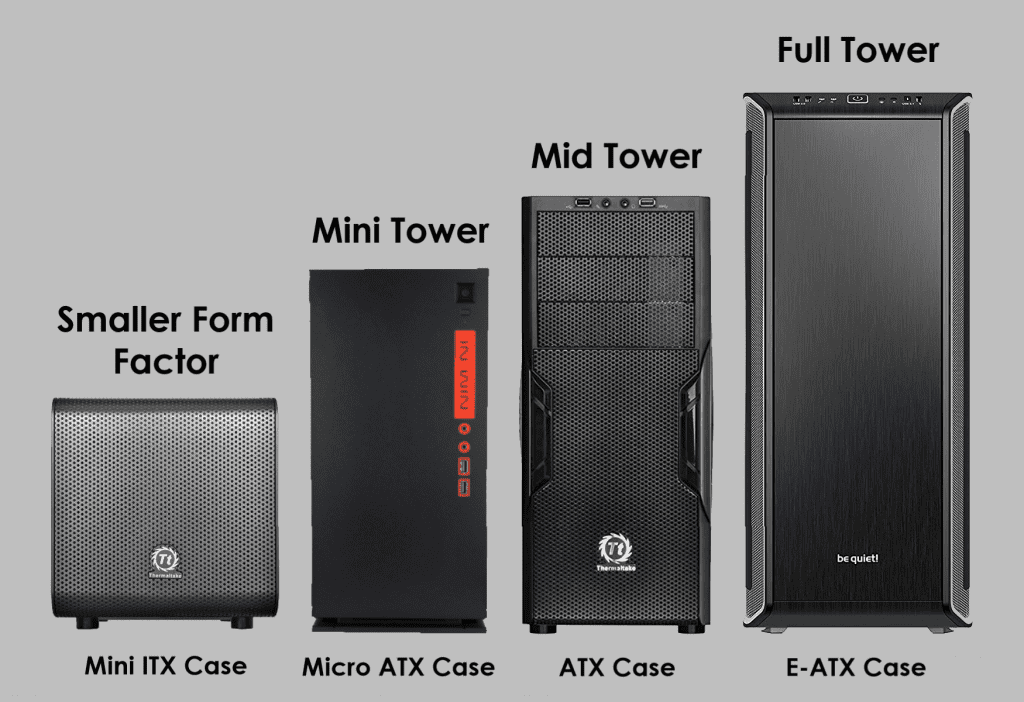
Computer Case Size Comparison Chart

Form Factor / PC Case Size

Let’s start with an obvious one.

Whatever motherboard you pick, you want to make sure that you have an appropriately sized case to go with it (e.g. E-ATX case for an E-ATX motherboard).

Check out our joint-feature on PC case sizes if you want more info.

But in short, the type of motherboard you want will probably also guide the case size you need anyway (e.g. if you’re looking at a smaller motherboard, the case will have fewer hardware space/cooling options, but that’s the trade-off for portability).

CPU compatibility

Motherboard CPU CompatibilityAlthough not explicitly related to size, this one is worth covering as it’s one of the most important buying factors.

When purchasing a motherboard, make sure it’s compatible with the CPU you’re looking at.

Firstly there’s LGA vs PGA vs BGA.

There’s already good resource if you want the very technical explanation, but in short:

  • LGA is most common for Intel CPUs.
  • PGA is most common for AMD CPUs.
  • BGA is more for manufacturers and not worth considering for your individual build.

Note: this isn’t universal, you may (rarely) in the future see an AMD CPU on LGA – but this will usually be very clear in a listing.

The most common socket types right now are LGA 1200 & LGA 1700 for Intel, and AM4 & AM5 for AMD.

Intel LGA 1200 vs LGA 1700

LGA 1200 offers support for 10th and 11th Intel CPUs which, while still plenty powerful for most builds, are previous generation processors now.

LGA 1700 is the latest and greatest from Intel and uses 12th-generation CPUs, and if you’re building a new Intel personal computer, it would make sense to go for the latest socket/CPU range.

While the 1700 series is more expensive, there are now enough options that it’s even suitable to get one for a cheaper build (with 12th gen budget CPUs also available).

If your budget is VERY low, or you already have a 10th/11th gen CPU to use, then know that the LGA 1200 socket still has plenty of decent options that can host a decent PC.

There will be more terms in this area that will probably confuse you like Z370 vs z390 (which is mainly just a difference in wifi/USB compatibility).

Instead of learning every chipset (there’s a lot) – we’d recommend a beginner check the product listing to see.

We’ve only provided this info for the full picture. Once you’ve found the CPU you want, it’s pretty clear what a motherboard supports in the product listing like below:

CPU Chipset Compatibility Explained

This motherboard supports Intel 8000 and 9000 series, and there’s an LGA1200 version for the 10000 CPUs. The product listing will then talk about the kind of features included based on the chipset on offer.

Let’s take the LGA1200 motherboard just linked as an example; this model has a Z490 chipset, which will have features for enthusiasts like overclocking capabilities, high-quality ports/Wi-Fi, and good capability for M.2 storage).

Assuming you’re buying a popular motherboard/CPU combo, it’s usually really easy to find out if your desired CPU is supported with that motherboard, and what kind of audience it’s catering to by reading some of the product description.

PCI Slots

Motherboard PCIe SlotsPCI slots are what host your external components, the most common one being graphics cards (in PCI Express/PCIe slots).

The larger your motherboard size, the more PCIe slots you will (usually) have available.

An E-ATX motherboard, for example, will often have 4 PCI-e 3.0 slots, allowing for a 4-way GPU PC.

As we made clear in the EATX mobo section, however, more doesn’t mean better for gaming unless you’re a very high-end enthusiast who is happy tweaking things (or a production user/high-end editor). Most gamers will be fine with a board that has 1 or 2 decent PCIe slots (which a huge majority of motherboards have now, as most are catering to gamers).

Aside from GPUs, other PCI slots are often included if you have other focuses (e.g. installing a high-quality independent sound/network card).

Just know that you’ll usually have to put them in a place that blocks you from fitting an extra GPU if you are wanted to install multiple ones.

That’s the beauty of a large motherboard though. Not many people need 4 GPUs, so those PCIe slots can come in handy for other things if needed.

PCI-E x4 vs x8 vs x16

When looking at PCI-E slots you may notice the different numbers next to them (i.e. PCI-E 3.0 x4/x8/x16).

Putting it simply, a motherboard can only circulate a certain amount of data/bandwidth at a time.

So if you have a lot of PCI-e slots, some of them will be x4 – x8 which means they can’t output the same bandwidth as your main x16 slot/s.

But: There have been many benchmarks on what the performance difference is between these types.

The difference between PCIe x4, x8, and x16 is very minimal for performance/gaming.

We’re talking a couple of FPS in games.

This is because most GPUs don’t come close to actually requiring the x16 power that an x16 slot provides.

Whichever x type, you’re still going to be getting a majority of the card’s power overall. Although to state the obvious, your GPU is nearly always the component that should be in the highest bandwidth slot.

SATA Ports

Motherboard SATA portsLarger boards will often come with more SATA ports to allow you to connect more SSDs, HDDs, and optical drives.

For most gaming builds, you’ll have more than enough SATA ports for your requirements on most boards.

However, it’s worth checking if you’re purchasing an mATX / mITX motherboard to ensure you have enough.

It’s only if you’re building say, a video editing PC, or if you have other requirements that means you want to install a lot of storage/other components, should you be too worried about confirming these beforehand.

Miscellaneous

NVMe M.2 Storage

Motherboard M2 StorageM.2 storage is becoming increasingly popular over the standard 2.5″ SSDs / 3.5″ hard drives and worth your consideration if you’re all about speed.

It’s a type of solid-state drive that larger motherboards have become more compatible with over the last few years.

M.2 SSD vs SSD (2.5″) – An M.2 SSD installed via NVMe is around 5 times faster than a SATA-installed SSD.

Note that this is during benchmarking. In real terms to the user, this will likely be around 2-3 times faster (still nothing to complain about!).

These storage units are of course a lot more expensive (here’s our top pick) but run like a dream when you’re installing your OS and common apps on there.

If you like the sound of this, we recommend looking at an ATX or E-ATX motherboard.

You might be able to squeeze out the utility for an NVMe M.2 within mATX but it will likely mean the board is sacrificing bandwidth somewhere else.

Most motherboard listings will detail their support for this storage type so don’t fret about compatibility too much.

Just make sure to get an NVMe M.2 SSD (SATA ones perform similarly to a 2.5″ SSD) – here’s our top pick.

RAM slots

Motherboard RAM SlotsA majority of motherboards from E-ATX to Micro ATX will provide a minimum of 4 x DDR4 RAM slots.

The smallest form factor, mITX, tends to come with a maximum of 2 x DDR4 RAM slots.

In reality, this means you can still make a build with up to 32GB of storage which is plenty for gaming and most other functions.

A better motherboard can be beneficial for RAM as on top of having more slots, better motherboards tend to be more capable of working well alongside higher RAM speeds (though this is all mostly concerning to enthusiasts who want to mid-max performance; if you’re the average user getting confused, a mid-range motherboard will be more than powerful enough for gaming and more!).

It’s also nice to have RAM slot options as more RAM sticks are marginally more effective than overall storage (e.g. 4 x 8GB RAM is better than 2 x 16GB RAM for most users).

We wouldn’t worry about RAM compatibility too much unless you’re running some high-quality production/editing/streaming computer.

Gaming PCs won’t need more than 32GB for a while.

If you do have specialist requirements, high-end E-ATX/ATX motherboards include up to 8 RAM slots/256GB capability!

I/O Panel

Motherboard IO PanelThe features available in an I/O back panel will typically increase not just with chipset (which allows your mobo to support more inputs, e.g. USB 3.1 type C) but also the size.

E-ATX/high-end ATX motherboards often have a host of great ports available.

Smaller motherboards will usually have the standards though (some USB/audio ports) but check that your choice will have what you need, or you have a suitable extender.

Extra features

Finally, there are all the extra bells and whistles motherboards can come with.

The most common ones are:

  • Integrated sound card
  • Integrated network card (Wi-Fi/ethernet)
  • Integrated Bluetooth (if not, adapters are dirt cheap)

Typically, larger motherboards include more of these features as it’s easier for the manufacturers to add.

We would say it’s often preferred to buy a standalone sound card or network card if you have PCIe slot room (not essential if your budget is tight, though).

Even Mini-ITX boards can come with these features integrated, just know that you may not get quite the same quality as large integrations or standalone cards.

That being said for smaller builds, we’d recommend getting integrated versions of features you need where possible so you’re not having to use your very finite USB/PCI inputs.

Which Motherboard Should you get?

Best budget gaming motherboard

If your focus is on affordability above all else, go with Micro ATX.

While you may not get the same features as E-ATX/ATX you’re not going to need them for a cheap build.

Things like excellent cooling/space for multi-GPU builds aren’t so important for a cheap gaming PC where you should be focussing on 1 graphics card.

Micro ATX builds are the perfect balance between being small enough for good mobo/case affordability while not so small that you have to fork out more money/effort for “specialist” small parts.

Our best cheap gaming motherboard picks:

Best mid-range gaming motherboard

For most builders, the sweet spot is an ATX motherboard for gaming.

With all the feature a large majority of builders need, good space for parts/cooling in their compatible cases, and lots of choices, ATX mobos are perfect for most setups.

Even if you don’t need every PCIe/SATA/RAM slot, know that having an ATX case/motherboard gives your parts more room for ventilation (and makes the build process easier).

Our top picks for the best ATX motherboard:

Best high-end gaming motherboard/production PC

Now let us be clear: the options above will be enough for a majority of readers.

But, if you’re less concerned with budget and more with creating the most powerful PC you can, then you want to look at an E-ATX motherboard.

These will give you the most space and utility possible with no compromises made for compactness.

This is what makes them appealing not just for gaming, but for someone looking for the best production PC possible (video editing, rendering, etc).

Not to mention the large cases that come with the most room for cooling, drives, and ease-of-build.

In fact, even if you wanted an ATX motherboard for your high-end build (also doable), we’d recommend looking at E-ATX full tower (or “super tower”) cases for the best airflow/cooling options as long as you don’t mind the size.

Our top picks for the best E-ATX motherboards for gaming:

Best small motherboard for portable/HTPC build

Finally, there are those after the smallest motherboard for a portable build or HTPC.

It will come as no surprise that Mini ITX motherboards are the best option for you if this is what you’re hunting for.

Yes, as we’ve discussed, you’re losing out on some hardware compatibility and other features with a PC this small.

But combined with a high-quality case and some consideration for which parts you’re going to buy (ensuring they fit), you can still create a gaming PC capable of LAN parties or streaming.

Our top picks for the best Mini ITX motherboard:

FAQ

XL-ATX vs E-ATX?

XL-ATX motherboards are another form factor that traditionally are a similar width to E-ATX, but a bit longer.

We’ve chosen not to include them in our guide for a couple of reasons:

  • This size type is super uncommon and the options available aren’t great.
  • The use-cases are incredibly specific, given you can build anything from a powerful server to gaming PC on an E-ATX mobo, we’d wager XL-ATX isn’t necessary for anybody reading this.
  • Similarly to “full tower vs super tower”, XL-ATX is loosely defined and is a marketing term as much as it is a legitimate form factor. A lot of “extra-large motherboards” are E-ATX or even ATX anyway.

Short answer: don’t worry about Xl-ATX.

ATX vs BTX?

BTX (balanced technology extended) is a format that was originally meant to replace ATX (advanced technology extended) with superior cooling and other quality of life improvements for manufacturers/users.

However, with different mounting hole alignments and the need to develop different products to support them, BTX motherboards never took off, and are essentially redundant today.

Short answer: BTX is no more, go with ATX.

What is Nano-ITX?

Technically Mini-ITX isn’t the smallest form factor, Nano-ITX used to offer even smaller motherboards to build the tiniest PCs possible.

The key words there are “used to” however. Nano-ITX motherboards don’t exist in the mainstream in any capacity now; if you do see them, they are likely old, or not supportive of modern CPU/GPU/RAM hardware.

Short answer: If you want a small form factor motherboard, go with Mini-ITX.

What order should I pick PC Parts?

Reading this guide and the criteria for selecting a motherboard, you may be confused as to how you should build your PC (e.g. do you pick a compatible motherboard for your chosen CPU or vice versa?).

It’s a bit of a “chicken and egg” situation, there’s no “right” order to pick parts in.

But here’s the outline we would recommend for most confused builders (from first to last):

GPU – > CPU – > Motherboard – > Case – > RAM/storage/extras – > PSU

Don’t think that the above also represents the order of importance, a PSU is very important!

It can just make sense to pick it last once you know the power requirements of your PC/what size PSU will fit in your case.

What's Next?

About the author

Picture of Kaelum Ross
Kaelum Ross
Kaelum Ross, BSc is the Lead Writer at What in Tech and a leading authority in PC hardware and software. With a career as a senior IT professional, Kaelum has led multi-million dollar projects covering everything from bespoke software development to complex Windows hardware upgrades. Today, Kaelum uses his expertise to serve What in Tech's readers and has been featured in numerous global publications including New York Magazine and Lifewire.

The 15 Best RGB Motherboards in 2023

RGB motherboard

The 15 Best RGB Motherboards of 2023

RGB motherboard

It all starts with the motherboard.

Nowadays, the market for this foundational part is so competitive, manufacturers have come up with new ways to add value to their latest versions.

Luckily for us builders focused on a beautiful PC, the big emerging trend is now the inclusion of RGB lighting within the motherboard, and lots of RGB header availability to light up your PC subtly, or make it look like a glowworm cave.

Not all the options available are great though, which is why we’ve collated the best RGB motherboards available on the market and categorized them for your varying needs.

 Table of Contents

Quick Tip:

RGB builds look great in cases with lighter colors/more windows. The reflective surfaces/increased visibility can really add to the effect. So if you’re also looking for a case, there are some great combinations in our best RGB case, best white case, and best clear case features.

Anyway, let’s get to it:

Best Intel RGB Motherboard Overall: MSI MPG Z690 Edge

This one is popular for a reason!

MSI has created what we think is the best RGB gaming motherboard for LGA with the Z690 Edge. Filled with fantastic features at a decent price point against many of the other Intel offerings.

Let’s talk about the RGB utility. To start, you have a gorgeous LED MSI logo alongside some tastefully undestated lighting underneath some of the M.2 shields. This combined with plenty of RGB connectivity onboard, gives you fantastic customization options when installing additional LED strips on your case.

The great header support and onboard design are the standout features from an RGB perspective, but on top of that is also MSI’s fantastic Mystic Light software. With an incredibly wide compatibility range to other LED parts (be it cases, fans, or GPUs) and a multitude of different effect options (anything from rainbow color cycles to lighting in beat with the music you’re playing). It’s hard to get a better base for your next crazy RGB PC build.

But the board isn’t just about being a light show. Featuring 4 x DIMM (DDR4 compatible) RAM slots, LGA 1700 socket for Intel gen 12 processors, 4 m.2 inputs and 3 x PCIe 3.0 (x16, CPU), the board has everything you need for a powerful multi-GPU setup should you desire. Also coming with a bunch of quality software and onboard utility that will expand your ability to effectively overclock your CPU and GPU.

And to round up is the set of great features available through the beautiful I/O port. Excellent HD-quality audio is outputted via a Realtek ALC4080 Codec; which surpasses what many independent sound cards achieve. Not to mention Intel Wi-Fi 6E wi-fi (and Bluetooth) capability. And of course, it includes all the usual ports you will expect to see with a nice addition of USB 3.1 Type C.

If this board fits in your price range, then know you haven’t just found the best LGA 1700 RGB motherboard for Intel 12th gen, but in our opinion, the best RGB motherboard for gaming with Intel.

Best Budget RGB Motherboard for Intel 10th Gen: ASUS ROG Strix B460-H

Asus seems to be on the top of their game when it comes to the best Intel motherboards with RGB header/lighting capability for the new 10th gen series.

If you’re looking at more of a budget combo; say something with an i5-10400,  the B460 chipset is a great value proposition and this specific model comes with a great amount of RGB capability to go alongside it.

You’ll still be getting a motherboard with 1 standard RGB header and 1 addressable RGB header on top of the red LED ASUS logo sleekly shining on top of the I/O panel. Not as many headers as our top pick, but still enough to go alongside a sharp RGB PC case for a good looking build.

In terms of specs, this cheap RGB Intel motherboard still has everything you need for a decent gaming, streaming or general use build on a budget. 

With 1 x PCIe x16 (CPU) & 1 x PCIe x16 (PCH at 4x mode), 2 x m.2 slots, still boasting the great S1220A audio codec as our top pick, and an I/O panel that still includes a USB C port, there’s plenty here to like.  For the price? The Strix B460-H is matched by no other Intel RGB mobo.

Note: The Amazon listing talks about Bluetooth capability – this motherboard does not have this (if this is a concern for your budget build, know that Bluetooth USB adapters that work fine are incredibly cheap).

Don’t expect this board to offer the same kind of overclocking as our top pick. That said, if you’re getting a 10th gen i5 or similar, these CPUs aren’t particularly about OC’ing anyway.

RAM speeds will also be a tad hit (usually) compared to running a comparable build on a Z490 chipset. But that said, the differences will not be anywhere NEAR as noticeable as the price difference between this motherboard and the cheapest Z490 options.

For a budget gaming build with some beautiful RGB aesthetics, this B460 RGB board is everything you’ll need and easily our top choice for the best cheap RGB Intel motherboard.

Cheapest RGB Motherboard (Intel): ASRock B365 Phantom Gaming 4

This may seem a tad pricey for a “cheapest” pick, but this can be common for Intel motherboards. And truthfully, while there are cheaper LGA RGB options available, we simply can’t recommend any of them.

That being said, the B365 is a fantastic choice for someone looking for RGB style without reaching too far into their pocket. With some gorgeous RGB illumination on 3 parts of the board (logo, I/O panel, and underneath) + 1 x addressable and 2 x standard RGB LED headers, you have an impressive amount of lighting available here for the price.

ASRock also has its own software for lighting customization with Polychrome Sync. While not as highly regarded as some of the other offerings here, it’s still got all the central utility you’ll need to configure many interesting lighting formations.

The general features of the motherboard are decent. With 9th/8th gen intel support, 4 x DDR4 DIMM slots, 2 x PCI Express 3.0 x16 Slots, and the usual I/O ports included. The onboard sound won’t be quite as good as the other top offerings but for most users, it’s still going to give you the performance you need.

If you (and your wallet)  like the look of the ASRock B365, then know you’ve still got everything you need here to set up an ambitious budget gaming PC build. The same goes for VR, streaming and production.

Best High-End Intel RGB Board: MSI MEG Z590 GODLIKE

With a price as long as its name, the MSI MEG Z590 GODLIKE is a beast of a motherboard (this being the hardest category on the list to decide, with other fantastic options available in this high-end category).

If the price isn’t a barrier for you, this is the best RGB motherboard you’ll find for Intel builds.

Firstly, the RGB utility: you’ve got some of the most gorgeous inbuilt lighting from the get-go with the large MSI logo and beautiful triangular light over the PCIe shield. On top of that is the 1 x 4-pin RGB LED header and 2 x 3-pin Rainbow headers, more than enough for even an intensive set of RGB lights. With the headers and onboard aesthetic combined, you’re going to have some fantastic, customizable case lighting.

Then there’s the general feature set and build quality. Which is pretty much as impressive as you can imagine and too quantitative to go over here. But to name a few highlights:

  • A fantastic array of onboard temperature control (from Frozr AI-controlled heatsink surrounding the board to the sophisticated heatpipe design for thermal dissipation).
  • Gen 4 PCIe & Lightning Gen 4 M.2 for unparalleled transfer speeds
  • An I/O panel with more USB ports than you’ll ever need (including 2 x  USB 3.2 type C inputs both with Thunderbolt 4 capability, 8K display support & 10G + 2.5G LAN connectors) and audio ports powered by the fantastic Realtek ALC4082 Codec with ESS ES9218PQ Combo DAC/HPA
  • 4 x DIMM slots, supporting RAM speeds up to 5600Mhz (this would be quite the build for video editing or high-end production).
  • Dynamic Dashboard II: see the area on the top right that brightly displays “Godlike”? That’s an OLED screen that you can customize to display the things you want to monitor most.

The list truly does go on, this board has been designed to provide the best overclocking facility available today.

If you’re looking for the best RGB motherboard money can buy for an intensive build alongside other very demanding components; then provided your wallet can handle it, this board is going to blow you away.

Best AMD RGB Motherboard Overall: GIGABYTE B650 AORUS PRO AX

As far as price vs performance goes, this is one of my favorite picks on the whole list.

Unfortunately, without getting to the ludicrous price points, AMD motherboards don’t seem to have as much onboard lighting as their Intel counterparts.

But the Pro AX still manages to be a great option for an RGB build; in addition to the tasteful logo LED on the I/O panel, the case boasts 2 x ARGB, 2x RGB & 1 x CPU cooler LED strip connectors. This is a a fantastic allotment for a mid-range motherboard and it empowers you to add a huge amount of lighting to your build. GIGABYTE’s Control Center software also offers fantastic customisability and (as the name suggests) control over your lighting.

Of course, we’re not just here for the RGB. That’s why I really like the PRO AX, it has everything I think you’ll want in an AM5 build; with 4 x DIMM slots for DDR5 RAM, quad M.2 slots, PCI 5.0 and a host of quality-of-life features to allow for more effective overclocking.

This is a great set of features; I’m really happy to see PCIe 5.0 and DDR5 on this board. This isn’t a given with mid-range picks at the moment.

The onboard Realtek ALC1220-VB CODEC will provide you with great sound through the available outputs (and some great onboard software to get exactly what sound optimization you’re looking for). Accompanying them on the I/O panel are the standard ports, with plenty of USB/display options and very impressively for the price point, a decent onboard wi-fi adapter.

Reading through this, I’m sure you’ll see why we’re so excited about the AORUS PRO AX. GIGABYTE has really created a fantastic option here and if it meets your desired RGB style, component requirement, and price point, then we can’t recommend it enough.

Best AMD RGB Motherboard Runner-Up: ASUS ROG Strix B450-F

Closely in second place is the AMD version of our top pick for Intel.

With the same very sleek LED logo in the top left I/O panel and two RGB headers on board, you still have great options to work alongside the fantastic Aura Sync software.

The reason this board didn’t take the same top spot as it did on the intel side is the lack of addressable RGB header and the slick “cybertext” logo also isn’t an LED in this version. This is likely due to the generally lower price point of AMD motherboards.

Aside from that, you have largely the same fantastic offering here for the AMD side: with 4 x DIMM dual-channel RAM slots, AM4 socket for 1st/2nd generation Ryzen chipsets, and 2 PCIe 3.0 x16 / 1 PCIe 2.0 x16. With a host of great onboard features if you wish to overclock.

The I/O panel is standard with everything you’d usually expect, this specific motherboard doesn’t have wi-fi inclusion (and is lower in price as a positive result) but does include the fantastic SupremeFX S1220A CODEC chipset for excellent high-quality audio.

If the Carbon AC doesn’t catch your eye, we love this ASUS offering and would be a fantastic foundation for an RGB gaming PC.

Best AMD Budget RGB Motherboard: ASRock B450 Steel Legend

While we’d recommend spending a little more to get the MSI PRO Carbon AC,  this is still a great option for an AMD PC build.

The RGB options here are brilliant for the price. We have the addressable LED lights on the I/O panel and underneath the logo, as well 1 x addressable and 2 x standard RGB headers, plenty for nearly any RGB build and with ASRock’s Polychrome Sync software to customize them to your desire (not quite as good as the ASUS/MSI software but still perfectly decent).

The board includes the usual DIMM DDR4 slots, AMD AM4 socket, and 2 x PCIe 3.0 x16 slots. While not as feature-dense for overclocking as the other models above, you still have some onboard utility that puts it above a standard motherboard.

The I/O panel is also great for the price, with 6 USB 3.1 ports (including 2 x gen 2) amongst the other standard ones. While not the best on the list, the onboard audio will satisfy most.

As far as buying a cheap RGB motherboard goes, this is one of the best value offerings you can find if you’re not looking to spend a little more on the MSI PRO Carbon AC and still has everything you need for a cheap gaming build.

Best AMD High-End RGB Board: MSI Prestige X570 Creation 

Just look at this thing.

Aesthetic is just one of the many areas the Prestige X570 excels at (there is little it isn’t good at, except friendliness with a budget!).

Firstly, this is the only AMD motherboard on the list that fits into the E-ATX form factor, giving you optimal space for your build if compactness isn’t a concern for you.

For the RGBs, you have stylish LED strips running across the I/O panel, and lighting underneath, both powered MSI’s great Mystic Light software; which will also give you control over the 1x 4-pin RGB, 2x 3-pin Rainbow & 1x 3-pin Corsair LED connectors available on the board (between these headers and the onboard lighting, you have the best options available on the market for an AMD RGB PC build).

The other quality-of-life features across this motherboard are fantastic. Anything from steel protectors around the PCIe ports to protect your beefy GPUs, to the auto-adjust Frozr heatsink designed to maximize the cooling/overclock potential for the best gaming PC build possible.

With top-tier wi-fi, audio quality, and the highest amount of USB ports and types on the list, the rear I/O panel is also second to none.

Simply put, if you’re building an AMD RGB PC build and want the best performance possible, you’ll be hard-pressed to find anything that comes close to competing with the X570 Creation.

Best Micro ATX RGB Motherboard: ASUS ROG Strix Z490-G

If you’re looking at Micro ATX/Mini ITX builds and a motherboard with RGB headers/inbuilt lighting aplenty; there, unfortunately, isn’t a crazy amount on the market we’re willing to recommend right now (which is why this list only features Intel options for these categories).

That being said, thankfully the ASUS ROG Strix Z490-G exists! It’s crowning feature from an RGB perspective is having both 2x Aura-Sync 4-pin and 2 x addressable 3-pin RGB headers onboard, fantastic for an mATX motherboard. Combined with the inbuilt addressable RGB lighting across the top of the I/O compartment, you’re going to have plenty of lighting utility to brighten up an RGB mini tower.

The motherboard includes 10th gen Intel processor support with its LGA 1200 socket, 4 x DIMM DDR4 RAM slots, and 2 x PCI-e 3.0 x16 inputs (you’re unlikely to need more for a mini-tower).

The I/O panel and additional features are good, with USB 3.1 Gen 2 ports, high-quality audio (not the best on the list but still great for the average user), and great onboard wi-fi 6 (Bluetooth included).

If you’re looking to create a Micro ATX RGB PC, this is without a doubt the best motherboard to do so. If you’re really desperate for a Micro ATX RGB Motherboard for AMD, then check out the AsRock B450m.

Best Mini ITX RGB Motherboard: Gigabyte H470I AORUS PRO AX

Gigabyte has a very impressive offering for the smallest form factor and anyone after a decent motherboard with RGB headers.

It’s very impressive how many of the features are still crammed into this thing from the full form factor-sized models (accepting of course, that there are some removals).

The included RGB LED lighting shines underneath the back of one whole side of the board and is accompanied by 1 x addressable / 1 x standard RGB header connectors. This is all controllable through Gigabyte’s fantastic RGB Fusion 2.0 software. It’s hard to imagine you needing any more lighting in a tiny build like this!

The board boasts what you would expect for CPU and RAM, with an LGA 1200 socket and 2 x DIMM DDR 4 slots (sounds low, but is standard for RTX, and still more than enough for great RAM speeds). There is only one PCI-e 3.0 x16 slot. Again, this is standard for mITX, and I’m assuming you’re not looking at SLI or Crossfire in such a tiny RGB build!

Covering a huge portion of the board is an extended heatsink/thermal pad. This is going to be great to manage cooling in such a compact build, where the lack of space/airflow can often cause problems in gaming /production rigs.

That board also includes a fantastic ALC1220-VB Codecaudio unit, Intel 802.11ax wi-fi 6 adapter, Bluetooth, and a good amount of I/O ports for the size of the board.

For the tiny form-factor AMD builders out there, there’s also the AMD equivalent ASUS ROG Strix B450-I too (with some slight variations in specs but still a great option)!

Overall, we’re really pleased to see that Gigabyte has created an mITX version of their mainstream boards that still feels nearly as impressive as its larger counterparts. We think you’ll love picking this up for your RGB Mini ITX build.

Best Z390 RGB Motherboard: Gigabyte Z390 AORUS MASTER

Previously ranking as one of our top picks for the best overall Intel RGB mobo boards, the Z390 Aurus master is perfect if you’re looking to build a RGB build around a Intel 8th/9th gen CPU.

Boasting a very flashy set of LEDs across the logo, bottom left shroud, top right small logo, and I/O panel; this option certainly has some of the most onboard LED display out of the options in its price range (if you’re looking for RGB abundance).

The MASTER comes with multiple RGB LED headers and the RGB Fusion 2.0 software, a very respectable competitor in features to ASUSs’s Aura sync.

Aside from that, the motherboard is also well equipped for your gaming/production needs, with 4 x DIMM, intel 8th/9th gen support, and 3 PCI-e 3.0 x16 slots.

There’s a host of additional nice quality-of-life utility to this board. To name a couple of highlights: there are nice additional durability features for some of the case’s ports (particularly for the GPUs where this can be a problem), alongside an onboard thermal guard solution for your overclocking requirements.

The included ESS SABRE DAC ES9118 chipset will arguably provide the best high-quality audio of all RGB motherboards outside of the high-end options. With a wi-fi offering similar in quality to our top pick. The I/O panel includes everything you’d expect with USB 3.1 Type C.

Overall, if you prefer the style and feature offering of the Z390 over our top Asus choice, don’t fret: we’re still confident this board will be a fantastic choice for your RGB PC build.

Honorable Mention: MSI MPG Z390 Gaming PRO Carbon

While not quite getting one of the top spots, this item was effectively 3rd place in the “ATX motherboards with RGB lights” category back when Intel 8th/9th gen CPUs were the norm. We would still recommend if it better aligns with your style, price range, or hardware requirements (with an AMD version available too).

The PRO Carbon includes subtle lighting against the I/O panel and underside of the board, alongside the option to extend your RGB LED lights with 2 x 4-pin RGB, 1 x 3-pin Rainbow & 1 x 3-pin Corsair LED connectors. The biggest reason we wanted to include this on the list is that this amount of RGB headers included for the price is impressive and would give you a lot of customization options (especially working alongside the MSI Mystic Light software).

The case is great in the standard areas too, with 4 x DDR4 RAM slots, coffee lake CPU support & 3 PCIe3 x16 slots. The I/O ports being relatively normal but including good onboard audio also.

If you’re a fan of MSI, the board style, or anything else that is shifting you towards this, don’t be put off for it not getting a top recommendation; we’ve added it for a reason. It’s still a great base for an RGB PC.

Alternative Quick-Fire Picks (Best of the Rest)

While the above items are our overall top choices, to end our list is a few extra final picks that may be worth considering for very specific requirements/scenarios.

Best Alternative to Strix Z490-E: ASUS ROG Strix Z490-H

Very nearly taking our top pick over the Z490-E is its cheaper brother, the Z490-H.

While it has 1 less addressable RGB header and a tad less capability for overclocking, it’s still an incredibly stable RGB motherboard and worth considering if you check the differences and value the price decrease more than the changes.

Cheapest Z490 RGB Motherboard: ASUS Prime Z490-A

Only a little cheaper than the Z490-E but coming in with very similar features all still suitable for a powerful gaming build, the Z490-A is worth considering if you’re really trying to minimize spend while not compromising on RGB/chipset capability.

Budget RGB ITX Motherboard: ASROCK B460M Steel Legend

If you’re building an ITX RGB PC with a cheaper 10th gen CPU and feel the Z490 chipset is outside of your budget, then this ASRock B460 mobo is perfect for you.

What's Next?

About the author

Picture of Kaelum Ross
Kaelum Ross
Kaelum Ross, BSc is the Lead Writer at What in Tech and a leading authority in PC hardware and software. With a career as a senior IT professional, Kaelum has led multi-million dollar projects covering everything from bespoke software development to complex Windows hardware upgrades. Today, Kaelum uses his expertise to serve What in Tech's readers and has been featured in numerous global publications including New York Magazine and Lifewire.

The 10 Best EATX Motherboards of 2023

Best-EATX-Motherboard

The 10 Best EATX Motherboards of 2023

Reviewing the best extra large motherboards for enthusiast builds

Best-EATX-Motherboard

I updated this article in June after reviewing the latest E-ATX releases of 2023. Most of my top picks remain the same for this refresh, but I’ve added a couple of decent new alternatives where relevant.

Sometimes, ATX isn’t big enough.

Perhaps you’re looking for a motherboard form factor that can accommodate the most overclocking and be the basis for the most powerful build you can possibly think of.

We’ve put together this feature on the best E-ATX motherboards available after reviewing the decent options and marrying them up between price and quality.

1

MSI MEG Z690 ACE

Overall Best Intel E-ATX Motherboard 

MSI MEG Z690 ACE

Our Rating: 9.5/10

2

ASUS ROG Maximus Z690 Extreme

High-End E-ATX Intel Pick

ASUS ROG Maximus Z690 Extreme

Our Rating: 9.25/10

3

GIGABYTE X670E

Best AMD E-ATX Motherboard

GIGABYTE X670E AORUS Master

Our Rating: 9.5/10

4

Gigabyte X299X AORUS Master

Best X299 E-ATX Motherboard

Gigabyte X299X AORUS Master

Our Rating: 8.5/10

5

MSI X299 Pro

Budget E-ATX Pick

MSI X299 Pro

Our Rating: 7.5/10

6

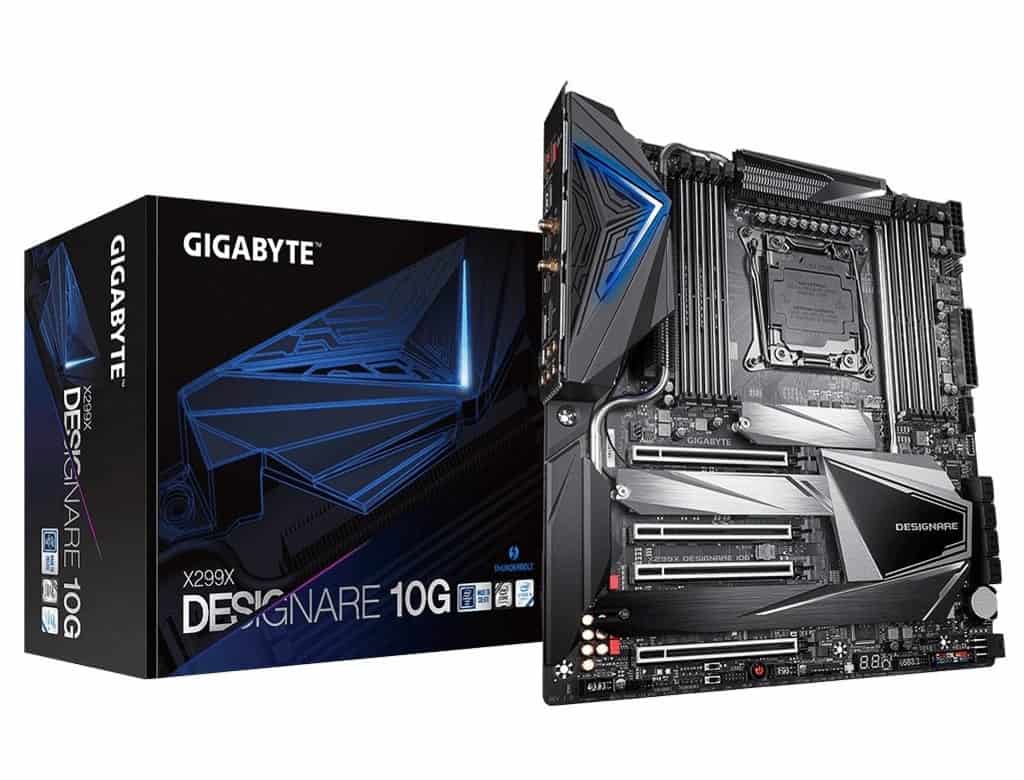
gigabyte x299x aorus designare 10g

Best XL-ATX Motherboard

Gigabyte X299X AORUS Designare 10G

Our Rating: 8/10

7

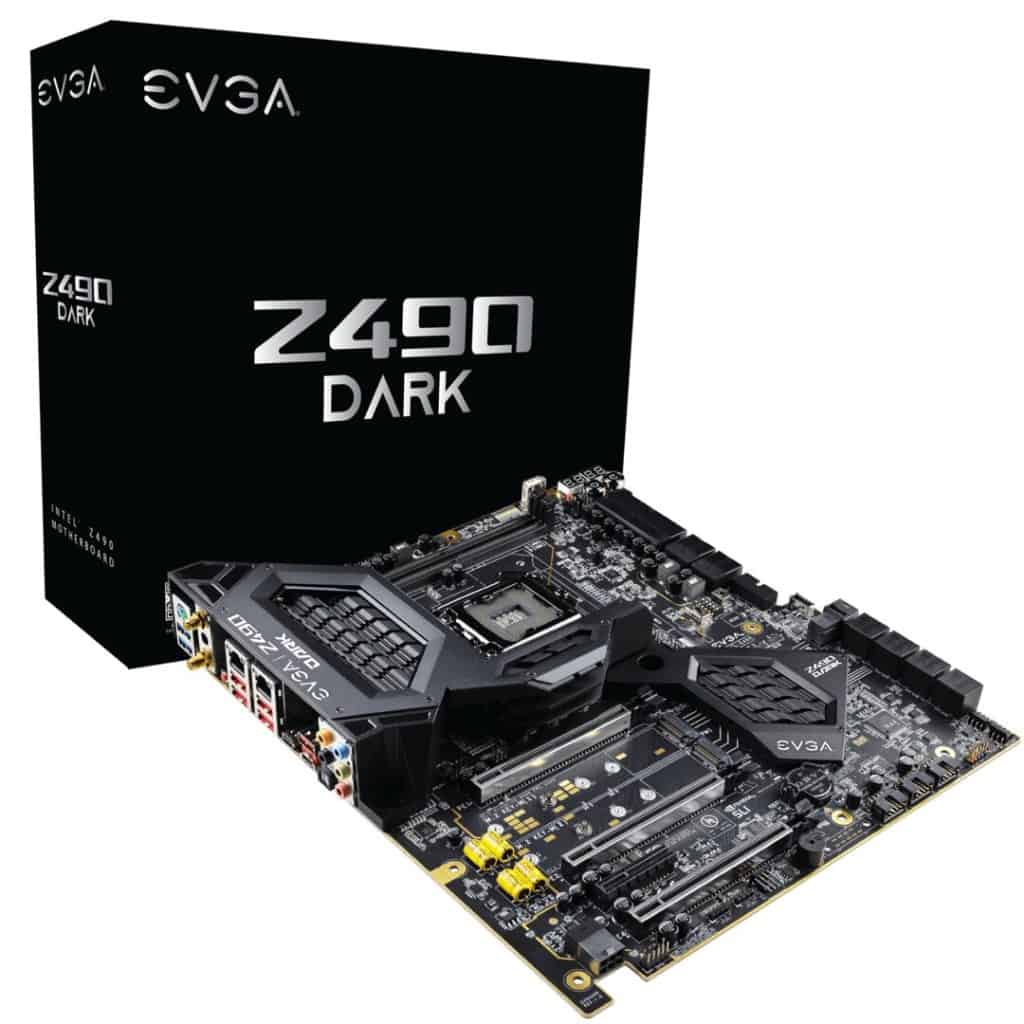
Evga z490 dark

Best Z490 E-ATX Motherboard

EVGA Z490 Dark

Our Rating: 8/10

Intel vs AMD EATX Motherboards

While AMD usually takes the top spot in the mid-range Micro ATX / ATX motherboard sizes, Intel is king for E-ATX.
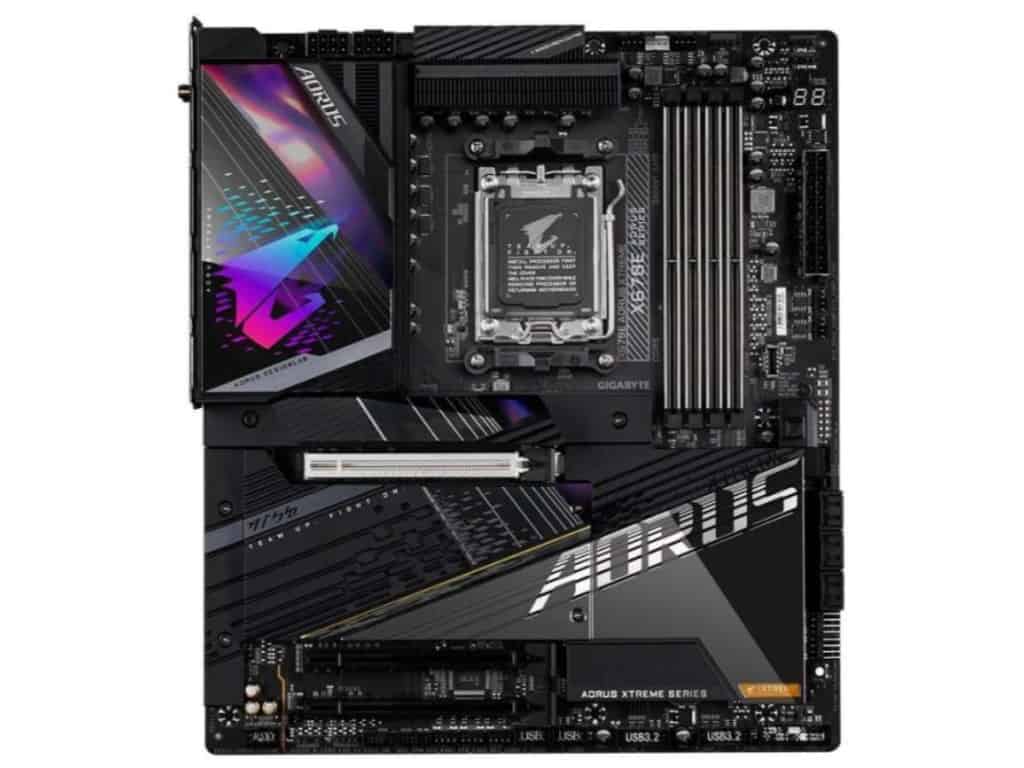
There are simply more good options available between the Z690 and X299 chipsets in this form factor when building a very high-end PC.

This is why we’ve primarily focussed this guide on Intel options.

That said, we do have a couple of great options for AMD HEDT CPU builds below. You can still build with whichever choice you like, there are just fewer options than Intel.

Now, let’s get to it:

MSI MEG Z690 ACE

Overall Best E-ATX Motherboard: MSI MEG Z690 ACE

One thing that instantly stood out to me over the Z690 ACE is its price point.

Many HEDT motherboards quickly approach the 4-figure range, but the ACE comes in at half that cost while still retaining a ton of great premium features.

Firstly, while the design may not be your primary concern, I was really pleasantly surprised at how gorgeous it was in person. High-end motherboards are slowly moving away from RGB and the ACE’s minimalist black and gold aesthetic is not just stunning, but a great foundation for a ton of different aesthetics.

That said, for you RGB lovers, there are plenty of headers on board (and also a helpful LED dip switch to turn them off as needed).

There’s plenty on offer between USB, M.2, SATA, and 2 x PCI-E 5.0 inputs. The ports are nicely-balanced bandwidth-wise and I think they’ll comfortably match the need of most enthusiast builds.


MSI MEG Z690 ACE 2

Larger than it looks when you see it in person. Source: JTDtom1984

I’m pleased with the overclocking results observed on the ACE, too. With decent results across both CPU and memory (even for the likes of a Core i9-12900K), we expect you’ll sooner be bottlenecked by the limitations of your cooling than of the motherboard. The overclocking failure recovery is an easy enough process by most standards too, which can be a huge perk when trying to maximize your settings.

So what don’t we like about this board? Well, not too much.

Even though the price is very slim by ATX standards, the one thing that comes to mind for me is that many users would be happy with an ATX board in the $300-400 range, even though I think the extra features and quality-of-life changes here are immense if you have the extra budget.

Aside from that, nothing notable comes to mind, the motherboard is great for installation, overclocking, thermal management, design, and onboard features.

If you’re looking to build an E-ATX powerhouse with forking out 4-figures, I think this is the best option you’ll find by a notable distance!

Our Rating: 9.5/10

ASUS ROG Maximus Z690 Extreme

High-End Best Intel E-ATX Motherboard: ASUS ROG Maximus Z690 Extreme

And now we come to the choice for those who care more for power than price. This MSI motherboard is simply incredible.

To start, it’s built on the Z690 chipset / LGA 1700 socket, which combined with the features below, easily makes this one of (if not the) best motherboard for the brand new Core i9-12900K and other 12th gen CPUs.

  • 2 x PCIe 5.0 x16 slots
  • 4 x DDR4 RAM slots with max speeds up to 6400 MHz+
  • Fantastic I/O panel with 2 Thunderbolt 4 ports
  • 5 x M.2 storage outputs with optimized heatsink.

These specs, alongside the sophisticated cooling and fantastic layout, are simply mindblowing, and really shows the power of what a high-end Z690 motherboard can do.

ASUS ROG Maximus Z690 Extreme

Source: tikishark

You may be asking yourself, “why does this board have fewer max RAM/GPU slots than our runner-up pick”?

Well, while we love the high RAM/GPU approach, the Z690 GODLIKE has chosen alternate bandwidth allocations.

Each motherboard can only circulate so much power and this MSI offering puts more into its CPU chipset, overclocking potential, and other features.

With a fantastic array of headers for an RGB build, wonderful LED lighting, and an OLED screen to act as a “dashboard” for your computer status, we love to focus on hard specs, but if you’re spending this much money on a motherboard, we appreciate the extra mile going in for aesthetic.

The ACE has a host of onboard features and incredible thermal solutions across the board, reviews are quickly finding that this is one of the best motherboards for overclocking available.

You’re going to achieve a fantastic high FPS 4K gaming build if tied with the right CPU/GPUs.

Maximus Z690 Extreme vs MSI MEG Z690 ACE

So with all that said, why do we give the ACE our top pick over the Extreme?

Well, while the Extreme does boast an even further capability in overclocking, bandwidth allocation and thermal management, we think that there is some level of diminishing returns, give it’s around twice the price of the ACE.

Although I sing the praises of a more minimalist motherboard aesthetic like the ACE, it’s also worth bearing in mind that the Z690 extreme is on the other end of the aesthetic; boasting plenty of gorgeous lighting in addition to its OLED screen. This wasn’t a major factor in reviewing the board for me as it’s largely down to personal preference. Really, both look great.

Do I think, dollar-for-dollar, the extra features of the Extreme are worth it over the ACE? No.

But, if budget is only a secondary concern, and your only question is “how do I achieve the most power”, then I think you’ll love this choice.

Our Rating: 9.25/10

GIGABYTE X670E

Best AMD E-ATX Motherboard: GIGABYTE X670E AORUS Master

2023 update: I’m pleased to say that there are finally a couple of good E-ATX options for serious AMD builders (without entering the 4-figure mark!) and the X670E stands as the tallest.

The X670 chipset is exactly what you want leading a premium build, giving you high-quality PCIe 5.0 & DDR5 compatibility, the AORUS is set up to accomodate rop range hardware.

GIGABYTE X670E 2

Source: Alumx

Let’s break down the spec highlights:

  • 1 x PCI Express x16 slot, supporting PCIe 5.0* and running at x16 (PCIEX16)
  • 4 x DDR5 DIMM sockets supporting up to 192 GB – OC up to 6666
  • 3 x PCIe 5.0 M.2 connectors
  • Very rich I/O connector availability, including multiple type C USB inputs
  • Incredible build quality, design and light features (including onboard lights and great RGB fan header connectivity)
  • Fantastic onboard audio and Wi-Fi

Without just posting all of the specs (available here), the highlights of this board are in its versatility for different types of builds; whether you want to focus on maximizing overclock on CPU, RAM, GPU, or a balance of all 3, there are good methods on board here for all build types.

What’s more, the thermal solutions across the board add to that potential, with benchmarks showing amazing OC performance on this board for RAM, CPUs, and GPUs.

At the top of its class, the GODLIKE is one of, if not the best X670 motherboard on the market.

If your heart is set on AMD and this is out of your price range, there is a more affordable offering in the GIGABYTE X670 AORUS Elite AX.

But if you have the budget, know that you really can’t get much better than this.

Our Rating: 9.5/10

Gigabyte X299X AORUS Master

Best X299 E-ATX Motherboard: Gigabyte X299X AORUS Master

2023 update: I have kept a couple of the old HEDT options in this feature because I appreciate there may still be some niche builders who value some of the unique features of the X299 chipset (like 8 DIMM slots) but I heavily suggest against these motherboards for a majority of users. If you weren’t already aware of HEDT motherboards before coming into this article, then please just stick to my main 3 recommendations above.

For most cases, we’d highly recommend our top pick as the chipset will better suit you for the latest Intel CPUs.

That being said, if you are interested in X299 for this chipset’s advantages in certain areas (e.g. RAM capacity), then the AORUS Master is a feature-packed option.

This board offers:

  • 4 x PCI-e x16 slots, with the bandwidth capability to run a Multi-GPU gaming PC (SLI or CrossFire)
  • 8 x DIMM outputs for up to 256GB DDR4 RAM up to 4333 Mhz
  • 3 onboard M.2 storage outputs
  • A great I/O panel with good Wi-Fi, Bluetooth, and LAN outputs.
  • Beautiful RGB design with great onboard addressable headers for an RGB-centric build
  • Fantastic onboard ALC1220-VB HD Audio with an ESS SABRE9218 DAC chip capable of making the most for high-end headphones.

The above are just the highlights. 

Gigabyte X299X AORUS Master

Source: ironbar

There are a bunch of additional onboard/BIOs features that make this a premium motherboard (anything from excellent onboard heatsinks to great build quality for durability in a heavy EATX PC Case).

At its price point, it’s the best motherboard for overclocking on X299 I’ve come across from various benchmark reviews.

With great inputs available for high-capacity graphics cards, storage, RAM, and cooling capability, you’ve got a great motherboard for video editing, gaming, streaming, and production.

As good as the Aorus Master is, it’s still on the CPU chipset that is becoming outdated compared to our top pick’s one, so bear that in mind.

That said, if your wallet is thick but not so thick that you’re looking at the pricier picks and are interested in building with an X299 CPU, then this is a great option.

Our Rating: 8.5/10

MSI X299 Pro

Best Budget E-ATX Motherboard: MSI X299 Pro

2023 update: For completeness, I’ve included the cheapest E-ATX board I can find that is worth recommending. But with that said, this board is running on a very old chipset and is only recommended for users already familiar with (and searching for) a HEDT board.

Unfortunately, there isn’t much in the way of more budget options for modern chipset E-ATX builds. So if you don’t have the budget for my top picks above, then please go with an ATX build instead with something like the MSI MAG Z690 Tomahawk, which is still more than capable of hosting a powerful build.

Whether for high-end gaming or production, we’d recommend the picks above. Especially the ones with more modern sockets.

That being said, what MSI manages to fit into this cheap EATX motherboard is insane for the price if you’re looking at a X299 chipset.

This includes:

  • 8 x DDR4 RAM slots for up to 256GB memory (up to 4200Mhz)
  • 4 x PCIe x16 slots with capability for up to 3-way SLI GPU builds.
  • 2 x M.2 storage outputs
  • Decent RGB header options

Between these features, you still have the utility here for a high-end build for gaming, streaming, and other production rigs.

MSI X299 Pro

Source: flipflopsoncats

If you’re in the video editing business (or similar), it’s the RAM that offers an insane amount of future-proofing for memory (though to be clear, most users do not need to buy 8 slots worth of RAM).

You don’t have the same level of onboard features for overclocking/cooling as you do on the above boards, but it’s still capable of great clock speeds across your hardware.

The issue with this pick for budget builds is that it’s an X299 motherboard; we think most budget builders are going to significantly prefer Motherboard/CPU combos that are either LGA 1700 or AM4.

But if your goal is focused on the best cheap extended ATX motherboard, the MSI X299 Pro is the cheapest available.

Our Rating: 7.5/10

Gigabyte X299X AORUS Designare 10G

Best XL-ATX Motherboard: Gigabyte X299X AORUS Designare 10G

2023 update: The XL-ATX market is very slim these days, so much that there is no current recommendation for motherboards on the latest gen chipsets. We’ve kept this recommendation at the bottom of our list if you are happy to be after a X299 build (or TRX40) but in nearly every case, we’d recommend looking at our E-ATX picks above.

We’ll start by repeating what is said in our complete guide to motherboard sizes:

You don’t need an XL-ATX motherboard over an E-ATX one for a large high-end build.

The options above will give you more than enough for a premium gaming motherboard (or for production, streaming, etc).

That being said…

If you simply want more space to play with in a “super tower” PC case, we included this as it’s still a fantastic pick.

gigabyte x299x aorus designare 10g

Source: GIGABYTE

A Socket 2066 motherboard, the AORUS Designare boast:

  • 8 x DDR4 RAM slots for up to 256GB memory at 
  • 4 PCIe x16 outputs capable of 4-way CrossFire or SLI builds
  • A fantastic I/O panel including 2 x Thunderbolt 3 connectors
  • Great Onboard Realtek ALC1220-VB HD audio
  • Gorgeous LED lighting with great RGB header support for an RGB build
  • Fantastic build quality with lots of port reinforcement, good for such a large setup

When you can combine this colossal graphics card capability with all of the onboard thermal solutions/excellent BIOs, you have one of the best gaming motherboards for overclocking.

Its price-point sits in between our top picks and high-end picks, and we’d say that’s about right for what it offers.

If you’re looking to build an absolute monstrous PC both in power and size, this is perhaps the best XL-ATX Intel motherboard available.

Our Rating: 8/10

Evga z490 dark

Best Z490 E-ATX Motherboard: EVGA Z490 Dark

What a beast this is.

The EVGA Z490 Dark strikes an amazing balance between accommodating different types of high-end builders whilst also maintaining excellent value for its price.

Yes, it is an expensive motherboard. But considering many other competitive E-ATX picks are close to the 4-figure mark, this EVGA offering sits at around half of that.

We like the approach EVGA has taken with the Z490 Dark; specifically, they’ve reduced bandwidth consumption on certain elements that will not be used by an overwhelming amount of users.

The two main examples are the 2 dual-channel DIMM slots and max-2 SLI/crossfire GPU capacity (with 3 x PCIe x16 available onboard).

Sure, this sounds low if you’re trying to max out specs across the board, but the balance has been crafted around still providing enough capability for most powerhouse users, while also allowing you to push as much as possible with overclocking your CPU, GPU, and RAM all at an impressive motherboard price.

EVGA z490 dark

Source: GIGABYTE

To put it another way, 64GB of RAM (that could be 4800MHz+) and 2 (even 1) GPU on this board would make for a superb 4k gaming motherboard or high-end production desktop.

(If you’re one of the rare users who does demand more GPUs/RAM, say for very intensive rendering, video production, or a server PC build, then most of our other picks on the list accommodate just that).

Speaking of overclocking; this is, of course, the crowning jewel of the Z490 Dark. With an oversized VRM cooler, great quality-of-life features surrounding the board (including a unique layout specifically designed to better transmit heat/bandwidth between integral parts), and a great software interface for the BIOs, you are really set up here to push a lot out of your CPU and memory.

The other great SSD storage options that you’ll enjoy for a high-end build are 2 x M.2 110m (up to 32GBps) & 1 x U.2 NVMe.

With the fantastic Z490 chipset, this is one of the best LGA 2000 motherboards around, giving you compatibility with Intel’s 10th & 11th gen processors, you’ll be able to achieve some incredible processing power.

The EVGA Z490 has many more great features that we could take all day describing, from a good featured I/O panel to great onboard audio.

2022 mid-year update: Although I still rate the Z490 Dark well, this glowing praise is built from a time when the Z490 was an emerging chipset. 

With that in mind, we’d say that a majority of users will be wanting to look at the Z690 top picks over this shoice.

If you’re looking for a build on an older chipset however, and don’t want to fork out double the price for the high-end picks, this is still a decent pick for you.

Our Rating: 8/10

Alternative Quick-Fire Picks (Best of the Rest)

The top 6 picks are our main choices for the best extended-ATX motherboards. However, we’ve included a couple more options just in case you have very specific requirements.

GIGABYTE X570 AORUS Xtreme 2

Alternative AMD pick: GIGABYTE X570 AORUS Xtreme

Coming in slightly cheaper than our top AMD pick, this is a great choice with many of the same features for slightly smaller budgets.

Our Rating: 8.5/10

EVGA X299 FTW K

Cheapest E-ATX Motherboard: EVGA X299 FTW K

Due to the volatile nature of Motherboard prices on Amazon, it’s possible that our top budget pick may be cheaper at the time you’re looking. But usually, the EVGA X299 is the cheapest option for EATX builds if you’re comfortable with the X299 chipset.

Our Rating: 7/10

ASUS ROG Zenith II Extreme Alpha

Best TRX40 E-ATX Board: ASUS ROG Zenith II Extreme Alpha

If you’re after the best E-ATX motherboard for AMD, but are more inclined towards the TR40 chipset over the mainstream CPUs, the Zenith II Extreme Alpha is your best bet.

Our Rating: 7.5/10

What's Next?

About the author

Picture of Kaelum Ross
Kaelum Ross
Kaelum Ross, BSc is the Lead Writer at What in Tech and a leading authority in PC hardware and software. With a career as a senior IT professional, Kaelum has led multi-million dollar projects covering everything from bespoke software development to complex Windows hardware upgrades. Today, Kaelum uses his expertise to serve What in Tech's readers and has been featured in numerous global publications including New York Magazine and Lifewire.

The 12 Best Motherboard CPU Combos of 2020

Motherboard CPU Combo Cover

The 12 Best Motherboard CPU Combos of 2020

Deciding what order to buy your gaming PC parts in is hard.

One of the worst offenders is choosing which CPU & motherboard you should pair.

With countless variations, the whole process is unnecessarily confusing.

Which is why we’ve collated the best CPU motherboard combinations available for all different sizes, purposes & budgets.

This is a long feature – we recommend scrolling to the headings you’re actually interested in instead of reading it top-to-bottom.

 Table of Contents
 

AMD vs Intel CPUs/Motherboards

No feature on this topic would be complete without a say on the “is AMD better than Intel?” battle.

We’ll keep it short as there’s already a lot of good info on this topic.

For this generation of CPUs, both flagship models from each manufacturer give great performance for gaming and other build purposes.

But if looking at the numerous benchmarks available for games/production for both brands with price in mind: AMD tends to have an edge.

Many of the current-gen Intel CPUs are fantastic.

But on average, you’re usually paying a little more for the performance you can get from the AMD alternative.

A lot of credit is given to Intel for its integrated graphics processors on many of their CPUs.

But really, we find this a borderline moot point.

Anybody seriously building for gaming/production/streaming is going to want a standalone graphics card.

For motherboards, the AMD versions tend to be cheaper also (with the exception of Mini-ITX).

Short answer: We’d push you towards an AMD build to get the highest value CPU motherboard combos.

But we do understand some people are just more comfortable with Intel.

Don’t fret – know that the Intel motherboard combos we’ve recommended below are still great for their respective price-points.

With that said, let’s get into it:

Overall Best AMD Motherboard CPU Combo:

AMD Ryzen 7 3700X with ASUS ROG Strix B450-F

To start off our list, we’ve chosen what we think is the best gaming CPU motherboard combo available for an “all-round”/mid-range build.

The AMD Ryzen 7 3700X is a fantastic accomplishment in CPU engineering.

Offering 8 threads and 16 cores with a max frequency of 4.4GHZ, this AMD processor packs an incredible punch for its competitive price.

Its utility will hit the sweet spot for what most gamers need.

You have a great basis here for a powerful gaming build that will accompany some intensive GPUs (including multi-crossfire builds).

Tied with some decent VGA hardware, this CPU is more than capable of running a 1440p/4k gaming PC.

The included stock cooler also performs decently and looks great with its color-controllable LED lighting.

Outside of games, the 3700x is very capable of general multi-purpose PC tasks (benchmarking well in tasks across the board, not just gaming fps tests).

Meaning it’s a great CPU for streaming, video editing, production, and more.

If this is the budget you have for a processor, we really can’t recommend it more.

The ASUS ROG Strix B450-F is a popular motherboard for a reason.

With its ATX form factor and B450 chipset, the ASUS mobo has pretty much everything we expect a majority of gamers to need.

You’ve got:

  • 3 PCI-e slots for a multi-GPU build (or integrated sound/network cards as required)
  • 4 x DDR4 RAM slots
  • Dual NVMe M.2 storage options
  • Great onboard sound
  • Gorgeous RGB lighting and 2 headers for a great RGB build.
  • Stylish and well-equipped I/O panel

It’s a great motherboard for overclocking, with lots of good onboard features as well as a great, user-friendly BIOs.

For the price, we really think the Strix B450-F hits the sweet spot between offering features without reaching “diminishing returns”.

If we had to choose one CPU/motherboard combo to recommend for the majority of gamer computers (and other production needs), this is it.

Overall Best Intel Motherboard CPU Combo:

Intel Core i7-9700K with MSI Z390-A PRO

Our top Intel picks are also a great hardware pairing.

They perform a tad better but cost a fair chunk more as we discuss below.

The i7-9700K is, with performance-per-$ in mind, the best Intel CPU for gaming today.

The processor packs 8 cores/threads and the very impressive capability to overclock up to 4.9Ghz.

It performs excellently across gaming tests and tied with a good GPU (or 3), will grant you excellent performance for games and other tasks.

Certainly more than capable of being the basis of a powerful 1440p/4k gaming build.

i7-9700K vs Ryzen 7 3700X

These frontline CPUs have faced off in loads of benchmarking tests.

The short answer?

They come out very close.

The i7-9700K performs slightly better in most gaming FPS tests, but not enough to be decisive.

The Ryzen 3700X tends to perform marginally better at other computational tasks (anything from unzipping files, to compression, to multi-tasking).

Because of this, we would certainly recommend the R3700X if you’re interested in also building a PC for streaming, video editing, and/or production work.

Now, you may think that makes the Intel CPU the best choice for gaming.

We’d agree if you happen to see them at the same price.

But nearly always, the 3700X (and accompanying motherboard) work out significantly cheaper.

That saved budget would be much better spent on buying a more expensive GPU, the AMD CPU will still be able to work with a very intensive VGA demand.

The MSI Z390-A PRO is one of the best value Intel motherboards on the market.

An ATX form factor mobo, it has excellent overclocking facilities (with some nice bells and whistles like an extended onboard heatsink).

The main features include:

  • 2 x PCI-e ports (1 with reinforcement to reduce GPU sag, though don’t read into this as a huge deal)
  • 4 x DDR4 / DIMM slots
  • NVMe support
  • Good onboard sound
  • I/O panel that includes USB 3.1 type C output

You’ll note it has 1 less PCI-e port than our top AMD offering.

While this would be a nice addition, we doubt many of you looking at a mid-range build will require more than 2 (if you do and want to stick to Intel, check out our high-end pick below).

It has everything you’d expect in a decent mid-range Z390 motherboard and works great alongside the 9700K.

Best Budget AMD Motherboard CPU Combo:

AMD Ryzen 5 3600 With ASUS TUF B450M-Plus Gaming

As far as cheap AMD CPUs/motherboards go, the below pair is the best value combo for gaming.

You can go cheaper, but these next AMD/Intel combos are the lowest we’d recommend for most gamer needs.

If however you just want a PC for general use/light gaming, see our “cheapest” picks further below.

The Ryzen 5 3600, as far as cheap gaming processors go, is our favorite.

Providing great performance for a 1080p/1440p gaming build, you’re still able to run some decent graphics hardware alongside this CPU.

Offering an impressive 6 cores, 12 threads, and max 4.2 GHz, it’s got an impressive spec for a budget processor.

The included Wraith Stealth cooler is not the best on the market but will get the job done for a budget gaming build if you don’t want to buy standalone.

You still have enough power in this processor to stream and perform other intensive tasks (respecting that they, of course, won’t be quite as fast as the more expensive builds).

Overall what you get for the price in this CPU is fantastic.

If it’s as far as your budget can stretch, you’re still going to be able to create a great PC for gaming.

The Asus TUF B450M-Plus Gaming is a great cheap AMD motherboard option that still offers everything you need for most games.

It’s a Micro ATX form factor, which is more cost-effective than their ATX counterparts (including cheaper cases).

The board includes:

On top of it still having reasonable overclocking capability, features like NVMe M.2 / RGB inclusions are really impressive for the low price point.

You’ll likely just be buying 1 GPU for a budget gaming build, but it’s nice to have the option to expand with the second PCI-e slot later on.

Overall, this cheap CPU motherboard combo still has everything you need to play the latest games at reasonable settings.

Best Budget Intel Motherboard CPU Combo:

Intel Core i5-9400F With Asus Prime Z370-P II

Our budget Intel combo is also worth your consideration, especially if they happen to be cheaper/on a deal whenever you’re browsing.

Note: it seems that manufacturers are fading out the Z370 chipset motherboards. 

We’ve included the best value one below but if made unavailable, your best bet will be to tie the i5-9400F with our best overall motherboard: The MSI Z390-A PRO

If you’re looking for a cheap Intel gaming CPU, The Core i5-9400F is the best option.

We’re specifically recommending the non-graphics integrated version because even in a budget gaming build, you want a standalone card.

With a clock speed of up to 4.1GHZ and 6 cores/threads, this Intel offering still packs a punch and can be paired with a decent GPU.

i5-9400F vs Ryzen 5 3600

At the time of writing this, the two budget CPU options are around the same price.

Originally the Ryzen 5 3600 was a more “premium” option, and it shows in the benchmarks.

The card tends to perform 10-20% better across the board, from games to general PC tasks.

If the Intel option happens to be significantly lower price at the time you’re looking, then, by all means, go for it.

But if the prices are what we expect, then the 3600 is the best value CPU for gaming available.

But the 9400-F will still get a lot done in a production/gaming/streaming build should you want to stick to Intel.

The Asus Prime Z370-P II is the best cheap gaming Intel motherboard available on the market today.

It may soon be discontinued as manufacturers move towards focussing on the Z390 chipset.

If you can’t get this motherboard, go for the MSI Z390-A PRO.

This ASUS offering is an ATX motherboard. It’s great that it retains the good value at this form factor, offering:

  • 2 x PCI-e slots
  • 4 x DIMM/DDR4 RAM slots
  • Dual NVMe M.2 Storage option

It won’t have as many bells and whistles as our mid-range picks (RGB headers, reduced overclocking facilities, no USB 3.1 type C, etc).

But as far as the utility you need from a budget gaming build?  This Asus motherboard has everything you need.

Cheapest AMD Motherboard CPU Combo:

AMD Ryzen 3 3200G With Asus Prime B450M-A

Let’s be clear:

If you’re serious about building a gaming PC, or one capable of decent production/streaming output, then the budget picks above should be the minimum.

That being said…

What if you’re happy with a PC that’s just for lightweight gaming (e.g. Fortnite on fairly low settings/older games) and general web browsing/Netflix etc?

We’ve included the cheapest CPU motherboard combos we’d recommend if this fits what you’re after.

For its low price point, the AMD Ryzen 3 3200G manages to pack an impressive amount and is the cheapest AMD CPU for gaming we’d recommend.

Still packing 4 cores/threads, max frequency of 4.0GHZ, and an included wraith stealth cooler (enough for a cheap setup).

With your budget in mind, AMD has included integrated graphics into this CPU.

But know for games, the performance will be pretty poor, you’d be playing games on low at best.

Therefore even if your budget is tight, try to stretch to a standalone card.

That being said, don’t be put off if you can’t afford some of the better picks on this list.

You can still play plenty of great modern games with this AM4 CPU when combined with a fair GPU (just not at crazy settings/resolutions!).

The Asus Prime B450M-A is definitely the cheapest AM4 motherboard we’d recommend.

At its Micro ATX form factor, you’re getting:

  • 1 x PCI-e slot
  • 4 x DDR4 compatible outputs
  • Surprisingly, an RGB header should you ever need
  • An NVMe M.2 storage option

As far as overclocking goes, you’ll be limited on this board.

But in a budget build, you’ll not want to spend lots on cooling anyway.

Put simply: this mobo and CPU combo is excellent for someone looking at the minimum for supporting a gaming PC.

Cheapest Intel Motherboard CPU Combo:

Intel Core i3-9100F With MSI H310M PRO-M2 Plus

When considering i3-9100F vs Ryzen 3 3200G, the performance in this category is actually quite comparable.

So if you’re looking for the cheapest Intel CPU motherboard combo, rest assured that this option is as good as AMD’s offering.

With that said, if you don’t have a brand allegiance, we’d recommend you just pick whichever of the two pairs happens to be cheaper at the time you’re looking.

The Intel Core i3-9100F is as cheap as you can get for an Intel gaming CPU.

With similar specs to the AMD offering, you’re looking at 4 cores/threads and clocks up to 4.2GHZ.

A basic cooler is included (all you’d want for a very low budget PC).

Integrated graphics are not included, but as always, you want to fork out for a standalone card if you’re interested in gaming anyway.

One of the cheapest Coffee Lake CPUs available, this offering isn’t really designed for gaming as you can expect from the price.

But if you’re happy with lower settings on less demanding games (or just want a PC for general purposes) this can still manage your needs just fine.

The MSI H310M PRO-M2 Plus, to put it simply, is the cheapest Coffee Lake motherboard that won’t bottleneck a basic gaming build.

Another mATX mobo (as expected for the budget), you have:

  • 1 x PCI-e slot
  • 2 x DDR4 compatible outputs
  • NVMe M.2 support
  • Acceptable onboard sound

Of course, at this very cheap price point, you’re not getting much more than the minimum.

But really in a budget build, you only need 1 PCI-e slot and 2 x RAM slots anyway.

Coming in at an exceptionally low price-point, this Intel CPU motherboard combo is perfect for anyone who really needs to make every $ count.

Best High-End AMD Motherboard CPU combo:

AMD Ryzen 9 3900X With Asus Prime X570-Pro

If price is not a concern, the next pair is the best CPU motherboard combination on the list.

Of course, at these prices, this is for a very powerful gaming build or someone after a high-end production/video editing/streaming PC.

For the average gaming PC, you’ll do well with the top picks above.

But if you’re more interested in power than budget, keep reading!

The AMD Ryzen 9 3900X is an incredible piece of hardware.

With a monstrous 12 cores, 24 threads, and overclockable up to 4.6GHZ, despite its high price-point, it still somehow manages to feel impressively valuable with all this included.

The processor will be more than capable of running a high-intensity multi-GPU build.

As far as gaming goes, provided you have the high-end VGAs to match, you can consider yourself future-proofed, 

This Ryzen 9 CPU will be capable of working alongside top-end graphics cards to act as a 4k gaming PC (with decent settings/fps to boot).

This AMD offering also performs excellently across benchmarks for pretty much all other major computational task tests.

Meaning its a perfect CPU for production, video editing, and the best streaming processors for absolute top quality/multi-tasking.

The processor also comes with a good quality LED cooler, good for the basis of an RGB build.

This cooler won’t compete with standalone heatsinks or CPU water coolers (that we expect most high-end builders to go for) but it’s a nice inclusion nonetheless.

It’s hard not to rave about the 3900X and its superb feature set, it’s one of the best CPUs for overclocking and if you’re looking for a top-quality gaming build, start here.

Ryzen 9 3900X vs 3950X

Some of you may be wondering why we chose the 3900x over its more powerful brother for our top-end pick.

With an additional 8 threads and higher overclocking potential, the 3950X is indisputably better.

But for around 50% extra cost, there are pretty huge diminishing returns.

If you also need your build to be state of the art for production purposes or want to ensure you can max out games like RDR 2 and Cyberpunk 2077 (when it comes out) at a very high resolution/FPS, then definitely go for the 3950X.

But otherwise, even for your high-demand gaming needs, we think the 3900X will match what you need (spend the delta on better GPUs).

The Asus Prime X570-Pro Ryzen 3 is one of the best AM4 motherboards available today.

With the X570 chipset, you’ll have access to not only the best processor power draw around today (to max out that expensive CPU), but also PCI-e 4.0.

The main utility here is for GPUs and NVMe storage performing at faster speeds.

This is great for top-end builds, and while you may not see the full capability of PCI-e 4.0 for another few years, it means you’re investing in a future-proof motherboard.

In terms of other features, oh boy, the list is plentiful and we won’t cover it all in the summary, but for the highlights:

  • ATX form factor with 3 x PCI-e slots
  • 4 x DDR4 slots
  • Dual NVMe M.2 support
  • Fantastic onboard sound (Realtek 8.1 S1220A)
  • Beautiful onboard RGB lighting, 2 addressable headers, and 1 standard RGB header, perfect for an RGB build.
  • Numerous other onboard BIOs features for overclocking & optimization

Yes, the board is expensive.

But for enthusiasts, the quality of life features you get for overclocking amongst all the points mentioned above really make it a gem.

You can go a lot more expensive with motherboards, but we’d say this is the sweet spot even for the most avid of power builders.

If we had to pick just one: this is the best gaming motherboard CPU combo we’d recommend in the entire list.

Best High-End Intel Motherboard CPU combo:

Intel Core i9-9900K With MSI MEG Z390 ACE

Our most expensive Intel CPU motherboard combo is a worthy competitor to AMD’s offering.

The Intel Core i9-9900K is one of the most popular CPUs of the current generation, and for good reasons!

With 8 cores, 16 threads, and up to 5.0GHZ clock speed, you can get amazing speeds out of this processor for a gaming computer.

As far as other tasks go, the CPU always perform excellently, benchmarking very well for the needs of a production or streaming PC

i9-9900K vs Ryzen 9 3900X

A battle of titans.

Both of these are amazing CPUs for gaming.

With that said, in all the benchmarking done for these 2, there is a slight edge to 3900X.

That is across lots of different factors, from gaming to various general PC task tests.

It isn’t completely unanimous, with the i9 recording some slightly better fps peaks in some 1080p tests.

But it’s clear that the Ryzen CPU tends to take the victory if we had to choose.

We also like that the AMD CPU comes with PCI-e express support, which future-proofs your next gaming setup when combined with our recommended motherboard.

If however, when you were browsing, the i9 CPU motherboard combo was >10% cheaper, it would likely be worth the savings as they are still close in performance.

One final thing to bear in mind: the 3900X includes a nice LED RGB cooler and the 9900K doesn’t include even a basic stock cooler.

Though we expect most of you will be going for a standalone option anyway.

Intel i9 9900K vs Intel 10900x
If you keep up with PC news, you’ll know the 10900x is the “new guy” in town.

The CPU is currently very hard to get hold of and quite pricey.

Although the architecture behind it is very impressive (as you’d expect from the next-gen comet lake CPUs), in real-world performance terms, it’s a tad underwhelming.

Benchmarks vs existing CPUs show only marginal improvements.

Even for enthusiast builds, we would stick with the 9900 or comparable AMD offerings for the time being.

The MSI MEG Z390 ACE is one of the best Z390 motherboards around if your wallet is thick.

Let’s start with the design.

We don’t often focus on style for motherboards…

But tied with a nice visible PC case, the Z390 AC will look fantastic with its slick RGB lighting and steel fixtures (on PCI-e slots, etc).

It’s an ATX motherboard which like our top AM4 motherboard, has too many features to list.

Including:

  • 3 x PCI-e slots
  • 4 x DDR4 slots
  • 3 x M.2 support (with 1 x integrated M.2 heatsink)
  • Very good integrated sound (Realtek 8.1 S1220A)
  • Excellent rear I/O panel including a USB type C port.
  • Also (rather uncommonly) includes potential inputs for 2 x USB type C ports for the front I/ O panel
  • Beautiful onboard RGB lighting and addressable headers for an RGB build.
  • Locks of overclocking utility within the BIOs/onboard heatsinks

If you’re looking for an Intel gaming motherboard CPU combo in the era of Coffee Lake/Z390 and you have the money, this is the pair you want.

Best Micro ATX AMD Motherboard CPU Combo:

AMD Ryzen 7 3700X With ASUS Prime B450M-A

For those of you looking for a Micro ATX AMD Gaming PC we’ve combined our best gaming CPU pick from the top of this list with a great, affordable mATX motherboard.

We’ve already been over the AMD Ryzen 7 3700X at the top of our list (where it belongs).

It has returned because it’s easily the best Ryzen CPU for gaming when considering a “mid-range” user.

The 3700X is a great choice for an mATX CPU Motherboard combo too because you’re still going to be looking for good processor power in a mini-tower gaming PC.

With its 8 cores / 16 threads, it will be very effective for single/dual GPU setup (2 is the most you’ll do with a Micro ATX mobo).

What else is there to say that we haven’t already?

This is the best value gaming CPU on the market today. If it fits into your budget, pick it up.

The Asus Prime B450M-A has an impressively dense feature-set for its mATX form factor and low price.

You’ll be getting:

  • 1 x PCI-e slots
  • 4 x DDR4 RAM slots
  • NVMe support

And solid onboard features/BIOs to enable customization/good performance.

We’ve recommended a board with 1 x PCI-e slots as imagine many of you looking at building a Micro ATX gamer computer will be focussing on single-GPU builds.

If you want a crossfire gaming PC (or the potential for one later), you can fork out more on the Gigabyte B450M DS3H (still compatible with the Ryzen 3700X).

You’ll note that there are some cheaper 2 x PCI-e AMD mobos floating around.

But some other features you lose out on (limited SATA availability/other power draw concerns around the board) are not worth it unless you’re sticking to a very cheap build.

Overall, this motherboard, combined with the most popular AMD gaming CPU on the market will make your setup a powerhouse when combined with a good GFX card.

Best Micro ATX Intel Motherboard CPU Combo:

Intel Core i7-9700K With ASRock Z390M PRO4

For the Micro ATX Intel CPU motherboard combo, we’ve also returned to our top CPU pick tied with an excellent value mobo.

The Intel Core i7-9700K is just as good a CPU for an mATX gaming PC as it is for our top (ATX) based combo.

The only extra thing to bear in mind for a smaller build is with the lack of stock cooler, you’ll be putting effort into buying a CPU cooler that’s compatible with a mini-tower case.

There’s usually enough room in this form factor for a majority of them though (just ensure you check dimensions).

The 9700K is more than capable of running greatly alongside a powerful GPU (or two), which is what you’d be looking at in an mATX PC.

What more is there to say?

This is the best Intel CPU for gaming today with the average budget in mind, and great for an mATX computer.

The ASRock Z390M PRO4 is such an impressive value-offering, for most mATX CPU motherboard combos, this is more than good enough.

You may not have heard of ASRock to the same extent as say, ASUS or MSI.

But rest assured they are an excellent motherboard manufacturer, especially in the affordable price ranges.

With this board, you’re getting:

  • 2 x PCI-e slots
  • 4 x DIMM outputs
  • Decent onboard sound

It’s a motherboard for a dual-GPU build should you need it in the future (unlike the AMD mATX ASRock board on Amazon, it doesn’t sacrifice as much on SATA/power draw to have that extra slot).

If you have the budget for a mobo with some more bells and whistles (better M.2/RGB capacity, slightly improved audio & integrated wi-fi) then you could also go with the excellent MSI MPG Z390M.

But the ASRock will give you everything you need for a “no-frills” base and is a perfect pair with the Ryzen for an mATX CPU motherboard combo.

Best Mini ITX AMD Motherboard CPU Combo:

AMD Ryzen 5 3600 With B450I GAMING PLUS AC

For the smallest form factor, we’ve chosen a pair of slightly more affordable options given you don’t need a CPU that powers a huge powerhouse in an mITX gaming PC.

We’ll discuss potential upgrades should you have the budget though.

The AMD Ryzen 5 3600 is another offering we’ve already raved about in our budget pick.

Easily the best Ryzen 5 CPU for gaming, the cores/threads you’re getting for the price is fantastic.

Why are we going for a “budget CPU” for the top Mini-ITX combination?

Well, in mITX builds and PC case sizes for the form factor, you’re going to be sticking to single GPU builds.

With this in mind, the 3600 is a good enough CPU to not bottleneck one graphics card for your gaming.

Don’t get us wrong, you’re still going to get some decent extra juice out of our favorite pick, the Ryzen 7 3700X, if you have the budget.

Especially if you want a mini-ITX streaming PC or a CPU for video editing/production.

But overall, we think this Ryzen 5 processor will cover what most of you will need.

So don’t fret if it’s the furthest your budget can stretch for your mITX gaming computer.

The MSI B450I GAMING PLUS AC is pricey, but also the best Mini ITX AM4 motherboard on the market.

Decent mITX AMD motherboards seem to be more expensive than the Intel category.

A tad unusual in this generation. We expect this is simply because of supply/demand.

That being said, if you’re looking at a mITX build, this is still a great option, with:

  • 1 x steel-plated PCI-e slot (standard for the form factor)
  • 2 x DDR4 RAM slots (also standard for mITX)
  • Decent onboard sound
  • Included wi-fi (recommended for mITX so you’re not relying on limited USB/PCI slots)
  • A well-featured I/O panel, considering the size

Combined with either the Ryzen 5 or Ryzen 7 CPUs above, you have a fantastic basis here for a gaming PC.

Remember with a ITX computer/ single GPU, you’re not going to get quite the same power as you would out of something larger.

But know that if that single GPU is a powerful one, you can still create a great portable gaming PC/something suitable for LAN parties or a VR demo build.

This small CPU motherboard combo will also still perform great with other general computational tasks too if you have video editing/streaming in mind.

Best Mini ITX Intel Motherboard CPU Combo:

Intel Core i5-9600K With ASRock Z390M-ITX/ac

When it came to confirming the best CPU motherboard combos for mITX, we actually found that Intel came out looking better than AMD.

Not something we saw in many of the other categories, so take this pair seriously!

Last but certainly not least on our list is the fantastic Intel Core i5-9600K CPU.

The smaller brother of the i7-9700K, the CPU still manages a decent 6 cores/threads and up to 4.6GHZ clock speed.

The base clock speed is also 3.7GHZ, which is nice for those worried about overclocking in such a tight form factor where cooling is often minimal.

Combined with the below Mini-ITX Z390 motherboard, you have a great combo here to tie with a single GPU for a powerful gaming build.

i5-9600K vs i7-9700K

Some users may wonder if it’s worth forking out more for the i7 CPU, which we consider the best Coffee Lake CPU for gaming with price in mind.

Well, while it’s great for ATX/mATX builds, it’s probably a tad overkill for ITX PCs.

If you’re looking to build the best mITX gaming computer you can, by all means go for the 9700K.

It will also open up more capability in the way of multi-tasking/other task speeds – whether that’s for a streaming setup, video editing, or a production rig.

But we expect most people looking at mITX are more interested in achieving a decent, but not “ultra-powerful” portable PC.

For you guys, be comfortable knowing the 9600K is enough alongside a great GPU.

i5-9600K vs Ryzen 5 3600 combo

When putting our smallest CPU motherboard combos head-to-head, we think in this case, Intel comes out on top.

When it comes to the CPU specifically, the 9600K performs slightly better in gaming.

The Ryzen 5 3600, with its increased threads, will be marginally better at multi-tasking.

But really, they’re in the same ballpark. 

The Ryzen 5 3600 is usually more valuable as it’s typically around 10-15% cheaper.

The reason we choose Intel here?

Because the mITX Intel motherboard options are better than AMD’s.

The value you’re getting from the cheaper motherboard outweighs what you get from the cheaper processor.

By all means, if you check the prices of our top picks on Amazon via the links and see the AMD combo at a lower price, go for it.

But chances are, the Intel offering is cheaper, and we think, your best choice for this form factor.

The ASRock Z390M-ITX/ac is what makes this pairing so valuable and in our view, the best Mini ITX CPU motherboard pairing for either Intel or AMD.

At a very impressive price-point, you’re getting.

  • 1 x PCI-e slot (the mITX standard)
  • 2 x DIMM slots (also the mITX standard and still gives you up to 32GB RAM)
  • Good quality onboard audio
  • Integrated Wi-FI
  • NVMe support

Again remembering that on a miTX motherboard you’re obviously limited compared to larger form factors, this is a fantastic value offering.

Having NVMe support is really nice for a tiny build where storage space matters.

Integrated Wi-Fi at the price point is very useful when you have limited USB/PCI slots too.

Simply put, if you add a decent graphics card, this Intel CPU motherboard combo will be fantastic for an mITX gaming computer.

Final Word

We appreciate how long this feature is and how much information you have just digested!

If you’re feeling overwhelmed, know that we only provided so many options to ensure every size, budget & requirement.

If you want the short answer for what suits most PCs for gaming, streaming, production, and general usage: go with our top AMD choice.

We put this combination at the top for the reason and really stands out as being perfect for most users.

But rest assured, whatever category you’re most focussed on, know that these options are all fantastic for their respective price-points and great basis’ for your next exciting build!

What's Next?

About the author

Picture of Kaelum Ross
Kaelum Ross
Kaelum Ross, BSc is the Lead Writer at What in Tech and a leading authority in PC hardware and software. With a career as a senior IT professional, Kaelum has led multi-million dollar projects covering everything from bespoke software development to complex Windows hardware upgrades. Today, Kaelum uses his expertise to serve What in Tech's readers and has been featured in numerous global publications including New York Magazine and Lifewire.