EXPERT INSIGHT & TRUSTED REVIEWS

EXPERT INSIGHT & TRUSTED REVIEWS

What in Tech is a user-supported site. When you purchase through our links, we may earn an affiliate commission at no additional cost to you. Learn more

The Complete Guide to Motherboard Sizes – EATX vs ATX vs Micro ATX vs Mini ITX

Motherboard Size Guide

Motherboard Sizes - The Complete Guide

This feature was reviewed in January. The recommendations in the piece have been updated and the information has been fact-checked for accuracy in 2025.

Sizing up your motherboard is a big deal.

What is an ATX motherboard anyway?

Who wins in the battle between E-ATX vs ATX vs mATX vs mITX?

Whatever the question, we’ve put together this guide to explain the differences between motherboard sizes.

With this piece and our detailed feature on PC case sizes, you have everything you need to size up your next build.

Table of Contents

Motherboard Size Comparison Chart

Motherboard Sizes Comparison Chart

Note: Sizes are approximations, check product listing for exact dimensions

Form FactorProsCons
E-ATX • Best for the most powerful PC builds
• Up to Quad-GPU/8 x DDR4 RAM support
• Fantastic overclocking/cooling options
• Best for high-end, production, and servers PCs
• Most expensive
• Very large/bulky
• "Overkill" for many users
ATX • Best "all-round" option
• Plenty of GPU/hardware room
• Fantastic overclocking/cooling
• Lots of ATX case styles available
• Perfect for most gaming PCs
• Still quite large/heavy
• More expensive than Micro ATX
Micro ATX • Best budget motherboard
• Compact with stylish case options
• Dual-GPU possible
• Most have 4 x RAM slots
• Good part compatibility
• Dual-GPU setups may be hard
• Less cooling/overclock potential
Mini ITX • Smallest motherboard size
• Perfect for a portable build
(e.g. a VR demo / LAN party PC)
• Cheap motherboard/case options
• Most mITX cases look fantastic
• Single GPU build only
• 2 x RAM slots
• Limited space for other features/cooling
• Harder build due to size
• Effort needed to find parts that will fit.

Motherboard Sizes Explained

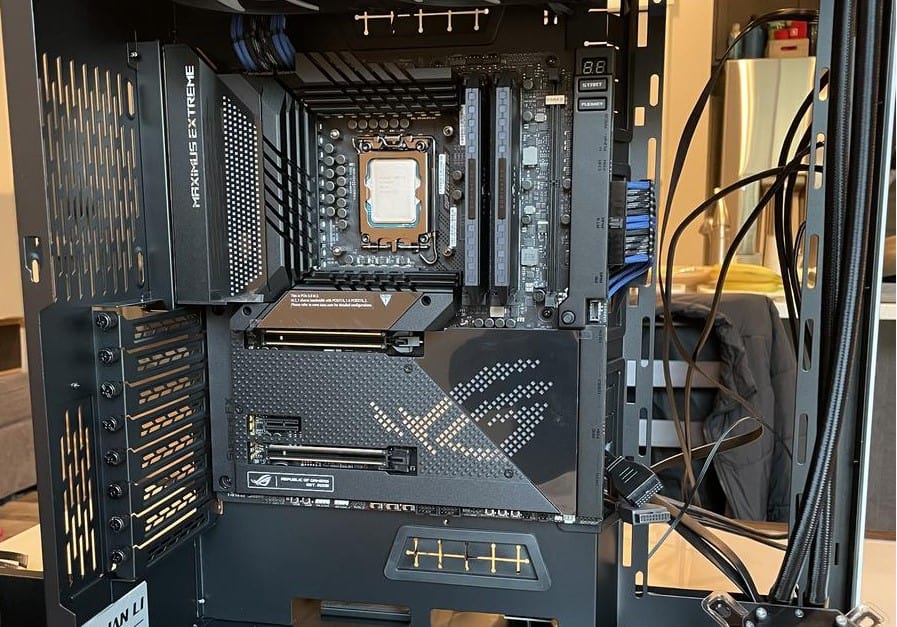
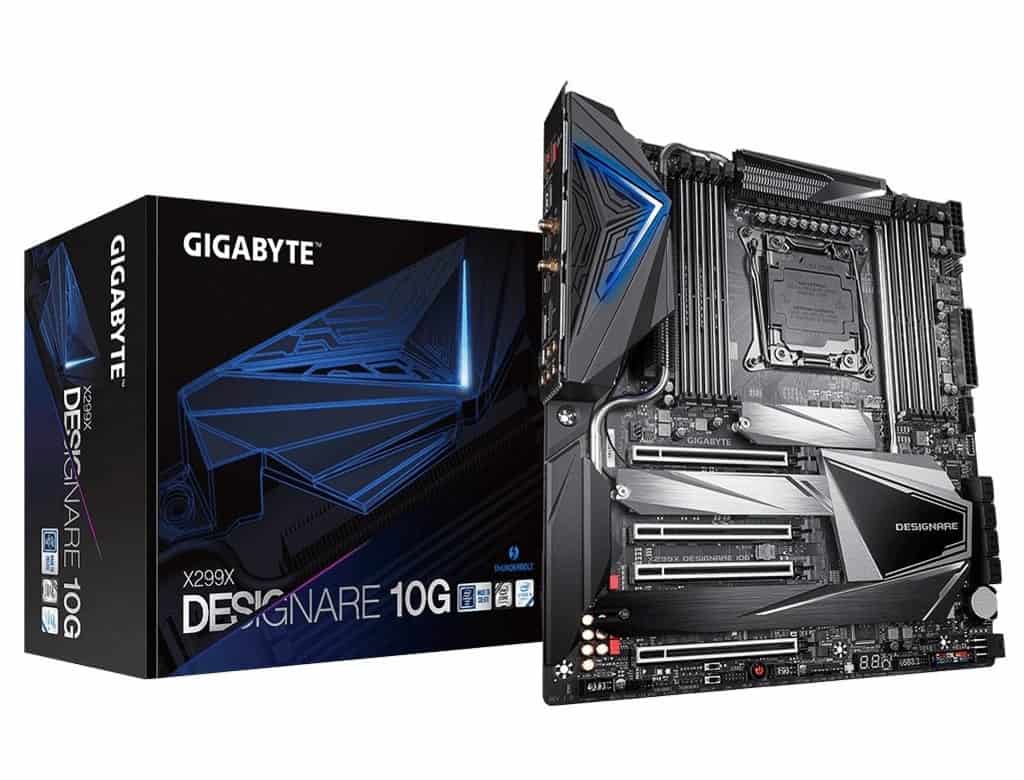
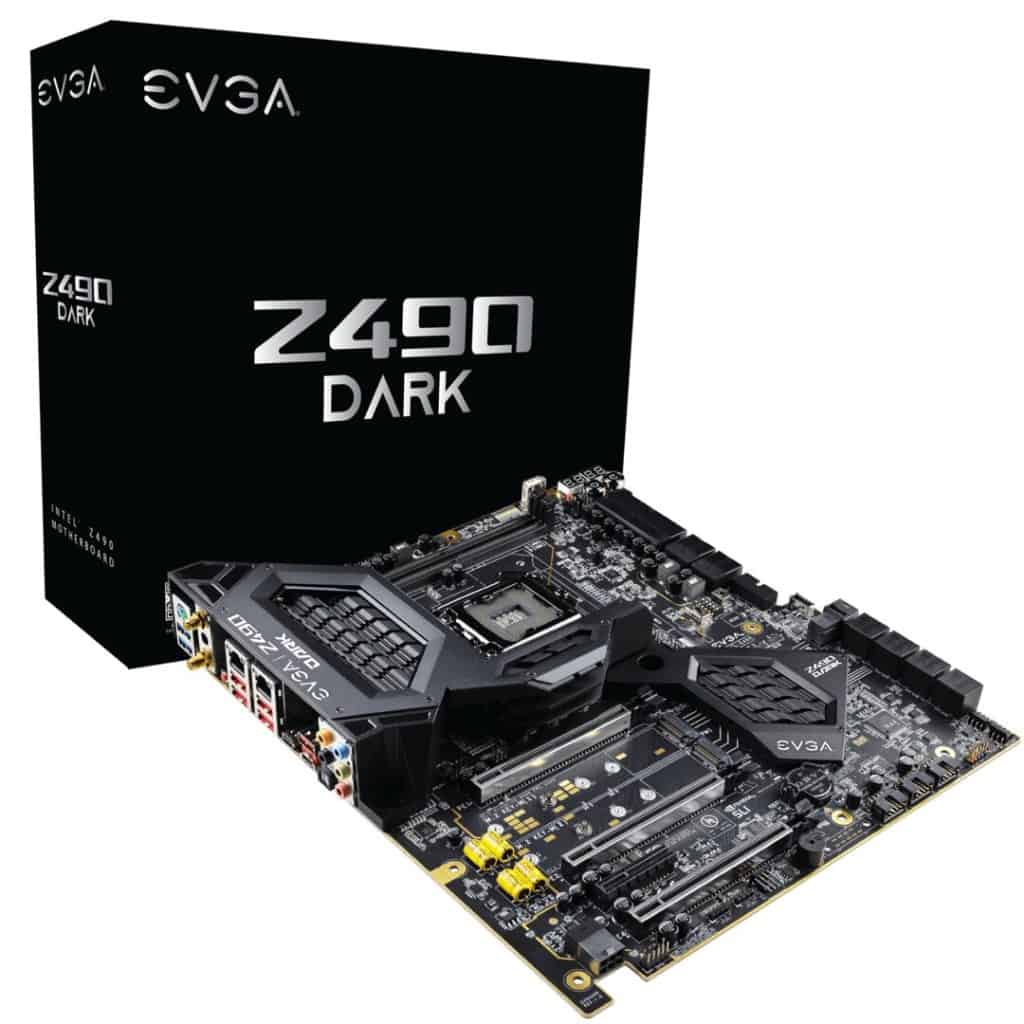
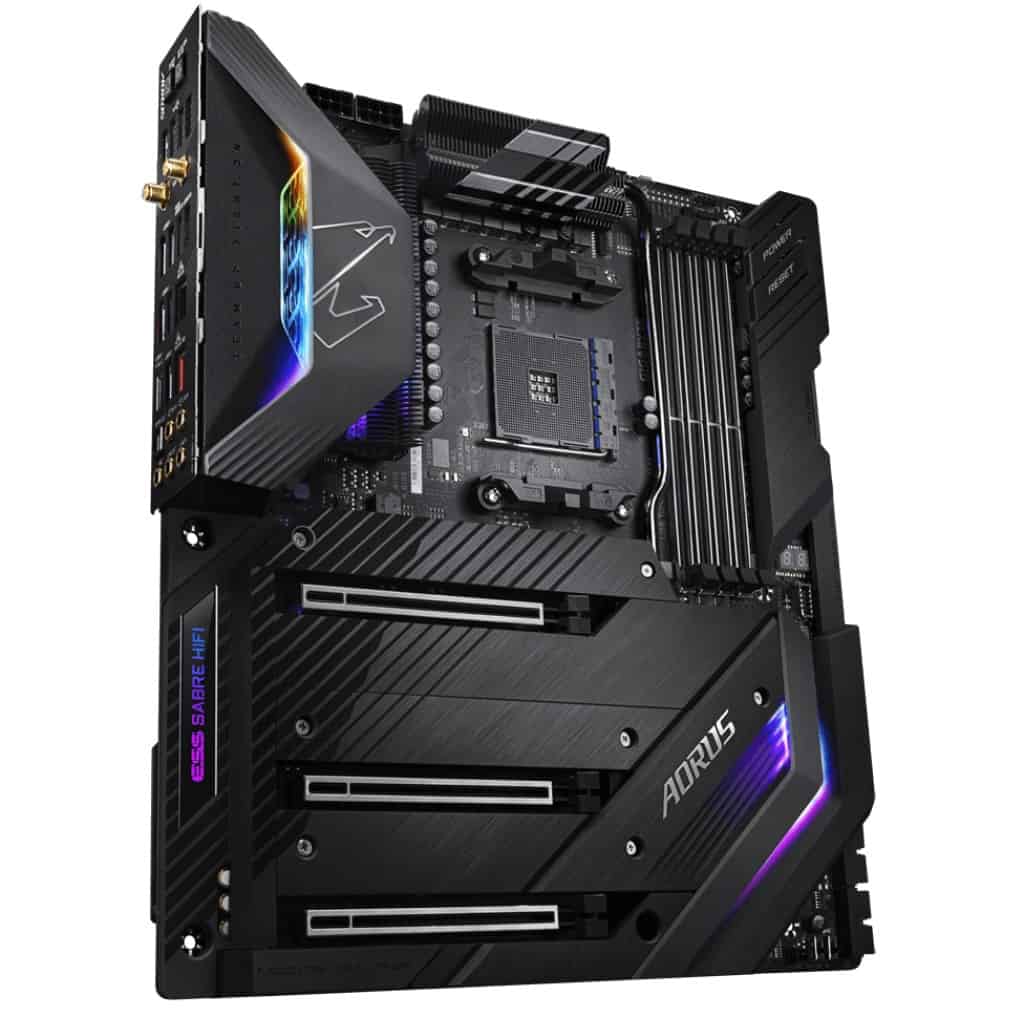
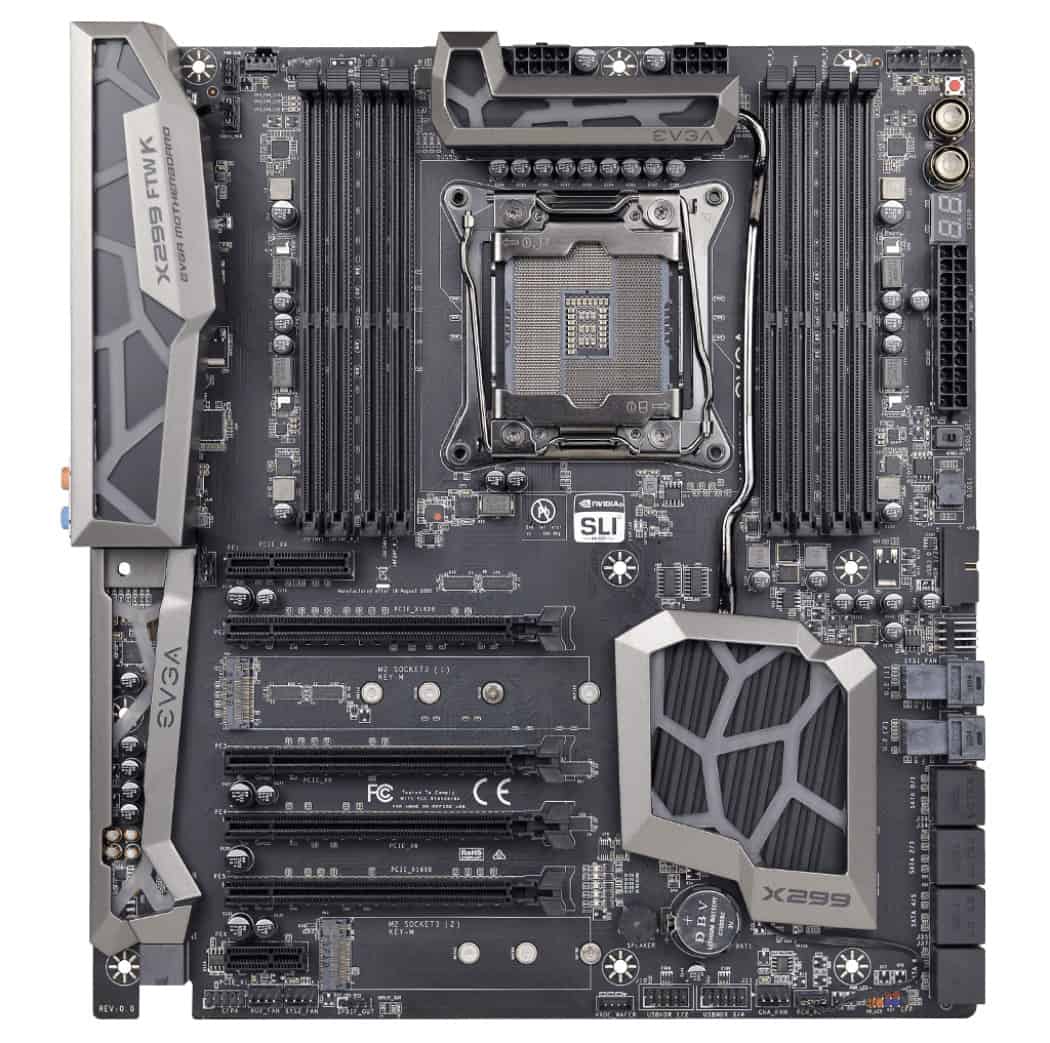
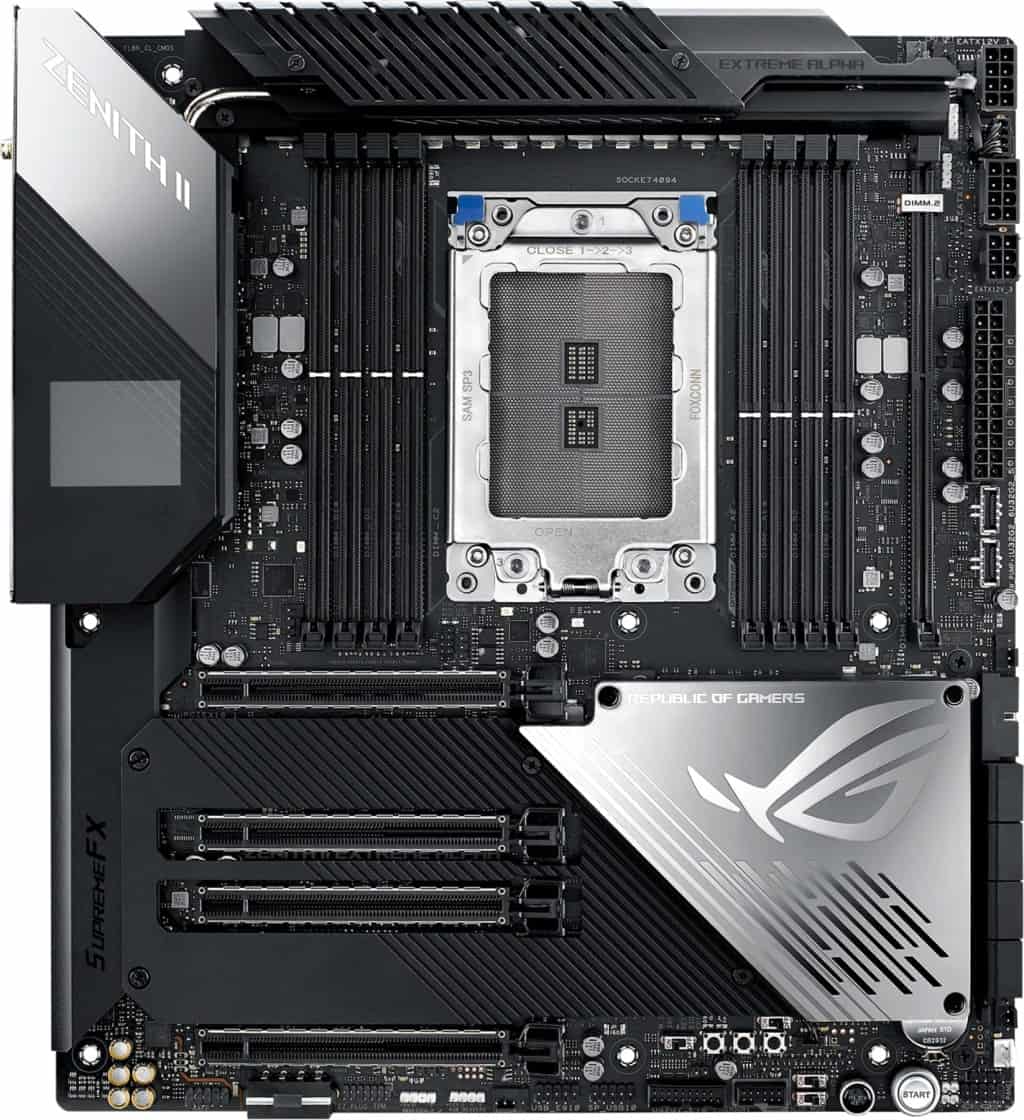
E-ATX Motherboard

The largest of the main types. An Extended-ATX motherboard is for builders focussed on building the most powerful PC possible.

This mobo form factor is designed to work alongside a full tower PC case, providing you with incredible space/features.

This often includes support for Quad-GPU builds and 8 RAM slots (which could achieve up to 256GB of memory).

Not to mention the breathing room to cool all of these components with immense overclocking potential.

E-ATX cases, with their massive size, will often be good for part compatibility (with many popular components being based around hosting ATX motherboards, cases designed to included EATX mobos can essentially fit things like most mainstream power supply units with more room to spare).

Perfect for very high-end enthusiast gaming & production (editing, rendering, etc), an E-ATX motherboard will open up some great utility with its large size.

Note that there are, of course, diminishing returns when building such a powerhouse.

If you’re the average gamer or don’t need the best PC money can buy, E-ATX is often going to be overkill (with SLI/Crossfire support becoming less common in games now).

The real benefits will be to those who can make use of the GPUs independently, like a high-end video editing or crypto mining rig.

The boards are very expensive and alongside an E-ATX case, are enormous. Make sure you have space.

That being said, if you care less about the budget and more about the most power possible, this is the size for you.

ATX Motherboard

The mid-tower motherboard. This motherboard form factor is what many would consider the “standard ATX” option and has reigned as the most popular size for a long time, and for good reasons.

When considering EATX vs ATX, sure the latter will have slightly less space for high-end desktop computers.

But ATX boards still have everything important to the majority of gamers/enthusiast builds.

Including support for 2-3 GPUs, 4 x DDR4 RAM, plenty of SATA ports, more than enough expansion slots, and their ATX case-counterparts come with plenty of decent cooling options.

Even if it’s not the best motherboard for overclocking (that belongs to E-ATX), it’s still a very close second and will achieve what most gamers need.

The other great advantage is due to the popularity, there are so many good ATX mobos and combos with CPUs available at competitive prices. You’re also best placed for part compatibility, with a lot of power supply options being sized with ATX PC cases in mind.

An ATX build is still going to be fairly big with limited portability. Bear that in mind if you’re building an on-desk setup.

But overall, if you’re looking for the best “all-round” option, an ATX build is the way to go.

Motherboard Sizes 2

mATX Motherboard

While ATX may be the most popular overall, Micro ATX motherboards have been giving them a run for their money in the last few years.

Why? Well, the quality of this small form factor has dramatically improved over the last several years for both Intel and Ryzen motherboards, and the pc case sizes it runs with are a nice balance between space and compactness.

With a majority now having 4 x DDR4 RAM slots, good SATA connector availability, and even 2 PCIe slots for a small SLI/Crossfire GPU build.

This is the smallest PC build you can create while still accomodating a majority of mainstream components.

Note that as we get to this size, running a dual-GPU build will usually get cramped and isn’t ideal.

It’s certainly possible, but the preference would be to stick to a single graphics card (with the utility to overclock).

As we discuss further below in our top picks, the Micro ATX motherboard size nails affordability.

If you want something compact/cheap but not so small that you have to be extra careful with your hardware choices, this is the pick.

mITX Motherboard

And then there are those looking for the smallest PC possible.

A Mini-ITX build is for those very focussed on portability or a compact style (e.g. LAN-party build, HTPC, or perhaps a streaming computer).

With such a tiny size, you’re of course compromising on feature availability.

Most Mini-ITX mobos come with 2 RAM slots (still providing up to 64GB), a single PCIe slot, and limited SATA ports.

The cases that support them are also on the smaller side. Leading to limited ventilation/cooling. You’re going to struggle with overclocking.

With this small size, you will need to pay more attention to the other parts you buy (most notably GPU/PSUs).

This can often include having to buy parts that are a bit more expensive (usually offset by the cheap motherboard and cases, however).

With all that being said, the convenience of a portable PC is massive and compact builds often look fantastic.

If this is what your heart is set on, don’t fret! You can build a great gaming computer on a Mini-ITX motherboard, and our guides on motherboard CPU combos/PC cases include ITX options.

How to Choose a Motherboard Size

Ahead of giving you our top picks, we’ve broken down the key criteria for what to look for in a motherboard.

Just know that not all these factors will be important to you individually (many people don’t need to worry about having more than a few SATA ports, etc.).

Don’t be overwhelmed by all the factors, just focus on what’s important to you, and check out our recommendations if in doubt.
Computer Case Size Comparison Chart

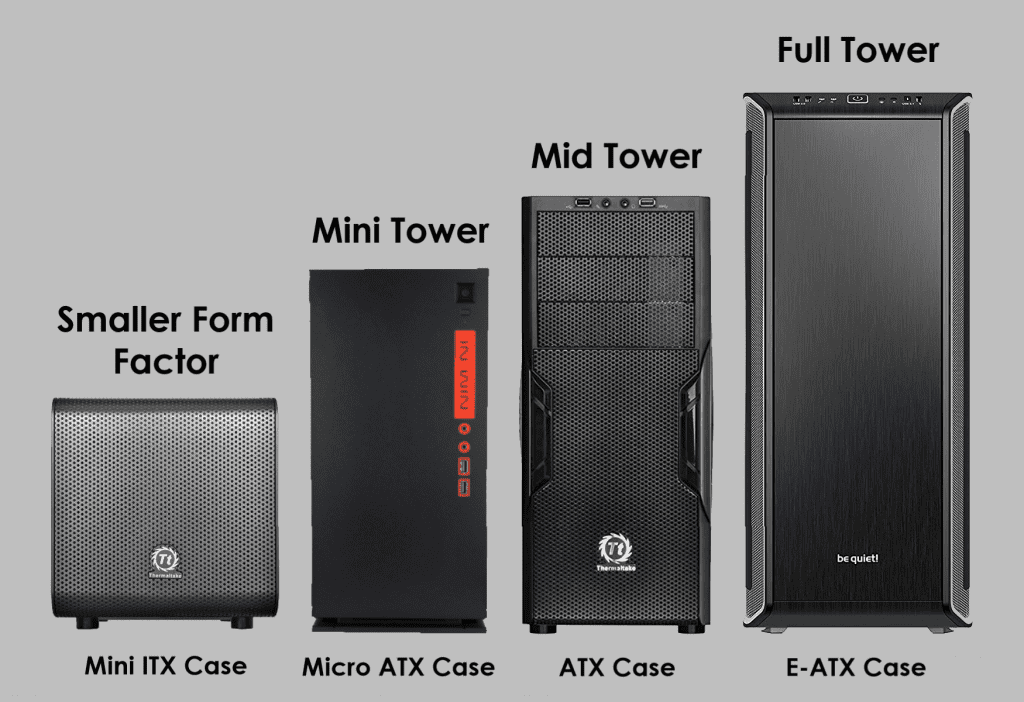
Form Factor / PC Case Size

Let’s start with an obvious one.

Whatever motherboard you pick, you want to make sure that you have an appropriately sized case to go with it (e.g. E-ATX case for an E-ATX motherboard).

Check out our joint-feature on PC case sizes if you want more info.

But in short, the type of motherboard you want will probably also guide the case size you need anyway (e.g. if you’re looking at a smaller motherboard, the case will have fewer hardware space/cooling options, but that’s the trade-off for portability).

CPU compatibility

Motherboard CPU CompatibilityAlthough not explicitly related to size, this one is worth covering as it’s one of the most important buying factors.

When purchasing a motherboard, make sure it’s compatible with the CPU you’re looking at.

Firstly there’s LGA vs PGA vs BGA.

There’s already good resource if you want the very technical explanation, but in short:

  • LGA is most common for Intel CPUs.
  • PGA is most common for AMD CPUs.
  • BGA is more for manufacturers and not worth considering for your individual build.

Note: this isn’t universal, you may (rarely) in the future see an AMD CPU on LGA – but this will usually be very clear in a listing.

The most common socket types right now are LGA 1200 & LGA 1700 for Intel, and AM4 & AM5 for AMD.

Intel LGA 1200 vs LGA 1700

LGA 1200 offers support for 10th and 11th Intel CPUs which, while still plenty powerful for most builds, are previous generation processors now.

LGA 1700 is the latest and greatest from Intel and uses 12th-generation CPUs, and if you’re building a new Intel personal computer, it would make sense to go for the latest socket/CPU range.

While the 1700 series is more expensive, there are now enough options that it’s even suitable to get one for a cheaper build (with 12th gen budget CPUs also available).

If your budget is VERY low, or you already have a 10th/11th gen CPU to use, then know that the LGA 1200 socket still has plenty of decent options that can host a decent PC.

There will be more terms in this area that will probably confuse you like Z370 vs z390 (which is mainly just a difference in wifi/USB compatibility).

Instead of learning every chipset (there’s a lot) – we’d recommend a beginner check the product listing to see.

We’ve only provided this info for the full picture. Once you’ve found the CPU you want, it’s pretty clear what a motherboard supports in the product listing like below:

CPU Chipset Compatibility Explained

This motherboard supports Intel 8000 and 9000 series, and there’s an LGA1200 version for the 10000 CPUs. The product listing will then talk about the kind of features included based on the chipset on offer.

Let’s take the LGA1200 motherboard just linked as an example; this model has a Z490 chipset, which will have features for enthusiasts like overclocking capabilities, high-quality ports/Wi-Fi, and good capability for M.2 storage).

Assuming you’re buying a popular motherboard/CPU combo, it’s usually really easy to find out if your desired CPU is supported with that motherboard, and what kind of audience it’s catering to by reading some of the product description.

PCI Slots

Motherboard PCIe SlotsPCI slots are what host your external components, the most common one being graphics cards (in PCI Express/PCIe slots).

The larger your motherboard size, the more PCIe slots you will (usually) have available.

An E-ATX motherboard, for example, will often have 4 PCI-e 3.0 slots, allowing for a 4-way GPU PC.

As we made clear in the EATX mobo section, however, more doesn’t mean better for gaming unless you’re a very high-end enthusiast who is happy tweaking things (or a production user/high-end editor). Most gamers will be fine with a board that has 1 or 2 decent PCIe slots (which a huge majority of motherboards have now, as most are catering to gamers).

Aside from GPUs, other PCI slots are often included if you have other focuses (e.g. installing a high-quality independent sound/network card).

Just know that you’ll usually have to put them in a place that blocks you from fitting an extra GPU if you are wanted to install multiple ones.

That’s the beauty of a large motherboard though. Not many people need 4 GPUs, so those PCIe slots can come in handy for other things if needed.

PCI-E x4 vs x8 vs x16

When looking at PCI-E slots you may notice the different numbers next to them (i.e. PCI-E 3.0 x4/x8/x16).

Putting it simply, a motherboard can only circulate a certain amount of data/bandwidth at a time.

So if you have a lot of PCI-e slots, some of them will be x4 – x8 which means they can’t output the same bandwidth as your main x16 slot/s.

But: There have been many benchmarks on what the performance difference is between these types.

The difference between PCIe x4, x8, and x16 is very minimal for performance/gaming.

We’re talking a couple of FPS in games.

This is because most GPUs don’t come close to actually requiring the x16 power that an x16 slot provides.

Whichever x type, you’re still going to be getting a majority of the card’s power overall. Although to state the obvious, your GPU is nearly always the component that should be in the highest bandwidth slot.

SATA Ports

Motherboard SATA portsLarger boards will often come with more SATA ports to allow you to connect more SSDs, HDDs, and optical drives.

For most gaming builds, you’ll have more than enough SATA ports for your requirements on most boards.

However, it’s worth checking if you’re purchasing an mATX / mITX motherboard to ensure you have enough.

It’s only if you’re building say, a video editing PC, or if you have other requirements that means you want to install a lot of storage/other components, should you be too worried about confirming these beforehand.

Miscellaneous

NVMe M.2 Storage

Motherboard M2 StorageM.2 storage is becoming increasingly popular over the standard 2.5″ SSDs / 3.5″ hard drives and worth your consideration if you’re all about speed.

It’s a type of solid-state drive that larger motherboards have become more compatible with over the last few years.

M.2 SSD vs SSD (2.5″) – An M.2 SSD installed via NVMe is around 5 times faster than a SATA-installed SSD.

Note that this is during benchmarking. In real terms to the user, this will likely be around 2-3 times faster (still nothing to complain about!).

These storage units are of course a lot more expensive (here’s our top pick) but run like a dream when you’re installing your OS and common apps on there.

If you like the sound of this, we recommend looking at an ATX or E-ATX motherboard.

You might be able to squeeze out the utility for an NVMe M.2 within mATX but it will likely mean the board is sacrificing bandwidth somewhere else.

Most motherboard listings will detail their support for this storage type so don’t fret about compatibility too much.

Just make sure to get an NVMe M.2 SSD (SATA ones perform similarly to a 2.5″ SSD) – here’s our top pick.

RAM slots

Motherboard RAM SlotsA majority of motherboards from E-ATX to Micro ATX will provide a minimum of 4 x DDR4 RAM slots.

The smallest form factor, mITX, tends to come with a maximum of 2 x DDR4 RAM slots.

In reality, this means you can still make a build with up to 32GB of storage which is plenty for gaming and most other functions.

A better motherboard can be beneficial for RAM as on top of having more slots, better motherboards tend to be more capable of working well alongside higher RAM speeds (though this is all mostly concerning to enthusiasts who want to mid-max performance; if you’re the average user getting confused, a mid-range motherboard will be more than powerful enough for gaming and more!).

It’s also nice to have RAM slot options as more RAM sticks are marginally more effective than overall storage (e.g. 4 x 8GB RAM is better than 2 x 16GB RAM for most users).

We wouldn’t worry about RAM compatibility too much unless you’re running some high-quality production/editing/streaming computer.

Gaming PCs won’t need more than 32GB for a while.

If you do have specialist requirements, high-end E-ATX/ATX motherboards include up to 8 RAM slots/256GB capability!

I/O Panel

Motherboard IO PanelThe features available in an I/O back panel will typically increase not just with chipset (which allows your mobo to support more inputs, e.g. USB 3.1 type C) but also the size.

E-ATX/high-end ATX motherboards often have a host of great ports available.

Smaller motherboards will usually have the standards though (some USB/audio ports) but check that your choice will have what you need, or you have a suitable extender.

Extra features

Finally, there are all the extra bells and whistles motherboards can come with.

The most common ones are:

  • Integrated sound card
  • Integrated network card (Wi-Fi/ethernet)
  • Integrated Bluetooth (if not, adapters are dirt cheap)

Typically, larger motherboards include more of these features as it’s easier for the manufacturers to add.

We would say it’s often preferred to buy a standalone sound card or network card if you have PCIe slot room (not essential if your budget is tight, though).

Even Mini-ITX boards can come with these features integrated, just know that you may not get quite the same quality as large integrations or standalone cards.

That being said for smaller builds, we’d recommend getting integrated versions of features you need where possible so you’re not having to use your very finite USB/PCI inputs.

Which Motherboard Should you get?

Best budget gaming motherboard

If your focus is on affordability above all else, go with Micro ATX.

While you may not get the same features as E-ATX/ATX you’re not going to need them for a cheap build.

Things like excellent cooling/space for multi-GPU builds aren’t so important for a cheap gaming PC where you should be focussing on 1 graphics card.

Micro ATX builds are the perfect balance between being small enough for good mobo/case affordability while not so small that you have to fork out more money/effort for “specialist” small parts.

Our best cheap gaming motherboard picks:

Best mid-range gaming motherboard

For most builders, the sweet spot is an ATX motherboard for gaming.

With all the feature a large majority of builders need, good space for parts/cooling in their compatible cases, and lots of choices, ATX mobos are perfect for most setups.

Even if you don’t need every PCIe/SATA/RAM slot, know that having an ATX case/motherboard gives your parts more room for ventilation (and makes the build process easier).

Our top picks for the best ATX motherboard:

Best high-end gaming motherboard/production PC

Now let us be clear: the options above will be enough for a majority of readers.

But, if you’re less concerned with budget and more with creating the most powerful PC you can, then you want to look at an E-ATX motherboard.

These will give you the most space and utility possible with no compromises made for compactness.

This is what makes them appealing not just for gaming, but for someone looking for the best production PC possible (video editing, rendering, etc).

Not to mention the large cases that come with the most room for cooling, drives, and ease-of-build.

In fact, even if you wanted an ATX motherboard for your high-end build (also doable), we’d recommend looking at E-ATX full tower (or “super tower”) cases for the best airflow/cooling options as long as you don’t mind the size.

Our top picks for the best E-ATX motherboards for gaming:

Best small motherboard for portable/HTPC build

Finally, there are those after the smallest motherboard for a portable build or HTPC.

It will come as no surprise that Mini ITX motherboards are the best option for you if this is what you’re hunting for.

Yes, as we’ve discussed, you’re losing out on some hardware compatibility and other features with a PC this small.

But combined with a high-quality case and some consideration for which parts you’re going to buy (ensuring they fit), you can still create a gaming PC capable of LAN parties or streaming.

Our top picks for the best Mini ITX motherboard:

FAQ

XL-ATX vs E-ATX?

XL-ATX motherboards are another form factor that traditionally are a similar width to E-ATX, but a bit longer.

We’ve chosen not to include them in our guide for a couple of reasons:

  • This size type is super uncommon and the options available aren’t great.
  • The use-cases are incredibly specific, given you can build anything from a powerful server to gaming PC on an E-ATX mobo, we’d wager XL-ATX isn’t necessary for anybody reading this.
  • Similarly to “full tower vs super tower”, XL-ATX is loosely defined and is a marketing term as much as it is a legitimate form factor. A lot of “extra-large motherboards” are E-ATX or even ATX anyway.

Short answer: don’t worry about Xl-ATX.

ATX vs BTX?

BTX (balanced technology extended) is a format that was originally meant to replace ATX (advanced technology extended) with superior cooling and other quality of life improvements for manufacturers/users.

However, with different mounting hole alignments and the need to develop different products to support them, BTX motherboards never took off, and are essentially redundant today.

Short answer: BTX is no more, go with ATX.

What is Nano-ITX?

Technically Mini-ITX isn’t the smallest form factor, Nano-ITX used to offer even smaller motherboards to build the tiniest PCs possible.

The key words there are “used to” however. Nano-ITX motherboards don’t exist in the mainstream in any capacity now; if you do see them, they are likely old, or not supportive of modern CPU/GPU/RAM hardware.

Short answer: If you want a small form factor motherboard, go with Mini-ITX.

What order should I pick PC Parts?

Reading this guide and the criteria for selecting a motherboard, you may be confused as to how you should build your PC (e.g. do you pick a compatible motherboard for your chosen CPU or vice versa?).

It’s a bit of a “chicken and egg” situation, there’s no “right” order to pick parts in.

But here’s the outline we would recommend for most confused builders (from first to last):

GPU – > CPU – > Motherboard – > Case – > RAM/storage/extras – > PSU

Don’t think that the above also represents the order of importance, a PSU is very important!

It can just make sense to pick it last once you know the power requirements of your PC/what size PSU will fit in your case.

What's Next?

About the author

Picture of Kaelum Ross
Kaelum Ross
Kaelum Ross, BSc is the Lead Writer at What in Tech and a leading authority in PC hardware and software. With a career as a senior IT professional, Kaelum has led multi-million dollar projects covering everything from bespoke software development to complex Windows hardware upgrades. Today, Kaelum uses his expertise to serve What in Tech's readers and has been featured in numerous global publications including New York Magazine and Lifewire.

The Full Guide to RAM Speeds: DDR4 2400 vs 2666 vs 3000 vs 3200 vs 3600 vs 4000 MHz

DDR4 2400 vs 2666 vs 3000 vs 3200 vs 3600 vs 4000

The Complete Guide to RAM Speeds

All the information and picks needed to find the best choice for your build

DDR4 2400 vs 2666 vs 3000 vs 3200 vs 3600 vs 4000

2025 update: We’ve updated this feature in January to cover some updated recommendations and minor information tweaks.

When you’re looking to build your PC and you’ve arrived at selecting RAM, it can feel overwhelming to know the right GB, MHz, and CL measurements for your needs.

This is why today’s What in Tech feature will be taking you through everything you need to know about RAM, from common speed versus speed questions and which spec matters most in your decision.

We’ve also included the best RAM choices available with different budgets in mind.

This is a long guide, the contents table below is your friend! Look specifically for the questions & recommendations that interest you instead of reading top to bottom!

Table of Contents

What is RAM Speed?

For the average PC builder, the capability of Random Access Memory (RAM) is measured by 3 key fundamentals: frequency, latency, and size (technically, size isn’t speed-related – but for the purpose of establishing what RAM is best for you, we’ll be covering it).

RAM Capacity / Size

RAM size is, as the name suggests, the overall capacity of the memory you’re buying. 4GB, 8GB, 16GB, 32GB and 64GB are the most common sizes right now.

Additional capacity means your PC will have the ability to run more programs simultaneously/switch between them more smoothly.

This is where the name “Random Access Memory” comes in. Your main storage (Solid State Drives, Hard Drives, etc.) are designed to offer much larger storage but are slower than RAM, which is why those drives are store your data and require a more significant loading time when opening them for use.

Once software/games/files are open, they then utilize your PC’s RAM, which is faster than your SSDs/HDDs, so that they can be “randomly accessed” quickly during use.

A common metaphor to explain the difference is that RAM size is almost like your desk, and the more capacity you have, the larger your desk is (meaning you can have more items in arms reach ready to quickly use).

While your hard/solid-state drives are the size of your shelves, drawers, and cabinets; these are used to store most of your items and take a little longer to take out for use on your desk.

Generally more RAM capacity is better, but there are diminishing returns (we’ll get back to that).

RAM Clock Speed / Frequency

Clock speed or frequency is a RAM’s MHz rating (nowadays, most RAM will be in the 2400Mhz to 4400MHz range).

Faster clock speed allows your processor to retrieve data located on your storage drives more quickly. Reducing the time it takes the CPU to access this data increases your performance in real-world scenarios and games.

Clock speed is measured in Megahertz (MHz) which indicates how many times per second your RAM can access its memory (as you probably expect, more is better, but we’ll speak further below about the sweet spot between price and utility).

CAS Latency

The last key part of the equation is Column Access Strobe or CAS latency (often just “CL”) which is integral in understanding RAM speed and often overlooked compared to a stick’s MHz rating.

CL indicates how long it takes your RAM to recognize a command/action (similar to how a monitor has latency between receiving your mouse click and outputting the result visually).

The latency is usually recorded by 4 numbers in the following format: 16-18-19-30 which represents the number of clock cycles it takes for the RAM to register a command. It is the first number from the 4 that is typically used to establish CL. Nearly all popular RAM today is between CL 12 & CL 18 (mostly CL14-16).

We talk more about how to balance latency and clock speed below. But to demonstrate why both are important, think about it: if you have very fast RAM, but the latency is high, it would be like gaming on a high-refresh-rate monitor but each of your actions takes a second to register (a dramatic example, but you get the point…).

DDR4 RAM Speed Vs 1

How much does RAM Speed Matter?

So, we’ve established at a high level what the integral parts of RAM are for your build.

But how much does RAM speed matter?

The short answer is that for business and personal use (web browsing, e-mails, basic software, Netflix, etc), you’ll likely be fine with any 8GB (ideally 16GB) RAM from a reputable manufacturer.

If you’re into gaming or plan on using your build for production work like video editing, game development, or rendering, then the speed can have a more notable impact.

How much does size matter for RAM – 4GB vs 8GB vs 16GB vs 32GB vs 64GB

Of all the specs, size matters the most.

So if your battle is faster RAM vs more RAM (i.e. CL / MHz vs GB), we’ll nearly always recommend the latter option.

That said, RAM size does have diminishing returns. 16GB or 32GB is what we recommend for most users, 8GB for tighter budgets, and 32GB or 64GB for high-end enthusiasts. Beyond that, there isn’t really much use (even 64GB is pushing past the realm of necessity unless you’re doing production work). If this sounds confusing, we detail the best RAM options towards the bottom of this guide.

How much does RAM clock speed matter?

Clock speed matters, but not as much as you may think.

You can build a powerful gaming PC with 16GB 2400MHz DDR4 RAM for instance (which is on the lower side of clock speed). Would it be better to have say, that 16GB of RAM at 3200MHz+? Absolutely! But it’s not a deal-breaker to have lower speeds if your budget is tight or you’re simply not bothered about fine-tuning potential performance/game FPS.

If you’re building a PC purely for basic business and personal use, we would suggest that cheap RAM will suffice for you as long as the size is large enough.

We do however see lots of unanswered questions from users around the difference between X MHz and Y MHz RAM. Which is why further below, you’ll find our comparison list as a quick guide to help you decide between two types of memory.

How much does latency matter for RAM

The most overlooked RAM speed factor, CL, is kind of like clock speed; it matters, but shouldn’t be a huge deciding factor in your PC building decisions.

A higher latency RAM (say, CL18) could still be perfectly decent if its other specs were around 16GB/3200MHz, RAM size is still the most important thing overall.

That isn’t to say that if you see CL12-CL14 RAM, you shouldn’t absolutely go for it if the other specs are decent (especially if you’re building a gaming PC or something for production work). But in the context of price/value, these low latency sticks are often 30%+ more expensive, which we can’t say is worth it unless you are trying to build the all-around most powerful computer possible.

DDR4 RAM Speed Vs 2

RAM Speed Comparison FAQ

DDR3 vs DDR 4 – How much faster is DDR4

DDR4 is essentially the next natural iteration from DDR3. With significantly great size capacity & higher clock speeds, 4 is notably faster in nearly every case (latency is slightly higher on 4, but is made up for with the other specs).

In nearly all cases today, we would say pick up DDR4 RAM. It is overwhelmingly what the current market motherboards/CPUs are best compatible with.

The right question isn’t really “is DDR4 worth it” anymore in terms of speed. Because of its widespread market adoption, prices on this RAM are great. You’ll typically be getting faster RAM with little consequence compared to DDR3.

The only scenario we see DDR3 as worthwhile today is if you’re building an ultra-cheap PC and have specifically found a motherboard/CPU combo that supports 3 and not 4 (we don’t like this from a future-proof perspective and would try to stick to 4, but it could make sense if you need to be as cheap as possible).

DDR4 vs DDR5 RAM?

DDR5 RAM offers 50-100% higher clock speed than DDR4, a slightly lower voltage, and individual RAM sticks that can go up to 64GB each (the max with DDR4 is 16GB).

This sounds great on paper. But at this time, these ultra-high clock speeds/sizes lead to huge diminishing returns in pretty much all PC activity (we talk more about this in our comparison of higher MHz RAMs further below) so in reality, that 50-100% “theoretical” performance increase may not be super noticeable unless you’re building a very high-end machine (and in nearly all cases, the money would be better spent on a better CPU/GPU).

As it stands right now, I would recommend focusing on whichever DDR fits yours motherboard and budget, DDR5 would be great for a high-end build, but even then, a decent DDR4 set would still be more than enough for basically everyone.

What RAM Speed should I get?

The million-dollar question! Unfortunately, the answer isn’t clear-cut, as it depends on your budget and requirements.

A reasonable rule of thumb is to commit to at least 16GB RAM size-wise. Then from there, try to aim for a balance between CL/MHz between CL14 2666MHz & CL16 3200MHz.

To make it easier for you, the bottom of this guide details the best RAM picks today. If you want more autonomy on your choice, we’ve built the RAM speed quick-reference list further below too.

More RAM vs Faster RAM (Size vs MHz/Latency) 

We’ve touched on this already, but it’s worth re-iterating: size is way more important than MHz & latency for nearly all users.

As an example, 2400MHz 16GB RAM will be better than 3200MHz 8GB RAM. The only time we’d pick MHz/latency improvements in this kind of bracket is if your remaining budget can’t jump up to a larger size, but could be squeezed slightly further to accommodate faster sticks.

The other exception to this rule is if you’re buying very large RAM. If you have 32GB in memory, we can’t imagine more will be required for a long time (unless you’re creating a very high-end production machine). At this point, if you still have the budget, it will be usually better to focus on faster 32GB RAM than slower 64GB+ memory.

MHz vs Latency – which is more important for RAM speed?

The difference between MHz and CAS latency value is a difficult question as the best approach is for there to be a balance between these 2 factors (instead of very fast frequency/slow latency or vice versa).

The “sweet spot” for most users today (particularly gamers) with the price in mind is around CL14 2666MHz to CL16 3200MHz.

Now you can fall outside of these balances (e.g. plenty of RAM sticks offer CL18 latency but make up for it with significantly more frequency or lower prices) but we would use that range as the rough spot to go in unless you’re building something high-end and are trying to get extra-low latency and high MHz.

RAM Speed Importance for Intel vs AMD

The main function of RAM speed is to empower your CPU and its ability to retrieve/store randomly accessible data easily.

So your CPU is indirectly an important factor in deciding how much to invest in RAM speed. For example, if you’re buying a high-end CPU, you’ll achieve more value from spending extra on fast RAM (as lower speeds can bottleneck certain CPU operations).

When it comes to the Intel vs AMD builds, it’s complex as the impact on speed depends on the chipset & model version. But as a (mostly reliable) rule of thumb: AMD CPUs/builds benefit more from better RAM speeds than Intel due to the way its memory controllers operate.

This is not to say RAM speed doesn’t matter for Intel CPUs however. We’ve seen many RAM benchmarks show games and various software processes perform notably better with higher frequency/lower latency memory on Intel chipsets.

CL 12 vs CL 13 vs CL 14 vs CL 15 vs CL 16 vs CL 17 vs CL 18

Our comparison list just below focuses on the difference between MHz as we often see reader questions specifically asking about the frequency differences.

But as made clear in this guide, latency is as important as the frequency in deciding RAM speed. 

For example, the difference between CL14 and CL16 is usually more significant than the difference between 3000MHz and 3200MHz. But focussing all on latency (or all on clock speed) introduces diminishing returns, which is why considering both factors is important.

Unfortunately, it’s not a simple balancing act between the two measurements, as you’ll often see companies sacrifice low latency for high speed, or charge a lot more to ensure both specs are good.

We’ve detailed some of the best RAM available today at the bottom of this guide to make it easier for you. But if you do want to decide yourself, we would try to stick to the previously mentioned “sweet spot” of between CL14 2666MHz to CL16 3200MHz for mid-range builds, or you can seek faster/lower latency sticks if you have the budget.

DDR4 RAM Speed Vs 3

RAM Frequency Comparison Quick Reference List

RAM Frequency/Speed Comparison Chart (How to use)

We appreciate that despite all the info/FAQ answers above, many manufacturers produce things in a large array of different frequencies/MHz and you may be struggling to choose between 2 or 3 narrowed options.

We’ve created the below reference list as a quick guide to help you on the most common user head-to-heads based on RAM speed benchmarks.

Don’t feel the need to read every one of these – it’s just for quickly assessing the difference between speeds if you have 2 in mind!

CL / Timing vs MHz / Frequency

The below list assumes that every RAM stick you’re looking at is the same CAS Latency. 

It’s important to note that for computer processes (especially games), while higher RAM frequency and lower CL timings are always better, there is usually a “sweet spot” for mid-range budgets, otherwise, you risk buying RAM sticks with high speed but high CL timings (or vice versa).

For example, CL14 3200MHz RAM would be better for gaming than CL16 3600MHz RAM, so make sure to balance picking between both.

If that sounds complex, don’t worry! Just below the comparison list, we’ve included the best RAM choices depending on your budget level.

RAM Frequency Comparison List

DDR4 2400MHz vs 2666MHz

2666mhz will provide a slight improvement over 2400mhz (particularly in AMD builds).

For gaming, this will translate to a couple of extra FPS in some CPU-intensive titles (i.e. only go 2666MHz if it’s close to the same cost).

DDR4 2400MHz vs 3000MHz

The speed difference between DDR4 2400MHz and 3000MHz still won’t be huge for a lot of gamers/other users but will be a fair bit more noticeable than 2666MHz.

Providing the RAM you’re eying has good latency (and size) you can expect 3000MHz to be the better choice if the price is only 0-10% extra.

DDR4 2400MHz vs 3200MHz

3200MHz RAM is a popular speed for many gaming RAM manufacturers. Combined with a good latency, this will often be a happy medium to ensure you don’t bottleneck a mid-range CPU motherboard combo.

2400MHz would be fine for cheaper builds but we’d recommend 3200MHz if your budget can accommodate it.

DDR4 2400MHz vs 3600MHz

If you are getting a high-end CPU, we’d recommend going with at least 3600MHz to ensure the RAM isn’t indirectly bottlenecking the performance during any processes.

If your budget is tight, you’ll be better off with 2400MHz and spending your money on at least 16GB of RAM size.

DDR4 2666MHz vs 2667MHz

The difference between DDR4 2666MHz and DDR4 2667MHz is non-existent. This is simply a marketing term used by companies who round up/down differently.

Buy whichever one is cheaper (assuming size/latency are the same).

DDR4 2666MHz vs 2933MHz

You may achieve an extra couple of FPS in games that are heavy on CPU requirements, but for the most part, there won’t be much difference between 2666MHz and 2933MHz.

2933 MHz also isn’t as popular for RAM manufacturers so we’d expect 2666 MHz to be more cost-effective (or if you do want higher, look at 3000MHz).

DDR4 2666MHz vs 3000MHz

Similarly to 2666MHz vs 2993MHz, the difference in speeds isn’t wide enough to be that noticeable so only pick up 3000MHz if it’s very close in price or you are keen to min-max gaming FPSs (if that’s the case, you may be better with the higher speeds further below).

DDR4 2666MHz vs 3200MHz

RAM speed increase of 3200MHz over 2666MHz will be a little noticeable/may achieve a few extra FPS on CPU-heavy games (or improve runtimes during certain processes, particularly for high-end processors and especially AMD Ryzen CPUs).

DDR4 2933MHz vs 3000MHz

While the difference between 2933MHz and 3000MHz isn’t non-existent, it’s pretty close to being completely meaningless for most builders (almost certainly <1 average FPS increase in all games at the most). We’d go with whatever sticks are cheaper/have better latency. 

DDR4 3000MHz vs 3200MHz

You can expect a slight, modest speed increase when comparing the difference between 3000MHz and 3200MHz RAM, but don’t expect this to be more than a couple of FPS extra in processor-heavy games. So stick to whichever one is cheaper if all other specs are equal.

The one other thing to point out is that 3200MHz is a little more popular for RAM brands to produce, so your options might be better/more cost-effective.

DDR4 3000MHz vs 3600MHz

With a 20% MHz increase, at this point, you can expect the difference between 3000MHz and 3600MHz to be a little noticeable, albeit not essential if the 3000MHz RAM is notably cheaper (10% or more).

We like speeds of at least 3600MHz if you’re purchasing a high-end CPU (especially Ryzen/AMD) because these can occasionally be bottlenecked by lower frequencies in some operations (but we are min-maxing here, 3000MHz will be fine for most people).

DDR4 3000MHz vs 4000MHz

Is 4000MHz worth it over 3000MHz? Well, you can expect a nice performance jump in a lot of work-related processes (think rendering, editing, and other high-end production).

For gaming, RAM speed benchmarks tend to show around a 5% average FPS increase between these two frequencies. This is a nice jump, but if an FPS increase is your only focus, then the price difference may not be worth it. 3000MHz is enough for gaming on a budget/mid-range build.

DDR4 3000MHz vs 4400MHz

With nearly 50% extra frequency, there are certainly some notable improvements between these two frequencies. While you can expect a good performance increase in games (5% or so for many titles), the real value of going beyond 4000MHz will be in other processes like video editing and rendering.

But in real-world terms, we know a reader’s real question will usually be “is 3000MHz RAM good enough for gaming”. And the short answer is yes, you’ll likely see diminishing returns cost-wise unless you’re running a high-end processor; so 4400MHz will not be worth it for budget/mid-range builds unless the cost is similar (if you want higher 3600MHz-4000MHz will give you similar gaming results).

DDR4 3200MHz vs 3600MHz

If possible, we’d recommend at least 3600MHz if you are doing some high-end production work (rendering, video editing, etc.) and are invested in the time processes take.

For gaming, 3600MHz may be slightly better for CPU-intensive games, but not particularly notable (i.e. not worth paying more money for if FPS is your only focus as we fine 3200MHz is often the best value for RAM).

DDR4 3200MHz vs 4000MHz

Similarly to the difference between 3000MHz and 4000MHz, you can expect something close to 5% increase in many CPU heavy games, whether you think this is worth it is really down to your personal opinion and the price difference (we will say that 3200MHz is the most popular RAM speed today, so often has some good offers from big RAM manufacturers).

The real value for most users will come from if they do high-end work on their setups like video editing and other production. Unless you’re building a premium gaming PC, we don’t think the difference will be too important here.

DDR4 3600MHz vs 4000MHz

As discussed in earlier speed comparisons, RAM speed benchmarks for 3600MHZ, 4000MHz, 4400MHz, and beyond have shown that there begins to be diminishing returns for gaming.

If you have a high-end CPU (especially Ryzen), then you may get your money’s worth, but otherwise, we’d only recommend 4000MHz+ for video editors and intense computing.

DDR4 3600MHz vs 4400MHz

For gaming, the difference between 3600MHz and 4400MHz is small for most titles as there is diminishing returns at this frequency level for most titles (the only exception being if you’re running a very high-end AMD CPU to avoid any slight bottlenecking) therefore we’d only say 4400MHz is worth it if you are focussed on making your high-end production/editing work more efficient.

DDR4 4000MHz vs 4400MHz

We wouldn’t consider the difference between 4000MHz and 4400MHz RAM for gaming important (unless you really want to future-proof RAM, but we’d say it would be more cost-effective to buy cheaper and upgrade to DDR5 when it is popular in a few years).

For video editing, rendering, and other production work, you can expect to see a little jump in performance and it may be worth it if the price increase is in the realm of 10-15%.

DDR4 4400MHz vs 4600MHz

A difference of less than 5% frequency at these high levels is really not that integral to any performance, whether you’re building a gaming rig or a high-end production setup.

4600MHz is only worth it if it is very close to the same price as the 4400MHz sticks.

DDR4 RAM Speed Vs 4

The Best RAM for Gaming and Other Builds

Feeling overwhelmed by all of this detail? Don’t worry, here’s our quick list of the best RAM picks available today for varying budgets.

CORSAIR Vengeance DDR5 RAM 32GB

Best Overall RAM: CORSAIR Vengeance DDR5 RAM 32GB

Great value, decent speeds, good size and from one of the best RAM brands, this Corsairset ticks all the boxes we think a gaming (or mid-range production) PC will need.

Corsair VENGEANCE LPX DDR4 RAM

Best Budget RAM: Corsair Vengeance LPX 16GB

At a very impressive value point, this Corsair RAM will suit most gamers on a budget who will be better placed spending extra on more expensive GPU/CPUs where possible.

CORSAIR VENGEANCE RGB DDR5 RAM 64GB

Most Powerful RAM for High-End PCs: CORSAIR VENGEANCE RGB DDR5 RAM 64GB

At an impressive 6400mhz, CL30 with 64GB of size, the Vengeance is a fantastic offering for high-end gaming or production builds.

Yes, you can get technically do better than this, but diminishing returns will start to kick in more dramatically, our pick is based on still providing decent value despite this being an expensive set of memory.

V-Color DDR4 8GB

Cheapest RAM: V-Color 8GB DDR4 RAM

Technically you can go cheaper with 4GB, but even if your build is just for business and personal use, we would recommend this great-value V-Color 8GB RAM as a minimum.

Being a single stick, you’ll also have the opportunity to add a second 8GB piece at a later date. Even at its small size/slightly lower speed, this memory will get a budget gaming build off the ground (if you’re very tight on money, it’s probably going to be best to invest in a better CPU/GPU and upgrade your memory later).

Final Word

We’ve been over a lot of queries in this feature, and appreciate that learning about how to compare MHz, latency, and GB speeds can be a lot to take in.

So while we did make this guide to inform readers and give you the ability to maximize value from your RAM purchase, we’ll reiterate: the most important aspect is size.

If you buy one of our top picks above, or pretty much any DDR4 16GB+ RAM set, you will still get decent performance. So hopefully you’ve got what you need to know, but if RAM speed stresses you out, go with one of our recommendations or pick a popular 16GB gaming RAM choice, and move on to stressing about GPUs, CPUs, motherboards, and PC cases instead!

What's Next?

About the author

Picture of Kaelum Ross
Kaelum Ross
Kaelum Ross, BSc is the Lead Writer at What in Tech and a leading authority in PC hardware and software. With a career as a senior IT professional, Kaelum has led multi-million dollar projects covering everything from bespoke software development to complex Windows hardware upgrades. Today, Kaelum uses his expertise to serve What in Tech's readers and has been featured in numerous global publications including New York Magazine and Lifewire.

The 5 Best Gaming PC Bundles of 2023

Gaming PC Bundle

The 5 Best Gaming PC Bundles of 2023 (With or Without Monitors)

Gaming PC Bundle

I have significantly updated this article in 2023 to cover the release of new 4000-series GPU PCs. Now’s a great time to buy, with these GPUs set to be the best on the market for some time.

Right now, Skytech has particularly impressed us across most budgets. They’ve been offering great pre-built PCs at a reasonable price while still retaining good build quality, which is why they dominate this list for recommendations.

If you’re looking for a new personal setup or buying a gift for someone, there are some really great offerings out there for a pre-built PC gaming bundle.

With that in mind, today’s feature will take you through my reviews and rankings of the best combination of gaming PCs & monitors available today.

I’ve separated the monitor picks from the main PC/peripherals bundles because 1. I know some of you may not need a new display and 2. monitors are nearly always better value when bought independently (plus if one is out of stock, there are other options available on this list as back-up).

Nearly all of the PCs below come with a mouse and keyboard, but we’ve listed some alternatives at the bottom of the article too should you want other options.

1

Skytech Archangel Formatted

Overall Best Gaming PC Bundle

Skytech Archangel RTX 4060 Ti

Dell S2721HGF

+ Dell S2721HGF

Our Rating: 10/10

2

Skytech Shadow RTX 3050

Best Gaming Bundle Under $1,200

Skytech Shadow

Acer SB220Q

+ Acer SB220Q

Our Rating: 9.25/10

3

Skytech Azure Formatted

Best RTX 4070 Gaming PC Bundle

Skytech Azure 4070 Ti

LG 32GK650F-B

+ LG 32GK650F-B

Our Rating: 9/10

4

Skytech Azure Formatted

Most Powerful RTX 9080 Bundle

Skytech Azure 4090

Dell S-Series S2719DGF

+ Dell S-Series S2719DGF

Our Rating: 9.75/10

5

Alarco GTX 650

Cheapest Gaming Bundle under $650

Alarco GTX 650

ViewSonic VS2210-H

+ ViewSonic VS2210-H

Our Rating: 8.5/10

Skytech Archangel Formatted
Dell S-Series S2719DGF

Overall Best Gaming PC Bundle: Skytech Archangel RTX 4060 Ti & Dell S2721HGF

Ranking as the best gaming desktop on multiple What in Tech features, this Skytech Archangel model ticks all the right boxes we think a mid-range buyer will be looking for.

Lead by the fantastic RTX 4060 Ti, your gaming setup will have the best value GPU in 2023, with more than enough capability in managing decent settings and framerates for all current titles (including Cyberpunk 2077/Red Dead Redemption 2/Elden Ring) and will undoubtedly be capable of playing games well for the next few years.

If you’re a fan of e-sports like Fornite, CS: GO & Overwatch (or slightly older popular titles like Minecraft & Fallout 4) you can be sure to run most of these types of games at stupidly high framerates, even with max settings.

Working with the RTX 4060 Ti is a Core i5 12400F, 16GB DDR4 RAM & a 1TB NVMe SSD. These are great specs to work alongside the GPU. Let me make one thing clear; you can find many other 4060Ti gaming PCs on Amazon, some cheaper than this, but many will come with gaps that will bottleneck your performance.

I love the Archangel because it’s well-rounded and very impressive for the price with all specs considered; yes the GPU is where most of the budget goes to, but it’s not severely hindered by any of the other hardware.

All housed in a gorgeous cash with 4 attractive RGB fans, the cooling is decent and the full setup looks fantastic (especially when powered on, stock photos never do these machines justice!).

Alongside the PC an included RGB gaming keyboard and mouse. While these won’t be the same quality as say, a Logitech or Corsair product, they add excellent value for a gaming setup.

Tied to this gaming PC bundle is the fantastic Dell S2721HGF 144hz screen (don’t worry, the display is a lot better than the model name!).

While you can purchase a cheaper 60hz 1080p screen if desired (like the monitor in our pick directly below), we think that if you’re purchasing the Shiva, having a monitor with a high refresh rate will make your gaming experience so much better. With a 1ms response time and a gorgeous 1500R curve, the monitor will be perfect for esports and competitive gaming (27″ is a perfect size for most setups too, you can choose a 144Hz 24″ screen if you need to save a little more money).

Important note on monitors: While the Dell pick is our go-to best value for this gaming bundle, we’d recommend having a quick look at other 144hz monitors in case any are notably cheaper because it’s not uncommon to see them on a large discount (look out for low MS response time & a reputable brand).

I’ve included some more expensive options below that would be fantastic if you can stretch further, and some cheaper ones if this isn’t realistic for you. But with that said, I think the Shiva + Dell combo package represents the best sweet spot between price and quality on the market.

2023 update: The Archangel replaces our previous top pick, the Skytech Shiva. It’s a big upgrade from 6 months ago and a great time to buy a PC in this price range.

Our Rating: 10/10

Skytech Shadow RTX 3050
Acer SB220Q

Best Cheap Gaming PC Bundle under $1,200: Skytech Shadow & Acer SB220Q

While we would push our readers to at least go for our top choice in terms of the price range for a gaming PC package, we appreciate some of you will be looking for cheaper options.

Our favorite one for those around the $1200 point is this Skytech / Acer combo. Lead by an RTX 3050 graphics card, I love that this machine still manages to boast a 3000-series card at this price. You’ll still manage plenty of decent performance in the latest games (including Cyberpunk 2077, benchmarks suggest similar systems can achieve 50-60fps with medium settings) and a computer that will continue to do so for a good amount of time in the future.

With a Ryzen i5 10400F, the CPU is a little underwhelming. But I think this is to be expected as the budget for the PC went mostly to the RTX 3050 (this is a good decision for budget gaming where the GPU rules the roost). The 10400F does still pack enough punch to not be an alarming bottleneck.

With 8GB of DDR4 RAM, you have enough for now. But in the future, we would definitely recommend upgrading to 16GB (don’t worry, even if you didn’t want to build a PC, adding extra RAM is one of the easiest parts to install).

Another area I’m super impressed over is the inclusion of a 1TB NVME SSD. Storage is usually one of the first areas a manufacturer cheaps out and I find this so annoying. Let’s be real; games can often be 100GB-200GB in size, and you need a decent amount of space. So while we recommend the RAM upgrade, take solace in knowing you have a decent storage off-the-bat (but plenty of space to upgrade further too, if needed).

With an attractive RGB case and a decent provision of cooling, everything else about this gaming computer bundle checks out. Including the added LED gaming keyboard and mouse which are great for a budget setup.

Alongside this bundle, we recommend the Acer SB220Q monitor. This is one of the cheapest Full HD monitors that still offers a decent picture for gaming (with an IPS panel and 4ms response time, the colors and low input lag are great for gaming at this price range). 

We love that even at its low cost, this screen still has a solid build quality; with good tilt/maneuver options (many more expensive monitors don’t include such features!).

Overall, if you can’t stretch to our top pick and want the best budget gaming PC package at an incredibly low $1200 price range, you’ve found it!

2023 update: While this bundle is still great for the price range, if at all possible I would recommend forking out the extra $200-300 for out top pick as the jump to a 4060 Ti is well worth the extra cost. If you can’t, there is another version of the Shadow with 16GB RAM and a 3060 GPU which sometimes goes on sale for around $999; that’s a great pickup if you’re lucky to find it at that price. But if not, don’t worry, the Shadow RTX 3050 edition is still a great bundle.

Our Rating: 9.25/10

Skytech Azure Formatted
LG 32GK650F-B

Best RTX 4070 Gaming PC Bundle: Skytech Azure RTX 4070 Ti & LG 32GK650F-B

Now, for those with a decent mid-range budget that want something notably powerful, this Skytech Azure model is a beast of a pre-built gaming desktop package.

While our top pick is a great offering, the Azure is a great increase in capability if you can afford it. The RTX 4070 Ti is one of the most sought after GPUs on the market right now. Between this GPU and the Azure’s other improved specs, you can expect a fantastic performance across gaming and general use (it’s worth noting that diminishing returns kick in when you purchase a more expensive PC, but the 4070 Ti is a nice balance).

Working alongside the GPU is a Ryzen 7 5800X, 16GB DDR4 3200MHz RAM, and a 1TB NVMe SSD. The storage, in particular, is a great addition. With enough space on ultra-fast NVMe for your OS, favorite files/software and games. And like our top pick, you have the option to add more RAM/storage in the future easily if needed (but you likely won’t need to for a long time).

With these specs, you have fantastic capability for a 4K gaming PC setup. With modern games capable of running at these high resolutions/framerates (even for many brand new titles, you can expect to hit 1440p 144hz with max settings, you’ll still have excellent performance and plenty of capability for raytracing/something that is decently future-proofed for the next several years).

Everything is housed in another beautiful Azure case with decent cooling and a gorgeous aesthetic. I expect the included gaming keyboard and mouse won’t be quite up to standard with the expectations of gamers at this budget, but I’ve included some premium keyboard/mouse combos at the bottom of this page if that sounds like you.

To go alongside this powerful gaming package, I’ve chosen the LG 32GK650F-B 1440p 144hz monitor.

If you’re tight on budget, you could pick up the 144hz 1080p monitor from our top pick, but I really think that having a QHD resolution alongside a high refresh rate is what will make this setup extra special. With a huge 31.5″ screen, fantastic 1ms response time, and a decent picture, this LG monitor will serve well for either immersive gaming, or someone focused on a high-paced competitive e-sport that demands fast reaction time. I was really impressed at how beautiful both the screen and build quality were of this particular screen in person. It’s certainly a premium display in every sense.

The RTX 4070 Ti is an amazing card and we’re pumped to see a setup at this price that doesn’t skimp in any area significantly. This feels like a complete gaming bundle for someone serious about a long-lasting system.

2023 update: The Azure replaces our previous top pick. Last year, the same price got you a 3070, so for the same budget to get you a 4070 Ti build is a great sign of the value on display here!

Our Rating: 9/10

Skytech Azure Formatted
Dell S2721HGF

Most Powerful RTX 4090 Gaming PC Bundle: Skytech Azure 4090 Edition & Dell S-Series S2719DGF

This pick is for those after the most powerful PC money can buy. Full disclosure; there are technically PCs that come with more bells and whistles for a higher cost, but I’ve chosen the pick that is top-range, without going into rip-off territory.

At the forefront of this PC’s great specs is the
monstrous RTX 4090 GPU. This is  the best gaming graphics cards on the market today.

Alongside the GPU is a Intel Core i9 13900K CPU, 64GB RAM & a 2TB NVMe SSD. These are simply incredible specs; some other manufacturers offer a 4090 pre-built PC at similar pricing with weaker CPUs and less storage/RAM, but Skytech has nailed the specs here, all of these accompany a 4090 perfectly for maximum performance.

With this system, you can expect to achieve excellent settings and framerate in any game and that will last well into the future. This is an excellent PC gaming bundle for people focussed on high refresh rate 4k.

With a well-ventilated case, the system looks fantastic and also includes some RGB lighting.

Included in the package is an RGB gaming keyboard and mouse. We will say at this price point, although this kit will be perfectly serviceable (and we recommend trying it before judging), we expect users would prefer the Corsair/Logitech combo we’ve included at the bottom of this page.

To work alongside this powerful pre-built RTX 4090 gaming PC setup we recommend the Dell S-Series S2719DGF as a suitable premium monitor to take advantage of a high refresh rate and 1440p gaming.

This is a gorgeous monitor with a 1ms response time, 350-nits & up to 155hz (overclocked, 144hz by default). Even with a VA panel, the display looks sharp and is fantastic for high-end gaming.

Appreciating that some gamers will want to be playing at 2160p, there is a couple of 4K monitors you can go for. Either this Philips screen for a more reasonable budget or this impressive VIOTEK display for 4k & 120hz. These will also be great choices; or if you want an even higher refresh rate, you can check our other feature on the incredible emerging 1440p 240hz monitors.

Overall, if you’re looking to have one of the most powerful pre-built PC combo possible with the capability to last many years into the future, I think this Shiva setup is pretty unparalleled (without going into ridiculous budgets).

Our Rating: 9.75/10

Alarco GTX 650
ViewSonic VS2210-H

Cheapest Gaming PC Bundle under $650: Alarco GTX 650 & ViewSonic VS2210-H

Let me be clear; I would strongly recommend investing in at least the $1200 gaming bundle above because once you get much further below that price-wise, the options become very limited.

With that said, we appreciate some readers will be looking for the cheapest pre-built gaming PC bundle possible (that we can still actually recommend to play some games).

If that sounds like you, the Alarco GTX 650 is your best option and would be a good gaming PC bundle for kids/beginners.

Quick note: we’re reviewing this PC based on a price of $550. If it fluctuates well above that, it is probably instead worth waiting to save for our more expensive picks.

With an Intel i5 3.10GHz, 8GB RAM, and a GTX 650 GPU, you still have a budget PC here capable enough to decently play Fortnite, Overwatch, CS: GO, Minecraft, and other older titles (with some framerate or setting compromises). We wouldn’t recommend this PC if you’re trying to play any newer titles like Cyberpunk 2077 or Red Dead Redemption 2 however.

Another potential idea with this build is that you can treat the current specs as a base, something to set you up for the short-term, with the option to upgrade to a better GPU when budget allows.

On top of light gaming, this machine should still be fine for personal use, business use, and internet browsing/Netflix.

One thing that is pleasant to see here is the inclusion of its 1TB HDD, Alarco could’ve easily shortchanged this build with a 512GB drive, but 1TB should set up budget gamers for a long time. On the other hand, seeing a hard drive-only build in 2022 is certainly disappointing; if you intend to upgrade anything (other than the GPU), we’d suggest buying a small SSD that can run the operating system.

Even with the price so low, you’re still getting a wi-fi-enabled motherboard, Windows 10, and decent USB port availability. 

One important omission on this choice is that it does not come with a keyboard + mouse like our other top picks. Again, in the spirit of tight budgets, it may be more prudent to reuse a mouse and keyboard you already own, if that isn’t doable, you can check out our cheapest control combo at the bottom of this article

We appreciate that the case comes equipped with a decent aestehtic and 3 controllable RGB fans, the cooling in here isn’t anything to shout about but relative to the price? It’s a pretty impressive setup.

To compliment this PC, we think the best monitor for you would be the ViewSonic VS2210-H.

This is the cheapest 1080p IPS monitor right now. Yes, while you could go cheaper and get a 720p monitor, we really don’t recommend this. These monitors are only a little cheaper and look significantly worse in gaming and general use.

The ViewSonic, for its low budget, has an impressive picture. And with the Alarco ‘s ability to play older games on FHD, we think you’ll be pleasantly surprised as long as you can keep your expectations measured for such a cheap build.

All in all, while it’d be great if you can budget for our other picks, we understand that isn’t always possible. And for playing older games, the Alarco still has a lot going for it. This is easily the cheapest gaming package we’d recommend.

2022 mid-year update: In terms of the monitor pick, we’ve been seeing lots of variability on pricing at this very budget range. Instead of going for this specific pick, we’d recommend doing a product search for “1080p monitor” and looking at what is on sale; if your budget is tight, we would say get the cheapest 1080p monitor that is large enough for your needs (typically 22″+).

Our Rating: 8/10

Alternative Gaming PC Accessory Combos

The above pre-built gaming PC combos all come with gaming mice and keyboards, but if you were looking at this list specifically for just accessories, we’ve included some extra options below.

Additionally, the final option is for those who may want something a little more premium when purchasing the above setups.

Best Gaming Accessories Bundle with Headphones: Orzly 4 in 1 Package

Coming in at a super impressive price-point is this Orzly bundle that includes a well-received pair of budget headphones (you’re, of course, not going to get what you can expect from an audiophile pair, but still great for a cheap gaming package).

Cheapest Gaming Accessories Bundle without Headphones: Havit Package

What’s extra impressive about this Havit keyboard/mouse combo is that the keyboard has enough tactile feedback to be considered mechanical (don’t expect a $100 mechanical keyboard feel of course, but certainly better than we’d expect for a budget gaming rig!).

Best High-End Gaming Accessory Package: Logitech G502 + SteelSeries Apex 5 + Corsair MM300

Now, if you’re purchasing one of the more expensive gaming PCs and want a premium mouse, keyboard, and mouse pad combo, we highly recommend buying the pieces separately as opposed to one Amazon listing.

These 3 are our top recommendations for each accessory, with value in mind (yes these are more expensive, but they’re not simply overpriced for no reason).

The G502 feels like the perfect answer to a gaming mouse. With great DPI settings, precision, ergonomics, and aesthetic, it has everything we think you’ll need at a reasonable price.

The Apex 5 is a beautiful RGB gaming keyboard with great hybrid blue switches that will feel great and tactile for gaming.

And to sit underneath is the Corsair MM300. We’ll be clear, you can just as easily pick up an ultra-cheap mouse pad and it will work nearly as well. But for a top-quality smooth surface, the MM300 is great (we like pads that sit under the keyboard too for presentation).

What's Next?

About the author

Picture of Kaelum Ross
Kaelum Ross
Kaelum Ross, BSc is the Lead Writer at What in Tech and a leading authority in PC hardware and software. With a career as a senior IT professional, Kaelum has led multi-million dollar projects covering everything from bespoke software development to complex Windows hardware upgrades. Today, Kaelum uses his expertise to serve What in Tech's readers and has been featured in numerous global publications including New York Magazine and Lifewire.

The 15 Best RGB Motherboards in 2023

RGB motherboard

The 15 Best RGB Motherboards of 2023

RGB motherboard

It all starts with the motherboard.

Nowadays, the market for this foundational part is so competitive, manufacturers have come up with new ways to add value to their latest versions.

Luckily for us builders focused on a beautiful PC, the big emerging trend is now the inclusion of RGB lighting within the motherboard, and lots of RGB header availability to light up your PC subtly, or make it look like a glowworm cave.

Not all the options available are great though, which is why we’ve collated the best RGB motherboards available on the market and categorized them for your varying needs.

 Table of Contents

Quick Tip:

RGB builds look great in cases with lighter colors/more windows. The reflective surfaces/increased visibility can really add to the effect. So if you’re also looking for a case, there are some great combinations in our best RGB case, best white case, and best clear case features.

Anyway, let’s get to it:

Best Intel RGB Motherboard Overall: MSI MPG Z690 Edge

This one is popular for a reason!

MSI has created what we think is the best RGB gaming motherboard for LGA with the Z690 Edge. Filled with fantastic features at a decent price point against many of the other Intel offerings.

Let’s talk about the RGB utility. To start, you have a gorgeous LED MSI logo alongside some tastefully undestated lighting underneath some of the M.2 shields. This combined with plenty of RGB connectivity onboard, gives you fantastic customization options when installing additional LED strips on your case.

The great header support and onboard design are the standout features from an RGB perspective, but on top of that is also MSI’s fantastic Mystic Light software. With an incredibly wide compatibility range to other LED parts (be it cases, fans, or GPUs) and a multitude of different effect options (anything from rainbow color cycles to lighting in beat with the music you’re playing). It’s hard to get a better base for your next crazy RGB PC build.

But the board isn’t just about being a light show. Featuring 4 x DIMM (DDR4 compatible) RAM slots, LGA 1700 socket for Intel gen 12 processors, 4 m.2 inputs and 3 x PCIe 3.0 (x16, CPU), the board has everything you need for a powerful multi-GPU setup should you desire. Also coming with a bunch of quality software and onboard utility that will expand your ability to effectively overclock your CPU and GPU.

And to round up is the set of great features available through the beautiful I/O port. Excellent HD-quality audio is outputted via a Realtek ALC4080 Codec; which surpasses what many independent sound cards achieve. Not to mention Intel Wi-Fi 6E wi-fi (and Bluetooth) capability. And of course, it includes all the usual ports you will expect to see with a nice addition of USB 3.1 Type C.

If this board fits in your price range, then know you haven’t just found the best LGA 1700 RGB motherboard for Intel 12th gen, but in our opinion, the best RGB motherboard for gaming with Intel.

Best Budget RGB Motherboard for Intel 10th Gen: ASUS ROG Strix B460-H

Asus seems to be on the top of their game when it comes to the best Intel motherboards with RGB header/lighting capability for the new 10th gen series.

If you’re looking at more of a budget combo; say something with an i5-10400,  the B460 chipset is a great value proposition and this specific model comes with a great amount of RGB capability to go alongside it.

You’ll still be getting a motherboard with 1 standard RGB header and 1 addressable RGB header on top of the red LED ASUS logo sleekly shining on top of the I/O panel. Not as many headers as our top pick, but still enough to go alongside a sharp RGB PC case for a good looking build.

In terms of specs, this cheap RGB Intel motherboard still has everything you need for a decent gaming, streaming or general use build on a budget. 

With 1 x PCIe x16 (CPU) & 1 x PCIe x16 (PCH at 4x mode), 2 x m.2 slots, still boasting the great S1220A audio codec as our top pick, and an I/O panel that still includes a USB C port, there’s plenty here to like.  For the price? The Strix B460-H is matched by no other Intel RGB mobo.

Note: The Amazon listing talks about Bluetooth capability – this motherboard does not have this (if this is a concern for your budget build, know that Bluetooth USB adapters that work fine are incredibly cheap).

Don’t expect this board to offer the same kind of overclocking as our top pick. That said, if you’re getting a 10th gen i5 or similar, these CPUs aren’t particularly about OC’ing anyway.

RAM speeds will also be a tad hit (usually) compared to running a comparable build on a Z490 chipset. But that said, the differences will not be anywhere NEAR as noticeable as the price difference between this motherboard and the cheapest Z490 options.

For a budget gaming build with some beautiful RGB aesthetics, this B460 RGB board is everything you’ll need and easily our top choice for the best cheap RGB Intel motherboard.

Cheapest RGB Motherboard (Intel): ASRock B365 Phantom Gaming 4

This may seem a tad pricey for a “cheapest” pick, but this can be common for Intel motherboards. And truthfully, while there are cheaper LGA RGB options available, we simply can’t recommend any of them.

That being said, the B365 is a fantastic choice for someone looking for RGB style without reaching too far into their pocket. With some gorgeous RGB illumination on 3 parts of the board (logo, I/O panel, and underneath) + 1 x addressable and 2 x standard RGB LED headers, you have an impressive amount of lighting available here for the price.

ASRock also has its own software for lighting customization with Polychrome Sync. While not as highly regarded as some of the other offerings here, it’s still got all the central utility you’ll need to configure many interesting lighting formations.

The general features of the motherboard are decent. With 9th/8th gen intel support, 4 x DDR4 DIMM slots, 2 x PCI Express 3.0 x16 Slots, and the usual I/O ports included. The onboard sound won’t be quite as good as the other top offerings but for most users, it’s still going to give you the performance you need.

If you (and your wallet)  like the look of the ASRock B365, then know you’ve still got everything you need here to set up an ambitious budget gaming PC build. The same goes for VR, streaming and production.

Best High-End Intel RGB Board: MSI MEG Z590 GODLIKE

With a price as long as its name, the MSI MEG Z590 GODLIKE is a beast of a motherboard (this being the hardest category on the list to decide, with other fantastic options available in this high-end category).

If the price isn’t a barrier for you, this is the best RGB motherboard you’ll find for Intel builds.

Firstly, the RGB utility: you’ve got some of the most gorgeous inbuilt lighting from the get-go with the large MSI logo and beautiful triangular light over the PCIe shield. On top of that is the 1 x 4-pin RGB LED header and 2 x 3-pin Rainbow headers, more than enough for even an intensive set of RGB lights. With the headers and onboard aesthetic combined, you’re going to have some fantastic, customizable case lighting.

Then there’s the general feature set and build quality. Which is pretty much as impressive as you can imagine and too quantitative to go over here. But to name a few highlights:

  • A fantastic array of onboard temperature control (from Frozr AI-controlled heatsink surrounding the board to the sophisticated heatpipe design for thermal dissipation).
  • Gen 4 PCIe & Lightning Gen 4 M.2 for unparalleled transfer speeds
  • An I/O panel with more USB ports than you’ll ever need (including 2 x  USB 3.2 type C inputs both with Thunderbolt 4 capability, 8K display support & 10G + 2.5G LAN connectors) and audio ports powered by the fantastic Realtek ALC4082 Codec with ESS ES9218PQ Combo DAC/HPA
  • 4 x DIMM slots, supporting RAM speeds up to 5600Mhz (this would be quite the build for video editing or high-end production).
  • Dynamic Dashboard II: see the area on the top right that brightly displays “Godlike”? That’s an OLED screen that you can customize to display the things you want to monitor most.

The list truly does go on, this board has been designed to provide the best overclocking facility available today.

If you’re looking for the best RGB motherboard money can buy for an intensive build alongside other very demanding components; then provided your wallet can handle it, this board is going to blow you away.

Best AMD RGB Motherboard Overall: GIGABYTE B650 AORUS PRO AX

As far as price vs performance goes, this is one of my favorite picks on the whole list.

Unfortunately, without getting to the ludicrous price points, AMD motherboards don’t seem to have as much onboard lighting as their Intel counterparts.

But the Pro AX still manages to be a great option for an RGB build; in addition to the tasteful logo LED on the I/O panel, the case boasts 2 x ARGB, 2x RGB & 1 x CPU cooler LED strip connectors. This is a a fantastic allotment for a mid-range motherboard and it empowers you to add a huge amount of lighting to your build. GIGABYTE’s Control Center software also offers fantastic customisability and (as the name suggests) control over your lighting.

Of course, we’re not just here for the RGB. That’s why I really like the PRO AX, it has everything I think you’ll want in an AM5 build; with 4 x DIMM slots for DDR5 RAM, quad M.2 slots, PCI 5.0 and a host of quality-of-life features to allow for more effective overclocking.

This is a great set of features; I’m really happy to see PCIe 5.0 and DDR5 on this board. This isn’t a given with mid-range picks at the moment.

The onboard Realtek ALC1220-VB CODEC will provide you with great sound through the available outputs (and some great onboard software to get exactly what sound optimization you’re looking for). Accompanying them on the I/O panel are the standard ports, with plenty of USB/display options and very impressively for the price point, a decent onboard wi-fi adapter.

Reading through this, I’m sure you’ll see why we’re so excited about the AORUS PRO AX. GIGABYTE has really created a fantastic option here and if it meets your desired RGB style, component requirement, and price point, then we can’t recommend it enough.

Best AMD RGB Motherboard Runner-Up: ASUS ROG Strix B450-F

Closely in second place is the AMD version of our top pick for Intel.

With the same very sleek LED logo in the top left I/O panel and two RGB headers on board, you still have great options to work alongside the fantastic Aura Sync software.

The reason this board didn’t take the same top spot as it did on the intel side is the lack of addressable RGB header and the slick “cybertext” logo also isn’t an LED in this version. This is likely due to the generally lower price point of AMD motherboards.

Aside from that, you have largely the same fantastic offering here for the AMD side: with 4 x DIMM dual-channel RAM slots, AM4 socket for 1st/2nd generation Ryzen chipsets, and 2 PCIe 3.0 x16 / 1 PCIe 2.0 x16. With a host of great onboard features if you wish to overclock.

The I/O panel is standard with everything you’d usually expect, this specific motherboard doesn’t have wi-fi inclusion (and is lower in price as a positive result) but does include the fantastic SupremeFX S1220A CODEC chipset for excellent high-quality audio.

If the Carbon AC doesn’t catch your eye, we love this ASUS offering and would be a fantastic foundation for an RGB gaming PC.

Best AMD Budget RGB Motherboard: ASRock B450 Steel Legend

While we’d recommend spending a little more to get the MSI PRO Carbon AC,  this is still a great option for an AMD PC build.

The RGB options here are brilliant for the price. We have the addressable LED lights on the I/O panel and underneath the logo, as well 1 x addressable and 2 x standard RGB headers, plenty for nearly any RGB build and with ASRock’s Polychrome Sync software to customize them to your desire (not quite as good as the ASUS/MSI software but still perfectly decent).

The board includes the usual DIMM DDR4 slots, AMD AM4 socket, and 2 x PCIe 3.0 x16 slots. While not as feature-dense for overclocking as the other models above, you still have some onboard utility that puts it above a standard motherboard.

The I/O panel is also great for the price, with 6 USB 3.1 ports (including 2 x gen 2) amongst the other standard ones. While not the best on the list, the onboard audio will satisfy most.

As far as buying a cheap RGB motherboard goes, this is one of the best value offerings you can find if you’re not looking to spend a little more on the MSI PRO Carbon AC and still has everything you need for a cheap gaming build.

Best AMD High-End RGB Board: MSI Prestige X570 Creation 

Just look at this thing.

Aesthetic is just one of the many areas the Prestige X570 excels at (there is little it isn’t good at, except friendliness with a budget!).

Firstly, this is the only AMD motherboard on the list that fits into the E-ATX form factor, giving you optimal space for your build if compactness isn’t a concern for you.

For the RGBs, you have stylish LED strips running across the I/O panel, and lighting underneath, both powered MSI’s great Mystic Light software; which will also give you control over the 1x 4-pin RGB, 2x 3-pin Rainbow & 1x 3-pin Corsair LED connectors available on the board (between these headers and the onboard lighting, you have the best options available on the market for an AMD RGB PC build).

The other quality-of-life features across this motherboard are fantastic. Anything from steel protectors around the PCIe ports to protect your beefy GPUs, to the auto-adjust Frozr heatsink designed to maximize the cooling/overclock potential for the best gaming PC build possible.

With top-tier wi-fi, audio quality, and the highest amount of USB ports and types on the list, the rear I/O panel is also second to none.

Simply put, if you’re building an AMD RGB PC build and want the best performance possible, you’ll be hard-pressed to find anything that comes close to competing with the X570 Creation.

Best Micro ATX RGB Motherboard: ASUS ROG Strix Z490-G

If you’re looking at Micro ATX/Mini ITX builds and a motherboard with RGB headers/inbuilt lighting aplenty; there, unfortunately, isn’t a crazy amount on the market we’re willing to recommend right now (which is why this list only features Intel options for these categories).

That being said, thankfully the ASUS ROG Strix Z490-G exists! It’s crowning feature from an RGB perspective is having both 2x Aura-Sync 4-pin and 2 x addressable 3-pin RGB headers onboard, fantastic for an mATX motherboard. Combined with the inbuilt addressable RGB lighting across the top of the I/O compartment, you’re going to have plenty of lighting utility to brighten up an RGB mini tower.

The motherboard includes 10th gen Intel processor support with its LGA 1200 socket, 4 x DIMM DDR4 RAM slots, and 2 x PCI-e 3.0 x16 inputs (you’re unlikely to need more for a mini-tower).

The I/O panel and additional features are good, with USB 3.1 Gen 2 ports, high-quality audio (not the best on the list but still great for the average user), and great onboard wi-fi 6 (Bluetooth included).

If you’re looking to create a Micro ATX RGB PC, this is without a doubt the best motherboard to do so. If you’re really desperate for a Micro ATX RGB Motherboard for AMD, then check out the AsRock B450m.

Best Mini ITX RGB Motherboard: Gigabyte H470I AORUS PRO AX

Gigabyte has a very impressive offering for the smallest form factor and anyone after a decent motherboard with RGB headers.

It’s very impressive how many of the features are still crammed into this thing from the full form factor-sized models (accepting of course, that there are some removals).

The included RGB LED lighting shines underneath the back of one whole side of the board and is accompanied by 1 x addressable / 1 x standard RGB header connectors. This is all controllable through Gigabyte’s fantastic RGB Fusion 2.0 software. It’s hard to imagine you needing any more lighting in a tiny build like this!

The board boasts what you would expect for CPU and RAM, with an LGA 1200 socket and 2 x DIMM DDR 4 slots (sounds low, but is standard for RTX, and still more than enough for great RAM speeds). There is only one PCI-e 3.0 x16 slot. Again, this is standard for mITX, and I’m assuming you’re not looking at SLI or Crossfire in such a tiny RGB build!

Covering a huge portion of the board is an extended heatsink/thermal pad. This is going to be great to manage cooling in such a compact build, where the lack of space/airflow can often cause problems in gaming /production rigs.

That board also includes a fantastic ALC1220-VB Codecaudio unit, Intel 802.11ax wi-fi 6 adapter, Bluetooth, and a good amount of I/O ports for the size of the board.

For the tiny form-factor AMD builders out there, there’s also the AMD equivalent ASUS ROG Strix B450-I too (with some slight variations in specs but still a great option)!

Overall, we’re really pleased to see that Gigabyte has created an mITX version of their mainstream boards that still feels nearly as impressive as its larger counterparts. We think you’ll love picking this up for your RGB Mini ITX build.

Best Z390 RGB Motherboard: Gigabyte Z390 AORUS MASTER

Previously ranking as one of our top picks for the best overall Intel RGB mobo boards, the Z390 Aurus master is perfect if you’re looking to build a RGB build around a Intel 8th/9th gen CPU.

Boasting a very flashy set of LEDs across the logo, bottom left shroud, top right small logo, and I/O panel; this option certainly has some of the most onboard LED display out of the options in its price range (if you’re looking for RGB abundance).

The MASTER comes with multiple RGB LED headers and the RGB Fusion 2.0 software, a very respectable competitor in features to ASUSs’s Aura sync.

Aside from that, the motherboard is also well equipped for your gaming/production needs, with 4 x DIMM, intel 8th/9th gen support, and 3 PCI-e 3.0 x16 slots.

There’s a host of additional nice quality-of-life utility to this board. To name a couple of highlights: there are nice additional durability features for some of the case’s ports (particularly for the GPUs where this can be a problem), alongside an onboard thermal guard solution for your overclocking requirements.

The included ESS SABRE DAC ES9118 chipset will arguably provide the best high-quality audio of all RGB motherboards outside of the high-end options. With a wi-fi offering similar in quality to our top pick. The I/O panel includes everything you’d expect with USB 3.1 Type C.

Overall, if you prefer the style and feature offering of the Z390 over our top Asus choice, don’t fret: we’re still confident this board will be a fantastic choice for your RGB PC build.

Honorable Mention: MSI MPG Z390 Gaming PRO Carbon

While not quite getting one of the top spots, this item was effectively 3rd place in the “ATX motherboards with RGB lights” category back when Intel 8th/9th gen CPUs were the norm. We would still recommend if it better aligns with your style, price range, or hardware requirements (with an AMD version available too).

The PRO Carbon includes subtle lighting against the I/O panel and underside of the board, alongside the option to extend your RGB LED lights with 2 x 4-pin RGB, 1 x 3-pin Rainbow & 1 x 3-pin Corsair LED connectors. The biggest reason we wanted to include this on the list is that this amount of RGB headers included for the price is impressive and would give you a lot of customization options (especially working alongside the MSI Mystic Light software).

The case is great in the standard areas too, with 4 x DDR4 RAM slots, coffee lake CPU support & 3 PCIe3 x16 slots. The I/O ports being relatively normal but including good onboard audio also.

If you’re a fan of MSI, the board style, or anything else that is shifting you towards this, don’t be put off for it not getting a top recommendation; we’ve added it for a reason. It’s still a great base for an RGB PC.

Alternative Quick-Fire Picks (Best of the Rest)

While the above items are our overall top choices, to end our list is a few extra final picks that may be worth considering for very specific requirements/scenarios.

Best Alternative to Strix Z490-E: ASUS ROG Strix Z490-H

Very nearly taking our top pick over the Z490-E is its cheaper brother, the Z490-H.

While it has 1 less addressable RGB header and a tad less capability for overclocking, it’s still an incredibly stable RGB motherboard and worth considering if you check the differences and value the price decrease more than the changes.

Cheapest Z490 RGB Motherboard: ASUS Prime Z490-A

Only a little cheaper than the Z490-E but coming in with very similar features all still suitable for a powerful gaming build, the Z490-A is worth considering if you’re really trying to minimize spend while not compromising on RGB/chipset capability.

Budget RGB ITX Motherboard: ASROCK B460M Steel Legend

If you’re building an ITX RGB PC with a cheaper 10th gen CPU and feel the Z490 chipset is outside of your budget, then this ASRock B460 mobo is perfect for you.

What's Next?

About the author

Picture of Kaelum Ross
Kaelum Ross
Kaelum Ross, BSc is the Lead Writer at What in Tech and a leading authority in PC hardware and software. With a career as a senior IT professional, Kaelum has led multi-million dollar projects covering everything from bespoke software development to complex Windows hardware upgrades. Today, Kaelum uses his expertise to serve What in Tech's readers and has been featured in numerous global publications including New York Magazine and Lifewire.

The 10 Best Gaming Laptops on Amazon in 2023

Best Gaming Laptop on Amazon

The 10 Best Gaming Laptops on Amazon in 2023

Best Gaming Laptop on Amazon

I significantly updated this feature in June to cover all the new releases over 2023. Now is a great time to buy a gaming laptop, with the 4000-series cards freshly released and likely to be the king of laptop GPUs for the foreseeable future.

There are thousands of different laptop on Amazon.

How are you supposed to decide exactly what’s best for your gaming setup (and wallet!)?

I’ve reviewed the notable options and ranked them to easily guide you through the best gaming laptops on Amazon today, for all different budget considerations.

1

MSI Thin GF63

Overall Best Gaming Laptop on Amazon (Mid-Range)

MSI Thin GF63

Our Rating: 9.5/10

2

Acer Nitro 17 Gaming Laptop

Best Pick Under $1,500

Acer Nitro 17

Our Rating: 9.75/10

3

Acer Nitro 5 GTX 1650

Budget Pick

Acer Nitro 5 GTX 1650

Our Rating: 8.75/10

4

MSI Stealth 17 Studio

Most Powerful Gaming Laptop Pick

MSI Stealth 17 Studio

Our Rating: 9.5/10

5

Lenovo IdeaPad 3

Cheapest Pick

Lenovo IdeaPad 3

Our Rating: 7.5/10

MSI Thin GF63

Overall Best Gaming Laptop on Amazon (Mid-Range Pick): MSI Thin GF63

I’ve been very impressed by what MSI offers in the laptop space for many years, and gaming is at the forefront of that.

For the top mid-range pick, I wanted to find the best gaming laptop for $1,000 on Amazon as this tends to be the most common price range my readers will enquire on. This choice is just a touch more expensive than that, but paying that bit more is definitely worth it, as you gain access to an RTX 4050 laptop.

This graphics card, as far as portable gaming goes, is the best you’ll get around the $1,000 mark. Many competitors offer RTX 3000 series cards at this price range. It’s a fantastic deal, especially when the device is well-rounded in its other specs.

With great performance, you’re going to be able to play a majority of games at 1080p high settings with excellent framerates. And it will be well future-proofed for big upcoming titles. If you’re looking to get high framerates & resolutions with max settings in intensive games, you’ll have more luck with our premium picks below or desktop options. But rest assured, most titles will look fantastic on the GF63

Working alongside the 4050 is a Core i7-12650H, 16GB DDR4 RAM & a 512GB NVMe SSD. Not only are these specs more than enough for ensuring the GPU isn’t bottlenecked by the hardware, but they’re capable of giving you a very smooth general-use experience with the laptop (be it web browsing, videos, or other program usages).

It’s annoyingly common to see laptops come with the latest GPUs but skimp on CPU or RAM to keep the costs low. That’s really why I rate the GF63 so highly, it’s the full package spec-wise.

Although I’m happy to see 512GB over 256GB that many other builds at this price come with, the main area that left me longing was the storage space. It will serve you initially but is a little low for a gaming PC if you’re interested in multiple large titles. There is another drive bay you can easily use to upgrade your storage should you need to. Don’t be fooled by lower price laptops that have larger drives; I’ve been through them and their specs suffer in other ways to compensate for this (especially GPU, which is more important for your setup).

The laptop is well-designed. One of the things I like about MSI the most is its ability to create sturdy, long-lasting PCs. With a good track record of thermal management for the powerful specs, a beautiful backlit keyboard, and a fantastic full HD IPS 144Hz screen.

If your budget is around the $1,000 mark, this is the best gaming laptop on Amazon for you.

Our Rating: 9.5/10

Acer Nitro 17 Gaming Laptop

Best Gaming Laptop under $1,500 on Amazon: Acer Nitro 17

If you can stretch your budget a little further, the Nitro 17 is a fantastic laptop where you can expect a further ~30% improvement in games compared to our above pick.

Acer Nitro has been a common feature in my gaming laptop articles, they consistently manage to offer excellent value in this series over the years.

This is achieved here with the great combination of the RTX 4070 and Ryzen 7 7735HS, both fantastic specs for this price range. You can expect to comfortably play most titles in great settings, 1080p with a very high frame rate.

You have a wonderful screen to enjoy those high frame rates on too. Boasting a full HD, IPS, 165Hz panel with low latency and great color accuracy. The screen gives off vibrant pictures and a snappy response time to match the fast reaction needs of competitive gaming.

Working alongside the CPU and GPU is 16GB of DDR5 RAM and a 1TB NVMe SSD. In all of the previous laptops I’ve featured in this price range, the manufacturer always skimps out slightly and provides a 512GB drive. So it’s really nice to see 1TB provided here (which feels more realistic as a storage size for serious gamers).

The list goes on: beautiful design, tactile RGB keyboard, good thermals, and solid build quality. I really like that this 17″ gaming laptop doesn’t feel like it skimps on any area and is a good all-around pick worth its price tag.

If you can stretch your budget to the Nitro 17, you’re going to love it. This machine is such a fantastic value for what you’re getting.

Our Rating: 9.75/10

Acer Nitro 5 GTX 1650

Best Budget Gaming Laptop on Amazon: Acer Nitro 5 GTX 1650

You have to respect that with this budget, manufacturers are very limited on what kind of parts they can include. With that said, I’m pleasantly surprised by just how good this Nitro 5 model is for its ridiculously low price point.

Led by the GTX 1650, you still have a graphics card capable of running most games at fair settings/frame rates. If you’re playing older games/many of the popular titles that are well optimized (Fortnite, Overwatch, WoW, etc.), you’re still going to get great frame rates on them suitable for competitive gaming.

Accompanying the GPU is the very capable 9th Gen Intel Core i5-9300H, 8GB DDR4 RAM & a 256GB NVMe SSD. While you won’t get very far with high-end production work on this laptop (high-end video editing, rendering, etc.), it will still do very well when it comes to general use for things like web browsing, videos, and standard work if needed.

You have some easy options to upgrade this laptop also. Acer has sensibly installed 1 stick of 8GB RAM (instead of 2 x 4GB) to allow you to easily add a second 8GB RAM stick if you like. There’s also a 2.5″ drive slot if you wish to expand your storage.

Another reason we picked this as the top budget choice is that the laptop still has some impressive design features for its price range. With a good build quality, a 1080p IPS screen, and a USB 3.1 Type C port, you’re really getting a lot for your money here.

On top of being a great budget choice, I’d also suggest this is one of the best gaming laptops for beginners, kids, teenagers, or simply someone who’s behind on gaming and has some titles to catch up on alongside their general laptop use.

Rest assured, although it isn’t going to give you the same performance as our top picks, we still love the value of this Nitro 5 model. There’s a reason it’s one of the best-selling gaming laptops on Amazon.

2023 update: I’ve retained the Nitro 5 as the budget pick as I know some readers are very price focussed. With that said, if your budget can stretch to it, I would really recommend going for the IdeaPad Gaming 3, which boasts a HUGE upgrade for a relatively small price increase.

Our Rating: 8.75/10

MSI Stealth 17 Studio

Most Powerful Gaming Laptop on Amazon: MSI Stealth 17 Studio

Our next pick is for those looking for the most expensive gaming laptop on Amazon that is worth buying (not needlessly pricey for pointless bells and whistles).

There are some diminishing returns when comparing this laptop to our laptop pick under $1,500 for gaming alone (that said it has a whole lot more going for it). There’s a bit of an awkward zone between these two picks, where many manufacturers up the price by including more RAM, drive space, and better CPUs, but these are all secondary for machines that are already powerful enough when it comes to these specs).

Now with all that said, what you’re getting in the Stealth 17 the best laptop GPU available today: the RTX 3090 (I expect it to remain the best for a while too).

With some incredible additional specs to go with it. You can expect this laptop to perform about 60-80% better than the Nitro 17 in games. That is a fantastic improvement considering how great the Nitro 17 already feels. This would be perfect for someone looking for a VR-ready laptop or a reader who doesn’t want to compromise on game settings now or in the next few years.

Accompanying the powerhouse GPU is a beastly Core i9-13900H, 64GB of DDR5 RAM & a 2TB SSD. These are some seriously fantastic specs that will empower you to do some serious production work, with the Stealth 17 doubling as a 4k video editing laptop/suitable for other intensive tasks.

I was really quite impressed when I saw the design of the Stealth 17 in person. It looks and feels fantastic. The build quality is what you’d hope for in a premium gaming laptop and although the machine runs hot, the thermal solution is more than capable of keeping the device manageable.

And then there is the amazing display. On top of reaching great color accuracy and a sharp 3ms latency, it’s running at a very impressive 240hz QHD/1440p. Some laptops with these ultra-high refresh rates don’t have the specs to actually run games to take advantage of this, but the beauty of the Stealth 17 is that it does. Some premium gaming laptops will push their screens to 360hz @ 1080p, but I think that opting for 1440p is much better. The resolution increase will be more significant (I’d argue even for many e-sports enthusiasts) than the diminishing returns of 240hz vs 360hz.

I’m so impressed with this laptop. It’s a pricey offering but the specs, build quality and thermal solution are classic examples of getting what you pay for. If you’re serious about buying the most powerful laptop possible, this is the pick for you.

Our Rating: 9.5/10

Lenovo IdeaPad 3

Cheapest Gaming Laptop on Amazon: Lenovo IdeaPad 3

Now let’s be clear, I’m being very generous in calling this pick a gaming laptop and I would highly recommend you save up the extra money to at least get the budget Acer Nitro pick above for gaming.

That being said, I appreciate that some readers will be looking for the cheapest laptop for gaming on Amazon, even if that means some serious limitations.

This Lenovo laptop is impressive for its price point. With a capable Ryzen 5 3500U processor, 8GB DDR4 RAM & a 256GB SSD. You can still expect it to be a decent runner for general usage and office work.

For games, you’ll be relying on the integrated Vega 8 graphics; which still do a semi-decent job on older titles. You’ll be able to run games like Fortnite, Minecraft, and league of legends on lower settings.

Another credit to the IdeaPad 3 is that it has a nice build quality for its price. It’s a very slim, lightweight laptop that would be ideal for travel.

If your budget is very tight and you need a new PC now; then as long as you can respect that this is a light gaming PC, you’re still getting excellent value.

Our Rating: 7.5/10

Alternative Picks

The top 5 picks are our main favorite choices for your various budgets when considering the best gaming laptop on Amazon.

That being said, we’ve included some additional worthy choices for some other price brackets that are popular – we’d still recommend these laptops if they work for your budget.

Best Gaming Laptop under $1,200 on Amazon: ASUS TUF506IV-AS76

Between our top 2 picks is a choice that doesn’t upgrade the GPU, but does offer a fantastic design, upgraded processor, and impressive 1TB SSD. We featured one of the cheaper TUF models in our best 144HZ laptops feature.

Our Rating: 8.5/10

Best Gaming Laptop under $800 on Amazon: Acer Nitro 5 RTX 3050

Inbetween our top overall and top budget picks is space for this fantastic Acer Nitro 5 unit – Getting an RTX 3050 for this price is still excellent if it’s as far as you can go.

Our Rating: 9/10

Second Best Amazon Gaming Laptop under $1,200: Acer Predator Helios 300

One other very decent option in this price range was worth calling out; this doesn’t have the same storage capacity as the ASUS laptop but has an improved thermal solution and fantastic 3ms response time which is why we ranked it at the top of our list for high-refresh-rate laptops, perfect for competitive gaming.

Our Rating: 8.75/10

Best Amazon Gaming Laptop under $1,500 Alternative: ASUS ROG Strix G15

Now if you’re up for spending a little more than our second pick, this is one of the top gaming laptops on Amazon by ASUS. And their ROG brand really stands out with its fantastic design. For the extra price, you’re getting 240Hz and more storage, so worth considering.

Our Rating: 8.75/10

Best Laptop under $2,000 on Amazon: CUK MSI GP65 Leopard

If you like the look of our best laptop under $1,500 pick, but want something with a little higher spec, this is a great future-proofed choice (it won’t get you much more performance in gaming, but it’s RAM, CPU, and storage are very impressive for other tasks).

Our Rating: 9/10

What's Next?

About the author

Picture of Kaelum Ross
Kaelum Ross
Kaelum Ross, BSc is the Lead Writer at What in Tech and a leading authority in PC hardware and software. With a career as a senior IT professional, Kaelum has led multi-million dollar projects covering everything from bespoke software development to complex Windows hardware upgrades. Today, Kaelum uses his expertise to serve What in Tech's readers and has been featured in numerous global publications including New York Magazine and Lifewire.

The 5 Best 120hz Laptops of 2023

120hz Laptop

The 5 Best 120hz Laptops of 2023

Reviewing the best high-FPS options for different budgets

120hz Laptop

I updated this article in June to cover any new releases in 2023.

It’s worth adding that many 2023 gaming laptops with 3000 series GPUs have moved towards 144Hz screens. I’d highly recommend checking out our overall gaming laptop feature which includes better offerings, but I’ve also pointed out in this feature where there might be a notably better 144hz alternative available.

60fps? That’s old-school!

Nowadays, the big laptop manufacturers have come out with some fantastic machines that can output double the standard 60fps framerates.

This is why today’s feature will be taking you through the best 120hz laptops on the market. I’ve reviewed and ranked them for gaming (and other uses) with lots of different budgets in mind.

1

Dell G15 RTX 3050 Ti

Overall Best 120hz Laptop

Dell G15 RTX 3050 Ti

Our Rating: 9.5/10

2

Lenovo IdeaPad Gaming 3 RTX 3050 2

Best Pick Under $800

Lenovo IdeaPad Gaming 3

Our Rating: 8.75/10

3

ASUS ROG Zephyrus G14 2

Best 14-Inch Pick

ASUS ROG Zephyrus G14

Our Rating: 8.5/10

4

MSI GF65 Thin 9SD-252 2

Alternative Pick under $1,000

MSI GF65 Thin 9SD-252

Our Rating: 8.75/10

5

ASUS TUF RTX 2060 2

Honorable Mention

ASUS TUF RTX 2060 Gaming Laptop

Our Rating: 8/10

Dell G15 RTX 3050 Ti

Overall Best 120hz Laptop for Gaming: Dell G15 RTX 3050 Ti

At the top of the list is an offering from Dell that represents fantastic value for its price range.

An RTX 3050 Ti laptop, this GPU can handle a lot for its price. If you’re into newer titles you can expect to achieve decent graphics settings on these (with nothing on the horizon that the RTX 3050 Ti couldn’t play in some capacity).

But of course, with its 15.6-inch 120hz display, where the machine really shines is its ability to play mid-tier games at very high refresh rates. This is one of the best laptops for Fortnite, Overwatch, and other competitive esports at 120fps.

Dell G15 2

Source: _i_am_sus

Working alongside the GPU is a Ryzen 7 5800H & 16GB RAM, great components to go alongside the GPU. We don’t expect you’ll need more than 16GB of RAM for a long time which is why even our longevity-focused picks have this capacity. That said, the RAM slots could be upgraded at a later date should you desire. These specs will be decent for business and personal use too (not just a gaming machine).

While there are some other compelling options below, I’ve picked this laptop as our top choice due is its fantastic reliable performance.

With great thermals, solid material, and a sturdy (+ beautiful) keyboard, this gaming laptop has been built to last. The similarly priced 120hz alternatives have some minor issues that we talk about below; while it was a very close race to the top pick, we think it’s worth paying an extra 5-10% for a laptop that is durable and doesn’t run very loudly.

Overall, the Desll G15 offers a fantastic value at its mid-range price and is our choice for the best 120hz laptop available today.

Our Rating: 9.5/10

Lenovo IdeaPad Gaming 3 RTX 3050 2

Best Cheap 120hz Laptop under $800: Lenovo IdeaPad Gaming 3 RTX 3050

Now, we appreciate some readers will be looking for the best pick on a tighter budget.

It’s important to realize that if you want to achieve high-FPS gaming, you do need to have some horsepower. That’s where this Lenovo gaming laptop strikes a fantastic balance (we think it’s incredible that they’ve managed to produce a laptop capable of 120fps gaming at this price range).

Lead by its RTX 3050 graphics card, AMD Ryzen 5-5600H & 8GB RAM, this PC packs a decent punch for gaming.

Lenovo IdeaPad Gaming 3 RTX 3050

Source: Litkid_05

You can still expect to achieve 120fps on Fornite, Minecraft, Overwatch, LoL, and other older competitive games (providing you play with the settings to around medium). An RTX 3050 will still be able to run newer titles, as long as you can limit your expectations (i.e. low settings, 30-60fps at 1080p).

We love also that despite the budget price-point, this Lenovo laptop is still of excellent build quality, and comes with all the usual quality-of-life features you expect on a good portable gaming PC (lit keyboard, Windows 10 included, and a decent thermal solution).

The one downside of the cheapest 120hz laptop on the market is its subpar battery life. You can expect a few hours for general use and 2-3 for gaming (but again, at this budget, you won’t find anything better).

You’re not getting the performance of a more expensive future-proofed laptop at this price, but the fact that you can have a machine that balances 120fps gaming for older esports and can still play most newer titles at lower settings/fps really is an impressive feat.

This is, without a doubt, the best cheap 120hz laptop available on the market today.

2023 update: There is an updated version of the Ideapad 3 which boasts a notably improved processor and DDR5 RAM. Its list price is $900, but I have seen it on sale a lot around the same price as our featured model. If the newer model is on sale or only slightly more expensive, I highly recommend the upgrade if your budget can accommodate it.

Our Rating: 8.75/10

ASUS ROG Zephyrus G14 2

Best 14-inch 120 Hz Laptop under $1500: ASUS ROG Zephyrus G14

If you’re after a more portable gaming PC than the rest of our choices, the G14 is one of the best examples of how to achieve an excellent lightweight high-refresh-rate laptop.

With an RTX 2060 Max-Q, its performance is slightly less than our top choice’s GPU (in the region of 5-10%, as Max-Q cards are made for ultra-thin laptops). However, the G14 also boasts a Ryzen 9 4900HS CPU. This is a fantastic edition and for CPU-intensive games, will gain back a lot of the lost performance from its GPU’s “Max-Q” label. You’ll still be able to use its great 120hz display for esports titles like Overwatch, Fortnite, and Dota 2

With 16GB of RAM and a 1TB SSD, this machine has plenty of capability as a business and personal use laptop too.

ASUS ROG Zephyrus G14

Source: CrazyGelo

But perhaps the best of all of its unique features is its superb design and build quality. With a gorgeous aesthetic and thermal solution for its size (only 3.64 lbs and 0.7″ thick!), the G14 really feels like a very premium laptop built to last

Finally, with the Max-Q and Ryzen 4000-series both being power-efficient iterations, the laptop has a superb battery life; which, alongside its build quality, really solidifies its place as a machine for portable gaming.

The G14 is comfortably our top pick for the most portable 120hz pick. I love that in its tight space, it still manages to pack a great punch.

Our Rating: 8.5/10

MSI GF65 Thin 9SD-252 2

Best 120hz Laptop under $1000: MSI GF65 Thin 9SD-252

For those who can’t stretch to our top pick, there is thankfully a fantastic alternative MSI gaming laptop under $1000.

This is from the exact same GF65 range that has been featured many times on WIT. This model runs off a GTX 1660ti GPU. Which, while not as powerful as the RTX 2060, doesn’t run too far behind in capability. Typically, the difference is usually around 5-10% less FPS, which will still give you all the horsepower you need to use its beautiful 120hz screen for mid-range competitive esports (and enough power to still enjoy newer/upcoming titles).

MSI GF65 Thin 9SD-252

Source: MSI

Alongside the GPU, you are getting the same fantastic processor as our top pick which is perfect for handling business and personal use laptop needs also. This edition has 8GB RAM instead of 16GB. However, you can simply upgrade that to 16GB at a later date if you need to.

With the same excellent build quality, keyboard, and trackpad as our top pick, we still rate this choice very highly (still including the nice quality of life features too, like a USB type C port and a 720p webcam).

It’s a great pick for those wanting something a little more than budget but a little less than our top pick.

Our Rating: 8.75/10

ASUS TUF RTX 2060 2

Alternative RTX 2060 Choice: ASUS TUF FX505 Gaming Laptop

As mentioned in our top 120hz laptop pick, although we love the MSI RTX 2060 offering, there is a cheaper choice in this ASUS TUF PC.

The price seems like wizardry for what you’re getting. The cheapest RTX 2060 laptop on the market, this model comes along with a respectable Ryzen 7 3750H, 16GB DDR4 RAM, and a 512GB SSD. All of which are very worthy of accompanying this GPU and not leaving any bottlenecks for gaming or general use (this is certainly capable of similar high FPS/settings gameplay to the MSI laptop pick) and you’ll have the option to upgrade the RAM to 32GB in the future if desired.

As you would expect with an ASUS laptop, the aesthetic, RGB keyboard, and material for the exterior build are all very nice and perfect for a gaming machine. This 120hz laptop is also IPS, so we have no complaints about the screen.

ASUS TUF FX505 Gaming Laptop

Source: Faiz_

Where we decided to slightly give the edge to MSI’s offering as our top pick is in its thermals and reliable performance. A notable minority of users have complained of errors, blue screens, very loud fans, and some delays in getting a warranty replacement/repair with the FX505.

Now it’s worth saying that this is a minority, most users seem to be happy with receiving what is largely an insanely cheap budget RTX 2060 laptop for gaming. We just think it’s worth the extra money for the MSI offering as a piece of mind that you’re getting a unit that is unlikely to run into any problems (when you spend this kind of money, you want something that will last).

But with all that said, if you don’t mind the cons mentioned above, you are getting a fantastic GPU, specs, and machine at a mind-blowing price, this ASUS 120hz laptop has a lot going for it.

Our Rating: 8/10

What's Next?

About the author

Picture of Kaelum Ross
Kaelum Ross
Kaelum Ross, BSc is the Lead Writer at What in Tech and a leading authority in PC hardware and software. With a career as a senior IT professional, Kaelum has led multi-million dollar projects covering everything from bespoke software development to complex Windows hardware upgrades. Today, Kaelum uses his expertise to serve What in Tech's readers and has been featured in numerous global publications including New York Magazine and Lifewire.

The 10 Best EATX Motherboards of 2023

Best-EATX-Motherboard

The 10 Best EATX Motherboards of 2023

Reviewing the best extra large motherboards for enthusiast builds

Best-EATX-Motherboard

I updated this article in June after reviewing the latest E-ATX releases of 2023. Most of my top picks remain the same for this refresh, but I’ve added a couple of decent new alternatives where relevant.

Sometimes, ATX isn’t big enough.

Perhaps you’re looking for a motherboard form factor that can accommodate the most overclocking and be the basis for the most powerful build you can possibly think of.

We’ve put together this feature on the best E-ATX motherboards available after reviewing the decent options and marrying them up between price and quality.

1

MSI MEG Z690 ACE

Overall Best Intel E-ATX Motherboard 

MSI MEG Z690 ACE

Our Rating: 9.5/10

2

ASUS ROG Maximus Z690 Extreme

High-End E-ATX Intel Pick

ASUS ROG Maximus Z690 Extreme

Our Rating: 9.25/10

3

GIGABYTE X670E

Best AMD E-ATX Motherboard

GIGABYTE X670E AORUS Master

Our Rating: 9.5/10

4

Gigabyte X299X AORUS Master

Best X299 E-ATX Motherboard

Gigabyte X299X AORUS Master

Our Rating: 8.5/10

5

MSI X299 Pro

Budget E-ATX Pick

MSI X299 Pro

Our Rating: 7.5/10

6

gigabyte x299x aorus designare 10g

Best XL-ATX Motherboard

Gigabyte X299X AORUS Designare 10G

Our Rating: 8/10

7

Evga z490 dark

Best Z490 E-ATX Motherboard

EVGA Z490 Dark

Our Rating: 8/10

Intel vs AMD EATX Motherboards

While AMD usually takes the top spot in the mid-range Micro ATX / ATX motherboard sizes, Intel is king for E-ATX.

There are simply more good options available between the Z690 and X299 chipsets in this form factor when building a very high-end PC.

This is why we’ve primarily focussed this guide on Intel options.

That said, we do have a couple of great options for AMD HEDT CPU builds below. You can still build with whichever choice you like, there are just fewer options than Intel.

Now, let’s get to it:

MSI MEG Z690 ACE

Overall Best E-ATX Motherboard: MSI MEG Z690 ACE

One thing that instantly stood out to me over the Z690 ACE is its price point.

Many HEDT motherboards quickly approach the 4-figure range, but the ACE comes in at half that cost while still retaining a ton of great premium features.

Firstly, while the design may not be your primary concern, I was really pleasantly surprised at how gorgeous it was in person. High-end motherboards are slowly moving away from RGB and the ACE’s minimalist black and gold aesthetic is not just stunning, but a great foundation for a ton of different aesthetics.

That said, for you RGB lovers, there are plenty of headers on board (and also a helpful LED dip switch to turn them off as needed).

There’s plenty on offer between USB, M.2, SATA, and 2 x PCI-E 5.0 inputs. The ports are nicely-balanced bandwidth-wise and I think they’ll comfortably match the need of most enthusiast builds.


MSI MEG Z690 ACE 2

Larger than it looks when you see it in person. Source: JTDtom1984

I’m pleased with the overclocking results observed on the ACE, too. With decent results across both CPU and memory (even for the likes of a Core i9-12900K), we expect you’ll sooner be bottlenecked by the limitations of your cooling than of the motherboard. The overclocking failure recovery is an easy enough process by most standards too, which can be a huge perk when trying to maximize your settings.

So what don’t we like about this board? Well, not too much.

Even though the price is very slim by ATX standards, the one thing that comes to mind for me is that many users would be happy with an ATX board in the $300-400 range, even though I think the extra features and quality-of-life changes here are immense if you have the extra budget.

Aside from that, nothing notable comes to mind, the motherboard is great for installation, overclocking, thermal management, design, and onboard features.

If you’re looking to build an E-ATX powerhouse with forking out 4-figures, I think this is the best option you’ll find by a notable distance!

Our Rating: 9.5/10

ASUS ROG Maximus Z690 Extreme

High-End Best Intel E-ATX Motherboard: ASUS ROG Maximus Z690 Extreme

And now we come to the choice for those who care more for power than price. This MSI motherboard is simply incredible.

To start, it’s built on the Z690 chipset / LGA 1700 socket, which combined with the features below, easily makes this one of (if not the) best motherboard for the brand new Core i9-12900K and other 12th gen CPUs.

  • 2 x PCIe 5.0 x16 slots
  • 4 x DDR4 RAM slots with max speeds up to 6400 MHz+
  • Fantastic I/O panel with 2 Thunderbolt 4 ports
  • 5 x M.2 storage outputs with optimized heatsink.

These specs, alongside the sophisticated cooling and fantastic layout, are simply mindblowing, and really shows the power of what a high-end Z690 motherboard can do.

ASUS ROG Maximus Z690 Extreme

Source: tikishark

You may be asking yourself, “why does this board have fewer max RAM/GPU slots than our runner-up pick”?

Well, while we love the high RAM/GPU approach, the Z690 GODLIKE has chosen alternate bandwidth allocations.

Each motherboard can only circulate so much power and this MSI offering puts more into its CPU chipset, overclocking potential, and other features.

With a fantastic array of headers for an RGB build, wonderful LED lighting, and an OLED screen to act as a “dashboard” for your computer status, we love to focus on hard specs, but if you’re spending this much money on a motherboard, we appreciate the extra mile going in for aesthetic.

The ACE has a host of onboard features and incredible thermal solutions across the board, reviews are quickly finding that this is one of the best motherboards for overclocking available.

You’re going to achieve a fantastic high FPS 4K gaming build if tied with the right CPU/GPUs.

Maximus Z690 Extreme vs MSI MEG Z690 ACE

So with all that said, why do we give the ACE our top pick over the Extreme?

Well, while the Extreme does boast an even further capability in overclocking, bandwidth allocation and thermal management, we think that there is some level of diminishing returns, give it’s around twice the price of the ACE.

Although I sing the praises of a more minimalist motherboard aesthetic like the ACE, it’s also worth bearing in mind that the Z690 extreme is on the other end of the aesthetic; boasting plenty of gorgeous lighting in addition to its OLED screen. This wasn’t a major factor in reviewing the board for me as it’s largely down to personal preference. Really, both look great.

Do I think, dollar-for-dollar, the extra features of the Extreme are worth it over the ACE? No.

But, if budget is only a secondary concern, and your only question is “how do I achieve the most power”, then I think you’ll love this choice.

Our Rating: 9.25/10

GIGABYTE X670E

Best AMD E-ATX Motherboard: GIGABYTE X670E AORUS Master

2023 update: I’m pleased to say that there are finally a couple of good E-ATX options for serious AMD builders (without entering the 4-figure mark!) and the X670E stands as the tallest.

The X670 chipset is exactly what you want leading a premium build, giving you high-quality PCIe 5.0 & DDR5 compatibility, the AORUS is set up to accomodate rop range hardware.

GIGABYTE X670E 2

Source: Alumx

Let’s break down the spec highlights:

  • 1 x PCI Express x16 slot, supporting PCIe 5.0* and running at x16 (PCIEX16)
  • 4 x DDR5 DIMM sockets supporting up to 192 GB – OC up to 6666
  • 3 x PCIe 5.0 M.2 connectors
  • Very rich I/O connector availability, including multiple type C USB inputs
  • Incredible build quality, design and light features (including onboard lights and great RGB fan header connectivity)
  • Fantastic onboard audio and Wi-Fi

Without just posting all of the specs (available here), the highlights of this board are in its versatility for different types of builds; whether you want to focus on maximizing overclock on CPU, RAM, GPU, or a balance of all 3, there are good methods on board here for all build types.

What’s more, the thermal solutions across the board add to that potential, with benchmarks showing amazing OC performance on this board for RAM, CPUs, and GPUs.

At the top of its class, the GODLIKE is one of, if not the best X670 motherboard on the market.

If your heart is set on AMD and this is out of your price range, there is a more affordable offering in the GIGABYTE X670 AORUS Elite AX.

But if you have the budget, know that you really can’t get much better than this.

Our Rating: 9.5/10

Gigabyte X299X AORUS Master

Best X299 E-ATX Motherboard: Gigabyte X299X AORUS Master

2023 update: I have kept a couple of the old HEDT options in this feature because I appreciate there may still be some niche builders who value some of the unique features of the X299 chipset (like 8 DIMM slots) but I heavily suggest against these motherboards for a majority of users. If you weren’t already aware of HEDT motherboards before coming into this article, then please just stick to my main 3 recommendations above.

For most cases, we’d highly recommend our top pick as the chipset will better suit you for the latest Intel CPUs.

That being said, if you are interested in X299 for this chipset’s advantages in certain areas (e.g. RAM capacity), then the AORUS Master is a feature-packed option.

This board offers:

  • 4 x PCI-e x16 slots, with the bandwidth capability to run a Multi-GPU gaming PC (SLI or CrossFire)
  • 8 x DIMM outputs for up to 256GB DDR4 RAM up to 4333 Mhz
  • 3 onboard M.2 storage outputs
  • A great I/O panel with good Wi-Fi, Bluetooth, and LAN outputs.
  • Beautiful RGB design with great onboard addressable headers for an RGB-centric build
  • Fantastic onboard ALC1220-VB HD Audio with an ESS SABRE9218 DAC chip capable of making the most for high-end headphones.

The above are just the highlights. 

Gigabyte X299X AORUS Master

Source: ironbar

There are a bunch of additional onboard/BIOs features that make this a premium motherboard (anything from excellent onboard heatsinks to great build quality for durability in a heavy EATX PC Case).

At its price point, it’s the best motherboard for overclocking on X299 I’ve come across from various benchmark reviews.

With great inputs available for high-capacity graphics cards, storage, RAM, and cooling capability, you’ve got a great motherboard for video editing, gaming, streaming, and production.

As good as the Aorus Master is, it’s still on the CPU chipset that is becoming outdated compared to our top pick’s one, so bear that in mind.

That said, if your wallet is thick but not so thick that you’re looking at the pricier picks and are interested in building with an X299 CPU, then this is a great option.

Our Rating: 8.5/10

MSI X299 Pro

Best Budget E-ATX Motherboard: MSI X299 Pro

2023 update: For completeness, I’ve included the cheapest E-ATX board I can find that is worth recommending. But with that said, this board is running on a very old chipset and is only recommended for users already familiar with (and searching for) a HEDT board.

Unfortunately, there isn’t much in the way of more budget options for modern chipset E-ATX builds. So if you don’t have the budget for my top picks above, then please go with an ATX build instead with something like the MSI MAG Z690 Tomahawk, which is still more than capable of hosting a powerful build.

Whether for high-end gaming or production, we’d recommend the picks above. Especially the ones with more modern sockets.

That being said, what MSI manages to fit into this cheap EATX motherboard is insane for the price if you’re looking at a X299 chipset.

This includes:

  • 8 x DDR4 RAM slots for up to 256GB memory (up to 4200Mhz)
  • 4 x PCIe x16 slots with capability for up to 3-way SLI GPU builds.
  • 2 x M.2 storage outputs
  • Decent RGB header options

Between these features, you still have the utility here for a high-end build for gaming, streaming, and other production rigs.

MSI X299 Pro

Source: flipflopsoncats

If you’re in the video editing business (or similar), it’s the RAM that offers an insane amount of future-proofing for memory (though to be clear, most users do not need to buy 8 slots worth of RAM).

You don’t have the same level of onboard features for overclocking/cooling as you do on the above boards, but it’s still capable of great clock speeds across your hardware.

The issue with this pick for budget builds is that it’s an X299 motherboard; we think most budget builders are going to significantly prefer Motherboard/CPU combos that are either LGA 1700 or AM4.

But if your goal is focused on the best cheap extended ATX motherboard, the MSI X299 Pro is the cheapest available.

Our Rating: 7.5/10

Gigabyte X299X AORUS Designare 10G

Best XL-ATX Motherboard: Gigabyte X299X AORUS Designare 10G

2023 update: The XL-ATX market is very slim these days, so much that there is no current recommendation for motherboards on the latest gen chipsets. We’ve kept this recommendation at the bottom of our list if you are happy to be after a X299 build (or TRX40) but in nearly every case, we’d recommend looking at our E-ATX picks above.

We’ll start by repeating what is said in our complete guide to motherboard sizes:

You don’t need an XL-ATX motherboard over an E-ATX one for a large high-end build.

The options above will give you more than enough for a premium gaming motherboard (or for production, streaming, etc).

That being said…

If you simply want more space to play with in a “super tower” PC case, we included this as it’s still a fantastic pick.

gigabyte x299x aorus designare 10g

Source: GIGABYTE

A Socket 2066 motherboard, the AORUS Designare boast:

  • 8 x DDR4 RAM slots for up to 256GB memory at 
  • 4 PCIe x16 outputs capable of 4-way CrossFire or SLI builds
  • A fantastic I/O panel including 2 x Thunderbolt 3 connectors
  • Great Onboard Realtek ALC1220-VB HD audio
  • Gorgeous LED lighting with great RGB header support for an RGB build
  • Fantastic build quality with lots of port reinforcement, good for such a large setup

When you can combine this colossal graphics card capability with all of the onboard thermal solutions/excellent BIOs, you have one of the best gaming motherboards for overclocking.

Its price-point sits in between our top picks and high-end picks, and we’d say that’s about right for what it offers.

If you’re looking to build an absolute monstrous PC both in power and size, this is perhaps the best XL-ATX Intel motherboard available.

Our Rating: 8/10

Evga z490 dark

Best Z490 E-ATX Motherboard: EVGA Z490 Dark

What a beast this is.

The EVGA Z490 Dark strikes an amazing balance between accommodating different types of high-end builders whilst also maintaining excellent value for its price.

Yes, it is an expensive motherboard. But considering many other competitive E-ATX picks are close to the 4-figure mark, this EVGA offering sits at around half of that.

We like the approach EVGA has taken with the Z490 Dark; specifically, they’ve reduced bandwidth consumption on certain elements that will not be used by an overwhelming amount of users.

The two main examples are the 2 dual-channel DIMM slots and max-2 SLI/crossfire GPU capacity (with 3 x PCIe x16 available onboard).

Sure, this sounds low if you’re trying to max out specs across the board, but the balance has been crafted around still providing enough capability for most powerhouse users, while also allowing you to push as much as possible with overclocking your CPU, GPU, and RAM all at an impressive motherboard price.

EVGA z490 dark

Source: GIGABYTE

To put it another way, 64GB of RAM (that could be 4800MHz+) and 2 (even 1) GPU on this board would make for a superb 4k gaming motherboard or high-end production desktop.

(If you’re one of the rare users who does demand more GPUs/RAM, say for very intensive rendering, video production, or a server PC build, then most of our other picks on the list accommodate just that).

Speaking of overclocking; this is, of course, the crowning jewel of the Z490 Dark. With an oversized VRM cooler, great quality-of-life features surrounding the board (including a unique layout specifically designed to better transmit heat/bandwidth between integral parts), and a great software interface for the BIOs, you are really set up here to push a lot out of your CPU and memory.

The other great SSD storage options that you’ll enjoy for a high-end build are 2 x M.2 110m (up to 32GBps) & 1 x U.2 NVMe.

With the fantastic Z490 chipset, this is one of the best LGA 2000 motherboards around, giving you compatibility with Intel’s 10th & 11th gen processors, you’ll be able to achieve some incredible processing power.

The EVGA Z490 has many more great features that we could take all day describing, from a good featured I/O panel to great onboard audio.

2022 mid-year update: Although I still rate the Z490 Dark well, this glowing praise is built from a time when the Z490 was an emerging chipset. 

With that in mind, we’d say that a majority of users will be wanting to look at the Z690 top picks over this shoice.

If you’re looking for a build on an older chipset however, and don’t want to fork out double the price for the high-end picks, this is still a decent pick for you.

Our Rating: 8/10

Alternative Quick-Fire Picks (Best of the Rest)

The top 6 picks are our main choices for the best extended-ATX motherboards. However, we’ve included a couple more options just in case you have very specific requirements.

GIGABYTE X570 AORUS Xtreme 2

Alternative AMD pick: GIGABYTE X570 AORUS Xtreme

Coming in slightly cheaper than our top AMD pick, this is a great choice with many of the same features for slightly smaller budgets.

Our Rating: 8.5/10

EVGA X299 FTW K

Cheapest E-ATX Motherboard: EVGA X299 FTW K

Due to the volatile nature of Motherboard prices on Amazon, it’s possible that our top budget pick may be cheaper at the time you’re looking. But usually, the EVGA X299 is the cheapest option for EATX builds if you’re comfortable with the X299 chipset.

Our Rating: 7/10

ASUS ROG Zenith II Extreme Alpha

Best TRX40 E-ATX Board: ASUS ROG Zenith II Extreme Alpha

If you’re after the best E-ATX motherboard for AMD, but are more inclined towards the TR40 chipset over the mainstream CPUs, the Zenith II Extreme Alpha is your best bet.

Our Rating: 7.5/10

What's Next?

About the author

Picture of Kaelum Ross
Kaelum Ross
Kaelum Ross, BSc is the Lead Writer at What in Tech and a leading authority in PC hardware and software. With a career as a senior IT professional, Kaelum has led multi-million dollar projects covering everything from bespoke software development to complex Windows hardware upgrades. Today, Kaelum uses his expertise to serve What in Tech's readers and has been featured in numerous global publications including New York Magazine and Lifewire.

The 8 Best 1080p Ultrawide Monitors of 2023

1080p Ultrawide

The 8 Best 1080p Ultrawide Monitors of 2023

I updated this feature in June after reviewing the new ultrawide releases of 2023. None of the top choices have been this time around, but I’ve added a couple of good alternatives where relevant.

Ultrawide monitors make for some of the best screens for immersive gaming and media viewing, not to mention providing an aspect ratio perfect for extended productivity.

Which is why today’s feature is here to guide you through the best UWHD monitors available today at various price-points/specs.

Top Picks

Best of the Rest: Quick-Fire Picks

Overall Best 1080p Ultrawide Monitor: Sceptre Curved C305B-200UN

No monitor better encompassed what we think our gaming readers will be looking for than this fantastic Sceptre display.

Offering an unrivaled balance in picture quality, build quality, and price, the Sceptre C305B ticks all the boxes at a lower cost than we expected.

Note: We’ve based this top pick specifically around the best 1080 ultrawide gaming monitor. If you have no interest in gaming (or it’s at least not your main priority), the next 2 picks will be better suited for you.

To start, you are getting up to a whooping 200hz when using DisplayPort. Combined with its ultrawide resolution, this is a truly fantastic coupling of specs for competitive gaming/e-sports and playing through more immersive titles (if you haven’t played at high refresh rates before, it’s hard to overstate just how much they improve gaming).

On top of these leading specs, you’re also getting a display with a 90% sRGB color gamut, excellent blacks with its VA panel, and a 5ms GTG response time; you are well-positioned to have an excellent picture quality.

Freesync is also supported, enabling you to minimize ghosting/stuttering at the C305B’s higher refresh rates.

What makes us love this cheap 1080 ultrawide gaming monitor, even more, is that it’s not compromising on build quality too.

Built like a premium display should be; the stand/overall design is durable, the bezels are incredibly thin and there is even some subtle LED lighting on the back, which if your monitor is near a wall, will add some nice light-blend.

While we wouldn’t recommend any monitor speakers for an audiophile gaming setup, this display’s included sound is decent compared to many others we’ve experienced.

On top of everything else that’s great about this pick, it’s also a curved 1080p ultrawide monitor. Truthfully, there was enough going for this Sceptre display that we would’ve given it the top spot without this feature, but having curvature too will really take the immersion in gaming, media, and general use that extra bit further. If you’ve never used a curved monitor before, it’s something that is simply more impressive in person.

There is simply so much to love about the C305B.

Coming in at an incredible price range, we think anybody in the market after a full HD ultrawide monitor for gaming will simply love this pick.

2023 update: The C305B is still my top choice for the best 1080p ultrawide monitor. None of the new options I’ve reviewed balance price and quality better than this pick with the mid-range buyer in mind.

Best IPS 1080p Ultrawide Monitor: LG 34WN650-W 34-Inch

Our next pick is for those focussed less on a gaming monitor, and more on a very vibrant picture quality that’s perfect for media and general use (also perhaps best 1080p ultrawide monitor for Mac).

This LG display has one of the best picture qualities on the list, especially when considering its mid-range price.

Boasting an IPS panel, VesaDisplay HDR400, and an sRGB99% color gamut; the picture here is simply stunning, with excellent colors, blacks, and whites (particularly from the HDR400). This is easily our pick for the best 1080p ultrawide monitor for video editing and other production work.

With its core target focussed around being the perfect general use/office ultrawide monitor, this LG offering has some great quality-of-life features for users focussed on business software and general internet use; utility like flicker safe/reader modes, screen split, and ergonomic tilt/height options. It’s a nice, well-rounded display that meets its goals as a productivity monitor perfectly.

If you are still into gaming, we’re not trying to imply this LG 1080p ultrawide monitor isn’t more than capable of it. With its gorgeous picture quality and some decent game modes available, you can still have a quality, immersive setup on here (we just think that if you’re serious about gaming, the utility of the high refresh rate on the Sceptre ultrawide monitor or Samsung pick will be so beneficial for you).

With all that said, if you are focused on picture quality and great utility for a productivity/office monitor, this is easily the best IPS full HD ultrawide display for the job.

Best Cheap 1080p Ultrawide Monitor: LG 25UM58

Our next pick is arguably the most impressive display on the list.

Not because it’s the best, but because it’s an incredible budget 1080p ultrawide monitor. We’ve seen 16:9 full HD displays in this price-range with lower picture quality, so this LG monitor feels like it was made with some kind of wizardry to achieve a decent 1080p 21:9 display at this budget.

With an IPS panel, 99% sRGB color gamut, and up to 250-nits brightness, the specs here will still provide a decent enough picture for a nice office/budget gaming setup.

This 21:9 ultrawide display lacks support for Freesync, which isn’t as good as our top pick for hardcore gamers/those interested in esports, but will still be fine for many gamers who can’t stretch to the pricepoint.
As far as business and personal use go, we think the 25UM58 has the specs you need to create a productive visual workspace.

Perhaps the most important distinguishment between this and our other choices is that this LG display ultrawide display is 25 inches, versus the 34″+ of our other favorite choices.

This is a notable decrease. You still have a gorgeous workspace compared to traditional aspect ratios, though, but it’s probably the biggest reason why it’s still worth stretching to the better picks if you can.

Of course, at this price range, you’re not going to get the vibrance, low response times, high refresh rates, and fantastic blacks/whites as our other picks.

But we’re still floored by what a great option this is if you can only stretch to a budget display. The monitor even has bezels as thin as many of the more expensive picks which we would never expect usually with a budget pick.

If your wallet is tight but you still want a 21:9 desktop then this is, without doubt, the best cheap 1080p ultrawide monitor on the market today.

2023 update: I still highly rate the 25UM58, but wanted to make readers aware of the Philips 292E2E which often hovers around 5-10% more expensive but offers 4″ more screen space, slightly superior color, and, in my view, a more attractive design than our top LG pick; if you can fork out a little more, I think it’s worth the upgrade.

Best 1080p Super Ultrawide Monitor: Samsung 49-Inch CHG90

The last main pick on our list is for the best 1080p ultrawide screen money can buy.

Yes, it’s an expensive offering, but this Samsung ultrawide monitor is something truly special.

To start, this is a super ultrawide display.

Sounds like marketing jargon, we know, but it in fact means the CHG90 boasts a 32:9 monitor aspect ratio and a 3840 x 1080 resolution.

With standard monitors being a 16:9 aspect ratio, this Samsung offering is literally the size of 2 1080p monitors in one screen; and with its enormous 49-inch size, you really feel the presence of 2 monitors (effectively both 24.5 inches).

This dual monitor in one design makes this a beast of a productivity display, with pretty much limitless potential for business and personal use.

And combined with its QLED screen, 350-nits brightness & HDR support, the vibrant picture you will get on this display is simply phenomenal.

But there’s more; let’s talk gaming.

With a 144hz refresh rate, 1ms response time, stunning picture quality, and, of course, the 32:9 aspect ratio, this is one of the best ultrawide gaming monitors on the market.

It’s hard to overstate just how more immersive a normal ultrawide monitor can be; to get the extra screen width of the CHG90 takes this to a whole other level.

There is also a decent amount of support for this aspect ratio too. You may be worrying if you have a gaming PC powerful enough to run 3840x1080p 144hz, but this resolution has half the pixels of a 4k monitor, and there plenty of 4k 144hz displays on the market. As long as you have a mid to high-range setup, you should be able to run an array of titles here.

To top off the gaming features is built-in support for AMD Freesync 2, which is one of the best technologies available to minimize common monitor issues such as ghosting on high-end displays.

Then there is the build quality; this Samsung 1080p ultrawide display is gorgeous, with a sturdy, well-built frame. It’s worth mentioning that it doesn’t have speakers, but we think you’ll want a real audiophile solution for gaming/general use to appreciate how immersive/productive this display can be anyway.

Last but not least, this is a curved super ultrawide monitor. On top of everything else this display has going for it, its 1800R curvature offers an additional layer of immersion.

Between all the great features we’ve discussed, you probably realize why we rate this screen so highly.

If you have the budget, this is an incredible choice, and the best 1080p ultrawide monitor on the market; something truly special that will last you a long time.

Alternative Picks – Best of the Rest

While the top 4 picks are our absolute favorite options for gaming, media, and general/business use alike, we wanted to provide a few more quick-fire picks in case any of our readers have very specific requirements/briefly explain why we may not have chosen them above the top 4.

34″ 1080p Ultrawide Alternative: Sceptre C345W-2560UN

While we think the main Sceptre monitor we’ve recommended is the better choice value-wise, this is a great option if you happen to find it at a discount/if the top Sceptre choice is out of stock and you want something of similar quality.

Second Cheapest IPS 1080p Ultrawide Monitor: LG 34WL600-B

If you like the look of out budget 1080p ultrawide display pick but want something with a better design/picture quality, this LG monitor is a great pick “in-between” our top cheap and high-end IPS choices. We’d just say it will usually be worth picking up the top Sceptreor LG displays if possible over this.

Mid-Range 1080p Ultrawide IPS Monitor: Philips 342E2E

Operating in a similar space to the LG pick directly above, this is a good middle-ground pick for users focussed on a business/general use display (while we prefer our main picks, it would be decent on a discount).

Best 200Hz 1080p Ultrawide Monitor: MSI Optix MAG301CR

Our last pick is an MSI gaming monitor with a superb refresh rate; the main reasons we don’t rate this as highly as our top pick is its significantly larger price-range and user-reports of ghosting. We’d say this is only worth considering if you’re after a very high refresh-rate monitor and the other viable picks are not available.

1080p vs 1440p Ultrawide Resolution

Before we wrap up, we wanted to address the common question on the differences between 1080p and 1440p for ultrawide. Some users seem to think that 2560 x 1080 resolution is “not good enough” for ultrawide monitors. This simply isn’t true.

Of course, if you have the extra budget and a semi-powerful PC, 1440p ultrawide is a marvel to behold. But there is nothing wrong with 1080p, UWFHD monitors are still far superior and more immersive than their 16:9 counterparts and you can still expect a crisp image with full HD, making them a perfect budget ultrawide option; not to mention our Samsung monitor choice proves that this form factor has some incredible premium options too.

If your budget is more in-line with the cost of 1080p ultrawide, don’t fret! We think you’ll love the options above, with the top picks selected with a balance of the picture, high refresh rate, and build quality in mind, you can expect them to be excellent options for gaming, media, or general use.

What's Next?

About the author

Picture of Kaelum Ross
Kaelum Ross
Kaelum Ross, BSc is the Lead Writer at What in Tech and a leading authority in PC hardware and software. With a career as a senior IT professional, Kaelum has led multi-million dollar projects covering everything from bespoke software development to complex Windows hardware upgrades. Today, Kaelum uses his expertise to serve What in Tech's readers and has been featured in numerous global publications including New York Magazine and Lifewire.

The 10 Best InWin Cases of 2023

Best InWin Case

The 10 Best InWin Cases in 2023

This feature has been updated for 2023. InWin cases have been largely unavailable through 2023. If the item you want in the feature isn’t available, I’d recommend checking out either our best PC case list, or if you prefer to shop by brand, I have a comprehensive list and a top 10 for all the popular PC case brands available here.

InWin has been in the PC case business for a long time.

And nowadays, with their wonderful mix of style, build quality, features, and value, they’re one of the best manufacturers around.

We’ve put together this feature to guide you through the best InWin case for gaming, production, streaming, and more (whatever size/budget you’re looking at).

Top Picks

Best of the Rest: Quick-Fire Picks

Overall Best InWin Case: InWin 303

The 303 is InWin’s fantastic answer to creating a “jack-of-all-trades” ATX PC case.

For the price, you’re getting a really high-quality product.

Starting with the design, this InWin chassis has an SECC steel exterior and a thick tempered glass window on its main side (a white option is also available).

It looks and feels great, with many other cases in this price-range relying on plastic elements.

What’s more, the finish of the tower is beautiful. Combined with its slick LED lighting, the 303 looks way better than most in its price range.

Feature-wise, it has everything you would want out of an ATX case for gaming or other mid-level builds, with:

  • 7 x expansion slots
  • VGA cards up to 350mm length
  • 2 x 3.5″ & 2 x 3.5″ drive bays

Great specs for a mid-range PC with enough storage room to boot.

Cooling wise, you’re looking at:

  • Up to 7 x 120mm fans
  • Up to 1 x 120mm + 1 x 360mm radiators (can be combined wth 3 x 120mm bottom fans)

Combined with a unique (and effective) ventilation design that holds the PSU on the top side of the case, you have lots of cooling potential in this case.

You’d certainly be able to handle a multi-GPU build in here should you desire.

But alternatively, it would be a great case for overclocking with a standard setup also.

There are many other nice quality-of-life features on the 303 that give it this accolade, like the (largely) toolless design & alternate GPU install options for security.

Simply put, this is easily the best InWin computer case available for mid-range builders, with such a fantastic quality coming from its low price tag.

2023 update: The 303 remains our top InWin choice for 3 years running with its fantastic balance between price, quality, and feature set.

Best Budget InWin Case: InWin 101

If you’re looking for a cheap InWin case, they’ve created a fantastic option in this chassis.

While not quite the same overall quality as the 303, the 101 nicely captures the overall “essence” of what makes the 303 a great case.

The build quality for example still has the great tempered glass window and some SECC components (but with some of the exterior being plastic).

The finish is still decent, and you’re getting some minimal LED lighting to contrast against the rest of the case color (the white version also looking sharp).

You’re largely getting  the same space availability too, with:

  • 7 x expansion slots
  • GPUs up to 305mm in length (but can be extended up to 421mm when removing side-cooling)
  • 2 x 3.5″ + 2 x 2.5″ drive bays
  • Air cooling: up to 6 x 120mm fans
  • Water cooling: up to 1 x 120mm, 1 x 240mm & 1 x 360mm radiators

As you can see, there’s still plenty of capability here for a powerful gaming/production PC.

The cooling capability in the case is still decent, albeit slightly inferior to the 303. But plenty for a single-GPU build.

If you’re building a budget PC, it’s hard to imagine you need more than what is offered here.

The 101 impressively retains a lot of our top pick’s quality for 2/3rds of the price.

We would go for the 303 if you could stretch to it for its improved aesthetic and cooling capability.

But know that if the 101 is the furthest your wallet can go, it’s still an excellent choice and easily the best budget InWin case around.

Best High-End InWin Case: InWin 925

If you’re looking to create the most powerful PC possible, regardless of price, oh boy, do we have the chassis for you.

The 925 is InWin’s answer to creating a HEDT case.

…and it is a very good answer!

Build-wise, you’re getting a beautiful brushed aluminum exterior that has been curved around edges for a truly unique aesthetic.

Stock photos don’t do the 925 justice.

Not only has the exterior been beautifully designed, but with its 2 full-length tempered glass side windows, you’ve got something special to show off your beautiful inner components.

But this case is far from just pretty.

An incredible feature-rich internal space is offered in the 925, with:

  • E-ATX Motherboard support
  • 8 standard + 2 vertical expansion slots
  • VGA cards up to 420mm length
  • 4 x 3.5″ & 3 x 2.5″ drive bays

It’s hard to imagine you needing much more capability/size than the 925 offers.

This would be an amazing case for a high-end gaming PC or production build (video editing, rendering, etc).

Cooling is another particular shining area.

With up to 9 x 120mm fans or 1 x 280mm & 2 x 360mm radiators (note, 1 360mm radiator requires removal of 3.5″ cage).

Combined with immense space and wonderful design for ventilation, this is a fantastic PC case for overclocking dual-GPUs (or more).

InWin 925 vs 928

The InWin 925 is essentially the slightly smaller version of the original 928, which retailed for over twice the price.

As good as the original case was, the 925 represents a very similar quality for much less cost.

This is of course a very expensive PC case. And with any premium product, there are slight diminishing returns.

But if you’re looking to build the most powerful PC you possibly can, this is one of the best cases around for it.

(Want something high-end but at a slightly lower price-point? Check out our alternative premium pick further down).

Best InWin Micro ATX Case: InWin 301

Another flagship model, the 301 is a great InWin mATX tower for those after a smaller form factor.

Built with the same design in mind as its bigger 303 brother, the 301 has the same SECC steel/tempered glass build quality.

The only notable design difference being the lack of LED lighting (but for around 25% less cost, logo/panel coloring still looks sharp).

Size-wise, you’ve still got room for:

  • 4 x expansion slots
  • GPU lengths up to 310mm
  • 1 x 3.5″ / 2.5″ & 2 x 2.5″ drive bays
  • Air cooling: Up to 5 x 120mm fans (2 require a PCI-e slot).
  • Radiators: Up to 1 x 120mm & 1 x 240mm (could be combined with the 2 PCI-e slot fans)

Of course, with the M ATX form factor, you’re getting a slight reduction in specs.

But you still have plenty of storage, cooling, and GPU capacity here.

And combined with the 300 series’ great internal design (with top-side PSU placement) the ventilation will be great for a small gaming/enthusiast PC.

We love that InWin managed to capture the essence of the 303 in a different form factor, for a suitably lower price without any notable sacrifice (aside the ones expected from the reduced dimensions).

If you’re looking for a smaller PC, know this is easily the best InWin Micro ATX case available for your build.

Best InWin Mini-ITX Case: InWin A1 Plus

Then there are those builders looking for the smallest PC case form factor possible.

InWin has been a particularly great manufacturer of mITX towers for years now, and at the top of that pile is the A1 Plus.

We have featured the A1 plus many times across What in Tech.

With its fantastic balance between feature-set, aesthetic, and (very small) size, its InWin at the top of their game.

Starting with the striking design, this is easily the best mITX RGB case around,

With the inclusion of 2 high-quality InWin Sirius Loop 120mm RGB fans and the whole unit resting on a transparent RGB base, the case looks wonderful as soon as it’s powered on.

The secret bonus being all of these RGB components are fully addressable, with the ability to sync them up to whatever color/pattern you like.

On top of the lighting, the unit itself is beautiful and well built; with a thick tempered glass window and solid SECC steel exterior.

It’s another example of stock photos not really demonstrating the aesthetic. Powered on with your parts installed, it’s an incredible look.

But we also like the A1 Plus because of its great space (considering the dimensions), with:

  • 2 x expansion slots
  • VGA length up to 320mm (impressive for ITX)
  • 2 x 2.5″ drive bays (often just 1 in this form factor)

As with any build this small, you’ll only be getting one GPU in here.

But the space for that single GPU is excellent, you can achieve a good amount of storage here too.

And you’ll easily be able to cool it (not something we can always say with ITX cases) with the option for up to 4 x 120mm fans (including the 2 ARGB ones included).

This is excellent for the size, and other little details like the QI wireless charger on the top of the unit give this case such a premium, feature-rich feel.

You may be thinking the price for the A1 is a tad high.

Well, on top of the build quality and addressable RGB aesthetic/cooling, you’re also getting a 650W PSU included.

While there are some complaints of the PSU quality around, we would say for a large majority of builds, the supply will cover what you’re looking for in an ITX build.

It was, for instance, testing and working with a GTX 1080TI gaming build.

The price may seem high; but with all things added in, you’re really getting some incredible value with the A1 Plus.

Not only is this the best InWin mITX case, but one of the best mITX cases available from any brand.

Best of the Rest – Alternative Picks

While the top 5 are our absolute favorite picks, we’ve included a few more quick-fire options that are still great for specific purposes (appreciating some readers will have some unique requirements ).

Best InWin Budget Mini ITX Case: InWin Chopin

As much as we love the InWin A1 Plus, if you’re looking for a much simpler build (e.g. general use or media) then the Chopin is a great option.

With its inclusion of a 150W PSU, its an incredible budget unit. Just note you’ll be relying on a build with onboard graphics (no GPU power availability).

Runner-Up Best Premium InWin Case: InWin 905

As great as the 925 is, the 905 is the best option for those after a premium case with a bit less of a price tag (or a great alternative if the 925 is out of stock).

With an incredible aesthetic, build quality, and capability in cooling/size, if this is as far as your budget can go for a high-end tower, know it’s an amazing pick.

Smallest InWin Case: InWin B1

Those looking for something extra small will love the B1.

Similarly to the Chopin, it comes with a PSU suitable for very basic usage (think HTPC or a normal browsing PC).

While we wouldn’t recommend it for anything complex, it’s a great value offering for those limited builders.

Most Unique InWin Case: InWin D-Frame

Featured many times on What in Tech, the D-Frame is the highest of innovative PC case-building without sacrificing performance.

If you want something that stands out, the D-Frame is the best InWin case for it.

Best Budget InWin Micro ATX Case: InWin BL040

Finally is a pick for those who are after an mATX PC with a bit more of a traditional design (or after something that can be lain horizontally).

While we give a slight edge to the 301, we added the BL040 as it meets a different kind of aesthetic.

If this is more what you’re after in a case, know it still performs great.

What's Next?

About the author

Picture of Kaelum Ross
Kaelum Ross
Kaelum Ross, BSc is the Lead Writer at What in Tech and a leading authority in PC hardware and software. With a career as a senior IT professional, Kaelum has led multi-million dollar projects covering everything from bespoke software development to complex Windows hardware upgrades. Today, Kaelum uses his expertise to serve What in Tech's readers and has been featured in numerous global publications including New York Magazine and Lifewire.

The 15 Best Thermaltake Cases in 2023

Best Thermaltake Case

The 15 Best Thermaltake Cases in 2023

After reviewing all of the cases from this great brand, here are our top picks

Best Thermaltake Case

I updated this article in June to cover Thermaltake’s latest releases in 2023. There are no big changes to the list this time around, but I’ve added a couple of great alternatives for certain picks that run into stock issues.

Rivaled by very few in size, Thermaltake is one of the biggest and best manufacturers in the PC case business.

They’ve been in the game for a while, and it shows in their enormous line of fantastic towers today.

If you’re looking at their fantastic line-up, you’ll quickly realize there’s a lot to choose from.

Which is why today’s feature breaks down the best Thermaltake cases for gaming, production, streaming, and more (for all different sizes & budgets).

Top Picks

Worth Considering: Thermaltake P-Series

Best of the Rest: Quick-Fire Picks

Overall Best Thermaltake Case: Thermaltake Core P3

What a fantastic chassis this is.

Featured several times previously on What in Tech, the Core P-series is the best there is when it comes to high-visibility PC cases.

Our top pick from this iconic range is the P3; which strikes the best balance between cost and spec for most mid-range gaming/enthusiast builds.

The build quality of the P3 is fantastic. With a beautiful, thick tempered-glass surrounding the top side and a base made up of high-quality SPCC steel.

It’s deceptively sturdy, with options for vertical, horizontal, or wall-mounted placements (it’s also by far the best wall-mount case available should you be inclined). 

The P3 is a mid-tower (ATX compatible case) with room for:

  • 8 x expansion slots
  • GPU lengths up to 450mm (if radiator reservoir removed) with vertical install options
  • Hidden 2 x 2.5″ / 3.5″ and accessible 2 x 2.5″ / 3.5″ drive bays

This is a decent spec for an ATX case, you’ll have all the room you need in here for any of the mainstream GPUs.

We like that it manages to retain a good amount of storage capability considering the chassis is so exposed and focussed on high visibility (drives often get “shafted” in cases like this).

Don’t be intimidated by the way the Core P3 looks compared to a more traditional chassis.

It’s deceptively easy to build in because you have lots of room to play around with (no awkwardly leaning into a case!).

Finally is the cooling, which this tower simply excels at.

You have the capability for either 3 x 140mm fans or up to 1 x 420mm radiator.

While this may not sound like much for cooling, the P series units are the best Thermaltake cases for airflow, with their open-air design.

So essentially, you can get amazing cooling/overclocking potential with fewer fans – a real bonus in terms of value too.

If you’re after something extra special, capable, and with excellent value for your next build, it’s hard to find better than the P3.

2023 update: The Core P3 remains my top Thermaltake pick for 2 years running. If you want a more traditional PC case then there are better options below, but I think the Core P3 best encapsulates the heights of Thermaltake: great quality, design and space/airflow for your hardware.

Runner-Up Best Thermaltake Case: Thermaltake H200 TG RGB

As much as we love the Core P3, we know that many of you will be looking for more of a “traditional” PC case.

If that’s you, Thermaltake has a great option in the H200 TG RGB.

At an impressively low price-tag, the case comes with the aesthetic, build quality, and size that is perfect for most mid-range gaming/production builds.

With a well-finished SPCC steel exterior, tied with a nice full-length tempered glass window and slick RGB light, the case looks and feels great powered on.

This is one of the flagship Thermaltake ATX case offerings, with:

  • 7 x Expansion slots
  • VGA length clearance of 320mm
  • Up to 2 x 3.5″ or 3 x 2.5″ drives (or 1 of each), all hidden
  • Up to 6 x 120mm fans with 1 included (great for the price)
  • Or up to 1 x 280mm + 1 x 240mm radiators

These are all pretty standard specs for a mid-tower case.

And we don’t mean that badly, the great thing about the H200 is that it ticks all of the expected boxes that you need for typical builds.

The only area it is lacking on a tad is storage capability, but there is easily enough here for gamers and most common builds.

Though if you’re looking at something very high-end or for high-storage production (video editing, etc.) then see our top premium pick below.

The cooling capability of the case is great for the price range.

With enough room to comfortably cable manage also, you have the ability to avoid main-chamber clutter (helping airflow and aesthetic).

The H200 accomplishes everything the average gaming build needs, and does so with a nice style and build quality.

If this is the kind of budget you had in mind for a PC case, know it’s an excellent choice.

2023 update: The H200 is still my top pick for a more traditional-style Thermaltake case, but I’ve seen it run into stock issues over the last few months. If it’s not available, I’d recommend looking through the rest of this list or going for the Thermaltake V250.

Best Budget Thermaltake Case: Thermaltake S100

There are plenty of cheap Thermaltake cases on the list that are excellent for their value (including our runner-up pick directly above).

But the cheapest among them is the S100.

And what’s more impressive is the case still offers a good amount of utility for its price tag.

With a gorgeous minimalist design, tempered glass window, and SPCC steel exterior, you’re still getting some really impressive quality.

The S100 is a Micro ATX case, which we often recommend for budget builds because they are typically cheaper (as are mATX motherboards). In fact, we rate this as the best Micro ATX case available today.

This case is also on the larger side of the form factor too, so no concerns for newer builders about trying to build something intricate.

With space for:

  • 4 x expansion slots
  • VGA lengths up to 330mm
  • 2 x 2.5″ & 2 x 2.5″ / 3.5″ drive bays
  • Up to 6 x 120mm fans (with 1 pre-installed)

Some of these specs are really impressive for a cheap mATX case.

You comfortably have all the storage, GPU, and cooling capability you’ll need for a budget gaming build here.

The fact that this all comes in such a nice design and build is really an impressive feat.

Not only is this the best budget Thermaltake PC case, but one of the best for tight pockets from any manufacturer.

2023 Update: The S100 is easily still our top budget PC case pick for Thermaltake, but we’ve seen it occasionally run low on stock. If this is the case for you, check out our cheapest PC case features for more options.

Best EATX Case / Premium Pick: Tower 900

What an absolute beast of a chassis the Tower 900 is.

If you’re looking to build the most powerful PC possible, whether gaming, editing, server, or other high-end production builds, you’ll find few better than this.

Featured several times on What in Tech, there is so much this unit has to offer.

Starting with the build quality: you’re getting a very high-quality SGCC steel exterior with 3 thick, tinted tempered glass windows.

Not only is it one of the most durable PC cases we’ve ever come across, but its one of the best chassis to show off your internal parts (stock photos do not do it justice).

With its “super tower” form factor, the T900 has space for:

  • E-ATX motherboard compatibility
  • 8 x Expansion slots
  • GPU lengths up to 400mm
  • 1 x 5.25 “, 6 x 3.5″ / 2.5 ” and  2 x 2.5″ drive bays

Whatever your build requirements, it’s hard to imagine needing more than the internal spec offered here.

And what’s more, the Tower 900 is one of the best modular cases today.

This means it gives you a huge amount of customization potential, like removing bays and reservoirs you don’t need for better airflow/aesthetic.

Speaking of airflow…

The Tower 900 is the best Thermaltake case for water cooling, air cooling, or a hybrid solution (and one of the best from any brand).

With up to:

  • 13 x 120mm fans
  • 1 x 560mm & 1 x 480mm radiators (which can be combined with 5 x 120mm fans)

The specs speak for themselves; with an insane combination of top-of-the-line build quality, modularity, space, and airflow design.

Simply put: if you’re looking to build the most powerful rig you possibly can, this is easily the best Thermaltake computer case to accomplish it.

Best Thermaltake Micro ATX Case: Thermaltake Level 20 VT

If you’re looking for a “traditional” micro ATX case for your next build, we’ve already got you covered with our top budget pick above, the S100.

If however, you’re after the best innovation that Thermaltake has created for the form factor, that’s the 20 VT.

With its thick SPCC steel frame being accompanied by tempered glass windows, this is a fantastic high visibility / clear PC case, perfect for showing off your Micro ATX components.

Despite its very transparent design, it’s still very sturdy compared to other mATX chassis and would make a great portable PC case.

The space is impressive for its cube design/size too, with:

  • 5 expansion slots
  • VGA lengths up to 350mm (great for mATX)
  • 3 x 2.5″ & 3 x 2.5″ / 3.5″ drive bays
  • Fan cooling: up to 7 x 120mm + 1 included high-quality RGB 200m fan on the front
  • Water cooling: up to 3 x 240mm & 1 x 120mm radiators

Let us re-iterate: for the form factor, these are really good specs.

And when a manufacturer goes for a unique, cube PC case shape, those dimensions also tend to hurt the internal capability.

But clearly that hasn’t happened here; you have everything you need for a gaming, streaming, or production PC.

What’s more, the case has a great little dual-chamber on its bottom.

This will allow you to hide cables and “uglier” components (HDDs, etc); perfect for a chassis so focussed on high visibility.

The L20VT is great, and easily one of the best Thermaltake towers if you’re looking for a balance between form factor and capability.

Best Thermaltake Mini ITX Case: Thermaltake Core V1

This is one of the most popular mini ITX towers of all time (and for a good reason).

The Core V1 is a tiny, console-sized PC case.

But despite that, it still manages some impressive internal specs and a very nice build quality for the price (it’s one of the most featured cases on What in Tech).

With an SPCC/tempered glass exterior and multiple effective mesh panels; the case is sturdy, looks unique, and does pretty well airflow-wise (for an ITX case).

With room for:

  • 2 x expansion slots
  • 2 x 2.5″ & 2 x 3.5″ hidden drive bays
  • Graphics cards lengths up to 285mm
  • 1 included 200mm fan + space for 2 x 80mm fans

These specs are really impressive for the dimensions.

To put it in context, we’ve seen larger ITX cases with just 1 x 2.5″ drive bay, and way less cooling capability.

The fact that the drives are also hidden is a cherry on top (because why build an ITX case without a clean aesthetic?).

Yes, the GPU length clearance is a little low, but that’s what you can expect with mITX.

This is still one of the best ITX cases for gaming because you’ll be able to fit a good portion of mainstream cards in here.

(If you’re looking at something like a GTX 3090, then you should look at the other larger form factor picks above).

Overall, we’re really impressed with how much the Core V1 has to offer.

With such a small price tag, you get a great fan, build quality and capability for your tiny build.

This is not just the best Thermaltake ITX case, but arguably one of the best chassis of all time for the tiny form factor.

Worth Considering: Thermaltake P-Series

Our top Core P pick is the fantastic Thermaltake P3, as it caters to the most common mid-range gaming/enthusiast builds.

That said, there are other P-series cases of different sizes/price ranges that are also fantastic. We’ve broken them down briefly below for different needs.

Thermaltake Core P1

The Mini ITX choice – this is one of the best options if you’re building a smaller machine and want to show off the internal components (with great space/airflow for the size too).

Thermaltake Core P5

Very similar to the P3, but with more height/depth for freedom in your build and additional glass side panels (if you would prefer a more closed-off case that still has high visibility).

Thermaltake Core P90

For those after something extra unique, the Core P90 retains all of the great performance/build quality that the traditional P series units have and adds a second chamber to separate your “less attractive” parts, great for airflow and aesthetic.

Thermaltake Core P8

Just look at this thing, it speaks for itself.

If you love the high-visibility aesthetic that the P-series offers, and also want to build the most powerful machine possible within it, the Core P8 is your best choice.

Alternative Picks – Best of the Rest

While the above are the best Thermaltake cases most needs, we’ve included a few other quick-fire picks that may be worth considering if you’re picky.

Best ATX Case Alternative for Performance: Thermaltake Core X71

If your budget doesn’t quite go as high as the Tower 900, you’re not interested in the P-series but still want a case with excellent airflow and specs for a powerful build, the Core X71 is a fantastic “middle-ground” option.

Best Premium Alternative: Thermaltake View 71

While we think the Tower 900 is the best choice for your next high-power build, the View 71 is still a great option if you prefer the design/RGB inclusion.

Best Budget Case Alternative: Thermaltake V200

Very popular for a reason, the V200 offers beautiful design at a cheap price.

Performance-wise you’re not getting the best case here.

But if your requirements are modest for cooling, and you’re more focussed on getting the best looking PC case for the least cost, the V200 is perfect.

Most Unique Case (Budget): Thermaltake Versa N24

An excellent case for the price and part of our Unique PC Case feature, if you’re after something different that still performs impressively for a low price-point, the N24 is a great option.

Most Unique Case (Premium): Thermaltake AH T600

Last but not least is a case perfect if you want to balance great performance with a one-of-a-kind aesthetic.

The AH T600 manages both of these wonderfully and is a true marvel in innovation if you have the budget for it.

What's Next?

About the author

Picture of Kaelum Ross
Kaelum Ross
Kaelum Ross, BSc is the Lead Writer at What in Tech and a leading authority in PC hardware and software. With a career as a senior IT professional, Kaelum has led multi-million dollar projects covering everything from bespoke software development to complex Windows hardware upgrades. Today, Kaelum uses his expertise to serve What in Tech's readers and has been featured in numerous global publications including New York Magazine and Lifewire.