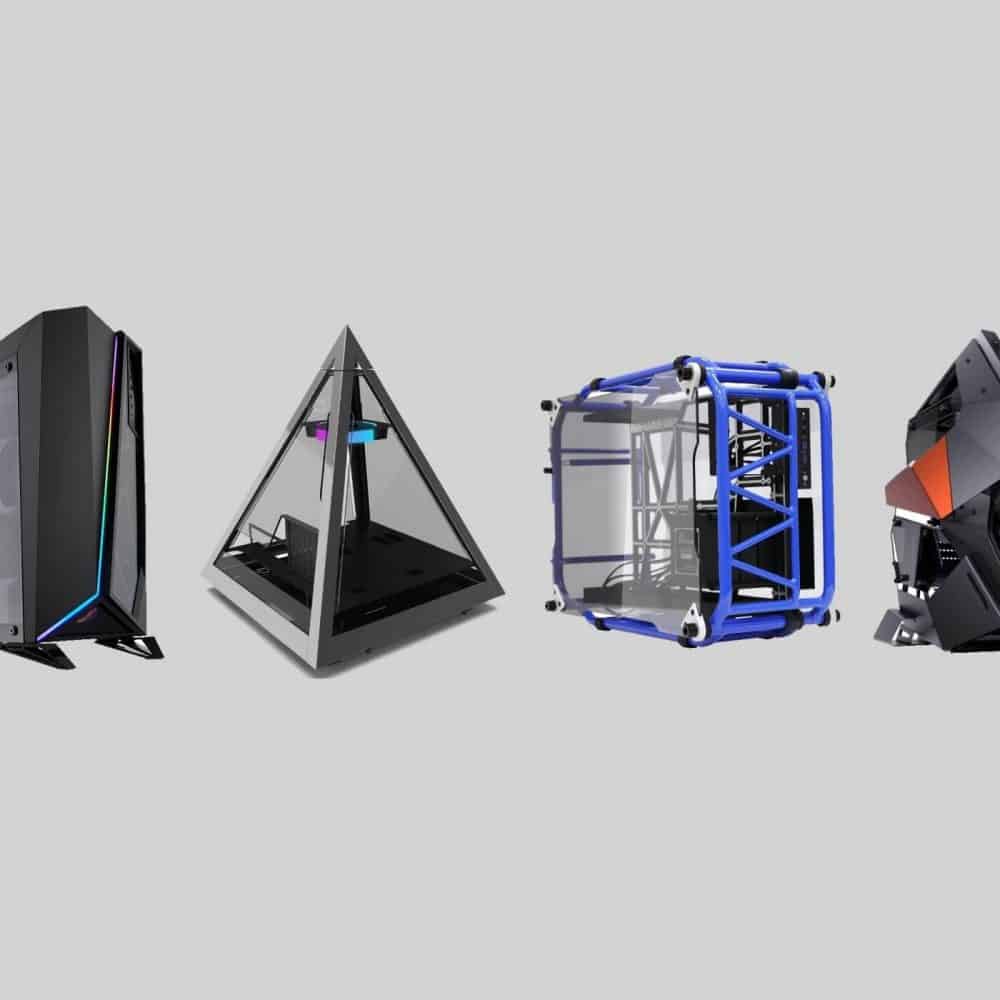
EXPERT INSIGHT & TRUSTED REVIEWS

EXPERT INSIGHT & TRUSTED REVIEWS

What in Tech is a user-supported site. When you purchase through our links, we may earn an affiliate commission at no additional cost to you. Learn more

The 5 Largest PC Cases for High-End Builds in 2026

Largest PC Case Cover

The 5 Largest PC Cases for High-End Builds in 2026

Largest PC Case Cover

Update: The feature has been reviewed for 2026. Many of our picks remain the  same, but we’ve included a couple of alternatives for options that seem to run into some stock issues.

After 100s of PC case reviews, I’ve been through many different shapes and sizes of chassis on What in Tech.

Amongst them, some extra-large towers have really stood out for those looking at creating something particularly powerful.

If that sounds like you, today’s feature is about ranking the largest PC cases I recommend for top-end gaming/production builds. These are cases that I recommend for their utility across the board, not just the largest in dimension (otherwise I’d recommend you an XXL cardboard box!).

1

Largest PC Case Top Pick

Corsair Obsidian 1000D

Our Rating: 9.75/10

2

Largest PC Case for Silent Builds

Deep Silence 6

Our Rating: 9/10

3

Largest Cheap Case

Corsair Graphite 780T

Our Rating: 9/10

4

Unique Pick

Cougar Conquer 2

Our Rating: 9.25/10

5

Honorable Mention

Cooler Master Cosmos C700M

Our Rating: 8.5/10

Largest PC Case (Best Pick): Corsair Obsidian Series 1000D

Now, there are a couple of chassis picks further below that are a tad larger in terms of external dimensions. But in terms of internal space and capability? The 1000D is comfortably my top pick for super tower gaming or high-scale production use.

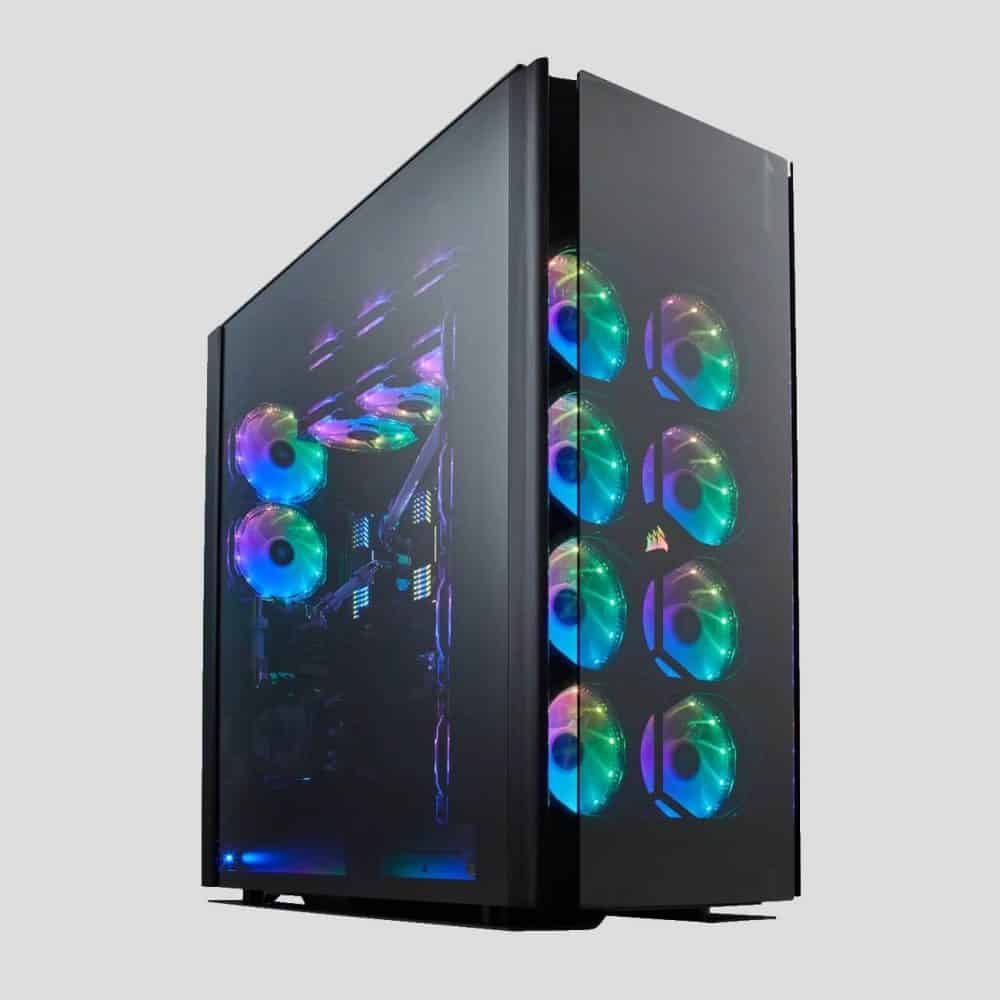
Featured multiple times on WIT, the 1000D is an absolute powerhouse. Its build quality has one of the slickest and sturdiest combinations of thick steel, aluminum, and tempered glass I’ve ever seen. It’s a case that is not done justice by stock photos. Only once powered on with beautiful internal components on display it’s stunning to behold. I’ve had the pleasure of reviewing many 1000D builds and even the most basic look incredible.

The crowning feature of the 1000D (aside from its excellent cooling, which we’ll discuss later) is that it’s a dual-system PC case. This means it supports an independent Mini ITX motherboard/PC alongside your main setup (in other words, 2 PCs inside the same chassis!). There’s a lot of potential utility for premium work/gaming builders with this, and great for content-focused streamers who can they enjoy separate dedicated gaming and streaming setups.

Inside this super tower is room for:

  • 10 x expansion slots
  • GPU length clearance up to 400mm (enough for any mainstream card with room to spare for airflow, one of the best PC cases for RTX 3090 builds)
  • A great front I/O panel, with 2 x USB 3.1 gen-2 type C USB ports amongst the classic inputs (all beautifully backlit with RGB)
  • Accessible but nicely hidden bays for up to 5 x 3.5″ & 6 x 3.5″ drives
  • Up to 18 x 120mm fans (stock configuration up to 10 x 120mm + 3 x 140mm)
  • Or up to 4 x 480mm + 1 x 240mm radiators (stock configuration up to 2 x 480mm, 1 x 420mm + 1 x 240mm)
  • Triple-chamber layout to maximize cable management and airflow of both the main and secondary systems (as well as room to hide “uglier” components like PSUs)
  • Included smart fan controller if you want to add RGB fans to your build
Corsair Obsidian 1000D

Source: six60six

These are some of the most insane specs I’ve ever seen for a chassis. The 1000D isn’t just extra-large but adds some really unique features with its size.

Between the triple-chamber design, dual system capability, and fantastic room for hardware/cooling, what I like most about the 1000D is that it isn’t just large for the sake of it. It’s clearly been meticulously designed to make use of its huge dimensions for amazing capability.

The only case I’ve seen come close to its cooling capacity is the Thermaltake Core P8. But that case does not have the same large space for ventilation and airflow. The 1000D is the best PC case for airflow, cooling (fan or water cooling) I’ve ever seen. I’ve been super impressed by the thermal benchmarks I’ve seen from it, even in particularly demanding builds.

Whether you are intending to intensely overclock a gaming build or keep a demanding production setup performing optimally, you really can’t get better than this.

2026 update: The 1000D has been succeeded by the 9000D. The 9000D is an excellent case in its own right as it’s largely the same as the 1000D, however some slight corners feel cut in elements of the case’s build qualtiy (e.g. plastic feet). It’s still a great choice if you can’t find the 1000D in stock, but we’ve kept the 1000D up as we’re still seeing it occasionally in stock.

Our Rating: 9.75/10

Largest PC Case for Silent Builds (Best HTPC Case): Nanoxia Deep Silence 6

Our next choice is for those builders who have a specific requirement for an extra quiet super tower. The Deep Silence 6, while not reaching all of the highs of the 1000D, has some very impressive features (particularly in storage) and would make a great music production PC case, server chassis, or some other high-end work that requires optimum noise-reduction.

The Deep Silence 6’s build quality, as you would expect for a premium silence-focussed chassis, is very thick steel (one of the most sturdy/durable cases I’ve come across). Surrounding a large portion of the exterior is also some industrial sound-proofing material to maximize noise isolation. It’s one of the quietest PC cases available today, impressive considering its size. Aesthetically, everything about the case looks “professional”, like it’s designed to really make an impression for high-budget production.

This super tower PC case has room for:

  • HPTX / XL-ATX Motherboard support (one of the very few cases to have it, but you can still reap the value of the case with ATX or E-ATX)
  • 10 x expansion slots
  • GPU length clearance of up to 400mm (perfect for all mainstream cards)
  • 4 x 5.25″ external, 2 x 3.5″ external (with adapter), 10 x 2.5″/3.5″ internal (up to 13 with adapter) & 2.5″ internal drive bays
  • Up to 8 x 140mm + 1 x 120mm fans with 5 140mm quiet fans pre-installed + front panel controller to allow you to balance performance and noise depending on the situation
  • Up to 1 x 360mm, 1 x 280mm & 1 x 140mm radiators (that can be combined with some of the fan setup).

The Deep Silence 6 has some simply fantastic specs across storage in particular. Combined with its silent design, we rank this as one of the best server PC cases or something for media/HTPC builders available today. Not only is the drive bay allowance incredible out of the box, but the fact that you can add to it further with adapters is a bonus (not to mention, if you’re like most people and don’t need 4 x 5.25″ drive bays, you can use them to massively expand your storage).

There is also plenty of cooling capability, and we appreciate the 5 included 140mm fans that will be enough for a majority of builds in here. If you are looking for a gaming build, the 1000D is probably the better choice with its additional cooling and triple-chamber layout. However the Deep Silence 6 could still aptly run a powerful gaming machine if achieving a low decibel level means more to you.

Simply put, the Deep Silence 6 is an incredible chassis and easily the best quiet super tower available today.

2026 update: I’ve kept the DS6 as the top quiet choice as it does a fantastic job and is the largest in the picks designed for low volume. With that said, I also really appreciate the Fractal 7 XL for premium quiet builds. It’s not as large, but I think if your build would fit inside, it’s the better choice.

Our Rating: 9/10

Largest Budget PC Case: Corsair Graphite 780T

While “budget” and “largest” don’t go very well together, the 780T, despite still being a fair bit pricier than the average budget chassis, is notably lower than every other extra-large case close to its size while still being decently featured in its own right.

The case design is striking. With thick, curved steel engulfing much of the case’s exterior, the 780T feels built to last and has a rather unique aesthetic. One design feature we really appreciate is the latched handles on most of the case’s panels, with it being one of the easiest chassis we’ve seen to quickly access/re-close once finished.

This full tower has room for:

  • 9 x expansion slots
  • Graphics cards up to 355mm in length (more than enough for most, but double-check dimensions if you’re buying a premium GPU)
  • 2 x 5.25″, 2 x 2.5″ & 6 x 3.5 /2.5″ combo drive bays
  • Deep and well-laid-out cable management facilities
  • Up to 10 x 120mm fans with 3 x 140mm fans included (2 with red LEDs)
  • Alternatively, combine a smaller fan setup with up to 2 x 360mm radiators

With these specs, it’s clear that the 780T does a fantastic job of retaining lots of internal capability despite costing less than half our two top picks.

With plenty of room for high-end GPUs and cooling, this would make a great choice if you’re after one of the largest ATX cases for gaming (plenty of overclocking potential here).

Simply put, if you want an extra-large PC case that is only a hair above the usual mid-range price bracket, the 780T is the ideal choice.

Our Rating: 9/10

Largest PC Case with Unique Design: Cougar Conquer 2

I think you’ll agree that the chassis image speaks for itself!

If you want your extra-large PC case to also turn the heads of any guest that comes to your house, this is the ideal choice. The Conquer 2 has a wonderfully unique design. 

Covered in thick metal panels and 4 tempered glass windows, the Conquer 2 has one of the nicest build qualities I’ve seen from any chassis. The aesthetic is made extra unique by the ARGB lighting on the front side of the case (including the pre-installed ARGB fan at the bottom). This is a strong example of a case that cannot be done justice by stock photos. I love how this case looks in person. The quality of the material really shows when you see a full build powered-on and running as part of a nice setup.

Inside this large ATX full tower is room for:

  • 8 expansion slots & 2 for vertical GPU installs
  • VGA lengths up to 400mm (more than enough as a PC case for RTX 3080, 3070, or 3090).
  • 2 x 2.5″ / 3.5″ & 2 x 2.5″ drive bays
  • Up to 6 120mm fans
  • Alternatively up to 1 x 240mm & 1 x 360mm radiators

You may find some of the above specs underwhelming compared to our other top choices. There is a key difference though: the Conquer 2 is an open-air PC case that is designed to be presentable at all angles. This means that the cooling solutions will be more than enough for even a powerful gaming setup due to the amount of open airflow and ventilation the case gets.

I am a little disappointed in the drive bay availability. They are notably lower as they are all designed to be hidden to maximize the clean aesthetic the Conquer is going for. Let’s be real though; unless you’re building a server, HTPC, or something with very high storage requirements, the drive bays enough will be plenty, especially for gaming.

It looks like the Conquer 2 would be difficult to build in, but Cougar included a fantastic feature: a detachable sub-chassis. Essentially you can remove a tray from the middle of the case where your motherboard & main components will sit. This doesn’t just make building smooth, but I found it more pleasant to build in than a lot of traditional cases!

You are, of course, paying a premium for the design of the Conquer 2, but it is a true marvel to behold. If you want to build a powerhouse in not just one of the largest gaming full towers available, but one of the most unique, the Conquer 2 is for you.

Our Rating: 9.25/10

Largest Full Tower (Alternative Pick): Cooler Master Cosmos C700M

Our last pick is an honorable mention if you want an overall alternative to the 1000D (in the same price range). The C700M is another supersize PC case designed for high-end builds.

With a beautiful, thick aluminium//steel/dual-curved tempered glass hybrid case design accompanied by some tastefully subtle ARGB lighting, the C700M is beautiful and another example of a case not done justice by stock photos. We appreciate also the handles neatly added to the top of the case; don’t underestimate how hard it can be to carry an extra-large chassis!

The specs lean the C700M towards being more of a gaming full tower, with:

  • 8 x expansion slots
  • GPU lengths up to 490mm (320mm with HDD bracket, still enough for most cards)
  • 1 x 5.25″, 4 x 3.5″ / 2.5″ combo & 4 x 2.5″ drive bays
  • Up to 9 x 140mm fans (with 3 pre-installed)
  • Up to 2 x 420mm, 1 x 240mm & 1 x 140mm (420mm reduce to 360mm if 5.25″ drive cage is installed)

There are some decent specs available on the C700M, certainly enough for a powerful gaming/production/video editing PC case. But you can probably see why, for the same price range, we rank the 1000D above it; with our top pick’s super cooling and storage availability. We also consider it to have a slightly better ventilation design (with its triple chambers & airflow setup) plus the nice option to set up a dual system.

None of this is to say the C700M is a bad case however, it has a lot going for it and we included it for a reason, if you’re looking for one of the largest PC cases and this Cooler Master offering fits in with your personal aesthetic, it’s a great choice for a very high-end build.

Our Rating: 8.5/10

What's Next?

About the author

Picture of Kaelum Ross
Kaelum Ross
Kaelum Ross, BSc is the Lead Writer at What in Tech and a leading authority in PC hardware and software. With a career as a senior IT professional, Kaelum has led multi-million dollar projects covering everything from bespoke software development to complex Windows hardware upgrades. Today, Kaelum uses his expertise to serve What in Tech's readers and has been featured in numerous global publications including New York Magazine and Lifewire.

The 15 Most Unique PC Cases You Can Actually Buy in 2026

Unique PC case Cover

The 15 Most Unique PC Cases You Can Actually Buy in 2026

We've reviewed everything from tanks to pyramids...here are the best

Unique PC case Cover

We’ve updated this feature for 2026 after reviewing the latest and upcoming cases on the market.

As far as aesthetics go for your next build, nothing is more important than the chassis.

There are plenty of great options out there (in all shapes, sizes, and colors).

But in terms of design, they can often feel like they blend into each other.

So what about those who want something a little….different?

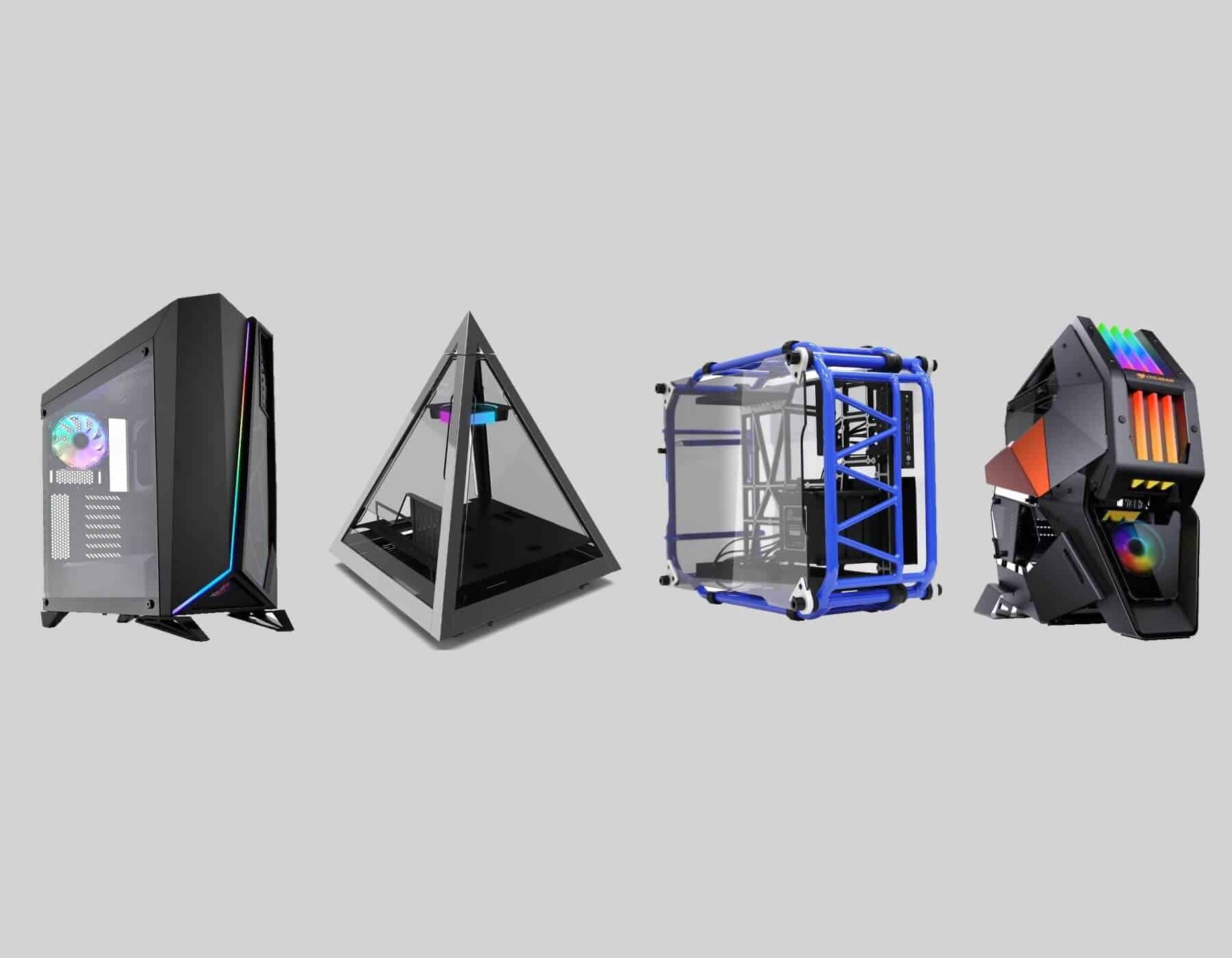
I’ve reviewed 100s of options through What in Tech and made today’s feature to take you through the most unique computer cases available today that you can actually buy (not just one-off mods that cost 1,000s).

Best Mainstream/Affordable Picks

1

Overall Best Unique PC Case

Corsair Carbide SPEC-Omega

Our Rating: 9.5/10

2

Runner-Up Unique PC Case

Thermaltake Core P3

Our Rating: 9.5/10

3

Best Unique Budget PC Case

Thermaltake Versa N24

Our Rating: 8.5/10

4

Best Unique Micro ATX Case

Phanteks EVOLV MATX

Our Rating: 9/10

5

Best Unique Mini-ITX Case

NZXT H1

Our Rating: 9.5/10

6

Best Unique PC Case for Performance

Corsair Crystal Series 680X RGB

Our Rating: 9/10

Craziest Picks

1

Most Unique PC Case

Antec Torque

Our Rating: 9.5/10

2

Runner-Up Crazy PC Case

Azza Pyramid 804L

Our Rating: 9/10

3

Best Large Unique Case:

Cougar Conquer 2

Our Rating: 9/10

4

Cool PC Case Alternative

InWin D-Frame

Our Rating: 9/10

Best of the Rest

1

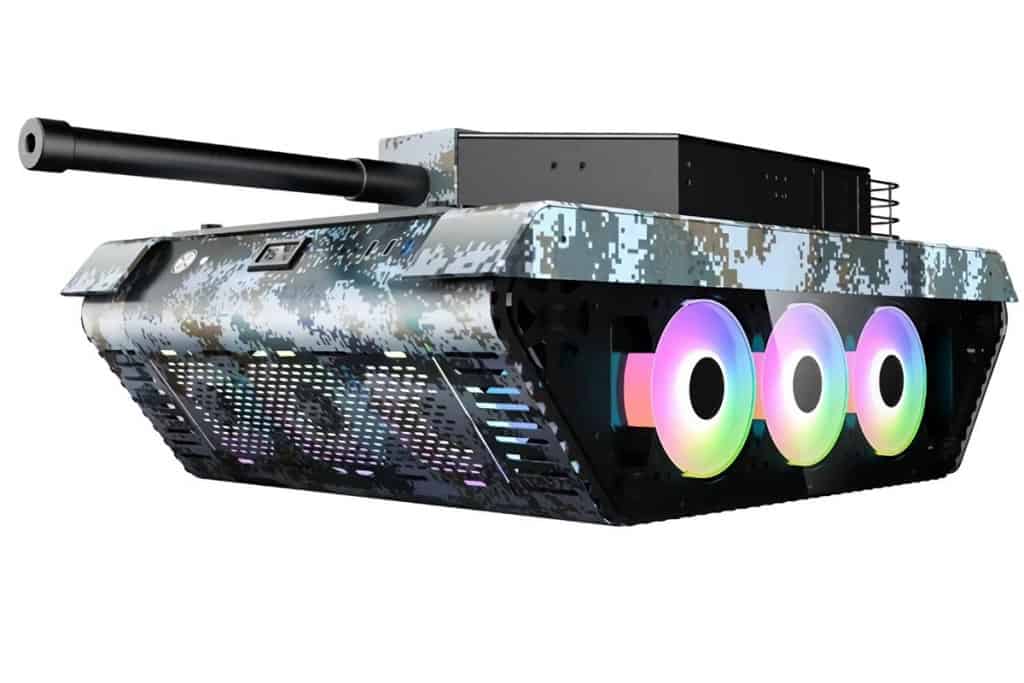
Tank PC Case

LIQIANG Tank

Our Rating: 9/10

2

PC Case with Screen Side Panel

 iBUYPOWER Snowblind S

Our Rating: 8.5/10

3

Premium Unique Mini ITX Case

Antec Striker

Our Rating: 8/10

4

Great ATX Alternative

Anidees AI Crystal V3

Our Rating: 8.5/10

5

Unique E-ATX PC Case

Thermaltake Tower 900

Our Rating: 8/10

Best Mainstream/Affordable Choices

This feature is broken into three parts – the first is for the most unique PC cases with some consideration for availability and affordability.

Skip over to the Craziest PC Cases section if you’re more interested in the most innovative, unusual designs.

Corsair Carbide SPEC-Omega

Overall Best Unique PC Case

SPECIFICATIONS*

Form Factor: Mid Tower | Motherboard Support: ATX, Micro-ATX, mini-ITX | CPU Clearance: 170mm | GPU Length Clearance: 370mm | Dimensions: 495 x 232 x 516mm | Weight: 7.75kg | Radiator Support: 360mm | Fan Mounts: 6

REASONS TO BUY

+ Good all-round case

+ Cool design, but still easy to build

+ Decent value & availability (unlike many unique cases)

REASONS TO AVOID
– May not be “crazy” enough for you (see below)
 
– Better options available for high-end builds


Our Rating: 9.5/10

The SPEC-Omega tops our list with its ability to strike an amazing balance between price, build quality, features, and of course, uniqueness.

On the surface, it has a rather normal shape and tower presentation.

However, the front and top panels give a deceptive depth to their unique design.

With the dominant sides of the front and top consisting of high-quality steel, the case feels as solid as it looks.

The less dominant front side offers a thick tempered glass preview into the case, with the top offering a mesh view.

It’s not uncommon to see cases with visible fronts or tops, but being done in this “diagonal” way with the slick RGB divider is special.

Photos don’t do this unique tower justice. I’m featuring it highly because I’ve been really surprised by how great it looks in person.

Corsair Carbide SPEC-Omega

Source: Katpcman

When you have gorgeous components shining through its design, you’ll see why I rank it so highly.

The tower also has some gorgeous additional color options, topping our list of red PC cases.

But it gets our top mainstream pick not just for looks, but performance.

With 7 expansion slots, VGA lengths up to 370mm, and 3 x 3.5″ + 2 x 2.5″ drive bays, this ATX tower has great space for a wide variety of builds.

There are some great cooling options too, with:

  • Air: 6 x 120mm fans – 2 high-quality Corsair SP120L fans included
  • Water: 1 x 360mm, 1 x 240mm & 1 x 120mm radiators

Alongside this availability is a good internal design that provides great cable management and airflow. It’s a great basis for a gaming build, including overclocking.

While there are some crazier designs further on the list, I started with this pick as it offers a fantastic “jack of all trades” feature set, solid design/build quality, and stock availability (a problem with some unique picks) all under a very good price tag.

Thermaltake Core P3

Runner-Up Best Unique PC Case

SPECIFICATIONS

Form Factor: Mid Tower | Motherboard Support: ATX, Micro-ATX, mini-ITX | CPU Clearance: 180mm | GPU Length Clearance: 280 – 450mm | Dimensions: 512 x 333 x 470 mm | Weight: 10.3kg | Radiator Support: 420mm | Fan Mounts: 3

REASONS TO BUY

+ Stunning design and build quality

+ Great customizable layout

+ Open-air design lends itself for airflow

REASONS TO AVOID
– Customisation may be intimidating to beginners
 
– Slightly expensive
 

Our Rating: 9.5/10

Oh boy, I love this case.

Featured several times previously on What in Tech for its amazing capability, the P3 is the perfect unique case if you’re looking for high visibility.

It may look simplistic, sure.

But its uniqueness comes from its ability to show off your beautiful internal parts as no other case can.

The P3 has 4 open sides and a thick, tempered glass covering the top. This design is great not just for looks but also for ventilation with all of the open space providing ideal airflow.

Not to mention this is by far the best wall-mount PC case which, as the name implies, effectively allows you to hang your chassis from a wall. This is a stunning way to display a PC. Many of the most exciting setups I’ve seen or built utilize this method of placement.

If you want a different size/more intense unique build, check out the different P-series options in the product listing (P1 – P90) – we talk through some of the key differences here.

Thermaltake Core P3

Source: LmNoPg007

The case excels in space too due to its minimalist design, with:

  • 8 x expansion slots (and options for vertical GPU install)
  • Graphics cards up to 450mm in length (with radiator reservoir removed)
  • Hidden 2 x 2.5″ or 3.5″ + visible 2 x 2.5″ or 3.5″ drive bay
  • Cooling: 3 x 140mm fans or 1 x 420mm radiator

With the open ventilation, you don’t need the 6-7 fans you usually see in an ATX case.

The P3 performs just as well, if not better in cooling, making it such a great option for gaming and enthusiast builds.

If you know you’re building some unique-looking components and want the best case to show them off, you won’t get a better offering than the P-series cases.

2026 update: If you like the P3 but it’s out of stock, check out our clear PC case guide that includes the other iterations of the Core P chassis series.

Thermaltake has also made an E-ATX version of the case, the Core P3 Pro, which is equally fantastic for those building something larger. 

Thermaltake Versa N24

Best Budget Unique PC Case

SPECIFICATIONS

Form Factor: Mid Tower | Motherboard Support: ATX, Micro-ATX, mini-ITX | CPU Clearance: 155mm | GPU Length Clearance: 415mm | Dimensions: 532 x 247 x 511mm | Weight: 6.1kg | Radiator Support: 240mm | Fan Mounts: 6

REASONS TO BUY

+ Great unique design for the low price point

+ Decent layout for budget/beginners builds

REASONS TO AVOID
– Cheap build quality
 
– Better thermals in more expensive options


Our Rating: 8.5/10

Now, if you were thinking you couldn’t find a cheap option that still boasts a unique look, I’m here to happily prove you wrong!

Looking like it came out of Fallout or Midgar, the Versa N24 design is fantastic.

We love all of the intricate edges, pipes, and different panels around this futuristic chassis.

With the cheap price tag, you’re not getting the same build quality as other cases on the list. With a cheaper metal window and plastic exterior.

Thermaltake Versa N24

Source: robsn

That said, it still feels great for the price tag, and what’s more, it has a lot of space capability, with:

  • 7 x expansion slots
  • VGA lengths up to 415mm (with a front fan removed).
  • 1 x 5.25″, 2 x 2.5″ / 3.5″ & 2 x 2.5″ drive bays
  • Up to 6 x 120mm fans (1 pre-installed, great for the price).
  • Or up to 2 x 240mm & 1 x 120mm radiators

There’s still everything needed here for a unique gaming build. If you were planning a crazy, overclock-heavy setup, we’d steer you to one of the more expensive offerings for cooling.

That being said, if you’re building a budget PC, this case will perform excellently for what you’re after.

Phanteks EVOLV MATX Edition

Best Unique Micro ATX Case

SPECIFICATIONS

Form Factor: SFF | Motherboard Support: Micro-ATX, mini-ITX | CPU Clearance: 192mm | GPU Length Clearance: 319mm | Dimensions: 230 x 453 x 400 mm | Weight: 9kg | Radiator Support: 360mm (240mm with HDD brackets) | Fan Mounts: 5

REASONS TO BUY

+ Beautiful build quality/aesthetic

+ Surprisingly spacious for form factor

+ Great cooling options for mATX

REASONS TO AVOID
– Slightly expensive for mATX
 
– Some very minor quality-of-life issues (fiddly hinges, screws, etc.)


Our Rating: 9/10

There aren’t as many interesting options available for mATX.

Thankfully, Phanteks, who specializes in all sorts of wonderful and weird PC cases, has created a striking monolith chassis.

With a high-quality aluminum front and metal body, the case has an awesome gunmetal grey finish.

This is one of those cases that looks way better in person, but I like it for much more than just its looks.

If you check some of the product photos that show the internal layout, you’ll see why we tout this case as special.

Phanteks EVOLV mATX

Source: cfritz562

The structure of the EVOLV is very well built. It’s cramming in great space for:

  • 4 Expansion slots
  • VGA cards up to 319mm in length
  • 2 x 3.5″ & 2 x 2.5″ drive bays
  • Up to 6 x 120mm or 5 x 140mm fans (2 140mm fans included)

Now while these specs may not seem impressive next to many of the other top picks, bear in mind this isn’t just an mATX case, but one with some pretty compact dimensions.

If your idea of a unique tower includes a micro ATX form factor that is not too big or too small, the EVOLV is the perfect fit for you.

NZXT H1

Best Unique Mini-ITX Case

SPECIFICATIONS

Form Factor: SFF | Motherboard Support: mini-ITX | CPU Clearance: Built-in | GPU Length Clearance: 305mm | Dimensions: 388 x 187 x 188mm | Weight: 6.53kg | Radiator Support: N/A | Fan Mounts: Built-in

REASONS TO BUY

+ Incredible design, layout, and build quality

+ Expensive, but lots included in the price

+ Deceptive amount of space for GPUs and drives

REASONS TO AVOID
– Space is tight
 
– Cheaper ITX builds possible


Our Rating: 9.5/10

On the surface, the H1 may seem like a pretty ordinary vertical tower.

But for its form factor? All of the H1’s serious competitors are cube/short cuboid shapes.

NZXT has created a truly unique innovative space inside the H1 to make such a low volume “console-shaped” PC case possible. I’m impressed that it still manages to accommodate a decent gaming build.

The quality and design are simply awesome. With a high-quality SGCC steel exterior and tinted tempered glass that will sleekly display the interesting inner layout of the H1 combined with your components. In my experience, tinted windows always look better (more tasteful) even if you want to show off RGB lights.

With what feels like wizardry for its dimensions, the H1 has:

  • A PCIe 3 riser card to vertically install a GPU
  • 2 x expansion slots / GPU lengths up to 305mm
  • 2 x 2.5″ bays (many larger ITX cases only have 1)

The fact that you can install most mainline GPUs in a case of this size is incredible, and the vertical layout will give it a truly unique presentation.

NZXT H1

Source: THLNG

The case comes with a high-quality PSU specifically designed for the case (so isn’t wasting any space trying to cater to multiple PSU sizes).

You’re also getting a pre-installed AIO 140mm Water Cooler; which combined with the great dual-chamber layout, is designed to be the only cooling in the case (and it’s all you’ll need).

Of course, in a Mini ITX build, you’re not going to have a dual-GPU overclocked setup. That is a choice every ITX builder makes (and for many, won’t be a great loss).

It may seem like a high price tag, but for the build quality, design & included PSU/cooling solution, this really is a great deal.

If you’re looking for the best unique Mini ITX case for gaming or other portable uses, you’ve found it.

2026 update: A second version of the H1 has been released which includes an additional 92mm fan, an extra USB 3.1 C input, larger GPU compatibility, and a more powerful PSU.

Currently, the v1 runs a little cheaper than the v2. While v2 is a direct improvement, I’d only recommend paying more for it if you are looking to build one of the higher-end GPUs (e.g. 4/5000 series cards). If your build is a little more mid-range, V1 will suit you just fine.

Corsair Crystal Series 680X RGB

Best Unique PC Case for Performance

SPECIFICATIONS

Form Factor: Mid Tower | Motherboard Support: ATX, Micro-ATX, mini-ITX | CPU Clearance: 180mm | GPU Length Clearance: 330mm | Dimensions: 423 x 344 x 505mm | Weight: 11.58kg | Radiator Support: 360mm | Fan Mounts: 8

REASONS TO BUY

+ Incredible build quality

+ Dual chamber layout provides enthusiast level cooling, cable management, and space

REASONS TO AVOID
– Quite expensive


Our Rating: 9/10

One of the most featured cases on What in Tech, the 680X has so much going for it.

Let’s start with its unique design.

This Corsair tower is the top premium dual chamber PC case available.

This means it has a separate “hidden” compartment designed to hide your “uglier parts”. Think PSUs, cables, and drives.

This doesn’t just help presentation but also improves airflow and room for parts in the main case.

The build quality is some of the best available today. With a very high-quality steel exterior and thick tempered glass on the front, top, and hinged side panel (full length), the case is truly gorgeous and one of my favorites I’ve reviewed in person.

Corsair Crystal Series 680X

Source:  jjzeng21

But it’s not just pretty…

This is one of my overall top picks throughout many What in Tech features for much more than its innovative design.

Perfect for high-end gaming/production builds, you’ll have room for:

  • 10 expansion slots (2 vertical mounted)
  • VGA cards up to 330mm
  • 3 x 3.5″ + 4 x 2.5″ drive bays (all in the 2nd “hidden” chamber)
  • Air cooling: Up to 8 x 120mm fans (with 3 very high-quality Corsair LL120 fans & controller included)
  • Radiator support: Up to 360mm front, 280mm top 280mm bottom & 140mm rear

We love the specs the 680X achieves out of its already well-ventilated dual-chamber setup.

This chassis will be perfect for not just a powerful gaming build, but also for overclocking with the great cooling potential.

And with the fantastic addressable fans included alongside the beautiful design, you really have a special look going for you out of the box.

The downside? This is a very premium case and the price reflects that. You can certainly accomplish a powerful build in one of the cheaper chassis I’ve featured.

But when you’re balancing an amazing feature set, high-quality RGB inclusion, and beautiful unique design, I think this cool PC case is worth every cent for those with larger budgets.

Craziest PC Cases

The above picks were special cases with some consideration for being widely available and affordable.

Now, the next section is more about offering the craziest computer cases that money can buy.

Note that while you are paying a premium for their awesome designs, I’m still only recommending cases that offer great performance.

Some towers (like the Keider Open Case & darkFlash Knight) look very special, but have some quality problems. Trust me, you don’t have to sacrifice good performance for a cool design.

Antec Torque

Most Unique PC Case

SPECIFICATIONS

Form Factor: Mid Tower | Motherboard Support: E-ATX (Up to 12″x11″), ATX, Micro-ATX, mini-ITX | CPU Clearance: 215mm | GPU Length Clearance: 450mm | Dimensions: 621 x 285 x 644 mm | Weight: 9.35kg | Radiator Support: 360mm | Fan Mounts: 6

REASONS TO BUY

+ Unparalleled unique design & build quality

+ Open-air design with plenty of cooling support provides great thermals

+ Decent layout for most hardware needs

REASONS TO AVOID
– As expensive as you might expect
 
– Low on drive bays
  

Our Rating: 9.5/10

OK, now we’re getting to some truly crazy PC cases…

The picture speaks for itself!

Antec really is at the top of their innovative design game with the Torque.

The case is designed to look as unconventional as possible without compromising functionality.

With an exterior made of 14 uniquely curved aluminum panels and double-sided tempered glass, the finish of every surface is incredibly high quality. I was stunned when I first caught it in person. The whole unit feels as stunning as it looks.

This unique ATX case has space for:

  • 7 x expansion slots
  • Graphics cards up to 450mm in length
  • 1 x 2.5″ & 1 x 3.5″ drive bays
  • Compatible with EATX motherboards up to 12″ x 11″
  • Up to 6 x 120mm fans or 2 x 360mm Radiators
Antec Torque

Source: neo457

Despite the focus on design, you still have space in here for an intensive GPU/overclocking setup should you desire.

The only spec lower than we’d like is the drive availability.

It will be low because Antec will only have bays that can be hidden due to the focus on a highly visible design.

And with that said, unless you are looking for video editing or some other very high storage requirement, this capacity will be fine for you.

The cooling may not seem out of this world for an ATX chassis but bear in mind that, with its highly ventilated design, you’re going to be getting great airflow with either solution type.

So, while it’s the aesthetic that is the big selling point of the Torque, through great innovation, Antec is offering a great balance between form and function.

Yes, this insane PC case is expensive, but you’re paying to have not just great build quality and features, but something truly special that is unmatched by most of the market.

2026 update: While this is still our top pick, we’ve seen the Torque run into some stock issues this year. If you’re looking for something that comes close to its unique aesthetic, we’d recommend the Thermaltake AH T600.

Azza Pyramid 804L

Runner-Up Unique PC Case

SPECIFICATIONS

Form Factor: Mid Tower | Motherboard Support: ATX, Micro-ATX, mini-ITX | CPU Clearance: 95mm | GPU Length Clearance: 330mm | Dimensions: 585 x 490 x 490 mm | Weight: 14.1kg | Radiator Support: 360mm | Fan Mounts: 4

REASONS TO BUY

+ As well-built as it is unique

+ Fits most enthusiast hardware despite unusual shape (be sure to check)

+ Deceptive amount of space for GPUs and drives

REASONS TO AVOID
– High price (as with all cases this unique)
 
– Tough build for beginners


Our Rating: 9/10

Yes, that’s right, your eyes don’t deceive you.

This is a pyramid PC case.

This Azza chassis, like our Torque pick, is great because it still offers a lot of functionality behind the crazy aesthetic.

With its very high-quality aluminum, thick SPCC steel, and tempered glass build, it’s one of the sturdiest towers around.

And the finish on the metal (not to mention the sharp, sleek corners) gives it a premium feel that few traditional cuboid PC cases match.

AZZA Pyramid 804

Source: soar-anthony

When it comes to space, the Azza is an ATX tower with:

  • 2 expansion slots
  • Graphics cards up to 330mm
  • 2 x 2.5″ + 1 x 3.5″ drive bays
  • Air: up to 4 x 120mm fans with 1 Hurricane II Digital RGB Fan pre-installed at the top
  • Cooling: up to 1 x 360mm radiator at the bottom

The case is designed for a single-GPU build which these days should be the focus of most gamers (there are single graphics cards that will give you top performance in all games today)

With the good ventilation offered around the top of the case, the cooling available will be all you need for a gaming PC.

It’s hard to imagine a more unusual PC case than this pyramid.

But Azza really manages to pull it off, if you have the budget and your desired build can fit, this is a fantastic option.

Cougar Conquer 2

Best Large Unique PC Case

SPECIFICATIONS

Form Factor: Full Tower| Motherboard Support: CEB, ATX Micro-ATX, mini-ITX | CPU Clearance: 140mm | GPU Length Clearance: 400mm | Dimensions: 368 x 631 x 744mm | Weight: 18kg | Radiator Support: 360mm | Fan Mounts: 6

REASONS TO BUY

+ Powerful design and build quality

+ Layout and cooling for enthusiast builds

+ Deceptively easy to build in

REASONS TO AVOID
– Very pricey
 
– Very large and heavy, not for portability


Our Rating: 9/10

The Conquer is certainly one of the most unique full-tower cases around.

But then Cougar recently released the Conquer 2 and well….look at this thing.

With a full high-quality metal exterior and 4 thick tempered glass side panels, the case is an incredibly sturdy offering.

So much of the aesthetic is also built around the syncable RGB lighting on the front of the case (and that includes a COUGAR ARGB fan pre-installed).

We’ve been saying this a lot on this feature but; the Conquer 2 is another example of a case not done justice by photos, I almost laughed out loud at how ridiculously cool it looked in person.

Just check some of the user builds in the product listing. With some RGB components alongside it, you’ll have something really special.

Cougar Conquer 2

Source: skygunner27

We love the size that the Conquer 2 offers, with:

  • 8 expansion slots + 2 for vertical install
  • While not officially listed, is reported to fit E-ATX motherboards
  • VGA lengths up to 400mm
  • 2 x 2.5″ & 2 x 2.5″ / 3.5″ drive bays
  • Up to 6 x 120mm fans
  • Or up to 1 x 240mm & 1 x 360mm radiators

The cooling availability is fantastic for an open-air case (which often compromises the amount of cooling available in favor of ventilation).

With the incredible capacity, it’s a great option for a very high-end overclocking build (or something more modest with better cooling).

One neat extra feature in a case this size that we don’t see much is the detachable inner-chassis designed for making modifications and installation easier.

Don’t underestimate the convenience of this feature, everything from cleaning to cable management will be made easier by this luxury.

This is the kind of weird PC case that is so unique, we’re sure some people will love it, and some people will think it’s too much.

But that’s what we think is so great about it; and why it’s perfect for a powerful build if you want something truly one-of-a-kind.

InWin D-Frame

Cool PC Case Alternative

SPECIFICATIONS

Form Factor: Full Tower | Motherboard Support: ATX, Micro-ATX, mini-ITX | CPU Clearance: 160mm | GPU Length Clearance: 330mm | Dimensions: 482 x 305 x 668mm | Weight: 18kg | Radiator Support: 360mm | Fan Mounts: 3

REASONS TO BUY

+ Incredible build quality

+ One of the most customizable case layouts

+ Open-air cooling great for enthusiast builds

REASONS TO AVOID
– The quality comes with a price tag
 
– Utilising its customizability may be intimidating to some beginners


Our Rating: 9/10

InWin has created one of the best innovative offerings around in the D-Frame.

We’ve featured this awesome chassis multiple times on What in Tech, with its ability to still offer great performance despite the design focus.

With the unique tubing and base made out of high-quality aluminum and a beautiful tempered glass window on the front, the build is absolutely top-tier.

With its open-air case design, you are getting both fantastic airflow and high visibility on your more beautiful parts.

But it also does an excellent job in size, with:

  • 8 expansion slots (with vertical install available)
  • Graphics cards up to 330mm in length
  • 3 x 3.5″ + 2 x 2.5″ + 1 x 5.25″ drive bays
  • Up to 4 x 120mm case fans
  • Impressive cable management facility despite the large exposure on most sides.
Inwin D Frame

Source: wardog102

You’ll have everything you need here for either a powerful gaming PC or something more for production/editing.

We like that it even comes with the option for a 5.25″ optical drive in case you’re after a unique HTPC case.

(Though if you’re like most of us and don’t need it, it can be used for further hard drive space with a convertor, or better airflow).

4 x 120mm fans may not sound like much for an ATX case.

But with its high-airflow design, the D-Frame performs excellently even for high-demand builds.

If the style is to your liking, know that there’s a reason this chassis has had a few iterations and won numerous awards.

It truly is one of the most innovative computer cases around, combining a special aesthetic with great functionality.

Best of the Rest

The picks above are what we’d really recommend on your search for the most unique PC case that suits your next build.

That being said, we’ve included some additional options that are still great and worth considering, in case you have some specific requirements we haven’t covered.


LIQIANG Tank

Tank PC Case: LIQIANG Tank

No, your eyes don’t deceive you.

You can, in fact, have a tank PC tower!

And the internal workings/specs are pretty impressive despite the high price tag. The only reason we don’t include this in our detailed writeups is that its stock is pretty limited, but if you have the budget and see it available, we can’t think of many cases that will shock your friends more!

Our Rating: 9/10

iBUYPOWER Snowblind S

PC Case with Screen Side Panel: iBUYPOWER Snowblind S 19″

Yes, you read that right.

This iBUYPOWER PC case comes with a display inside the side panel window.

One of the craziest tower concepts we’ve seen and capable of running a cool gaming build, this is worth considering if you have some ideas on what the transparent display could add to your setup.

Our Rating: 8.5/10

Antec Striker

Premium Unique Mini ITX Case: Antec Striker

If you’re looking for an innovative ITX case, this is the best around.

We didn’t give it a top pick because of its intense price for such a small case.

But if you have the budget, its a fantastic offering.

Our Rating: 8/10

Anidees AI Crystal V3

Great Unique ATX Case Option: Anidees AI Crystal V3

This is our “third-best” pick for the top of the list and was very nearly the runner-up.

If you’re looking more for a cube PC case or simply like the design, know that this is a brilliant offering and provides great performance alongside its amazing looks.

Our Rating: 8.5/10

Thermaltake Tower 900

Unique E-ATX PC Case: Thermaltake Tower 900

We’ve talked above about some options that will “unofficially” support E-ATX.

But if you want a unique PC case that you know will do so with ease, this is the one.

With its “fishtank” design, any PC in here will look like little else – check out our full breakdown on our best EATX case picks.

Our Rating: 8.5/10

Cougar Conquer

Crazy PC Case Alternative: Cougar Conquer

In the Conquer 2 review, you may have heard us mention it’s older brother, the original Conquer.

While not quite as striking as the new model, this is still a very innovative PC case with a special, unique design.

If this aesthetic speaks to you more than the others on this list, know that it is still a great case.

Our Rating: 8/10

Nanoxia Rexgear 2

Unique Budget Micro ATX Case: Nanoxia Rexgear 2

Last but not least, we mentioned that the options for unique mATX cases are a little slim.

But if your heart is really set on this form factor and you want something more budget-friendly or aligned to gaming, the Rexgear 2 is a good choice.

Our Rating: 7.5/10

Final Word

We have come across hundreds of towers at What in Tech, and this is truly the culmination of the most unique PC cases around.

We know some users feel like they need to focus fully on functionality for a case.

But know there’s no shame in taking the aesthetic just as seriously, all the picks above will be great for different types of build users.

Don’t focus on form or function, with an innovative PC case, you can have both!

What's Next?

About the author

Picture of Kaelum Ross
Kaelum Ross
Kaelum Ross, BSc is the Lead Writer at What in Tech and a leading authority in PC hardware and software. With a career as a senior IT professional, Kaelum has led multi-million dollar projects covering everything from bespoke software development to complex Windows hardware upgrades. Today, Kaelum uses his expertise to serve What in Tech's readers and has been featured in numerous global publications including New York Magazine and Lifewire.

* Specifications throughout our articles are double-checked and intended to inform our users, but should not be treated as factual information. When making final decisions on your products, please check the manufacturer pages to confirm the fine details.

The 10 Best Looking PC Cases in 2026

Best Looking PC Case

The 10 Best Looking PC Cases of 2026

After 100s of reviews, these are the ones that look extra special

Best Looking PC Case

Source: Robeywankenobi

I’ve updated this feature for 2026 after reviewing the latest (and upcoming) releases on the market. I’ve added a couple of additional options in certain categories, but most of our picks remain unchanged.

Come on now, don’t lie.

When looking for your perfect chassis, you may be focussed on the classic factors; motherboard fit, airflow, etc.

But we all know you’re also looking for the most beautiful PC case you can find!

And that’s fine! I strongly disagree with some of the elitist advice that suggests your desired aesthetic shouldn’t be a key part of your final choice.

There are so many great-looking towers, in all shapes and sizes, that fit the bill in offering fantastic utility for a powerful build. In other words, you don’t have to choose between functionality and aesthetics, you can have both.

I’ve reviewed a ton of options throughout What in Tech. Today’s feature is to guide you through the best-looking PC cases for gaming, general use and much more.

1

Lian Li Dynamic PC-O11

Overall Best Looking PC Case

Lian Li PC-O11

Our Rating: 10/10

2

NZXT H510 Elite 2

Runner-Up Best Looking PC Case

NZXT H510 Elite

Our Rating: 9.5/10

3

Corsair 680X RGB Edition

High-End Best Looking PC Case

Corsair 680X RGB Edition

Our Rating: 9/10

4

Best Looking Budget PC Case

NZXT H510

Our Rating: 9/10

5

Antec Torque

Best Looking Unique PC Case

Antec Torque

Our Rating: 9/10

6

Corsair 280X RGB Edition 2

Best Looking Micro ATX Case

Corsair 280X RGB Edition

Our Rating: 9/10

7

NZXT H1

Best Looking Mini ITX Case

NZXT H1

Our Rating: 9.5/10

8

Thermaltake Core P3

Honorable Mention

Thermaltake Core P3

Our Rating: 9.5/10

Source: jerameyj

Overall Best Looking PC Case: Lian Li PC-O11

Pictures of this case simply do not do it justice.

I’ve seen many completed builds across my community of the PC-O11 and they always look fantastic. But what’s more impressive than that is when I reviewed it in person, it looked even more aesthetic.

Built on a gorgeous, thick SECC steel exterior and aluminum front, the PC-011 looks and feels very high quality. Moreso than other cases in its price range.

Covering the front and left side of that exterior is two high-quality tempered glass windows.

A glass side panel is nothing out of the ordinary, but the addition of the one on the front gives your build beautiful visibility.

The other reason this is such a good-looking PC case is its dual-chamber layout. This is when you have a separate, dedicated, secluded chamber to hide some of your “less attractive parts”. Think PSUs, HDDs, and various cables.

Essentially, the PC-011 offers the best of both worlds between offering transparency to show off your build while still offering you space to hide components. I slightly prefer this to fully exposed looks like the Thermaltake P3.

Lian Li PC-011 Dynamic

Source: Jinair

Having a nice-looking PC case is one thing, but there’s something even better about the PC-011: it’s not just pretty.

One of the top picks on the market, there is so much utility here for a powerhouse ATX build.

That includes:

  • GPU cards of up to 420mm
  • 2 x 3.5″ / 4 x 2.5″ drive bays (no 5.25″)
  • Up to 9 x 120mm fans or 1 x 360mm, 1 x 280mm & 1 x 240mm radiators
  • 8 expansion slots

The utility available makes this an ideal basis for any mainstream build type. Be it for gaming, streaming, video editing to other high-end production

Not only do you have the room for demanding hardware, but fantastic ventilation between the cooling capability and the dual-chamber layout ensuring cables/other hardware isn’t blocking airflow.

Is there anything we don’t like about the PC-O11? Honestly; not really.

The price and size are on the larger end of cases, which is why I’ve covered plenty of smaller/cheaper options below.

Beauty is, of course, subjective too. Even though I’m confident it’s hard to make a build that doesn’t look fantastic in the PC-011.

If it’s within your budget and fits your idea of a beautiful chassis, then I would say it’s a no-brainer.

This is easily the all-around best-looking ATX case and my undisputed pick as the best PC case in any category.

2026 update: For 6 years running, the Dynamic PC-011 doesn’t just remain my top choice in aesthetics, but also for the best overall PC case category. I’ve seen some other gorgeous options enter the market but nothing that balances everything as well as this beauty!

Our Rating: 10/10

Source: Mar.Mak

Runner-Up Best Looking PC Case: NZXT H510 Elite

If you’re familiar with NZXT and their various cool PC cases, I’m sure it’s no surprise to you that one of our top spots goes to this flagship model.

The build quality of this chassis is fantastic. With an SGCC steel exterior and thick tempered glass window on the front and side.

The exterior is given a matte finish. Different from the Lian Li which goes for more of a “metallic” aesthetic.

Both look and feel great. It’s really up to you which type you prefer.

While not a dual-chamber tower like our top pick, you are still getting decent utility to cover “uglier” parts with good cable management space and the bottom portion of the case being covered to hide the PSU.

The H510 Elite is also one of the best-looking RGB PC cases, offering a lot of lighting features out of the box, with: 

  • 2 x NZXT AER RGB 2 case fans
  • Included Smart Device 2 fan/RGB controller
  • 1 x LED strip to shine in the exterior

Tied with its clear, visible glass presentation, you have an amazing basis for an RGB build in the H510 Elite.

NZXT H510 Elite

Source: Yolenzo

And for non-aesthetic features, the case really shines too. Including:

  • 7 expansion slots + 2 vertical slots: great to show off your GPU
  • VGA lengths up to 381mm (without front radiator installed, 320mm with)
  • 2 x 2.5″ & 2 x 3. 5″ drive bays, with an option to expand to one more of each (likely not needed for a gaming tower)
  • Up to 2 x 140mm & 2 x 120mm fans or 2 x 140mm & 1 x 120mm radiators

While some of this space isn’t super impressive for an ATX case, the H510 Elite is a “compact mid-tower”.

Essentially meaning it’s on the smaller side of mid-towers. Really carefully balancing a nice tight look while still offering the space you’ll need for most builds.

Tied with the good internal ventilation/cable management utility, you’ve still got everything you need here for a powerful gaming machine.

If you want a slightly cheaper option you can check out our budget pick below, and we also break down the difference between the NZXT 510 models in another feature.

NZXT H510 Elite vs Lian Li PC-O11

So with all this said, why do I rank the PC-O11 over the H510 Elite?

Well, it’s a close one, as the H510 is fantastic across the board and I enjoyed what it had to offer. But I think the PC-O11 wins in space (particularly with its dual-chamber to better hide less attractive parts), build quality, and in overall aesthetic when a setup is fully built with its fully transparent front panel.

I also love how the PC-O11’s windows run down the full length of the front and side. the 510 Elite has the more traditional PSU shroud which covers about a third of the inner case.

That said, this is all very subjective. If you prefer the look (or the price tag) of the H510 Elite, know that it is still an amazing option and easily one of the coolest, most aesthetic ATX PC cases around.

2026 update: If you happen to like both of our top picks, there is something of an in-between option released by NZXT; the H9 Flow boasts the slick sharp lines of the H510 Elite, while also offering the full-length display of the Lian Li Dynamic. The H510 Elite isn’t as readily available as it used to be, so the H Flow series may also be a good alternative for those interested in NZXT’s style.

Our Rating: 9.5/10

Source: MarkHawk

High-End Best Looking PC Case: Corsair 680X RGB Edition

One of the most featured cases through What in Tech, the 680X has so much going for it across all the important chassis areas.

But focussing on aesthetic: you’ve got a wonderfully built, unique design that really shows off a good-looking interior build.

With a thick, high-quality steel exterior, the 680X has one of the nicest metallic finishes I’ve encountered and feels as great as it looks.

Alongside that steel material, the exterior is surrounded by 3 x beautiful tempered glass windows.

Having an extra window over our above picks, its third window is on the top of the case, making room for even further visibility.

Now while you can get this case without fans, we specifically recommend the RGB edition as it comes included with 3 x LL120 RGB fans & a Corsair Lighting Node Pro Fan Controller.

I consider these to be some of the best RGB case fans available. The LL120s look beautiful shining through the glass front.

Corsair Crystal Series 680X

Source: jjzeng21

Like our Lian-Li top pick, this is a dual-chamber PC case.

But the 680X takes it one step further, with its second chamber being particularly large.

If you look at example pictures of a finished build with it, you’ll see you can get an incredibly clean-looking interior that only displays your most “attractive” parts.

Now with all that said, I love this case for much more than its aesthetic. Including:

  • 10 expansion slots (2 vertical)
  • GPUs up to 330mm
  • 3 x 3.5″ & 4 x 2.5″ drive bays (hidden in the second chamber)

And then there’s the cooling capability. With up to 8 120mm fans or 360mm front, 280mm top, 140mm rear & 280mm bottom radiator support.

When you consider the excellent ventilation that the dual chambers add, the fact that you can have so many fans/radiators makes this one of the best PC cases for airflow and cooling I’ve encountered.

There’s no denying it, this is an expensive chassis.

But if you want a gorgeous computer case that also ticks the box for building one of the most powerful PCs possible. Then this is the option for you.

Our Rating: 9/10

Source: dannybae.16

Best Looking Budget PC Case: NZXT H510

If you’re looking for a cheap PC case that doesn’t compromise on awesome aesthetics, you can’t go wrong with the H510.

Topping our list of best NZXT towers due to its insane value for money, I’ve seen this as the basis for loads of quality mid-range builds.

NZXT H510 vs H510 Elite

You’re getting the same high-quality SGCC steel+ matte finish as the NZXT elite.

This cheaper version only has a tempered glass window on the left, but the front of the case still looks very slick even if it offers less transparency of your internals.

If you’re looking at a budget build too, you may not be as focused on high visibility on the inside anyway (with hardware not being as “aesthetically pleasing”).

NZXT H510 2

Source: Zuby300

This more “covered” exterior tied with the sharp edges and coloring give it a fantastic, slick “monolith” look. Really nice if you’re looking for more of a minimalist style.

In terms of non-aesthetic features, this case is practically identical to the H510 Elite specs listed above.

The only exceptions are that you’re not getting the RGB fans/controllers/strips and 2 x vertical GPU expansion slots.

But really, for budget builds, these aren’t things you’re going to need. You can always pick up RGB upgrades later too.

Simply put, if you’re on a tight budget, this is the best-looking mid-tower available and still offers plenty of utility for a great gaming PC.

Our Rating: 9/10

Source: neo457

Best Looking Unique PC Case: Antec Torque

We know that some of you will be wanting something more….unique.

Well, look at this thing!

There are plenty of excellent innovative PC case options out there like the Thermaltake AH T600 and the Cougar Conquer.

But this incredible offering from Antec is on its own level.

Built with 14 aluminum panels and thick tempered glass on both sides, I was blown away by how this case looked and felt in person.

Consider too that all of these panels are uniquely curved/tilted, this is so far gone from a traditional “cuboid” PC.

With its beautiful open-air presentation, it really shines once a build is fully installed/powered on.

If you created a decent RGB setup in here, it’s hard to imagine coming across a more unique-looking rig!

Antec Torque

Source: neo457

There’s also plenty of hardware room in the Torque too, with:

  • 7 expansion slots
  • GPUs up to 450mm in length
  • 1 x 2.5″ & 1 x 3.5″ drive bays
  • Compatible with EATX motherboards up to 12″ x 11″

We think it’s great that Antec has managed to create a PC case suitable for SLI/crossfire (if desired) despite the focus on design.

The disappointing spec here is, of course, the storage capacity.

We expect this is because the Torque is so aesthetic-focussed (and HDDs/SSDs are often on the “uglier” side) so creating too many hidden bays would hamper its appearance.

But with a large capacity SSD, HDD (and potentially some NVMe storage on the motherboard), you’ll still have more than enough storage for gaming and most other build requirements.

The most impressive feature the Torque offers is its cooling.

The case can host up to 6 x 120mm fans or 2 x 360mm radiators.

While this may not seem too out of the ordinary for a mid-tower, this is an open-air PC case. These types of chassis usually offer way less cooling utility as they instead rely on high/open ventilation. Manging to pack this much fan/water cooling availability with the number of open areas is fantastic.

So with that said, while the selling point of the Torque is its design, I’ve seen some powerful builds and overclocking achieved with it as a basis.

 If you have the budget and want to stand out from the crowd, this luxury PC case is such a treat.

2026 update: I still highly rate the Torque for a trendsetting build, but unfortunately it seems to have run into some stock issues this year. If it’s not available for you, there is also the fantastic Thermaltake AH T600 case available. You can also check out my unique-focussed feature for some crazier choices.

Our Rating: 9/10

Source: PTjutsu

Best Looking Micro ATX Case: Corsair 280X RGB Edition

If you’re looking for the most beautiful PC case in the mATX form factor, you really can’t go wrong with the 680X’s little brother.

This chassis has the same fantastic steel exterior and triple tempered glass presentation.

Its height/width gives it more of a cube PC case design, looking very unique for its form factor.

This case comes with 2 x Corsair LL120 RGB case fans and a Lighting Node controller.

This is some of the best RGB hardware around. The fans really beautifully illuminate such a high proportion of the case given its compact size.

This is certainly another chassis aesthetic that you can only fully appreciate when you see a fully built rig powered on within it.

Corsair 280X RGB Edition 2

Source: mgkhn

It’s also another dual-chamber tower (and the best one for mATX builds. With great capability to hide your cables, PSUs, and drives; keeping the focus on the “prettier” hardware.

Corsair 280X vs 680X: Both cases are built with the same focus on build quality & aesthetics, so the decision for your build really comes down to which version meets your space/cooling requirements (the 680X will perform better in cooling/airflow given its large size, but the 280X is still formidable for most builds).

The utility you’re getting is great for the mATX form factor, with:

  • 4 x expansion slots
  • Graphics cards up to 300mm
  • 2 x 3.5″ & 3 x 2.5″ drive bays (in the hidden chamber)
  • Up to 6 120mm fans or 1 x 280mm top & 2 x 240mm front/bottom radiators

The cooling, in particular, is great for the size. I’ve seen great results for mATX overclocking here compared to many competitors.

It’s pricey, but bear in mind the inclusion of its top-tier RGB kit and build quality really set it above so many other towers.

Looking for a cheaper option in this size? The darkFlash DLM21 is a great choice with a range of different colors/designs.

That said, if you’re after the best-looking mATX case around that is also capable of running a powerful gaming/production machine, I don’t think you can get better than the 280X.

Our Rating: 9/10

Source: THLNG

Best Looking Mini ITX Case: NZXT H1

I know from experience that some of the best looking builds are in the smallest form factor.

The NZXT H1stands at the top of those tiny offerings. It has been featured several times on What in Tech.

Aesthetically, the case boasts an incredibly unique “monolith” style. Standing tall but also very small with an awesome SGCC steel exterior.

The tempered glass surrounding a lot of the case is tinted. Cases with window tinting really stand out to me amongst the crowd as they make the presentation of a bright internal build feel so much more tasteful in presentation.

The case most excels at being so incredibly compact which adds so much to the style. This is easily the most aesthetic portable case available.

The H1 achieves its size by a really intricate dual-chamber build layout, designed to accommodate a decent gaming/production build despite its small volume.

NZXT H1

Source: Jinair

That means the case does excellently in features for its size too, with:

  • A PCIe riser card for vertical GPU install
  • 2 expansion slots and GPUs up to 305mm in length
  • 2 2.5″ drive bays – even some larger ITX cases only have 1

The GPU room means you’ll have space for most of the mainstream graphics card choices (but remember to understand the dimensions before buying parts for such a small build).

The chassis may come across as a tad expensive, but bear in mind you are getting a pre-installed 650W 80+ Gold PSU.

Not only does this really add to the value factor, but the case was designed with this PSU in mind (meaning you’re not losing out on the case having to accommodate different types of custom PSUs).

And to top off the value; you also have an integrated AIO 140mm Liquid Cooler for your CPU.

Due to the GPU and CPU residing in independent chambers, while you’ll never get the airflow of an ATX case in a Mini ITX form factor, it still offers impressive cooling for the size.

For a high-end ITX build, you would need a compatible PSU and cooler anyway so it’s not like you’re paying a tall premium for just the case. There is a lot of value in the price tag.

We’d go as far as to say that the NZXT H1 isn’t just the best-looking ITX case on the market, but one of the best value cases for a compact/portable gaming build too.

Our Rating: 9.5/10

Source: Sherlock_Q

Best Looking Clear PC Case: Thermaltake Core P3

When ranking picks for this feature, I’ve focused as much as possible on the design of the case itself.

However, sometimes, a minimalist PC case that focuses more on very high visibility for inner parts (versus a more covered exterior) is what you may want to make your next build look amazing.

Featured on What in Tech several times, the Core P3 is an absolute monster.

A perfect option for wall mounting, RGB builds, and much more, the Core P3 gives you so much potential for expression in your build.

Pictures don’t do this chassis justice. If you’re building your own PC, chances are the hardware you’re buying will look awesome if given the visibility the P3 offers.

Thermaltake Core P3

Source: LmNoPg007

Your GPU, CPU, and Motherboard will be displayed through a thick, high-quality tempered glass and plenty of space for an ATX gaming build, including:

  • 8 x expansion slots
  • Installation option for vertical GPU (perfect for showing off)
  • Graphics card lengths up to 450mm (with cooling reservoir removed)
  • 2 x 2.5″ or 3.5″ hidden and  2 x 2.5″ or 3.5 visible drive bays

Cooling-wise, the P3 has space for either 3 140mm fans or a 420mm radiator.

This may not seem like much for a mid-tower chassis, but remember that this is an open-air PC case (with 4 sides of open ventilation). The high visibility doesn’t just make the case look better but offers great airflow too.

Don’t be deceived by this not getting a “best overall” pick. The P3 is the best-looking case for someone really wanting to show off their internal parts above all else.

2026 update: If you like the look of the P3 but want something different size-wise, there are a whole host of cases in the P-series. Check out my clear PC case guide for a breakdown of each one.

Our Rating: 9.5/10

Quick-Fire Picks

The above 8 picks are our favorite recommendations for the best good looking PC cases around today.

That said, we wanted to show a few alternative options that are still worthy of consideration.

InWin A1 Plus

Alternative Best Looking Mini ITX Case: InWin A1 Plus

From a fantastic PC case brand, we’ve featured the inWin A1 Plus several times before. With a power supply included and wonderfully unique ARGB lighting, this is one of the coolest tower cases available for a compact build.

Our Rating: 8.5/10

iBUYPOWER Snowblind S

Best PC Case with Monitor Built-In: iBUYPOWER Snowblind S

That’s right, you heard us correctly.

This iBUYPOWER PC case has a transparent monitor built-in to the window side panel!

A fantastic unique looking PC case, the Snowblind S also comes with great build quality and an internal layout for a decent gaming build.

Our Rating: 8/10

What's Next?

About the author

Picture of Kaelum Ross
Kaelum Ross
Kaelum Ross, BSc is the Lead Writer at What in Tech and a leading authority in PC hardware and software. With a career as a senior IT professional, Kaelum has led multi-million dollar projects covering everything from bespoke software development to complex Windows hardware upgrades. Today, Kaelum uses his expertise to serve What in Tech's readers and has been featured in numerous global publications including New York Magazine and Lifewire.

The 10 Best Horizontal PC Cases in 2026

Horizontal PC Case

The 10 Best Horizontal PC Cases in 2026

Reviewing the best picks for home theatres, horizontal cabinets and more
Horizontal PC Case

This feature has been updated for 2026. Most of our picks remain the same after reviewing the new options on the market this year. We’ve added a couple of decent alternatives for the picks that we’ve seen run into stock issues.

I know what you’re thinking:

“Where are all the horizontal cases amongst the thousands of vertical options?”.

Up-front options rule the market, and it’s difficult to find a good sideways case for all of you looking for something a little different for your next HTPC, VR, gaming, or server build.

But fear not, they do exist! And after some extensive reviews, we’re going to break down the top picks in this unique category.

A note on size

Before we jump in: many horizontal cases are on the smaller end of the scale. Whether you’re looking for a full tower or something for ITX, we’ve covered all the options below. Just remember to check that the dimensions of the parts you’re looking at will fit.

So, without further ado:

Source: SilverStone 

SilverStone Technology GD09B

Overall Best Horizontal PC Case

SPECIFICATIONS*

Form Factor: Mid Tower | Motherboard Support: SSI-CEB, ATX, Micro-ATX | CPU Clearance: 138mm | GPU Length Clearance: 309mm | Dimensions: 440 (W) x 170 (H) x 358mm (D) | Weight: 4.2kg | Radiator Support: 120mm | Fan Mounts: 5

REASONS TO BUY

+ Fantastic build quality

+ Decent layout for HTPCs & compact gaming builds

+ Good price

REASONS TO AVOID
 − Finish can be a bit of a fingerprint magnet
 
 − GPU space is tight for larger cards
 

Our Rating: 9.5/10

Offering both style and substance at a great price point, the GD09B really excels on multiple levels.

From a company that has specialized in building horizontal cases for over a decade, the GD09B has an impressive layout for hardware considering its small dimensions and horizontal orientation, with the ability to support up to an ATX motherboard.

7 expansion slots are available for the case. With support for 1 x 5.25″ external and 2 x 3.5″/ 1 x 2.5″ internal drives, there is decent room for your various storage needs.

SilverStone Technology GD09B

Source: stevoisboss

With the compact nature of most horizontal cases, you may have to decide what is most important to you (e.g. drive bays in these cases often come at the cost of fan mounts or GPU space).

The case is surrounded by decent ventilation. This, combined with the reasonable size, allows for builds to run cool with good airflow. This is the ideal pick for a Home Theatre PC/HTPC build as you can keep fans at a lower speed due to the natural cooling capabilities of the chassis (smaller water cooling options are available too, but we think a fan build makes the most sense here).

We also really appreciate that despite the compactness, the GD09B still boasts room for a GPU up to 309mm. Many of the latest cards will fit into this space (but be sure to check dimensions of your desired pick).

We also highly rate the GD09B due to its sophisticated aesthetic and fantastic build quality. Along the front of the case are 2 USB3.0 ports, audio inputs, and a very sleek-looking drive bay. 

This SilverStone offering manages to ticks so many boxes. Considering it’s far from the most expensive on the list, it’s the amount of value on offer that seals the deal as our top pick. If the design fits your idea of what you want from a horizontal motherboard case, we think you’ll love it.

Another option you may want to consider is the GD10B, which is very similar to the GD09 except it includes an additional 2 120mm fans (3 total) and a lockable aluminum front panel for a different aesthetic. It’s purely a choice of preference, the reason we rank the GD09B over it is we don’t think the extra fans and front panel will be worth the price increase for most of you. But if you like the look of it, it’s a great option!

2026 update: The GD09B continues to take our top spot for over 6 years running! The product listing we’ve linked to is sometimes low on stock. If this is the case for you, be sure to check the other versions (version 2/version-USA) on the same page and duplicate product listings on Amazon. These are very similar and are perfect alternatives.

If you like the look of the GD09B but find it’s running a little small, the updated version, Grandia 11, is available with a larger GPU and radiator support. It’s a great alternative, the only reason we don’t rank it as high as the GD09B is because it’s around 30% more expensive (and harder to find in stock) which is only worth it if you need the extra size.

Source: Cooler Master

Cooler Master HAF XB EVO

Runner-Up Best Horizontal PC Case

SPECIFICATIONS

Form Factor: Mid Tower | Motherboard Support: ATX, Micro ATX, Mini ITX | CPU Clearance: 180mm | GPU Length Clearance: 334mm | Dimensions: 442 x 330 x 423 mm | Weight: 8.2kg | Radiator Support: 240mm | Fan Mounts: 5

REASONS TO BUY

+ Great value

+ Generous CPU cooler/GPU clearance for its form factor

+ Decent build quality


REASONS TO AVOID
 − Nearly twice the height of the GD09B
 
 
OUR RATING: 9.5/10

We didn’t quite want to give this Cooler Master pick the top spot partially due to its slightly more square/cube shape.

However, know that if this fits your idea of a horizontal case aesthetically, you’re going to be in for a treat, This chassis is a beast.

Somehow this unit manages to host capacity for up to 2 x 5.25″ drives, 4 x 3.5″ drives, and 4 x 2.5″ drives. If you don’t need all that in your build, then it’s simply more room for other parts to breathe/fit!

The case has room for plenty of airflow/cooling (up to 5 fans, with 2 XtraFlo fans pre-installed) and space for a modest set of water cooling radiators.

Cooler Master HAF XB EVO

Source: taddtorborg

Included on the front panel are the usual I/O connectors (2 x USB3.0/audio ports). We’re pleased to see that the build is largely made of thick steel. The feel/quality of the HAF XB EVO is superb and it comes across even better in person.

One big plus for novice builders: this case was designed for you. Some features have been included to make the build process as easy as possible. Most notably screwless installation and a removable motherboard tray (trust us: trying to install a PC in a more compact case can be a pain, so this is a massive plus!).

Cooler Master HAF XB EVO vs SilverStone GD09B: When considering our two top picks, the big decider will be on aesthetics and dimensions. Which better fits your idea of a horizontal case? We prefer the look of the GD09B, but it’s really the personal choice that matters most.

Aside from that, the key secondary factor is if you’re looking for a gaming PC case. The HAF XB EVO has significantly more room for your CPU cooler and GPU. If your heart is set on the GD09B, you can certainly make that work for a powerful gaming build, but it will require a more careful selection of hardware.

With a great balance between cooling, space, ease of use, and high-quality build/design, the HAF XB is a fantastic option all-around.

Source: Thermaltake

Thermaltake Core P5 V2

Best Premium Horizontal Case

SPECIFICATIONS

Form Factor: Mid Tower | Motherboard Support: ATX, Micro ATX, Mini ITX | CPU Clearance: 180mm | GPU Length Clearance: Up to 320mm | Dimensions: 608 x 333 x 570 mm | Weight: 16.3kg | Radiator Support: 480mm | Fan Mounts: 7

REASONS TO BUY

+ Fantastic build quality and endless potential for great build aesthetics

+ Great open-air cooling

+ Good layout customization for your build requirements


REASONS TO AVOID
 − Very expensive
 
 
OUR RATING: 9.5/10

This Thermaltake range is quite special.  We were very close to ranking this as the best overall case despite its high price point.

With a full-glass design, once you have installed your components in the Core P5, it is truly a sight to behold and one of the most beautiful cases available in today’s market.

The legs are fully removable, allowing this case to look as good horizontally as it does vertically.

There is plenty of space to play with when building here. But more than that, the case is very modular/customizable. Thermaltake is aware that when you invest in a chassis this transparent you’re trying to build a PC that is fully visible. The ability to install GPUs, drives, and other components in various positions is something the P5 excels at more than most other options on the market.

With the great design of this case, comes the recommendation to include water cooling if possible. Given the high visibility, you’ll be wanting to avoid dust, and air cooling builds will cause more of that. If you want to go down this route, however, the excellent cabling management capabilities should allow you to clear decent airflow paths and keep it relatively clean.

Thermaltake Core P5 V2

Source: vmitri

The front I/O panel is well presented and has 2 x USB 3.0, 2 x USB 2.0, and HD audio inputs.

This case may look intimidating to assemble, but it is actually quite a beginner-friendly unit. Being able to detach the glass during your build, makes the overall process a lot easier than traditional cases!

Thermaltake Core P1 vs P3 vs P5 vs P7 vs P8 vs P90:

Here we’ve focussed on P5 as the main choice, but there are other great options for this range. Note that all of these cases support horizontal placing.

Aside from the obvious presentation differences (especially the beastly P90…), the biggest differences here are in the size/form factor.

If you have the budget, we cannot speak highly enough of the Thermaltake P series. The P5 strikes a perfect balance for mid-range builds that will tick the right boxes for nearly every horizontal mobo builder (especially style!).

2026 update: We’ve also been enjoying the new Core P6 model by Thermaltake. It’s a great addition to the series and takes some of the best parts from its predecessors. Namely a customizable choice between an open-air design like the P1/P3 or an enclosed P8 design, and an ATX form factor that will satisfy most builders.

The case has a removable stand so you can set up a great horizontal placement. If you’re an ATX builder, we still like the Core P5 the most as we consider it the best value; but if you’re drawn to the P6 and don’t mind paying the premium, go for it!

Source: Thermaltake

Thermaltake Core G3

Best Budget Horizontal PC Case

SPECIFICATIONS

Form Factor: Mid Tower | Motherboard Support: ATX, Micro ATX, Mini ITX | CPU Clearance: 110mm | GPU Length Clearance: Up to 310mm | Dimensions: 454 x 140 x 371 mm | Weight: 4.2kg | Radiator Support: 240mm | Fan Mounts: 3

REASONS TO BUY

+ Fantastic price for what’s on offer

+ Sturdy, well-built unit

+ Plenty of ventilation to make up for the lesser cooling


REASONS TO AVOID
 − Limited height of the case will be hard for beginner builders
 
 
OUR RATING: 9/10

I know, I know, the picture shows a vertical case.

But the beauty of the G3 is that it’s designed for either type of orientation.

The cheapest ATX case on our list, this Thermaltake offering still provides impressive performance for the price point.

Thermaltake Core G3

Source: TheLeadPontoon

Designed to host a horizontal gaming PC with consideration for compactness (think virtual reality or people with small media cabinets). The case is on the smaller side for ATX but still offers 120mm / 240mm water cooling options and/or 3 fans, with 2 front fans pre-installed. The cooling should be fine for most builds but bear in mind that the space available is less than most mid-towers.

The front I/O panel is great and surprisingly one of the most plentiful on this list: with 2 x USB 3.0, 2 x USB 2.0 / standard audio ports.

Note that as the G3 is a very slim PC case, you will likely not have room for other PCI-e cards outside of your GPU. The case does, however, come with options to fit your GPU in vertically, giving you more control over space for the most spaciously demanding piece.

Overall, if you are looking for a cheap Horizontal PC case and don’t have the largest of components to install, the G3 is a great option for your build.

2026 update: While the Core G3 is still our favorite budget pick, it does still run into stock problems from time to time. If you can fit your build into a micro ATX chassis, we recommend the ML04 pick below if the G3 is not available. If you still need/want ATX, we haven’t found another budget case as memorable as the G3, so we’d highly recommend paying a little more for our top GD09B pick, which has fantastic value for its mid-range price.

Source: SilverStone

SilverStone ML04

Best Horizontal Micro ATX Case

SPECIFICATIONS

Form Factor: Mid Tower | Motherboard Support: Micro-ATX, Mini-DTX, Mini-ITX | CPU Clearance: 70mm | GPU Length Clearance: N/A | Dimensions: 440mm (W) x 105mm (H) x 350mm | Weight: 4kg | Radiator Support: 240mm | Fan Mounts: 4

REASONS TO BUY

+ Unit is well built and deceptively compact

+ Great price

+ Still manages decent cooling for its size


REASONS TO AVOID
 − Space limits mean it’s not suitable for full-sized GPUs/serious gaming builds
 
 
OUR RATING: 8/10

We’re back to SilverStone for the best horizontal microATX computer case.

With a very high-quality steel/aluminum mix build and compact form, this unit is durable and looks fantastic on display.

We’re getting into the smaller builds now. Don’t expect to fit a traditional gaming GPU in here (perfect for those who are after a build that utilizes onboard CPU graphics).

However, we like this case because it still manages to offer some good internal space despite the tight dimensions.

SilverStone ML04

Source: tomclaessens

This includes drive allotment for 1 x 5.25 ” external, 2 x 3.5″ and 1 x 2.5″ internal. Cooling-wise, there’s space for 4 x 80mm fans and 4 x low profile / 1 x utility expansion slots.

Sure, this may not sound like much compared to some of the others above, but for the size? It’s impressive. With its ventilation, if you can keep down the cabling and components not needed, you’ll manage decent airflow.

SilverStone even suggests you can install traditional ATX/PS2 PSUs up to 140mm. Impressive considering even when many vertical Micro ATX cases don’t support these.

A standard front panel is on offer with 2 x USB 3.0 ports and audio inputs (pretty decent for the form factor).

Overall, if you’re looking for a wide PC case for your micro ATX build, this is a great option and the best we’ve come across.

Source: Fractal Design

Fractal Design Node 202

Best Horizontal Mini-ITX Case

SPECIFICATIONS

Form Factor: Mid Tower | Motherboard Support: Mini-ITX | CPU Clearance: 56mm | GPU Length Clearance: 310mm | Dimensions: 125 x 385 x 332 mm | Weight: 3.5kg | Radiator Support: N/A | Fan Mounts: 2

REASONS TO BUY

+ Beautiful design and build

+ Manages to fit a full GPU despite compactness

+ Good price


REASONS TO AVOID
 − Only 2 fan mounts
 
 − Requires a extra small CPU cooler
 
 
OUR RATING: 9/10

As you may know from our silent PC case picks, we’re big fans of Fractal Design.

With the Node 202, they’ve managed to create an incredibly attractive, low-volume case that would be perfect for gaming builds and those looking for a console-sized portable alternative.

Despite the compactness, there is still decent room for a powerful GPU (PCI-E riser card included, supporting up to 310mm in length!) to go alongside your mITX motherboard. That said, remember to check dimensions as we’re getting into the smallest of cases.

We’re really impressed that Fractal has managed to keep this case suitable for gamers (especially considering our mATX pick further above doesn’t allow for full-size GPUS!).

Fractal Design Node 202

Source: Zabaron

The front I/O panel is the standard for small builds:  2 x USB 3.0 and audio inputs.

The inner layout provides decent ventilation for both the CPU and GPU, on top of offering 2 x 120mm fan mount options and 3 included dust filters (good for the form factor).

We would’ve liked to have seen a little more space for a larger CPU cooler, but there are plenty of specialist ITX options available that are designed to be included in these tight clearances.

Fractal is simply one of the best manufacturers of PC cases today and this is another great example of why. If you’re going for a mini-ITX build, you’ll be hard-pressed to find something so visually pleasing, high-quality, spacious (yet compact), and impressively low-cost as the Design Node 202. For this specific form factor, this one feels like a no-brainer. 

Source: SilverStone

SilverStone GD08

Best Large / E-ATX Horizontal Case

SPECIFICATIONS

Form Factor: Full Tower | Motherboard Support: SSI-EEB, SSI-CEB, Extended ATX, ATX, Micro-ATX | CPU Clearance: 138mm | GPU Length Clearance: 345mm | Dimensions: 440mm(W) x 175mm(H) x 425mm(D) | Weight: 3.5kg | Radiator Support: 120mm | Fan Mounts: 6

REASONS TO BUY

+ Stunning, high-quality build

+ Great space, layout, and cooling for enthusiast builds with lots of drives/large GPUs


REASONS TO AVOID
 − Quite expensive
 
 − Larger than many average builders will need
 
 
OUR RATING: 9/10

A third SilverStone case in this list may seem like a lot, but they’re masters of the flat PC case for a reason.

If you have the budget and space, we would recommend the Thermaltake P7 discussed above within our P5 pick. But overall, the value of the GD08 is fantastic.

Not only do you get the high-build quality (including a stunning aluminum front panel), but also an incredibly roomy environment that will give you the freedom to effectively balance airflow, cable management, and beefy components (with 7 expansion slots, up to 6 fans of varying sizes and good PSU/GPU compatibility).

SilverStone GD08

Source: ryansmission

The front panel is quite basic with standard audio inputs and 2 x USB 3.0 (would’ve been nice to see 4 USB ports on a case this size, but not a big deal considering most larger motherboards have plenty).

The case also has decent features to allow for an easy build. With the entire top being removable, you can easily get good access to its spacious layout (I know we’ve talked about its size a lot, but if you have the room, it really makes life a whole lot easier when building and managing temperatures).

Silverstone GD09 vs GD08: Although we highly rate the GD08, the reason we rank the GD09 at the top of the list is that we think it represents a better balance between price & space for the average PC builder. The GD09 still offers ample room for cooling, a mid-sized GPU, and drives for the HTPC builders, without becoming excessively expensive (and imposingly large) like the GD08.

That said, it ultimately comes down to your needs.

The size and quality of the GD08 make it a superb option if you’re looking to build a large-scale media center/server PC or a high-end gaming machine.

2026 update: The GD08 is still our top pick for large builds, but you may also be interested in the GD07B if you’re after a very similar case with a lock on the front panel (also a good alternative if the GD08 is out of stock).

More Options:

The above are our top picks, but if you’re looking for a few other options, we’ve included ones we’d still recommend for your next extra wide PC case.

Thermaltake Core V1

Source: Thermaltake

Budget Horizontal ITX Case: Thermaltake Core V1

OUR RATING: 8.5/10

This tiny little cube was a decent runner-up to our ITX pick. It’s one of the most recommended ITX cases on What in Tech and is worth considering if you like the look (note there is also a great-looking white option available too).

At a very impressive low pricepoint (one of the cheapest on the list), the Core V1 still manages to boast a great build quality. With some steel components and a ventilation setup designed to get the most cooling out of its tiny space (up to 3 fans with 1 200mm one included, very impressive for the price point).

Bear in mind that while the cooling isn’t bad, you can only do so well with such a small setup! If you’re looking to run something monstrous, stick to one of the larger cases above.

Thermaltake Core V1

Source: Seiren2112

The front I/O panel is standard, with 2 x USB 3.0 / audio inputs.

Given the layout and the “tiny cube” design, it isn’t necessarily the friendliest to all PC component shapes/sizes and you’ll need to be careful about the dimensions of your parts for this one (you’re certainly not fitting the large PSU/GPUs in here!).

It’s worth calling out that some users have seen quality issues with the Core V1 which is why we didn’t give it a top pick. With a 3-year warranty, if you’re one of the unlucky ones, you’ll be covered; but this is, of course, a risk that many would rather pay more money not to go through.

If your budget is tight and you’re confident that your build will fit, this case is a very impressive value offering and will give you a wonderfully unique aesthetic.

Antec VSK2000 2

Source: Antec

Alternative Slim PC Case: Antec VSK2000

OUR RATING: 7/10

Another vertical/horizontal hybrid option, this mini-tower is a cheap case for those on a budget.

It comes with the standard 2 x 3.0 USB/audio I/O ports and a slick glossy black design.

Antec VSK2000

Source: bluebanzai

The VSK2000 comes with a little less space for extras than our other Micro-ATX picks (4 expansion slots, 1 x 5.25″, 1 x 3.5″, and 1 x 2.5″ drives) and little room for air cooling (but one front fan included).

Despite this, the case seems to manage decent airflow, likely due to its decent ventilation and cable management options.

If you have a very minimalist build, a low budget, and are attracted to a small case for a micro-ATX build, the Antec VSK2000 will be a good choice for you.

In-Win CE685 2

Source: In-Win

Alternative Mini PC Case: In-Win CE685

OUR RATING: 7/10

Lastly on our top 10 list is the In-Win CE685, a MicroATX dual vertical/horizontal case.

At a cheap price point, the case offers good value for those balancing compactness and space.

A nice addition is the 4 x USB ports on the front I/O panel, many of its mATX competitors only offer 2.

In-Win CE685

Source: HikingMike

The case has space for 1 x 5.25″, 2 x 3.5″ & 1 x 2.5 (pretty standard for its size).

There is one included fan and not too much room to add more. However, the case still seems to manage good airflow (possibly because at this size, you’re not going to be installing too many hot parts!).

Much of the case boasts a toolless design (aside from the MB/PSU installs) so it would be a nice beginner pick.

Although not our top pick as we think the other MicroATX options are superior, if this case grabs your eye, it is still a great all-rounder and would make for a good horizontal case.

Round-up of Top Picks:
 

What's Next?

About the author

Picture of Kaelum Ross
Kaelum Ross
Kaelum Ross, BSc is the Lead Writer at What in Tech and a leading authority in PC hardware and software. With a career as a senior IT professional, Kaelum has led multi-million dollar projects covering everything from bespoke software development to complex Windows hardware upgrades. Today, Kaelum uses his expertise to serve What in Tech's readers and has been featured in numerous global publications including New York Magazine and Lifewire.

The Complete Guide to PC Case Sizes – EATX vs ATX vs mATX vs mITX

PC Case Sizes Cover Image

PC Case Sizes - The Complete Guide

All the info you need to find your perfect case

PC Case Sizes Cover Image

Article has been fact-checked for 2026. All information up-to-date.

The verdict is in, size does matter!

…for PC cases at least. As with all things technology, there are many confusing terms to know.

We’ve got:

E-ATX vs ATX vs mATX vs mITX.

And…

Small form-factor vs mini-tower vs mid-tower vs full tower vs super tower.

I know, I know, they don’t roll off the tongue.

But in this guide, we’ve put together what’s essential.

You’ll have what you need to understand the differences between computer case sizes and decide the right type for your next build.

Table of Contents

Computer Case Size Comparison Chart

Computer Case Size Comparison Chart
Smaller FF
Mini Tower
Mid Tower
Full Tower
Mobo SizeMini ATXMicro ATX
Mini ATX
ATX
Micro ATX
Mini ATX
E-ATX
ATX
Micro ATX
Mini ATX
Graphics Cards11-22-33-4
Case Fans*1-32-53-96-12
Expansion Slots245-87-12
2.5" Drive Bays0-20-40-80-12
3.5" Drive Bays0-32-65-85-14
5.25" Drive Bays0-10-31-42-6

*With larger sizes, you will usually be getting more room for bigger fans, not just higher quantities.

PC Case Sizes Explained

Full Tower Size: E-ATX (Extended ATX)

The largest form factor of the popular options, a full tower case gives you the most space for high-end, demanding PC builds that require the best overclocking and plenty of cooling/hardware options.

As you can expect with the large internal dimensions, you’ll also have the best ventilation/airflow capabilities.

If you’re looking to achieve the most powerful build possible (whether for gaming, a server build, or editing/production) then this is the most capable option.

Bear in mind these cases are very bulky, heavy, and on the expensive side.

If you’re looking for something compact or on a budget, check the sizes below.

Note: It’s very rare, but we’ve seen a couple of cases that claim to be “full towers” while still only supporting up to ATX motherboard mounting holes.

We doubt you’ll run into this problem, but before buying a full tower case for EATX, just make sure that the product listing states it will support extended-ATX motherboards.

Mid Tower Size: ATX / mATX

The most popular form factor, a mid-tower case strikes a great balance between space/price and is the “jack of all trades” choice.

For a majority of enthusiast builds, a mid-tower case will still have all that you need for a gaming PC (and most other types).

Providing great cooling options for overclocking and enough space for a strong SLI/crossfire build (if desired) with lots more room for the rest of your hardware (ATX motherboards are also the most popular, giving you lots of options and competitive pricing).

ATX is a great middle-ground. Going larger is only needed if you want to build the most monstrous machine possible. Smaller is better for those after something more compact (and often a little cheaper).

Mini Tower Size: mATX / mITX

Mini-tower cases have become very popular in recent years due to the increasing quality of micro ATX motherboards/compatible parts.

The great thing about this form factor is that it offers decent compactness while still providing enough internal space to fit most hardware.

As we get smaller, bear in mind you’ll, of course, have to be more considerate in what parts you’re choosing and the airflow available for them.

But if your gaming build is only 1 (at a push 2) GPUs and you don’t need lots of other drive bays/expansion slots, an mATX case may be the best option for you.

Another bonus add is that mATX cases are usually a little cheaper than ATX due to the reduced material.

Note that some mini-towers only support mITX, so be sure to check that your motherboard and cases are compatible in size before you buy!

Smaller Form Factor Size: mITX

The smallest form factor on the list.

These are ideal for a portable / LAN party case or someone looking for something quite presentable and flashy (e.g. a streaming build).

You can still install many major parts inside an SFF case.

But be aware that for certain hardware (particularly PSUs/GPUs) you will have to get one of the larger mITX cases.

If however, you’re looking for the smallest computer case possible, you’ll have to buy some less common (“specialist”) parts that’ll be a little more expensive.

If your heart is set on a tiny case, don’t let the above cautions put you off. The form factor is becoming popular enough that even niche parts only carry a slight premium over regular ones!

As long as you check your dimensions, you can still create an awesome gaming setup with an ITX case.

PC Case Size Guide

How to choose a PC case size

We’ve recommended the best cases for all build types in our detailed feature here (and some picks further below).

But if you want to understand what the criteria are for your desktop case, here’s what to pay attention to:

Hardware support

As per our comparison chart at the start of the feature, larger cases and the big motherboards they support will give you more options for your hardware.

This includes:

  1. Expansion slots – More will allow for multi-GPU builds and other components depending on your needs (dedicated sound cards and network cards).
    1. Note that it’s becoming very common for motherboards to support decent sound, network and Bluetooth capabilities, so many builds will be fine with a case that only has the expansion space for a GPU.
  2. Clearance for main parts – What dimensions are supported for your GPU, PSU, and CPU cooler? These are the 3 parts that usually have to be considered for case sizes.
  3. Drive bays
    • 5.25″ drive bays – Less popular nowadays, but still useful for things like CD/Blu-Ray Drives and additional card readers.
    • 3.5″ drive bays – Suitable for your standard 3.5″HDDs. Having a high allowance here is good for those focused on storage (e.g. video editing builds).
    • 2.5″ drive bays – For your SSDs: having a good amount of these will be good for those focused on speed.
  4. Miscellaneous – Some very large cases will support awesome things like multi CPU/PSU builds and 8 DDR4 RAM slots if you’re interested in power more than a low budget.

Cooling

With big cases, comes big cooling capability.

For air-colling, the larger the tower, the more fans you’ll usually be able to fit in (not just quantity, but size too – often up to 200m).

Larger cases will also include more room for airflow and ventilation which is key for power-hungry builds.

And then there’s water cooling. Whether your focus is on a silent PC build or overclocking, you’re going to have a lot more radiator space in a full/mid-tower. Not to mention how much more pleasant it is to route cooling pipes through a larger case (we’ve had many experiences with tight builds, it can be a pain!).

Nowadays, smaller form factors do have these capabilities, but they’re usually limited in what you can install and more reliant on air cooling.

If you’re serious about buying a water cooling case or pushing your overclocking to the max, go for a larger tower.

Cable management

With larger cases (particularly full/mid) you will commonly see significantly better options for routing your cables into “hidden” areas.

Typically routing behind a compartment underneath the motherboard installation area.

This is not just handy for aesthetics, but also for making the build process a lot easier.

Sure, mATX/mITX will (usually) have the space you need for smaller parts.

But you’ll have to be extra neat/efficient with your cable positioning/tying and ensure you’re not using cables that are overlong (very common!).

If a clean-looking build is extra important to you, you could even purchase a dual-chamber case. 

These have dedicated areas to hide not only your cables but your other “less attractive” components (HDDs, PSU, etc).

PC Case Size for gaming

Size / Design

Now as nice as it is to have great room for parts, cable management, and airflow, the small form factors have a very important thing going for them:

Portability.

You may not really care about this if you plan to have your PC stationary.

But if you’re a LAN party regular and have limited space or plan to use your build in multiple locations (e.g. a VR demo PC) then don’t underestimate the usefulness of this perk.

And then there’s aesthetic.

It should go without saying that cases of all shapes and sizes come in really nice designs.

But it all comes down to personal preference; do you want a monolith towering over your desk or a small compact machine that fits tightly with the rest of your setup?

Price

As far as the case itself goes, smaller form factors will offer the best value due to fewer material requirements.

You can, of course, get PC cases for all form factors in all price ranges, but if we’re talking about value, $ for $, you’re going to get more bang for your buck from small options.

There is a balance here, however.

If you go too small (mainly mITX/SFF cases), you may run into needing “specialist” PSUs/GPUs if the dimensions are low.

These parts tend to be more expensive than their mainstream alternatives.

Because of this, MicroATX tends to be the sweet spot, which leads us nicely into our budget choice…

Cooler Master Q300L

Which PC case size should you get?

Budget gaming PC case

For a cheap PC build, the best option is usually Micro ATX.

This form factor and motherboard type will have less space and feature availability than ATX/E-ATX.

But you’re not going to care about losing these things in a budget PC (e.g. high PCIe slots and cooling options that would be excessive for a cheap build).

mATX hits the sweet spot between being smaller, but not too small that they lack compatibility with major parts and require “specialist” hardware like many mITX towers.

One of our favorite “all-around” recommendations for a cheap gaming PC case is the Cooler Master Q300L.

It’s popular for a reason; offering impressive utility, build quality, and design for its price range.

Looking for something else? All our PC case articles provide the best budget choices for their category, whether it’s a silent build, the best overall cases, or the cheapest cases we recommend.

We’ll also add that there are also plenty of very affordable budget ATX options if you do want something a little larger/easier to build in.

Mid-range gaming PC Case

If you happen to like the compactness of an mATX, you can still use that form factor for a mid-range PC.Fractal Design Define R6

But as we approach a more “typical” gaming build, our recommendation would be to go for a mid / ATX tower.

Even if you don’t necessarily need every hardware allowance a case offers, working with a larger unit provides better airflow/ventilation, cable management, and overall ease of build.

There are a ton of great options out there in this range, but our pick for the best mid-tower case easily goes to Lian-LI Dynamic O-11 and the Fractal Design Define R6. The latter is for you if you are interested in noise reduction.

If you want something a little more flashy, we highly recommend the NZXT H710, but there are so many beautiful cases around if aesthetic is important to you.

Powerful gaming PC Case

What about those less focused on budget, and are instead asking: “how do I build the best gaming PC possible?”.

We don’t want to “gatekeep” the top-end PC builds, you can get a lot done in a standard ATX case (including SLI/decent cooling for overclocking).

But for the best performance possible, you’ll often want to look at full / extended-ATX towers.

Thermaltake View 71

This form factor will offer you incredible options for fans, water cooling, multi-GPU, cable management, and much more.

Because they’re focussed on high-end builds, they tend to come with fantastic build quality and awesome designs.

One of the best full tower cases is the Thermaltake View 71.

This monolith supports up to 9 fans, 4 water cooling radiators (all of impressive sizes), and plenty of expansion slots/vertical graphics card installation options.

Between this space and cooling utility, you’re going to achieve incredible overclocking potential on a multi-GPU build.

We also feel compelled to include a runner-up pick for those more focussed on style than build in the Thermaltake AH T600.

Take on look at the product and you’ll see why!

Don’t get me wrong, it’s still more than capable of building a very powerful PC, you’re just paying a little more for the aesthetic.

Whether it’s a PC for video editing, server stand-up, some other high-end production build, or of course gaming, the space of a full tower will give you incredible utility.

Small PC / HTPC Case

Finally, there are those after a lightweight PC case.

If your goal is to build something for portability, a home theatre, or simply because you like a tiny aesthetic, then you should definitely be looking at a Mini ITX case.Thermaltake Core V1

We would highly recommend checking out our horizontal PC case article which includes a lot of great options.

But for a top pick: you can’t go wrong with the Thermaltake Core V1.

For its price, the V1 offers great build quality and features considering its limited space, which is why it’s one of the most featured towers on What in Tech.

If money is less of an obstacle in your small PC build, check out the InWin A1 Plus.

Other tips / FAQ

Motherboard compatibility

The best identifier of a case’s internal size compatibility is what type of motherboard a case can support, which should be one of the main factors of your decision.

We’ve included the common “mini/mid/full” form factor definitions in our chart but know that these terms are not as accurate as motherboard compatibility.

For example, you may run into a full tower case which is really more the size of a “large mid-tower”.

There’s also a huge variance in what is considered a “mini-tower”.

This is why a “case with ATX support” is more reliable than a “mid-tower case”, so always check the motherboard compatibility in the product listing.

EATX vs ATX / Full Tower vs Mid Tower

Hopefully, our feature has explained the differences between these two form factors. But as this is a popular question, we thought to provide just a little more context.

ATX/mid towers, while being a tad smaller (typically), will usually have the greatest amount of options given they are the most popular pick on the market.

E-ATX/full towers are larger, more expensive, and will usually give the absolute utmost capability you can get for space and motherboards. It’s just worth being clear that this extra space when comparing E-ATX vs ATX is usually only going to matter for very high-end production builds or enthusiasts who want to max out their cooling and performance as much as possible.

Short answer: ATX is great for a large majority of builds, consider E-ATX if you really want the most power possible and aren’t too concerned about keeping to a budget!

If you’re after ATX, our best PC case feature covers many great options.

If you’re leaning towards E-ATX, we have a separate feature for that form factor.

Can my MicroATX motherboard fit in my ATX case (and similar questions)?

Yes.

As per the comparison chart, nearly all cases will fit motherboards smaller than their main form factor.

So you could also fit a Mini-ITX mobo inside an ATX tower, an ATX mobo inside an E-ATX tower, and so on…

That being said, there isn’t really much point in putting a smaller motherboard in a larger case (unless you wanted a large space for airflow and had low build requirements).

In nearly all cases though, you’d be better off getting an ATX case for an ATX motherboard, an mITX case for an mITX motherboard, etc.

Super Tower vs Full Tower PC Case?

“Super Tower” is a bit of a marketing term without a very clear definition of what size it represents (not unlike “XL-ATX”).

Typically, this form factor is going to be on the larger side of a full tower case.

So if you’re looking for the largest computer case possible, then this term is a good sign.

But we wouldn’t recommend excluding full towers in your search, as there are a lot more options available and plenty of these are just as spacious as the super form factor.

If you’re simply looking for the largest PC case size possible, we’ve got a separate feature for just that!

PC Case Size Dimensions

We’ve chosen not to include specific “typical” dimensions for each of the form factors in this article because they’re simply too varying from model to model.

We’d highly recommend you look at the dimensions of specific cases you’re interested in, as opposed to relying on “typical” dimensions.

PC Case Sizes Final Thoughts

And there you have it! We’ve been through everything we think you need to know about the wide world of case sizing.

We’ll keep this feature updated if more size-specific details emerge in the market, but generally, you can expect this same advice to be valid for a long time (the PC case market and its practices are pretty stable, even with new offerings coming out).

If you’re still a little overwhelmed by how you should pick, let us leave you with 2 simplifying thoughts:

  1. Focus on what size motherboard your PC case is made for (ATX case, Micro ATX case, etc.) and combine it with an appropriately sized motherboard. The full/super/mid/mini-tower terms are a little vaguer and interwoven, so we recommend just focussing on the motherboard sizing as a better indication for what you need.
  2. Check out our features on the best PC cases available. We’ve reviewed hundreds of PC cases so you don’t have to! Depending on your needs, we have articles on:
    1. The overall best PC cases
    2. The best quiet PC Cases
    3. The cheapest PC cases
    4. And much more…

Happy building!

What's Next?

About the author
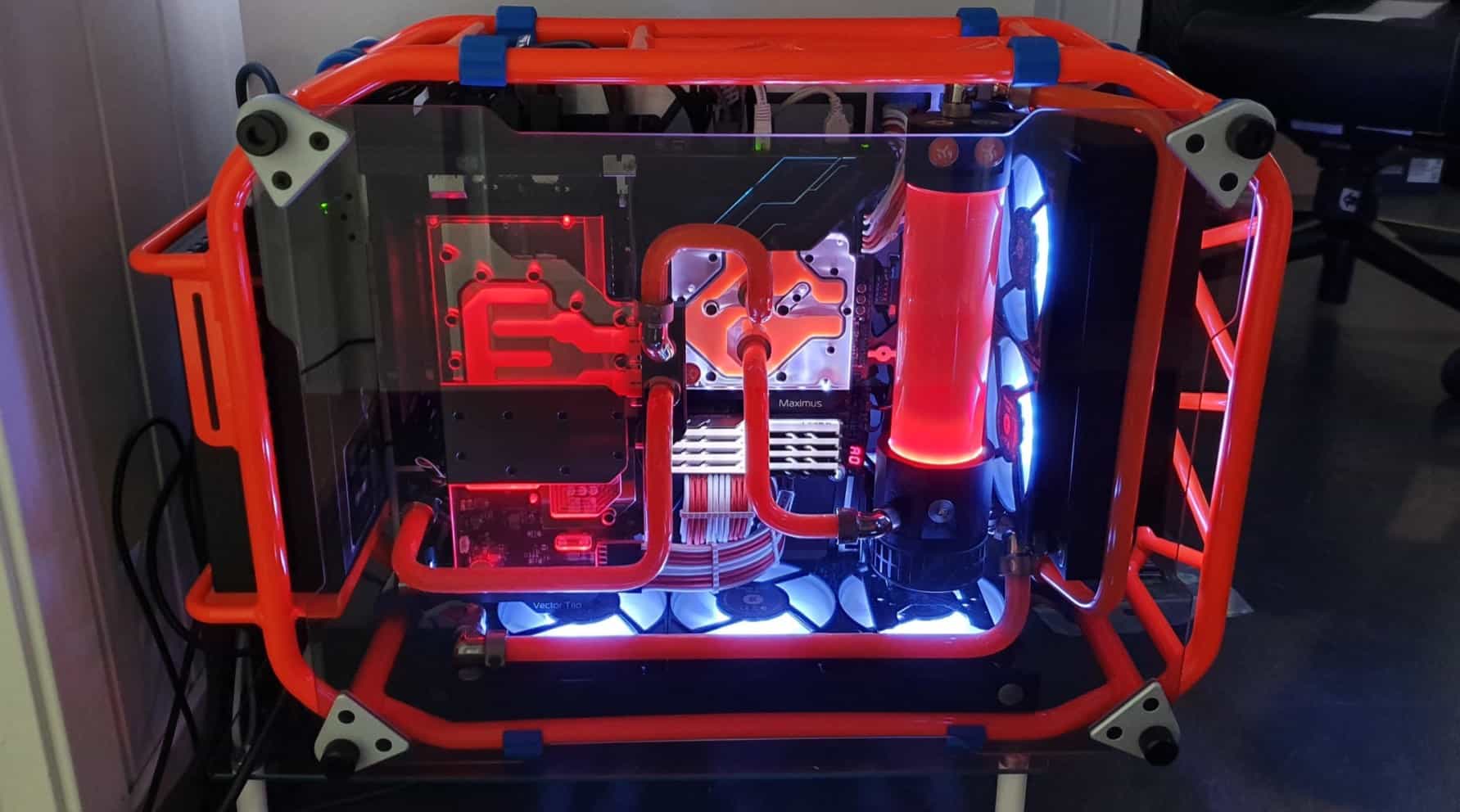
Picture of Kaelum Ross
Kaelum Ross
Kaelum Ross, BSc is the Lead Writer at What in Tech and a leading authority in PC hardware and software. With a career as a senior IT professional, Kaelum has led multi-million dollar projects covering everything from bespoke software development to complex Windows hardware upgrades. Today, Kaelum uses his expertise to serve What in Tech's readers and has been featured in numerous global publications including New York Magazine and Lifewire.

The Complete Guide to Motherboard Sizes – EATX vs ATX vs Micro ATX vs Mini ITX

Motherboard Size Guide

Motherboard Sizes - The Complete Guide

This feature was reviewed in January. The recommendations in the piece have been updated and the information has been fact-checked for accuracy in 2025.

Sizing up your motherboard is a big deal.

What is an ATX motherboard anyway?

Who wins in the battle between E-ATX vs ATX vs mATX vs mITX?

Whatever the question, we’ve put together this guide to explain the differences between motherboard sizes.

With this piece and our detailed feature on PC case sizes, you have everything you need to size up your next build.

Table of Contents

Motherboard Size Comparison Chart

Motherboard Sizes Comparison Chart

Note: Sizes are approximations, check product listing for exact dimensions

Form FactorProsCons
E-ATX • Best for the most powerful PC builds
• Up to Quad-GPU/8 x DDR4 RAM support
• Fantastic overclocking/cooling options
• Best for high-end, production, and servers PCs
• Most expensive
• Very large/bulky
• "Overkill" for many users
ATX • Best "all-round" option
• Plenty of GPU/hardware room
• Fantastic overclocking/cooling
• Lots of ATX case styles available
• Perfect for most gaming PCs
• Still quite large/heavy
• More expensive than Micro ATX
Micro ATX • Best budget motherboard
• Compact with stylish case options
• Dual-GPU possible
• Most have 4 x RAM slots
• Good part compatibility
• Dual-GPU setups may be hard
• Less cooling/overclock potential
Mini ITX • Smallest motherboard size
• Perfect for a portable build
(e.g. a VR demo / LAN party PC)
• Cheap motherboard/case options
• Most mITX cases look fantastic
• Single GPU build only
• 2 x RAM slots
• Limited space for other features/cooling
• Harder build due to size
• Effort needed to find parts that will fit.

Motherboard Sizes Explained

E-ATX Motherboard

The largest of the main types. An Extended-ATX motherboard is for builders focussed on building the most powerful PC possible.

This mobo form factor is designed to work alongside a full tower PC case, providing you with incredible space/features.

This often includes support for Quad-GPU builds and 8 RAM slots (which could achieve up to 256GB of memory).

Not to mention the breathing room to cool all of these components with immense overclocking potential.

E-ATX cases, with their massive size, will often be good for part compatibility (with many popular components being based around hosting ATX motherboards, cases designed to included EATX mobos can essentially fit things like most mainstream power supply units with more room to spare).

Perfect for very high-end enthusiast gaming & production (editing, rendering, etc), an E-ATX motherboard will open up some great utility with its large size.

Note that there are, of course, diminishing returns when building such a powerhouse.

If you’re the average gamer or don’t need the best PC money can buy, E-ATX is often going to be overkill (with SLI/Crossfire support becoming less common in games now).

The real benefits will be to those who can make use of the GPUs independently, like a high-end video editing or crypto mining rig.

The boards are very expensive and alongside an E-ATX case, are enormous. Make sure you have space.

That being said, if you care less about the budget and more about the most power possible, this is the size for you.

ATX Motherboard

The mid-tower motherboard. This motherboard form factor is what many would consider the “standard ATX” option and has reigned as the most popular size for a long time, and for good reasons.

When considering EATX vs ATX, sure the latter will have slightly less space for high-end desktop computers.

But ATX boards still have everything important to the majority of gamers/enthusiast builds.

Including support for 2-3 GPUs, 4 x DDR4 RAM, plenty of SATA ports, more than enough expansion slots, and their ATX case-counterparts come with plenty of decent cooling options.

Even if it’s not the best motherboard for overclocking (that belongs to E-ATX), it’s still a very close second and will achieve what most gamers need.

The other great advantage is due to the popularity, there are so many good ATX mobos and combos with CPUs available at competitive prices. You’re also best placed for part compatibility, with a lot of power supply options being sized with ATX PC cases in mind.

An ATX build is still going to be fairly big with limited portability. Bear that in mind if you’re building an on-desk setup.

But overall, if you’re looking for the best “all-round” option, an ATX build is the way to go.

Motherboard Sizes 2

mATX Motherboard

While ATX may be the most popular overall, Micro ATX motherboards have been giving them a run for their money in the last few years.

Why? Well, the quality of this small form factor has dramatically improved over the last several years for both Intel and Ryzen motherboards, and the pc case sizes it runs with are a nice balance between space and compactness.

With a majority now having 4 x DDR4 RAM slots, good SATA connector availability, and even 2 PCIe slots for a small SLI/Crossfire GPU build.

This is the smallest PC build you can create while still accomodating a majority of mainstream components.

Note that as we get to this size, running a dual-GPU build will usually get cramped and isn’t ideal.

It’s certainly possible, but the preference would be to stick to a single graphics card (with the utility to overclock).

As we discuss further below in our top picks, the Micro ATX motherboard size nails affordability.

If you want something compact/cheap but not so small that you have to be extra careful with your hardware choices, this is the pick.

mITX Motherboard

And then there are those looking for the smallest PC possible.

A Mini-ITX build is for those very focussed on portability or a compact style (e.g. LAN-party build, HTPC, or perhaps a streaming computer).

With such a tiny size, you’re of course compromising on feature availability.

Most Mini-ITX mobos come with 2 RAM slots (still providing up to 64GB), a single PCIe slot, and limited SATA ports.

The cases that support them are also on the smaller side. Leading to limited ventilation/cooling. You’re going to struggle with overclocking.

With this small size, you will need to pay more attention to the other parts you buy (most notably GPU/PSUs).

This can often include having to buy parts that are a bit more expensive (usually offset by the cheap motherboard and cases, however).

With all that being said, the convenience of a portable PC is massive and compact builds often look fantastic.

If this is what your heart is set on, don’t fret! You can build a great gaming computer on a Mini-ITX motherboard, and our guides on motherboard CPU combos/PC cases include ITX options.

How to Choose a Motherboard Size

Ahead of giving you our top picks, we’ve broken down the key criteria for what to look for in a motherboard.

Just know that not all these factors will be important to you individually (many people don’t need to worry about having more than a few SATA ports, etc.).

Don’t be overwhelmed by all the factors, just focus on what’s important to you, and check out our recommendations if in doubt.

Computer Case Size Comparison Chart

Form Factor / PC Case Size

Let’s start with an obvious one.

Whatever motherboard you pick, you want to make sure that you have an appropriately sized case to go with it (e.g. E-ATX case for an E-ATX motherboard).

Check out our joint-feature on PC case sizes if you want more info.

But in short, the type of motherboard you want will probably also guide the case size you need anyway (e.g. if you’re looking at a smaller motherboard, the case will have fewer hardware space/cooling options, but that’s the trade-off for portability).

CPU compatibility

Motherboard CPU CompatibilityAlthough not explicitly related to size, this one is worth covering as it’s one of the most important buying factors.

When purchasing a motherboard, make sure it’s compatible with the CPU you’re looking at.

Firstly there’s LGA vs PGA vs BGA.

There’s already good resource if you want the very technical explanation, but in short:

  • LGA is most common for Intel CPUs.
  • PGA is most common for AMD CPUs.
  • BGA is more for manufacturers and not worth considering for your individual build.

Note: this isn’t universal, you may (rarely) in the future see an AMD CPU on LGA – but this will usually be very clear in a listing.

The most common socket types right now are LGA 1200 & LGA 1700 for Intel, and AM4 & AM5 for AMD.

Intel LGA 1200 vs LGA 1700

LGA 1200 offers support for 10th and 11th Intel CPUs which, while still plenty powerful for most builds, are previous generation processors now.

LGA 1700 is the latest and greatest from Intel and uses 12th-generation CPUs, and if you’re building a new Intel personal computer, it would make sense to go for the latest socket/CPU range.

While the 1700 series is more expensive, there are now enough options that it’s even suitable to get one for a cheaper build (with 12th gen budget CPUs also available).

If your budget is VERY low, or you already have a 10th/11th gen CPU to use, then know that the LGA 1200 socket still has plenty of decent options that can host a decent PC.

There will be more terms in this area that will probably confuse you like Z370 vs z390 (which is mainly just a difference in wifi/USB compatibility).

Instead of learning every chipset (there’s a lot) – we’d recommend a beginner check the product listing to see.

We’ve only provided this info for the full picture. Once you’ve found the CPU you want, it’s pretty clear what a motherboard supports in the product listing like below:

CPU Chipset Compatibility Explained

This motherboard supports Intel 8000 and 9000 series, and there’s an LGA1200 version for the 10000 CPUs. The product listing will then talk about the kind of features included based on the chipset on offer.

Let’s take the LGA1200 motherboard just linked as an example; this model has a Z490 chipset, which will have features for enthusiasts like overclocking capabilities, high-quality ports/Wi-Fi, and good capability for M.2 storage).

Assuming you’re buying a popular motherboard/CPU combo, it’s usually really easy to find out if your desired CPU is supported with that motherboard, and what kind of audience it’s catering to by reading some of the product description.

PCI Slots

Motherboard PCIe SlotsPCI slots are what host your external components, the most common one being graphics cards (in PCI Express/PCIe slots).

The larger your motherboard size, the more PCIe slots you will (usually) have available.

An E-ATX motherboard, for example, will often have 4 PCI-e 3.0 slots, allowing for a 4-way GPU PC.

As we made clear in the EATX mobo section, however, more doesn’t mean better for gaming unless you’re a very high-end enthusiast who is happy tweaking things (or a production user/high-end editor). Most gamers will be fine with a board that has 1 or 2 decent PCIe slots (which a huge majority of motherboards have now, as most are catering to gamers).

Aside from GPUs, other PCI slots are often included if you have other focuses (e.g. installing a high-quality independent sound/network card).

Just know that you’ll usually have to put them in a place that blocks you from fitting an extra GPU if you are wanted to install multiple ones.

That’s the beauty of a large motherboard though. Not many people need 4 GPUs, so those PCIe slots can come in handy for other things if needed.

PCI-E x4 vs x8 vs x16

When looking at PCI-E slots you may notice the different numbers next to them (i.e. PCI-E 3.0 x4/x8/x16).

Putting it simply, a motherboard can only circulate a certain amount of data/bandwidth at a time.

So if you have a lot of PCI-e slots, some of them will be x4 – x8 which means they can’t output the same bandwidth as your main x16 slot/s.

But: There have been many benchmarks on what the performance difference is between these types.

The difference between PCIe x4, x8, and x16 is very minimal for performance/gaming.

We’re talking a couple of FPS in games.

This is because most GPUs don’t come close to actually requiring the x16 power that an x16 slot provides.

Whichever x type, you’re still going to be getting a majority of the card’s power overall. Although to state the obvious, your GPU is nearly always the component that should be in the highest bandwidth slot.

SATA Ports

Motherboard SATA portsLarger boards will often come with more SATA ports to allow you to connect more SSDs, HDDs, and optical drives.

For most gaming builds, you’ll have more than enough SATA ports for your requirements on most boards.

However, it’s worth checking if you’re purchasing an mATX / mITX motherboard to ensure you have enough.

It’s only if you’re building say, a video editing PC, or if you have other requirements that means you want to install a lot of storage/other components, should you be too worried about confirming these beforehand.

Miscellaneous

NVMe M.2 Storage

Motherboard M2 StorageM.2 storage is becoming increasingly popular over the standard 2.5″ SSDs / 3.5″ hard drives and worth your consideration if you’re all about speed.

It’s a type of solid-state drive that larger motherboards have become more compatible with over the last few years.

M.2 SSD vs SSD (2.5″) – An M.2 SSD installed via NVMe is around 5 times faster than a SATA-installed SSD.

Note that this is during benchmarking. In real terms to the user, this will likely be around 2-3 times faster (still nothing to complain about!).

These storage units are of course a lot more expensive (here’s our top pick) but run like a dream when you’re installing your OS and common apps on there.

If you like the sound of this, we recommend looking at an ATX or E-ATX motherboard.

You might be able to squeeze out the utility for an NVMe M.2 within mATX but it will likely mean the board is sacrificing bandwidth somewhere else.

Most motherboard listings will detail their support for this storage type so don’t fret about compatibility too much.

Just make sure to get an NVMe M.2 SSD (SATA ones perform similarly to a 2.5″ SSD) – here’s our top pick.

RAM slots

Motherboard RAM SlotsA majority of motherboards from E-ATX to Micro ATX will provide a minimum of 4 x DDR4 RAM slots.

The smallest form factor, mITX, tends to come with a maximum of 2 x DDR4 RAM slots.

In reality, this means you can still make a build with up to 32GB of storage which is plenty for gaming and most other functions.

A better motherboard can be beneficial for RAM as on top of having more slots, better motherboards tend to be more capable of working well alongside higher RAM speeds (though this is all mostly concerning to enthusiasts who want to mid-max performance; if you’re the average user getting confused, a mid-range motherboard will be more than powerful enough for gaming and more!).

It’s also nice to have RAM slot options as more RAM sticks are marginally more effective than overall storage (e.g. 4 x 8GB RAM is better than 2 x 16GB RAM for most users).

We wouldn’t worry about RAM compatibility too much unless you’re running some high-quality production/editing/streaming computer.

Gaming PCs won’t need more than 32GB for a while.

If you do have specialist requirements, high-end E-ATX/ATX motherboards include up to 8 RAM slots/256GB capability!

I/O Panel

Motherboard IO PanelThe features available in an I/O back panel will typically increase not just with chipset (which allows your mobo to support more inputs, e.g. USB 3.1 type C) but also the size.

E-ATX/high-end ATX motherboards often have a host of great ports available.

Smaller motherboards will usually have the standards though (some USB/audio ports) but check that your choice will have what you need, or you have a suitable extender.

Extra features

Finally, there are all the extra bells and whistles motherboards can come with.

The most common ones are:

  • Integrated sound card
  • Integrated network card (Wi-Fi/ethernet)
  • Integrated Bluetooth (if not, adapters are dirt cheap)

Typically, larger motherboards include more of these features as it’s easier for the manufacturers to add.

We would say it’s often preferred to buy a standalone sound card or network card if you have PCIe slot room (not essential if your budget is tight, though).

Even Mini-ITX boards can come with these features integrated, just know that you may not get quite the same quality as large integrations or standalone cards.

That being said for smaller builds, we’d recommend getting integrated versions of features you need where possible so you’re not having to use your very finite USB/PCI inputs.

Which Motherboard Should you get?

Best budget gaming motherboard

If your focus is on affordability above all else, go with Micro ATX.

While you may not get the same features as E-ATX/ATX you’re not going to need them for a cheap build.

Things like excellent cooling/space for multi-GPU builds aren’t so important for a cheap gaming PC where you should be focussing on 1 graphics card.

Micro ATX builds are the perfect balance between being small enough for good mobo/case affordability while not so small that you have to fork out more money/effort for “specialist” small parts.

Our best cheap gaming motherboard picks:

Best mid-range gaming motherboard

For most builders, the sweet spot is an ATX motherboard for gaming.

With all the feature a large majority of builders need, good space for parts/cooling in their compatible cases, and lots of choices, ATX mobos are perfect for most setups.

Even if you don’t need every PCIe/SATA/RAM slot, know that having an ATX case/motherboard gives your parts more room for ventilation (and makes the build process easier).

Our top picks for the best ATX motherboard:

Best high-end gaming motherboard/production PC

Now let us be clear: the options above will be enough for a majority of readers.

But, if you’re less concerned with budget and more with creating the most powerful PC you can, then you want to look at an E-ATX motherboard.

These will give you the most space and utility possible with no compromises made for compactness.

This is what makes them appealing not just for gaming, but for someone looking for the best production PC possible (video editing, rendering, etc).

Not to mention the large cases that come with the most room for cooling, drives, and ease-of-build.

In fact, even if you wanted an ATX motherboard for your high-end build (also doable), we’d recommend looking at E-ATX full tower (or “super tower”) cases for the best airflow/cooling options as long as you don’t mind the size.

Our top picks for the best E-ATX motherboards for gaming:

Best small motherboard for portable/HTPC build

Finally, there are those after the smallest motherboard for a portable build or HTPC.

It will come as no surprise that Mini ITX motherboards are the best option for you if this is what you’re hunting for.

Yes, as we’ve discussed, you’re losing out on some hardware compatibility and other features with a PC this small.

But combined with a high-quality case and some consideration for which parts you’re going to buy (ensuring they fit), you can still create a gaming PC capable of LAN parties or streaming.

Our top picks for the best Mini ITX motherboard:

FAQ

XL-ATX vs E-ATX?

XL-ATX motherboards are another form factor that traditionally are a similar width to E-ATX, but a bit longer.

We’ve chosen not to include them in our guide for a couple of reasons:

  • This size type is super uncommon and the options available aren’t great.
  • The use-cases are incredibly specific, given you can build anything from a powerful server to gaming PC on an E-ATX mobo, we’d wager XL-ATX isn’t necessary for anybody reading this.
  • Similarly to “full tower vs super tower”, XL-ATX is loosely defined and is a marketing term as much as it is a legitimate form factor. A lot of “extra-large motherboards” are E-ATX or even ATX anyway.

Short answer: don’t worry about Xl-ATX.

ATX vs BTX?

BTX (balanced technology extended) is a format that was originally meant to replace ATX (advanced technology extended) with superior cooling and other quality of life improvements for manufacturers/users.

However, with different mounting hole alignments and the need to develop different products to support them, BTX motherboards never took off, and are essentially redundant today.

Short answer: BTX is no more, go with ATX.

What is Nano-ITX?

Technically Mini-ITX isn’t the smallest form factor, Nano-ITX used to offer even smaller motherboards to build the tiniest PCs possible.

The key words there are “used to” however. Nano-ITX motherboards don’t exist in the mainstream in any capacity now; if you do see them, they are likely old, or not supportive of modern CPU/GPU/RAM hardware.

Short answer: If you want a small form factor motherboard, go with Mini-ITX.

What order should I pick PC Parts?

Reading this guide and the criteria for selecting a motherboard, you may be confused as to how you should build your PC (e.g. do you pick a compatible motherboard for your chosen CPU or vice versa?).

It’s a bit of a “chicken and egg” situation, there’s no “right” order to pick parts in.

But here’s the outline we would recommend for most confused builders (from first to last):

GPU – > CPU – > Motherboard – > Case – > RAM/storage/extras – > PSU

Don’t think that the above also represents the order of importance, a PSU is very important!

It can just make sense to pick it last once you know the power requirements of your PC/what size PSU will fit in your case.

What's Next?

About the author

Picture of Kaelum Ross
Kaelum Ross
Kaelum Ross, BSc is the Lead Writer at What in Tech and a leading authority in PC hardware and software. With a career as a senior IT professional, Kaelum has led multi-million dollar projects covering everything from bespoke software development to complex Windows hardware upgrades. Today, Kaelum uses his expertise to serve What in Tech's readers and has been featured in numerous global publications including New York Magazine and Lifewire.

The Full Guide to RAM Speeds: DDR4 2400 vs 2666 vs 3000 vs 3200 vs 3600 vs 4000 MHz

DDR4 2400 vs 2666 vs 3000 vs 3200 vs 3600 vs 4000

The Complete Guide to RAM Speeds

All the information and picks needed to find the best choice for your build

DDR4 2400 vs 2666 vs 3000 vs 3200 vs 3600 vs 4000

2025 update: We’ve updated this feature in January to cover some updated recommendations and minor information tweaks.

When you’re looking to build your PC and you’ve arrived at selecting RAM, it can feel overwhelming to know the right GB, MHz, and CL measurements for your needs.

This is why today’s What in Tech feature will be taking you through everything you need to know about RAM, from common speed versus speed questions and which spec matters most in your decision.

We’ve also included the best RAM choices available with different budgets in mind.

This is a long guide, the contents table below is your friend! Look specifically for the questions & recommendations that interest you instead of reading top to bottom!

Table of Contents

What is RAM Speed?

For the average PC builder, the capability of Random Access Memory (RAM) is measured by 3 key fundamentals: frequency, latency, and size (technically, size isn’t speed-related – but for the purpose of establishing what RAM is best for you, we’ll be covering it).

RAM Capacity / Size

RAM size is, as the name suggests, the overall capacity of the memory you’re buying. 4GB, 8GB, 16GB, 32GB and 64GB are the most common sizes right now.

Additional capacity means your PC will have the ability to run more programs simultaneously/switch between them more smoothly.

This is where the name “Random Access Memory” comes in. Your main storage (Solid State Drives, Hard Drives, etc.) are designed to offer much larger storage but are slower than RAM, which is why those drives are store your data and require a more significant loading time when opening them for use.

Once software/games/files are open, they then utilize your PC’s RAM, which is faster than your SSDs/HDDs, so that they can be “randomly accessed” quickly during use.

A common metaphor to explain the difference is that RAM size is almost like your desk, and the more capacity you have, the larger your desk is (meaning you can have more items in arms reach ready to quickly use).

While your hard/solid-state drives are the size of your shelves, drawers, and cabinets; these are used to store most of your items and take a little longer to take out for use on your desk.

Generally more RAM capacity is better, but there are diminishing returns (we’ll get back to that).

RAM Clock Speed / Frequency

Clock speed or frequency is a RAM’s MHz rating (nowadays, most RAM will be in the 2400Mhz to 4400MHz range).

Faster clock speed allows your processor to retrieve data located on your storage drives more quickly. Reducing the time it takes the CPU to access this data increases your performance in real-world scenarios and games.

Clock speed is measured in Megahertz (MHz) which indicates how many times per second your RAM can access its memory (as you probably expect, more is better, but we’ll speak further below about the sweet spot between price and utility).

CAS Latency

The last key part of the equation is Column Access Strobe or CAS latency (often just “CL”) which is integral in understanding RAM speed and often overlooked compared to a stick’s MHz rating.

CL indicates how long it takes your RAM to recognize a command/action (similar to how a monitor has latency between receiving your mouse click and outputting the result visually).

The latency is usually recorded by 4 numbers in the following format: 16-18-19-30 which represents the number of clock cycles it takes for the RAM to register a command. It is the first number from the 4 that is typically used to establish CL. Nearly all popular RAM today is between CL 12 & CL 18 (mostly CL14-16).

We talk more about how to balance latency and clock speed below. But to demonstrate why both are important, think about it: if you have very fast RAM, but the latency is high, it would be like gaming on a high-refresh-rate monitor but each of your actions takes a second to register (a dramatic example, but you get the point…).

DDR4 RAM Speed Vs 1

How much does RAM Speed Matter?

So, we’ve established at a high level what the integral parts of RAM are for your build.

But how much does RAM speed matter?

The short answer is that for business and personal use (web browsing, e-mails, basic software, Netflix, etc), you’ll likely be fine with any 8GB (ideally 16GB) RAM from a reputable manufacturer.

If you’re into gaming or plan on using your build for production work like video editing, game development, or rendering, then the speed can have a more notable impact.

How much does size matter for RAM – 4GB vs 8GB vs 16GB vs 32GB vs 64GB

Of all the specs, size matters the most.

So if your battle is faster RAM vs more RAM (i.e. CL / MHz vs GB), we’ll nearly always recommend the latter option.

That said, RAM size does have diminishing returns. 16GB or 32GB is what we recommend for most users, 8GB for tighter budgets, and 32GB or 64GB for high-end enthusiasts. Beyond that, there isn’t really much use (even 64GB is pushing past the realm of necessity unless you’re doing production work). If this sounds confusing, we detail the best RAM options towards the bottom of this guide.

How much does RAM clock speed matter?

Clock speed matters, but not as much as you may think.

You can build a powerful gaming PC with 16GB 2400MHz DDR4 RAM for instance (which is on the lower side of clock speed). Would it be better to have say, that 16GB of RAM at 3200MHz+? Absolutely! But it’s not a deal-breaker to have lower speeds if your budget is tight or you’re simply not bothered about fine-tuning potential performance/game FPS.

If you’re building a PC purely for basic business and personal use, we would suggest that cheap RAM will suffice for you as long as the size is large enough.

We do however see lots of unanswered questions from users around the difference between X MHz and Y MHz RAM. Which is why further below, you’ll find our comparison list as a quick guide to help you decide between two types of memory.

How much does latency matter for RAM

The most overlooked RAM speed factor, CL, is kind of like clock speed; it matters, but shouldn’t be a huge deciding factor in your PC building decisions.

A higher latency RAM (say, CL18) could still be perfectly decent if its other specs were around 16GB/3200MHz, RAM size is still the most important thing overall.

That isn’t to say that if you see CL12-CL14 RAM, you shouldn’t absolutely go for it if the other specs are decent (especially if you’re building a gaming PC or something for production work). But in the context of price/value, these low latency sticks are often 30%+ more expensive, which we can’t say is worth it unless you are trying to build the all-around most powerful computer possible.

DDR4 RAM Speed Vs 2

RAM Speed Comparison FAQ

DDR3 vs DDR 4 – How much faster is DDR4

DDR4 is essentially the next natural iteration from DDR3. With significantly great size capacity & higher clock speeds, 4 is notably faster in nearly every case (latency is slightly higher on 4, but is made up for with the other specs).

In nearly all cases today, we would say pick up DDR4 RAM. It is overwhelmingly what the current market motherboards/CPUs are best compatible with.

The right question isn’t really “is DDR4 worth it” anymore in terms of speed. Because of its widespread market adoption, prices on this RAM are great. You’ll typically be getting faster RAM with little consequence compared to DDR3.

The only scenario we see DDR3 as worthwhile today is if you’re building an ultra-cheap PC and have specifically found a motherboard/CPU combo that supports 3 and not 4 (we don’t like this from a future-proof perspective and would try to stick to 4, but it could make sense if you need to be as cheap as possible).

DDR4 vs DDR5 RAM?

DDR5 RAM offers 50-100% higher clock speed than DDR4, a slightly lower voltage, and individual RAM sticks that can go up to 64GB each (the max with DDR4 is 16GB).

This sounds great on paper. But at this time, these ultra-high clock speeds/sizes lead to huge diminishing returns in pretty much all PC activity (we talk more about this in our comparison of higher MHz RAMs further below) so in reality, that 50-100% “theoretical” performance increase may not be super noticeable unless you’re building a very high-end machine (and in nearly all cases, the money would be better spent on a better CPU/GPU).

As it stands right now, I would recommend focusing on whichever DDR fits yours motherboard and budget, DDR5 would be great for a high-end build, but even then, a decent DDR4 set would still be more than enough for basically everyone.

What RAM Speed should I get?

The million-dollar question! Unfortunately, the answer isn’t clear-cut, as it depends on your budget and requirements.

A reasonable rule of thumb is to commit to at least 16GB RAM size-wise. Then from there, try to aim for a balance between CL/MHz between CL14 2666MHz & CL16 3200MHz.

To make it easier for you, the bottom of this guide details the best RAM picks today. If you want more autonomy on your choice, we’ve built the RAM speed quick-reference list further below too.

More RAM vs Faster RAM (Size vs MHz/Latency) 

We’ve touched on this already, but it’s worth re-iterating: size is way more important than MHz & latency for nearly all users.

As an example, 2400MHz 16GB RAM will be better than 3200MHz 8GB RAM. The only time we’d pick MHz/latency improvements in this kind of bracket is if your remaining budget can’t jump up to a larger size, but could be squeezed slightly further to accommodate faster sticks.

The other exception to this rule is if you’re buying very large RAM. If you have 32GB in memory, we can’t imagine more will be required for a long time (unless you’re creating a very high-end production machine). At this point, if you still have the budget, it will be usually better to focus on faster 32GB RAM than slower 64GB+ memory.

MHz vs Latency – which is more important for RAM speed?

The difference between MHz and CAS latency value is a difficult question as the best approach is for there to be a balance between these 2 factors (instead of very fast frequency/slow latency or vice versa).

The “sweet spot” for most users today (particularly gamers) with the price in mind is around CL14 2666MHz to CL16 3200MHz.

Now you can fall outside of these balances (e.g. plenty of RAM sticks offer CL18 latency but make up for it with significantly more frequency or lower prices) but we would use that range as the rough spot to go in unless you’re building something high-end and are trying to get extra-low latency and high MHz.

RAM Speed Importance for Intel vs AMD

The main function of RAM speed is to empower your CPU and its ability to retrieve/store randomly accessible data easily.

So your CPU is indirectly an important factor in deciding how much to invest in RAM speed. For example, if you’re buying a high-end CPU, you’ll achieve more value from spending extra on fast RAM (as lower speeds can bottleneck certain CPU operations).

When it comes to the Intel vs AMD builds, it’s complex as the impact on speed depends on the chipset & model version. But as a (mostly reliable) rule of thumb: AMD CPUs/builds benefit more from better RAM speeds than Intel due to the way its memory controllers operate.

This is not to say RAM speed doesn’t matter for Intel CPUs however. We’ve seen many RAM benchmarks show games and various software processes perform notably better with higher frequency/lower latency memory on Intel chipsets.

CL 12 vs CL 13 vs CL 14 vs CL 15 vs CL 16 vs CL 17 vs CL 18

Our comparison list just below focuses on the difference between MHz as we often see reader questions specifically asking about the frequency differences.

But as made clear in this guide, latency is as important as the frequency in deciding RAM speed. 

For example, the difference between CL14 and CL16 is usually more significant than the difference between 3000MHz and 3200MHz. But focussing all on latency (or all on clock speed) introduces diminishing returns, which is why considering both factors is important.

Unfortunately, it’s not a simple balancing act between the two measurements, as you’ll often see companies sacrifice low latency for high speed, or charge a lot more to ensure both specs are good.

We’ve detailed some of the best RAM available today at the bottom of this guide to make it easier for you. But if you do want to decide yourself, we would try to stick to the previously mentioned “sweet spot” of between CL14 2666MHz to CL16 3200MHz for mid-range builds, or you can seek faster/lower latency sticks if you have the budget.

DDR4 RAM Speed Vs 3

RAM Frequency Comparison Quick Reference List

RAM Frequency/Speed Comparison Chart (How to use)

We appreciate that despite all the info/FAQ answers above, many manufacturers produce things in a large array of different frequencies/MHz and you may be struggling to choose between 2 or 3 narrowed options.

We’ve created the below reference list as a quick guide to help you on the most common user head-to-heads based on RAM speed benchmarks.

Don’t feel the need to read every one of these – it’s just for quickly assessing the difference between speeds if you have 2 in mind!

CL / Timing vs MHz / Frequency

The below list assumes that every RAM stick you’re looking at is the same CAS Latency. 

It’s important to note that for computer processes (especially games), while higher RAM frequency and lower CL timings are always better, there is usually a “sweet spot” for mid-range budgets, otherwise, you risk buying RAM sticks with high speed but high CL timings (or vice versa).

For example, CL14 3200MHz RAM would be better for gaming than CL16 3600MHz RAM, so make sure to balance picking between both.

If that sounds complex, don’t worry! Just below the comparison list, we’ve included the best RAM choices depending on your budget level.

RAM Frequency Comparison List

DDR4 2400MHz vs 2666MHz

2666mhz will provide a slight improvement over 2400mhz (particularly in AMD builds).

For gaming, this will translate to a couple of extra FPS in some CPU-intensive titles (i.e. only go 2666MHz if it’s close to the same cost).

DDR4 2400MHz vs 3000MHz

The speed difference between DDR4 2400MHz and 3000MHz still won’t be huge for a lot of gamers/other users but will be a fair bit more noticeable than 2666MHz.

Providing the RAM you’re eying has good latency (and size) you can expect 3000MHz to be the better choice if the price is only 0-10% extra.

DDR4 2400MHz vs 3200MHz

3200MHz RAM is a popular speed for many gaming RAM manufacturers. Combined with a good latency, this will often be a happy medium to ensure you don’t bottleneck a mid-range CPU motherboard combo.

2400MHz would be fine for cheaper builds but we’d recommend 3200MHz if your budget can accommodate it.

DDR4 2400MHz vs 3600MHz

If you are getting a high-end CPU, we’d recommend going with at least 3600MHz to ensure the RAM isn’t indirectly bottlenecking the performance during any processes.

If your budget is tight, you’ll be better off with 2400MHz and spending your money on at least 16GB of RAM size.

DDR4 2666MHz vs 2667MHz

The difference between DDR4 2666MHz and DDR4 2667MHz is non-existent. This is simply a marketing term used by companies who round up/down differently.

Buy whichever one is cheaper (assuming size/latency are the same).

DDR4 2666MHz vs 2933MHz

You may achieve an extra couple of FPS in games that are heavy on CPU requirements, but for the most part, there won’t be much difference between 2666MHz and 2933MHz.

2933 MHz also isn’t as popular for RAM manufacturers so we’d expect 2666 MHz to be more cost-effective (or if you do want higher, look at 3000MHz).

DDR4 2666MHz vs 3000MHz

Similarly to 2666MHz vs 2993MHz, the difference in speeds isn’t wide enough to be that noticeable so only pick up 3000MHz if it’s very close in price or you are keen to min-max gaming FPSs (if that’s the case, you may be better with the higher speeds further below).

DDR4 2666MHz vs 3200MHz

RAM speed increase of 3200MHz over 2666MHz will be a little noticeable/may achieve a few extra FPS on CPU-heavy games (or improve runtimes during certain processes, particularly for high-end processors and especially AMD Ryzen CPUs).

DDR4 2933MHz vs 3000MHz

While the difference between 2933MHz and 3000MHz isn’t non-existent, it’s pretty close to being completely meaningless for most builders (almost certainly <1 average FPS increase in all games at the most). We’d go with whatever sticks are cheaper/have better latency. 

DDR4 3000MHz vs 3200MHz

You can expect a slight, modest speed increase when comparing the difference between 3000MHz and 3200MHz RAM, but don’t expect this to be more than a couple of FPS extra in processor-heavy games. So stick to whichever one is cheaper if all other specs are equal.

The one other thing to point out is that 3200MHz is a little more popular for RAM brands to produce, so your options might be better/more cost-effective.

DDR4 3000MHz vs 3600MHz

With a 20% MHz increase, at this point, you can expect the difference between 3000MHz and 3600MHz to be a little noticeable, albeit not essential if the 3000MHz RAM is notably cheaper (10% or more).

We like speeds of at least 3600MHz if you’re purchasing a high-end CPU (especially Ryzen/AMD) because these can occasionally be bottlenecked by lower frequencies in some operations (but we are min-maxing here, 3000MHz will be fine for most people).

DDR4 3000MHz vs 4000MHz

Is 4000MHz worth it over 3000MHz? Well, you can expect a nice performance jump in a lot of work-related processes (think rendering, editing, and other high-end production).

For gaming, RAM speed benchmarks tend to show around a 5% average FPS increase between these two frequencies. This is a nice jump, but if an FPS increase is your only focus, then the price difference may not be worth it. 3000MHz is enough for gaming on a budget/mid-range build.

DDR4 3000MHz vs 4400MHz

With nearly 50% extra frequency, there are certainly some notable improvements between these two frequencies. While you can expect a good performance increase in games (5% or so for many titles), the real value of going beyond 4000MHz will be in other processes like video editing and rendering.

But in real-world terms, we know a reader’s real question will usually be “is 3000MHz RAM good enough for gaming”. And the short answer is yes, you’ll likely see diminishing returns cost-wise unless you’re running a high-end processor; so 4400MHz will not be worth it for budget/mid-range builds unless the cost is similar (if you want higher 3600MHz-4000MHz will give you similar gaming results).

DDR4 3200MHz vs 3600MHz

If possible, we’d recommend at least 3600MHz if you are doing some high-end production work (rendering, video editing, etc.) and are invested in the time processes take.

For gaming, 3600MHz may be slightly better for CPU-intensive games, but not particularly notable (i.e. not worth paying more money for if FPS is your only focus as we fine 3200MHz is often the best value for RAM).

DDR4 3200MHz vs 4000MHz

Similarly to the difference between 3000MHz and 4000MHz, you can expect something close to 5% increase in many CPU heavy games, whether you think this is worth it is really down to your personal opinion and the price difference (we will say that 3200MHz is the most popular RAM speed today, so often has some good offers from big RAM manufacturers).

The real value for most users will come from if they do high-end work on their setups like video editing and other production. Unless you’re building a premium gaming PC, we don’t think the difference will be too important here.

DDR4 3600MHz vs 4000MHz

As discussed in earlier speed comparisons, RAM speed benchmarks for 3600MHZ, 4000MHz, 4400MHz, and beyond have shown that there begins to be diminishing returns for gaming.

If you have a high-end CPU (especially Ryzen), then you may get your money’s worth, but otherwise, we’d only recommend 4000MHz+ for video editors and intense computing.

DDR4 3600MHz vs 4400MHz

For gaming, the difference between 3600MHz and 4400MHz is small for most titles as there is diminishing returns at this frequency level for most titles (the only exception being if you’re running a very high-end AMD CPU to avoid any slight bottlenecking) therefore we’d only say 4400MHz is worth it if you are focussed on making your high-end production/editing work more efficient.

DDR4 4000MHz vs 4400MHz

We wouldn’t consider the difference between 4000MHz and 4400MHz RAM for gaming important (unless you really want to future-proof RAM, but we’d say it would be more cost-effective to buy cheaper and upgrade to DDR5 when it is popular in a few years).

For video editing, rendering, and other production work, you can expect to see a little jump in performance and it may be worth it if the price increase is in the realm of 10-15%.

DDR4 4400MHz vs 4600MHz

A difference of less than 5% frequency at these high levels is really not that integral to any performance, whether you’re building a gaming rig or a high-end production setup.

4600MHz is only worth it if it is very close to the same price as the 4400MHz sticks.

DDR4 RAM Speed Vs 4

The Best RAM for Gaming and Other Builds

Feeling overwhelmed by all of this detail? Don’t worry, here’s our quick list of the best RAM picks available today for varying budgets.

CORSAIR Vengeance DDR5 RAM 32GB

Best Overall RAM: CORSAIR Vengeance DDR5 RAM 32GB

Great value, decent speeds, good size and from one of the best RAM brands, this Corsairset ticks all the boxes we think a gaming (or mid-range production) PC will need.

Corsair VENGEANCE LPX DDR4 RAM

Best Budget RAM: Corsair Vengeance LPX 16GB

At a very impressive value point, this Corsair RAM will suit most gamers on a budget who will be better placed spending extra on more expensive GPU/CPUs where possible.

CORSAIR VENGEANCE RGB DDR5 RAM 64GB

Most Powerful RAM for High-End PCs: CORSAIR VENGEANCE RGB DDR5 RAM 64GB

At an impressive 6400mhz, CL30 with 64GB of size, the Vengeance is a fantastic offering for high-end gaming or production builds.

Yes, you can get technically do better than this, but diminishing returns will start to kick in more dramatically, our pick is based on still providing decent value despite this being an expensive set of memory.

V-Color DDR4 8GB

Cheapest RAM: V-Color 8GB DDR4 RAM

Technically you can go cheaper with 4GB, but even if your build is just for business and personal use, we would recommend this great-value V-Color 8GB RAM as a minimum.

Being a single stick, you’ll also have the opportunity to add a second 8GB piece at a later date. Even at its small size/slightly lower speed, this memory will get a budget gaming build off the ground (if you’re very tight on money, it’s probably going to be best to invest in a better CPU/GPU and upgrade your memory later).

Final Word

We’ve been over a lot of queries in this feature, and appreciate that learning about how to compare MHz, latency, and GB speeds can be a lot to take in.

So while we did make this guide to inform readers and give you the ability to maximize value from your RAM purchase, we’ll reiterate: the most important aspect is size.

If you buy one of our top picks above, or pretty much any DDR4 16GB+ RAM set, you will still get decent performance. So hopefully you’ve got what you need to know, but if RAM speed stresses you out, go with one of our recommendations or pick a popular 16GB gaming RAM choice, and move on to stressing about GPUs, CPUs, motherboards, and PC cases instead!

What's Next?

About the author
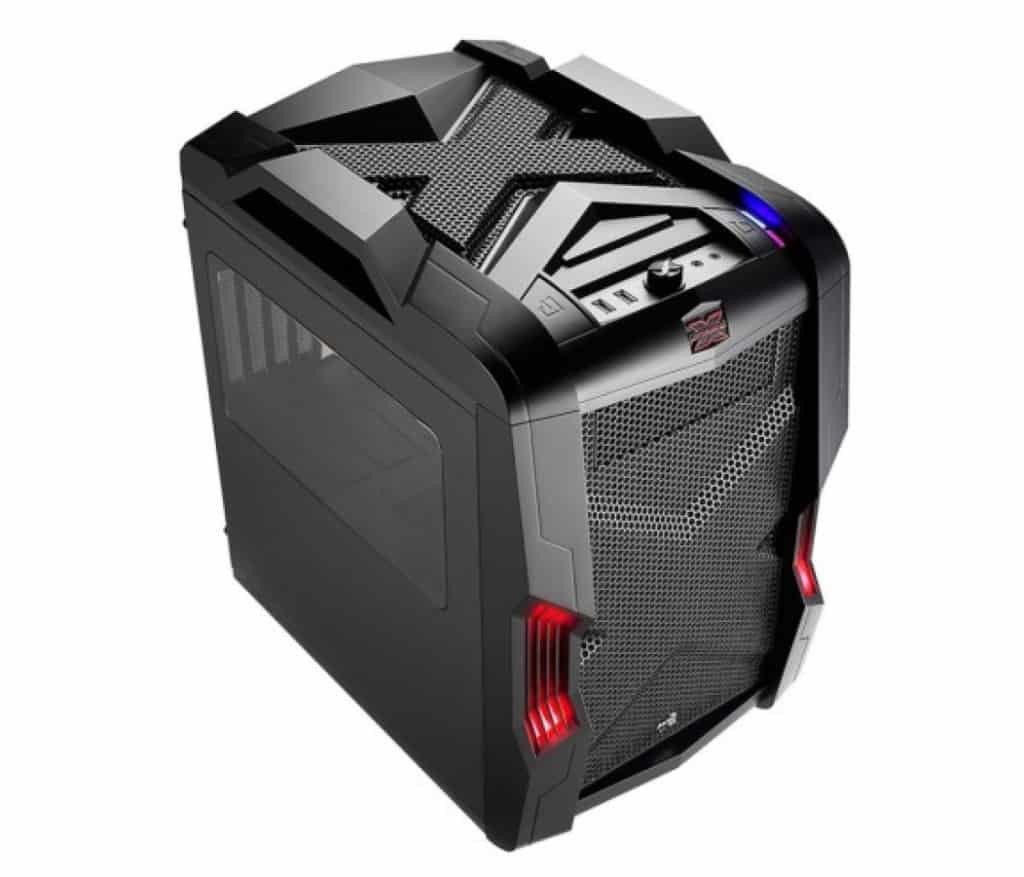
Picture of Kaelum Ross
Kaelum Ross
Kaelum Ross, BSc is the Lead Writer at What in Tech and a leading authority in PC hardware and software. With a career as a senior IT professional, Kaelum has led multi-million dollar projects covering everything from bespoke software development to complex Windows hardware upgrades. Today, Kaelum uses his expertise to serve What in Tech's readers and has been featured in numerous global publications including New York Magazine and Lifewire.

The 5 Best Gaming PC Bundles of 2023

Gaming PC Bundle

The 5 Best Gaming PC Bundles of 2023 (With or Without Monitors)

Gaming PC Bundle

I have significantly updated this article in 2023 to cover the release of new 4000-series GPU PCs. Now’s a great time to buy, with these GPUs set to be the best on the market for some time.

Right now, Skytech has particularly impressed us across most budgets. They’ve been offering great pre-built PCs at a reasonable price while still retaining good build quality, which is why they dominate this list for recommendations.

If you’re looking for a new personal setup or buying a gift for someone, there are some really great offerings out there for a pre-built PC gaming bundle.

With that in mind, today’s feature will take you through my reviews and rankings of the best combination of gaming PCs & monitors available today.

I’ve separated the monitor picks from the main PC/peripherals bundles because 1. I know some of you may not need a new display and 2. monitors are nearly always better value when bought independently (plus if one is out of stock, there are other options available on this list as back-up).

Nearly all of the PCs below come with a mouse and keyboard, but we’ve listed some alternatives at the bottom of the article too should you want other options.

1

Skytech Archangel Formatted

Overall Best Gaming PC Bundle

Skytech Archangel RTX 4060 Ti

Dell S2721HGF

+ Dell S2721HGF

Our Rating: 10/10

2

Skytech Shadow RTX 3050

Best Gaming Bundle Under $1,200

Skytech Shadow

Acer SB220Q

+ Acer SB220Q

Our Rating: 9.25/10

3

Skytech Azure Formatted

Best RTX 4070 Gaming PC Bundle

Skytech Azure 4070 Ti

LG 32GK650F-B

+ LG 32GK650F-B

Our Rating: 9/10

4

Skytech Azure Formatted

Most Powerful RTX 9080 Bundle

Skytech Azure 4090

Dell S-Series S2719DGF

+ Dell S-Series S2719DGF

Our Rating: 9.75/10

5

Alarco GTX 650

Cheapest Gaming Bundle under $650

Alarco GTX 650

ViewSonic VS2210-H

+ ViewSonic VS2210-H

Our Rating: 8.5/10

Skytech Archangel Formatted
Dell S-Series S2719DGF

Overall Best Gaming PC Bundle: Skytech Archangel RTX 4060 Ti & Dell S2721HGF

Ranking as the best gaming desktop on multiple What in Tech features, this Skytech Archangel model ticks all the right boxes we think a mid-range buyer will be looking for.

Lead by the fantastic RTX 4060 Ti, your gaming setup will have the best value GPU in 2023, with more than enough capability in managing decent settings and framerates for all current titles (including Cyberpunk 2077/Red Dead Redemption 2/Elden Ring) and will undoubtedly be capable of playing games well for the next few years.

If you’re a fan of e-sports like Fornite, CS: GO & Overwatch (or slightly older popular titles like Minecraft & Fallout 4) you can be sure to run most of these types of games at stupidly high framerates, even with max settings.

Working with the RTX 4060 Ti is a Core i5 12400F, 16GB DDR4 RAM & a 1TB NVMe SSD. These are great specs to work alongside the GPU. Let me make one thing clear; you can find many other 4060Ti gaming PCs on Amazon, some cheaper than this, but many will come with gaps that will bottleneck your performance.

I love the Archangel because it’s well-rounded and very impressive for the price with all specs considered; yes the GPU is where most of the budget goes to, but it’s not severely hindered by any of the other hardware.

All housed in a gorgeous cash with 4 attractive RGB fans, the cooling is decent and the full setup looks fantastic (especially when powered on, stock photos never do these machines justice!).

Alongside the PC an included RGB gaming keyboard and mouse. While these won’t be the same quality as say, a Logitech or Corsair product, they add excellent value for a gaming setup.

Tied to this gaming PC bundle is the fantastic Dell S2721HGF 144hz screen (don’t worry, the display is a lot better than the model name!).

While you can purchase a cheaper 60hz 1080p screen if desired (like the monitor in our pick directly below), we think that if you’re purchasing the Shiva, having a monitor with a high refresh rate will make your gaming experience so much better. With a 1ms response time and a gorgeous 1500R curve, the monitor will be perfect for esports and competitive gaming (27″ is a perfect size for most setups too, you can choose a 144Hz 24″ screen if you need to save a little more money).

Important note on monitors: While the Dell pick is our go-to best value for this gaming bundle, we’d recommend having a quick look at other 144hz monitors in case any are notably cheaper because it’s not uncommon to see them on a large discount (look out for low MS response time & a reputable brand).

I’ve included some more expensive options below that would be fantastic if you can stretch further, and some cheaper ones if this isn’t realistic for you. But with that said, I think the Shiva + Dell combo package represents the best sweet spot between price and quality on the market.

2023 update: The Archangel replaces our previous top pick, the Skytech Shiva. It’s a big upgrade from 6 months ago and a great time to buy a PC in this price range.

Our Rating: 10/10

Skytech Shadow RTX 3050
Acer SB220Q

Best Cheap Gaming PC Bundle under $1,200: Skytech Shadow & Acer SB220Q

While we would push our readers to at least go for our top choice in terms of the price range for a gaming PC package, we appreciate some of you will be looking for cheaper options.

Our favorite one for those around the $1200 point is this Skytech / Acer combo. Lead by an RTX 3050 graphics card, I love that this machine still manages to boast a 3000-series card at this price. You’ll still manage plenty of decent performance in the latest games (including Cyberpunk 2077, benchmarks suggest similar systems can achieve 50-60fps with medium settings) and a computer that will continue to do so for a good amount of time in the future.

With a Ryzen i5 10400F, the CPU is a little underwhelming. But I think this is to be expected as the budget for the PC went mostly to the RTX 3050 (this is a good decision for budget gaming where the GPU rules the roost). The 10400F does still pack enough punch to not be an alarming bottleneck.

With 8GB of DDR4 RAM, you have enough for now. But in the future, we would definitely recommend upgrading to 16GB (don’t worry, even if you didn’t want to build a PC, adding extra RAM is one of the easiest parts to install).

Another area I’m super impressed over is the inclusion of a 1TB NVME SSD. Storage is usually one of the first areas a manufacturer cheaps out and I find this so annoying. Let’s be real; games can often be 100GB-200GB in size, and you need a decent amount of space. So while we recommend the RAM upgrade, take solace in knowing you have a decent storage off-the-bat (but plenty of space to upgrade further too, if needed).

With an attractive RGB case and a decent provision of cooling, everything else about this gaming computer bundle checks out. Including the added LED gaming keyboard and mouse which are great for a budget setup.

Alongside this bundle, we recommend the Acer SB220Q monitor. This is one of the cheapest Full HD monitors that still offers a decent picture for gaming (with an IPS panel and 4ms response time, the colors and low input lag are great for gaming at this price range). 

We love that even at its low cost, this screen still has a solid build quality; with good tilt/maneuver options (many more expensive monitors don’t include such features!).

Overall, if you can’t stretch to our top pick and want the best budget gaming PC package at an incredibly low $1200 price range, you’ve found it!

2023 update: While this bundle is still great for the price range, if at all possible I would recommend forking out the extra $200-300 for out top pick as the jump to a 4060 Ti is well worth the extra cost. If you can’t, there is another version of the Shadow with 16GB RAM and a 3060 GPU which sometimes goes on sale for around $999; that’s a great pickup if you’re lucky to find it at that price. But if not, don’t worry, the Shadow RTX 3050 edition is still a great bundle.

Our Rating: 9.25/10

Skytech Azure Formatted
LG 32GK650F-B

Best RTX 4070 Gaming PC Bundle: Skytech Azure RTX 4070 Ti & LG 32GK650F-B

Now, for those with a decent mid-range budget that want something notably powerful, this Skytech Azure model is a beast of a pre-built gaming desktop package.

While our top pick is a great offering, the Azure is a great increase in capability if you can afford it. The RTX 4070 Ti is one of the most sought after GPUs on the market right now. Between this GPU and the Azure’s other improved specs, you can expect a fantastic performance across gaming and general use (it’s worth noting that diminishing returns kick in when you purchase a more expensive PC, but the 4070 Ti is a nice balance).

Working alongside the GPU is a Ryzen 7 5800X, 16GB DDR4 3200MHz RAM, and a 1TB NVMe SSD. The storage, in particular, is a great addition. With enough space on ultra-fast NVMe for your OS, favorite files/software and games. And like our top pick, you have the option to add more RAM/storage in the future easily if needed (but you likely won’t need to for a long time).

With these specs, you have fantastic capability for a 4K gaming PC setup. With modern games capable of running at these high resolutions/framerates (even for many brand new titles, you can expect to hit 1440p 144hz with max settings, you’ll still have excellent performance and plenty of capability for raytracing/something that is decently future-proofed for the next several years).

Everything is housed in another beautiful Azure case with decent cooling and a gorgeous aesthetic. I expect the included gaming keyboard and mouse won’t be quite up to standard with the expectations of gamers at this budget, but I’ve included some premium keyboard/mouse combos at the bottom of this page if that sounds like you.

To go alongside this powerful gaming package, I’ve chosen the LG 32GK650F-B 1440p 144hz monitor.

If you’re tight on budget, you could pick up the 144hz 1080p monitor from our top pick, but I really think that having a QHD resolution alongside a high refresh rate is what will make this setup extra special. With a huge 31.5″ screen, fantastic 1ms response time, and a decent picture, this LG monitor will serve well for either immersive gaming, or someone focused on a high-paced competitive e-sport that demands fast reaction time. I was really impressed at how beautiful both the screen and build quality were of this particular screen in person. It’s certainly a premium display in every sense.

The RTX 4070 Ti is an amazing card and we’re pumped to see a setup at this price that doesn’t skimp in any area significantly. This feels like a complete gaming bundle for someone serious about a long-lasting system.

2023 update: The Azure replaces our previous top pick. Last year, the same price got you a 3070, so for the same budget to get you a 4070 Ti build is a great sign of the value on display here!

Our Rating: 9/10

Skytech Azure Formatted
Dell S2721HGF

Most Powerful RTX 4090 Gaming PC Bundle: Skytech Azure 4090 Edition & Dell S-Series S2719DGF

This pick is for those after the most powerful PC money can buy. Full disclosure; there are technically PCs that come with more bells and whistles for a higher cost, but I’ve chosen the pick that is top-range, without going into rip-off territory.

At the forefront of this PC’s great specs is the
monstrous RTX 4090 GPU. This is  the best gaming graphics cards on the market today.

Alongside the GPU is a Intel Core i9 13900K CPU, 64GB RAM & a 2TB NVMe SSD. These are simply incredible specs; some other manufacturers offer a 4090 pre-built PC at similar pricing with weaker CPUs and less storage/RAM, but Skytech has nailed the specs here, all of these accompany a 4090 perfectly for maximum performance.

With this system, you can expect to achieve excellent settings and framerate in any game and that will last well into the future. This is an excellent PC gaming bundle for people focussed on high refresh rate 4k.

With a well-ventilated case, the system looks fantastic and also includes some RGB lighting.

Included in the package is an RGB gaming keyboard and mouse. We will say at this price point, although this kit will be perfectly serviceable (and we recommend trying it before judging), we expect users would prefer the Corsair/Logitech combo we’ve included at the bottom of this page.

To work alongside this powerful pre-built RTX 4090 gaming PC setup we recommend the Dell S-Series S2719DGF as a suitable premium monitor to take advantage of a high refresh rate and 1440p gaming.

This is a gorgeous monitor with a 1ms response time, 350-nits & up to 155hz (overclocked, 144hz by default). Even with a VA panel, the display looks sharp and is fantastic for high-end gaming.

Appreciating that some gamers will want to be playing at 2160p, there is a couple of 4K monitors you can go for. Either this Philips screen for a more reasonable budget or this impressive VIOTEK display for 4k & 120hz. These will also be great choices; or if you want an even higher refresh rate, you can check our other feature on the incredible emerging 1440p 240hz monitors.

Overall, if you’re looking to have one of the most powerful pre-built PC combo possible with the capability to last many years into the future, I think this Shiva setup is pretty unparalleled (without going into ridiculous budgets).

Our Rating: 9.75/10

Alarco GTX 650
ViewSonic VS2210-H

Cheapest Gaming PC Bundle under $650: Alarco GTX 650 & ViewSonic VS2210-H

Let me be clear; I would strongly recommend investing in at least the $1200 gaming bundle above because once you get much further below that price-wise, the options become very limited.

With that said, we appreciate some readers will be looking for the cheapest pre-built gaming PC bundle possible (that we can still actually recommend to play some games).

If that sounds like you, the Alarco GTX 650 is your best option and would be a good gaming PC bundle for kids/beginners.

Quick note: we’re reviewing this PC based on a price of $550. If it fluctuates well above that, it is probably instead worth waiting to save for our more expensive picks.

With an Intel i5 3.10GHz, 8GB RAM, and a GTX 650 GPU, you still have a budget PC here capable enough to decently play Fortnite, Overwatch, CS: GO, Minecraft, and other older titles (with some framerate or setting compromises). We wouldn’t recommend this PC if you’re trying to play any newer titles like Cyberpunk 2077 or Red Dead Redemption 2 however.

Another potential idea with this build is that you can treat the current specs as a base, something to set you up for the short-term, with the option to upgrade to a better GPU when budget allows.

On top of light gaming, this machine should still be fine for personal use, business use, and internet browsing/Netflix.

One thing that is pleasant to see here is the inclusion of its 1TB HDD, Alarco could’ve easily shortchanged this build with a 512GB drive, but 1TB should set up budget gamers for a long time. On the other hand, seeing a hard drive-only build in 2022 is certainly disappointing; if you intend to upgrade anything (other than the GPU), we’d suggest buying a small SSD that can run the operating system.

Even with the price so low, you’re still getting a wi-fi-enabled motherboard, Windows 10, and decent USB port availability. 

One important omission on this choice is that it does not come with a keyboard + mouse like our other top picks. Again, in the spirit of tight budgets, it may be more prudent to reuse a mouse and keyboard you already own, if that isn’t doable, you can check out our cheapest control combo at the bottom of this article

We appreciate that the case comes equipped with a decent aestehtic and 3 controllable RGB fans, the cooling in here isn’t anything to shout about but relative to the price? It’s a pretty impressive setup.

To compliment this PC, we think the best monitor for you would be the ViewSonic VS2210-H.

This is the cheapest 1080p IPS monitor right now. Yes, while you could go cheaper and get a 720p monitor, we really don’t recommend this. These monitors are only a little cheaper and look significantly worse in gaming and general use.

The ViewSonic, for its low budget, has an impressive picture. And with the Alarco ‘s ability to play older games on FHD, we think you’ll be pleasantly surprised as long as you can keep your expectations measured for such a cheap build.

All in all, while it’d be great if you can budget for our other picks, we understand that isn’t always possible. And for playing older games, the Alarco still has a lot going for it. This is easily the cheapest gaming package we’d recommend.

2022 mid-year update: In terms of the monitor pick, we’ve been seeing lots of variability on pricing at this very budget range. Instead of going for this specific pick, we’d recommend doing a product search for “1080p monitor” and looking at what is on sale; if your budget is tight, we would say get the cheapest 1080p monitor that is large enough for your needs (typically 22″+).

Our Rating: 8/10

Alternative Gaming PC Accessory Combos

The above pre-built gaming PC combos all come with gaming mice and keyboards, but if you were looking at this list specifically for just accessories, we’ve included some extra options below.

Additionally, the final option is for those who may want something a little more premium when purchasing the above setups.

Best Gaming Accessories Bundle with Headphones: Orzly 4 in 1 Package

Coming in at a super impressive price-point is this Orzly bundle that includes a well-received pair of budget headphones (you’re, of course, not going to get what you can expect from an audiophile pair, but still great for a cheap gaming package).

Cheapest Gaming Accessories Bundle without Headphones: Havit Package

What’s extra impressive about this Havit keyboard/mouse combo is that the keyboard has enough tactile feedback to be considered mechanical (don’t expect a $100 mechanical keyboard feel of course, but certainly better than we’d expect for a budget gaming rig!).

Best High-End Gaming Accessory Package: Logitech G502 + SteelSeries Apex 5 + Corsair MM300

Now, if you’re purchasing one of the more expensive gaming PCs and want a premium mouse, keyboard, and mouse pad combo, we highly recommend buying the pieces separately as opposed to one Amazon listing.

These 3 are our top recommendations for each accessory, with value in mind (yes these are more expensive, but they’re not simply overpriced for no reason).

The G502 feels like the perfect answer to a gaming mouse. With great DPI settings, precision, ergonomics, and aesthetic, it has everything we think you’ll need at a reasonable price.

The Apex 5 is a beautiful RGB gaming keyboard with great hybrid blue switches that will feel great and tactile for gaming.

And to sit underneath is the Corsair MM300. We’ll be clear, you can just as easily pick up an ultra-cheap mouse pad and it will work nearly as well. But for a top-quality smooth surface, the MM300 is great (we like pads that sit under the keyboard too for presentation).

What's Next?

About the author
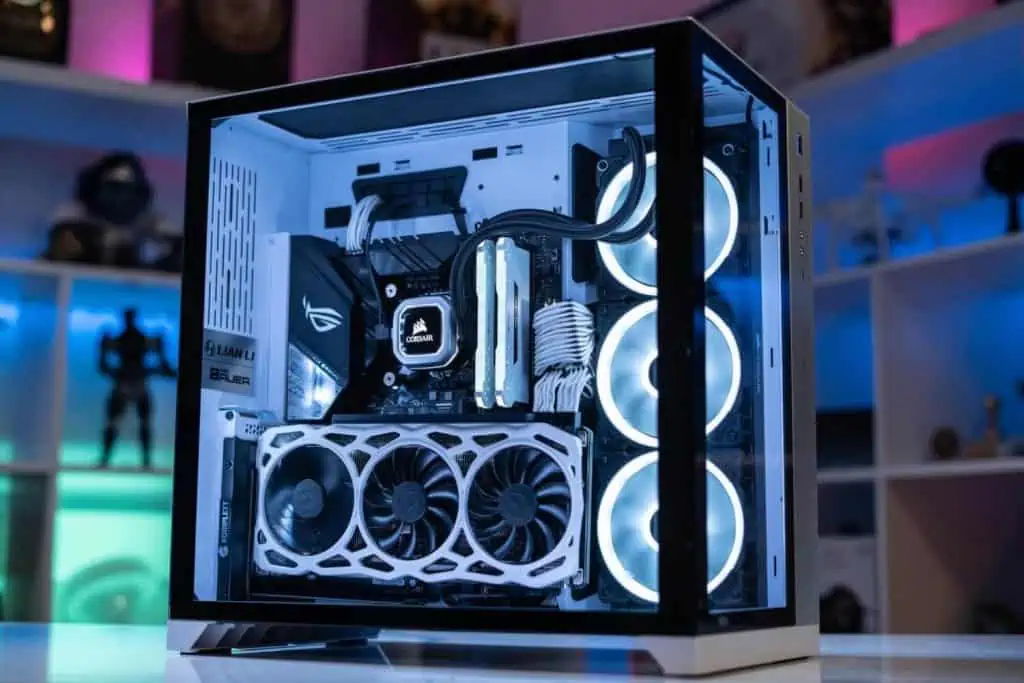
Picture of Kaelum Ross
Kaelum Ross
Kaelum Ross, BSc is the Lead Writer at What in Tech and a leading authority in PC hardware and software. With a career as a senior IT professional, Kaelum has led multi-million dollar projects covering everything from bespoke software development to complex Windows hardware upgrades. Today, Kaelum uses his expertise to serve What in Tech's readers and has been featured in numerous global publications including New York Magazine and Lifewire.

The 15 Best RGB Motherboards in 2023

RGB motherboard

The 15 Best RGB Motherboards of 2023

RGB motherboard

It all starts with the motherboard.

Nowadays, the market for this foundational part is so competitive, manufacturers have come up with new ways to add value to their latest versions.

Luckily for us builders focused on a beautiful PC, the big emerging trend is now the inclusion of RGB lighting within the motherboard, and lots of RGB header availability to light up your PC subtly, or make it look like a glowworm cave.

Not all the options available are great though, which is why we’ve collated the best RGB motherboards available on the market and categorized them for your varying needs.

 Table of Contents

Quick Tip:

RGB builds look great in cases with lighter colors/more windows. The reflective surfaces/increased visibility can really add to the effect. So if you’re also looking for a case, there are some great combinations in our best RGB case, best white case, and best clear case features.

Anyway, let’s get to it:

Best Intel RGB Motherboard Overall: MSI MPG Z690 Edge

This one is popular for a reason!

MSI has created what we think is the best RGB gaming motherboard for LGA with the Z690 Edge. Filled with fantastic features at a decent price point against many of the other Intel offerings.

Let’s talk about the RGB utility. To start, you have a gorgeous LED MSI logo alongside some tastefully undestated lighting underneath some of the M.2 shields. This combined with plenty of RGB connectivity onboard, gives you fantastic customization options when installing additional LED strips on your case.

The great header support and onboard design are the standout features from an RGB perspective, but on top of that is also MSI’s fantastic Mystic Light software. With an incredibly wide compatibility range to other LED parts (be it cases, fans, or GPUs) and a multitude of different effect options (anything from rainbow color cycles to lighting in beat with the music you’re playing). It’s hard to get a better base for your next crazy RGB PC build.

But the board isn’t just about being a light show. Featuring 4 x DIMM (DDR4 compatible) RAM slots, LGA 1700 socket for Intel gen 12 processors, 4 m.2 inputs and 3 x PCIe 3.0 (x16, CPU), the board has everything you need for a powerful multi-GPU setup should you desire. Also coming with a bunch of quality software and onboard utility that will expand your ability to effectively overclock your CPU and GPU.

And to round up is the set of great features available through the beautiful I/O port. Excellent HD-quality audio is outputted via a Realtek ALC4080 Codec; which surpasses what many independent sound cards achieve. Not to mention Intel Wi-Fi 6E wi-fi (and Bluetooth) capability. And of course, it includes all the usual ports you will expect to see with a nice addition of USB 3.1 Type C.

If this board fits in your price range, then know you haven’t just found the best LGA 1700 RGB motherboard for Intel 12th gen, but in our opinion, the best RGB motherboard for gaming with Intel.

Best Budget RGB Motherboard for Intel 10th Gen: ASUS ROG Strix B460-H

Asus seems to be on the top of their game when it comes to the best Intel motherboards with RGB header/lighting capability for the new 10th gen series.

If you’re looking at more of a budget combo; say something with an i5-10400,  the B460 chipset is a great value proposition and this specific model comes with a great amount of RGB capability to go alongside it.

You’ll still be getting a motherboard with 1 standard RGB header and 1 addressable RGB header on top of the red LED ASUS logo sleekly shining on top of the I/O panel. Not as many headers as our top pick, but still enough to go alongside a sharp RGB PC case for a good looking build.

In terms of specs, this cheap RGB Intel motherboard still has everything you need for a decent gaming, streaming or general use build on a budget. 

With 1 x PCIe x16 (CPU) & 1 x PCIe x16 (PCH at 4x mode), 2 x m.2 slots, still boasting the great S1220A audio codec as our top pick, and an I/O panel that still includes a USB C port, there’s plenty here to like.  For the price? The Strix B460-H is matched by no other Intel RGB mobo.

Note: The Amazon listing talks about Bluetooth capability – this motherboard does not have this (if this is a concern for your budget build, know that Bluetooth USB adapters that work fine are incredibly cheap).

Don’t expect this board to offer the same kind of overclocking as our top pick. That said, if you’re getting a 10th gen i5 or similar, these CPUs aren’t particularly about OC’ing anyway.

RAM speeds will also be a tad hit (usually) compared to running a comparable build on a Z490 chipset. But that said, the differences will not be anywhere NEAR as noticeable as the price difference between this motherboard and the cheapest Z490 options.

For a budget gaming build with some beautiful RGB aesthetics, this B460 RGB board is everything you’ll need and easily our top choice for the best cheap RGB Intel motherboard.

Cheapest RGB Motherboard (Intel): ASRock B365 Phantom Gaming 4

This may seem a tad pricey for a “cheapest” pick, but this can be common for Intel motherboards. And truthfully, while there are cheaper LGA RGB options available, we simply can’t recommend any of them.

That being said, the B365 is a fantastic choice for someone looking for RGB style without reaching too far into their pocket. With some gorgeous RGB illumination on 3 parts of the board (logo, I/O panel, and underneath) + 1 x addressable and 2 x standard RGB LED headers, you have an impressive amount of lighting available here for the price.

ASRock also has its own software for lighting customization with Polychrome Sync. While not as highly regarded as some of the other offerings here, it’s still got all the central utility you’ll need to configure many interesting lighting formations.

The general features of the motherboard are decent. With 9th/8th gen intel support, 4 x DDR4 DIMM slots, 2 x PCI Express 3.0 x16 Slots, and the usual I/O ports included. The onboard sound won’t be quite as good as the other top offerings but for most users, it’s still going to give you the performance you need.

If you (and your wallet)  like the look of the ASRock B365, then know you’ve still got everything you need here to set up an ambitious budget gaming PC build. The same goes for VR, streaming and production.

Best High-End Intel RGB Board: MSI MEG Z590 GODLIKE

With a price as long as its name, the MSI MEG Z590 GODLIKE is a beast of a motherboard (this being the hardest category on the list to decide, with other fantastic options available in this high-end category).

If the price isn’t a barrier for you, this is the best RGB motherboard you’ll find for Intel builds.

Firstly, the RGB utility: you’ve got some of the most gorgeous inbuilt lighting from the get-go with the large MSI logo and beautiful triangular light over the PCIe shield. On top of that is the 1 x 4-pin RGB LED header and 2 x 3-pin Rainbow headers, more than enough for even an intensive set of RGB lights. With the headers and onboard aesthetic combined, you’re going to have some fantastic, customizable case lighting.

Then there’s the general feature set and build quality. Which is pretty much as impressive as you can imagine and too quantitative to go over here. But to name a few highlights:

  • A fantastic array of onboard temperature control (from Frozr AI-controlled heatsink surrounding the board to the sophisticated heatpipe design for thermal dissipation).
  • Gen 4 PCIe & Lightning Gen 4 M.2 for unparalleled transfer speeds
  • An I/O panel with more USB ports than you’ll ever need (including 2 x  USB 3.2 type C inputs both with Thunderbolt 4 capability, 8K display support & 10G + 2.5G LAN connectors) and audio ports powered by the fantastic Realtek ALC4082 Codec with ESS ES9218PQ Combo DAC/HPA
  • 4 x DIMM slots, supporting RAM speeds up to 5600Mhz (this would be quite the build for video editing or high-end production).
  • Dynamic Dashboard II: see the area on the top right that brightly displays “Godlike”? That’s an OLED screen that you can customize to display the things you want to monitor most.

The list truly does go on, this board has been designed to provide the best overclocking facility available today.

If you’re looking for the best RGB motherboard money can buy for an intensive build alongside other very demanding components; then provided your wallet can handle it, this board is going to blow you away.

Best AMD RGB Motherboard Overall: GIGABYTE B650 AORUS PRO AX

As far as price vs performance goes, this is one of my favorite picks on the whole list.

Unfortunately, without getting to the ludicrous price points, AMD motherboards don’t seem to have as much onboard lighting as their Intel counterparts.

But the Pro AX still manages to be a great option for an RGB build; in addition to the tasteful logo LED on the I/O panel, the case boasts 2 x ARGB, 2x RGB & 1 x CPU cooler LED strip connectors. This is a a fantastic allotment for a mid-range motherboard and it empowers you to add a huge amount of lighting to your build. GIGABYTE’s Control Center software also offers fantastic customisability and (as the name suggests) control over your lighting.

Of course, we’re not just here for the RGB. That’s why I really like the PRO AX, it has everything I think you’ll want in an AM5 build; with 4 x DIMM slots for DDR5 RAM, quad M.2 slots, PCI 5.0 and a host of quality-of-life features to allow for more effective overclocking.

This is a great set of features; I’m really happy to see PCIe 5.0 and DDR5 on this board. This isn’t a given with mid-range picks at the moment.

The onboard Realtek ALC1220-VB CODEC will provide you with great sound through the available outputs (and some great onboard software to get exactly what sound optimization you’re looking for). Accompanying them on the I/O panel are the standard ports, with plenty of USB/display options and very impressively for the price point, a decent onboard wi-fi adapter.

Reading through this, I’m sure you’ll see why we’re so excited about the AORUS PRO AX. GIGABYTE has really created a fantastic option here and if it meets your desired RGB style, component requirement, and price point, then we can’t recommend it enough.

Best AMD RGB Motherboard Runner-Up: ASUS ROG Strix B450-F

Closely in second place is the AMD version of our top pick for Intel.

With the same very sleek LED logo in the top left I/O panel and two RGB headers on board, you still have great options to work alongside the fantastic Aura Sync software.

The reason this board didn’t take the same top spot as it did on the intel side is the lack of addressable RGB header and the slick “cybertext” logo also isn’t an LED in this version. This is likely due to the generally lower price point of AMD motherboards.

Aside from that, you have largely the same fantastic offering here for the AMD side: with 4 x DIMM dual-channel RAM slots, AM4 socket for 1st/2nd generation Ryzen chipsets, and 2 PCIe 3.0 x16 / 1 PCIe 2.0 x16. With a host of great onboard features if you wish to overclock.

The I/O panel is standard with everything you’d usually expect, this specific motherboard doesn’t have wi-fi inclusion (and is lower in price as a positive result) but does include the fantastic SupremeFX S1220A CODEC chipset for excellent high-quality audio.

If the Carbon AC doesn’t catch your eye, we love this ASUS offering and would be a fantastic foundation for an RGB gaming PC.

Best AMD Budget RGB Motherboard: ASRock B450 Steel Legend

While we’d recommend spending a little more to get the MSI PRO Carbon AC,  this is still a great option for an AMD PC build.

The RGB options here are brilliant for the price. We have the addressable LED lights on the I/O panel and underneath the logo, as well 1 x addressable and 2 x standard RGB headers, plenty for nearly any RGB build and with ASRock’s Polychrome Sync software to customize them to your desire (not quite as good as the ASUS/MSI software but still perfectly decent).

The board includes the usual DIMM DDR4 slots, AMD AM4 socket, and 2 x PCIe 3.0 x16 slots. While not as feature-dense for overclocking as the other models above, you still have some onboard utility that puts it above a standard motherboard.

The I/O panel is also great for the price, with 6 USB 3.1 ports (including 2 x gen 2) amongst the other standard ones. While not the best on the list, the onboard audio will satisfy most.

As far as buying a cheap RGB motherboard goes, this is one of the best value offerings you can find if you’re not looking to spend a little more on the MSI PRO Carbon AC and still has everything you need for a cheap gaming build.

Best AMD High-End RGB Board: MSI Prestige X570 Creation 

Just look at this thing.

Aesthetic is just one of the many areas the Prestige X570 excels at (there is little it isn’t good at, except friendliness with a budget!).

Firstly, this is the only AMD motherboard on the list that fits into the E-ATX form factor, giving you optimal space for your build if compactness isn’t a concern for you.

For the RGBs, you have stylish LED strips running across the I/O panel, and lighting underneath, both powered MSI’s great Mystic Light software; which will also give you control over the 1x 4-pin RGB, 2x 3-pin Rainbow & 1x 3-pin Corsair LED connectors available on the board (between these headers and the onboard lighting, you have the best options available on the market for an AMD RGB PC build).

The other quality-of-life features across this motherboard are fantastic. Anything from steel protectors around the PCIe ports to protect your beefy GPUs, to the auto-adjust Frozr heatsink designed to maximize the cooling/overclock potential for the best gaming PC build possible.

With top-tier wi-fi, audio quality, and the highest amount of USB ports and types on the list, the rear I/O panel is also second to none.

Simply put, if you’re building an AMD RGB PC build and want the best performance possible, you’ll be hard-pressed to find anything that comes close to competing with the X570 Creation.

Best Micro ATX RGB Motherboard: ASUS ROG Strix Z490-G

If you’re looking at Micro ATX/Mini ITX builds and a motherboard with RGB headers/inbuilt lighting aplenty; there, unfortunately, isn’t a crazy amount on the market we’re willing to recommend right now (which is why this list only features Intel options for these categories).

That being said, thankfully the ASUS ROG Strix Z490-G exists! It’s crowning feature from an RGB perspective is having both 2x Aura-Sync 4-pin and 2 x addressable 3-pin RGB headers onboard, fantastic for an mATX motherboard. Combined with the inbuilt addressable RGB lighting across the top of the I/O compartment, you’re going to have plenty of lighting utility to brighten up an RGB mini tower.

The motherboard includes 10th gen Intel processor support with its LGA 1200 socket, 4 x DIMM DDR4 RAM slots, and 2 x PCI-e 3.0 x16 inputs (you’re unlikely to need more for a mini-tower).

The I/O panel and additional features are good, with USB 3.1 Gen 2 ports, high-quality audio (not the best on the list but still great for the average user), and great onboard wi-fi 6 (Bluetooth included).

If you’re looking to create a Micro ATX RGB PC, this is without a doubt the best motherboard to do so. If you’re really desperate for a Micro ATX RGB Motherboard for AMD, then check out the AsRock B450m.

Best Mini ITX RGB Motherboard: Gigabyte H470I AORUS PRO AX

Gigabyte has a very impressive offering for the smallest form factor and anyone after a decent motherboard with RGB headers.

It’s very impressive how many of the features are still crammed into this thing from the full form factor-sized models (accepting of course, that there are some removals).

The included RGB LED lighting shines underneath the back of one whole side of the board and is accompanied by 1 x addressable / 1 x standard RGB header connectors. This is all controllable through Gigabyte’s fantastic RGB Fusion 2.0 software. It’s hard to imagine you needing any more lighting in a tiny build like this!

The board boasts what you would expect for CPU and RAM, with an LGA 1200 socket and 2 x DIMM DDR 4 slots (sounds low, but is standard for RTX, and still more than enough for great RAM speeds). There is only one PCI-e 3.0 x16 slot. Again, this is standard for mITX, and I’m assuming you’re not looking at SLI or Crossfire in such a tiny RGB build!

Covering a huge portion of the board is an extended heatsink/thermal pad. This is going to be great to manage cooling in such a compact build, where the lack of space/airflow can often cause problems in gaming /production rigs.

That board also includes a fantastic ALC1220-VB Codecaudio unit, Intel 802.11ax wi-fi 6 adapter, Bluetooth, and a good amount of I/O ports for the size of the board.

For the tiny form-factor AMD builders out there, there’s also the AMD equivalent ASUS ROG Strix B450-I too (with some slight variations in specs but still a great option)!

Overall, we’re really pleased to see that Gigabyte has created an mITX version of their mainstream boards that still feels nearly as impressive as its larger counterparts. We think you’ll love picking this up for your RGB Mini ITX build.

Best Z390 RGB Motherboard: Gigabyte Z390 AORUS MASTER

Previously ranking as one of our top picks for the best overall Intel RGB mobo boards, the Z390 Aurus master is perfect if you’re looking to build a RGB build around a Intel 8th/9th gen CPU.

Boasting a very flashy set of LEDs across the logo, bottom left shroud, top right small logo, and I/O panel; this option certainly has some of the most onboard LED display out of the options in its price range (if you’re looking for RGB abundance).

The MASTER comes with multiple RGB LED headers and the RGB Fusion 2.0 software, a very respectable competitor in features to ASUSs’s Aura sync.

Aside from that, the motherboard is also well equipped for your gaming/production needs, with 4 x DIMM, intel 8th/9th gen support, and 3 PCI-e 3.0 x16 slots.

There’s a host of additional nice quality-of-life utility to this board. To name a couple of highlights: there are nice additional durability features for some of the case’s ports (particularly for the GPUs where this can be a problem), alongside an onboard thermal guard solution for your overclocking requirements.

The included ESS SABRE DAC ES9118 chipset will arguably provide the best high-quality audio of all RGB motherboards outside of the high-end options. With a wi-fi offering similar in quality to our top pick. The I/O panel includes everything you’d expect with USB 3.1 Type C.

Overall, if you prefer the style and feature offering of the Z390 over our top Asus choice, don’t fret: we’re still confident this board will be a fantastic choice for your RGB PC build.

Honorable Mention: MSI MPG Z390 Gaming PRO Carbon

While not quite getting one of the top spots, this item was effectively 3rd place in the “ATX motherboards with RGB lights” category back when Intel 8th/9th gen CPUs were the norm. We would still recommend if it better aligns with your style, price range, or hardware requirements (with an AMD version available too).

The PRO Carbon includes subtle lighting against the I/O panel and underside of the board, alongside the option to extend your RGB LED lights with 2 x 4-pin RGB, 1 x 3-pin Rainbow & 1 x 3-pin Corsair LED connectors. The biggest reason we wanted to include this on the list is that this amount of RGB headers included for the price is impressive and would give you a lot of customization options (especially working alongside the MSI Mystic Light software).

The case is great in the standard areas too, with 4 x DDR4 RAM slots, coffee lake CPU support & 3 PCIe3 x16 slots. The I/O ports being relatively normal but including good onboard audio also.

If you’re a fan of MSI, the board style, or anything else that is shifting you towards this, don’t be put off for it not getting a top recommendation; we’ve added it for a reason. It’s still a great base for an RGB PC.

Alternative Quick-Fire Picks (Best of the Rest)

While the above items are our overall top choices, to end our list is a few extra final picks that may be worth considering for very specific requirements/scenarios.

Best Alternative to Strix Z490-E: ASUS ROG Strix Z490-H

Very nearly taking our top pick over the Z490-E is its cheaper brother, the Z490-H.

While it has 1 less addressable RGB header and a tad less capability for overclocking, it’s still an incredibly stable RGB motherboard and worth considering if you check the differences and value the price decrease more than the changes.

Cheapest Z490 RGB Motherboard: ASUS Prime Z490-A

Only a little cheaper than the Z490-E but coming in with very similar features all still suitable for a powerful gaming build, the Z490-A is worth considering if you’re really trying to minimize spend while not compromising on RGB/chipset capability.

Budget RGB ITX Motherboard: ASROCK B460M Steel Legend

If you’re building an ITX RGB PC with a cheaper 10th gen CPU and feel the Z490 chipset is outside of your budget, then this ASRock B460 mobo is perfect for you.

What's Next?

About the author

Picture of Kaelum Ross
Kaelum Ross
Kaelum Ross, BSc is the Lead Writer at What in Tech and a leading authority in PC hardware and software. With a career as a senior IT professional, Kaelum has led multi-million dollar projects covering everything from bespoke software development to complex Windows hardware upgrades. Today, Kaelum uses his expertise to serve What in Tech's readers and has been featured in numerous global publications including New York Magazine and Lifewire.

The 10 Best Gaming Laptops on Amazon in 2023

Best Gaming Laptop on Amazon

The 10 Best Gaming Laptops on Amazon in 2023

Best Gaming Laptop on Amazon

I significantly updated this feature in June to cover all the new releases over 2023. Now is a great time to buy a gaming laptop, with the 4000-series cards freshly released and likely to be the king of laptop GPUs for the foreseeable future.

There are thousands of different laptop on Amazon.

How are you supposed to decide exactly what’s best for your gaming setup (and wallet!)?

I’ve reviewed the notable options and ranked them to easily guide you through the best gaming laptops on Amazon today, for all different budget considerations.

1

MSI Thin GF63

Overall Best Gaming Laptop on Amazon (Mid-Range)

MSI Thin GF63

Our Rating: 9.5/10

2

Acer Nitro 17 Gaming Laptop

Best Pick Under $1,500

Acer Nitro 17

Our Rating: 9.75/10

3

Acer Nitro 5 GTX 1650

Budget Pick

Acer Nitro 5 GTX 1650

Our Rating: 8.75/10

4

MSI Stealth 17 Studio

Most Powerful Gaming Laptop Pick

MSI Stealth 17 Studio

Our Rating: 9.5/10

5

Lenovo IdeaPad 3

Cheapest Pick

Lenovo IdeaPad 3

Our Rating: 7.5/10

MSI Thin GF63

Overall Best Gaming Laptop on Amazon (Mid-Range Pick): MSI Thin GF63

I’ve been very impressed by what MSI offers in the laptop space for many years, and gaming is at the forefront of that.

For the top mid-range pick, I wanted to find the best gaming laptop for $1,000 on Amazon as this tends to be the most common price range my readers will enquire on. This choice is just a touch more expensive than that, but paying that bit more is definitely worth it, as you gain access to an RTX 4050 laptop.

This graphics card, as far as portable gaming goes, is the best you’ll get around the $1,000 mark. Many competitors offer RTX 3000 series cards at this price range. It’s a fantastic deal, especially when the device is well-rounded in its other specs.

With great performance, you’re going to be able to play a majority of games at 1080p high settings with excellent framerates. And it will be well future-proofed for big upcoming titles. If you’re looking to get high framerates & resolutions with max settings in intensive games, you’ll have more luck with our premium picks below or desktop options. But rest assured, most titles will look fantastic on the GF63

Working alongside the 4050 is a Core i7-12650H, 16GB DDR4 RAM & a 512GB NVMe SSD. Not only are these specs more than enough for ensuring the GPU isn’t bottlenecked by the hardware, but they’re capable of giving you a very smooth general-use experience with the laptop (be it web browsing, videos, or other program usages).

It’s annoyingly common to see laptops come with the latest GPUs but skimp on CPU or RAM to keep the costs low. That’s really why I rate the GF63 so highly, it’s the full package spec-wise.

Although I’m happy to see 512GB over 256GB that many other builds at this price come with, the main area that left me longing was the storage space. It will serve you initially but is a little low for a gaming PC if you’re interested in multiple large titles. There is another drive bay you can easily use to upgrade your storage should you need to. Don’t be fooled by lower price laptops that have larger drives; I’ve been through them and their specs suffer in other ways to compensate for this (especially GPU, which is more important for your setup).

The laptop is well-designed. One of the things I like about MSI the most is its ability to create sturdy, long-lasting PCs. With a good track record of thermal management for the powerful specs, a beautiful backlit keyboard, and a fantastic full HD IPS 144Hz screen.

If your budget is around the $1,000 mark, this is the best gaming laptop on Amazon for you.

Our Rating: 9.5/10

Acer Nitro 17 Gaming Laptop

Best Gaming Laptop under $1,500 on Amazon: Acer Nitro 17

If you can stretch your budget a little further, the Nitro 17 is a fantastic laptop where you can expect a further ~30% improvement in games compared to our above pick.

Acer Nitro has been a common feature in my gaming laptop articles, they consistently manage to offer excellent value in this series over the years.

This is achieved here with the great combination of the RTX 4070 and Ryzen 7 7735HS, both fantastic specs for this price range. You can expect to comfortably play most titles in great settings, 1080p with a very high frame rate.

You have a wonderful screen to enjoy those high frame rates on too. Boasting a full HD, IPS, 165Hz panel with low latency and great color accuracy. The screen gives off vibrant pictures and a snappy response time to match the fast reaction needs of competitive gaming.

Working alongside the CPU and GPU is 16GB of DDR5 RAM and a 1TB NVMe SSD. In all of the previous laptops I’ve featured in this price range, the manufacturer always skimps out slightly and provides a 512GB drive. So it’s really nice to see 1TB provided here (which feels more realistic as a storage size for serious gamers).

The list goes on: beautiful design, tactile RGB keyboard, good thermals, and solid build quality. I really like that this 17″ gaming laptop doesn’t feel like it skimps on any area and is a good all-around pick worth its price tag.

If you can stretch your budget to the Nitro 17, you’re going to love it. This machine is such a fantastic value for what you’re getting.

Our Rating: 9.75/10

Acer Nitro 5 GTX 1650

Best Budget Gaming Laptop on Amazon: Acer Nitro 5 GTX 1650

You have to respect that with this budget, manufacturers are very limited on what kind of parts they can include. With that said, I’m pleasantly surprised by just how good this Nitro 5 model is for its ridiculously low price point.

Led by the GTX 1650, you still have a graphics card capable of running most games at fair settings/frame rates. If you’re playing older games/many of the popular titles that are well optimized (Fortnite, Overwatch, WoW, etc.), you’re still going to get great frame rates on them suitable for competitive gaming.

Accompanying the GPU is the very capable 9th Gen Intel Core i5-9300H, 8GB DDR4 RAM & a 256GB NVMe SSD. While you won’t get very far with high-end production work on this laptop (high-end video editing, rendering, etc.), it will still do very well when it comes to general use for things like web browsing, videos, and standard work if needed.

You have some easy options to upgrade this laptop also. Acer has sensibly installed 1 stick of 8GB RAM (instead of 2 x 4GB) to allow you to easily add a second 8GB RAM stick if you like. There’s also a 2.5″ drive slot if you wish to expand your storage.

Another reason we picked this as the top budget choice is that the laptop still has some impressive design features for its price range. With a good build quality, a 1080p IPS screen, and a USB 3.1 Type C port, you’re really getting a lot for your money here.

On top of being a great budget choice, I’d also suggest this is one of the best gaming laptops for beginners, kids, teenagers, or simply someone who’s behind on gaming and has some titles to catch up on alongside their general laptop use.

Rest assured, although it isn’t going to give you the same performance as our top picks, we still love the value of this Nitro 5 model. There’s a reason it’s one of the best-selling gaming laptops on Amazon.

2023 update: I’ve retained the Nitro 5 as the budget pick as I know some readers are very price focussed. With that said, if your budget can stretch to it, I would really recommend going for the IdeaPad Gaming 3, which boasts a HUGE upgrade for a relatively small price increase.

Our Rating: 8.75/10

MSI Stealth 17 Studio

Most Powerful Gaming Laptop on Amazon: MSI Stealth 17 Studio

Our next pick is for those looking for the most expensive gaming laptop on Amazon that is worth buying (not needlessly pricey for pointless bells and whistles).

There are some diminishing returns when comparing this laptop to our laptop pick under $1,500 for gaming alone (that said it has a whole lot more going for it). There’s a bit of an awkward zone between these two picks, where many manufacturers up the price by including more RAM, drive space, and better CPUs, but these are all secondary for machines that are already powerful enough when it comes to these specs).

Now with all that said, what you’re getting in the Stealth 17 the best laptop GPU available today: the RTX 3090 (I expect it to remain the best for a while too).

With some incredible additional specs to go with it. You can expect this laptop to perform about 60-80% better than the Nitro 17 in games. That is a fantastic improvement considering how great the Nitro 17 already feels. This would be perfect for someone looking for a VR-ready laptop or a reader who doesn’t want to compromise on game settings now or in the next few years.

Accompanying the powerhouse GPU is a beastly Core i9-13900H, 64GB of DDR5 RAM & a 2TB SSD. These are some seriously fantastic specs that will empower you to do some serious production work, with the Stealth 17 doubling as a 4k video editing laptop/suitable for other intensive tasks.

I was really quite impressed when I saw the design of the Stealth 17 in person. It looks and feels fantastic. The build quality is what you’d hope for in a premium gaming laptop and although the machine runs hot, the thermal solution is more than capable of keeping the device manageable.

And then there is the amazing display. On top of reaching great color accuracy and a sharp 3ms latency, it’s running at a very impressive 240hz QHD/1440p. Some laptops with these ultra-high refresh rates don’t have the specs to actually run games to take advantage of this, but the beauty of the Stealth 17 is that it does. Some premium gaming laptops will push their screens to 360hz @ 1080p, but I think that opting for 1440p is much better. The resolution increase will be more significant (I’d argue even for many e-sports enthusiasts) than the diminishing returns of 240hz vs 360hz.

I’m so impressed with this laptop. It’s a pricey offering but the specs, build quality and thermal solution are classic examples of getting what you pay for. If you’re serious about buying the most powerful laptop possible, this is the pick for you.

Our Rating: 9.5/10

Lenovo IdeaPad 3

Cheapest Gaming Laptop on Amazon: Lenovo IdeaPad 3

Now let’s be clear, I’m being very generous in calling this pick a gaming laptop and I would highly recommend you save up the extra money to at least get the budget Acer Nitro pick above for gaming.

That being said, I appreciate that some readers will be looking for the cheapest laptop for gaming on Amazon, even if that means some serious limitations.

This Lenovo laptop is impressive for its price point. With a capable Ryzen 5 3500U processor, 8GB DDR4 RAM & a 256GB SSD. You can still expect it to be a decent runner for general usage and office work.

For games, you’ll be relying on the integrated Vega 8 graphics; which still do a semi-decent job on older titles. You’ll be able to run games like Fortnite, Minecraft, and league of legends on lower settings.

Another credit to the IdeaPad 3 is that it has a nice build quality for its price. It’s a very slim, lightweight laptop that would be ideal for travel.

If your budget is very tight and you need a new PC now; then as long as you can respect that this is a light gaming PC, you’re still getting excellent value.

Our Rating: 7.5/10

Alternative Picks

The top 5 picks are our main favorite choices for your various budgets when considering the best gaming laptop on Amazon.

That being said, we’ve included some additional worthy choices for some other price brackets that are popular – we’d still recommend these laptops if they work for your budget.

Best Gaming Laptop under $1,200 on Amazon: ASUS TUF506IV-AS76

Between our top 2 picks is a choice that doesn’t upgrade the GPU, but does offer a fantastic design, upgraded processor, and impressive 1TB SSD. We featured one of the cheaper TUF models in our best 144HZ laptops feature.

Our Rating: 8.5/10

Best Gaming Laptop under $800 on Amazon: Acer Nitro 5 RTX 3050

Inbetween our top overall and top budget picks is space for this fantastic Acer Nitro 5 unit – Getting an RTX 3050 for this price is still excellent if it’s as far as you can go.

Our Rating: 9/10

Second Best Amazon Gaming Laptop under $1,200: Acer Predator Helios 300

One other very decent option in this price range was worth calling out; this doesn’t have the same storage capacity as the ASUS laptop but has an improved thermal solution and fantastic 3ms response time which is why we ranked it at the top of our list for high-refresh-rate laptops, perfect for competitive gaming.

Our Rating: 8.75/10

Best Amazon Gaming Laptop under $1,500 Alternative: ASUS ROG Strix G15

Now if you’re up for spending a little more than our second pick, this is one of the top gaming laptops on Amazon by ASUS. And their ROG brand really stands out with its fantastic design. For the extra price, you’re getting 240Hz and more storage, so worth considering.

Our Rating: 8.75/10

Best Laptop under $2,000 on Amazon: CUK MSI GP65 Leopard

If you like the look of our best laptop under $1,500 pick, but want something with a little higher spec, this is a great future-proofed choice (it won’t get you much more performance in gaming, but it’s RAM, CPU, and storage are very impressive for other tasks).

Our Rating: 9/10

What's Next?

About the author

Picture of Kaelum Ross
Kaelum Ross
Kaelum Ross, BSc is the Lead Writer at What in Tech and a leading authority in PC hardware and software. With a career as a senior IT professional, Kaelum has led multi-million dollar projects covering everything from bespoke software development to complex Windows hardware upgrades. Today, Kaelum uses his expertise to serve What in Tech's readers and has been featured in numerous global publications including New York Magazine and Lifewire.