What in Tech is a user-supported site. When you purchase through our links, we may earn an affiliate commission at no additional cost to you. Learn more
I’ve updated this feature for 2026 after reviewing the latest (and upcoming) releases on the market. I’ve added a couple of additional options in certain categories, but most of our picks remain unchanged.
Come on now, don’t lie.
When looking for your perfect chassis, you may be focussed on the classic factors; motherboard fit, airflow, etc.
But we all know you’re also looking for the most beautiful PC case you can find!
And that’s fine! I strongly disagree with some of the elitist advice that suggests your desired aesthetic shouldn’t be a key part of your final choice.
There are so many great-looking towers, in all shapes and sizes, that fit the bill in offering fantastic utility for a powerful build. In other words, you don’t have to choose between functionality and aesthetics, you can have both.
I’ve reviewed a ton of options throughout What in Tech. Today’s feature is to guide you through the best-looking PC cases for gaming, general use and much more.
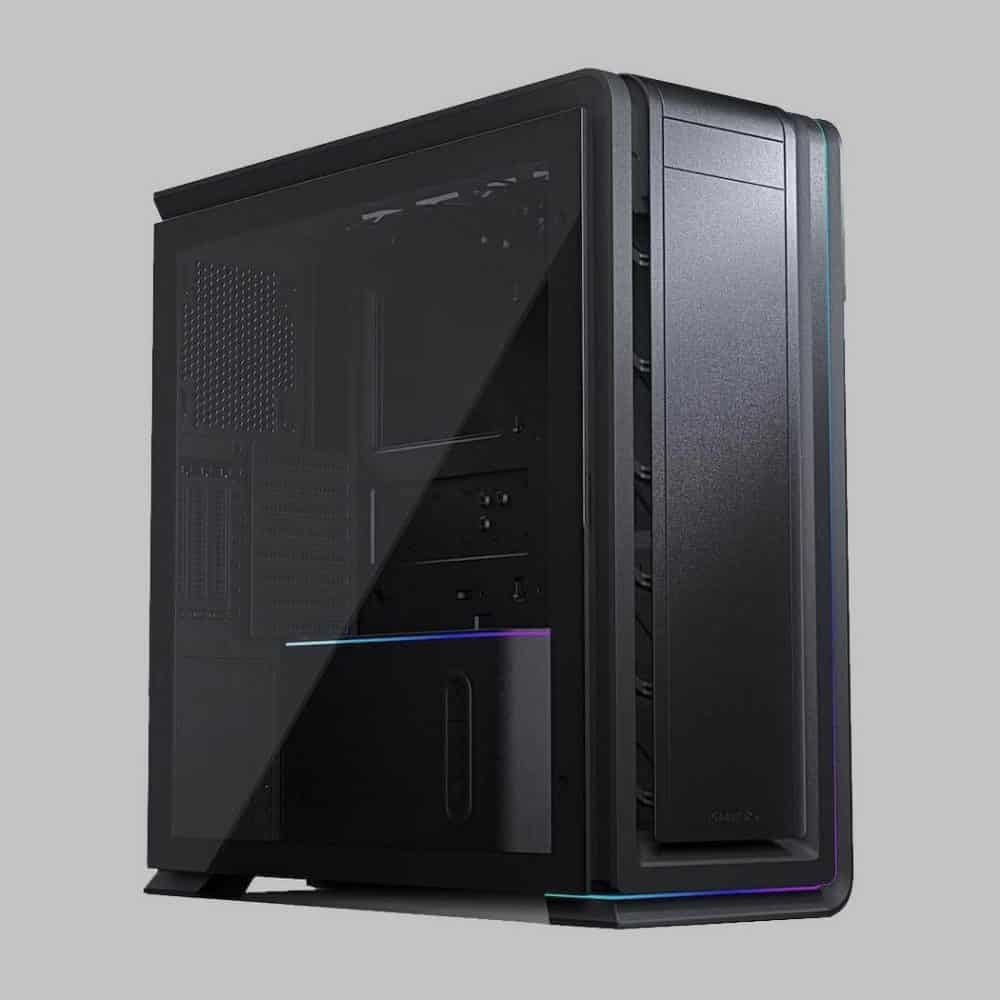
Pictures of this case simply do not do it justice.
I’ve seen many completed builds across my community of the PC-O11 and they always look fantastic. But what’s more impressive than that is when I reviewed it in person, it looked even more aesthetic.
Built on a gorgeous, thick SECC steel exterior and aluminum front, the PC-011 looks and feels very high quality. Moreso than other cases in its price range.
Covering the front and left side of that exterior is two high-quality tempered glass windows.
A glass side panel is nothing out of the ordinary, but the addition of the one on the front gives your build beautiful visibility.
The other reason this is such a good-looking PC case is its dual-chamber layout. This is when you have a separate, dedicated, secluded chamber to hide some of your “less attractive parts”. Think PSUs, HDDs, and various cables.
Essentially, the PC-011 offers the best of both worlds between offering transparency to show off your build while still offering you space to hide components. I slightly prefer this to fully exposed looks like the Thermaltake P3.
Having a nice-looking PC case is one thing, but there’s something even better about the PC-011: it’s not just pretty.
One of the top picks on the market, there is so much utility here for a powerhouse ATX build.
That includes:
GPU cards of up to 420mm
2 x 3.5″ / 4 x 2.5″ drive bays (no 5.25″)
Up to 9 x 120mm fans or 1 x 360mm, 1 x 280mm & 1 x 240mm radiators
8 expansion slots
The utility available makes this an ideal basis for any mainstream build type. Be it for gaming, streaming, video editing to other high-end production
Not only do you have the room for demanding hardware, but fantastic ventilation between the cooling capability and the dual-chamber layout ensuring cables/other hardware isn’t blocking airflow.
Is there anything we don’t like about the PC-O11? Honestly; not really.
The price and size are on the larger end of cases, which is why I’ve covered plenty of smaller/cheaper options below.
Beauty is, of course, subjective too. Even though I’m confident it’s hard to make a build that doesn’t look fantastic in the PC-011.
If it’s within your budget and fits your idea of a beautiful chassis, then I would say it’s a no-brainer.
This is easily the all-around best-looking ATX case and my undisputed pick as the best PC case in any category.
2026 update: For 6 years running, the Dynamic PC-011 doesn’t just remain my top choice in aesthetics, but also for thebest overall PC case category. I’ve seen some other gorgeous options enter the market but nothing that balances everything as well as this beauty!
If you’re familiar with NZXT and their various cool PC cases, I’m sure it’s no surprise to you that one of our top spots goes to this flagship model.
The build quality of this chassis is fantastic. With an SGCC steel exterior and thick tempered glass window on the front and side.
The exterior is given a matte finish. Different from the Lian Li which goes for more of a “metallic” aesthetic.
Both look and feel great. It’s really up to you which type you prefer.
While not a dual-chamber tower like our top pick, you are still getting decent utility to cover “uglier” parts with good cable management space and the bottom portion of the case being covered to hide the PSU.
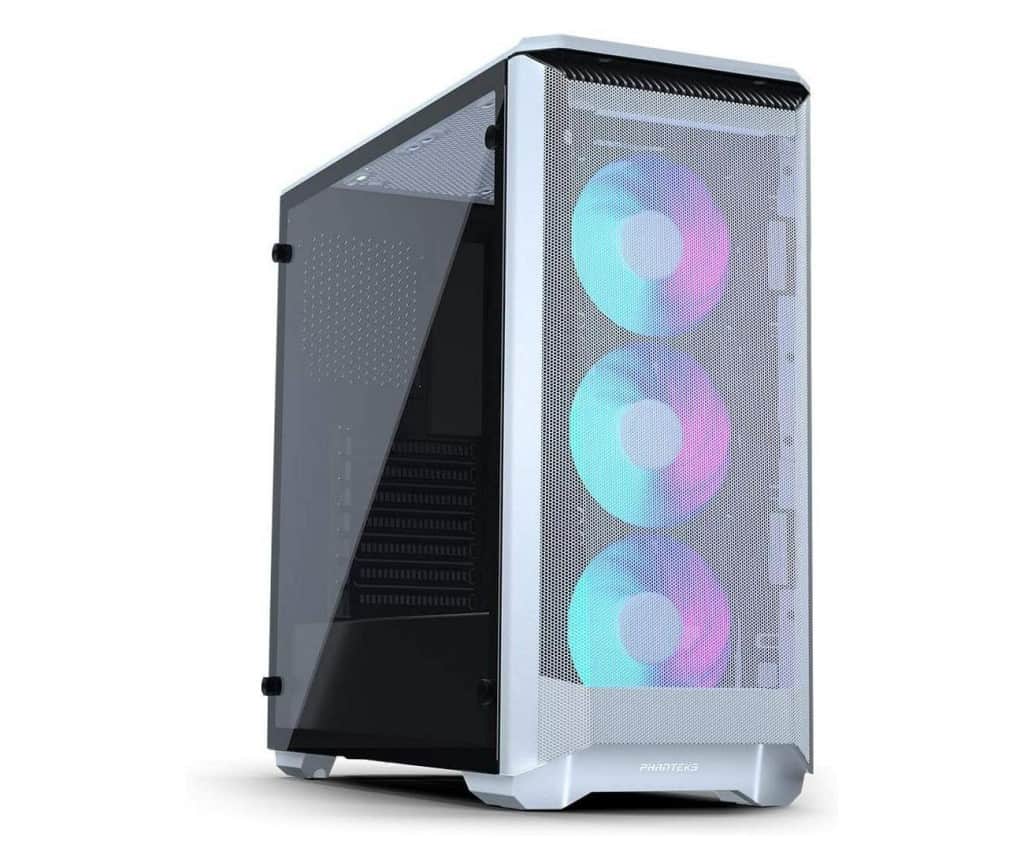
The H510 Elite is also one of the best-looking RGB PC cases, offering a lot of lighting features out of the box, with:
2 x NZXT AER RGB 2 case fans
Included Smart Device 2 fan/RGB controller
1 x LED strip to shine in the exterior
Tied with its clear, visible glass presentation, you have an amazing basis for an RGB build in the H510 Elite.
And for non-aesthetic features, the case really shines too. Including:
7 expansion slots + 2 vertical slots: great to show off your GPU
VGA lengths up to 381mm (without front radiator installed, 320mm with)
2 x 2.5″ & 2 x 3. 5″ drive bays, with an option to expand to one more of each (likely not needed for a gaming tower)
Up to 2 x 140mm & 2 x 120mm fans or 2 x 140mm & 1 x 120mm radiators
While some of this space isn’t super impressive for an ATX case, the H510 Elite is a “compact mid-tower”.
Essentially meaning it’s on the smaller side of mid-towers. Really carefully balancing a nice tight look while still offering the space you’ll need for most builds.
Tied with the good internal ventilation/cable management utility, you’ve still got everything you need here for a powerful gaming machine.
So with all this said, why do I rank the PC-O11 over the H510 Elite?
Well, it’s a close one, as the H510 is fantastic across the board and I enjoyed what it had to offer. But I think the PC-O11 wins in space (particularly with its dual-chamber to better hide less attractive parts), build quality, and in overall aesthetic when a setup is fully built with its fully transparent front panel.
I also love how the PC-O11’s windows run down the full length of the front and side. the 510 Elite has the more traditional PSU shroud which covers about a third of the inner case.
That said, this is all very subjective. If you prefer the look (or the price tag) of the H510 Elite, know that it is still an amazing option and easily one of the coolest, most aesthetic ATX PC cases around.
2026 update: If you happen to like both of our top picks, there is something of an in-between option released by NZXT; the H9 Flow boasts the slick sharp lines of the H510 Elite, while also offering the full-length display of the Lian Li Dynamic. The H510 Elite isn’t as readily available as it used to be, so the H Flow series may also be a good alternative for those interested in NZXT’s style.
High-End Best Looking PC Case: Corsair 680X RGB Edition
One of the most featured cases through What in Tech, the 680X has so much going for it across all the important chassis areas.
But focussing on aesthetic: you’ve got a wonderfully built, unique design that really shows off a good-looking interior build.
With a thick, high-quality steel exterior, the 680X has one of the nicest metallic finishes I’ve encountered and feels as great as it looks.
Alongside that steel material, the exterior is surrounded by 3 x beautiful tempered glass windows.
Having an extra window over our above picks, its third window is on the top of the case, making room for even further visibility.
Now while you can get this case without fans, we specifically recommend the RGB edition as it comes included with 3 x LL120 RGB fans & a Corsair Lighting Node Pro Fan Controller.
I consider these to be some of the best RGB case fans available. The LL120s look beautifulshining through the glass front.
Like our Lian-Li top pick, this is a dual-chamber PC case.
But the 680X takes it one step further, with its second chamber being particularly large.
If you look at example pictures of a finished build with it, you’ll see you can get an incredibly clean-looking interior that only displays your most “attractive” parts.
Now with all that said, I love this case for much more than its aesthetic. Including:
10 expansion slots (2 vertical)
GPUs up to 330mm
3 x 3.5″ & 4 x 2.5″ drive bays (hidden in the second chamber)
And then there’s the cooling capability. With up to 8 120mm fans or 360mm front, 280mm top, 140mm rear & 280mm bottom radiator support.
When you consider the excellent ventilation that the dual chambers add, the fact that you can have so many fans/radiators makes this one of the best PC cases for airflow and cooling I’ve encountered.
There’s no denying it, this is an expensive chassis.
But if you want a gorgeous computer case that also ticks the box for building one of the most powerful PCs possible. Then this is the option for you.
If you’re looking for a cheap PC case that doesn’t compromise on awesome aesthetics, you can’t go wrong with the H510.
Topping our list of best NZXT towers due to its insane value for money, I’ve seen this as the basis for loads of quality mid-range builds.
NZXT H510 vs H510 Elite
You’re getting the same high-quality SGCC steel+ matte finish as the NZXT elite.
This cheaper version only has a tempered glass window on the left, but the front of the case still looks very slick even if it offers less transparency of your internals.
If you’re looking at a budget build too, you may not be as focused on high visibility on the inside anyway (with hardware not being as “aesthetically pleasing”).
This more “covered” exterior tied with the sharp edges and coloring give it a fantastic, slick “monolith” look. Really nice if you’re looking for more of a minimalist style.
In terms of non-aesthetic features, this case is practically identical to the H510 Elite specs listed above.
The only exceptions are that you’re not getting the RGB fans/controllers/strips and 2 x vertical GPU expansion slots.
But really, for budget builds, these aren’t things you’re going to need. You can always pick up RGB upgrades later too.
Simply put, if you’re on a tight budget, this is the best-looking mid-tower available and still offers plenty of utility for a great gaming PC.
There’s also plenty of hardware room in the Torque too, with:
7 expansion slots
GPUs up to 450mm in length
1 x 2.5″ & 1 x 3.5″ drive bays
Compatible with EATX motherboards up to 12″ x 11″
We think it’s great that Antec has managed to create a PC case suitable for SLI/crossfire (if desired) despite the focus on design.
The disappointing spec here is, of course, the storage capacity.
We expect this is because the Torque is so aesthetic-focussed (and HDDs/SSDs are often on the “uglier” side) so creating too many hidden bays would hamper its appearance.
But with a large capacity SSD, HDD (and potentially some NVMe storage on the motherboard), you’ll still have more than enough storage for gaming and most other build requirements.
The most impressive feature the Torque offers is its cooling.
The case can host up to 6 x 120mm fans or 2 x 360mm radiators.
While this may not seem too out of the ordinary for a mid-tower, this is an open-air PC case. These types of chassis usually offer way less cooling utility as they instead rely on high/open ventilation. Manging to pack this much fan/water cooling availability with the number of open areas is fantastic.
So with that said, while the selling point of the Torque is its design, I’ve seen some powerful builds and overclocking achieved with it as a basis.
If you have the budget and want to stand out from the crowd, this luxury PC case is such a treat.
2026 update: I still highly rate the Torque for a trendsetting build, but unfortunately it seems to have run into some stock issues this year. If it’s not available for you, there is also the fantastic Thermaltake AH T600 case available. You can also check out my unique-focussed feature for some crazier choices.
It’s also another dual-chamber tower (and the best one for mATX builds. With great capability to hide your cables, PSUs, and drives; keeping the focus on the “prettier” hardware.
Corsair 280X vs 680X: Both cases are built with the same focus on build quality & aesthetics, so the decision for your build really comes down to which version meets your space/cooling requirements (the 680X will perform better in cooling/airflow given its large size, but the 280X is still formidable for most builds).
2 x 3.5″ & 3 x 2.5″ drive bays (in the hidden chamber)
Up to 6 120mm fans or 1 x 280mm top & 2 x 240mm front/bottom radiators
The cooling, in particular, is great for the size. I’ve seen great results for mATX overclocking here compared to many competitors.
It’s pricey, but bear in mind the inclusion of its top-tier RGB kit and build quality reallyset it above so many other towers.
Looking for a cheaper option in this size? The darkFlash DLM21 is a great choice with a range of different colors/designs.
That said, if you’re after the best-looking mATX case around that is also capable of running a powerful gaming/production machine, I don’t think you can get better than the 280X.
I know from experience that some of the best looking builds are in the smallest form factor.
The NZXT H1stands at the top of those tiny offerings. It has been featured several times on What in Tech.
Aesthetically, the case boasts an incredibly unique “monolith” style. Standing tall but also very small with an awesome SGCC steel exterior.
The tempered glass surrounding a lot of the case is tinted. Cases with window tinting really stand out to me amongst the crowd as they make the presentation of a bright internal build feel so much more tasteful in presentation.
The case most excels at being so incredibly compact which adds so much to the style. This is easily the most aesthetic portable case available.
The H1 achieves its size by a really intricate dual-chamber build layout, designed to accommodate a decent gaming/production build despite its small volume.
That means the case does excellently in features for its size too, with:
A PCIe riser card for vertical GPU install
2 expansion slots and GPUs up to 305mm in length
2 2.5″ drive bays – even some larger ITX cases only have 1
The GPU room means you’ll have space for most of the mainstream graphics card choices (but remember to understand the dimensions before buying parts for such a small build).
The chassis may come across as a tad expensive, but bear in mind you are getting a pre-installed 650W 80+ Gold PSU.
Not only does this really add to the value factor, but the case was designed with this PSU in mind (meaning you’re not losing out on the case having to accommodate different types of custom PSUs).
And to top off the value; you also have an integrated AIO 140mm Liquid Cooler for your CPU.
Due to the GPU and CPU residing in independent chambers, while you’ll never get the airflow of an ATX case in a Mini ITX form factor, it still offers impressive cooling for the size.
For a high-end ITX build, you would need a compatible PSU and cooler anyway so it’s not like you’re paying a tall premium for just the case. There is a lot of value in the price tag.
We’d go as far as to say that the NZXT H1 isn’t just the best-looking ITX case on the market, but one of the best value cases for a compact/portable gaming build too.
When ranking picks for this feature, I’ve focused as much as possible on the design of the case itself.
However, sometimes, a minimalist PC case that focuses more on very high visibility for inner parts (versus a more covered exterior) is what you may want to make your next build look amazing.
Featured on What in Tech several times, the Core P3 is an absolute monster.
A perfect option for wall mounting, RGB builds, and much more, the Core P3 gives you so much potential for expression in your build.
Pictures don’t do this chassis justice. If you’re building your own PC, chances are the hardware you’re buying will look awesome if given the visibility the P3 offers.
Your GPU, CPU, and Motherboard will be displayed through a thick, high-quality tempered glass and plenty of space for an ATX gaming build, including:
8 x expansion slots
Installation option for vertical GPU (perfect for showing off)
Graphics card lengths up to 450mm (with cooling reservoir removed)
2 x 2.5″ or 3.5″ hidden and 2 x 2.5″ or 3.5 visible drive bays
Cooling-wise, the P3 has space for either 3 140mm fans or a 420mm radiator.
This may not seem like much for a mid-tower chassis, but remember that this is an open-air PC case (with 4 sides of open ventilation). The high visibility doesn’t just make the case look better but offers great airflow too.
Don’t be deceived by this not getting a “best overall” pick. The P3 is the best-looking case for someone really wanting to show off their internal parts above all else.
2026 update: If you like the look of the P3 but want something different size-wise, there are a whole host of cases in the P-series. Check out my clear PC case guide for a breakdown of each one.
The above 8 picks are our favorite recommendations for the best good looking PC cases around today.
That said, we wanted to show a few alternative options that are still worthy of consideration.
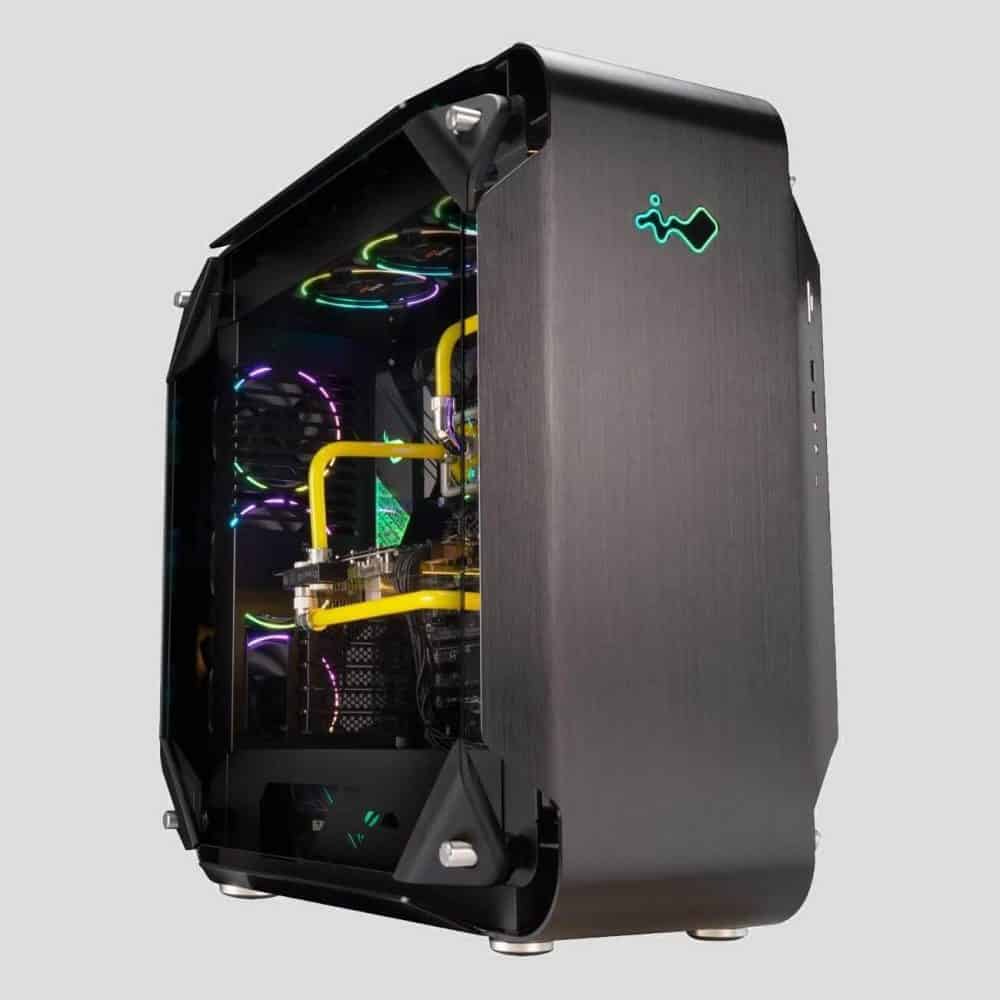
Alternative Best Looking Mini ITX Case: InWin A1 Plus
From a fantastic PC case brand, we’ve featured the inWin A1 Plus several times before. With a power supply included and wonderfully unique ARGB lighting, this is one of the coolest tower cases available for a compact build.
Kaelum Ross, BSc is the Lead Writer at What in Tech and a leading authority in PC hardware and software. With a career as a senior IT professional, Kaelum has led multi-million dollar projects covering everything from bespoke software development to complex Windows hardware upgrades. Today, Kaelum uses his expertise to serve What in Tech's readers and has been featured in numerous global publications including New York Magazine and Lifewire.
Reviewing the best picks for home theatres, horizontal cabinets and more
This feature has been updated for 2026. Most of our picks remain the same after reviewing the new options on the market this year. We’ve added a couple of decent alternatives for the picks that we’ve seen run into stock issues.
I know what you’re thinking:
“Where are all the horizontal cases amongst the thousands of vertical options?”.
Up-front options rule the market, and it’s difficult to find a good sideways case for all of you looking for something a little different for your next HTPC, VR, gaming, or server build.
But fear not, they do exist! And after some extensive reviews, we’re going to break down the top picks in this unique category.
A note on size
Before we jump in: many horizontal cases are on the smaller end of the scale. Whether you’re looking for a full tower or something for ITX, we’ve covered all the options below. Just remember to check that the dimensions of the parts you’re looking at will fit.
So, without further ado:
Source: SilverStone
SilverStone Technology GD09B
Overall Best Horizontal PC Case
SPECIFICATIONS*
Form Factor: Mid Tower | Motherboard Support: SSI-CEB, ATX, Micro-ATX | CPU Clearance: 138mm | GPU Length Clearance: 309mm | Dimensions: 440 (W) x 170 (H) x 358mm (D) | Weight: 4.2kg | Radiator Support: 120mm | Fan Mounts: 5
Offering both style and substance at a great price point, the GD09B really excels on multiple levels.
From a company that has specialized in building horizontal cases for over a decade, the GD09B has an impressive layout for hardware considering its small dimensions and horizontal orientation, with the ability to support up to an ATX motherboard.
7 expansion slots are available for the case. With support for 1 x 5.25″ external and 2 x 3.5″/ 1 x 2.5″ internal drives, there is decent room for your various storage needs.
With the compact nature of most horizontal cases, you may have to decide what is most important to you (e.g. drive bays in these cases often come at the cost of fan mounts or GPU space).
The case is surrounded by decent ventilation. This, combined with the reasonable size, allows for builds to run cool with good airflow. This is the ideal pick for a Home Theatre PC/HTPC build as you can keep fans at a lower speed due to the natural cooling capabilities of the chassis (smaller water cooling options are available too, but we think a fan build makes the most sense here).
We also really appreciate that despite the compactness, the GD09B still boasts room for a GPU up to 309mm. Many of the latest cards will fit into this space (but be sure to check dimensions of your desired pick).
We also highly rate the GD09B due to its sophisticated aesthetic and fantastic build quality. Along the front of the case are 2 USB3.0 ports, audio inputs, and a very sleek-looking drive bay.
This SilverStone offering manages to ticks so many boxes. Considering it’s far from the most expensive on the list, it’s the amount of value on offer that seals the deal as our top pick. If the design fits your idea of what you want from a horizontal motherboard case, we think you’ll love it.
Another option you may want to consider is the GD10B, which is very similar to the GD09 except it includes an additional 2 120mm fans (3 total) and a lockable aluminum front panel for a different aesthetic. It’s purely a choice of preference, the reason we rank the GD09B over it is we don’t think the extra fans and front panel will be worth the price increase for most of you. But if you like the look of it, it’s a great option!
2026 update: The GD09B continues to take our top spot for over 6years running! The product listing we’ve linked to is sometimes low on stock. If this is the case for you, be sure to check the other versions (version 2/version-USA) on the same page and duplicate product listings on Amazon. These are very similar and are perfect alternatives.
If you like the look of the GD09B but find it’s running a little small, the updated version, Grandia 11, is available with a larger GPU and radiator support. It’s a great alternative, the only reason we don’t rank it as high as the GD09B is because it’s around 30% more expensive (and harder to find in stock) which is only worth it if you need the extra size.
We didn’t quite want to give this Cooler Master pick the top spot partially due to its slightly more square/cube shape.
However, know that if this fits your idea of a horizontal case aesthetically, you’re going to be in for a treat, This chassis is a beast.
Somehow this unit manages to host capacity for up to 2 x 5.25″ drives, 4 x 3.5″ drives, and 4 x 2.5″ drives. If you don’t need all that in your build, then it’s simply more room for other parts to breathe/fit!
The case has room for plenty of airflow/cooling (up to 5 fans, with 2 XtraFlo fans pre-installed) and space for a modest set of water cooling radiators.
Included on the front panel are the usual I/O connectors (2 x USB3.0/audio ports). We’re pleased to see that the build is largely made of thick steel. The feel/quality of the HAF XB EVO is superb and it comes across even better in person.
One big plus for novice builders: this case was designed for you. Some features have been included to make the build process as easy as possible. Most notably screwless installation and a removable motherboard tray (trust us: trying to install a PC in a more compact case can be a pain, so this is a massive plus!).
Cooler Master HAF XB EVO vs SilverStone GD09B: When considering our two top picks, the big decider will be on aesthetics and dimensions. Which better fits your idea of a horizontal case? We prefer the look of the GD09B, but it’s really the personal choice that matters most.
Aside from that, the key secondary factor is if you’re looking for a gaming PC case. The HAF XB EVO has significantly more room for your CPU cooler and GPU. If your heart is set on the GD09B, you can certainly make that work for a powerful gaming build, but it will require a more careful selection of hardware.
With a great balance between cooling, space, ease of use, and high-quality build/design, the HAF XB is a fantastic option all-around.
Form Factor: Mid Tower | Motherboard Support: ATX, Micro ATX, Mini ITX | CPU Clearance: 180mm | GPU Length Clearance: Up to 320mm | Dimensions: 608 x 333 x 570 mm | Weight: 16.3kg | Radiator Support: 480mm | Fan Mounts: 7
REASONS TO BUY
+ Fantastic build quality and endless potential for great build aesthetics
+ Great open-air cooling
+ Good layout customization for your build requirements
This Thermaltake range is quite special. We were veryclose to ranking this as the best overall case despite its high price point.
With a full-glass design, once you have installed your components in the Core P5, it is truly a sight to behold and one of the most beautiful cases available in today’s market.
The legs are fully removable, allowing this case to look as good horizontally as it does vertically.
There is plenty of space to play with when building here. But more than that, the case is very modular/customizable. Thermaltake is aware that when you invest in a chassis this transparent you’re trying to build a PC that is fully visible. The ability to install GPUs, drives, and other components in various positions is something the P5 excels at more than most other options on the market.
With the great design of this case, comes the recommendation to include water cooling if possible. Given the high visibility, you’ll be wanting to avoid dust, and air cooling builds will cause more of that. If you want to go down this route, however, the excellent cabling management capabilities should allow you to clear decent airflow paths and keep it relatively clean.
The front I/O panel is well presented and has 2 x USB 3.0, 2 x USB 2.0, and HD audio inputs.
This case may look intimidating to assemble, but it is actually quite a beginner-friendly unit. Being able to detach the glass during your build, makes the overall process a lot easier than traditional cases!
Thermaltake Core P1 vs P3 vs P5 vs P7 vs P8 vs P90:
Here we’ve focussed on P5 as the main choice, but there are other great options for this range. Note that all of these cases support horizontal placing.
Aside from the obvious presentation differences (especially the beastly P90…), the biggest differences here are in the size/form factor.
The P3 and P5 are both ATX options and have the same number of expansion slots/part compatibility, but the P5 has a larger height/depth for freedom in your build. Our P3 review is available here.
The P8 is a newer offering and is perhaps the best looking of the lot, see our full write-up in our premium case feature.
P90 offers the second-largest layout, but across 2 separate areas (as you’ll see in pictures of its striking design).
If you have the budget, we cannot speak highly enough of the Thermaltake P series. The P5 strikes a perfect balance for mid-range builds that will tick the right boxes for nearly every horizontal mobo builder (especially style!).
2026 update: We’ve also been enjoying the new Core P6 model by Thermaltake. It’s a great addition to the series and takes some of the best parts from its predecessors. Namely a customizable choice between an open-air design like the P1/P3 or an enclosed P8 design, and an ATX form factor that will satisfy most builders.
The case has a removable stand so you can set up a great horizontal placement. If you’re an ATX builder, we still like the Core P5 the most as we consider it the best value; but if you’re drawn to the P6 and don’t mind paying the premium, go for it!
Form Factor: Mid Tower | Motherboard Support: ATX, Micro ATX, Mini ITX | CPU Clearance: 110mm | GPU Length Clearance: Up to 310mm | Dimensions: 454 x 140 x 371 mm | Weight: 4.2kg | Radiator Support: 240mm | Fan Mounts: 3
REASONS TO BUY
+ Fantastic price for what’s on offer
+ Sturdy, well-built unit
+ Plenty of ventilation to make up for the lesser cooling
REASONS TO AVOID
− Limited height of the case will be hard for beginner builders
Designed to host a horizontal gaming PC with consideration for compactness (think virtual reality or people with small media cabinets). The case is on the smaller side for ATX but still offers 120mm / 240mm water cooling options and/or 3 fans, with 2 front fans pre-installed. The cooling should be fine for most builds but bear in mind that the space available is less than most mid-towers.
The front I/O panel is great and surprisingly one of the most plentiful on this list: with 2 x USB 3.0, 2 x USB 2.0 / standard audio ports.
Note that as the G3 is a very slim PC case, you will likely not have room for other PCI-e cards outside of your GPU. The case does, however, come with options to fit your GPU in vertically, giving you more control over space for the most spaciously demanding piece.
Overall, if you are looking for a cheap Horizontal PC case and don’t have the largest of components to install, the G3 is a great option for your build.
2026 update: While the Core G3 is still our favorite budget pick, it does still run into stock problems from time to time. If you can fit your build into a micro ATX chassis, we recommend the ML04 pick below if the G3 is not available. If you still need/want ATX, we haven’t found another budget case as memorable as the G3, so we’d highly recommend paying a little more for our top GD09B pick, which has fantastic value for its mid-range price.
We’re back to SilverStone for the best horizontal microATX computer case.
With a very high-quality steel/aluminum mix build and compact form, this unit is durable and looks fantastic on display.
We’re getting into the smaller builds now. Don’t expect to fit a traditional gaming GPU in here (perfect for those who are after a build that utilizes onboard CPU graphics).
However, we like this case because it still manages to offer some good internal space despite the tight dimensions.
This includes drive allotment for 1 x 5.25 ” external, 2 x 3.5″ and 1 x 2.5″ internal. Cooling-wise, there’s space for 4 x 80mm fans and 4 x low profile / 1 x utility expansion slots.
Sure, this may not sound like much compared to some of the others above, but for the size? It’s impressive. With its ventilation, if you can keep down the cabling and components not needed, you’ll manage decent airflow.
SilverStone even suggests you can install traditional ATX/PS2 PSUs up to 140mm. Impressive considering even when many vertical Micro ATX cases don’t support these.
A standard front panel is on offer with 2 x USB 3.0 ports and audio inputs (pretty decent for the form factor).
Overall, if you’re looking for a wide PC case for your micro ATX build, this is a great option and the best we’ve come across.
As you may know from our silent PC case picks, we’re big fans of Fractal Design.
With the Node 202, they’ve managed to create an incredibly attractive, low-volume case that would be perfect for gaming builds and those looking for a console-sized portable alternative.
Despite the compactness, there is still decent room for a powerful GPU (PCI-E riser card included, supporting up to 310mm in length!) to go alongside your mITX motherboard. That said, remember to check dimensions as we’re getting into the smallest of cases.
We’re really impressed that Fractal has managed to keep this case suitable for gamers (especially considering our mATX pick further above doesn’t allow for full-size GPUS!).
The front I/O panel is the standard for small builds: 2 x USB 3.0 and audio inputs.
The inner layout provides decent ventilation for both the CPU and GPU, on top of offering 2 x 120mm fan mount options and 3 included dust filters (good for the form factor).
We would’ve liked to have seen a little more space for a larger CPU cooler, but there are plenty of specialist ITX options available that are designed to be included in these tight clearances.
Fractal is simply one of the best manufacturers of PC cases today and this is another great example of why. If you’re going for a mini-ITX build, you’ll be hard-pressed to find something so visually pleasing, high-quality, spacious (yet compact), and impressively low-cost as the Design Node 202. For this specific form factor, this one feels like a no-brainer.
A third SilverStone case in this list may seem like a lot, but they’re masters of the flat PC case for a reason.
If you have the budget and space, we would recommend the Thermaltake P7 discussed above within our P5 pick. But overall, the value of the GD08 is fantastic.
Not only do you get the high-build quality (including a stunning aluminum front panel), but also an incredibly roomy environment that will give you the freedom to effectively balance airflow, cable management, and beefy components (with 7 expansion slots, up to 6 fans of varying sizes and good PSU/GPU compatibility).
The front panel is quite basic with standard audio inputs and 2 x USB 3.0 (would’ve been nice to see 4 USB ports on a case this size, but not a big deal considering most larger motherboards have plenty).
The case also has decent features to allow for an easy build. With the entire top being removable, you can easily get good access to its spacious layout (I know we’ve talked about its size a lot, but if you have the room, it really makes life a whole lot easier when building and managing temperatures).
Silverstone GD09 vs GD08: Although we highly rate the GD08, the reason we rank the GD09 at the top of the list is that we think it represents a better balance between price & space for the average PC builder. The GD09 still offers ample room for cooling, a mid-sized GPU, and drives for the HTPC builders, without becoming excessively expensive (and imposingly large) like the GD08.
That said, it ultimately comes down to your needs.
The size and quality of the GD08 make it a superb option if you’re looking to build a large-scale media center/server PC or a high-end gaming machine.
2026 update: The GD08 is still our top pick for large builds, but you may also be interested in the GD07B if you’re after a very similar case with a lock on the front panel (also a good alternative if the GD08 is out of stock).
The above are our top picks, but if you’re looking for a few other options, we’ve included ones we’d still recommend for your next extra wide PC case.
Source: Thermaltake
Budget Horizontal ITX Case: Thermaltake Core V1
OUR RATING: 8.5/10
This tiny little cube was a decent runner-up to our ITX pick. It’s one of the most recommended ITX cases on What in Tech and is worth considering if you like the look (note there is also a great-looking white option available too).
At a very impressive low pricepoint (one of the cheapest on the list), the Core V1 still manages to boast a great build quality. With some steel components and a ventilation setup designed to get the most cooling out of its tiny space (up to 3 fans with 1 200mm one included, very impressive for the price point).
Bear in mind that while the cooling isn’t bad, you can only do so well with such a small setup! If you’re looking to run something monstrous, stick to one of the larger cases above.
The front I/O panel is standard, with 2 x USB 3.0 / audio inputs.
Given the layout and the “tiny cube” design, it isn’t necessarily the friendliest to all PC component shapes/sizes and you’ll need to be careful about the dimensions of your parts for this one (you’re certainly not fitting the large PSU/GPUs in here!).
It’s worth calling out that some users have seen quality issues with the Core V1 which is why we didn’t give it a top pick. With a 3-year warranty, if you’re one of the unlucky ones, you’ll be covered; but this is, of course, a risk that many would rather pay more money not to go through.
If your budget is tight and you’re confident that your build will fit, this case is a very impressive value offering and will give you a wonderfully unique aesthetic.
The VSK2000 comes with a little less space for extras than our other Micro-ATX picks (4 expansion slots, 1 x 5.25″, 1 x 3.5″, and 1 x 2.5″ drives) and little room for air cooling (but one front fan included).
Despite this, the case seems to manage decent airflow, likely due to its decent ventilation and cable management options.
If you have a very minimalist build, a low budget, and are attracted to a small case for a micro-ATX build, the Antec VSK2000 will be a good choice for you.
The case has space for 1 x 5.25″, 2 x 3.5″ & 1 x 2.5 (pretty standard for its size).
There is one included fan and not too much room to add more. However, the case still seems to manage good airflow (possibly because at this size, you’re not going to be installing too many hot parts!).
Much of the case boasts a toolless design (aside from the MB/PSU installs) so it would be a nice beginner pick.
Although not our top pick as we think the other MicroATX options are superior, if this case grabs your eye, it is still a great all-rounder and would make for a good horizontal case.
Kaelum Ross, BSc is the Lead Writer at What in Tech and a leading authority in PC hardware and software. With a career as a senior IT professional, Kaelum has led multi-million dollar projects covering everything from bespoke software development to complex Windows hardware upgrades. Today, Kaelum uses his expertise to serve What in Tech's readers and has been featured in numerous global publications including New York Magazine and Lifewire.
Article has been fact-checked for 2026. All information up-to-date.
The verdict is in, size does matter!
…for PC cases at least. As with all things technology, there are many confusing terms to know.
We’ve got:
E-ATX vs ATX vs mATX vs mITX.
And…
Small form-factor vs mini-tower vs mid-tower vs full tower vs super tower.
I know, I know, they don’t roll off the tongue.
But in this guide, we’ve put together what’s essential.
You’ll have what you need to understand the differences between computer case sizes and decide the right type for your next build.
Table of Contents
Computer Case Size Comparison Chart
Smaller FF
Mini Tower
Mid Tower
Full Tower
Mobo Size
Mini ATX
Micro ATX
Mini ATX
ATX
Micro ATX
Mini ATX
E-ATX
ATX
Micro ATX
Mini ATX
Graphics Cards
1
1-2
2-3
3-4
Case Fans*
1-3
2-5
3-9
6-12
Expansion Slots
2
4
5-8
7-12
2.5" Drive Bays
0-2
0-4
0-8
0-12
3.5" Drive Bays
0-3
2-6
5-8
5-14
5.25" Drive Bays
0-1
0-3
1-4
2-6
*With larger sizes, you will usually be getting more room for bigger fans, not just higher quantities.
PC Case Sizes Explained
Full Tower Size: E-ATX (Extended ATX)
The largest form factor of the popular options, a full tower case gives you the most space for high-end, demanding PC builds that require the best overclocking and plenty of cooling/hardware options.
As you can expect with the large internal dimensions, you’ll also have the best ventilation/airflow capabilities.
If you’re looking to achieve the most powerful build possible (whether for gaming, a server build, or editing/production) then this is the most capable option.
Bear in mind these cases are very bulky, heavy, and on the expensive side.
If you’re looking for something compact or on a budget, check the sizes below.
Note: It’s very rare, but we’ve seen a couple of cases that claim to be “full towers” while still only supporting up to ATX motherboard mounting holes.
The most popular form factor, a mid-tower case strikes a great balance between space/price and is the “jack of all trades” choice.
For a majority of enthusiast builds, a mid-tower case will still have all that you need for a gaming PC (and most other types).
Providing great cooling options for overclocking and enough space for a strong SLI/crossfire build (if desired) with lots more room for the rest of your hardware (ATX motherboards are also the most popular, giving you lots of options and competitive pricing).
ATX is a great middle-ground. Going larger is only needed if you want to build the most monstrous machine possible. Smaller is better for those after something more compact (and often a little cheaper).
Mini Tower Size: mATX / mITX
Mini-tower cases have become very popular in recent years due to the increasing quality of micro ATX motherboards/compatible parts.
The great thing about this form factor is that it offers decent compactness while still providing enough internal space to fit most hardware.
As we get smaller, bear in mind you’ll, of course, have to be more considerate in what parts you’re choosing and the airflow available for them.
But if your gaming build is only 1 (at a push 2) GPUs and you don’t need lots of other drive bays/expansion slots, an mATX case may be the best option for you.
Another bonus add is that mATX cases are usually a little cheaper than ATX due to the reduced material.
Note that some mini-towers only support mITX, so be sure to check that your motherboard and cases are compatible in size before you buy!
Smaller Form Factor Size: mITX
The smallest form factor on the list.
These are ideal for a portable / LAN party case or someone looking for something quite presentable and flashy (e.g. a streaming build).
You can still install many major parts inside an SFF case.
But be aware that for certain hardware (particularly PSUs/GPUs) you will have to get one of the larger mITX cases.
If however, you’re looking for the smallest computer case possible, you’ll have to buy some less common (“specialist”) parts that’ll be a little more expensive.
If your heart is set on a tiny case, don’t let the above cautions put you off. The form factor is becoming popular enough that even niche parts only carry a slight premium over regular ones!
As long as you check your dimensions, you can still create an awesome gaming setup with an ITX case.
How to choose a PC case size
We’ve recommended the best cases for all build types in our detailed feature here (and some picks further below).
But if you want to understand what the criteria are for your desktop case, here’s what to pay attention to:
Hardware support
As per our comparison chart at the start of the feature, larger cases and the big motherboards they support will give you more options for your hardware.
This includes:
Expansion slots – More will allow for multi-GPU builds and other components depending on your needs (dedicated sound cards and network cards).
Note that it’s becoming very common for motherboards to support decent sound, network and Bluetooth capabilities, so many builds will be fine with a case that only has the expansion space for a GPU.
Clearance for main parts – What dimensions are supported for your GPU, PSU, and CPU cooler? These are the 3 parts that usually have to be considered for case sizes.
Drive bays
5.25″ drive bays – Less popular nowadays, but still useful for things like CD/Blu-Ray Drives and additional card readers.
3.5″ drive bays – Suitable for your standard 3.5″HDDs. Having a high allowance here is good for those focused on storage (e.g. video editing builds).
2.5″ drive bays – For your SSDs: having a good amount of these will be good for those focused on speed.
Miscellaneous – Some very large cases will support awesome things like multi CPU/PSU builds and 8 DDR4 RAM slots if you’re interested in power more than a low budget.
Cooling
With big cases, comes big cooling capability.
For air-colling, the larger the tower, the more fans you’ll usually be able to fit in (not just quantity, but size too – often up to 200m).
Larger cases will also include more room for airflow and ventilation which is key for power-hungry builds.
And then there’s water cooling. Whether your focus is on a silent PC build or overclocking, you’re going to have a lot more radiator space in a full/mid-tower. Not to mention how much more pleasant it is to route cooling pipes through a larger case (we’ve had many experiences with tight builds, it can be a pain!).
Nowadays, smaller form factors do have these capabilities, but they’re usually limited in what you can install and more reliant on air cooling.
If you’re serious about buying a water cooling case or pushing your overclocking to the max, go for a larger tower.
Cable management
With larger cases (particularly full/mid) you will commonly see significantly better options for routing your cables into “hidden” areas.
Typically routing behind a compartment underneath the motherboard installation area.
This is not just handy for aesthetics, but also for making the build process a lot easier.
Sure, mATX/mITX will (usually) have the space you need for smaller parts.
But you’ll have to be extra neat/efficient with your cable positioning/tying and ensure you’re not using cables that are overlong (very common!).
If a clean-looking build is extra important to you, you could even purchase a dual-chamber case.
These have dedicated areas to hide not only your cables but your other “less attractive” components (HDDs, PSU, etc).
Size / Design
Now as nice as it is to have great room for parts, cable management, and airflow, the small form factors have a very important thing going for them:
Portability.
You may not really care about this if you plan to have your PC stationary.
But if you’re a LAN party regular and have limited space or plan to use your build in multiple locations (e.g. a VR demo PC) then don’t underestimate the usefulness of this perk.
And then there’s aesthetic.
It should go without saying that cases of all shapes and sizes come in really nice designs.
But it all comes down to personal preference; do you want a monolith towering over your desk or a small compact machine that fits tightly with the rest of your setup?
Price
As far as the case itself goes, smaller form factors will offer the best value due to fewer material requirements.
You can, of course, get PC cases for all form factors in all price ranges, but if we’re talking about value, $ for $, you’re going to get more bang for your buck from small options.
There is a balance here, however.
If you go too small (mainly mITX/SFF cases), you may run into needing “specialist” PSUs/GPUs if the dimensions are low.
These parts tend to be more expensive than their mainstream alternatives.
Because of this, MicroATX tends to be the sweet spot, which leads us nicely into our budget choice…
Which PC case size should you get?
Budget gaming PC case
For a cheap PC build, the best option is usually Micro ATX.
This form factor and motherboard type will have less space and feature availability than ATX/E-ATX.
But you’re not going to care about losing these things in a budget PC (e.g. high PCIe slots and cooling options that would be excessive for a cheap build).
mATX hits the sweet spot between being smaller, but not too small that they lack compatibility with major parts and require “specialist” hardware like many mITX towers.
One of our favorite “all-around” recommendations for a cheap gaming PC case is the Cooler Master Q300L.
It’s popular for a reason; offering impressive utility, build quality, and design for its price range.
We’ll also add that there are also plenty of very affordable budget ATX options if you do want something a little larger/easier to build in.
Mid-range gaming PC Case
If you happen to like the compactness of an mATX, you can still use that form factor for a mid-range PC.
But as we approach a more “typical” gaming build, our recommendation would be to go for a mid / ATX tower.
Even if you don’t necessarily need every hardware allowance a case offers, working with a larger unit provides better airflow/ventilation, cable management, and overall ease of build.
There are a ton of great options out there in this range, but our pick for the best mid-tower case easily goes to Lian-LI Dynamic O-11 and the Fractal Design Define R6. The latter is for you if you are interested in noise reduction.
If you want something a little more flashy, we highly recommend the NZXT H710, but there are so many beautiful cases around if aesthetic is important to you.
Powerful gaming PC Case
What about those less focused on budget, and are instead asking: “how do I build the best gaming PC possible?”.
We don’t want to “gatekeep” the top-end PC builds, you can get a lot done in a standard ATX case (including SLI/decent cooling for overclocking).
But for the best performance possible, you’ll often want to look at full / extended-ATX towers.
This form factor will offer you incredible options for fans, water cooling, multi-GPU, cable management, and much more.
Because they’re focussed on high-end builds, they tend to come with fantastic build quality and awesome designs.
This monolith supports up to 9 fans, 4 water cooling radiators (all of impressive sizes), and plenty of expansion slots/vertical graphics card installation options.
Between this space and cooling utility, you’re going to achieve incredible overclocking potential on a multi-GPU build.
We also feel compelled to include a runner-up pick for those more focussed on style than build in the Thermaltake AH T600.
Take on look at the product and you’ll see why!
Don’t get me wrong, it’s still more than capable of building a very powerful PC, you’re just paying a little more for the aesthetic.
Whether it’s a PC for video editing, server stand-up, some other high-end production build, or of course gaming, the space of a full tower will give you incredible utility.
Small PC / HTPC Case
Finally, there are those after a lightweight PC case.
If your goal is to build something for portability, a home theatre, or simply because you like a tiny aesthetic, then you should definitely be looking at a Mini ITX case.
We would highly recommend checking out our horizontal PC case article which includes a lot of great options.
For its price, the V1 offers great build quality and features considering its limited space, which is why it’s one of the most featured towers on What in Tech.
The best identifier of a case’s internal size compatibility is what type of motherboard a case can support, which should be one of the main factors of your decision.
We’ve included the common “mini/mid/full” form factor definitions in our chart but know that these terms are not as accurate as motherboard compatibility.
For example, you may run into a full tower case which is really more the size of a “large mid-tower”.
There’s also a huge variance in what is considered a “mini-tower”.
This is why a “case with ATX support” is more reliable than a “mid-tower case”, so always check the motherboard compatibility in the product listing.
EATX vs ATX / Full Tower vs Mid Tower
Hopefully, our feature has explained the differences between these two form factors. But as this is a popular question, we thought to provide just a little more context.
ATX/mid towers, while being a tad smaller (typically), will usually have the greatest amount of options given they are the most popular pick on the market.
E-ATX/full towers are larger, more expensive, and will usually give the absolute utmost capability you can get for space and motherboards. It’s just worth being clear that this extra space when comparing E-ATX vs ATX is usually only going to matter for very high-end production builds or enthusiasts who want to max out their cooling and performance as much as possible.
Short answer: ATX is great for a large majority of builds, consider E-ATX if you really want the most power possible and aren’t too concerned about keeping to a budget!
Can my MicroATX motherboard fit in my ATX case (and similar questions)?
Yes.
As per the comparison chart, nearly all cases will fit motherboards smaller than their main form factor.
So you could also fit a Mini-ITX mobo inside an ATX tower, an ATX mobo inside an E-ATX tower, and so on…
That being said, there isn’t really much point in putting a smaller motherboard in a larger case (unless you wanted a large space for airflow and had low build requirements).
In nearly all cases though, you’d be better off getting an ATX case for an ATX motherboard, an mITX case for an mITX motherboard, etc.
Super Tower vs Full Tower PC Case?
“Super Tower” is a bit of a marketing term without a very clear definition of what size it represents (not unlike “XL-ATX”).
Typically, this form factor is going to be on the larger side of a full tower case.
So if you’re looking for the largest computer case possible, then this term is a good sign.
But we wouldn’t recommend excluding full towers in your search, as there are a lot more options available and plenty of these are just as spacious as the super form factor.
We’ve chosen not to include specific “typical” dimensions for each of the form factors in this article because they’re simply too varying from model to model.
We’d highly recommend you look at the dimensions of specific cases you’re interested in, as opposed to relying on “typical” dimensions.
PC Case Sizes Final Thoughts
And there you have it! We’ve been through everything we think you need to know about the wide world of case sizing.
We’ll keep this feature updated if more size-specific details emerge in the market, but generally, you can expect this same advice to be valid for a long time (the PC case market and its practices are pretty stable, even with new offerings coming out).
If you’re still a little overwhelmed by how you should pick, let us leave you with 2 simplifying thoughts:
Focus on what size motherboard your PC case is made for (ATX case, Micro ATX case, etc.) and combine it with an appropriately sized motherboard. The full/super/mid/mini-tower terms are a little vaguer and interwoven, so we recommend just focussing on the motherboard sizing as a better indication for what you need.
Check out our features on the best PC cases available. We’ve reviewed hundreds of PC cases so you don’t have to! Depending on your needs, we have articles on:
Kaelum Ross, BSc is the Lead Writer at What in Tech and a leading authority in PC hardware and software. With a career as a senior IT professional, Kaelum has led multi-million dollar projects covering everything from bespoke software development to complex Windows hardware upgrades. Today, Kaelum uses his expertise to serve What in Tech's readers and has been featured in numerous global publications including New York Magazine and Lifewire.
I updated this feature in April after reviewing the new PC cases of 2025. My top picks remain the same for this feature, but there’s been a couple of great alternatives I’ve added where relevant.
Every popular chassis seems to be black or grey.
What about those after something a little…different?
There’s plenty of options around, be it pink, white, blue or red.
But today’s feature is here to guide you through the best green PC cases available on the market today.
Overall Best Green PC Case: darkFlash DLM22 Mint Green
Out of the limited green desktop cases available on the market, this top pick was a bit of a no-brainer.
The DLM22 has been recommended on What in Tech in several previous features for its fantastic value and aesthetic.
Starting with the design: with great SPCC steel build quality, beautiful shape, and a very aesthetically pleasing mint green finish, the DLM22 looks fantastic. Stock photos do not do it justice. With its tinted tempered glass window and fully green interior, any impressive inner hardware is going to shine beautifully through this (we really are impressed that the internal coloring isn’t just black/metal, which many cheaper cases do if they are in a unique color).
This is a green Micro ATX case and strikes a good balance between having great space for hardware while not being too bulky and large for a case clearly designed to look sharp. With room inside for:
GPU clearance up to 350mm (more than enough for mainstream cards)
4 x expansion slots
2 x 2.5″ & 2 x 3.5″ drive bays
Up to 5 x 120mm fans (or 1 x 120mm & 1 x 240mm radiator with room still for 2 fans at the front)
Between this space and the decent airflow in the case, this is the best green PC case for gaming or general production builds at the low-mid tier price range.
We would usually add a cheaper choice in our features, but the DLM22 is really not just the best overall option, but the best budget green PC case (we rarely see a chassis this good & stylish at such a low price-tag).
A small additional nice touch is the tool-free magnetic window on the side. After going through years of clunky doors with screws and other contraptions, this is a really handy, elegant idea.
What’s left to say? The DLM22 is very impressive for its price. With everything that the average gaming/work build needs in a stylish design.
This is, without a doubt, the overall best green PC case available today.
2025 update: The darkFlash DLM22 remains my top green PC case pick; yes there aren’t many chassis’ in this color available in today’s market, but we’re thankful that the DLM22 is a high-quality & budget-friendly solution.
Unfortunately, I have seen it run into stock issues over the last several months. If that’s the case, there is a decent alternative in the Vetroo M03.
Also, if you are an ITX builder, we wanted to point out that a fantastic case, the Thermaltake Tower 100, is now available (limited stock) in green, and is a worthy consideration if you are happy with a small case and can find it in stock.
While this is more of a green and black PC case than a straight, clean single color; once the green RGB lighting is up and running, the CUK Mantis shows off a great, unique aesthetic.
The Mantis has an awesome, intriguing design; with raised diagonal panels on the front and top that hide some beautifully subtle green LED lighting. On the main side is a full-length tempered glass window that covers the 6 x included green HALO fans. While the price may seem fairly high, once you count the fact that your cooling and case RGB solution is already fully set up, it’s a great deal.
This is a full tower green case, with room for:
GPU clearance up to 360mm length (enough for nearly all mainstream cards)
7 x expansion slots
3 x 3.5″ & 2 x 2.25″ drive bays
The Mantis has everything you need for a powerful gaming build, and with the included fans, you’ll have a great PC case for airflow too.
Make no mistake, while we ranked the V22 as our favorite pick, if the Mantis’s aesthetic is more up your alley, then know that we included it for a reason, it’s still one of the best green computer cases on the market.
If you’re looking for one of the most unique PC cases on the market that also does a great job in performance, the D-Frame is one of your best options.
Featured multiple times on What in Tech, this case is a bit of an architectural marvel (not really looking like a chassis at all) and its green version is wonderfully striking. As you’d expect in the price range, you’re getting a top-quality build, with the tubing/base all made of aluminum (the best metal for PC cases) and a thick, tinted tempered glass covering the top of the case.
This is an open-air design, which doesn’t just make it an amazing chassis for airflow, but also gives your parts high-visibility with its clear layout.
It’s not just a pretty case, the D-Frame has won the acclaim is has due to its ability to perform and hold a suitably powerful build inside, with room for:
8 x expansion slots (+ vertical install option)
330mm GPU clearance
3 x 3.5″, 2 x 2.5″ & 1 x 5.25″ drive slots
4 x 120mm case fans
Great facility for cable management despite the large exposure around the whole case.
These specs are really impressive, considering how so much of the case is completely open. While the 4 x 120mm fan allotment may not sound like much for an ATX tower; you really won’t need more than this with the open-air design which compensates with great airflow.
We’re not trying to say you need to go out and spend this much money on a case to have a powerful build.
But if you have the budget, and are looking for the best green PC tower to truly show off your unique side, while retaining excellent hardware specs and performance, the D-Frame is for you.
While the top 3 choices are the only green PC cases on the market right now we’d recommend, we appreciate that there isn’t a massive choice for this stylish color.
So if you’re a little pickier, we’ve included a couple of other options that would be the next best thing for setting up a green PC build.
Best Clear Case for a Green PC Setup: Thermaltake Core P3
The best alternative to a green-colored PC case is getting the best clear chassis on the market, the P3, and letting your green hardware do the talking (things like green fans, PSU cables, and other parts are more than enough to give you a colorful unique build and will look great against the dark base colors of the P3).
Best RGB Case for a Green PC Setup: MUSETEX Phantom 907
If you want your green aesthetic to come solely from fans, a great budget option is the Phantom 907, which includes 6 x addressable RGB fans. This would be more than enough to make your build shine in the unique color (just check a photo or video of the build in action to see what we mean!).
Kaelum Ross, BSc is the Lead Writer at What in Tech and a leading authority in PC hardware and software. With a career as a senior IT professional, Kaelum has led multi-million dollar projects covering everything from bespoke software development to complex Windows hardware upgrades. Today, Kaelum uses his expertise to serve What in Tech's readers and has been featured in numerous global publications including New York Magazine and Lifewire.
This feature has been reviewed and fact-checked in April. The information and fan recommendations are up-to-date for 2025.
Ah, cooling, it’s easy to spend hours obsessing over what the best setup is to reduce your PC temperatures just that little bit more.
One of the most important aspects is what arrangement of 120mm & 140mm case fans you install.
But which kind of setup is better?
Today’s feature is here to explain everything you want (and need) to know for 120mm vs 140mm PC fans; comparing noise, performance, size, and price.
We’ll also go over the best case fans for your next build, too!
Table of Contents
Differences Between 120mm & 140mm Fans – Short Answer
We’ll discuss each of the main comparison areas in depth below.
But if you’re after the TLDR; on average, builds based on 140mm fans are superior to 120mm fans.
They tend to perform more quietly in comparable operations, offer slightly better cooling & are cheaper when considering you need to buy less of them to perform.
But, and it’s a big but, it hugely depends on the quality of the fans in question.
A good 120mm fan will be better than a mediocre 140mm fan, etc.
It also depends on the PC case you’re using and what it allows; we wouldn’t say that 140mm fans are so superior that you shouldn’t get a certain type of case if it has more allotment for 120mm cooling.
Unless you’re very focussed on min-maxing cooling, we’d instead advise you to focus more on which PC case you want; which is why we’ve included the best 140mm and 120mm fans throughout this feature.
Overall Best 140mm Fan: Noctua NF-P14
This flagship fan from one of the best brands in the PC cooling business has been through countless iterations.
While we recommend other options below for RGB, premium, silence-focussed, or budget users, the NF-P14 strikes the best sweet spot between decent airflow and a wonderfully low price.
Thankfully, as with most of our top picks on the list, if a brand has made a great 140mm fan, they’ve nearly always come through with a 120mm version that is of the same quality (relatively).
The P12 is no exception; with excellent CFM for the price, it’s a perfect mid-range option.
There are a few miscellaneous factors like bearing type that determine the finer aspects of a fan’s performance, but by far the two most impactful specs (and the ones you should focus on) are RPM and CFM.
CFM, or cubic feet per minute, is the amount of air a fan can move per minute and the most important spec when establishing cooling capability.
Most benchmarks and tests show that the average 140mm fan, with its longer blades, tends to boast a significantly higher CFM rating and can produce better airflow in a case per-fan compared to 120mm offerings.
Things other than mm size can affect the CFM, like blade design, material quality, and most notably RPM.
RPM, or rounds per minute, is how many times a fan can spin per minute.
So for example, if you had two fans identical in every way other than their RPM, the higher RPM fan would be able to produce better CFM.
Generally speaking, 120mm fans often (but not always) have slightly higher RPMs if we’re comparing the same 120mm/140mm models.
This is to ensure they don’t fall too far behind the high airflow/CFMs of 140mm offerings, which can run at lower rounds and achieve the same as a 120mm fan working harder.
So with all that said, we still rate the performance of 140mm fans as the best in most situations, but 120mm can still be a great ally if your desired case focuses on them.
As always, quality matters most.
We’ve seen other resources say 120mm/140mm fans go up to ~1,500 RPM, and this is very far from the truth.
The range is huge; for mainstream choices, fans in either size tend to vary from around 600rpm to 3000rpm, but for some crazier offerings they can go as high as 10,000 (not that you need this, they’d sound like a jet engine too!).
Conclusion: 140mm fans are usually the better choice for airflow if your build allows it. But if not, don’t fret; you can still get great cooling done with 120mm offerings, what’s most important is picking high-quality fans in either size and a chassis that facilitates good airflow.
Static Pressure
While CFM/RPM is where the main difference occurs between 120mm/140mm head-to-heads, we wanted to touch on a spec that is very important for certain placements.
Static pressure is the rating a fan gets which, in simple terms, dictates how much of the airflow/CFM produced will penetrate heatsinks or mesh enclosures.
Providing air through mesh-like barriers is a very different goal to airflow in a clean environment, so different fan types specialize in this area.
There isn’t a clear winner in 120mm vs 140mm for static pressure, so it will really come down to whatever your setup allows you to install (we recommend 140mm if possible due to its CFM advantage, but either is fine).
So if you want decent static pressure fans to cool your CPU heatsink (or a value bundle for mesh casing setups also), the Arctic P12 for 120mm, or P14 for 140mm are the ideal picks at a mid-range budget.
But if you’re interested in our other fan picks below, don’t fret; the choices on this guide all have decent static pressure ratings in comparison to many similar options, and this spec is not as important if you’re not dealing with heatsink/mesh coverage.
Best High-End 140mm Fan: Noctua NF-A14 iPPC-3000
If you’re after the best fan cooling possible, the NF-A14s are one of the best offerings to fit the bill.
With incredible high-quality material/blade designs and up to 3000 RPM mean the A14 have one of the best CFMs on the market.
It’s worth noting these things can get loud at the highest RPM (which you’ll only hear during intensive operation), but if you’re after the best airflow, they’re fit for the job.
The NF-A14s (and F-12s) also have excellent static pressure, and are a perfect choice if you’re looking for heatsink/mesh cooling.
The smaller brother of the NF-A14 is a fantastic choice for setting up 120mm fan cooling.
Achieving similar top-range CFM and RPMs with their superb materials (relative to other 120mm fans) these products are one of the best PC case fans for gaming, overclocking, and other high-end usages.
Although the differences on the cooling/airflow front are notable, we think the real reason to prefer 140mm fans (if possible) is their quieter operation.
We’ll repeat the same disclaimer; this is on average. A low noise-focussed 120mm fan will be quieter than a standard 140mm offering (and would still be a decent solution for a quiet build).
But if we’re talking about how to achieve the quietest fan setup, we definitely prefer 140mm-focussed setups.
The reason is relatively straightforward; as per our airflow section, 120mm fans have to spin at slightly faster RPMs to achieve similar cooling to 140mm fans.
Now while other factors do matter in decibel production, if you put two similar fans head-to-head, the RPM they work at will be the largest indicator of which makes more noise.
You may think the blade fan size must matter too, but have you ever thought about how a ceiling fan in a house can be nearly inaudible, but a tiny desk fan can get loud very quickly? It’s primarily to do with the ceiling fan having to spin way less to cool its environment.
In other words; because 140mm fans have to spin less fast to achieve suitable thermal control, they produce notably less noise on average than 120mm fans.
This has been demonstrated in numerous benchmarks and tests.
If you’re looking at a quiet PC but only have 120mm fan availability in certain parts, don’t worry; the recommended quiet 120mm fan pick below still achieves very low DB(a) cooling.
PWM vs DC Fans
While not strictly related to the 120mm/140mm battle, if you’re interested in noise, it’s worth briefly touching on this spec as you’re bound to see it in comparing quiet fans.
DC (direct current) fans are controlled by 3-pin headers on your motherboard, while PWM (pulse width modulation) adds an additional pin that allows the motor and voltage requirements of the fan to signal each other more effectively than DC units.
Both types of fans require a minimum RPM to operate (too low and they begin to stall, act erratically, etc.) and due to the PWM’s improved signaling, fans with this functionality can achieve lower RPMs (either by the user’s control or automatically during less-intense operation).
So for something focussed on quiet operation, it’s a good little bonus to have a PWM fan (if your motherboard has 4-pin headers, which many modern ones do).
(Don’t fret too much about this though, you can connect a 3-pin fan to a 4-pin header and vice versa, you just won’t get PWM functionality from a 3-pin header or fan).
Though to be clear; a good DC fan still goes to fairly low RPMs that we expect will satisfy even those users focused on a silent build (providing they’re using a decent enough case).
Go for PWM fans if you have 4-pin headers by all means, but only consider this a nice-to-have, and not a super important factor of a quiet machine.
Best Quiet 140mm Fan: Be Quiet! BL040
Be Quiet!, as you might expect from the name, is one of the leading brands in silent PC cases, and their work in fans is just as impressive.
The BL040 is fantastic at keeping its great CFM/airflow to a very low-decibel standard; if used with a decent quiet computer case, you’ll have the best chance at a nearly silent PC setup.
The BL40’s smaller brother is a fantastic product for 120mm fan builds too.
It outputs a slightly higher decibel rating per fan than the 140mm version, but this is a difference of only 0.4 Db(a) at maximum speed. The BL039 is still very quiet when compared to nearly every other 120mm fan on the market.
Sometimes, comparing the differences between 120mm and 140mm PC fans is apples and oranges, because it really depends on the computer case’s compatibility.
The average 120mm fan dimensions are 120mm x 120mm x 25mm
The average 140mm fan dimensions are 140mm x 140mm x 25mm
In other words, although these can vary in thickness, 140mm are always notably larger, and most PC cases can accommodate fewer 140mm fans than 120mm ones.
We’ll reiterate one of our main points through the feature: it’s better to focus on getting a high-quality PC case for your needs. That could be anything from the best all-round, the largest, the cheapest, or the quietest, whether it accommodates 120mm setups or 140mm setups better is a secondary point.
But if you have the luxury of choosing between them, you will often be comparing larger amounts of 120mm fans and how they can perform versus less 140mm fans. The most common battle is 3 120mm vs 2 140mm.
3 120mm Fans vs 2 140mm Fans
For cooling, 3 120mm fans tend to have slightly better CFM /air output than 2 140mm fan builds.
But this isn’t the whole picture for a majority of cases.
Look at this picture of a relatively standard PC case boasting 3 120mm fans on its front.
The front is the most common place where you are choosing 3 120mm vs 2 140mm, notice how the lowest 120mm fan is mostly level with the PSU/HDD shroud.
Having a fan that is almost directly providing airflow to your PSU is not really very helpful.
Now take the red squares as an example of how the placements would look if you were instead using 2 x 140mm fans, and the arrows as the highest and lowest points the air is directed at.
Yes, the CFM might technically be slightly lower, but the airflow you are getting from the 140mm fans is better directed at your hardware that needs it (i.e. GPU & CPU).
Therefore if you have a chassis with a PSU shroud at the bottom of the case, the 2 x 140mm fan setup is better for cooling.
If you have a PC case with no shroud like the Lian-Li PC-011 Dynamic, then it’s very close to 50-50, but we would say 120mm fans come out on top for their slightly superior CFM (2 high-quality 140mm fans would still serve you well).
For noise reduction, 140mm fans still tend to come out as the best choice, with their narrow second-best CFM coming largely from lower RPMs. If silence is your focus, stick to the quiet 140mm fan picks above.
120mm vs 140mm Price / Value
It’s all good saying which fan size is quieter, better at cooling, etc.
But what is the best bang for your buck? Is the average improvement of 140mm worth a price difference?
Generally speaking, 140mm fans are slightly more expensive than their 120mm counterparts.
This isn’t a big increase though; the average price difference is less than 10%, and as far as we’re concerned, the superior CFM and noise reduction is well worth the modest price increase.
Also, as alluded to in the last section, you usually need to buy fewer 140mm fans to perform a comparable job to high-quantity 120mm setups.
Remember that you get what you pay for with either fan type; the budget fans below can serve most build well, but if you’re after the highest performance, see our premium picks directly after.
Conclusion: 140mm may be slightly more expensive, but it’s a modest increase for better performance/lower noise, and you usually need to buy less to achieve the same cooling which will mean many 140mm fan builds will work out cheaper!
Best Budget 140mm Fan: uphere BK143-3 pack
At an incredibly low price point, the uphere triple packs still manage to provide decent cooling for a budget build.
We would prefer users after the best PC fans for gaming or overclocking to go for our other picks on the list, but if you can’t stretch your budget very far, the BK143 are without a doubt the most impressive ultra-cheap fan options on the market.
The 120mm version of the BK143 fans are even cheaper, it’s worth noting you won’t get the same level of cooling as the 140mm fans (with their longer blades resulting in better CFM).
But if your case is equipped for 120mm fans and you’re on a budget, the 12BK3 are unmatched in the cheapest 120mm fan category.
While there is no notable difference between 120mm and 140mm fans in the RGB category, we appreciate all of our picks so far are geared towards non-lit fans.
Cooler Master’s flagship RGB fan was the 120mm -sized MF120 for many years, and one of the most popular fans on the market.
But we’re pleased to see that they’ve created a 140mm offering that is just as beautiful, with its ARGB lighting illuminating the outer halo and inner fans, the MF140 doesn’t just look stunning in motion, but also boasts great performance/CFM for a powerful build.
The MF120 is the classic option in Cooler Master’s RGB series and a long-standing perfect choice for those after the best ARGB fans on the market; balancing a great customizable aesthetic with impressive CFM, we recommend either the MF120 or the MF140 for anyone with the available RGB headers on their motherboard.
Performance: 140mm usually offers superior airflow/CFM, with the exception of more 120mm fans in open cases with no PSU shrouds (still a very close race).
Noise: 140mm is the clear winner, having to spin lower to achieve the same performance as a 120mm counterpart.
Value: 140mm fans are slightly more expensive but their performance is worth the increase. You usually have to buy less of them to perform the same job, which means overall, you will likely save on a 140mm fan build.
Conclusion: In a majority of cases, we give the edge to 140mm fan setups.
However, with that said, we’ll wrap up the piece by saying our main point one last time; the quality of the fan is more important than the size, whether 120mm or 140mm, stick to our to picks above or other high-quality offerings, and you’ll be well set for a well-cooled build whatever the size!
Kaelum Ross, BSc is the Lead Writer at What in Tech and a leading authority in PC hardware and software. With a career as a senior IT professional, Kaelum has led multi-million dollar projects covering everything from bespoke software development to complex Windows hardware upgrades. Today, Kaelum uses his expertise to serve What in Tech's readers and has been featured in numerous global publications including New York Magazine and Lifewire.
We've reviewed every case from this classic manufacturer to find the best
We’ve updated this feature to cover Phantek’s mid-2024 releases.
Phanteks have been in the chassis business for a long time now, and it shows in their quality.
Their modern-day catalog is a great mix between new innovations and cases that have been refined version after version.
We’ve reviewed a ton of them over the years. So today’s feature is here to break down the best Phanteks computer cases for gaming, production usage, streaming, and more.
Overall Best Phanteks Case: Phanteks Eclipse P400A
Forget Phanteks, this is one of the best PC cases from any manufacturer.
Raved about multiple times on What in Tech, the P400A is an incredible balance between build quality, design, cooling/component availability, and (especially) price.
You very rarely find a high-quality steel exterior in cases of this price range. Accompanied by a gorgeous tempered glass window down the full length of the side. Many competitors at this price point opt for a PSU shroud which I tend to think looks a little cheaper.
The P400A looks and feels incredibly slick, especially tied with its understated LED lighting.
Space-wise, you’ll have everything you need for a mid-range ATX gaming build and a great case for a beginner to build in, with room for:
7 x expansion slots
Graphics cards up to 420mm
2 x 3.5″ & 2 x 2.5″ drive bays
These specs mean you’ll have a good amount of space for a powerful GPU setup while not compromising on storage availability.
The P400A also excels for cooling/overclocking potential too; with:
Air cooling: 6 x 120mm fans
Water cooling: 1 x 360mm front & 120mm rear radiators (can be combined with 2 x 120mm top fans)
There’s a great internal design for airflow, magnetic dust filters, and ridiculous value with 2 included 120mm fans. At the price, I would’ve been happy with the value if no fans were included!
There isn’t much to say against the P400A. In some ways, it’s a jack-of-all-trades case and master of none. There are a couple of picks below that excel in design and features if you have a larger budget.
But if you’re looking for the best balance between cost and performance (without sacrificing anything we’d worry about for a mid-range build) then this is by far the best Phanteks ATX case for you.
2024 update: We’ve sadly seen the P400A run into some stock issues this year. If that’s the case for you, a good alternative is the G500A.
We’ll start by saying for only a tiny bit extra, you can pick up our top pick, the 400A.
I’d highly recommend that if you can, as I think the 400A is worth the extra ~20% cost versus the 300A.
That said, if you’re looking for the cheapest Phanteks case you can find, then this is an impressive budget offering.
Still largely built with a steel/tempered glass exterior (albeit lower quality), the look and feel of the case are decent for its very low cost.
The case still has a good internal capacity, with room for:
7 x expansion slots
VGA lengths up to 330mm
2 x 3.5″ & 1 x 2.5″ drive bays (extra 2.5″ bay can be purchased).
Air-cooling: Up to 4 x 120mm fans (with 1 included, great for the price).
There is certainly less VGA room in the 300A.
However, a majority of mainstream cards will still fit in the 330mm space available with breathing space.
And with a cheaper build, you’re likely looking at a smaller GPU/less overclocking anyway, which this case can comfortably host/cool.
The storage room is a fair bit less. But again, this shouldn’t be a problem for a budget gaming PC case (perhaps stay away if you’re after a tower for editing/production).
While the 300A technically has water cooling facilities, if you’re sticking to this build quality/budget range, we’d stick to air cooling.
While this may sound like a bit of a negative review, we do think the 300A is a good offering and is easily the best cheap Phanteks case today.
We just know that if you can stretch that extra ~20% and purchase the 400A, it’ll be worth it.
2024 update: There are a couple of different listings of the 300A on Amazon. If the one we linked is out of stock, please check this listing.
Now, as much as we rate the 400A, our premium pick is a case with even more capability(if your budget can stretch to it).
There is so much to love within the 719 for an enthusiast build or something more unique.
With high-quality steel, aluminum, and thick tempered glass making up its build, the Enthoo 719 is a beautiful chassis and feels built to last.
The design is not done justice by stock photos. I was really impressed by this case in person. Its design may look a little understated but there’s something quite special about how it looks with a completed rig running.
With a slick LED light running down its front, and the side panel covering the full length of the case (no awkward PSU cover) you have high visibility for your parts; I always appreciate this for enthusiast cases as this is usually where the beautiful GPUs, motherboards and fans come in!
But perhaps what is even more impressive is the capability of the case.
The best Phanteks full tower offering around, you will have:
8 standard + 3 vertical expansion slots
Up to 503 graphics card length clearance
Up to 11 x 2.5″ and 12 x 3.5″ drives (3.5″s require bays, 4 included)
Water cooling: Up to 2 x 480mm, 2 x 360mm & 1 x 120mm radiators
I was super impressed when I first caught the specs here. Not only do you easily have space for a powerful multi-GPU build with all the storage you need for either gaming or production/editing, but you also have the best Phanteks PC case for airflow and water cooling.
I was impressed by the thermal benchmarking and overclocking results for this case. I can only think of a few competitors that will give it a run for its money (most of them within our premium feature).
On top of that, this is also a capable dual-system PC case.
Perfect for streamers and other enthusiast production users, a dual system means you can host asecondary mini-ITX computer inside the case.
While you don’t need to build 2 PCs in here to make the most of what it offers, this is a great additional feature.
There is simply so much going for the Enthoo 719. If you have the money, this is an incredible premium offering and easily the best Phanteks case for those without budget constraints.
Best Phanteks Micro ATX Case: Phanteks Enthoo EVOLV MATX
For those after a smaller form factor, Phanteks have created a really compelling mATX version of their flagship Enthoo ATX case.
The EVOLV MATX has one of the best build qualities we’ve seen for a Micro ATX setup.
With an exterior mix of aluminum, steel, and tempered glass, the case feels very sturdy and the design is strikingly unique.
One of my favorite things about this chassis is its space availability:
4 x expansion slots
2 x 2.5″ and 2 x 3.5″ drive bays
GPU Clearance up to 319mm
Air cooling: Up to 5 x 140mm fans (2 high-quality fans included)
Water cooling: Up to 1 x 360, 1 x 240 & 1 x 120mm radiators
For its tight dimensions, this is a really nice offering spec-wise.
With the cooling availability (combined with decent internal ventilation/cable management facilities), you’ll have enough to comfortably cool most beastly GPUs.
And the storage capacity will likely be plenty for anyone looking at this form factor. More is obviously available in the ATX offerings but 4 drive bays are good for most builds.
The only thing I dislike about the EVOLV is the price. It feels like a premium product in many ways so it’s not a great surprise, but when I compare it with the value of the P400, it’s slightly underwhelming. A 10% reduction would’ve sealed the deal for me.
Despite that, if you’re looking for something a bit more compact, but still capable of great gaming, streaming, or production work; then this EVOLV offering is the best Phanteks MATX case by a notable distance.
Best Phanteks Mini ITX Case: Phanteks Enthoo EVOLV ITX
You might be getting deja-vu from our last pick.
But for the smallest form factor, Phanteks created an equally compelling offering in its Enthoo EVOLV line.
The EVOLV ITX’s exterior is made largely of steel and tempered glass; carrying a similar premium look/feel as its larger brothers at a cheaper price point.
The interior capability is very impressive for the form factor. Phanteks have clearly focussed on making a Mini ITX case for gaming/other enthusiast builds.
2 x expansion slots
GPU clearance of up to 330mm length
2 x 3.5″ & 1 x 2.5″ drive bays (hidden)
1 x included 200mm fan and space for 3 more 120mm ones
Or up to 2 x 240mm & 1 x 120mm radiators
Now of course, in a typical ATX case, these specs are poor.
The build quality of all 3 cases are close to identical. The layout and cooling potential are also all great respective to their form factors (i.e. you’ll of course get more space in ATX, but the ITX/mATX layout is still good for their size).
It really comes down to a few things:
Price: the smaller cases will be cheaper due to lesser materials
Space: check your desired build fits inside the size you’re eying
Aesthetic: purely subjective – I personally like the compact look of ITX/mATX, but many like the large imposing feeling of an ATX tower
Cooling: ITX & mATX are capable, but if this is a huge deal for you, a larger case will give you more room and airflow to play with.
If you are looking at ATX, the only other consideration is that I would rate the Enthoo 719 a superior case to the EVOLV. It isn’t a significant difference though, so if you happen to prefer the look of the EVOLV ATX, then go for it.
Finding an mITX combination that gives enough length for most modern graphics cards, decent storage, and very good cooling availability is close to impossible.
But Phanteks manage it here. And what’s more, they include a high-quality 200mm fan in a case that’s already cheap for the quality you’re getting.
Whether you’re looking for portability, compactness, or just plain style, know that this is the best Phanteks mITX case available (and one of the best of the form factor from any brand).
While we’d steer you towards our top 5 picks above for the best Phanteks towers in most cases, we appreciate some of you will have some specific requirements so we’ve included some more cases worth considering.
Best Alternative ATX Case: Phanteks Pro M
At a slightly higher price-point to the P400, the Pro M is a similarly great offering with a slightly more minimalist, aluminum-finish look and (arguably) a sleeker glass panel.
If you like the aesthetic and have a slightly higher budget to buy over the P400, it’s a great choice.
Runner-Up Best ATX Case Alternative: Eclipse P400A
A popular, beautiful case, the P400A was designed with many of the similar philosophies as our top pick, with some beautiful design changes and the inclusion of 3 RGB fans.
The main reason this case missed out top picks is due to some quality-control issues the model has; if you’re happy with that small risk during delivery it’s still a great choice and we appreciate any case with a decent amount of fans included.
The Enthoo Pro is a classic case and has been a fantastic chassis choice for over half a decade.
Large, sturdy, and at a higher price point than the P400, this is a good “middle-ground” pick between our top overall pick and premium choice or someone after even more airflow with its mesh front.
Kaelum Ross, BSc is the Lead Writer at What in Tech and a leading authority in PC hardware and software. With a career as a senior IT professional, Kaelum has led multi-million dollar projects covering everything from bespoke software development to complex Windows hardware upgrades. Today, Kaelum uses his expertise to serve What in Tech's readers and has been featured in numerous global publications including New York Magazine and Lifewire.
I updated this list in June after reviewing Cooler Master’s latest releases in 2023. None of my top picks have changed this time around, but I did find some decent alternatives in certain categories that I’ve mentioned where relevant.
Cooler Master is one of the oldest names in the PC case manufacturer business for a reason.
This behemoth brand has created hundreds of towers in all shapes, sizes, and functions over the years.
Now in 2023, there is a whole bunch of other competition. But CM’s best recent cases still manage to stand amongst the top options.
Our feature will guide you through the best Cooler Master cases available for your next PC build, tailored to different requirements and budgets.
With the high glass visibility, the beautiful clean black finish of the exterior material, and the included RGB fans, this is easily the best RGB case by Cooler Master.
The case also boasts decent cable management facilities and room to hide your PSU to keep a clean aesthetic.
This case truly shines as a gaming machine, with the space for a powerful multi-GPU build and awesome cooling.
Speaking of cooling, you’ll have the options for:
Up to 6 x 120mm fans (with 3 x ARGB + 1 x standard 120mm fans included)
Up to 1 x 360mm, 1 x 240mm & 1 x 120mm radiators.
You can of course have a hybrid between water and fan cooling here.
But given the high quality (and well designed) fans included, we’d recommend sticking mostly to them.
That being said, when you tie those pre-installed fans with the great build shape for ventilation in this unit, you have one of the best PC cases for air cooling in the ATX space.
Note: You will see there are some unfavorable customer reviews for the Amazon product listing; a majority of these are for a different model, the MB Pro 5 RGB, which we are not recommending here.
MB530P may seem a little on the expensive side.
But when you consider the 4 included fans (3 being ARGB, pricey to buy individually) and the incredible case quality you’re getting, it has an amazing value.
Simply put, this is the best Cooler Master PC case available today.
We can’t recommend it enough for gaming, streaming and other mainstream enthusiast builds.
2023 update: The MB530P remains my top overall pick for the best Cooler Master case, it manages to strike such a great balance between price, design, build quality, airflow and features that we expect most users will want.
There’s good news if the top pick is outside of your price range and you’re looking for a cheap Cooler Master Case option.
The MasterBox NR range has been around for a while and for good reason.
A lot of this feature is focussed on the various NR ranges but for a usual builder looking for a cooler master ATX case, the NR600 is for you.
While being in a much cheaper price range, the case still retains a great build quality and aesthetic.
With a steel/plastic hybrid exterior, a beautiful tempered glass window on the side, and a mesh front, the case has a simple but chic design.
The material isn’t quite the same quality as our top pick but is very good when compared to the other cases in the price range and the dark finish on the case looks great.
But perhaps the most impressive feature of the NR600 is the awesome space availability.
On the larger side of mid towers, there’s room for:
7 x expansion slots
1 x 5.25″, 4 x 3.5″ & 5 x 2.5″ drive bays
Graphics cards up to 410mm in length
You’ll note that while there’s clearly room in here for any budget gaming build you’ll be making, the real stand-out feature is the storage space.
Having up to 10 different drives is perhaps overkill for many users, but if you feel like you may need to expand your storage over time (for say, editing, or other production), this is a fantastic option.
Finally, for cooling, the NR600 has:
Up to 5 x 120mm fans with 2 pre-installed.
Up to 1 x 280mm, 1 x 240mm & 1 x 120mm radiators (240mm required 5.25″ drive bay removal).
While not reaching quite the same cooling capacity (or internal ventilation design) as the B530P, we don’t expect you’ll need as much for a budget gaming build.
This certainly has enough cooling capability to comfortably handle a single (or even dual) GPU machine.
While we love the 530P and think it’s worth the extra if you have the budget, don’t be disappointed if this is more in your price range.
The NR600 is a fantastic option and easily the best budget ATX case by Cooler Master available.
(If you’re looking for the cheapest PC case we’d highly recommend by CM, check out our top mATX choice below).
Best High-End & E-ATX Cooler Master PC Case: Cosmos C700P
If you have the budget, Cooler Master has created a premium PC case matched by very few.
The Cosmos C700p is an absolute beast for pretty much all major enthusiast requirements right down to the fine details.
It’s worth noting that the case is now in version 2, which fixes some initial problems the first version had (mainly PSU shroud sizing).
The build quality is fantastic, with a full high-quality steel exterior and tinted curved tempered glass side panel.
The exterior finish and large, curved glass panel really do give this case a look and feel that not many cases can replicate.
The top of the case is also lined with smooth RGB lighting.
The internals of the case are very customizable and there is a lot of freedom to install your parts in varying positions.
Stock photos don’t do it justice, with a completed PC built exactly how you like, you’d be hard-pressed to find a better case to show off your build than the C700P.
But amazing aesthetics is only a tiny portion of what the C700P offers.
This Cooler Master chassis is a full tower / E-ATX case.
The size (alongside the build quality) make this an absolute monster, with space for:
8 x expansion slots
1 x 5.25″, 4 x 3.5″/2.5″ & 4 x 2.5″ drive bays with the option to extend up to 12 x 3.5″ drive bays
GPUs up to 490 in length (without 3.5″ drive bay cage).
Up to 9 x 140mm fans with 3 included
Up to 2 x 420mm, 1 x 240mm & 1 x 120mm radiators (arguably the best PC case for water cooling).
These size specs are seriously impressive.
Breaking this down for a gaming build, the VGA space and cooling capability are some of the best on the market.
For enthusiast gamers, the C700P is one of the best PC cases for overclocking and a multi-GPU build around.
This is also hands down one of the top towers for storage available and perhaps the best PC case for video editing, server, or production usage around.
We’d be here all day if we talked about every nice detail the case had (like how all 4 of its USB front panel ports are 3.0, with an additional 3.1 type C output).
Rest assured, if you have the budget, this isn’t just the best Cooler Master PC money can buy, but one of the all-time best PC cases for gaming, video editing, and other high-end usage.
You’ll have room in here for a dual-GPU build if you desire.
But the storge, in particular, is really impressive as far as Micro ATX towers go; because usually, you’re compromising on storage availability a little more in this form factor.
And finally, for cooling, there’s still decent room for:
Up to 4 x 120mm fans with 2 pre-installed.
Up to 1 x 240mm & 2 x 120mm radiators
While you’ll never get quite the same potential in a mini-tower over a mid/full tower, there is still enough cooling in here for a powerful Micro ATX gaming build.
NR600 vs NR400 – > The NR400 is essentially the Micro ATX version of the NR400, with the same build quality, but slightly less component room and cooling capability.
Therefore if you’re looking to build a beast of a gaming PC, the NR600 may be the better choice.
But rest assured, for single-GPU builds or people particularly fond of the compact size, the NR400 is one of the best Micro ATX PC cases on the market.
2023 update: I still rate the NR400, but Cooler Master has released another great mATX case, the TD300, which boasts similar great performance and features but at a much more modern aesthetic. Its price tag is also higher, so it’s really up to you if you would like to pay a little more to get a more exciting design.
Finally in our top 5 picks is those looking for the smallest PC case form factor possible.
The NR200 is a brand new offering by Cooler Master and we’re confident it’s going to take the ITX world by storm.
Firstly, the build quality is a beautiful SGCC steel exterior.
This is particularly nice for a small tower because its durability tied with the compact size makes it ideal for a portable PC case.
But the space inside this case despite its tight dimensions is the #1 winning factor.
With what feels like wizardry, the case has room for:
3 x expansion slots (nearly always 2 in a mITX case, so room for triple-slotted GPUs).
VGAs up to 330mm in length
1 x 3.5″, 2 x 2.5″ & 1 x 3.5″ / 2.5″ hybrid drive bays
Up to 6 x 120mm and 1 x 92mm fans with 1 x 120mm & 1 x 92mm fans included
Up to 1 x 280mm, 1 x 140mm & 1 x 92mm radiators
Yes, you read those specs right!
While these aren’t all amazing space factors compared to some others on our list, anyone with mITX knowledge knows the space is very impressive for the form factor.
It’s worth noting that some of the air/water cooling capability is only available with certain customizations (e.g. not installing a GPU vertically).
That being said, the fact you can install the same amount of fans that you would find in many ATX cases is truly an achievement.
Not only that, but Cooler Master has lived up to their name by building decent 5-sided ventilation around the case to cater to the high-fan airflow.
This is hands down the best mITX case for cooling on the market right now.
And with the other space availability, you’ll get a better gaming machine than pretty much any other Micro ATX case will offer.
You can probably tell from with our review that this is less a question of whether this is the best cooler master mITX case, but more if there’s any other worthy competitor in the form factor!
If you’re looking a Mini ITX case for gaming, streaming, or other general use, rest assured – this is a great choice.
Kaelum Ross, BSc is the Lead Writer at What in Tech and a leading authority in PC hardware and software. With a career as a senior IT professional, Kaelum has led multi-million dollar projects covering everything from bespoke software development to complex Windows hardware upgrades. Today, Kaelum uses his expertise to serve What in Tech's readers and has been featured in numerous global publications including New York Magazine and Lifewire.
I updated this feature in June after reviewing the latest Corsair releases in 2023. Most of my top recommendations remain the same, but I’ve added some extra alternatives throughout the article.
Is there anybody in the world of PC hardware that doesn’t know Corsair?
This classic manufacturer has been in the game for a long time, and it shows in their products.
Some of our all-time favorite cases come from this brand, and we can tell that they’re popular for a reason.
So today, we’re breaking down the best Corsair PC cases for gaming, streaming, production, and more (whatever price/size you’re looking for).
The iCUE 220T is Corsair’s best achievement in balancing design, build quality, aesthetic, internal space, and overall compactness while retaining a very impressive price.
To start, stock photos do not do this case justice.
Also ranking highly in our RGB case feature, you have a chassis here with a lot of beauty out of the box. But especially when powered on.
With a full-steel exterior and a thick tempered glass window down the full length of the side and front of the case, you have high visibility for your beautiful components.
We love that this Corsair RGB case comes with tint to the windows too, meaning any bright/RGB hardware still shines through, but will look sophisticated and not too bright/tacky.
That goes for the 3 included CORSAIR SP120 RGB PRO fans too, which look beautiful through the tinted front window.
These fans are all addressable, with an ability to customize and control the lighting alongside the included iCUE Lighting Node CORE fan controller.
Even if you’re not crazy about RGB, having 3 high-quality performance fans included in a case of this build quality is a really good deal, the lighting is just a bonus.
But the 220T is far from just a pretty chassis.
It’s an ATX PC case that still manages to retain pretty tight dimensions so is nice and compact, with space for:
7 x expansion slots
GPU Clearance up to 300mm
2 x 2.5″ + 2 x 3.5″ drive bays
For a mid-range gaming PC case, this is perfect; with enough room for decent storage/most GPUs.
We will add if you’re looking for one of the larger graphics cards on the market (like the new GTX 3090) you may want to check out some of our other premium picks below.
That being said, for a large majority of builds, this will be a fantastic case for your gaming/production needs.
And that goes for cooling too, with:
Up to 6 x 120mm fans (with the 3 included)
Up to 1 x 360mm, 1 x 240mm & 1 x 120mm radiators
Tie that capability with the tower’s decent internal ventilation for its size/price range and you have a great cooling machine here, capable of overclocking your build.
Simply put, we just love the high-quality design, build, and features you’re getting in such a well-priced case.
If you’re after a mid-range gaming, production or streaming build, then this is the best Corsair PC case available today for you.
2023 update: The iCUE 220T remains my top pick for 3 years running; although I also really appreciate the iCUE 4000X and this is a worthy competitor if you prefer its aesthetic and have a slightly higher budget.
3 x 5.25″, 4 x 2.5″ & 6 x 2.5″ / 3.5″ hybrid drive bays
As you can see, you have some incredible room in here for a monstrous build.
From a gaming-side, you will easily fit any mainstream GPU in here with room to breathe, alongside other high-performing components.
And as far as the incredible storage allowance goes, you have one of the best PC cases for video editing, server builds, and other production PCs in the 750D
Not only do you have great 2.5″/3.5″ storage, but 3 optical drive bays; great for an HTPC (but equally, if you have no interest in these bays, you can convert them easily).
And then there’s the cooling.
As you can expect from the name, the Obsidian 750D is one of the best Corsair cases for air cooling, water cooling, and overall airflow today.
On top of the fantastic inner ventilation setup, you have the capacity for:
Up to 5 x 140mm + 4 x 120mm fans (with 3 high-quality 140mm fans included)
Radiator Support for 1 x 360mm, 1 x 280mm & 1 x 140mm.
You can probably see by now why we rate this case so highly.
If you’re looking to build something truly powerful while still only paying a mid-range price tag, then this is the comfortable the best Corsair PC case for the job.
2023 update: Although I still highly rate the 750D, I’ve seen it run into stock issues a lot over the past year. The modern XXXXD series is an excellent alternative if airflow is your main concern; specifically the 5000D or the more premium 7000D. These cases also boast more modern aesthetics while retaining great inner airflow and full-length mesh layouts.
We will start by saying we highly recommend you stretch your budget a little further and pick up one of the 2 great value picks above.
That said, if you’re really wallet tight and after a cheap Corsair case, this is a decent option for the price.
The exterior is largely made up of thin steel (but we appreciate that Corsair haven’t gone all-out plastic here).
The design is simple and minimalist, which certainly isn’t a bad thing if it’s to your taste, and gives the capability for more fans on the side panel (that would usually be a window).
Size-wise, this is another compact ATX case, with room for:
7 expansion slots
420mm length GPU clearance
3 x 5.25″, 4 x 3.5″ & 4 x 2.5″ drive bays
Fan setup: Up to 8 x 120mm fans (2 included)
This is a pretty impressive offering for its dimensions and size.
We like that there is a lot of storage and GPU space on offer (though we would say if you’re purchasing a graphics card that demands such space, you should pick up the 750D or 680X).
The 2 included fans will be all you need for most budget gaming setups, but it’s nice that the case has a lot more capability should you wish to expand/upgrade.
Note: The product listing has a lot of negative reviews for the 100R.
The 200R, with more general space for airflow and parts, is better-received.
While we would push you to the top picks over it, make no mistake: if you’re on a tight budget, this is the best cheap Corsair case today.
Best High-End Corsair Case: Corsair Crystal Series 680X
What a case this is.
One of the most featured premium chassis on What in Tech, the 680X is one of the greatest choices for some looking to build something truly special.
Yes, it is an expensive tower.
But you’re getting so much quality for the price.
With one of the nicest build qualities we’ve seen in a case, the unit is made of high-quality steel and 3 of its sides are covered by thick tempered glass windows.
Then there’s the excellent capacity of the 680X too, with:
10 x expansion slots
GPU lengths up to 330mm (will cover nearly all mainstream cards)
3 x 3.5″ & 4 x 2.5″ drive bays (in the secondary hidden case)
Air cooling: Up to 8 x 120mm fans
Water cooling: Up to 1 x 360mm, 2 x 280mm & 1 x 140mm radiator support
For cooling, not only is this capability good for an ATX tower, but when you combine it with the extra space/airflow that having a dual chamber setup provides? It’s one of the best PC cases for cooling available.
You have all the room you need to create a beautifully-presented and powerful, overclocked gaming PC.
Simply put, few cases come close to offering the fantastic utility and style of the 680X.
If you have the budget, know this isn’t just the best Corsair computer case, but one of the best towers available today from any brand.
The fantastic 680X case has a smaller brother, and it retains much of what makes the larger chassis so great at a smaller size/price tag.
Starting with the same great steel/3-way tempered glass exterior, it feels as good as it looks.
We know that most Micro ATX builds are really focussed on a high-quality aesthetic, so we love that this also has the dual-chamber layout for your PSU/HDDs.
The internal sie is good for the form factor, with:
4 x expansion slots
Graphics card clearance up to 300mm length (still enough for most cards, but check before buying a GPU)
2 x 3.5″ & 3 x 2.5″ drive bays (all hidden in the second chamber
Up to 6 x 120mm fans
Or up to 1 x 280mm & 2 x 240mm radiators
As you can probably see from the specs, this case pretty much ticks all the boxes for either a powerful mATX gaming case or one for production/streaming.
With a fantastic fan/water cooling capability, tied in with the dual-chamber ventilation, you have a fantastic case here for overclocking.
Of course, with Micro ATX, you’re making sacrifices in space/cooling for the smaller form factor compared to ATX.
But with the 280X? We haven’t seen many other cases come close to matching a typical mid-tower in performance.
Note: The 280X has seen some stock issues in the past. If not available, you can also pick up the non-RGB version which will be the same great case (but cheaper, without the high-quality RGB fans).
If you have the budget, this is easily the best Corsair Micro ATX case today.
Unfortunately, right now, there isn’t a Corsair ITX Case we would strongly recommend to you for your next build.
Even though the 280X is technically an mATX case, it’s a great option for ITX builds too.
But if you want something that is “officially” mITX, check out our Lian Li, InWin, and Quiet PC Case features; these have some of the best Mini ITX cases around that will be superior to Corsair offerings.
Quick-fire picks: Best of the Rest
While the top 5 are the best Corsair tower cases available today for most needs, there are some other great choices worth considering if you are looking for something specific price/design-wise:
Best Corsair Budget Alternative: Corsair Carbide 275R
Largely an improvement on the 200R but a little more expensive, the 275R is a good option if you still need something very cheap but have a little more to spare than the 200R.
If you prefer the design, this is another take on our top iCue 220T top pick.
The version we link tends to be a little cheaper and we consider it better value, but this is still a great case if the price is similar at the time you’re purchasing.
Best Budget Corsair Micro ATX Case: Corsair Carbide 88R
We appreciate that or top Micro ATX pick is fairly expensive.
While we think it’s worth the price tag, the 88R is a fantastic budget option, taking a lot of the great design philosophies of the 750D in a much smaller form factor.
Kaelum Ross, BSc is the Lead Writer at What in Tech and a leading authority in PC hardware and software. With a career as a senior IT professional, Kaelum has led multi-million dollar projects covering everything from bespoke software development to complex Windows hardware upgrades. Today, Kaelum uses his expertise to serve What in Tech's readers and has been featured in numerous global publications including New York Magazine and Lifewire.
This feature has been updated for 2023. InWin cases have been largely unavailable through 2023. If the item you want in the feature isn’t available, I’d recommend checking out either our best PC case list, or if you prefer to shop by brand, I have a comprehensive list and a top 10 for all the popular PC case brands available here.
InWin has been in the PC case business for a long time.
And nowadays, with their wonderful mix of style, build quality, features, and value, they’re one of the best manufacturers around.
We’ve put together this feature to guide you through the best InWin case for gaming, production, streaming, and more (whatever size/budget you’re looking at).
The 303 is InWin’s fantastic answer to creating a “jack-of-all-trades” ATX PC case.
For the price, you’re getting a really high-quality product.
Starting with the design, this InWin chassis has an SECC steel exterior and a thick tempered glass window on its main side (a white option is also available).
It looks and feels great, with many other cases in this price-range relying on plastic elements.
What’s more, the finish of the tower is beautiful. Combined with its slick LED lighting, the 303 looks way better than most in its price range.
Feature-wise, it has everything you would want out of an ATX case for gaming or other mid-level builds, with:
7 x expansion slots
VGA cards up to 350mm length
2 x 3.5″ & 2 x 3.5″ drive bays
Great specs for a mid-range PC with enough storage room to boot.
Cooling wise, you’re looking at:
Up to 7 x 120mm fans
Up to 1 x 120mm + 1 x 360mm radiators (can be combined wth 3 x 120mm bottom fans)
Combined with a unique (and effective) ventilation design that holds the PSU on the top side of the case, you have lots of cooling potential in this case.
You’d certainly be able to handle a multi-GPU build in here should you desire.
But alternatively, it would be a great case for overclocking with a standard setup also.
There are many other nice quality-of-life features on the 303 that give it this accolade, like the (largely) toolless design & alternate GPU install options for security.
Simply put, this is easily the best InWin computer case available for mid-range builders, with such a fantastic quality coming from its low price tag.
2023 update:The 303 remains our top InWin choice for 3 years running with its fantastic balance between price, quality, and feature set.
If you’re looking for a cheap InWin case, they’ve created a fantastic option in this chassis.
While not quite the same overall quality as the 303, the 101 nicely captures the overall “essence” of what makes the 303 a great case.
The build quality for example still has the great tempered glass window and some SECC components (but with some of the exterior being plastic).
The finish is still decent, and you’re getting some minimal LED lighting to contrast against the rest of the case color (the white version also looking sharp).
You’re largely getting the same space availability too, with:
7 x expansion slots
GPUs up to 305mm in length (but can be extended up to 421mm when removing side-cooling)
2 x 3.5″ + 2 x 2.5″ drive bays
Air cooling: up to 6 x 120mm fans
Water cooling: up to 1 x 120mm, 1 x 240mm & 1 x 360mm radiators
As you can see, there’s still plenty of capability here for a powerful gaming/production PC.
The cooling capability in the case is still decent, albeit slightly inferior to the 303. But plenty for a single-GPU build.
If you’re building a budget PC, it’s hard to imagine you need more than what is offered here.
The 101 impressively retains a lot of our top pick’s quality for 2/3rds of the price.
We would go for the 303 if you could stretch to it for its improved aesthetic and cooling capability.
But know that if the 101 is the furthest your wallet can go, it’s still an excellent choice and easily the best budget InWin case around.
If you’re looking to create the most powerful PC possible, regardless of price, oh boy, do we have the chassis for you.
The 925 is InWin’s answer to creating a HEDT case.
…and it is a very good answer!
Build-wise, you’re getting a beautiful brushed aluminum exterior that has been curved around edges for a truly unique aesthetic.
Stock photos don’t do the 925 justice.
Not only has the exterior been beautifully designed, but with its 2 full-length tempered glass side windows, you’ve got something special to show off your beautiful inner components.
But this case is far from just pretty.
An incredible feature-rich internal space is offered in the 925, with:
Built with the same design in mind as its bigger 303 brother, the 301 has the same SECC steel/tempered glass build quality.
The only notable design difference being the lack of LED lighting (but for around 25% less cost, logo/panel coloring still looks sharp).
Size-wise, you’ve still got room for:
4 x expansion slots
GPU lengths up to 310mm
1 x 3.5″ / 2.5″ & 2 x 2.5″ drive bays
Air cooling: Up to 5 x 120mm fans (2 require a PCI-e slot).
Radiators: Up to 1 x 120mm & 1 x 240mm (could be combined with the 2 PCI-e slot fans)
Of course, with the M ATX form factor, you’re getting a slight reduction in specs.
But you still have plenty of storage, cooling, and GPU capacity here.
And combined with the 300 series’ great internal design (with top-side PSU placement) the ventilation will be great for a small gaming/enthusiast PC.
We love that InWin managed to capture the essence of the 303 in a different form factor, for a suitably lower price without any notable sacrifice (aside the ones expected from the reduced dimensions).
If you’re looking for a smaller PC, know this is easily the best InWin Micro ATX case available for your build.
InWin has been a particularly great manufacturer of mITX towers for years now, and at the top of that pile is the A1 Plus.
We have featured the A1 plus many times across What in Tech.
With its fantastic balance between feature-set, aesthetic, and (very small) size, its InWin at the top of their game.
Starting with the striking design, this is easily the best mITX RGB case around,
With the inclusion of 2 high-quality InWin Sirius Loop 120mm RGB fans and the whole unit resting on a transparent RGB base, the case looks wonderful as soon as it’s powered on.
The secret bonus being all of these RGB components are fully addressable, with the ability to sync them up to whatever color/pattern you like.
On top of the lighting, the unit itself is beautiful and well built; with a thick tempered glass window and solid SECC steel exterior.
It’s another example of stock photos not really demonstrating the aesthetic. Powered on with your parts installed, it’s an incredible look.
But we also like the A1 Plus because of its great space (considering the dimensions), with:
2 x expansion slots
VGA length up to 320mm (impressive for ITX)
2 x 2.5″ drive bays (often just 1 in this form factor)
But the space for that single GPU is excellent, you can achieve a good amount of storage here too.
And you’ll easily be able to cool it (not something we can always say with ITX cases) with the option for up to 4 x 120mm fans (including the 2 ARGB ones included).
This is excellent for the size, and other little details like the QI wireless charger on the top of the unit give this case such a premium, feature-rich feel.
You may be thinking the price for the A1 is a tad high.
Well, on top of the build quality and addressable RGB aesthetic/cooling, you’re also getting a 650W PSU included.
While there are some complaints of the PSU quality around, we would say for a large majority of builds, the supply will cover what you’re looking for in an ITX build.
It was, for instance, testing and working with a GTX 1080TI gaming build.
The price may seem high; but with all things added in, you’re really getting some incredible value with the A1 Plus.
Not only is this the best InWin mITX case, but one of the best mITX cases available from any brand.
While the top 5 are our absolute favorite picks, we’ve included a few more quick-fire options that are still great for specific purposes (appreciating some readers will have some unique requirements ).
As much as we love the InWin A1 Plus, if you’re looking for a much simpler build (e.g. general use or media) then the Chopin is a great option.
With its inclusion of a 150W PSU, its an incredible budget unit. Just note you’ll be relying on a build with onboard graphics (no GPU power availability).
As great as the 925 is, the 905 is the best option for those after a premium case with a bit less of a price tag (or a great alternative if the 925 is out of stock).
With an incredible aesthetic, build quality, and capability in cooling/size, if this is as far as your budget can go for a high-end tower, know it’s an amazing pick.
Kaelum Ross, BSc is the Lead Writer at What in Tech and a leading authority in PC hardware and software. With a career as a senior IT professional, Kaelum has led multi-million dollar projects covering everything from bespoke software development to complex Windows hardware upgrades. Today, Kaelum uses his expertise to serve What in Tech's readers and has been featured in numerous global publications including New York Magazine and Lifewire.
After reviewing all of the cases from this great brand, here are our top picks
I updated this article in June to cover Thermaltake’s latest releases in 2023. There are no big changes to the list this time around, but I’ve added a couple of great alternatives for certain picks that run into stock issues.
Rivaled by very few in size, Thermaltake is one of the biggest and best manufacturers in the PC case business.
They’ve been in the game for a while, and it shows in their enormous line of fantastic towers today.
If you’re looking at their fantastic line-up, you’ll quickly realize there’s a lot to choose from.
Which is why today’s feature breaks down the best Thermaltake cases for gaming, production, streaming, and more (for all different sizes & budgets).
Overall Best Thermaltake Case: Thermaltake Core P3
What a fantasticchassis this is.
Featured several times previously on What in Tech, the Core P-series is the best there is when it comes to high-visibility PC cases.
Our top pick from this iconic range is the P3; which strikes the best balance between cost and spec for most mid-range gaming/enthusiast builds.
The build quality of the P3 is fantastic. With a beautiful, thick tempered-glass surrounding the top side and a base made up of high-quality SPCC steel.
It’s deceptively sturdy, with options for vertical, horizontal, or wall-mounted placements (it’s also by far the best wall-mount case available should you be inclined).
GPU lengths up to 450mm (if radiator reservoir removed) with vertical install options
Hidden 2 x 2.5″ / 3.5″ and accessible 2 x 2.5″ / 3.5″ drive bays
This is a decent spec for an ATX case, you’ll have all the room you need in here for any of the mainstream GPUs.
We like that it manages to retain a good amount of storage capability considering the chassis is so exposed and focussed on high visibility (drives often get “shafted” in cases like this).
Don’t be intimidated by the way the Core P3 looks compared to a more traditional chassis.
It’s deceptively easy to build in because you have lots of room to play around with (no awkwardly leaning into a case!).
Finally is the cooling, which this tower simply excelsat.
You have the capability for either 3 x 140mm fans or up to 1 x 420mm radiator.
While this may not sound like much for cooling, the P series units are the best Thermaltake cases for airflow, with their open-air design.
So essentially, you can get amazing cooling/overclocking potential with fewer fans – a real bonus in terms of value too.
If you’re after something extra special, capable, and with excellent value for your next build, it’s hard to find better than the P3.
2023 update: The Core P3 remains my top Thermaltake pick for 2 years running. If you want a more traditional PC case then there are better options below, but I think the Core P3 best encapsulates the heights of Thermaltake: great quality, design and space/airflow for your hardware.
Runner-Up Best Thermaltake Case: Thermaltake H200 TG RGB
As much as we love the Core P3, we know that many of you will be looking for more of a “traditional” PC case.
If that’s you, Thermaltake has a great option in the H200 TG RGB.
At an impressively low price-tag, the case comes with the aesthetic, build quality, and size that is perfect for most mid-range gaming/production builds.
With a well-finished SPCC steel exterior, tied with a nice full-length tempered glass window and slick RGB light, the case looks and feels great powered on.
This is one of the flagship Thermaltake ATX case offerings, with:
7 x Expansion slots
VGA length clearance of 320mm
Up to 2 x 3.5″ or 3 x 2.5″ drives (or 1 of each), all hidden
Up to 6 x 120mm fans with 1 included (great for the price)
Or up to 1 x 280mm + 1 x 240mm radiators
These are all pretty standard specs for a mid-tower case.
And we don’t mean that badly, the great thing about the H200 is that it ticks all of the expected boxes that you need for typical builds.
The only area it is lacking on a tad is storage capability, but there is easily enough here for gamers and most common builds.
Though if you’re looking at something very high-end or for high-storage production (video editing, etc.) then see our top premium pick below.
The cooling capability of the case is great for the price range.
With enough room to comfortably cable manage also, you have the ability to avoid main-chamber clutter (helping airflow and aesthetic).
The H200 accomplishes everything the average gaming build needs, and does so with a nice style and build quality.
If this is the kind of budget you had in mind for a PC case, know it’s an excellent choice.
2023 update: The H200 is still my top pick for a more traditional-style Thermaltake case, but I’ve seen it run into stock issues over the last few months. If it’s not available, I’d recommend looking through the rest of this list or going for the Thermaltake V250.
This case is also on the larger side of the form factor too, so no concerns for newer builders about trying to build something intricate.
With space for:
4 x expansion slots
VGA lengths up to 330mm
2 x 2.5″ & 2 x 2.5″ / 3.5″ drive bays
Up to 6 x 120mm fans (with 1 pre-installed)
Some of these specs are really impressive for a cheap mATX case.
You comfortably have all the storage, GPU, and cooling capability you’ll need for a budget gaming build here.
The fact that this all comes in such a nice design and build is really an impressive feat.
Not only is this the best budget Thermaltake PC case, but one of the best for tight pockets from any manufacturer.
2023 Update: The S100 is easily still our top budget PC case pick for Thermaltake, but we’ve seen it occasionally run low on stock. If this is the case for you, check out our cheapest PC case features for more options.
What an absolute beast of a chassis the Tower 900 is.
If you’re looking to build the most powerful PC possible, whether gaming, editing, server, or other high-end production builds, you’ll find few better than this.
Featured several times on What in Tech, there is so much this unit has to offer.
Starting with the build quality: you’re getting a very high-quality SGCC steel exterior with 3 thick, tinted tempered glass windows.
Not only is it one of the most durable PC cases we’ve ever come across, but its one of the best chassis to show off your internal parts (stock photos do not do it justice).
With its “super tower” form factor, the T900 has space for:
But despite that, it still manages some impressive internal specs and a very nice build quality for the price (it’s one of the most featured cases on What in Tech).
With an SPCC/tempered glass exterior and multiple effective mesh panels; the case is sturdy, looks unique, and does pretty well airflow-wise (for an ITX case).
With room for:
2 x expansion slots
2 x 2.5″ & 2 x 3.5″ hidden drive bays
Graphics cards lengths up to 285mm
1 included 200mm fan + space for 2 x 80mm fans
These specs are really impressive for the dimensions.
To put it in context, we’ve seen larger ITX cases with just 1 x 2.5″ drive bay, and way less cooling capability.
The fact that the drives are also hidden is a cherry on top (because why build an ITX case without a clean aesthetic?).
Yes, the GPU length clearance is a little low, but that’s what you can expect with mITX.
This is still one of the best ITX cases for gaming because you’ll be able to fit a good portion of mainstream cards in here.
(If you’re looking at something like a GTX 3090, then you should look at the other larger form factor picks above).
Overall, we’re really impressed with how much the Core V1 has to offer.
With such a small price tag, you get a great fan, build quality and capability for your tiny build.
This is not just the best Thermaltake ITX case, but arguably one of the best chassis of all time for the tiny form factor.
Our top Core P pick is the fantastic Thermaltake P3, as it caters to the most common mid-range gaming/enthusiast builds.
That said, there are other P-series cases of different sizes/price ranges that are also fantastic. We’ve broken them down briefly below for different needs.
The Mini ITX choice – this is one of the best options if you’re building a smaller machine and want to show off the internal components (with great space/airflow for the size too).
Very similar to the P3, but with more height/depth for freedom in your build and additional glass side panels (if you would prefer a more closed-off case that still has high visibility).
For those after something extra unique, the Core P90 retains all of the great performance/build quality that the traditional P series units have and adds a second chamber to separate your “less attractive” parts, great for airflow and aesthetic.
If you love the high-visibility aesthetic that the P-series offers, and also want to build the most powerful machine possible within it, the Core P8 is your best choice.
Alternative Picks – Best of the Rest
While the above are the best Thermaltake cases most needs, we’ve included a few other quick-fire picks that may be worth considering if you’re picky.
Best ATX Case Alternative for Performance: Thermaltake Core X71
If your budget doesn’t quite go as high as the Tower 900, you’re not interested in the P-series but still want a case with excellent airflow and specs for a powerful build, the Core X71 is a fantastic “middle-ground” option.
While we think the Tower 900 is the best choice for your next high-power build, the View 71 is still a great option if you prefer the design/RGB inclusion.
An excellent case for the price and part of our Unique PC Case feature, if you’re after something different that still performs impressively for a low price-point, the N24 is a great option.
Kaelum Ross, BSc is the Lead Writer at What in Tech and a leading authority in PC hardware and software. With a career as a senior IT professional, Kaelum has led multi-million dollar projects covering everything from bespoke software development to complex Windows hardware upgrades. Today, Kaelum uses his expertise to serve What in Tech's readers and has been featured in numerous global publications including New York Magazine and Lifewire.


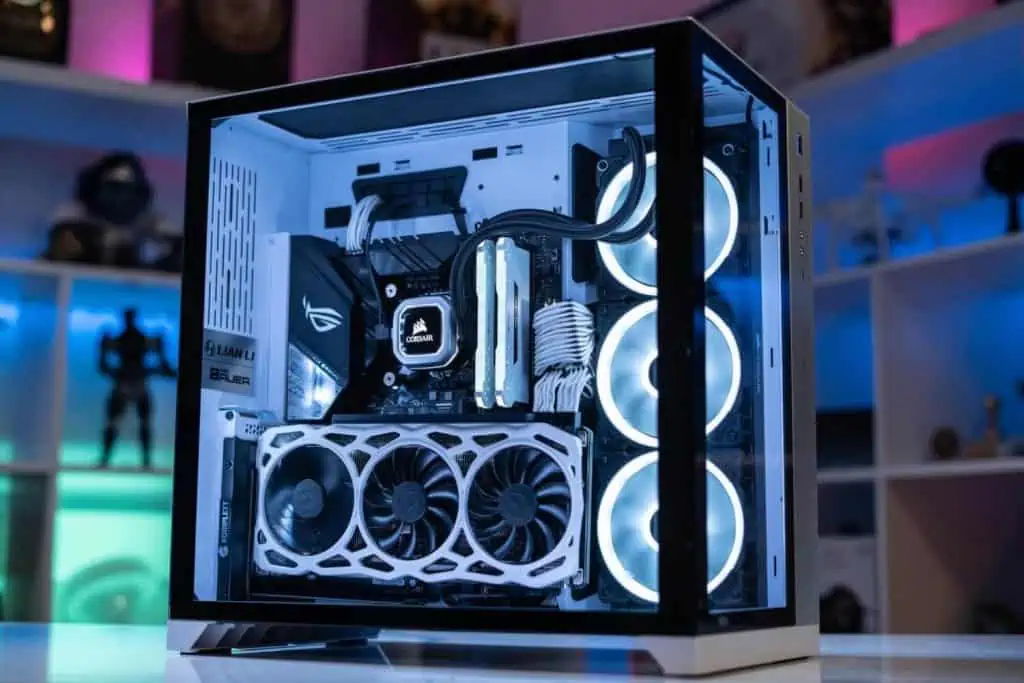


 Budget Horizontal ITX Case: Thermaltake Core V1


 Alternative Mini PC Case: In-Win CE685


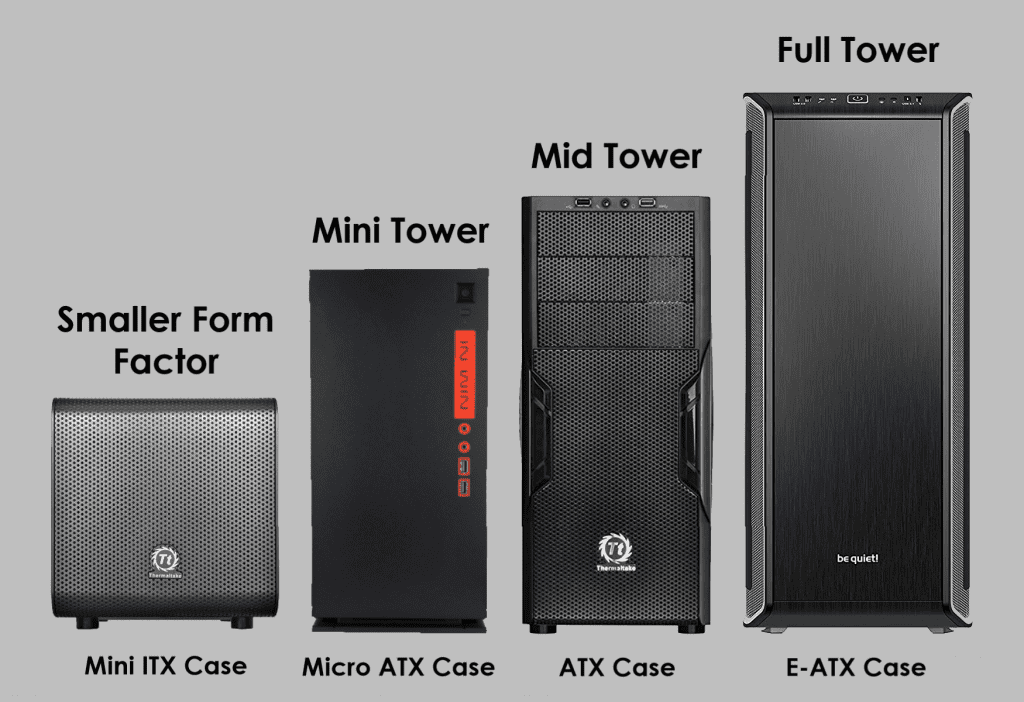


 What about those less focused on budget, and are instead asking: “how do I build the best gaming PC possible?”.