EXPERT INSIGHT & TRUSTED REVIEWS

EXPERT INSIGHT & TRUSTED REVIEWS

What in Tech is a user-supported site. When you purchase through our links, we may earn an affiliate commission at no additional cost to you. Learn more

The 8 Best 8TB SSDs in 2026 (2.5″, M.2 & External)

8tb SSD

The 8 Best 8TB SSDs in 2026

We've reviewed the top picks for serious data users

8tb SSD

We have updated this feature for 2026. There’s also nothing game-changing on the horizon, so it’s a good time to pick up an 8TB SSD from our current selection.

It’s crazy to think how far we’ve come since the days of marveling at 20MB drives & even smaller portable storage.

Who knew 30 years later, we’d be enjoying 8TB solid-state drives!

There are now some very decent high-capacity offerings available from leading storage manufacturers. They still, however, vary heavily in type, quality & price.

So today’s feature is here to guide you through the best 8TB solid-state drives. We’ve reviewed the main market options  and ranked them with different budgets and requirements in mind.

1

Best 2.5″ 8TB SSD

SAMSUNG 870 QVO

Our Rating: 10/10

2

Best M.2 8TB SSD

Corsair MP400

Our Rating: 9.75/10

3

Best External 8TB SSD

Glyph Atom Pro

Our Rating: 9.5/10

4

Cheapest External 8TB SSD

VectoTech Rapid

Our Rating: 9.25/10

5

Runner-Up Best NVMe 8TB SSD

Sabrent Rocket Q

Our Rating: 9.25/10

6

Best Enteprise 2.5″ 8TB SSD

Intel SSD DC P4510

Our Rating: 8.5/10

7

Alternative Cheap External 8TB SSD

U32 Shadow

Our Rating: 8.5/10

8

Best Cheap 2.5″ SSD

Micron 5210 Ion

Our Rating: 8.5/10

Quick word on where to buy 8TB SSDs

If you’ve already looked at 8TB SSDs online, you may have run into some products that are 80-90% cheaper than the reputable options we recommend below.

How is that possible?

As you may have guessed, I’m here to tell you these cheap listings are fake 8TB SSDs. They’re usually made using a smaller drive with data re-writes to make them “appear” like they are 8 terabytes (but will quickly stop working when pushed above their original spec).

You have to be very wary of such listings, they often still come with a host of good reviews by using an old product page (e.g. a well-rated 1TB SSD) and then updating it to an 8TB fake.

We’d recommend sticking to the options on this list that represent the best value for authentic 8 TB solid states, and even when buying our recommendations, remember to purchase from Amazon directly (or one of their third parties with excellent customer feedback).

If you still want to look at other options, we strongly suggest sticking to reputable brands like Samsung & Corsair.

Best 2.5″ 8TB SSD: SAMSUNG 870 QVO

What a fantastic offering this is.

From one of the kings of flash memory, Samsung’s 870 QVO product line doesn’t just offer enormous size options but does so with great technology to ensure decent longevity while still managing to be the cheapest 2.5-inch 8TB SSD we’ve come across.

Not only does the 870 QVO boast read speeds up to 560 MB/s & write speeds up to 530 MB/s, but benchmarks also suggest that speeds get close to these numbers in real-world performance. This isn’t always the case, with “maximums” provided by manufacturers occasionally not mirroring reality.

Having excellent speeds is integral for many people with larger drives when considering the significant data transfer that can take place between your various storage units.

The specs also make the 870 QVO a fantastic 8TB SSD for PC gaming (if you’re buying for a console like the PS5/Xbox Series X, be sure 8TB is supported – if not, the 2/4TB versions are also well worth their smaller price-tags).

Based on QLC technology to achieve its excellent price-point, Samsung works around the usual limitations of a QLC SSD setup by implementing an Intelligent TurboWrite & a stability-focused ECC algorithm to ensure terabytes written (TBW) up to 2800 (twice that of the previous iteration, which was already a well-received, stable product by QLC standards).

Whether you’re after an 8TB SSD for video editing, general storage, or other average user needs, we really appreciate the longevity on offer here (if your requirements are for your OS running as fast as possible, the 870 QVO is still a decent choice, but you may want to consider the M.2 picks below).

While it’s nothing to go crazy for, we appreciate the decent design and build quality of the 870 QVO too; balancing minimalism and sturdiness in its tiny package.

Another nice-to-have is software capability; the utility for data migration/cloning, Samsung Magician speed optimization, and general drive management are fantastic additions and all easily available.

Finally, it’s worth noting the incredible value of the 870 QVO. It has little diminishing returns price-wise, with the 8TB SATA SSD version (usually) costing around double a 4TB SSD. This is a great feat, with larger drives often coming with a premium for their utility in only taking a single output.

Ticking practically all the boxes we think most users are looking for in a serious storage solution for their computers while maintaining a fantastic price, the 870 QVO is easily our overall top pick for the best 8TB solid-state drive today.

2026 update: The 870 QVO remains our top choice for 4 years running! We’ve not seen another offering balance quality, reliability and price at the same level.

Our Rating: 10/10

Best M.2 8TB SSD: Corsair MP400

If you’re after the fastest 8TB solid-state drive possible for a PC setup, power-house brand Corsair has a brilliant offering for M.2 NVMe users.

With read speeds up to 3400 MB/s & write speeds up to 3000 MB/s, we’re pleased to say that, like the Samsung 870 QVO, the benchmarks and user reception demonstrate that these speeds are attainable in real-world performance.

Not only is this the fastest 8TB SSD worth buying in today’s market, but its 3d QLC NAND architecture still boasts up to 1,600 TBW, a great balance between longevity and the cheaper utility of QLC.

The great differentiation between the MP400 and the 870 QVC (other than port requirements) is the price.

As fast as the MP400 is, it comes at over 50% more expensive than the 870 QVC.

Would we recommend it as one of the best SSDs for your operating system and intensive read/write requirements? Absolutely.

But appreciating the high cost, it’s worth point out that while the MP400 is 6x faster than nearly all of its 8TB SATA SSD competitors, that does not translate to anything close to 6x operational performance.

In other words, while it’s a great investment if you can afford it, running your system from the 870 QVO would still provide decent speeds (you could also combine it with a smaller MP400 M.2 drive running your OS/main software and an 870 QVO 8TB for your general storage/media if you want to optimize cost and speed).

If you’re running cloud storage, or an intensive virtual machine setup, investing in MP400s will be fantastic if you have a motherboard with decent M.2 capability.

Unlike traditional SATA solid-state drives, it’s a little more common to see larger NVMe 8TB SSDs cost more per byte for their additional size.

In other words, for the MP400 8TB, you can expect to pay around 5-10% more than 2 MP400 4TBs. But with M.2 slots usually more limited than SATA outputs, we think the extra price is more than worth it for users serious about maximizing their storage.

With unrivaled speeds, size, and great compatibility across PCIe, the MP400 may be expensive, but considering you’re getting one of the best M.2 drives in any category, we think it’s more than worth its hefty price tag.

Our Rating: 9.75/10

Best External 8TB SSD: Glyph Atom Pro

While Glyph may not be a household name like Samsung and Corsair, they’re a reputable manufacturer, especially in the premium SSD space.

One of the best examples of their accomplishments is the Atom Pro, which doesn’t just provide a portable, rugged 8TB external SSD, but also one that operates on an NVMe interface to reach speeds comparable to some of the best M.2 drives.

With read speeds of up to 2800 MB/s and write speeds up to 2600 MB/s (that are actually attainable in real-world performance based on benchmarks and user hands-on), they may be a tad lower than our top M.2 above, but to achieve these speeds for an external solution that needs to also balance portability/durability? The Atom Pro’s specs are very impressive.

There are a few reasons we consider it better than the competition, but the main one is that we think the type of users after an 8TB external drive will more likely be those looking for significant transfer speeds and/or read speeds.

Whether you’re a 4k 60FPS video editor, production users, or someone who wants to use this enormous space for a dedicated portable PC storage with OS/Games/media, the NVMe specification and speed of the Atom Pro poses a lot of value to you.

Its capability as a powerful portable storage solution is really solidified by its build quality; not only is it deceptively small (with a nice crevice around the sides to fit the cable through during travel), but it’s one of the most durable SSDs we’ve come across, even boasting 810F military standard grading to endure intensive conditions.

With all that said, while we do rank this as the best external 8TB solid-state drive, we appreciate that it is a very expensive offering.

As stunning as the read/write speeds are on a portable solution, if you don’t see yourself using them to their full effect (e.g. running an OS from an external SSD or transferring large files with a focus on haste) then you may be better off looking at our cheaper external pick below.

It’s worth adding that you need a device that supports Thunderbolt 3/4 to achieve the specified speeds (formatted as a Mac SSD, but easily changed to a Windows drive with a simple reformat at the point of install). We would have liked to see an in-built USB-C.

That said, with an adapter, it would undoubtedly still reach decent speeds on another connection, but if you’d prefer a built-in solution (or don’t need to pay extra for the additional speed), our cheap external SSD choice below will better suit you.

We’re floored by what Glyph has put together with the Atom Pro; with unparalleled durability, portability, speed, and storage size.

If you have the budget, know that you’re not just getting one of the best 8TB external solid-state drives, but one of the great portable storage solutions in any category.

Our Rating: 9.5/10

Cheapest External 8TB SSD: VectoTech Rapid

In the world of 8TB SSDs, cheap is a relative term.

While still expensive, the VectoTech Rapid offers fantastic value when compared to some of its closest competitors and will likely be the better answer for many external drive users who don’t need the immense NVMe speeds of our pick above.

Led by a 3d NAND setup, we appreciate the Rapid running on a USB 3.1 Gen 2 Type-C connector which, in our opinion, is the best input today with great balance between speed and compatibility.

With speeds up to 540MB/s (reflected largely in benchmarking), the Rapid may be slower than the Atom Pro, but at its price-point, it offers great value for less average users.

As nice as it is to use an NVMe setup for anyone who has demanding read/write needs, it’s worth point out that the capability of the VectoTech SSD is still great for those who prefer the cost savings over the change in spec.

With speeds akin to our top 2.5-inch SATA Samsung pick, the VectoTech is still perfectly capable of running an OS, 4K video editing (@30FPS), and other demanding activities.

Despite being a cheap external 8TB SSD (relatively!), we appreciate the decent demonstrations of longevity for the Rapid. Its smaller brothers were introduced on the market several years ago, with many long-term users citing a persistence of great performance.

When you tie that in with the 3-year warranty and durable aluminum frame, it’s nice to see no compromise made on ensuring the lifespan of the Rapid considering the investment.

Yes, it may not reach the heights of the Atom Pro, but for around half the price? It’s undoubtedly the best external 8TB drive with value in mind.

2026 update: There have been a handful of other external 8TB SSDs entering the market in the Rapid’s price range. I still rank the Rapid at the top with its decent benchmark speeds, value, and longevity. That said, if you are very budget focussed, I’d recommend viewing the options and checking if another happens to be on sale. The Rapid is good, but if there’s another option with similar speeds from a reliable manufacturer at a decent price, I would say go for it.

Our Rating: 9.25/10

Runner-Up Best NVMe 8TB SSD: Sabrent Rocket Q

Of all of the head-to-heads that were considered here, nothing was as close as Corsair MP400 vs Sabrent Rocket Q 8TB.

Both from 2 power-house storage manufacturers boasting 5-year warranties as a testament to their longevity (with up to 1,800 TBW on the Rocket Q, it comfortably gets around the limitations of QLC compared to lesser SSDs).

Both 8000GB SSDs also sell for close-to-identical pricing, so the value isn’t a competitive difference either.

The main reason we rank MP400 as number #1 is purely down to its slightly superior speeds, up to 3400MB/s read & 3000MB/s write vs Sabrent’s 3300MB/s read & 2900/s write.

Benchmarks also suggest that the Rocket Q runs slightly hotter than the MP400, but not to the points of concern (i.e. a decent cooling solution/M.2 heatsink should be suitable for operation).

These are negligible differences, but with both SSDs representing excellent specs across the board, they’re the only real separators.

We would take this as a good thing, as it means anyone in the market has 2 fantastic options; if this Rocket Q offering is cheaper or available when the MP400 isn’t, then by all means go for it.

The Rocket Q is comfortably in the same league and very close to equally worthy of the best 8TB M.2 NVMe SSD title.

Our Rating: 9.25/10

Best Enteprise 2.5″ 8TB SSD: Intel SSD DC P4510

If you are looking for a solution for serious business-grade storage (or simply want the highest-end 8TB SSD for general consumption) this Intel SSD is your best choice.

The P4510 series stands out by fitting the 2.5″ form factor while utilizing a U.2 PCIe connection to achieve 3200 MB/s read & 3000 MB/s write speeds (reflected in hands-on benchmarks).

Not only are the read/write speeds almost comparable to our top M.2 pick, but the P4510 series boasts excellent secondary specs that promote it as a great tool for business-level storage (virtual machines and other high-grade needs), with very low latency and fantastic read/write IOPS ratings.

Important note: To be clear as above; this drive does not operate on a SATA connection like a traditional 2.5″ SSD. You need a U.2 output on your motherboard (needed to reach the speeds that SATA cannot provide), so ensure your motherboard has this available before purchasing.

The other standout point where the P4510 earns its price tag is its TLC-based lithography.

Intel, who is one of the most reputable brands for enterprise-tier storage, manage to use this TLC setup to achieve a mean time between failure (MTBF) of 1.5 million hours.

The drive is also optimized compared to many higher-end SSDs for great temperature ranges and low vibration ratings (again, clearly a focus for critical enterprise server usage in mind with this level of quality).

There’s no denying that this longevity is a stunning offering and we know that some users will specifically be looking for an 8TB TLC drive, but the idea that QLC is always a big problem is a bit of an over-simplification.

Yes, drives use QLC architecture to meet mainstream prices, but stand-out choices like our top Samsung QVO pick dramatically increase the TBW to double that of the previous iteration/many competitors.

And when considering QLC vs TLC, yes, the latter has a lower risk of issues, but a high-quality QLC drive also has great longevity, the difference between the two comes at a dramatic cost.

While the P4510 is the better drive (if you have a U.2 connection), it costs nearly twice the price! For most users, we’re not sure if it’s worth the extra. Drives with significantly less TBW than the Samsung 870 are used by millions of people for operating systems, games, and more.

For this very reason, the P4510 and its specs are designed for enterprise/server usage, which almost feels like an acknowledgment from Intel themselves that the mainstream QLC drives are a worthy option for the average consumer.

If however, you’re working in a demanding environment that will require lots of data overwriting and the lowest risk possible for an 8TB SSD (production users, business-critical infrastructure/VMs, etc.) or you simply want the best 8TB drive regardless of cost, then the P4510 8TB is absolutely the best option for you.

Our Rating: 8.5/10

Alternative Cheap External 8TB SSD: U32 Shadow

If the VectoTech Rapid is not available, the U32 Shadow from Oyen Digital is a fantastic external SSD alternative.

There isn’t much separating the Rapid vs the Shadow, with identical warranties, similar temperature maintenance, sizes, and durable aluminum bodies; despite not coming from household names like Samsung & Intel, they are decent USB-C gen2 SSDs (both with Thunderbolt 3 capability).

So why do we think the Rapid is better? Well, speed-wise, benchmarks seem to suggest the Rapid can performance slightly faster (in the region of +2.5%, like we said, not much difference!).

Additionally, and perhaps more importantly for most, the Rapid has been on the park for longer, with a larger user base citing its longevity than the U32 Shadow’s limited (but positive) reception.

Given that, at the time of reviewing, the SSDs are identical in price, we think these fine-tuned differences are significant enough that it’s worth going for the Rapid.

But as a second option, whether the Rapid is sold out or temporarily price-gouged, we still highly recommend the U32 shadow as an alternative budget external 8TB SSD.

Our Rating: 8.5/10

Best Cheap Enterprise 2.5″ SSD: Micron 5210 Ion

As far as consumer-grade SSDs go, we think the Samsung QVO fits the bill perfectly for all 2.5″ SATA users.

If however, you’re building a large-scale enterprise solution but don’t need the incredible speeds and rewriting capacity of the premium Intel offering above, the Micron 5210 Ion fits the gap nicely.

With up to 540 MB/s read & 360 MB/s write speeds, the 5210 is a decent runner for many operational environments as far as SATA drives go.

You’ll notice the write speeds are significantly lower than our top Samsung SATA SSD, this is because the Ion is designed for a balance between value and endurance by not just basing itself on QLC and the notion of low re-write expectations (i.e. this isn’t the best drive to do tons of writing on, and is instead better for static data where possible).

With that in mind, the 5210 Ion achieves a mean time to failure of 2,000,000 hours, a great feat that wouldn’t be possible without its low write-focus setup.

While we wouldn’t recommend the drive over the 870 QVO for mainstream users & gamers, if you’re building a server farm that will include storage for needs of low re-writes like long-term documentation, static and static VMs, you will likely appreciate the excellent value of this cheap 8TB SATA SSD.

Our Rating: 8.5/10

What's Next?

About the author

Picture of Kaelum Ross
Kaelum Ross
Kaelum Ross, BSc is the Lead Writer at What in Tech and a leading authority in PC hardware and software. With a career as a senior IT professional, Kaelum has led multi-million dollar projects covering everything from bespoke software development to complex Windows hardware upgrades. Today, Kaelum uses his expertise to serve What in Tech's readers and has been featured in numerous global publications including New York Magazine and Lifewire.

The 10 Cheapest PC Cases Worth Buying in 2026

Cheapest PC Case

The 10 Cheapest PC Cases Worth Buying in 2026

This feature has been updated to cover cases new (and upcoming) for 2026. Our main picks are the same this time, but we’ve added some relevant alternatives.

Though we love to recommend cases in all shapes, sizes, and price-ranges, we know that some readers are on very tight budgets.

That’s why today’s feature will take you through the Cheapest PC cases for gaming, work, and more.

We’ve specifically chosen very cheap PC cases that are still worth purchasing, and some options are on the list may cost a tiny bit more for having great extras for a budget build (e.g. fans included) so read each one before you judge on price alone!

Top Picks

Best of the Rest: Quick-Fire Picks

Source: Cooler Master

Overall Best Cheap PC Case: Cooler Master N200

Now yes, there are some cheaper towers around (we go over them further below).

But if you’re looking for the best value cheap PC case, and especially the cheapest PC case for gaming we would recommend, the N200 is your best choice.

Why? Well, you’re not just getting a very cheap Micro ATX Case, but also:

  • Decent build quality for the price from one of the best PC case brands, with extra ventilation and mesh panels to maximize airflow.
  • 2 x 120mm included fans (fantastic for the price) which combined with the airflow design, will be enough to get a build up and running
  • Perfect space for a budget gaming PC case with 4 x expansion slots and GPU lengths up to 355mm (more than enough)
  • Great storage space with up to 3 x 2.5″ & 4 x 3.5″ drive bays (more than enough for budget builds)
  • 5.25″ optical drive bay space if you require a DVD/CD drive.

This really is an excellent package. We really appreciate the inclusion of the 2 fans at this price-point (pretty unheard of, especially from a large manufacturer). Assuming you’re looking at purchasing a graphics card in the low to mid-range price point; then all of the included cooling will likely suffice, but you have options to expand with up to 2 further 120mm fans in the future if needed.

If you’re a non-gamer looking for something without a GPU, then this will handle your needs without spending any more money on additional fans.

There are other features in this case that we’re shocked to see at this price point: decent cable management, USB 3.0 port on the front I/O panel, and an all-around decent layout to work in as you’re building.

There’s a reason we’ve featured the N200 multiple times before. When we think of the cheapest PC case worth buyingthere really is no greater contender.

2026 update: For 5 years running, the N200 remains my top pick for the cheapest PC case worth buying. No other chassis has managed to retain the balance between quality and price displayed here for ultra-cheap builds.

Source: Fractal Design

Cheapest PC Case for Quiet Build: Fractal Design Core 1100

Another surprisingly cheap PC case from one of the best manufacturers in the chassis space (and the best for silent builds), the Core 1100 is the cheapest Fractal Design case around, but still retains some of the company’s signature features.

The build-quality is simple as you’d expect for the price, but the front of the case has a nice aluminum-brush finish to give this case a deceptively slick aesthetic.

The 1100 has been designed to provide a reduction in noise through its build, with a vibration dampening setup on the 3.5″ drive bays (a common noisy part) and the included high-quality Fractal 120mm fan. 

You’re of course not going to get the same silent PC as you would with the mid/premium-tier choices, but at this price range? You can’t expect much more (if you’re really dedicated to a silent PC, there are some excellent choices if you can consider a larger budget).

This is one of the cheapest mini-tower cases around (which is the most common form factor for budget builds), with room inside for:

  • 4 x expansion slots
  • GPU length clearance up to 350mm (enough for any budget card)
  • 2 x 3.5″ HDD or 3x 2.5″ HDD/SSD or 1x 2.5″ HDD/SSD or 1x 3.5″ HDD bays
  • 2 x 5.25″ optical drive bays
  • Room for additional 1 x 120mm & 1 x 92mm fans

As you can see, the specs aren’t quite up to speed for gaming with the N200. We’d definitely recommend our top pick over this for that purpose.

But if you’re looking for the cheapest HTPC case or something for office work? This would be a decent quiet runner.

Source: Zalman

Cheapest PC Case for Airflow: Zalman S2

Now, as capable as the N200 is for a cheap gaming PC case, if you’re looking to purchase a premium GPU, or you simply like to have a windowed PC case, the Zalman S2 will likely be your better choice.

The first ATX case on the list, this is one of the cheapest mid towers available. What makes that more impressive is that the S2 comes with 3 pre-installed fans. Simply unheard of for an ATX case at this price.

The GPU clearance length is actually a tad less at 330mm; but this will still be more than enough for nearly every card (just check length before purchasing). The reason we like this case for airflow (other than its incredibly valuable 3 fan inclusion) is its:

  • Decent ventilation setup, with mesh and other vents surrounding most sides of the case
  • ATX form factor, meaning there’s a little more room to breathe within the case (you can still set up an mATX motherboard within it if you wish)
  • Room to install an additional 5 x 120mm fans in the future (not necessary for a budget build, but nice to have the option for overclocking/dual-GPU setups at a later date)

The build quality is perfectly serviceable for the price range, with the option to pay a tiny bit more for a tempered glass side (but an acrylic window is fine if you’re on a tight budget).

This cheap ATX case also has room for:

  • 7 x expansion slots
  • 2 x 2.5″ & 2 x 2.5″/3.5″ drive bays (perfectly decent for a budget setup)
  • Front I/O panel that includes a USB 3.0 port

What else is there to say, if you want an incredible deal on a larger chassis for a gaming build, the S2 is the cheapest ATX case with the level of airflow it offers.

Source: MUSETEX

Cheapest PC case with RGB Fans: MUSETEX 903-N4

Our next option is for those after something a little flashier.

Of course, with the introduction of RGB fans, comes a slightly higher price-tag, but the 903-N4 is still a very cheap deal for what you are getting. On top of the 4 included RGB fans (with front I/O light controller), you’re also getting a case with a decent build quality that includes 2 x tempered glass windows (many non-RGB cases at this price don’t even include one!)

This is certainly the best looking PC case on the list; and what’s more, with its included fans and decent internal ventilation, you’re still getting one of the cheapest gaming PC cases with good cooling out of the box.

This ATX tower has room for:

  • 7 x expansion slots
  • GPU lengths up to 380mm (this will almost certainly be enough for you).
  • E-ATX motherboard support (unlikely suitable for a budget build but a nice option nonetheless)
  • 3 x 2.5″ & 3 x 3.5″ drive bays – more than enough for gaming, also great for a budget media PC case
  • Option to add an additional 2 x 140mm fans (but not required)

As you can see, excellent specs for a cheap gaming PC case, or simply someone looking for a chassis for non-gaming that’s a little head-turning.

Yes, there is a slightly cheaper option for a case with LED fans.

But this cheaper choice only offers fans that output static colors, not RGB. The 903-N4 is, by far, the cheapest RGB PC case. The difference is that you can actually customize and change the colors of the RGB lights. In cheaper cases, they are usually a static rainbow-color, which isn’t nearly as good for creating your own style/aesthetic.

If you can’t afford the more luxurious light-focussed PC cases, the MUSETEX 903-N4 is the best cheap PC case with RGB fans without question.

Quick-Fire Picks (Best of the Rest)

While the top 4 picks are what we consider the cheapest PC cases worth buying for a majority of gaming or budget work needs, we appreciate there will be some users with more specific requirements, and perhaps some more who are looking specifically for a case as cheap as possible regardless of value inclusions like fans. The picks below are worthy for you to consider if you fall into one of these camps.

HEC HX210

Cheapest PC Case (Under $30): HEC HX210

The cheapest PC case we can find that is suitable for a “traditional” build. There are some quality drops here compared to the above picks that we don’t think is worth the saving (with significantly less value when you consider fans), but you could certainly still build a budget setup with this.

Zalman T4

Cheapest ATX Case with Fan: Zalman T4

If you want an ATX case, but don’t feel the need to have 3 fans like the Zalman S2 (2 is still enough for a beginner budget build), the T4 is another great value pick.

DEEPCOOL MATREXX 30

Cheapest Tempered Glass PC Case: DEEPCOOL MATREXX 30

This isn’t just the cheapest Micro ATX case with tempered glass, but the cheapest in any form factor. With a fan and decent mesh layout, this would be good for a budget build (but if you’re looking at gaming, you’ll want to add at least 1 more fan, ideally 2).

Thermaltake Core V1

Cheapest Gaming ITX Case: Thermaltake Core V1

For those after a cheap ITX case for a gaming build, one of the best Mini ITX cases happens to be a very cheap offering, read more about it here.


Goodisory 05

Cheapest Non-Gaming PC Case: Goodisory 05

The cheapest PC case on the list (and the cheapest we could find). This could only be recommended to someone with very basic needs (e.g. a budget HTPC case) due to its tiny size (no room for GPU). If you have even remotely serious non-gaming requirements, we’d recommend the N200 or Core 1100 over this.

Rosewill SRM-01B

Cheapest Micro ATX Case Alternative: Rosewill SRM-01B

One of the most popular cheap PC cases, we don’t think this option is as good as the other Micro ATX choices on the list, but it’s still not a bad deal if you prefer the style/inclusions.

What's Next?

About the author

Picture of Kaelum Ross
Kaelum Ross
Kaelum Ross, BSc is the Lead Writer at What in Tech and a leading authority in PC hardware and software. With a career as a senior IT professional, Kaelum has led multi-million dollar projects covering everything from bespoke software development to complex Windows hardware upgrades. Today, Kaelum uses his expertise to serve What in Tech's readers and has been featured in numerous global publications including New York Magazine and Lifewire.

The 6 Best 1TB Flash Drives of 2026

1TB Flash Drive

The 6 Best 1TB Flash Drives in 2026

1TB Flash Drive

We have updated this article for 2026 after reviewing the latest and upcoming flash drives. Our top picks remain the same this time, but we’ve included a couple of additional options.

1TB pen drives! I remember when 1GB was impressive, what a world we live in.

That being said, there are a number of fake 1TB flash drives around, and even the legitimate ones vary in quality.

Today’s feature is here to take you through the best 1 terabyte flash drives available today (and some very portable SSD alternatives for those more focussed on speed).

1

Overall Best 1TB Flash Drive

SanDisk 1TB Extreme PRO

Our Rating: 9.5/10

2

Premium 1TB Flash Drive Pick

Corsair 1TB Flash Voyager GTX

Our Rating: 9/10

3

Best 1TB Pen Drive SSD

KESU Portable External SSD

Our Rating: 9.25/10

4

Best Cheap 1TB Flash Drive

PNY Pro Elite 1TB USB 3.0

Our Rating: 9/10

5

1TB Thumb Drive Alternative

ARCANITE 1TB

Our Rating: 8.75/10

6

Smallest SSD Alternative Pick

Sabrent Rocket Nano 1TB

Our Rating: 8.75/10

A Quick Word on Fake 1TB Thumb Drives

“If it’s too good to be true, it probably is”.

This is a motto you’ll definitely want to have when looking at where to buy a genuine 1TB flash drive. There are unfortunately loads of fake products. And what’s more, some of these sellers are deceptive.

Take this one. Very cheap, tons of verified 5-star reviews, seems legit right? Well, the seller originally sold a 1GB flash drive on this listing, for which all of the positive reviews (2-10 years old) are referring to. Recently it was deceivingly changed to 1TB and is clearly well below the expected price (around $150-250). We’re sorry to say you’re not going to be getting the largest flash drive size for $50 for a long time.

We’d recommend sticking to the below picks as much as possible. If you’re looking at anything else, be it Amazon or any other site, make sure you’re getting a reputable pen drive brand (Sandisk, Corsair, etc.).

Now with that said, let’s get started…

Overall Best 1TB Flash Drive: SanDisk 1TB Extreme PRO USB 3.2

Now, if you’re not particularly bothered about speeds, you can go to our cheap/budget picks further below.

But when purchasing such a large drive, we think it’s worth paying a tiny bit extra for a device that can transfer masses of data at a fantastic rate.

This is where this SanDisk 1TB USB flash drive shines. For only a little bit more than our cheaper options, you’re getting a pen drive from arguably the best storage brand in the game, with fantastic read and write speeds (up to 420 and 380 MB/s respectively).

The Extreme PRO’s design is sturdy (with aluminum reinforcement), includes SanDisk’s secure encryption software for sensitive data, and is fully USB 2.0 / 3.0 backward compatible.

If you are purchasing such a large storage solution, we think it’s a no-brainer that you’ll go with a trustworthy brand with great read/write speeds.

The Extreme PRO is comfortably our pick for the best 1TB pen drive available today

Quick note: As much as we love this SanDisk offering, flash drive availabilities are often quite sporadic. If this isn’t available or is listed for say 30%+ the price of our cheap/alternative choices, then go with the other models.

2026 update: The Extreme is still our comfortable top pick for 2026, representing the best balance between speed, durability, and price. That said, it’s worth pointing out that SanDisk has released a 1TB USB-C flash drive at a very impressive price point (about 20% cheaper than the Extreme). The problem lies in its read speeds at 150Mb/s, a notable decrease; if this, however, isn’t a big concern for you, the Luxe is a great alternative.

Our Rating: 9.5/10

Best Premium 1TB Flash Drive: Corsair 1TB Flash Voyager GTX

Our next pick is for those after the best 1TB USB drive possible regardless of price.

With speeds up to a mouth-watering 440Mb/s read and write, the Voyager is the fastest 1TB flash drive on the market today.

On top of that, the zin-alloy reinforced casing and sturdy design make this the most durable USB drive too. Perfect for a professional user who will be consistently changing content on the drive and wants something built to last.

We’ll be clear: coming in at around 30% more expensive than our other choices, this Corsair 1TB thumb drive will have diminishing returns for most users (who will be fine with the SanDisk, PNY, or Arcanite options).

But if you’re really after the best, most durable 1TB flash drive, regardless of budget, this is for you.

Our Rating: 9/10

Best Cheap 1TB Pen Drive SSD: KESU Portable External SSD

OK so, this isn’t a USB thumb drive, but a solid-state drive.

We know that this is a list for the former, but we think that a lot of you will actually prefer this solution, so wanted to present it to consider.

1TB Flash Drive vs External SSD

Traditionally, this battle would be decided by size vs speed. External SSDs are usually faster readers/writers but are significantly bulkier & heavier.

However, the reason we’re presenting this KESU offering (and an even smaller alternative at the bottom of the list) is that it’s tiny for an SSD.

This drive has higher read/write speeds than any pen drive on this list (despite being one of the cheapest options) with up to 540MB/s on both.

This is seriously impressive speed.

The downside? Well because this is an external SSD, the input on the drive is female as opposed to male like the rest of the one-terabyte USB flash drives on this list.

That means that instead of being able to plug the drive in straight from the pen, you need to carry around a USB cable to put into the drive and your PC.

For some of you, this might be a deal-breaker as we know a big part of buying a pen drive is the ultra-portability.

KESU also isn’t the big brand that SanDisk and Corsair are, but this drive has had decent reception and we think it’s a fine option for those after a budget 1TB drive.

Overall, if you’re more interested in fast read/write and low price tags than avoiding carrying around the wire alongside your tiny drive, this is a fantastic choice.

2026 update: The KESU drive is still a great option, but we’ve been seeing it run into stock issues a lot this year. If you prefer the idea of a cheaper SSD offering, SanDisk’s 1TB Gen2 drive is a great product. It’s not as small as the KESU, but still very portable and of course, boasts SanDisk’s much more reputable brand.

Our Rating: 9.25/10

Best Cheap 1TB Flash Drive: PNY Pro Elite 1TB USB 3.0

For those after a budget 1TB flash drive, this PNY offering is a fantastic choice.

A popular product, this has already been tried and tested by many other consumers, the Pro Elite holds up in a lot of ways, and value-wise is an incredible offering for the price.

Prices on flash drives are sporadic depending on availability. At the point of writing this 1TB flash drive review, the PNY stick was 15% cheaper than our top SanDisk choice. Bear that in mind when choosing between them if the prices you’re seeing are different relatively.

So what’s the drawback/why do we consider this a budget pick? Well, the write speed is notably slower than most of the other items on this list at up to 250MB/s.

Now for many of you, this likely isn’t to be that big a deal and you’d rather save the money (PNY is an established enough brand too that you don’t need to feel like you’re “cheating out” on quality).

We prefer the SanDisk 1 TB flash drive as its write speed seems more appropriate for such a large storage solution.

But it’s really up to you. If you’d rather save some money, this PNY USB drive is a great choice.

2026 update: The PNY Pro Elite has a new 2nd version released and it’s fantastic, boasting 50% better speeds and a nicer design.

We have kept the 1st version in this article as we’ve been seeing it appear occasionally for great value, and it still reads/writes fast enough for most. If however it’s not available, or you feel like the extra read/write speed will really benefit you, then we highly recommend the Pro Elite V2.

Our Rating: 9/10

Alternative Pick – Best of the Rest

The above options are our main picks for the best 1TB pen drives available today. That said, we’ve thrown a couple of other options worth quickly considering for certain requirements.

ARCANITE 1TB USB 3.1 Flash Drive

1TB Thumb Drive Alternative: ARCANITE 1TB USB 3.1 Flash Drive

In quality, Arcanite is in-between the PNY and SanDisk picks. But price-wise? It’s more in line with SanDisk (i.e. slightly less valuable). If however, the SanDisk/PNY sticks aren’t available, we recommend you go with this as a fantastic backup option.

Our Rating: 8.75/10

Sabrent Rocket Nano 1TB USB 3.2

Smallest SSD (1TB Thumb Drive Alternative): Sabrent Rocket Nano 1TB USB 3.2

If you liked the sound of our cheap SSD pick, there is an even smaller option available in the Sabrent Rocket Nano.

Note that although this pick is pretty much the smallest thing on the list (even with wire included), we didn’t rank this as highly as there are some performance degradation concerns over time; still worth considering if ultra-portability is the most important thing to you.

Our Rating: 8.75/10

What's Next?

About the author

Picture of Kaelum Ross
Kaelum Ross
Kaelum Ross, BSc is the Lead Writer at What in Tech and a leading authority in PC hardware and software. With a career as a senior IT professional, Kaelum has led multi-million dollar projects covering everything from bespoke software development to complex Windows hardware upgrades. Today, Kaelum uses his expertise to serve What in Tech's readers and has been featured in numerous global publications including New York Magazine and Lifewire.

The 5 Best PC Cases Without Windows in 2026

Best PC Case Without Window

The 5 Best PC Cases Without Windows in 2026

The best choices for a minimalism and silence

Best PC Case Without Window

We have updated this feature for 2026 after reviewing the latest options. This time around, our picks remain the same, other than mentioning a couple of decent alternatives for options that sometimes run into stock issues.

As popular as a tempered glass chassis is nowadays, we know that showing off all of your PC’s bells and whistles isn’t to everyone’s taste.

What about those after a more minimalist build?

Whether it’s for a cleaner style, noise reduction, or anything else; today’s feature breaks down the best windowless PC cases available today for different budgets and sizes.

1

Fractal Design Define R5

Overall Best Case Without Window

Fractal Design Define R5

Our Rating: 10/10

2

Corsair Carbide 200R

Best Budget Pick

Corsair Carbide 200R

Our Rating: 9/10

3

Fractal Design Define R7 XL

Premium Pick

Fractal Design Define 7 XL

Our Rating: 9.5/10

4

Cooler Master N200

Best Micro ATX Option

Cooler Master N200

Our Rating: 9.5/10

5

silverstone sg13b

Best Mini ITX Option

SilverStone SG13

Our Rating: 8.5/10

Overall Best PC Case Without Window: Fractal Design Define R5

2026 update: The Define R5 remains our top pick for 5 years running. We’ve reviewed some other windowless cases that have entered the market since, but nothing that ticks the boxes quite as well.

I really cannot speak highly enough of the Define R5.

Not only is this the best computer case without windows, but it’s one of the greatest towers on the market today in any category (and our favorite case from Fractal Design, who are a fantastic manufacturer focused on no-window options).

The build quality of this case is top-tier. With a majority steel (+ metal finish) exterior that gives the chassis an understated but stylish look (stock photos do not do it justice).

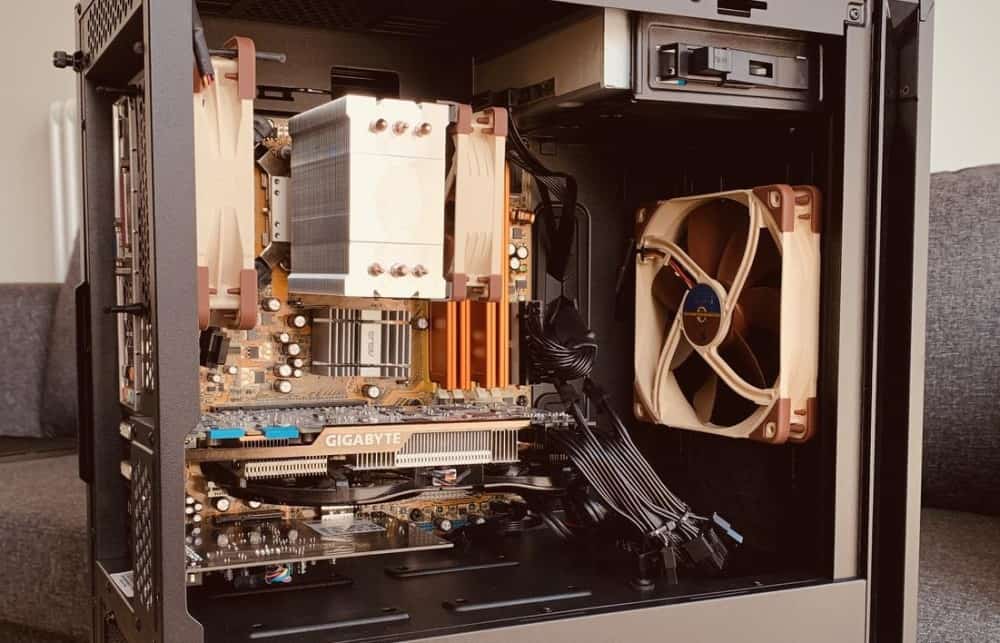
Fractal Design Define R5

Source: Gabiche

Fractal towers are known for their sound-dampening abilities without notable compromise on performance. Building your setup in the R5 gives you a fantastic balance between silence and cooling. You’re getting a fantastic windowless PC case for airflow, including room for:

  • Up to 9 140mm fans + 2 great Fractal Design Dynamic GP-14 fans included
  • Or up to 420mm top, 360mm side, 240mm bottom & 140mm rear radiators

This is a really impressive allotment for its size. The form factor often offers a lot less. Not that you need to have all 9 fans to run a computer well, but it’s nice to know you can max out this capability if you’re going for overclocking or a seriously powerful setup. I’ve seen the R5 actually outperform many of its open-air competitors for running an intensive setup in thermal benchmarking.

The hardware space is great too, with room for:

  • 7 expansion slots
  • VGA cards up to 310mm in length (if you need to, removing the HDD case can up this to 440mm, but most mainstream cards will fit in the 310mm space).
  • 8 x 3.5″ / 2.5″, 2 x 2.5″ & 2 x optical drive bays

Between the cooling and internal space, it’s a great windowless PC case for gaming. Beyond that, anybody with high storage needs is going to be spoilt with options building in the R5 (think video editing, production work, or server builds).

What else is there to say? Between its fantastic build quality, cooling performance, sound dampening, and space for powerful hardware all rolled into a mid-range price, the R5 ticks all the boxes and is, without doubt, the overall best PC case without a side-panel window.

Our Rating: 10/10

Best Budget PC Case Without Window: Corsair Carbide 200R

As much as we love the R5 for gaming and work builds alike, if you’re looking for a cheap windowless PC case, the 200R is a great substitute for its price.

One of the flagship budget options by powerhouse Corsair, this chassis has a steel exterior. Albeit a thin material with a basic finish, we still respect that Corsair has not gone for plastic in such a low-price PC case. It looks and feels decent compared to its budget counterparts.

This windowless chassis is a compact ATX case, with decent room for:

  • 7 x expansion slots
  • Graphics cards up to 420mm in length
  • 3 x 5.25″, 4 x 3.5″ & 4 x 2.5″ drive bays
  • Fan setup: Up to 8 x 120mm fans (2 included)
Corsair Carbide 200R

Source: Octothorpe

For its size and price, the 200R has an impressive allowance for fans and hardware.

You are, of course, not going to get the same level of cooling & sound dampening as the R5 (but again, with its low price in mind, it’s a great offering). That said, for a budget build, we think what’s on offer here is more than enough to cool some less-intensive GPUs.

We like also that even at this budget, Corsair hasn’t avoided including 2 fans which will be enough to get your build up and running.

If your wallet is tight, this is my comfortable choice for the best cheap PC case without a window on the market today.

2026 update: The 200R is still my top budget pick, but we’ve seen it run into stock issues occasionally. If it ticked the boxes for you but is unavailable, Fractal Design has a very similar offering in the Core 1100. It’s an mATX case but I expect it will be an excellent alternative for smaller budget builds.

Our Rating: 9/10

Best Premium PC Case Without Window: Fractal Design Define 7 XL

We’re back to Fractal. The next option is for their top-range model which is perfect for anybody trying to build the most powerful silent PC setup they possibly can.

The Define 7 XL is a huge E-ATX chassis, with incredible space for:

  • 9 Expansion slots with a further 3 for vertical install options
  • 359mm GPU clearance (or up to 549mm when removing some modular case parts)
  • Drive bays included: 8 x 2.5″ / 3.5″ (up to 18 available), 2 x 2.5″ (up to 5 available) & 2 x optical″
  • 30mm routing space for cable management
  • 9 x 120mm fans (with 3 x Dynamic X2 GP-14 included)
  • Or  2 x 480mm, 1 x 280mm & 1 x 140mm radiators

The 7 XL has pretty much everything you could need, even in a powerful high-end build.

Fractal Design Define 7 XL

Source: Azerai

With incredible storage space, this is one of the best server PC cases I’ve come across.

As far as gaming goes; between the excellent cooling capability and its monumental space for hardware, I’ve seen the 7 XL excel for overclocking, multi-GPU setups, and much more.

Fractal R5 vs 7 XL: Note that if you’re looking for a standard single-GPU build with modest overclocking or you don’t need the incredible storage space on offer in the 7 XL, then the R5 will suit you better.

If budget isn’t a concern, you could still pick up the 7 XL for the increased airflow space, but it would be a bit of an overkill if you’re not intending to utilize its massive layout for something extra powerful.

What’s even more impressive is how this case can still retain very low decibel levels even when I’ve seen behemoth builds running inside. It manages to achieve this through its high-quality (beautiful) build, industrial sound dampening panels, great cable management facilities, and modularity for non-required components (e.g. HDD cages, removing unneeded case parts reduces rattling).

While the R5 will suit a majority of gamers and other builds well, if your goal is to create the most powerful build possible in a PC case without glass, this is your best option.

Our Rating: 9.5/10

Small Form Factor Windowless PC Cases

While the top 3 picks are our favorites for your typical gaming or work-related build, we’ve added a couple of extra quick-fire picks for great cases in smaller form factors.

Best Micro ATX Case Without Window: Cooler Master N200

A ridiculously cheap offering for windowless Micro ATX builds that still retains a great quality for gaming and production setups alike. The fact that it includes fans at its price is insane, I’d still be recommending it if it didn’t

If you have a tight budget, know the N200 has nearly everything the average mini-build needs.

Our Rating: 9.5/10

Best Mini-ITX Case Without Window: SilverStone SG13

From a classic minimalist manufacturer, the SG13 is a fantastic quality windowless ITX option.

Like mATX, Fractal offers great windowless options for mITX, but SG13 is the best pick for a budget/value build (which we know many smaller form factors target).

2026 update: While we still rate it highest for ITX builds, the SG13 occasionally encounters stock problems in our recent checks. If you can’t get hold of it, an excellent alternative is Cooler Master’s MasterCase H100.

Our Rating: 8.5/10

What's Next?

About the author

Picture of Kaelum Ross
Kaelum Ross
Kaelum Ross, BSc is the Lead Writer at What in Tech and a leading authority in PC hardware and software. With a career as a senior IT professional, Kaelum has led multi-million dollar projects covering everything from bespoke software development to complex Windows hardware upgrades. Today, Kaelum uses his expertise to serve What in Tech's readers and has been featured in numerous global publications including New York Magazine and Lifewire.

The 5 Best Console-Style PC Cases in 2026

Console Style PC Case

The 5 Best Console-Style PC Cases in 2026

We've reviewed the options available in this unique style

Console Style PC Case

We updated this article in 2026 releases. After reviewing the new cases on the market, our top choices remain the same. We’ve mentioned a couple of decent new alternatives to certain choices where relevant.

Is anybody else looking for a build that looks a little more…console-y?

In the world of chassis, there’s an overwhelming amount of good-looking cases out there.

But I often find myself being surprised at how large and imposing many designs are. What about those after a more classic gaming aesthetic akin to a PlayStation/Xbox?

In today’s feature, we’ve found the appropriate options and reviewed them to guide you through the best console-sized PC cases for your next gaming build.

1

Fractal Design Node 202

Overall Best Console-Style PC Case

Fractal Design Node 202

Our Rating: 9.5/10

2

SilverStone ML08

Runner-Up Console-Style Pick

SilverStone ML08

Our Rating: 9/10

3

Thermaltake Core V1

Best Budget Console-Style PC Case

Thermaltake Core V1

Our Rating: 8.5/10

4

NZXT H1

Console-Style Premium Pick

NZXT H1

Our Rating: 9.5/10

5

SilverStone ML05

Budget Pick Alternative

SilverStone ML05

Our Rating: 7.5/10

Overall Best Console-Style PC Case: Fractal Design Node 202

What a fantastic chassis this is.

If your budget doesn’t stretch to our top premium pick further below, the Node 202 is the perfect choice for creating a console-style aesthetic.

We rank it at the top because of the impressive balance between its tight, slim, Mini-ITX form factor and an intelligent, internal design that allows you to install a powerful mainstream GPU within its size limitations.

Its steel/plastic hybrid design looks very slick, boasting a high-quality finish and sturdiness, giving the chassis a nice premium aesthetic.

Fractal Design Node 202

Source: System48

Inside, there is room for:

  • A separate GPU chamber that can accommodate a video card up to 310 x 147 mm
  • 2 x 2.5″ drive bays
  • Room in the GPU chamber for 2 x 120mm fans (impressive for the shape/size, but bear in mind these will have to compete with the GPU dimensions)

The hardware you can install within the Node 202 is really impressive considering its unique, slim form factor.

It doesn’t just look the part, you have room in here for a powerful console-style gaming PC build; with a majority of mainstream graphics cards being installable (please check your dimensions before installing!).

While you’re (of course) not going to get the same airflow as a more extensive “traditional” case (ATX, etc.), the ventilation design in the Node 202 is fantastic. With its separate GPU chamber that segregates cooling, not to mention the optional fan mounts if your build demands them.

Overall, while we love the premium NZXT H1 pick below (and think anyone reading should also consider that chassis), I chose the Node 202 overall as it represents an incredible balance in design, quality, specification, and price. Whether for gaming or other PC builds, this is a fantastic choice.

2026 Update: The Node 202 remains my top Console-Style pick for 5 years running; nothing else better balances price, quality, and inner space while retaining a nice, slim aesthetic.

Our Rating: 9.5/10

Runner-Up Best Console-Style PC Case: SilverStone ML08

Coming in very closely behind the Node 202 is a worthy alternative in the ML08.

Its steel body and reinforced plastic shell look as high quality as they feel. Like the 202, the ML08 easily doubles as a great portable PC case option with its decent durability.

With room inside for:

  • An independent graphics card chamber for a dual-expansion slot card up to 330 x 121mm
  • Oversized vents designed to provide a fanless cooling setup for the tight layout
  • 2 x 2.5″ drive bays
  • Some convenient install features, such as its tool-less drive bays/dual chamber design
SilverStone ML08

Source: phdpepper

The internal dimensions here are still very impressive for the case’s external size, with the GPU slot still being large enough for most popular choices (remember to check!).

Fractal Node 202 vs Silverstone ML08

We rank the ML08 a tad below the Node 202 as its GPU width allowances are slightly less, and there are no optional case fans (though the ML08 performs surprisingly well with its oversized vents).

The GPU length allowance is notably longer, but we expect the width to be the main consideration point for your installation as very few cards are over 310mm (having extended width is also nicer for airflow on most cards).

But all things considered, this is still an excellent option and easily one of the best console-sized cases available. Don’t hesitate if you prefer it over the Node 202.

Our Rating: 9/10

Best Budget Console-Style PC Case: Thermaltake Core V1

This pick is a bit of a side-track from the main aesthetic we’ve featured in the rest of the list.

But we thought this pick still deserved a place if your idea of a console PC case is closer to a GameCube (or you’re simply flexible if the budget is right).

The Core V1 is a really impressive case for the price and has been featured many times previously on What in Tech.

The build quality is really quite impressive considering its low cost; with an SPCC steel/tempered glass design, covered with extended ventilation (important in a small case).

Thermaltake Core V1

Source: Seiren2112

Largely considered as one of the best Mini-ITX cases for budget gaming builds, you have great room in here for:

  • 2 expansion slots/GPU lengths up to 285mm
  • 2 x 2.5″ & 2 x 3.5″ hidden drive bays
  • 1 included 200mm fan + space for 2 x 80mm fans

As you can see, the length allowance on the GPU space is a tad lower than the other cases featured (but still good enough for many popular cards if you check pre-purchase).

The Core V1 makes up for this with its additional storage compartments and excellent cooling capability.

While we think the above picks better capture the essence of a console-style computer case, there is no chassis of those styles in the V1’s price range. It really is an excellent budget alternative.

Our Rating: 8.5/10

Best Console-Style PC Case for Cooling (Premium Pick): NZXT H1

If we had to pick just one case to crown as the best console-style tower available today, this would be it.

Due to its price tag, we’ve given the H1 the “premium choice” label.

But before you cry at the price, know you’re getting a lot of bang for your buck beyond just the case itself.

On top of its incredible design/build quality, the case is worth its price tag due to the included fully modular 650W PSU and AIO water-cooler.

The NZXT H1 is special as it has been designed with this PSU and water cooler in mind.

This has been done to remove any unnecessary size gaps that the other cases demand to be compatible with a wider range of SFX PSUs/cooling.

NZXT H1

Source: THLNG

Everything inside the unit is carefully designed and has its place (no waste) with room for:

  • beautiful SGCC steel/tinted tempered glass design. This is easily the highest quality and best-looking console tower on the list and the closest thing you’ll see to an Xbox Series X PC case
  • A dual-chamber layout that gives fantastic ventilation to the allotted GPU space (up to 305mm x 128mm for your card).
  • 2 x 2.5″ drive bays

It cannot be overstated how impressive the H1 is from both a design and performance perspective. I was particularly impressed by how it looks in person, photos don’t do it justice!

As good-looking as the unit is turned off, seeign a complete build light up through the tinted window (much more classily than a completely transparent panel in my experience) is a level of elegance you can’t really find in the other console-like PC cases we’ve reviewed.

And the fact that the ventilation/integrated water-cooler work so well to provide decent thermals is something extra special in this form factor, which can be plagued with cases that have serious heat issues.

This isn’t just the best console-shaped PC case, but one of the best Mini-ITX cases available today in any category

2026 update: This case is sadly quite low on stock in 2025. If you like the style but want something a little cheaper (or in stock), the closest alternative to the H1 is the SilverStone LD03B which is an excellent console-like alternative.

Our Rating: 9.5/10

Best Budget Console-Style Tower Alternative: SilverStone ML05

As much as we rave about the Core V1 as a budget pick above, we thought it sensible to include the cheapest option we’ve seen that has similar “cuboid” dimensions to the other choices.

The ML05 is the smaller brother of the ML08 and is the smallest PC case on the list with a tiny 7-liter volume.

With a comparably great build quality and design, as well as space for 2 x 80mm fans, 4 x 2.5″ drive bays, and an optical disc driveyou can be forgiven for thinking this is the ideal choice.

There is a big gap with the Ml05 though: it only has 1 expansion slot and is not designed for most independent/large GPUs.

SilverStone ML05

Source: monophonotronic

Being more specialized as an HTPC case, you would need either a specialized GPU with 1 expansion slot or integrated motherboard graphics for this to work for you.

I thought to include this pick as appreciated some budget builders may be OK with integrated graphics if their focus was more on portability.

That being said, if you’re looking for the best console-sized computer case for gaming, the options above will be far better suited and we think you’ll prefer the Core V1 model if your budget is tight.

Our Rating: 7.5/10

Round-Up

What's Next?

About the author

Picture of Kaelum Ross
Kaelum Ross
Kaelum Ross, BSc is the Lead Writer at What in Tech and a leading authority in PC hardware and software. With a career as a senior IT professional, Kaelum has led multi-million dollar projects covering everything from bespoke software development to complex Windows hardware upgrades. Today, Kaelum uses his expertise to serve What in Tech's readers and has been featured in numerous global publications including New York Magazine and Lifewire.

The 5 Largest SSDs Worth Buying in 2026 (2.5″, M.2 & External)

Largest SSD

The 5 Largest SSDs Worth Buying in 2026

We’ve updated this feature to cover 2026 releases. While most of the picks remain the same this time, we’ve included a couple of decent SSD alternatives for our picks that sometimes have stock issues.

Are you looking for a solid state drive capable of running as an unparalleled storage solution?

Perhaps you want to build a server, premium HTPC, or even finally get your whole Steam library installed at once!

Whatever the goal, there are some incredible offerings available in the current market.

Today’s feature is here to guide you through the largest solid-state drives worth buying for 2.5-inch, M.2 & external needs.

In other words, we’re not here to recommend a 100TB SSD with no actual availability/realistic price tag, but the largest drives designed for mainstream consumption (with decent availability and great value).

Top Picks

Quick word on where to buy large SSDs

Before we start, it’s worth touching on the problem with fake SSDs.

There are a fair few inauthentic listings out there that usually use smaller drives with data rewrites disguising the product as say, 8TB (when in reality, the drive will stop writing data very early, or simply not work).

You have to be fairly vigilant because some scammers will use a well-reviewed page to deceive people into thinking they’re buying a good product (e.g. a listing for a 1TB SSD with lots of good reviews is changed to a fake 8TB SSD page).

These fake drives are often more prevalent at larger sizes (particularly for external drives) because they lure buyers in with prices around 80-90% cheaper than our top picks.

Unfortunately, we’re here to say you won’t get a massive SSD that cheap for a long time, so be vigilant, keep to our recommendations if possible, and even when buying from these pages, make sure it is Amazon themselves shipping the product (or a reseller with 98%+ feedback).

If you want to stray to other picks, then we highly suggest sticking to reputable brands (Samsung, Corsair, etc.).

Largest 2.5″ SSD: SAMSUNG 870 QVO 8TB

8 Terabytes is the largest SSD size available for mainstream solutions (outside of the overpriced low-availability products and vanity prototypes).

Leading the charge for the average user after a SATA 2.5-inch SSD for their PC is this fantastic offering from Samsung.

One of the leading manufacturers in storage, Samsung’s 870 QVO series balances its enormous storage allotment and excellent value, without compromising on decent longevity.

The 870 QVO offers speeds up to 560 MB/s read and 530 MB/s write, and we’re pleased to add that hands-on benchmarks suggest that these are realistic speeds to achieve and not simply “marketing maximums”.

Firstly, these speeds make the 870 QVO an excellent offering for gaming, media/HTPC, and other general storage requirements, with enough speed to efficiently read/write (if you’re looking for the largest SSD for a gaming console like the Xbox Series X & PS5, just remember to check your model’s maximum compatibility – if you can’t reach 8TBs, the 2-4TB models are also great alternatives).

There’s plenty of capability here for production users too (e.g. video editing and rendering). We would say if you’re serious about maximizing your OS speed and most-used programs, it would be good to have an M.2 drive alongside the 870 QVO (or even consider the 8TB M.2 NVMe option below if your budget is large).

But we love the 870 QVO for the majority of your storage needs when considering the biggest SSDs, because it’s so cost-effective for what it offers. 

The drive is based on a QLC memory cell structure to achieve this excellent price-point. While some users like to steer clear of QLC, Samsung has designed the 870 QVO with Intelligent TurboWrite and a ECC algorithm focussed on longevity that has enabled it to achieve a TBW (terabytes write) rating of up to 2,800, which is twice that of the previous version which was already well-received by long-term users.

A well-created QLC structure for 8TB with high-end SATA speeds and from one of the most reputable storage brand really is a fantastic combination of specs for most users, especially considering this is the cheapest 8TB solid-state drive widely available.

Build-wise, the 870 QVO boasts a minimalist design with a sturdy, durable frame. It looks understated like most SSDs, but we appreciate the drive feels physically made to last, and also boasts great results in thermal benchmarks.

Samsung also offers a host of great software utility alongside the 870 QVO drive management, data cloning/migration & their signature Samsung Magician for speed optimization. While not hugely unheard of, these utilities are nice value-adds for those after some hands-on maintenance.

We’ve already talked a lot about the value on offer here, but it’s worth re-iterating one last time, as it’s the reason it tops the list (alongside its enormous size); there isn’t even any premium compared to the smaller models, with the 870 QVO typically costing close to double the 4TB variant (it’s very common for larger solutions to come with diminishing returns price-wise).

While there are some options emerging in the 16TB SSD market, I don’t consider these viable options as the price increase over 2 x 8TB drives is grossly inflated. Take the VectoTech 16TB solid state drive; it’s nearly the price of 3 x8TB SSDs – therefore I would recommend buying in multiples of 8TB if you are in need of even more space.

When considering the needs of the average user after the largest capacity SSD, nothing compares to the 870 QVO (especially if you can compare it with a smaller M.2 drive).

With great speeds, build quality, longevity for QLC all at an unrivaled price, it’s not just the largest solid-state drive available for SATA users, but the one we recommend with the best regard for its other merits.

Largest M.2 SSD: Corsair MP400 8TB

We’re pleased to see that the largest M.2 solid-state drive matches the capacity of the more traditional 2.5″ offering.

And as you might expect, if you have the budget for it, the speeds that are on offer are stunning.

With up to 3400 MB/s read & 3000 MB/s write, we’re pleased to say that, like the Samsung 870 QVO, various reports and testing show that the real-world performance of the MP400 gets close to these advertised speeds regularly.

This is the fastest 8TB SSD available today, and despite that, its architecture still manages to also boast 1,600 TBW being built on High-Density 3D QLC NAND, striking a good balance between the cheaper options of QLC while maintaining great longevity

As fast as it is, the MP400 is over 50% more expensive than the 870 QVC.

Would we recommend it as one of the best SSDs for operating system use and demanding read/write needs? 100%.

But with the high price in mind, it’s worth pointing out that although the Mp400 is 6x faster than nearly all of its 8TB SATA SSD counterparts, this won’t mean you’re receiving anything close to 6x operational performance 

While it’s a great investment if you can afford it, running your system using the 870 QVO would still provide great speeds (you could also combine this large SATA drive with a smaller version of the MP400 M.2 drive running your main software and OS, using the 870 QVO 8TB for your general storage/media if you want to try and balance yourself between price and performance).

If you’re utilizing lots of cloud storage, or an intensive virtual machine environment, investing in MP400s will be fantastic if you have a motherboard with the appropriate M.2 support.

Unlike SATA solid-state drives, we tend to see larger NVMe 8TB SSDs cost more per byte for their larger size.

In other words, for an 8TB MP400 drive, you can expect to pay around 5-10% more than 2 x 4TB MP400s. But as M.2 slots are usually more limited than SATA outputs, we think it’s worth the extra investment if you’re a serious user looking to maximize your storage capacity.

With unparalleled speeds, size, and awesome compatibility across PCIe, the 8TB MP400 may be pricey, but when you take into account you’re getting one of the best M.2 drives in any category, we think it’s more than worth the expense.

Largest External SSD: Glyph Atom Pro 8TB

Although Glyph isn’t a powerhouse name like Samsung and Corsair, they’re a reputable brand, especially in the premium SSD market.

One of the best examples of their achievements is the Atom Pro, which isn’t just a portable, durable 8TB external SSD, but it also operates on an NVMe interface to manage speeds comparable to some of the best M.2 drives.

With speeds of up to 2800 MB/s read and 2600 MB/s write, this may be a tad less than the MP400 above, but to reach these speeds for an external device that is also balancing portability/durability? The Atom Pro’s specs are very good.

We consider it better than the competition for a few reasons, but the main one is that we think that the type of user after the largest external drive will likely be looking for high transfer speeds.

Whether it’s for 4k 60FPS video editing, production use, or someone who is looking to use this enormous capacity for a dedicated portable PC storage with OS/media/games, the NVMe specification and speed of the Atom Pro gives it a fantastic, efficient position in the large SSD market.

Its capability as a top-end portable storage solution is really solidified (no pun intended) by the quality of the build. Not only is it surprisingly small (with a nice opening around its sides to fit the connector cable through during travel), but it’s one of the most durable SSDs we’ve seen, boasting 810F military standard grading to endure intensive environments.

Now, while we do rank this as the best external 8TB solid-state drive, we acknowledge that it is a very expensive drive.

As stunning as the read/write speeds are on a portable offering, if you don’t see yourself using the speeds to a decent level, then you may be better off looking at the VectroTech Rapid 8TB which we talking more about in our 8TB SSD article.

It’s worth adding that to achieve the top speeds, you need a device that supports Thunderbolt 3/4 (the Glyph comes formatted as a Mac SSD, but can be simply changed to a Windows drive with a reformat at the point of installation). Regardless, we would have liked to have seen an in-built USB-C.

Although, with a USB-C adapter, it would undoubtedly still reach great speeds on another connection.

Overall, we’re super impressed by what Glyph has put together with the Atom Pro; with unmatched durability, portability, speed, and storage size.

If you have the budget, you’re not just getting one of the best 8TB external solid-state drives available, but also one of the best portable storage solutions in any category.

2026 update: We still rate the Glyph as a great pick, but we’ve seen it run into more and more stock issues in 2025. Another fantastic portable option is the VectoTech 8TB drive. It’s very similar in capabilities to the Glyph, with the only downside being a slightly less durable design (but still quite rugged).

Largest Enterprise 2.5-inch SSD (TLC): Intel DC P4510 Series 8 TB

If you are looking for a business-grade storage solution (or simply want the highest-end large SSD for general use with no budget limits) this Intel SSD is your best choice.

The P4510 series stands out by fitting the 2.5″ form factor while running a U.2 PCIe setup to reach 3200 MB/s read & 3000 MB/s write speeds.

Not only are the speeds almost at the level of our top M.2 pick, but the P4510 also boasts excellent secondary specs that promote it as a great stable solution for business-level storage (e.g. virtual machines and other high-demand needs), with extremely low latency and fantastic read/write IOPS ratings.

Important note: This drive doesn’t operate on a SATA connection like a traditional 2.5″ SSD. You need a U.2 output on your setup, so ensure your motherboard has this available.

The other main part of how the P4510 earns its price tag is its TLC-based lithography.

Intel, which is one of the most reputable manufacturers for enterprise-tier storage, uses this TLC setup to achieve a mean time between failure (MTBF) of 1.5 million hours.

The drive is also optimized when compared to many higher-end SSDs for great temperature ranges and low vibration ratings (clearly this level of quality demonstrates its focus for critical enterprise server usage).

The longevity is a stunning offering and we know that some users will specifically be after a 8TB TLC drive, but the idea that QLC is always a huge problem is a bit of an over-simplification for many users.

Yes, manufacturers use QLC architecture to meet mainstream price points, but the best options like our top Samsung QVO pick dramatically increase the TBW to double that of its previous iteration/many competitors.

When considering QLC vs TLC, the latter may have a lower risk of issues in the long run, but a high-quality QLC drive also has great longevity, the difference between the two comes at a cost so dramatic that it doesn’t seem worth it unless you need the additional perks of the drive.

The P4510 may be the better storage (if you have a U.2 connection), but it costs nearly twice the price! For most mainstream users, we’re not sure if it’s worth it. SSDs with significantly less TBW than the Samsung 870 are used by millions of people. The P4510 and its specs are catered for enterprise/server usage.

So yes, if you’re working in a very demanding environment that will need lots of data overwriting and the lowest possible risk for a very large SSD (production use, business-critical infrastructure/VMs, etc.) or you simply are after the best 8TB drive regardless of cost, then the P4510 8TB is the pick for you.

Largest Cheap SSD Option: SAMSUNG 870 QVO 4TB X 2

OK, this option is a bit of a cheat, but we thought it was worth mentioning.

Typically, at RRP for SATA drives, XTB will be a similar price to 2 x X/2TB. Using the QVO 4TB as an example, 2 of these drives are often similar in cost to the 8TB offering.

With that said, because we’re specifically focussed on the largest SSDs available, it’s a market that sometimes has semi-limited supply, and in such markets nearly always comes occasional price gouging (i.e. grossly inflated options, like what we’re seeing with GPUs).

So if you want the largest solid-state drive possible but have cost in mind, whether it’s the 870 QVO or the other options on this list, please consider doubling up on an option half the size, as you may be surprised at how often they can be cheaper due to supply issues (or even discounting). 

Best 16TB SSD? Best 100TB SSD?

As we mentioned at the beginning, we’ve focussed here on the biggest SSDs worth buying; that said, for completeness, we wanted to highlight that larger solid states do exist, but when you see the price tags, you’ll maybe see why we haven’t focussed on them!

Sabrent has come out with, Rocket XTRM-Q, a 16TB external solid-state drive. Very impressive and with a high-quality build that such a large size demands, but at just under $3,000, we can’t really recommend it unless you have a crazy budget.

If 16TB isn’t exciting enough for you, Nimbus is the company leading the charge at offering 32TB SSDs, 50TB SSD & an almighty 100TB SSD. And all it will set you back is a measly $40,000! They also appear to be looking at producing a 1000TB in the next few years – but you can bet it will cost more than a nice house.

So with no affordable options available now or anytime in the foreseeable future, we’d recommend sticking to the 8TB options above.

What's Next?

About the author

Picture of Kaelum Ross
Kaelum Ross
Kaelum Ross, BSc is the Lead Writer at What in Tech and a leading authority in PC hardware and software. With a career as a senior IT professional, Kaelum has led multi-million dollar projects covering everything from bespoke software development to complex Windows hardware upgrades. Today, Kaelum uses his expertise to serve What in Tech's readers and has been featured in numerous global publications including New York Magazine and Lifewire.

The 15 Best PC Cases of 2026

Best PC Cases

Source: Jaqobe

The 15 Best PC Cases of 2026

This feature has been updated after reviewing new and upcoming releases in 2026.

We’ve been through a lot of cases on What in Tech.

Anything from the cheapest to the largest to the quietest (to name a few).

But after 100s of PC case reviews, which stand out as the top choices?

Today’s feature is here to guide you through the best computer cases for gaming, general use, streaming, and production requirements (e.g. video editing) in all shapes, sizes, and budgets.

Top Picks

Best of the Rest: Quick-Fire Picks

Lian Li Dynamic PC-O11

Source: jerameyj

Overall Best PC Case: Lian Li PC-O11 Dynamic

What a fantastic PC case this is.

From one of the best tower manufacturers in the business today; the PC-011 is simply incredible at balancing everything most users want: build quality, design, internal features, and airflow all at a fantastic mid-range price-point.

Starting with aesthetic: the PC-011 is not done justice by stock photos.

We also gave the PC-011 the best looking PC case accolade. With an exterior made of beautifully finished thick aluminum and dual full-length tempered glass windows, it has the nicest build quality in its price range (as durable as it is beautiful).

The tower looks slick on its own, but what really gives it such a unique presentation is how a completed, powered-on build looks with the case’s fantastic internal visibility (this feature’s cover photo is an example, but the chassis looks even better in person). We love how much aesthetic customization you have here; you can go all out with an RGB lighting build, or something more minimalist. Either way, the chassis looks great.

Many of the PC-011’s competitors will just have a half-length window on the side only (with a PSU shroud at the bottom). The full-length windows on 2 sides may seem daunting if you’re a novice builder and can’t hide your cables at the bottom, but the PC-011 is a dual-chamber PC case. This means it has an additional compartment behind the motherboard designed for your “uglier” parts (think PSUs, drives, and cable management). Not only does this mean that you can get an incredibly clean aesthetic in the main chamber, but your primary parts will have more room to breathe/benefit from better airflow.

But this is far from just a beautiful chassis.

The PC-011 is an ATX PC case, with great space inside for:

  • 8 expansion slots
  • 2 x 3.5″ + 4 x 2.5″ drive bays
  • GPU length up to 420mm (more than enough room for mainstream cards, and one of the best PC cases for RTX 3070, 3080 & 3090 graphics cards)
  • I/O front panel that includes a USB3.1 Type-C

We think the PC-011 is the best ATX case for gaming available, with its excellent space for GPU installation/breathing room, more than enough storage capacity (hidden in the second chamber for a clean setup), and a beautiful aesthetic to show off your fancy hardware.

But the cherry on top for its gaming capability (or even someone more focussed on production), is the cooling. With up to:

  • 9 x 120mm fans
  • 1 x 360mm, 1 x 280mm & 1 x 240mm radiators

This is a fantastic allotment for the dimensions of the case. Bear in mind that’s on top of the dual-chamber design that already gives you a great internal layout for ventilation.

We’ve included a choice below that we consider the best case for airflow, but the PC-011 really does have everything most builders will need in this respect. The fact that Lian Li has also managed to create such a beautiful and durable offering alongside its internal feature/cooling capability at a mid-range price is simply fantastic.

The last PC case you’ll need for a long time, we consider the PC-011 to be the best computer tower on the market today to satisfy most builder’s needs and simply can’t recommend it enough.

2026 update: The PC-011 Dynamic remains our best PC case choice for 6 years running! There just doesn’t seem to be anything that feels like the full package (providing you’re into the aesthetic) quite like it. One noteworthy addition to the market is the O11D Mini -X; a mini-tower version of the Dynamic that still can host ATX builds. We still rate the original as the best all-around choice, but it’s a nice option if you’d like something a little smaller.

Fractal Design Define R5

Source: Fractal Design

Best PC Case for Quiet Builds: Fractal Design Define R5

Now, as much as we love the PC-011, there is one competitor that makes the top computer case spot a very close race.

Fractal Design has been at the peak of the case manufacturing game for years, and their flagship Define R series has been refined over many iterations to the R5 which, without a doubt, is the best quiet PC case in the mid-range price point.

If you are more inclined towards a minimalist PC case, the R5 shines in aesthetic. With a beautiful, sophisticated steel build surrounding most of its exterior (the front is plastic to retain lightness when opening the front panel, but has a beautiful metal finish).

Fractal are the masters of the quiet computer case. The R5 is the epitome of that; with its windowless design and powerful sound-dampening materials throughout. Even with a powerful gaming/production rig running inside, you can expect to have something very close to silence.

The best part about all of the low-decibel capability? The R5 is still an excellent PC case for cooling. Many towers dedicated to quietness compromise by running hotter, but this Fractal offering still records excellent low temps in benchmarks, with capacity for:

  • Up to 9 x 140mm fans with 2 top-quality Fractal Design Dynamic GP-14 fans (designed for silent builds) included
  • Or up to 420mm top, 360mm side, 240mm bottom & 140mm rear radiators

This is a fantastic allotment, with both water cooling and fan cooling builders having great options here with the R5 being one of the best PC cases for overclocking if you also don’t want your setup to sound like a jet engine.

While you don’t need the hyper-clean internals that a window PC case demands, the R5 still has some decent cable routing facilities to keep your internal ventilation going well.

This Fractal chassis is a mid-tower case, with room inside for:

  • 7 expansion slots
  • VGA card lengths up to 310mm (enough space for most GPUs, but can be expanded up to 440mm with HDD cage removal)
  • 8 x 3.5″ / 2.5″, 2 x 2.5″ & 2 x 5.25″ drive bays
  • Decent, easy to use dust filters
  • Minimalist I/O top panel including USB 3.0, 2.0 & a fan controller (perfect to control noise depending on your task).

The R5 is one of the top computer cases for gaming; but as you can see from the incredible storage space, this would also be an excellent production chassis if your work demands a large quantity of hard drives (think video editors, rendering, etc.).

All-in-all, what makes the Define R5 so impressive is how it pretty much ticks all of the boxes.

It’s well-built, beautifully minimalist, runs cool, has one of the best sound-dampening setups, and has great internal room for whatever your build demands.

And all of that comes at a mid-range price?

If you like the idea of a quieter PC case, or simply prefer the aesthetic over the PC-011, know this is easily one of the best mid-tower cases that has ever been produced.

2026 update: The R5 still comfortably ranks as our best choice for quiet builds, but we’ve observed some stock issues occasionally over the last year. If it’s out of stock, we highly recommend the Define R6 as a very similar alternative (the main difference is it is slightly larger and thus more suitable for E-ATX builds).

Source: Corsair

Best PC Case for Airflow: CORSAIR 7000D AIRFLOW

Next up is one of our favorite offerings from arguably the biggest PC case brand today.

Corsair’s 7000D Airflow Edition is, as the name suggests, a case designed to offer the best ventilation and cooling for mid-range builders. 

While the PC-011 and Define R5 has excellent cooling capabilities in their own right for gaming/production use, the 7000D is even more impressive if decent airflow is your single most important objective.

This case is one of the latest iterations in a long line of D Airflow cases that have been improved over the years. With a build quality consisting of aluminum, high-quality steel, and tempered glass; the 750D is very durable and has a balanced aesthetic between the high visibility vs minimalist designs of our top two picks (with still enough window space for you to show off your beautiful internal hardware).

One of the best full tower PC cases on the market, you have room for:

  • E-ATX motherboard compatibility
  • 11 x expansion slots (3 vertical)
  • GPU length clearance up to 450mm
  • 4 x 2.5″ & 6 x 3.5″ bays

As you can probably tell, there is some serious room in this case for a powerful build; be it for gaming, streaming, or other high-end usages.

I am a little disappointed there is no 5.25″ optical bay available, the previous 750D case that this replaces had one. But I think that’s the old man in me not realizing nobody needs a DVD drive anymore!

You’ll have no issues fitting mainstream graphics cards inside. Tied with its great airflow, this is one of the best PC cases for RTX 4080, 4090, or 4070 overclocking.

Speaking of airflow, this is what this 7000D edition was designed to excel in, with:

  • Up to 7 x 140mm & 4 x 120mm fans (other configs possible, but I believe this is the best balance) with 3 high-quality Corsair 140mm fans included
  • Up to 3 x 260mm or 2 x 420mm radiator compatibility

Not only are these cooling specs great, but you’re combining it with a case design that is internally and externally very well equipped for ventilation & cable management. You can achieve some really excellent temps in the 7000D.

Although it’s worth the price, if you’re looking for an airflow focus but on a lower budget, Corsair also has a very compelling offering in the 4000D which offerings fantastic value at the 100$ pricemark.

While we give the overall top PC case edge to the Lian Li and Fractal offerings, you can probably see why we still hold the 750D in high regard.

If your focus is on ensuring ventilation for a beastly setup, or if you prefer the balanced aesthetic of this Corsair offering, then know it’s one of the best full tower cases on the market today.

Source: Phanetks

Best Budget PC Case: Phanteks Eclipse P300A Mesh

We appreciate some readers will be looking for the best cheap PC case options for a budget build. Phanteks, another classic manufacturer, has a fantastic offering in the P300A Mesh.

While we do explore an even cheaper computer case further below (the N200), this Phanteks case represents the best compromise between running at a much cheaper price range, while still retaining what we believe any good budget gaming, streaming or general use build will want.

The build quality, while not up to quite the same level as our top 3 picks, is still very impressive for the price. With a full steel exterior and tempered glass side panel, it’s a surprisingly beautiful case when you compare it to other budget options. The full-length mesh front panel excellent way to provide additional ventilation without loading up on fan purchases (there is a non-mesh edition if you prefer the design, but we would go with mesh if you’re looking to cool as cheap as possible).

This is a budget ATX case, still boasting good room inside for:

  • 7 x expansion slots
  • 355mm GPU clearance (enough for nearly all mainstream cards)
  • 2 x 2.5″ & 2 x 2.5″ / 3.5″ drive bays 

With all the GPU and storage room we think anyone would need on a low wallet, this is easily one of the best budget PC cases for gaming.

Cooling-wise, you have room for:

  • Up to 3 x 140mm + 1 x 120mm fans with 1 120mm fan included
  • Or up to 1 x 280mm + 1 x 120mm radiator (could be combined with a 140mm fan)

While this capability isn’t as high as the more expensive options on the list, there is enough here to comfortably cool a budget gaming/streaming PC.

We like how even at this price range, with the case already being relatively high quality, you’re still getting an included fan. You’ll want an extra 1-2 fans for most builds, but with the mesh ventilation design, this is a great little runner.

If you’re looking for the best cheap PC case for gaming, or another classic budget build, this is the best you’ll find on the market today.

2026 update: We still rank the P300A Mesh as the best all-around budget case but it has occasionally been out of stock in recent months. If you need something cheaper than the other top picks, check out our cheapest case feature.

Thermaltake Tower 900

Source: Thermaltake

Best PC Case for Watercooling & Large Builds: Thermaltake Tower 900

Now, if you’re looking for something more high-end, perhaps for an extra-large PC or to liquid cool your premium gaming/production setup, the Tower 900 is one of the best options available to you.

Thermaltake is another fantastic brand in the chassis business. Amongst their many great offerings, the Tower 900 really stands out in so many ways.

Starting with its aesthetic/build quality: the 900 is dubbed the “fish tank pc case”, with a wonderfully thick SGCC steel exterior and 3 durable full-size tempered glass windows. This is one of the sturdiest clear PC cases available today. It’s built to last and has a commanding presence due to its huge size. 

This is another chassis that isn’t done justice by stock photos. Not only does it have great visibility, but its also one of the best modular PC cases on the market, giving you incredible customization capability in how you setup your parts/cooling, you can get an amazing look. On top of that, the Tower 900 is a dual-chamber case, with room in the second hidden compartment for your cables, power supply, and drives (to hide away for aesthetic and ventilation purposes).

One of the top full tower cases available today, there’s room for:

  • E-ATX Motherboard support
  • 8 expansion slots
  • GPUs up to 400mm (with vertical mounting install options)
  • 1 x 5.25″, 6 x 2.5″/3.5″ & 2 x 2.5″ drive bays

With these specs, you have an incredible PC case for multi-GPU setups, serious overclocking, and other demanding build types (we like that there is an option for an optical drive too even though we appreciate most users no longer require this).

To take such an intense build further, you have some seriously capable cooling capability, with room for up to:

  • 13 x 120mm fans
  • Or 1 x 480mm & 1 x 560mm radiators (or other smaller variations of these sizes)

This case is big, but there aren’t many other cases at its dimensions that provide this level of cooling. We rank this as the best PC case for liquid cooling not just for the number of radiators, but the incredible modularity in the chassis that will really allow you to get the exact setup you want (not just practically, but aesthetically).

The Tower 900 is a beast in build quality, cooling, and internal space. If you’re someone looking after a unique aesthetic, or you’re serious about building something truly monstrous, we think you’ll love this chassis.

Cooler Master N200

Source: Cooler Master

Cheapest PC Case for Gaming: Cooler Master N200

Now, while we would recommend you at least try and go with our top budget option (the Phanteks P300A) if possible, we appreciate some readers will be looking for the best computer tower we can comfortably recommend at very low price ranges.

We did a full feature on this recently, and the clear stand-out is the Cooler Master N200.

This cheap Micro ATX case is a little smaller than our other picks, in the mini tower form factor. But for a super budget build, mATX PC cases are exactly what you should be looking at.

So why does the N200 stand out? Well at its incredibly low price tag, you’re still getting:

  • A case from a reputable manufacturer (many super-cheap computer cases are from lesser-known brands).
  • A build quality superior to its other competitors at the same price point
  • 2 120mm fans – this inclusion is simply fantastic for the price and, combined with the mesh ventilation around the case, will be enough to get a budget setup going
  • Great GPU space for a budget gaming mATX case: up to 355mm (more than enough for nearly all cards)
  • 1 x 5.25″, 3 x 2.5″ & 4 x 3.5″ drive bays (we can’t imagine any budget builder needing even half of these bays)

The N200’s specs really are very impressive for the price. The fact that you’re getting 120mm fans is especially excellent as they could’ve easily included 0, and we’d still be highly recommending it for budget builds!

If you’re looking at gaming, we would recommend adding an extra fan or 2 eventually (with the N200 supporting up to 4 x 120mm) but this won’t be essential to get the build started if you’re on an extra tight budget.

If you’re looking for a non-gaming PC case for a general use build, then the fans included will be all the cooling you need.

If your budget can’t stretch any further than the N200, know that you’re still in luck, Cooler Master has really knocked it out of the park for those after the cheapest computer case possible.

S100 Snow

Source: Thermaltake

Best Micro ATX Case: Thermaltake S100

Much of our list has been focused on the top ATX computer cases. For those interested in the best Micro ATX PC cases for gaming, streaming, or other use, we consider the S100 to be the best option.

Coming in at a very impressive price, the design of the S100 is beautiful. With a slick SPCC steel exterior and full-length tempered glass window, you’re getting an aesthetic and build quality rivaled by little else at the price point. We like that the window is an easy-access magnetic swivel design too. Too many PC case windows are still screw-based. The S100’s approach is way nicer and makes the building process more pleasant.

As you’d expect even from the best mATX cases, there’s a reduction in internal feature space; but still more than enough for most builders, with:

  • 4 x expansion slots
  • VGA lengths up to 330mm (enough for nearly all mainstream cards)
  • 2 x 2.5″ / 3.5″ and 2 x 2.5″ drive bays
  • Can host up to 6 x 120mm fans (with 1 pre-installed)

All the specs are decent for a chassis with this dimension range; with more than enough storage/GPU space for gaming or most other setup types.

We like that on top of having a pre-installed 120mm fan, the case can host up to 5 more. This is great for the form factor and gives you everything you need to cool even a powerful GPU.

Simply put, the S100 is an excellent all-rounder. It could be 20% more expensive and we’d still highly recommend it. Because of its very competitive price, we consider it to be the best mini-tower case for the average mATX build.

Thermaltake Core V1

Source: Thermaltake

Best Mini ITX Case: Thermaltake Core V1

We’ve recommended the Core V1 many times in our various PC case features, and it’s no surprise that it comes out as the best smaller form factor PC case available.

The V1 is one of the most popular PC cases for Mini ITX builds ever (and for good reasons). Not only does this tiny chassis come at a very competitive price, but it also manages to balance its small size with some great cooling (for its form factor), build quality, and internal feature set.

For design, Thermaltake has created a fantastic cube PC case with a full SPCC steel & tempered glass exterior. This is a durable little unit and would comfortably act as a portable computer case as many ITX builders demand. Our favorite design choice is the focus on mesh for the front panel and other areas around the chassis.

It can be really difficult to reach acceptable temps in this form factor, but the Core V1 is very capable of that with its design, alongside an included 200m fan and room for 2 further 80mm fans. The 200mm fan is meant to act as the main cooling, and the fact that this is included at an already low price-point makes the V1 feel like a steal. 

In terms of other specs, we consider this one of the best mini ITX cases for gaming, with room for:

  • 2 x expansion slots (standard for form factor)
  • 2 x 2.5″ & 2 x 3.5″ hidden drive bays
  • Graphics cards lengths up to 285mm 

The GPU clearance is, of course, lower than larger cases. 285mm will still suit most cards (perhaps not RTX 3090s), but of course, check all the dimensions before you complete your build (that goes for power supplies & CPU coolers too).

The storage capability is perhaps the most impressive part of this case. We’ve seen larger ITX cases with only 1 x 2.5″ drive bays. The fact that you have great room for your HDDs & SSDs is one thing, but the way the case also manages to hide them in covered areas really adds to the sharp aesthetic.

We love the Core V1. Whether you’re looking at a Mini ITX case for gaming, streaming, or general use, this chassis provides so much utility for its price.

We’re comfortable in considering it the best mITX PC case for most builders and, providing you know the limitations of the form factor, think you’ll love it.

Alternative Quick-Fire Picks (Best of the Rest)

The above cases are our absolute top picks for a majority of situations. That said, we’ve reviewed a lot of cases, and some stand out as being excellent alternatives, or perfect for people after a less common aesthetic/build requirement – the below cases are still very much worth considering.

Corsair Obsidian 1000D

Best Dual System PC Case: Corsair Obsidian Series 1000D

Ranking at the top of our premium PC case feature, this is the best full tower case for those with no budgetary constraints who want to either achieve immense cooling or a dual system setup (perfect for production and streaming).

Thermaltake Core P8

Alternative High-End PC Case: Thermaltake Core P8

The Core P8 is an incredible offering for those after high visibility and high cooling. It’s the perfect place for a beautiful RGB build if you purchase fans separately. You can create both a powerful and beautiful machine with it. See our full write-up here.

Antec Torque

Most Unique PC Case: Antec Torque

For those after something truly head-turning, the Torque is an incredible option and has a motherboard tray that is deceptively simple to work with despite the intimidating look. We talked more about it in our best-looking cases feature.

Phanteks Eclipse P400

Best Mid-Range Budget Alternative: Phanteks P400

The P400 is the perfect pick for someone who doesn’t quite have the budget for the P-011/Define R5, but can stretch a little further than our best cheap PC case picks. Read more here.

Best High-End Micro ATX Case: Corsair Crystal 280X

We’ve recommended the 280X in a lot of features through What in Tech. If you’re after the best mATX case for gaming at a premium price-point, this case is perfect for you. Read our full take here.

Best Mini ITX Premium Case: SilverStone LD03B

A fantastic PC case from a classic manufacturer, the LD03B is perfect for ITX builders who want something a little higher-end than our top Core V1 pick.

InWin A1 Plus 2

Best Mini ITX Case Alternative: InWin A1 Plus

Last but not least, from another great PC case brand, is a case we’ve featured several times before. With a beautifully unique aesthetic and included PSU, this is a fantastic option if the design speaks to you.

Best NZXT PC Case?

We know some gamers may be wondering what the best NZXT options are. The only reason we haven’t included a pick from them in this list is the above choices tend to beat out in most of the major categories slightly.

But make no mistake, NZXT are still a fantastic PC case manufacturer and one of the best for budget/mid-range stylish options, our favorite options are detailed here.

Best RGB PC Case?

To be clear, many of the windowed cases on this list would make great high-visibility options to show off ARGB fans and other illuminated parts (especially our top Lian Li pick, you can see an example of how good a build can look with the PC-O11 in this feature’s cover photo).

That said, if you want to purchase a PC case with RGB fans readily included (or in-built ARGB elements) we have another full feature on just that.

What's Next?

About the author
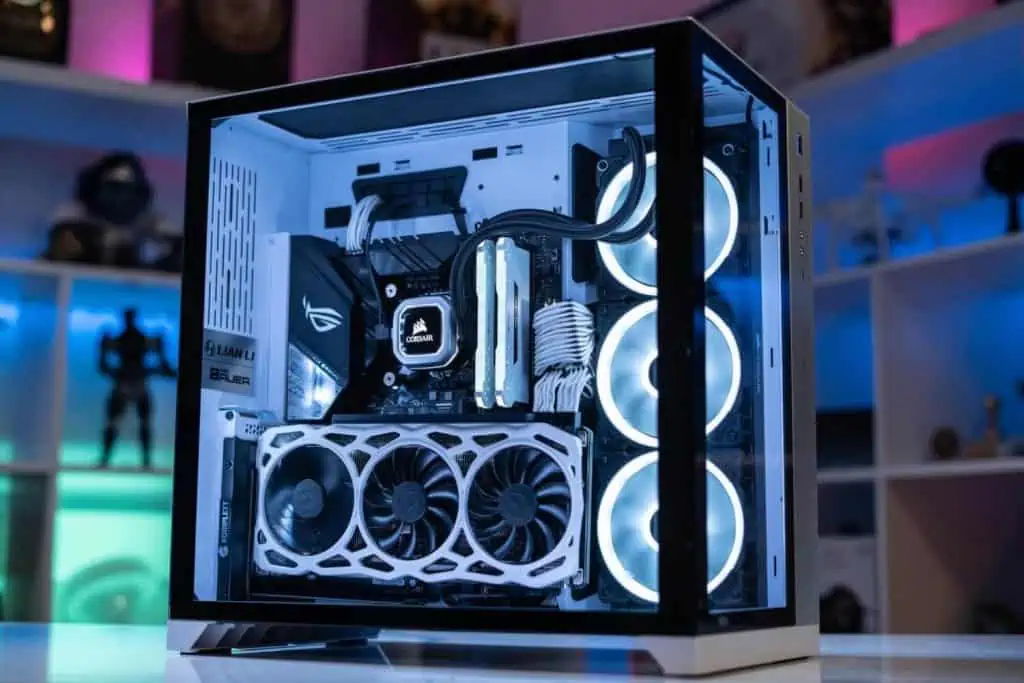
Picture of Kaelum Ross
Kaelum Ross
Kaelum Ross, BSc is the Lead Writer at What in Tech and a leading authority in PC hardware and software. With a career as a senior IT professional, Kaelum has led multi-million dollar projects covering everything from bespoke software development to complex Windows hardware upgrades. Today, Kaelum uses his expertise to serve What in Tech's readers and has been featured in numerous global publications including New York Magazine and Lifewire.

The 10 Best Quiet PC Cases for a Silent PC Build in 2026

Silent PC Case

The 10 Best Quiet PC Cases for a Silent PC Build

Guiding you through the quietest PC cases for all shapes, sizes, and budgets

Silent PC Case

This feature has been updated after reviewing new and upcoming cases for 2026. Most of our top picks remain the same, but we’ve included a couple of decent alternatives throughout.

Hear that?

It’s the wonderful sound of a silent PC case!

Years ago, having a loud computer was almost a boast point; “check out my huge, high-RPM fans through my thin case window!” one would shout over the sound of their jet-engine PC.

Thankfully, today, there has been an emergence of really great cases that focus on various noise-dampening methods. Padding/insulation, modular components to reduce fans/vibrating parts, and other features combine into a desktop that is capable of outputting extremely low decibels when you are idling or even testing the computer to its limits.

Whether it’s for home theatre (HTPC), gaming, streaming, video editing, or music/studio production, here are the best quiet PC cases available after our extensive cases reviews (including deep-dives in decibel/cooling benchmarking).

1

Overall Best Silent PC Case

Fractal Design Define 7

Our Rating: 10/10

2

Runner-Up Silent PC Case

Be Quiet! Silent Base 802

Our Rating: 9.5/10

3

Best Budget Quiet Case

Corsair 100R Silent Edition

Our Rating: 9/10

4

Best Silent MicroATX Case

Fractal Design Define Mini C

Our Rating: 9.5/10

5

Best Silent Mini-ITX Case

Fractal Design Define Nano S

Our Rating: 9.5/10

6

High-End Silent Case

Be Quiet! Pro 900 Full Tower

Our Rating: 8.5/10

7

Alternative ATX Pick

Corsair Carbide Series 678C Low-Noise Case

Our Rating: 8.5/10

8

Alternative Micro ATX Pick

Cooler Master Silencio S400

Our Rating: 9/10

9

Silent Super Tower Case

Deep Silence 6

Our Rating: 8/10

10

Alternative Budget ATX Pick

Thermaltake Suppressor F31

Our Rating: 8/10

Fractal Design Define 7

Overall Best Silent PC Case

SPECIFICATIONS*

Form Factor: Mid Tower | Motherboard Support: E-ATX, ATX, Micro-ATX, mini-ITX | CPU Clearance: 185mm | GPU Length Clearance: 315mm | Dimensions: 547 x 240 x 475 mm | Weight: 13.5kg | Radiator Support: 360mm | Fan Mounts: 9

REASONS TO BUY

+ Fantastic sound isolation

+ High-quality/sturdy

+ Great internal layout for cooling & parts

+ Beautiful look


REASONS TO AVOID
 −  Expensive
 
 −  More spacious than some will need (similar smaller versions available)
 

Our Rating: 10/10

What a fantastic chassis this is.

The latest version in a long line of excellent mid-towers from the best silence-focused brand, the Define 7 is unmatched in its ability to balance low-decibels and cooling.

The assumption with a silent case is that you are having to sacrifice a great deal in the way of airflow and heat management for the quietest performance.

But the Define 7 has an excellent track record of ranking very well in component heat tests (often out-scoring many other cases that are much louder!).

The sound dampening panels covering most of the chassis offer excellent low-decibel levels during idling and high loads (often benchmarking as one of the quietest PC cases in tests against the notable competitors).

The chassis comes with 3 pre-installed Fractal fans designed for low noise output.

If your heart is set on water-cooling, the Define 7 has a fantastic setup and radiator space to cater to you. We’ve seen builds in all sorts of shapes and sizes accomplished in the D7.

Fractal Design Define 7

Source: Hubwest

The Define 7 has all the usual features you’d expect in a high-quality PC case; lots of space for HDDs/SSDs, large enough to fit nearly all GPUs (but be sure to check based on your size requirements, we have larger cases reviewed below) and a decent front I/O panel that includes a USB 3.1 Type-C, 2 x USB2.0, 2 x USB3.0 & headphone/mic ports.

The case boasts great customization, with plenty of modular parts like its 6 universal drive trays that you can remove or reposition depending on the need of your components, airflow, and cabling. This is one of the many reasons we rate the case so highly in the pursuit of maximizing quietness as unused trays/cages can often result in slightly more vibration.

If you are willing to sacrifice a few decibels for more airflow you can install up to 9 140mm fans (though most builds will be completely fine using just the 3 included).

The non-window version also boasts a gorgeous minimalist aesthetic and allows for maximum noise-reduction. If you want to show off your parts and go for the windowed version, its still going to be notably more quiet than other windowed cases as it boasts a thick tempered glass panel (and all of the other features that make the Define 7 quiet).

It’s true that the case is on the expensive side, but if you’re serious about making a quiet build, this is the best silent PC case on the market overall and we think it’s worth the investment; especially when you consider the high-quality fans included and very long lifespan you can expect with the excellent build quality.

Like the case but seeing it out of stock or looking for something a tad cheaper? The R5 version is an excellent alternative (the R6 is also great, but a very similar iteration of the R5 while often costing significantly more on price checks). We also feature smaller Fractal cases in this list that run cheaper if you can build your PC compactly.

2026 update: The Define 7 remains our top pick for 5 years running! We recommend the Define R5 just as much for users who don’t need the enormous space the Define 7 boasts (featured in our best overall case article).

Be Quiet! Silent Base 802

Runner-Up Best Silent PC Case

SPECIFICATIONS

Form Factor: Mid Tower | Motherboard Support: E-ATX, ATX, Micro-ATX, mini-ITX | CPU Clearance: 185mm | GPU Length Clearance: 432mm | Dimensions: 539 x 281 x 553mm | Weight: 13.2kg | Radiator Support: 420mm | Fan Mounts: 7

REASONS TO BUY

+ Great sound dampening

+ Solid build quality

+ Plenty of modularity/customization


REASONS TO AVOID
 − Some complaints of difficulty with fitting large parts & cable management
 

Our Rating: 9.5/10

Very close behind the Define 7 is one of the latest Be Quiet! models, the only brand to rival Fractal in noise cancellation.

The German-made Silent Base 802 performs excellently in both heat and noise tests, with 3 140mm Pure Wings 2 Be Quiet! fans pre-installed. It boasts an impressive array of modular customization with its HDD/SSD trays and removable insulation mats should you desire a boost in cooling over quietness. The 802 essentially has everything you need to get a quiet build up and running off the bat.

Some users have reported problems with previous versions of the case fitting their larger components (such as E-ATX builds) however the dimensions of the 802 seem apt for a majority of mid-range builds (just make sure to check the dimensions with your specific parts before purchasing).

One great feature of the 802 is the fan controller switch on the top of the case (giving easy access to different speeds and an “auto” setting). This is great for those users who want to have more control over their fans (e.g. maximize speeds while gaming, but minimize while recording/watching content). There is plenty of good software for fan control though, so if you’re interested in another case on this list, not having the physical button isn’t a big deal, it’s more of a “nice-to-have”.

Be Quiet Silent Base 802

Source: Gioriv

The 802 is an improved iteration of the previous 801 version that was received excellently.

The main differences between the Silent Base 802 and 801 are better ports on the I/O panel (now includes USB type-C) and a nice touch for the front panel. We like that both a mesh and solid panel cover are included. This means you can choose whether to have a slightly better airflow or slightly lower noise depending on your needs.

With that said, if you happen to be interested in the 802 but it’s out of stock or expensive, the 801 is a great alternative if the above differences don’t bother you too much.

When ranking the 802 versus the Define 7 and R5, the Fractal Design choices perform slightly better in most decibel benchmarks and temperature ratings for CPU, GPU, and storage (both idle and high-load) which is why we give the edge to Fractal.

That being said, it’s still a close race. If you prefer the design or something else the 802 offers over the Define 7 or R5, we don’t think you’ll be disappointed in choosing this case.

Corsair 100R Silent Edition

Best Budget Quiet PC Case

SPECIFICATIONS

Form Factor: Mid Tower | Motherboard Support: ATX, Micro-ATX, mini-ITX | CPU Clearance: 150mm | GPU Length Clearance: 414mm | Dimensions: 471 x 200 x 430mm | Weight: 4.8kg | Radiator Support: 120mm | Fan Mounts: 5

REASONS TO BUY

+ Fantastic value

+ Plenty of space for a budget build

+ Still performs decently for quiet & cooling


REASONS TO AVOID
 − Cheaper quality material
 
 − Airflow, layout & sound dampening notably inferior to our top picks
 

Our Rating: 9/10

For a sub-$100 case, the 100R is a very impressive mid-tower value option.

One 120mm fan is included and a maximum of 5 can be installed (we would recommend at least buying a second fan to give yourself manageable airflow, more if you plan on overclocking or running a bulky gaming/editing rig).

The 100R comes with the usual power/audio buttons and USB ports (just 2) on the front with all the HDD/SSD/Universal Drive support you are likely to need on a budget build.

Corsair 100R Silent Edition

Source: Mybooo

With a lower price comes fewer features. There is little in the way of modularity for the various drive bays compared to our top Fractal/Be Quiet! picks (meaning more risk of vibration and a less “clean” internal setup). Some of the general build quality is less impressive than the more expensive cases on this list (e.g. plastic thumb screws and cheaper quality noise-dampening panels)

That being said, for the price point, the case still manages to output low noise levels over many other popular budget PC cases. If you’re a new builder, some of the modular options available in pricier options may be more than you need. The 100R will be quick and easy to get up and running even if it isn’t the quietest.

A common question is what case wins in a battle between the Corsair 100R vs 200R. Bear in mind that while the 200R comes with some marginally improved features/cooling, it’s not a case focused on noise-canceling (there’s a reason the 100R is called the “silent edition”!). The 200R is a good case, but if noise-cancellation is your goal, we would stick to the 100R.

You’re not going to get the same silence and quality as the Define 7 or Silent Base 802, but if you are on a budget, this is a great option for a cheaper quiet build.

2026 update: The 100R is still a great option, but we’ve seen it encounter some stock issues this year(or get sold grossly over RRP by third-party vendors). If the 100R isn’t available at a low price, we recommend the Corsair 110Q iteration, (just check this option meets your storage requirements, this is where the cases differ most). The Thermaltake Versa H17 is another decent option for very low budgets.

Fractal Design Define Mini C

Best Silent Micro ATX Case

SPECIFICATIONS

Form Factor: SFF | Motherboard Support: Micro-ATX, mini-ITX | CPU Clearance: 170mm | GPU Length Clearance: 315mm | Dimensions: 210 x 399 x 399 mm | Weight: 6.9kg | Radiator Support: 280mm | Fan Mounts: 7

REASONS TO BUY

+ Best M-ATX sound-dampening

+ High-quality build material

+ Lots of internal space despite its small size


REASONS TO AVOID
 − Slightly expensive for an M-ATX case
 

Our Rating: 9.5/10

Trying to create the quietest mATX desktop you can? Then the Mini C is quite the case for the job.

Pre-installed with 2 Fractal Design Dynamic X2 GP-12 120 mm fans with all the usual top buttons and ports (only 2 USB3.0, but this is standard on an mATX unit).

Just like its larger Define 7 counterpart, the case comes with great customization capability. With removable drive bays & filters depending on your component/airflow needs (with up to 5 bays and 5 PCI expansion slots available).

Fractal Design Define Mini C

Source: mjmill4

If you’re concerned about having enough cooling options in a smaller case, this pick comes with space for up to 7 fans, excellent for an mATX chassis.

The Mini C performs very well in noise level tests against the mini-tower competition while maintaining good airflow, solid cable management options, and even enough space for a dual GPU setup should you need it.

It’s very impressive how much freedom Fractal has managed to put into an mATX case. Not only are your customization options great, but they’re balanced against a really impressive noise-dampening layout.

If you’re looking for a Micro ATX case with a focus on silence, you will be hard-pressed to find better than this.

Fractal Design Define Nano S

Best Silent Mini ITX Case

SPECIFICATIONS

Form Factor: SFF | Motherboard Support: mini-ITX | CPU Clearance: 162mm | GPU Length Clearance: 315mm | Dimensions: 203 x 330 x 400 mm | Weight: 5kg | Radiator Support: 240mm | Fan Mounts: 6

REASONS TO BUY

+ Great sound-dampening

+ Same great quality as larger Fractal cases

+ Fantastic space/cooling options for mITX


REASONS TO AVOID
 − Slightly larger/heavier than some other ITX offerings
 

Our Rating: 9.5/10

I know what you’re thinking, “another Fractal case?”. Hear me out!

It just so happens Fractal has managed to create wonderful offerings in all 3 of the most popular case size categories.  There’s no point in switching the products across our top picks if one name has done it best!

When it comes to Mini ITX specifically, there is really no other chassis  that comes close right now. The Nano S defies what little space it has to offer impressively quiet readings (with high-quality noise-dampening filters and 2 quiet fans pre-installed). It also still manages to offer decent temperatures and a layout for good cable management/airflow.

Fractal Design Define Nano S

Source: MrNathanielP

As always with Mini-ITX builds, be extra careful about the parts you’re installing and their size requirements. That being said, the Nano S has managed an impressive inner dimension against its competitors (the case somehow manages to fit some of the largest GPUs on the market!). It may be a little larger than a few other ITX options, but this isn’t surprising as it allows more airflow to run fans at lower RPMs, notably reducing noise output.

The Nano S comes with the usual ports and buttons on the front panel (including 2xUSB3.0), up to 4 drives including 2 dedicated SSD areas, 2 expansion slots, and up to fans (for such a small machine, this is great!).

In such a tiny case dedicated to silence, it’s incredible what balance is managed here, this is a no-brainer for any mITX builder.

Be Quiet! Pro 900 Full Tower

Best High-End Silent Case

SPECIFICATIONS

Form Factor: Full Tower| Motherboard Support: E-ATX, ATX, Micro ATX, mini-ITX | CPU Clearance: 185mm | GPU Length Clearance: 323mm | Dimensions: 577 x 243 x 586mm | Weight: 16.5kg | Radiator Support: 420mm | Fan Mounts: 10

REASONS TO BUY

+ Incredible noise isolation

+ Tons of customization options

+ Huge case for high-end cooling/space


REASONS TO AVOID
 − Very expensive
 
 − Some build process annoyances
 

Our Rating: 8.5/10

If budget isn’t a word you care about, the Be Quiet! Pro 900 is a great option.

In terms of noise reduction, there are diminishing returns after the price points that the Fractal Define 7 or Be Quiet! 802 sit at. You’re not getting too much of an improvement on the search for silence by spending more on this case.

That being said, this full tower offering has very impressive space, modular capabilities, and control. With 5 relocatable/removable HDD slots (and support for up to 10 SSDs) and many other customization options within the case to get the airflow/presentation you want, the large dimensions make this a great option for most E-ATX/XL-ATX motherboards.

Source: Xocet

Be Quiet! focussed on maximizing the water-cooling potential of the 900, with 4 areas for radiators of up to 420mm, or 7 additional fans if air cooling is your preferred route. Even if you’re building something truly monstrous, there is so much airflow & hardware space for you to play with.

Included are 3 Silent Wings 140mm PWM fans to get your build up and running with close to no noise. The case has the most feature-filled front panel on the list, with an advanced fan controller, the usual ports and a USB 3.1 Gen 2 Type C input. The Rev 2. version even includes a QI charger on the top of the case.

The main reason we don’t score this case higher is its price. We think that a large majority of users will have everything they need in the Define 7 or Be Quiet 802.

But if you’re building something very expensive with overclocking, multi-GPUs, and other large goals in mind, the Pro 900 is the quietest you can get with an extra-large PC today.

2026 update: The Pro 900 is still usually available, but we’ve seen it go out of stock/over RRP a couple of times recently. If that’s the case, the Fractal Define 7 XL is just as worthy for a large, high-end build. 

Other Options

None of the cases so far take your fancy? The above picks are our top choices for a silent computer case, but we’ve included some further recommendations below that are still great options:

Corsair Carbide Series 678C Low-Noise Case

Corsair Carbide Series 678C Low-Noise Case

Alternative Quiet ATX Case

SPECIFICATIONS

Form Factor: Mid Tower| Motherboard Support: ATX, Micro ATX, mini-ITX | CPU Clearance: 170mm | GPU Length Clearance: 370mm | Dimensions: 549 x 239 x 497mm | Weight: 13.1kg | Radiator Support: 420mm | Fan Mounts: 9

REASONS TO BUY

+ Decent sound dampening

+ Well constructed


REASONS TO AVOID
 − Less value than Fractal choices
 

Our Rating: 8.5/10

Another option in the price range similar to the Define 7/Silent Base 802, Corsair has built a case that performs great across noise and cooling benchmarking.

The chassis is surrounded by a rich amount of sound-dampening material, with the option to remove it out for dust filters should your cooling be more of a priority to you.

3 high-quality silent fans are included with a maximum space of 9 (at 120mm), not to mention water-cooling capabilities with space for multiple radiators. The 678C hasn’t compromised on performance options for silence.

Corsair Carbide Series 678C Low-Noise Case

Source: idarwin

It comes with modular capabilities not too dissimilar from the D7/801, with plenty of space for your HDDs, SSDs, and drives (and the option to remove the casing you don’t use).

You may also be drawn to this case by its sleek design; the white color option boasts a great look for someone wanting something a little different.

The front panel has the usual ports/buttons and also includes a USB3.1/Type C input. It only has 2 USB ports, however (3.0).

The Define 7 and 802 perform marginally better in noise tests and offer a slightly better value point. So as good as this case is, we can’t help but ask why anyone would choose it over those 2. But if you are drawn to this case or see it on offer, we say go for it. It’s still a great option as far as quiet windowed PC cases go.

Cooler Master Silencio S400

Cooler Master Silencio S400

Alternative Quiet Micro ATX Case

SPECIFICATIONS

Form Factor: SFF| Motherboard Support: Micro ATX, mini-ITX | CPU Clearance: 166mm | GPU Length Clearance: 319mm | Dimensions: 418 X 210 X 408mm | Weight: 7kg | Radiator Support: 280mm | Fan Mounts: 5

REASONS TO BUY

+ Great value

+ Sturdy build & slick aesthetic

+ Decent modularity/space for mATX


REASONS TO AVOID
 − Sound dampening inferior to Mini C
 

Our Rating: 9/10

The S400 vs Mini C was a close race for the best silent mini-tower and this pick certainly deserves your consideration.

From another classic manufacturer, this chassis performs great across decibel tests with good noise-dampening material surrounding it (a mix of vinyl, foam, and steel) while still offering great ventilation options.

Two Silencio FP 120mm PWM come pre-installed, offering you a great starting point for cooling. The S400 comes with space for up to 6 fans or 3 radiators for a water-cooling build (impressive for such a small case!).

Cooler Master Silencio S400

Source: Litebeard

Comes with space for 1 ODD, 4 HDDs, and 2 SSDs (and the ability to remove unwanted bays). The usual ports are seen on the front panel (2xUSB3.0) with an SD card reader also.

A small feature some of you might appreciate is the reversible door hinge setup, if you want the front panel of your PC to open the other way to the standard right side, this might be a positive USP for you.

The reason we choose the Mini C is because it performs slightly better in noise tests. We also slightly prefer the build & aesthetic of the Fractal case (though this is highly subjective).

With great modular options, cooling, noise levels, and large inner dimensions considering its small size, the S400 is a great option for you if you are drawn to it over the Mini C.

Deep Silence 6

Deep Silence 6

Best Silent Super Tower

SPECIFICATIONS

Form Factor: Super Tower| Motherboard Support: HPTX, E-ATX, ATX, Micro ATX, mini-ITX | CPU Clearance: 200mm | GPU Length Clearance: 405mm | Dimensions: 644 x 250 x 655mm | Weight: 20.8kg | Radiator Support: 360mm | Fan Mounts: 9

REASONS TO BUY

+ Incredible space for cooling & high-end builds

+ Fantastic sound isolation for a case of its size

+ One of the most modular PC cases around


REASONS TO AVOID
 − More than most users need in space and cost
 

Our Rating: 8/10

2026 update: The Deep Silence 6 is unfortunately often out-of-stock and doesn’t seem to re-supply regularly. If you like the sound of it (or lack thereof!), you’ve got 2 great alternatives; the Be Quiet Pro 900 pick above or the Fractal Define 7 XL.

Trying to fit a skyscraper into your case? We haven’t forgotten you!

While the Be Quiet! 900 PRO is our preferred full-tower choice if your desired build fits that case’s dimensions, the DS6 is the largest case on the market with a focus on silence.

Deep Silence 6 is designed to have all of the impressive features the cases above have. Including very quiet noise levels with its sophisticated sound-dampening materials, fan controllers, and modular options (with up to 18 HDD/SSD slots!).

With high-quality silent fans pre-installed and the option of up to 7 more, the case is in great shape for cooling. One of the downsides in this tower is due to some of the limitations of the top panel, you are likely going to have some slight sound leakage if you install radiators on the top side.

For that reason, if you’re looking at water cooling we would suggest the 900 PRO if possible, or keep your radiators off the top panel.

This thing is truly a beast and the only case on the list capable of HPTX motherboards. If you have a very demanding component size and cooling requirements but still don’t want to compromise on a silent build, the DS6 is your best option.

Like the sound of the Deep Silence cases but not this one? Check out the Deep Silence 3 or Deep Silence 5 for other options. While we wouldn’t recommend them over the above cases, they are certainly not bad choices.

Thermaltake Suppressor F31

Thermaltake Suppressor F31

Alternative Budget Quiet Mid Tower Case

SPECIFICATIONS

Form Factor: Mid Tower| Motherboard Support: ATX, Micro ATX, mini-ITX | CPU Clearance: 180mm | GPU Length Clearance: 278mm | Dimensions: 497 x 250 x 515 mm | Weight: 10.6kg | Radiator Support: 360mm | Fan Mounts: 8

REASONS TO BUY

+Good mid-range value choice

+ Decent space/cooling for the average build


REASONS TO AVOID
 − Other cases beat it out for silence
 

Our Rating: 8/10

To round up our list we have included another cheap option from a great PC case brand.

While not out-performing most of the above competition in regards to silence or cooling, it certainly holds its own at its price point and is impressively quiet for a case in the $100 range; high-quality sound dampening panels on the front, side, and back.

Thermaltake Suppressor F31

Source: TheNolanK

The case has great options for air and water cooling builders alike, with 2 pre-installed 140mm fans (up to 6 total) and decent space for radiators.

The F31 has great modular options too. You’ll be able to remove the unnecessary drives for your cabling/airflow preferences, and with the case boasting 8 expansion slots, you’ll have a good amount of room to fit an ambitious build.

This is certainly a time where “last but not least” applies. If your budget is around the $100 mark, this is a really solid case and strikes a great balance between price, silence, and cooling.

Why no quiet NZXT option?

We know a lot of readers really enjoy the design of NZXT or have a positive history with the brand. That said, we simply can’t recommend any of their cases when considering a silent build. The ones above are far superior and we would strongly suggest them. If your heart is really set on NZXT, the H510 has performed OK on some noise benchmarking tests, combined with quiet fans/water-cooling you could still achieve a relatively quiet build.

Further Advice on a Silent PC Build

The importance of cooling

As a lot of the above alludes to, the setup of your PC cooling and airflow is an integral part of what level of silence you’re going to build.

Below we talk about the hardware cooling requirements, remember: the physical layout of your PC is also key. Make sure when building your silent PC, you remove unneeded trays/disc shelves, neatly arrange your cables and position your parts to allow for airflow. Doing so means you have fewer cooling requirements and thus, less noise!

Is water cooling quieter than fan/air cooling? If you are running a very intensive build (I’m talking full-tower or a beefy mid-tower, expensive GPU/CPU with lots of other inner components) then water cooling will be your best choice (not just for silence, but for the advantages of superior cooling in general). The problem with fan builds is that noise tends to appear when you have a high quantity and they’re all blasting at maximum RPM.

For an average desktop, unless budget really isn’t a concern, we would say stick to fans. Frankly, the expense & complication of water cooling isn’t necessary unless you’re running a monstrous build (or really like the aesthetic). Just make sure you get fans that are designed for quiet performance as discussed below.

Want the absolute optimal setup for cooling and silence? Then get both! This may sound like an odd answer but it’s the truth. If you have both fans and a water cooling system in place, your fans can run at low RPM and the water cooling at low speeds. The real noise comes from when either system is working hard. So for silence, keep your cooling of choice running low.

Quietest PC Case Fans: We strongly recommend picking up some Noctuna NF-S12A FLX fans which rank excellently on noise tests and are the closest to silent PC fans you’ll find.

Quietest traditional CPU Cooler: This is an easy one: the Be Quiet! Dark Rock 4 is the choice for a CPU cooler with a focus on silence. In noise benchmarking, this cooler is nearly always one of the top on the list for decibel minimums and still ranks excellently on keeping CPU temperatures low.

Quietest CPU Water Cooler: We recommend the Corsair Hydro Series115i. The included fans are specialized for very low noise even at high-stress levels and the included Corsair software has a zero RPM mode that can turn off (silence!) when the fans aren’t actively needed. On top of this, the Hydro is a fantastic cooler in its own right regardless of its impressively low noise levels.

Final quick-fire tips for a silent PC

Glass panel vs no panel cases: If you care about silence, having a PC case without a window is going to be the quieter option. However, with the high-quality cases above mostly using thick tempered glass, the difference isn’t severe if you want to show off your beautiful build!

Go for SSDs over HDDs: Hard drives are prone to vibrate and spin at high speeds, you’ll likely be familiar with this noise. If you can’t afford a full SSD build, then just make sure to put your OS and most used applications on your SSD space.

High-quality PSU: Getting a Power supply that can more than handle your needs is important to reduce noise (similarly to your cooling, if a PSU is under heavy load, it’s going to be noisy!). We recommend the Fractal Design Ion+ range (high wattage is better but even the low watt options will cover most builders’ needs) – excellent performance, noise ratings, and user options to set the PSU fan to zero RPM at low loads.

Keep it clean: Dust and any other build-up in your PC will cause the cooling to work harder for performance. Clean regularly with compressed air for silence and a healthy machine.

Finally, enjoy the sound of silence!

What's Next?

About the author

Picture of Kaelum Ross
Kaelum Ross
Kaelum Ross, BSc is the Lead Writer at What in Tech and a leading authority in PC hardware and software. With a career as a senior IT professional, Kaelum has led multi-million dollar projects covering everything from bespoke software development to complex Windows hardware upgrades. Today, Kaelum uses his expertise to serve What in Tech's readers and has been featured in numerous global publications including New York Magazine and Lifewire.

* Specifications throughout our articles are double-checked and intended to inform our users, but should not be treated as factual information. When making final decisions on your products, please check the manufacturer pages to confirm the fine details.

The 7 Best Wall Mount PC Cases of 2026

Wall Mount PC Case Cover

The 7 Best Wall Mount PC Cases of 2026

How to install and choose your case for this unique aesthetic

Wall Mount PC Case Cover

Our top picks remain the same after reviewing the new offerings for 2026. We’ve included a couple of alternatives for our picks that run into some stock issues.

Building a chassis on a desk is boring!

Wall-mounting your computer has become a great alternative in the past few years.

Though completing the DIY approach is hard and not for the novice.

Luckily, there is a small amount of dedicated wall-mountable PC cases available and we’ve broken them down in this wall mount case feature.

If you’re not keen on our top picks or they’re sold out, we’ve included some other options that could achieve wall mounting with PC mounters or shelves instead.

1

Best Wall Mount PC Case

Thermaltake Core P3

Our Rating: 9.75/10

2

Premium Wall Mountable Pick

Thermaltake Core P7

Our Rating: 9.25/10

3

Best Mini-ITX Wall Mount Case:

Thermaltake Core P1

Our Rating: 9.5/10

4

Slim PC Case for Custom Mounts

Thermaltake Core G3

Our Rating: 8.5/10

5

Smallest PC Case for Custom Mounts

Fractal Design Node 202

Our Rating: 9/10

6

Honorable Mention

darkFlash Phantom

Our Rating: 8.5/10

How to Wall Mount your PC

Before we get into the top picks, there are 3 main options you have when buying a wall-mounted PC case:

  1. Cases designed to be wall mountable (i.e. the Thermaltake picks below).
    • These are towers that are compatible with high-quality TV brackets which will give you the best sturdiness, presentation, and ease of setup.
  2. Slim/small cases that can fit into a computer case mounter (we’ve detailed some smaller towers below that would work).
  3. If you want a larger case that isn’t option 1, your best bet is to buy/install heavy-duty shelf brackets.
    • We’d recommend you purchase the wood/metal plank for the brackets from a local DIY store.

Now, let’s get to it!

Thermaltake Core P3

Overall Best Wall Mount PC Case

SPECIFICATIONS*

Form Factor: Mid Tower | Motherboard Support: ATX, Micro-ATX, mini-ITX | CPU Clearance: 180mm | GPU Length Clearance: 280mm-450mm | Dimensions: 512 x 333 x 470 mm | Weight: 10.3kg | Radiator Support: 420mm | Fan Mounts: 3

REASONS TO BUY

+ Incredible build quality and aesthetic

+ Spacious layout with lots of modularity for parts and mounting

+ Open-air design provides great airflow

REASONS TO AVOID
– Slightly expensive
 
– A little challenging (but possible) for beginners
 

Our Rating: 9.75/10

Usually, in our best-of features, there’s a lot of deliberation for the top picks.

But if you want a chassis with wall mounting utility built-in, the Thermaltake Core P cases are easily the only ones we would highly recommend.

Don’t fret though, just because they’re the only good option, it doesn’t mean you’re not in great company.

The Core P3 stands as the best mid-range option in the series.

With an absolutely gorgeous design, this tower is covered with a thick, high-quality tempered glass panel over the top.

It’s suitable for vertical, horizontal, and wall mount orientations (with removable legs). Including a built-in bracket attachment on the back to work alongside a sturdy TV wall mounter.

The P3 is an ATX case/mid-tower with plenty of room for a wide range of builds, with:

  • 8 expansion slots
  • Vertical GPU install options
  • VGA cards of up to 450mm (if radiator/reservoir removed)
  • Hidden 2 x 2.5″ or 3.5″ + accessible 2 x 2.5″ or 3.5 storage bays

You’ll be well placed to create a powerful gaming PC here if desired.

As far as cooling goes, the case accommodates up to 3 x 140mm fans or a 420mm radiator.

This may seem low for a mid-tower, but because of its open-air design, it has plenty of breathing room for ventilation, very capable of overclocking.

You can take the cooling and space requirements one step further with the case’s high modularity/customization.

This means that a majority of the case’s parts (mounting facilities/drive bays, etc.) are removable.

This isn’t just great for an easier build process, but it improves ventilation, noise reduction, and style.

I’ve been super impressed with the Core P3. It’s a joy to build in and performs great in thermals. It feels like a product of a behemoth case manufacturer at the top of their game.

If you’re looking for the best wall-mountable PC case for both a beautiful and powerful build, I think this is an unrivaled choice for you.

2026 update: The Core P3 remains our top wall-mount pick for 5 years running! It’s the best mid-range balance between price, spec, build quality, and aesthetic.

If you’re you like the look of this but are building something extra large, Thermaltake has released an equally great E-ATX version of the case; the Core P3 Pro.

Thermaltake Core P7 (& P8)

Best Premium Wall Mountable PC Case

SPECIFICATIONS

Form Factor: Full Tower | Motherboard Support: E-ATX, ATX, Micro-ATX, mini-ITX | CPU Clearance: 180mm | GPU Length Clearance: 280mm – 570mm | Dimensions: 608 x 333 x 570 mm | Weight: 25.5kg | Radiator Support: 480mm | Fan Mounts: 12

REASONS TO BUY

+ Beautiful design and top-tier build quality

+ Fantastic airflow/cooling options

+ Plenty of space for enthusiast builds

REASONS TO AVOID
– Expensive
 
– Large & very heavy (not for portability)
 

Our Rating: 9.25/10

2026 Update: While the P7 is still our top premium pick, The model If unavailable, I recommend looking at either the fantastic P8 iteration or Cooler Master’s MasterFrame 700. If these are outside of your price range, the P6 and P5s are excellent mid-range alternatives. The P3 tends to be the most in stock however, and is still great for a premium build if you can’t get hold of one of the others.

The P7 is the top choice if you’re looking for the most powerful build possible with little budgetary concern.

While we think that the P3 will comfortably handle most gamers’ needs, the features on the P7 are mouth-watering.

Let’s start with the incredible space and what it can offer you:

  1. E-ATX motherboard support
    1. Alongside its 8 expansion slots, will allow you to install up to 4 GPUs
    2. Those graphics cards can be up to 570mm in length (reservoir removed)
  2. Installation of up to 6 x 3.5″ / 7 x 3.5″ drives (or a mix)

As much as this case excels in space and design, its cooling capacity is what impressed me the most:

  • Up to 12 x 120mm / 9 x 140mm fans
  • Up to 3 x 480mm radiators for liquid cooling

Alongside its fantastic ventilation and modularity options, the P7 is one of the best cases for water cooling/air cooling around. The perfect basis for a build focused on overclocking.

The wall-mounting capability and design are the cherries on top. One important note is that this option is heavy. I’ve seen it mounted sturdily on plenty of setups but you’ll want to check that you have a strong enough mount (and wall) to handle this case.

There wasn’t much I didn’t like about the P7. I would say that, for many, the extra features over the P3 will feel like major diminishing returns; this is really for those with huge aspirations in mind (e.g. mining rigs) or those who don’t really have to worry about budget.

With the two side compartments for the additional fans/radiators and the thick tempered-glass presentation similar to the P3, this is one of the best-looking cases available and would make a great base for an RGB build given its excellent visibiltiy.

If you want a larger case than the P3, or are willing to fork out more, you are in for such a treat.

Thermaltake Core P1

Best Mini-ITX Wall Mount Case

SPECIFICATIONS

Form Factor: SFF| Motherboard Support: mini-ITX | CPU Clearance: 170mm | GPU Length Clearance: 380mm | Dimensions: 422 x 332 x 380 mm | Weight: 9.5kg | Radiator Support: 240mm | Fan Mounts: 2

REASONS TO BUY

+ Same fantastic design and quality as the larger Core P cases

+ Very good airflow relative to most ITX cases

+ Good space & cable management options

REASONS TO AVOID
– Expensive for ITX

Our Rating: 9.5/10

Our final P-series/built-in mounting pick is the Core P1.

Another Thermaltake wall mount case, this is the case ideal for someone looking for a tiny build, with:

  • 5 expansion slots/GPU lengths of up to 380mm (including vertical install options)
  • 2 x 120mm fan or 1 x 240mm radiator support
  • 1 x 2.5″/3.5″ inner and 2 x 2.5″ outer storage install options

The hardware support on this case is lower than the above picks, but that’s a given with a Mini-ITX PC.

You’ll be building a single-GPU setup in this form factor and the above specs + the open-air ventilation can easily handle this.

The case boasts the same great design, modularity, and high-quality tempered glass top cover as the P3/P7.

And of course, it still includes the wall-mounting options to attach to a bracket (due to its size, you’d get away with a smaller/lighter-weight bracket too if you prefer).

It’s also notably cheaper as mini-ITX cases often are due to less material. Usually, this is offset by the need to buy “specialist ITX parts”, but the P1 is pretty accommodating for many full-size components, so the price tag is a nice bonus.

If you’re looking for a wall-mounted PC case that also offers some portability, or simply don’t need the features that the top picks have and wanted something a tad cheaper, the Core P1 is perfect.

GDAE10 Open Frame Case

Best Budget Wall Mount PC Case

REASONS TO BUY

+ Very cheap

+ Perfect if you’re looking for a barebones, workbench-style chassis

REASONS TO AVOID
– No notable brand behind it (i.e. no service)
 
– Only to be considered for enthusiasts
 

Our Rating: 7.5/10

Let’s be clear, if you’re not an experienced PC builder, ignore this pick and focus on our other options, they’re worth the extra budget.

That said, we wanted to include something that was less than $100 as an option for budget builders.

This is the first pick on our list that doesn’t have dedicated wall-mount features (you would need to invest in some minimal shelving).

We would recommend the other cases (particularly the Core P series) in the article over this pick.

But if you’re looking for a cheap wall mount case and are ready to get your hands dirty, this may be a good option for you.

This is a DIY case. With very little in the way of features outside of the most barebone platforms for mounting the integral parts.

You’re still getting a slick open-air presentation that lends itself nicely to a budget build (i.e. less money spent on cooling), and if you are a DIY expert, you could makeshift your own glass enclosure around certain sides of the case/mounting shelves.

Reading this, you’ll see why we want you to stick with the Thermaltake Core options.

But if your budget is tight, your DIY/shelving skills are good and you aren’t building something too intensive, then you could still make a great wall mount gaming PC.

Thermaltake Core G3

Best Slim PC Case

SPECIFICATIONS

Form Factor: Mini Tower | Motherboard Support: ATX, Micro-ATX, mini-ITX | CPU Clearance: 110mm | GPU Length Clearance: 310mm | Dimensions: 454 x 140 x 371 mm | Weight: 4.2kg | Radiator Support: 240mm | Fan Mounts: 3

REASONS TO BUY

+ Really impressive price-point for the quality

+ Beautifully compact

+ Decent airflow

REASONS TO AVOID
– Tight layout means builds need to be planned
 
– Not too much cable management available
 

Our Rating: 8.5/10

2026 update: As great as the Core G3 is, I’ve seen it run out of stock occasionally. Other great thin case options are available in our horizontal case feature.

If you don’t like the exposed tempered glass options above and want something a little more traditional, this is for you.

The G3 is a great all-around ATX case with lots of features for a very decent price.

It doesn’t have standalone wall-mounting options but is slim enough that it can work alongside an independent computer mounter (or a sturdy shelf if preferred).

The Core G3 is made with SECC steel, looking (and feeling) very sturdy.

Given it’s one of the slimmest ATX cases, you have limited room compared to other choices in this form factor. But still enough for:

  1. 2 x 2.5″ / 3.5″ hidden storage bays
  2. Up to 3 x 120mm fans (or replace 2 at the front with a 240mm radiator)
  3. VGA length support of up to 310mm (with front fans installed)

This is a build for single GPUs only (with a great-looking vertical install option included).

That being said, for a single graphics card PC, the available cooling is more than enough.

The build is very well ventilated to ensure your parts have decent breathing room.

The G3 is also (rather uniquely) a reverse tower. This means its window is on the right side as opposed to the usual left.

This would be great if you want to wall-mount it to the right of your desk (so that the front I/O panel is still available easily to you).

The Core G3 ticks a lot of boxes as long as you can fit the hardware you want in it.

Affordable, compact, and stylish. If this case fits your specifications, then I highly recommend it.

Fractal Design Node 202

Smallest PC Case

SPECIFICATIONS

Form Factor: SFF | Motherboard Support: mini-ITX | CPU Clearance: 56mm | GPU Length Clearance: 310mm | Dimensions: 377 x 82 x 330 mm | Weight: 3.5kg | Radiator Support: N/A | Fan Mounts: 2

REASONS TO BUY

+ High quality, compact build/design

+ Layout can still manage solid hardware/airflow

+ Portable

REASONS TO AVOID
– Thermals are, of course, limited compared to larger cases
 
– Tight space will limit some builds
 

Our Rating: 9/10

If you didn’t want any of the Thermaltake choices, we wanted to include the smallest case for wall mounting that we’d recommend.

The Node 202 is an incredibly low volume tower that excels as an HTPC case and could still manage to host a full gaming computer.

No in-built wall mounting options but due to its small size, it’s going to look great with either a PC mounter or on a shelf.

It also doubles as an incredible portable computer case (should you need something for LAN parties, a VR demo build, etc).

This Mini-ITX offering is a console-sized PC case with the excellent build quality, the design looks fantastic for those who enjoy a minimal style.

Despite the very tight dimensions, you can still achieve a gaming build with:

  1. Vertical/riser GPU install options up to 310mm in length
  2. 2 x 2.5″ SSDs (you can go with M.2 storage if you need more)
  3. 2 x 120mm fans

The fan availability and room for ventilation are of course low.

But as always with Fractal, the case is designed to maximize the small volume it has.

With separate chambers for the motherboard and GPU (the 2 fan slots being located in the graphics card section), you’ll still have adequate cooling for a single-GPU gaming setup.

If you’re building this you’ll need to pay attention to the dimensions of your parts and their compatibility.

But if you want the smallest computer case that suits wall-mounting, this is a great option from a fantastic manufacturer.

darkFlash Phantom

Honorable Mention

SPECIFICATIONS

Form Factor: Mid Tower | Motherboard Support: ATX, Micro-ATX, mini-ITX | CPU Clearance: 174mm | GPU Length Clearance: 375mm | Dimensions: 548 x 219 x 419mm | Weight: 8.8kg | Radiator Support: 360mm | Fan Mounts: 11

REASONS TO BUY

+ Beautiful glass and RGB fan aesthetic

+ Fantastic value for the build quality and fans included

REASONS TO AVOID
– Airflow is OK but inferior to some cases due to the glass coverage
 
– Some layout decisions make builds a little more difficult
 

Our Rating: 8.5/10

2026 update: If you like the RGB customization nature of the case, we recommend our RGB chassis feature to give you alternatives you could mount on a shelf.

We’ve raved about the Thermaltake P series and would push you towards these cases for the best wall-mounted computer.

But if you were looking at a shelf build, weren’t a fan of the open-air case design, and needed something large, we’re rounding off our list with a great option from darkFlash.

You may not have heard of this manufacturer, but they’ve made plenty of other decent cases (some of which I’ve reviewed and featured here and here).

This one stands out with its beautiful 3-way thick tempered glass covers, covering all the sides that would be well-visible on a shelved PC.

The case has a lot of great utility for a powerful gaming build, you could build a 2-way or 3-way VGA build (with cards up to 359mm).

The Phantom has great options to cool all of this too, with:

  1. Up to 11 x 120mm fans
  2. Or up to 1 x 280mm, 1 x 240 & 1 x 140mm radiators

For an ATX form factor, this fan allowance (alongside the good internal layout) makes it a fantastic choice for overclocking.

Not only that, but the version we’re reviewing comes with 6 RGB LED fans pre-installed.

This makes the case an incredibly high-value offering for RGB builds (if you think the pictures look good, RGB setups always look better in person).

Make no mistake, while we have talked a lot about the Thermaltake P1/3/7, we’ve included this for a reason.

If you’re looking for more of a traditional case and don’t mind it being on-shelf, the Phantom is an incredibly cheap case for the quality, style, and features you’re getting.

What's Next?

About the author

Picture of Kaelum Ross
Kaelum Ross
Kaelum Ross, BSc is the Lead Writer at What in Tech and a leading authority in PC hardware and software. With a career as a senior IT professional, Kaelum has led multi-million dollar projects covering everything from bespoke software development to complex Windows hardware upgrades. Today, Kaelum uses his expertise to serve What in Tech's readers and has been featured in numerous global publications including New York Magazine and Lifewire.

* Specifications throughout our articles are double-checked and intended to inform our users, but should not be treated as factual information. When making final decisions on your products, please check the manufacturer pages to confirm the fine details.

The 5 Largest PC Cases for High-End Builds in 2026

Largest PC Case Cover

The 5 Largest PC Cases for High-End Builds in 2026

Largest PC Case Cover

Update: The feature has been reviewed for 2026. Many of our picks remain the  same, but we’ve included a couple of alternatives for options that seem to run into some stock issues.

After 100s of PC case reviews, I’ve been through many different shapes and sizes of chassis on What in Tech.

Amongst them, some extra-large towers have really stood out for those looking at creating something particularly powerful.

If that sounds like you, today’s feature is about ranking the largest PC cases I recommend for top-end gaming/production builds. These are cases that I recommend for their utility across the board, not just the largest in dimension (otherwise I’d recommend you an XXL cardboard box!).

1

Largest PC Case Top Pick

Corsair Obsidian 1000D

Our Rating: 9.75/10

2

Largest PC Case for Silent Builds

Deep Silence 6

Our Rating: 9/10

3

Largest Cheap Case

Corsair Graphite 780T

Our Rating: 9/10

4

Unique Pick

Cougar Conquer 2

Our Rating: 9.25/10

5

Honorable Mention

Cooler Master Cosmos C700M

Our Rating: 8.5/10

Largest PC Case (Best Pick): Corsair Obsidian Series 1000D

Now, there are a couple of chassis picks further below that are a tad larger in terms of external dimensions. But in terms of internal space and capability? The 1000D is comfortably my top pick for super tower gaming or high-scale production use.

Featured multiple times on WIT, the 1000D is an absolute powerhouse. Its build quality has one of the slickest and sturdiest combinations of thick steel, aluminum, and tempered glass I’ve ever seen. It’s a case that is not done justice by stock photos. Only once powered on with beautiful internal components on display it’s stunning to behold. I’ve had the pleasure of reviewing many 1000D builds and even the most basic look incredible.

The crowning feature of the 1000D (aside from its excellent cooling, which we’ll discuss later) is that it’s a dual-system PC case. This means it supports an independent Mini ITX motherboard/PC alongside your main setup (in other words, 2 PCs inside the same chassis!). There’s a lot of potential utility for premium work/gaming builders with this, and great for content-focused streamers who can they enjoy separate dedicated gaming and streaming setups.

Inside this super tower is room for:

  • 10 x expansion slots
  • GPU length clearance up to 400mm (enough for any mainstream card with room to spare for airflow, one of the best PC cases for RTX 3090 builds)
  • A great front I/O panel, with 2 x USB 3.1 gen-2 type C USB ports amongst the classic inputs (all beautifully backlit with RGB)
  • Accessible but nicely hidden bays for up to 5 x 3.5″ & 6 x 3.5″ drives
  • Up to 18 x 120mm fans (stock configuration up to 10 x 120mm + 3 x 140mm)
  • Or up to 4 x 480mm + 1 x 240mm radiators (stock configuration up to 2 x 480mm, 1 x 420mm + 1 x 240mm)
  • Triple-chamber layout to maximize cable management and airflow of both the main and secondary systems (as well as room to hide “uglier” components like PSUs)
  • Included smart fan controller if you want to add RGB fans to your build
Corsair Obsidian 1000D

Source: six60six

These are some of the most insane specs I’ve ever seen for a chassis. The 1000D isn’t just extra-large but adds some really unique features with its size.

Between the triple-chamber design, dual system capability, and fantastic room for hardware/cooling, what I like most about the 1000D is that it isn’t just large for the sake of it. It’s clearly been meticulously designed to make use of its huge dimensions for amazing capability.

The only case I’ve seen come close to its cooling capacity is the Thermaltake Core P8. But that case does not have the same large space for ventilation and airflow. The 1000D is the best PC case for airflow, cooling (fan or water cooling) I’ve ever seen. I’ve been super impressed by the thermal benchmarks I’ve seen from it, even in particularly demanding builds.

Whether you are intending to intensely overclock a gaming build or keep a demanding production setup performing optimally, you really can’t get better than this.

2026 update: The 1000D has been succeeded by the 9000D. The 9000D is an excellent case in its own right as it’s largely the same as the 1000D, however some slight corners feel cut in elements of the case’s build qualtiy (e.g. plastic feet). It’s still a great choice if you can’t find the 1000D in stock, but we’ve kept the 1000D up as we’re still seeing it occasionally in stock.

Our Rating: 9.75/10

Largest PC Case for Silent Builds (Best HTPC Case): Nanoxia Deep Silence 6

Our next choice is for those builders who have a specific requirement for an extra quiet super tower. The Deep Silence 6, while not reaching all of the highs of the 1000D, has some very impressive features (particularly in storage) and would make a great music production PC case, server chassis, or some other high-end work that requires optimum noise-reduction.

The Deep Silence 6’s build quality, as you would expect for a premium silence-focussed chassis, is very thick steel (one of the most sturdy/durable cases I’ve come across). Surrounding a large portion of the exterior is also some industrial sound-proofing material to maximize noise isolation. It’s one of the quietest PC cases available today, impressive considering its size. Aesthetically, everything about the case looks “professional”, like it’s designed to really make an impression for high-budget production.

This super tower PC case has room for:

  • HPTX / XL-ATX Motherboard support (one of the very few cases to have it, but you can still reap the value of the case with ATX or E-ATX)
  • 10 x expansion slots
  • GPU length clearance of up to 400mm (perfect for all mainstream cards)
  • 4 x 5.25″ external, 2 x 3.5″ external (with adapter), 10 x 2.5″/3.5″ internal (up to 13 with adapter) & 2.5″ internal drive bays
  • Up to 8 x 140mm + 1 x 120mm fans with 5 140mm quiet fans pre-installed + front panel controller to allow you to balance performance and noise depending on the situation
  • Up to 1 x 360mm, 1 x 280mm & 1 x 140mm radiators (that can be combined with some of the fan setup).

The Deep Silence 6 has some simply fantastic specs across storage in particular. Combined with its silent design, we rank this as one of the best server PC cases or something for media/HTPC builders available today. Not only is the drive bay allowance incredible out of the box, but the fact that you can add to it further with adapters is a bonus (not to mention, if you’re like most people and don’t need 4 x 5.25″ drive bays, you can use them to massively expand your storage).

There is also plenty of cooling capability, and we appreciate the 5 included 140mm fans that will be enough for a majority of builds in here. If you are looking for a gaming build, the 1000D is probably the better choice with its additional cooling and triple-chamber layout. However the Deep Silence 6 could still aptly run a powerful gaming machine if achieving a low decibel level means more to you.

Simply put, the Deep Silence 6 is an incredible chassis and easily the best quiet super tower available today.

2026 update: I’ve kept the DS6 as the top quiet choice as it does a fantastic job and is the largest in the picks designed for low volume. With that said, I also really appreciate the Fractal 7 XL for premium quiet builds. It’s not as large, but I think if your build would fit inside, it’s the better choice.

Our Rating: 9/10

Largest Budget PC Case: Corsair Graphite 780T

While “budget” and “largest” don’t go very well together, the 780T, despite still being a fair bit pricier than the average budget chassis, is notably lower than every other extra-large case close to its size while still being decently featured in its own right.

The case design is striking. With thick, curved steel engulfing much of the case’s exterior, the 780T feels built to last and has a rather unique aesthetic. One design feature we really appreciate is the latched handles on most of the case’s panels, with it being one of the easiest chassis we’ve seen to quickly access/re-close once finished.

This full tower has room for:

  • 9 x expansion slots
  • Graphics cards up to 355mm in length (more than enough for most, but double-check dimensions if you’re buying a premium GPU)
  • 2 x 5.25″, 2 x 2.5″ & 6 x 3.5 /2.5″ combo drive bays
  • Deep and well-laid-out cable management facilities
  • Up to 10 x 120mm fans with 3 x 140mm fans included (2 with red LEDs)
  • Alternatively, combine a smaller fan setup with up to 2 x 360mm radiators

With these specs, it’s clear that the 780T does a fantastic job of retaining lots of internal capability despite costing less than half our two top picks.

With plenty of room for high-end GPUs and cooling, this would make a great choice if you’re after one of the largest ATX cases for gaming (plenty of overclocking potential here).

Simply put, if you want an extra-large PC case that is only a hair above the usual mid-range price bracket, the 780T is the ideal choice.

Our Rating: 9/10

Largest PC Case with Unique Design: Cougar Conquer 2

I think you’ll agree that the chassis image speaks for itself!

If you want your extra-large PC case to also turn the heads of any guest that comes to your house, this is the ideal choice. The Conquer 2 has a wonderfully unique design. 

Covered in thick metal panels and 4 tempered glass windows, the Conquer 2 has one of the nicest build qualities I’ve seen from any chassis. The aesthetic is made extra unique by the ARGB lighting on the front side of the case (including the pre-installed ARGB fan at the bottom). This is a strong example of a case that cannot be done justice by stock photos. I love how this case looks in person. The quality of the material really shows when you see a full build powered-on and running as part of a nice setup.

Inside this large ATX full tower is room for:

  • 8 expansion slots & 2 for vertical GPU installs
  • VGA lengths up to 400mm (more than enough as a PC case for RTX 3080, 3070, or 3090).
  • 2 x 2.5″ / 3.5″ & 2 x 2.5″ drive bays
  • Up to 6 120mm fans
  • Alternatively up to 1 x 240mm & 1 x 360mm radiators

You may find some of the above specs underwhelming compared to our other top choices. There is a key difference though: the Conquer 2 is an open-air PC case that is designed to be presentable at all angles. This means that the cooling solutions will be more than enough for even a powerful gaming setup due to the amount of open airflow and ventilation the case gets.

I am a little disappointed in the drive bay availability. They are notably lower as they are all designed to be hidden to maximize the clean aesthetic the Conquer is going for. Let’s be real though; unless you’re building a server, HTPC, or something with very high storage requirements, the drive bays enough will be plenty, especially for gaming.

It looks like the Conquer 2 would be difficult to build in, but Cougar included a fantastic feature: a detachable sub-chassis. Essentially you can remove a tray from the middle of the case where your motherboard & main components will sit. This doesn’t just make building smooth, but I found it more pleasant to build in than a lot of traditional cases!

You are, of course, paying a premium for the design of the Conquer 2, but it is a true marvel to behold. If you want to build a powerhouse in not just one of the largest gaming full towers available, but one of the most unique, the Conquer 2 is for you.

Our Rating: 9.25/10

Largest Full Tower (Alternative Pick): Cooler Master Cosmos C700M

Our last pick is an honorable mention if you want an overall alternative to the 1000D (in the same price range). The C700M is another supersize PC case designed for high-end builds.

With a beautiful, thick aluminium//steel/dual-curved tempered glass hybrid case design accompanied by some tastefully subtle ARGB lighting, the C700M is beautiful and another example of a case not done justice by stock photos. We appreciate also the handles neatly added to the top of the case; don’t underestimate how hard it can be to carry an extra-large chassis!

The specs lean the C700M towards being more of a gaming full tower, with:

  • 8 x expansion slots
  • GPU lengths up to 490mm (320mm with HDD bracket, still enough for most cards)
  • 1 x 5.25″, 4 x 3.5″ / 2.5″ combo & 4 x 2.5″ drive bays
  • Up to 9 x 140mm fans (with 3 pre-installed)
  • Up to 2 x 420mm, 1 x 240mm & 1 x 140mm (420mm reduce to 360mm if 5.25″ drive cage is installed)

There are some decent specs available on the C700M, certainly enough for a powerful gaming/production/video editing PC case. But you can probably see why, for the same price range, we rank the 1000D above it; with our top pick’s super cooling and storage availability. We also consider it to have a slightly better ventilation design (with its triple chambers & airflow setup) plus the nice option to set up a dual system.

None of this is to say the C700M is a bad case however, it has a lot going for it and we included it for a reason, if you’re looking for one of the largest PC cases and this Cooler Master offering fits in with your personal aesthetic, it’s a great choice for a very high-end build.

Our Rating: 8.5/10

What's Next?

About the author

Picture of Kaelum Ross
Kaelum Ross
Kaelum Ross, BSc is the Lead Writer at What in Tech and a leading authority in PC hardware and software. With a career as a senior IT professional, Kaelum has led multi-million dollar projects covering everything from bespoke software development to complex Windows hardware upgrades. Today, Kaelum uses his expertise to serve What in Tech's readers and has been featured in numerous global publications including New York Magazine and Lifewire.