EXPERT INSIGHT & TRUSTED REVIEWS

EXPERT INSIGHT & TRUSTED REVIEWS

What in Tech is a user-supported site. When you purchase through our links, we may earn an affiliate commission at no additional cost to you. Learn more

The 10 Best Gaming Laptops on Amazon in 2023

Best Gaming Laptop on Amazon

The 10 Best Gaming Laptops on Amazon in 2023

Best Gaming Laptop on Amazon

I significantly updated this feature in June to cover all the new releases over 2023. Now is a great time to buy a gaming laptop, with the 4000-series cards freshly released and likely to be the king of laptop GPUs for the foreseeable future.

There are thousands of different laptop on Amazon.

How are you supposed to decide exactly what’s best for your gaming setup (and wallet!)?

I’ve reviewed the notable options and ranked them to easily guide you through the best gaming laptops on Amazon today, for all different budget considerations.

1

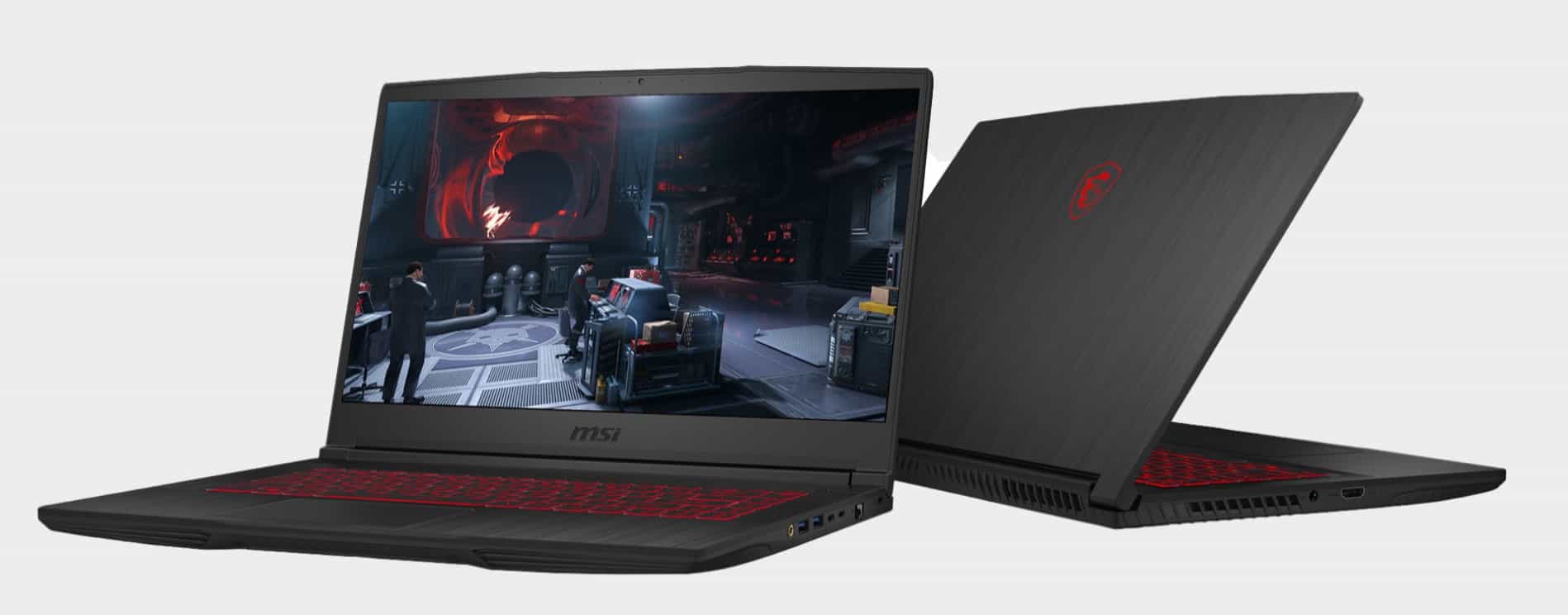
MSI Thin GF63

Overall Best Gaming Laptop on Amazon (Mid-Range)

MSI Thin GF63

Our Rating: 9.5/10

2

Acer Nitro 17 Gaming Laptop

Best Pick Under $1,500

Acer Nitro 17

Our Rating: 9.75/10

3

Acer Nitro 5 GTX 1650

Budget Pick

Acer Nitro 5 GTX 1650

Our Rating: 8.75/10

4

MSI Stealth 17 Studio

Most Powerful Gaming Laptop Pick

MSI Stealth 17 Studio

Our Rating: 9.5/10

5

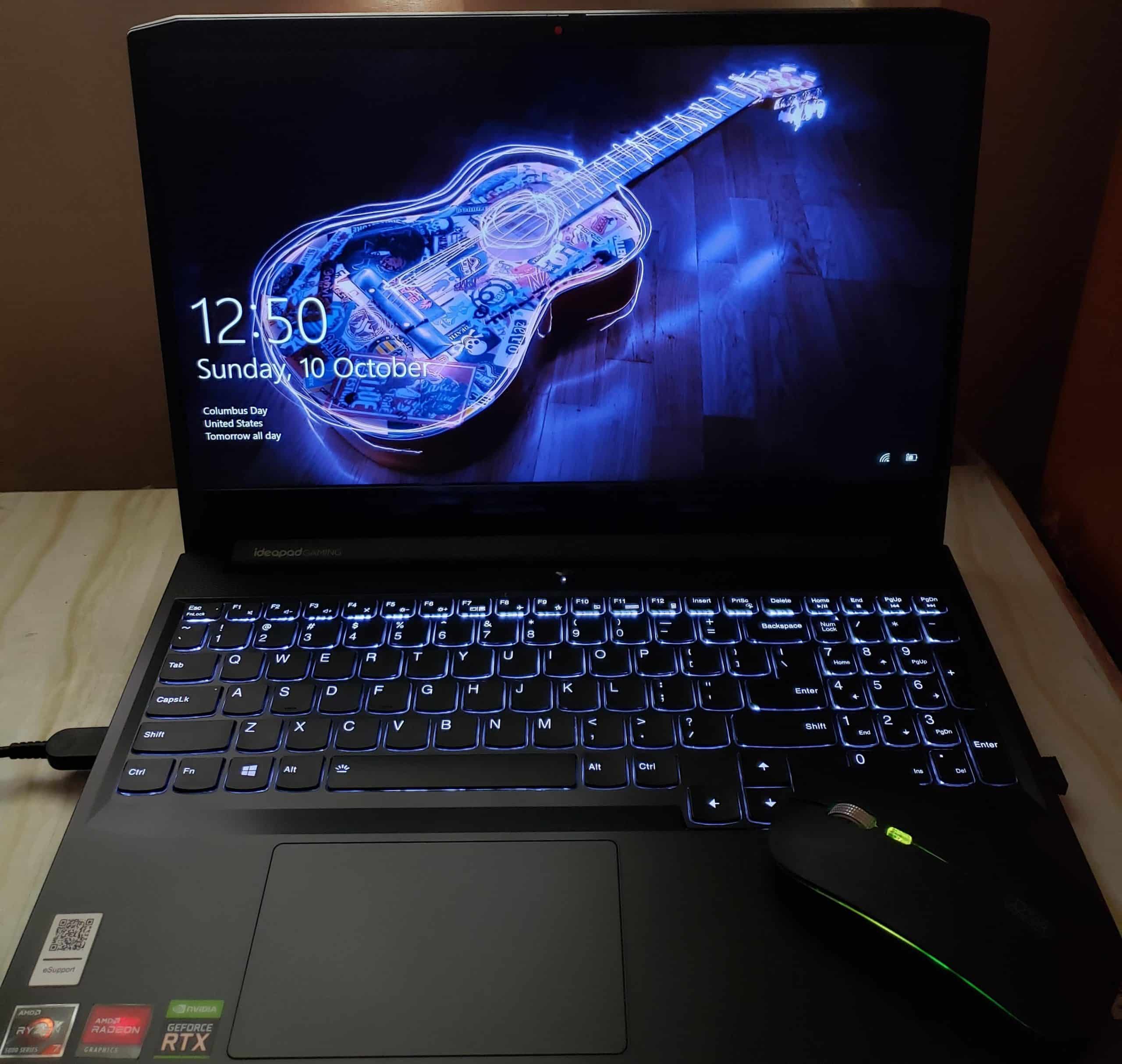
Lenovo IdeaPad 3

Cheapest Pick

Lenovo IdeaPad 3

Our Rating: 7.5/10

MSI Thin GF63

Overall Best Gaming Laptop on Amazon (Mid-Range Pick): MSI Thin GF63

I’ve been very impressed by what MSI offers in the laptop space for many years, and gaming is at the forefront of that.

For the top mid-range pick, I wanted to find the best gaming laptop for $1,000 on Amazon as this tends to be the most common price range my readers will enquire on. This choice is just a touch more expensive than that, but paying that bit more is definitely worth it, as you gain access to an RTX 4050 laptop.

This graphics card, as far as portable gaming goes, is the best you’ll get around the $1,000 mark. Many competitors offer RTX 3000 series cards at this price range. It’s a fantastic deal, especially when the device is well-rounded in its other specs.

With great performance, you’re going to be able to play a majority of games at 1080p high settings with excellent framerates. And it will be well future-proofed for big upcoming titles. If you’re looking to get high framerates & resolutions with max settings in intensive games, you’ll have more luck with our premium picks below or desktop options. But rest assured, most titles will look fantastic on the GF63

Working alongside the 4050 is a Core i7-12650H, 16GB DDR4 RAM & a 512GB NVMe SSD. Not only are these specs more than enough for ensuring the GPU isn’t bottlenecked by the hardware, but they’re capable of giving you a very smooth general-use experience with the laptop (be it web browsing, videos, or other program usages).

It’s annoyingly common to see laptops come with the latest GPUs but skimp on CPU or RAM to keep the costs low. That’s really why I rate the GF63 so highly, it’s the full package spec-wise.

Although I’m happy to see 512GB over 256GB that many other builds at this price come with, the main area that left me longing was the storage space. It will serve you initially but is a little low for a gaming PC if you’re interested in multiple large titles. There is another drive bay you can easily use to upgrade your storage should you need to. Don’t be fooled by lower price laptops that have larger drives; I’ve been through them and their specs suffer in other ways to compensate for this (especially GPU, which is more important for your setup).

The laptop is well-designed. One of the things I like about MSI the most is its ability to create sturdy, long-lasting PCs. With a good track record of thermal management for the powerful specs, a beautiful backlit keyboard, and a fantastic full HD IPS 144Hz screen.

If your budget is around the $1,000 mark, this is the best gaming laptop on Amazon for you.

Our Rating: 9.5/10

Acer Nitro 17 Gaming Laptop

Best Gaming Laptop under $1,500 on Amazon: Acer Nitro 17

If you can stretch your budget a little further, the Nitro 17 is a fantastic laptop where you can expect a further ~30% improvement in games compared to our above pick.

Acer Nitro has been a common feature in my gaming laptop articles, they consistently manage to offer excellent value in this series over the years.

This is achieved here with the great combination of the RTX 4070 and Ryzen 7 7735HS, both fantastic specs for this price range. You can expect to comfortably play most titles in great settings, 1080p with a very high frame rate.

You have a wonderful screen to enjoy those high frame rates on too. Boasting a full HD, IPS, 165Hz panel with low latency and great color accuracy. The screen gives off vibrant pictures and a snappy response time to match the fast reaction needs of competitive gaming.

Working alongside the CPU and GPU is 16GB of DDR5 RAM and a 1TB NVMe SSD. In all of the previous laptops I’ve featured in this price range, the manufacturer always skimps out slightly and provides a 512GB drive. So it’s really nice to see 1TB provided here (which feels more realistic as a storage size for serious gamers).

The list goes on: beautiful design, tactile RGB keyboard, good thermals, and solid build quality. I really like that this 17″ gaming laptop doesn’t feel like it skimps on any area and is a good all-around pick worth its price tag.

If you can stretch your budget to the Nitro 17, you’re going to love it. This machine is such a fantastic value for what you’re getting.

Our Rating: 9.75/10

Acer Nitro 5 GTX 1650

Best Budget Gaming Laptop on Amazon: Acer Nitro 5 GTX 1650

You have to respect that with this budget, manufacturers are very limited on what kind of parts they can include. With that said, I’m pleasantly surprised by just how good this Nitro 5 model is for its ridiculously low price point.

Led by the GTX 1650, you still have a graphics card capable of running most games at fair settings/frame rates. If you’re playing older games/many of the popular titles that are well optimized (Fortnite, Overwatch, WoW, etc.), you’re still going to get great frame rates on them suitable for competitive gaming.

Accompanying the GPU is the very capable 9th Gen Intel Core i5-9300H, 8GB DDR4 RAM & a 256GB NVMe SSD. While you won’t get very far with high-end production work on this laptop (high-end video editing, rendering, etc.), it will still do very well when it comes to general use for things like web browsing, videos, and standard work if needed.

You have some easy options to upgrade this laptop also. Acer has sensibly installed 1 stick of 8GB RAM (instead of 2 x 4GB) to allow you to easily add a second 8GB RAM stick if you like. There’s also a 2.5″ drive slot if you wish to expand your storage.

Another reason we picked this as the top budget choice is that the laptop still has some impressive design features for its price range. With a good build quality, a 1080p IPS screen, and a USB 3.1 Type C port, you’re really getting a lot for your money here.

On top of being a great budget choice, I’d also suggest this is one of the best gaming laptops for beginners, kids, teenagers, or simply someone who’s behind on gaming and has some titles to catch up on alongside their general laptop use.

Rest assured, although it isn’t going to give you the same performance as our top picks, we still love the value of this Nitro 5 model. There’s a reason it’s one of the best-selling gaming laptops on Amazon.

2023 update: I’ve retained the Nitro 5 as the budget pick as I know some readers are very price focussed. With that said, if your budget can stretch to it, I would really recommend going for the IdeaPad Gaming 3, which boasts a HUGE upgrade for a relatively small price increase.

Our Rating: 8.75/10

MSI Stealth 17 Studio

Most Powerful Gaming Laptop on Amazon: MSI Stealth 17 Studio

Our next pick is for those looking for the most expensive gaming laptop on Amazon that is worth buying (not needlessly pricey for pointless bells and whistles).

There are some diminishing returns when comparing this laptop to our laptop pick under $1,500 for gaming alone (that said it has a whole lot more going for it). There’s a bit of an awkward zone between these two picks, where many manufacturers up the price by including more RAM, drive space, and better CPUs, but these are all secondary for machines that are already powerful enough when it comes to these specs).

Now with all that said, what you’re getting in the Stealth 17 the best laptop GPU available today: the RTX 3090 (I expect it to remain the best for a while too).

With some incredible additional specs to go with it. You can expect this laptop to perform about 60-80% better than the Nitro 17 in games. That is a fantastic improvement considering how great the Nitro 17 already feels. This would be perfect for someone looking for a VR-ready laptop or a reader who doesn’t want to compromise on game settings now or in the next few years.

Accompanying the powerhouse GPU is a beastly Core i9-13900H, 64GB of DDR5 RAM & a 2TB SSD. These are some seriously fantastic specs that will empower you to do some serious production work, with the Stealth 17 doubling as a 4k video editing laptop/suitable for other intensive tasks.

I was really quite impressed when I saw the design of the Stealth 17 in person. It looks and feels fantastic. The build quality is what you’d hope for in a premium gaming laptop and although the machine runs hot, the thermal solution is more than capable of keeping the device manageable.

And then there is the amazing display. On top of reaching great color accuracy and a sharp 3ms latency, it’s running at a very impressive 240hz QHD/1440p. Some laptops with these ultra-high refresh rates don’t have the specs to actually run games to take advantage of this, but the beauty of the Stealth 17 is that it does. Some premium gaming laptops will push their screens to 360hz @ 1080p, but I think that opting for 1440p is much better. The resolution increase will be more significant (I’d argue even for many e-sports enthusiasts) than the diminishing returns of 240hz vs 360hz.

I’m so impressed with this laptop. It’s a pricey offering but the specs, build quality and thermal solution are classic examples of getting what you pay for. If you’re serious about buying the most powerful laptop possible, this is the pick for you.

Our Rating: 9.5/10

Lenovo IdeaPad 3

Cheapest Gaming Laptop on Amazon: Lenovo IdeaPad 3

Now let’s be clear, I’m being very generous in calling this pick a gaming laptop and I would highly recommend you save up the extra money to at least get the budget Acer Nitro pick above for gaming.

That being said, I appreciate that some readers will be looking for the cheapest laptop for gaming on Amazon, even if that means some serious limitations.

This Lenovo laptop is impressive for its price point. With a capable Ryzen 5 3500U processor, 8GB DDR4 RAM & a 256GB SSD. You can still expect it to be a decent runner for general usage and office work.

For games, you’ll be relying on the integrated Vega 8 graphics; which still do a semi-decent job on older titles. You’ll be able to run games like Fortnite, Minecraft, and league of legends on lower settings.

Another credit to the IdeaPad 3 is that it has a nice build quality for its price. It’s a very slim, lightweight laptop that would be ideal for travel.

If your budget is very tight and you need a new PC now; then as long as you can respect that this is a light gaming PC, you’re still getting excellent value.

Our Rating: 7.5/10

Alternative Picks

The top 5 picks are our main favorite choices for your various budgets when considering the best gaming laptop on Amazon.

That being said, we’ve included some additional worthy choices for some other price brackets that are popular – we’d still recommend these laptops if they work for your budget.

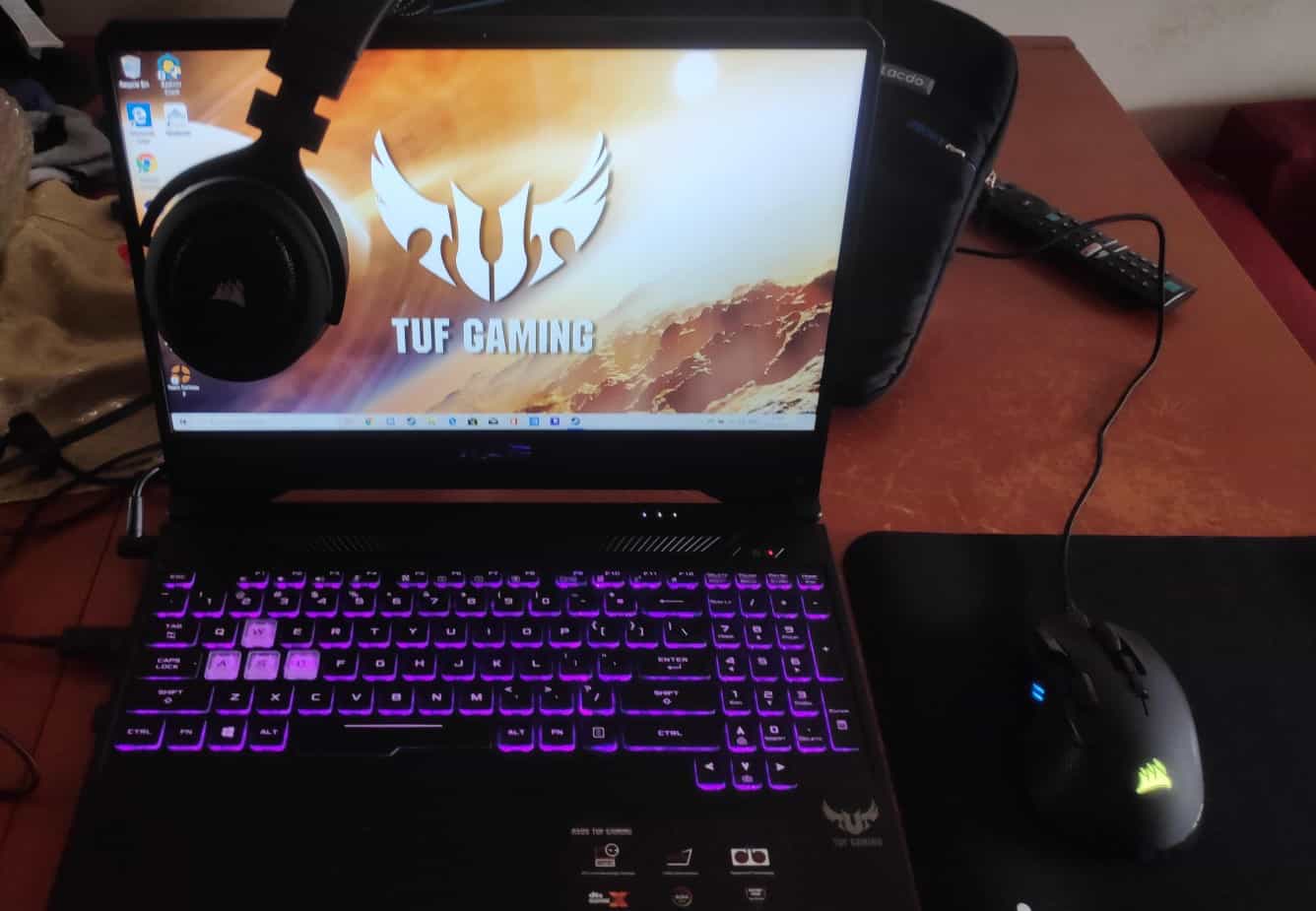
Best Gaming Laptop under $1,200 on Amazon: ASUS TUF506IV-AS76

Between our top 2 picks is a choice that doesn’t upgrade the GPU, but does offer a fantastic design, upgraded processor, and impressive 1TB SSD. We featured one of the cheaper TUF models in our best 144HZ laptops feature.

Our Rating: 8.5/10

Best Gaming Laptop under $800 on Amazon: Acer Nitro 5 RTX 3050

Inbetween our top overall and top budget picks is space for this fantastic Acer Nitro 5 unit – Getting an RTX 3050 for this price is still excellent if it’s as far as you can go.

Our Rating: 9/10

Second Best Amazon Gaming Laptop under $1,200: Acer Predator Helios 300

One other very decent option in this price range was worth calling out; this doesn’t have the same storage capacity as the ASUS laptop but has an improved thermal solution and fantastic 3ms response time which is why we ranked it at the top of our list for high-refresh-rate laptops, perfect for competitive gaming.

Our Rating: 8.75/10

Best Amazon Gaming Laptop under $1,500 Alternative: ASUS ROG Strix G15

Now if you’re up for spending a little more than our second pick, this is one of the top gaming laptops on Amazon by ASUS. And their ROG brand really stands out with its fantastic design. For the extra price, you’re getting 240Hz and more storage, so worth considering.

Our Rating: 8.75/10

Best Laptop under $2,000 on Amazon: CUK MSI GP65 Leopard

If you like the look of our best laptop under $1,500 pick, but want something with a little higher spec, this is a great future-proofed choice (it won’t get you much more performance in gaming, but it’s RAM, CPU, and storage are very impressive for other tasks).

Our Rating: 9/10

What's Next?

About the author

Picture of Kaelum Ross
Kaelum Ross
Kaelum Ross, BSc is the Lead Writer at What in Tech and a leading authority in PC hardware and software. With a career as a senior IT professional, Kaelum has led multi-million dollar projects covering everything from bespoke software development to complex Windows hardware upgrades. Today, Kaelum uses his expertise to serve What in Tech's readers and has been featured in numerous global publications including New York Magazine and Lifewire.

The 5 Best 120hz Laptops of 2023

120hz Laptop

The 5 Best 120hz Laptops of 2023

Reviewing the best high-FPS options for different budgets

120hz Laptop

I updated this article in June to cover any new releases in 2023.

It’s worth adding that many 2023 gaming laptops with 3000 series GPUs have moved towards 144Hz screens. I’d highly recommend checking out our overall gaming laptop feature which includes better offerings, but I’ve also pointed out in this feature where there might be a notably better 144hz alternative available.

60fps? That’s old-school!

Nowadays, the big laptop manufacturers have come out with some fantastic machines that can output double the standard 60fps framerates.

This is why today’s feature will be taking you through the best 120hz laptops on the market. I’ve reviewed and ranked them for gaming (and other uses) with lots of different budgets in mind.

1

Dell G15 RTX 3050 Ti

Overall Best 120hz Laptop

Dell G15 RTX 3050 Ti

Our Rating: 9.5/10

2

Lenovo IdeaPad Gaming 3 RTX 3050 2

Best Pick Under $800

Lenovo IdeaPad Gaming 3

Our Rating: 8.75/10

3

ASUS ROG Zephyrus G14 2

Best 14-Inch Pick

ASUS ROG Zephyrus G14

Our Rating: 8.5/10

4

MSI GF65 Thin 9SD-252 2

Alternative Pick under $1,000

MSI GF65 Thin 9SD-252

Our Rating: 8.75/10

5

ASUS TUF RTX 2060 2

Honorable Mention

ASUS TUF RTX 2060 Gaming Laptop

Our Rating: 8/10

Dell G15 RTX 3050 Ti

Overall Best 120hz Laptop for Gaming: Dell G15 RTX 3050 Ti

At the top of the list is an offering from Dell that represents fantastic value for its price range.

An RTX 3050 Ti laptop, this GPU can handle a lot for its price. If you’re into newer titles you can expect to achieve decent graphics settings on these (with nothing on the horizon that the RTX 3050 Ti couldn’t play in some capacity).

But of course, with its 15.6-inch 120hz display, where the machine really shines is its ability to play mid-tier games at very high refresh rates. This is one of the best laptops for Fortnite, Overwatch, and other competitive esports at 120fps.

Dell G15 2

Source: _i_am_sus

Working alongside the GPU is a Ryzen 7 5800H & 16GB RAM, great components to go alongside the GPU. We don’t expect you’ll need more than 16GB of RAM for a long time which is why even our longevity-focused picks have this capacity. That said, the RAM slots could be upgraded at a later date should you desire. These specs will be decent for business and personal use too (not just a gaming machine).

While there are some other compelling options below, I’ve picked this laptop as our top choice due is its fantastic reliable performance.

With great thermals, solid material, and a sturdy (+ beautiful) keyboard, this gaming laptop has been built to last. The similarly priced 120hz alternatives have some minor issues that we talk about below; while it was a very close race to the top pick, we think it’s worth paying an extra 5-10% for a laptop that is durable and doesn’t run very loudly.

Overall, the Desll G15 offers a fantastic value at its mid-range price and is our choice for the best 120hz laptop available today.

Our Rating: 9.5/10

Lenovo IdeaPad Gaming 3 RTX 3050 2

Best Cheap 120hz Laptop under $800: Lenovo IdeaPad Gaming 3 RTX 3050

Now, we appreciate some readers will be looking for the best pick on a tighter budget.

It’s important to realize that if you want to achieve high-FPS gaming, you do need to have some horsepower. That’s where this Lenovo gaming laptop strikes a fantastic balance (we think it’s incredible that they’ve managed to produce a laptop capable of 120fps gaming at this price range).

Lead by its RTX 3050 graphics card, AMD Ryzen 5-5600H & 8GB RAM, this PC packs a decent punch for gaming.

Lenovo IdeaPad Gaming 3 RTX 3050

Source: Litkid_05

You can still expect to achieve 120fps on Fornite, Minecraft, Overwatch, LoL, and other older competitive games (providing you play with the settings to around medium). An RTX 3050 will still be able to run newer titles, as long as you can limit your expectations (i.e. low settings, 30-60fps at 1080p).

We love also that despite the budget price-point, this Lenovo laptop is still of excellent build quality, and comes with all the usual quality-of-life features you expect on a good portable gaming PC (lit keyboard, Windows 10 included, and a decent thermal solution).

The one downside of the cheapest 120hz laptop on the market is its subpar battery life. You can expect a few hours for general use and 2-3 for gaming (but again, at this budget, you won’t find anything better).

You’re not getting the performance of a more expensive future-proofed laptop at this price, but the fact that you can have a machine that balances 120fps gaming for older esports and can still play most newer titles at lower settings/fps really is an impressive feat.

This is, without a doubt, the best cheap 120hz laptop available on the market today.

2023 update: There is an updated version of the Ideapad 3 which boasts a notably improved processor and DDR5 RAM. Its list price is $900, but I have seen it on sale a lot around the same price as our featured model. If the newer model is on sale or only slightly more expensive, I highly recommend the upgrade if your budget can accommodate it.

Our Rating: 8.75/10

ASUS ROG Zephyrus G14 2

Best 14-inch 120 Hz Laptop under $1500: ASUS ROG Zephyrus G14

If you’re after a more portable gaming PC than the rest of our choices, the G14 is one of the best examples of how to achieve an excellent lightweight high-refresh-rate laptop.

With an RTX 2060 Max-Q, its performance is slightly less than our top choice’s GPU (in the region of 5-10%, as Max-Q cards are made for ultra-thin laptops). However, the G14 also boasts a Ryzen 9 4900HS CPU. This is a fantastic edition and for CPU-intensive games, will gain back a lot of the lost performance from its GPU’s “Max-Q” label. You’ll still be able to use its great 120hz display for esports titles like Overwatch, Fortnite, and Dota 2

With 16GB of RAM and a 1TB SSD, this machine has plenty of capability as a business and personal use laptop too.

ASUS ROG Zephyrus G14

Source: CrazyGelo

But perhaps the best of all of its unique features is its superb design and build quality. With a gorgeous aesthetic and thermal solution for its size (only 3.64 lbs and 0.7″ thick!), the G14 really feels like a very premium laptop built to last

Finally, with the Max-Q and Ryzen 4000-series both being power-efficient iterations, the laptop has a superb battery life; which, alongside its build quality, really solidifies its place as a machine for portable gaming.

The G14 is comfortably our top pick for the most portable 120hz pick. I love that in its tight space, it still manages to pack a great punch.

Our Rating: 8.5/10

MSI GF65 Thin 9SD-252 2

Best 120hz Laptop under $1000: MSI GF65 Thin 9SD-252

For those who can’t stretch to our top pick, there is thankfully a fantastic alternative MSI gaming laptop under $1000.

This is from the exact same GF65 range that has been featured many times on WIT. This model runs off a GTX 1660ti GPU. Which, while not as powerful as the RTX 2060, doesn’t run too far behind in capability. Typically, the difference is usually around 5-10% less FPS, which will still give you all the horsepower you need to use its beautiful 120hz screen for mid-range competitive esports (and enough power to still enjoy newer/upcoming titles).

MSI GF65 Thin 9SD-252

Source: MSI

Alongside the GPU, you are getting the same fantastic processor as our top pick which is perfect for handling business and personal use laptop needs also. This edition has 8GB RAM instead of 16GB. However, you can simply upgrade that to 16GB at a later date if you need to.

With the same excellent build quality, keyboard, and trackpad as our top pick, we still rate this choice very highly (still including the nice quality of life features too, like a USB type C port and a 720p webcam).

It’s a great pick for those wanting something a little more than budget but a little less than our top pick.

Our Rating: 8.75/10

ASUS TUF RTX 2060 2

Alternative RTX 2060 Choice: ASUS TUF FX505 Gaming Laptop

As mentioned in our top 120hz laptop pick, although we love the MSI RTX 2060 offering, there is a cheaper choice in this ASUS TUF PC.

The price seems like wizardry for what you’re getting. The cheapest RTX 2060 laptop on the market, this model comes along with a respectable Ryzen 7 3750H, 16GB DDR4 RAM, and a 512GB SSD. All of which are very worthy of accompanying this GPU and not leaving any bottlenecks for gaming or general use (this is certainly capable of similar high FPS/settings gameplay to the MSI laptop pick) and you’ll have the option to upgrade the RAM to 32GB in the future if desired.

As you would expect with an ASUS laptop, the aesthetic, RGB keyboard, and material for the exterior build are all very nice and perfect for a gaming machine. This 120hz laptop is also IPS, so we have no complaints about the screen.

ASUS TUF FX505 Gaming Laptop

Source: Faiz_

Where we decided to slightly give the edge to MSI’s offering as our top pick is in its thermals and reliable performance. A notable minority of users have complained of errors, blue screens, very loud fans, and some delays in getting a warranty replacement/repair with the FX505.

Now it’s worth saying that this is a minority, most users seem to be happy with receiving what is largely an insanely cheap budget RTX 2060 laptop for gaming. We just think it’s worth the extra money for the MSI offering as a piece of mind that you’re getting a unit that is unlikely to run into any problems (when you spend this kind of money, you want something that will last).

But with all that said, if you don’t mind the cons mentioned above, you are getting a fantastic GPU, specs, and machine at a mind-blowing price, this ASUS 120hz laptop has a lot going for it.

Our Rating: 8/10

What's Next?

About the author

Picture of Kaelum Ross
Kaelum Ross
Kaelum Ross, BSc is the Lead Writer at What in Tech and a leading authority in PC hardware and software. With a career as a senior IT professional, Kaelum has led multi-million dollar projects covering everything from bespoke software development to complex Windows hardware upgrades. Today, Kaelum uses his expertise to serve What in Tech's readers and has been featured in numerous global publications including New York Magazine and Lifewire.

The 10 Best EATX Motherboards of 2023

Best-EATX-Motherboard

The 10 Best EATX Motherboards of 2023

Reviewing the best extra large motherboards for enthusiast builds

Best-EATX-Motherboard

I updated this article in June after reviewing the latest E-ATX releases of 2023. Most of my top picks remain the same for this refresh, but I’ve added a couple of decent new alternatives where relevant.

Sometimes, ATX isn’t big enough.

Perhaps you’re looking for a motherboard form factor that can accommodate the most overclocking and be the basis for the most powerful build you can possibly think of.

We’ve put together this feature on the best E-ATX motherboards available after reviewing the decent options and marrying them up between price and quality.

1

MSI MEG Z690 ACE

Overall Best Intel E-ATX Motherboard 

MSI MEG Z690 ACE

Our Rating: 9.5/10

2

ASUS ROG Maximus Z690 Extreme

High-End E-ATX Intel Pick

ASUS ROG Maximus Z690 Extreme

Our Rating: 9.25/10

3

GIGABYTE X670E

Best AMD E-ATX Motherboard

GIGABYTE X670E AORUS Master

Our Rating: 9.5/10

4

Gigabyte X299X AORUS Master

Best X299 E-ATX Motherboard

Gigabyte X299X AORUS Master

Our Rating: 8.5/10

5

MSI X299 Pro

Budget E-ATX Pick

MSI X299 Pro

Our Rating: 7.5/10

6

gigabyte x299x aorus designare 10g

Best XL-ATX Motherboard

Gigabyte X299X AORUS Designare 10G

Our Rating: 8/10

7

Evga z490 dark

Best Z490 E-ATX Motherboard

EVGA Z490 Dark

Our Rating: 8/10

Intel vs AMD EATX Motherboards

While AMD usually takes the top spot in the mid-range Micro ATX / ATX motherboard sizes, Intel is king for E-ATX.

There are simply more good options available between the Z690 and X299 chipsets in this form factor when building a very high-end PC.

This is why we’ve primarily focussed this guide on Intel options.

That said, we do have a couple of great options for AMD HEDT CPU builds below. You can still build with whichever choice you like, there are just fewer options than Intel.

Now, let’s get to it:

MSI MEG Z690 ACE

Overall Best E-ATX Motherboard: MSI MEG Z690 ACE

One thing that instantly stood out to me over the Z690 ACE is its price point.

Many HEDT motherboards quickly approach the 4-figure range, but the ACE comes in at half that cost while still retaining a ton of great premium features.

Firstly, while the design may not be your primary concern, I was really pleasantly surprised at how gorgeous it was in person. High-end motherboards are slowly moving away from RGB and the ACE’s minimalist black and gold aesthetic is not just stunning, but a great foundation for a ton of different aesthetics.

That said, for you RGB lovers, there are plenty of headers on board (and also a helpful LED dip switch to turn them off as needed).

There’s plenty on offer between USB, M.2, SATA, and 2 x PCI-E 5.0 inputs. The ports are nicely-balanced bandwidth-wise and I think they’ll comfortably match the need of most enthusiast builds.


MSI MEG Z690 ACE 2

Larger than it looks when you see it in person. Source: JTDtom1984

I’m pleased with the overclocking results observed on the ACE, too. With decent results across both CPU and memory (even for the likes of a Core i9-12900K), we expect you’ll sooner be bottlenecked by the limitations of your cooling than of the motherboard. The overclocking failure recovery is an easy enough process by most standards too, which can be a huge perk when trying to maximize your settings.

So what don’t we like about this board? Well, not too much.

Even though the price is very slim by ATX standards, the one thing that comes to mind for me is that many users would be happy with an ATX board in the $300-400 range, even though I think the extra features and quality-of-life changes here are immense if you have the extra budget.

Aside from that, nothing notable comes to mind, the motherboard is great for installation, overclocking, thermal management, design, and onboard features.

If you’re looking to build an E-ATX powerhouse with forking out 4-figures, I think this is the best option you’ll find by a notable distance!

Our Rating: 9.5/10

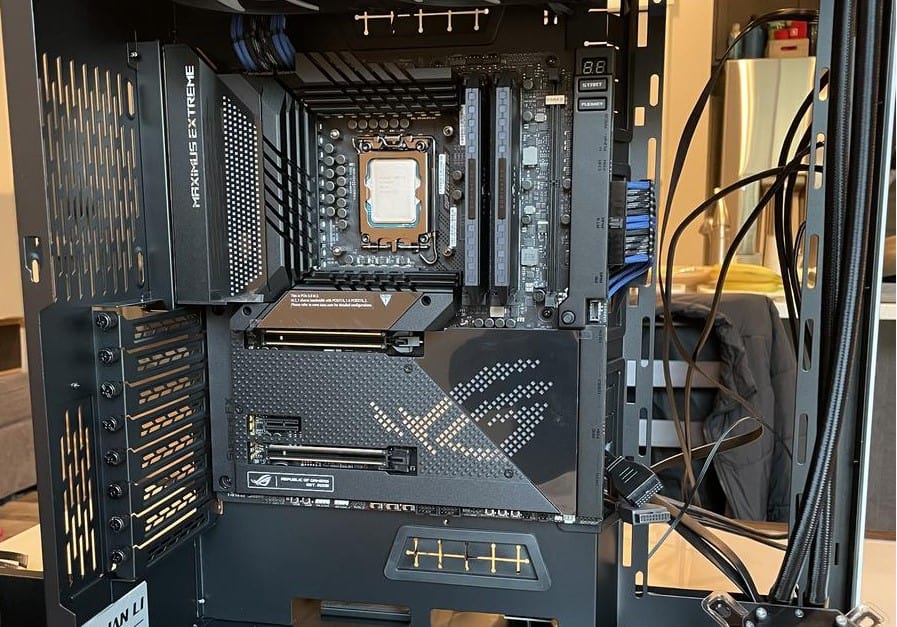
ASUS ROG Maximus Z690 Extreme

High-End Best Intel E-ATX Motherboard: ASUS ROG Maximus Z690 Extreme

And now we come to the choice for those who care more for power than price. This MSI motherboard is simply incredible.

To start, it’s built on the Z690 chipset / LGA 1700 socket, which combined with the features below, easily makes this one of (if not the) best motherboard for the brand new Core i9-12900K and other 12th gen CPUs.

  • 2 x PCIe 5.0 x16 slots
  • 4 x DDR4 RAM slots with max speeds up to 6400 MHz+
  • Fantastic I/O panel with 2 Thunderbolt 4 ports
  • 5 x M.2 storage outputs with optimized heatsink.

These specs, alongside the sophisticated cooling and fantastic layout, are simply mindblowing, and really shows the power of what a high-end Z690 motherboard can do.

ASUS ROG Maximus Z690 Extreme

Source: tikishark

You may be asking yourself, “why does this board have fewer max RAM/GPU slots than our runner-up pick”?

Well, while we love the high RAM/GPU approach, the Z690 GODLIKE has chosen alternate bandwidth allocations.

Each motherboard can only circulate so much power and this MSI offering puts more into its CPU chipset, overclocking potential, and other features.

With a fantastic array of headers for an RGB build, wonderful LED lighting, and an OLED screen to act as a “dashboard” for your computer status, we love to focus on hard specs, but if you’re spending this much money on a motherboard, we appreciate the extra mile going in for aesthetic.

The ACE has a host of onboard features and incredible thermal solutions across the board, reviews are quickly finding that this is one of the best motherboards for overclocking available.

You’re going to achieve a fantastic high FPS 4K gaming build if tied with the right CPU/GPUs.

Maximus Z690 Extreme vs MSI MEG Z690 ACE

So with all that said, why do we give the ACE our top pick over the Extreme?

Well, while the Extreme does boast an even further capability in overclocking, bandwidth allocation and thermal management, we think that there is some level of diminishing returns, give it’s around twice the price of the ACE.

Although I sing the praises of a more minimalist motherboard aesthetic like the ACE, it’s also worth bearing in mind that the Z690 extreme is on the other end of the aesthetic; boasting plenty of gorgeous lighting in addition to its OLED screen. This wasn’t a major factor in reviewing the board for me as it’s largely down to personal preference. Really, both look great.

Do I think, dollar-for-dollar, the extra features of the Extreme are worth it over the ACE? No.

But, if budget is only a secondary concern, and your only question is “how do I achieve the most power”, then I think you’ll love this choice.

Our Rating: 9.25/10

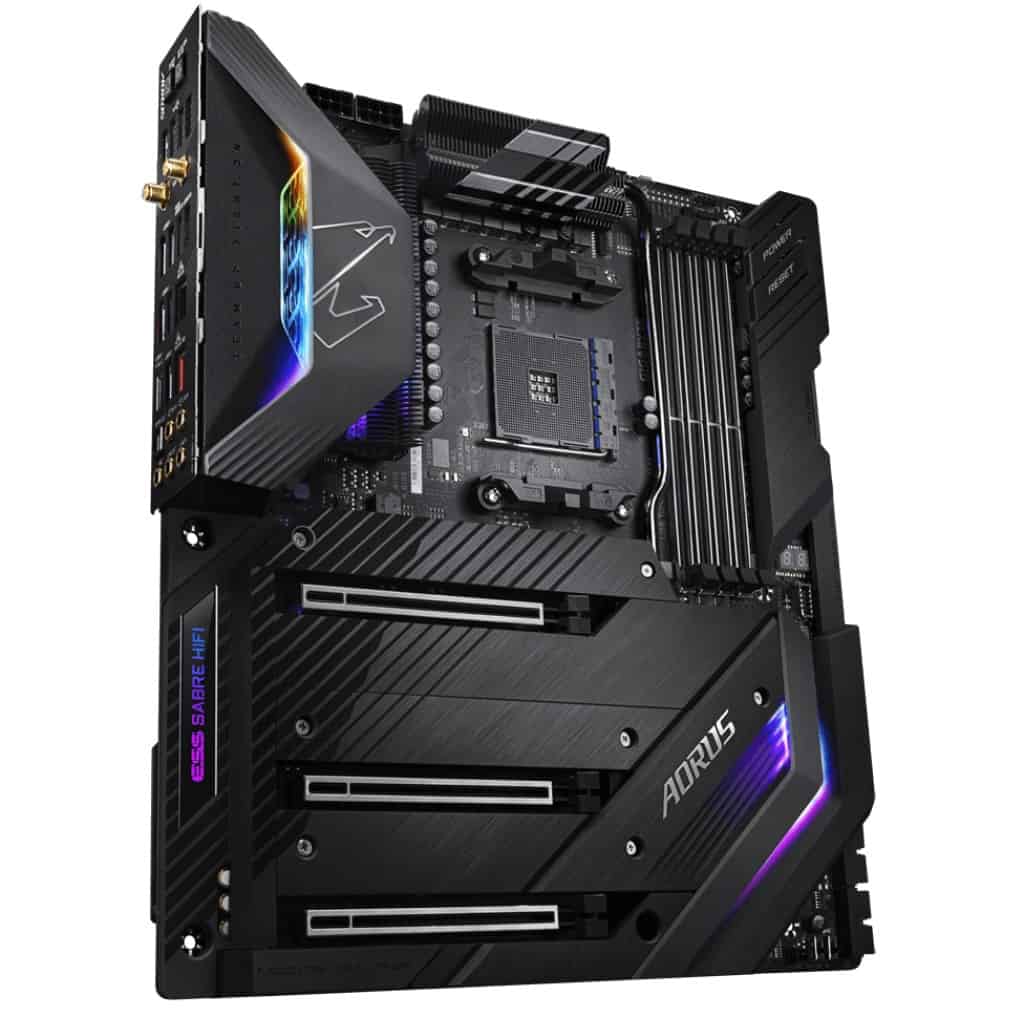
GIGABYTE X670E

Best AMD E-ATX Motherboard: GIGABYTE X670E AORUS Master

2023 update: I’m pleased to say that there are finally a couple of good E-ATX options for serious AMD builders (without entering the 4-figure mark!) and the X670E stands as the tallest.

The X670 chipset is exactly what you want leading a premium build, giving you high-quality PCIe 5.0 & DDR5 compatibility, the AORUS is set up to accomodate rop range hardware.

GIGABYTE X670E 2

Source: Alumx

Let’s break down the spec highlights:

  • 1 x PCI Express x16 slot, supporting PCIe 5.0* and running at x16 (PCIEX16)
  • 4 x DDR5 DIMM sockets supporting up to 192 GB – OC up to 6666
  • 3 x PCIe 5.0 M.2 connectors
  • Very rich I/O connector availability, including multiple type C USB inputs
  • Incredible build quality, design and light features (including onboard lights and great RGB fan header connectivity)
  • Fantastic onboard audio and Wi-Fi

Without just posting all of the specs (available here), the highlights of this board are in its versatility for different types of builds; whether you want to focus on maximizing overclock on CPU, RAM, GPU, or a balance of all 3, there are good methods on board here for all build types.

What’s more, the thermal solutions across the board add to that potential, with benchmarks showing amazing OC performance on this board for RAM, CPUs, and GPUs.

At the top of its class, the GODLIKE is one of, if not the best X670 motherboard on the market.

If your heart is set on AMD and this is out of your price range, there is a more affordable offering in the GIGABYTE X670 AORUS Elite AX.

But if you have the budget, know that you really can’t get much better than this.

Our Rating: 9.5/10

Gigabyte X299X AORUS Master

Best X299 E-ATX Motherboard: Gigabyte X299X AORUS Master

2023 update: I have kept a couple of the old HEDT options in this feature because I appreciate there may still be some niche builders who value some of the unique features of the X299 chipset (like 8 DIMM slots) but I heavily suggest against these motherboards for a majority of users. If you weren’t already aware of HEDT motherboards before coming into this article, then please just stick to my main 3 recommendations above.

For most cases, we’d highly recommend our top pick as the chipset will better suit you for the latest Intel CPUs.

That being said, if you are interested in X299 for this chipset’s advantages in certain areas (e.g. RAM capacity), then the AORUS Master is a feature-packed option.

This board offers:

  • 4 x PCI-e x16 slots, with the bandwidth capability to run a Multi-GPU gaming PC (SLI or CrossFire)
  • 8 x DIMM outputs for up to 256GB DDR4 RAM up to 4333 Mhz
  • 3 onboard M.2 storage outputs
  • A great I/O panel with good Wi-Fi, Bluetooth, and LAN outputs.
  • Beautiful RGB design with great onboard addressable headers for an RGB-centric build
  • Fantastic onboard ALC1220-VB HD Audio with an ESS SABRE9218 DAC chip capable of making the most for high-end headphones.

The above are just the highlights. 

Gigabyte X299X AORUS Master

Source: ironbar

There are a bunch of additional onboard/BIOs features that make this a premium motherboard (anything from excellent onboard heatsinks to great build quality for durability in a heavy EATX PC Case).

At its price point, it’s the best motherboard for overclocking on X299 I’ve come across from various benchmark reviews.

With great inputs available for high-capacity graphics cards, storage, RAM, and cooling capability, you’ve got a great motherboard for video editing, gaming, streaming, and production.

As good as the Aorus Master is, it’s still on the CPU chipset that is becoming outdated compared to our top pick’s one, so bear that in mind.

That said, if your wallet is thick but not so thick that you’re looking at the pricier picks and are interested in building with an X299 CPU, then this is a great option.

Our Rating: 8.5/10

MSI X299 Pro

Best Budget E-ATX Motherboard: MSI X299 Pro

2023 update: For completeness, I’ve included the cheapest E-ATX board I can find that is worth recommending. But with that said, this board is running on a very old chipset and is only recommended for users already familiar with (and searching for) a HEDT board.

Unfortunately, there isn’t much in the way of more budget options for modern chipset E-ATX builds. So if you don’t have the budget for my top picks above, then please go with an ATX build instead with something like the MSI MAG Z690 Tomahawk, which is still more than capable of hosting a powerful build.

Whether for high-end gaming or production, we’d recommend the picks above. Especially the ones with more modern sockets.

That being said, what MSI manages to fit into this cheap EATX motherboard is insane for the price if you’re looking at a X299 chipset.

This includes:

  • 8 x DDR4 RAM slots for up to 256GB memory (up to 4200Mhz)
  • 4 x PCIe x16 slots with capability for up to 3-way SLI GPU builds.
  • 2 x M.2 storage outputs
  • Decent RGB header options

Between these features, you still have the utility here for a high-end build for gaming, streaming, and other production rigs.

MSI X299 Pro

Source: flipflopsoncats

If you’re in the video editing business (or similar), it’s the RAM that offers an insane amount of future-proofing for memory (though to be clear, most users do not need to buy 8 slots worth of RAM).

You don’t have the same level of onboard features for overclocking/cooling as you do on the above boards, but it’s still capable of great clock speeds across your hardware.

The issue with this pick for budget builds is that it’s an X299 motherboard; we think most budget builders are going to significantly prefer Motherboard/CPU combos that are either LGA 1700 or AM4.

But if your goal is focused on the best cheap extended ATX motherboard, the MSI X299 Pro is the cheapest available.

Our Rating: 7.5/10

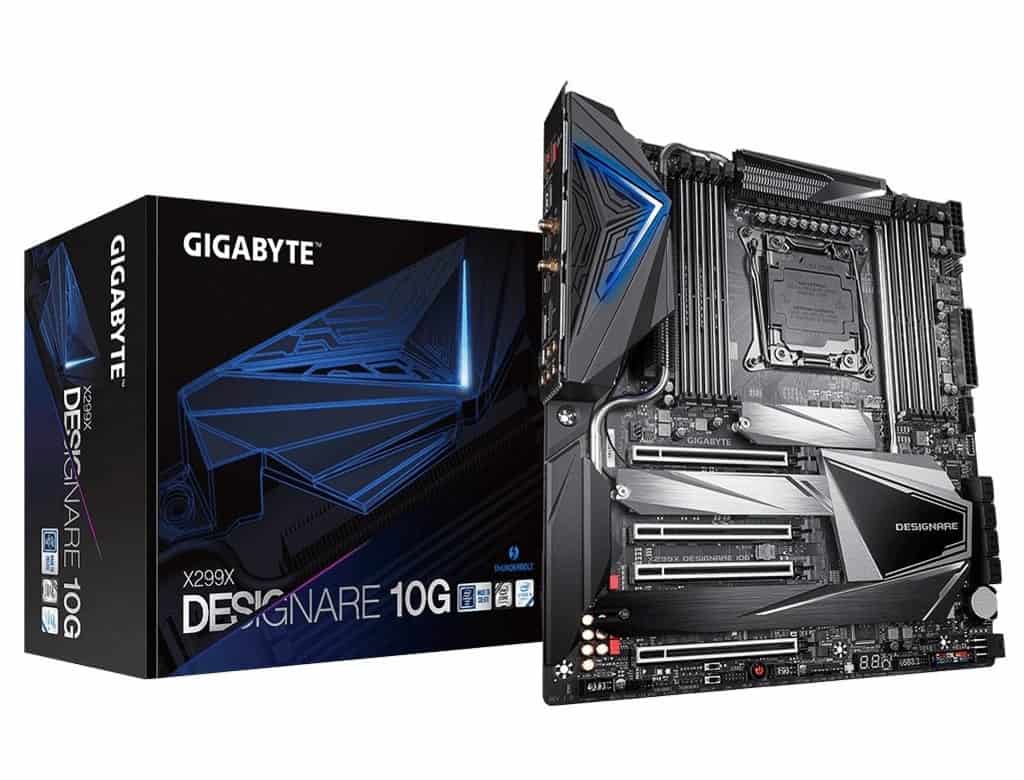
Gigabyte X299X AORUS Designare 10G

Best XL-ATX Motherboard: Gigabyte X299X AORUS Designare 10G

2023 update: The XL-ATX market is very slim these days, so much that there is no current recommendation for motherboards on the latest gen chipsets. We’ve kept this recommendation at the bottom of our list if you are happy to be after a X299 build (or TRX40) but in nearly every case, we’d recommend looking at our E-ATX picks above.

We’ll start by repeating what is said in our complete guide to motherboard sizes:

You don’t need an XL-ATX motherboard over an E-ATX one for a large high-end build.

The options above will give you more than enough for a premium gaming motherboard (or for production, streaming, etc).

That being said…

If you simply want more space to play with in a “super tower” PC case, we included this as it’s still a fantastic pick.

gigabyte x299x aorus designare 10g

Source: GIGABYTE

A Socket 2066 motherboard, the AORUS Designare boast:

  • 8 x DDR4 RAM slots for up to 256GB memory at 
  • 4 PCIe x16 outputs capable of 4-way CrossFire or SLI builds
  • A fantastic I/O panel including 2 x Thunderbolt 3 connectors
  • Great Onboard Realtek ALC1220-VB HD audio
  • Gorgeous LED lighting with great RGB header support for an RGB build
  • Fantastic build quality with lots of port reinforcement, good for such a large setup

When you can combine this colossal graphics card capability with all of the onboard thermal solutions/excellent BIOs, you have one of the best gaming motherboards for overclocking.

Its price-point sits in between our top picks and high-end picks, and we’d say that’s about right for what it offers.

If you’re looking to build an absolute monstrous PC both in power and size, this is perhaps the best XL-ATX Intel motherboard available.

Our Rating: 8/10

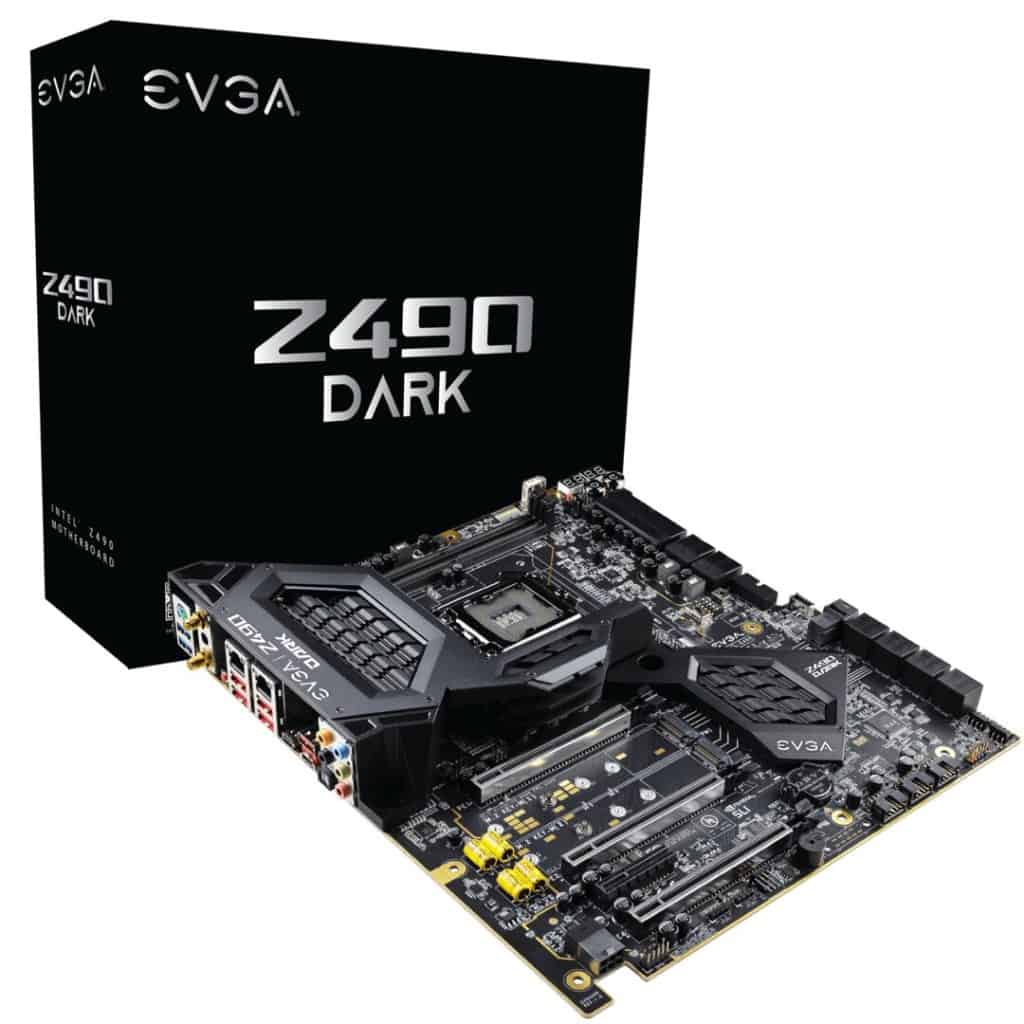
Evga z490 dark

Best Z490 E-ATX Motherboard: EVGA Z490 Dark

What a beast this is.

The EVGA Z490 Dark strikes an amazing balance between accommodating different types of high-end builders whilst also maintaining excellent value for its price.

Yes, it is an expensive motherboard. But considering many other competitive E-ATX picks are close to the 4-figure mark, this EVGA offering sits at around half of that.

We like the approach EVGA has taken with the Z490 Dark; specifically, they’ve reduced bandwidth consumption on certain elements that will not be used by an overwhelming amount of users.

The two main examples are the 2 dual-channel DIMM slots and max-2 SLI/crossfire GPU capacity (with 3 x PCIe x16 available onboard).

Sure, this sounds low if you’re trying to max out specs across the board, but the balance has been crafted around still providing enough capability for most powerhouse users, while also allowing you to push as much as possible with overclocking your CPU, GPU, and RAM all at an impressive motherboard price.

EVGA z490 dark

Source: GIGABYTE

To put it another way, 64GB of RAM (that could be 4800MHz+) and 2 (even 1) GPU on this board would make for a superb 4k gaming motherboard or high-end production desktop.

(If you’re one of the rare users who does demand more GPUs/RAM, say for very intensive rendering, video production, or a server PC build, then most of our other picks on the list accommodate just that).

Speaking of overclocking; this is, of course, the crowning jewel of the Z490 Dark. With an oversized VRM cooler, great quality-of-life features surrounding the board (including a unique layout specifically designed to better transmit heat/bandwidth between integral parts), and a great software interface for the BIOs, you are really set up here to push a lot out of your CPU and memory.

The other great SSD storage options that you’ll enjoy for a high-end build are 2 x M.2 110m (up to 32GBps) & 1 x U.2 NVMe.

With the fantastic Z490 chipset, this is one of the best LGA 2000 motherboards around, giving you compatibility with Intel’s 10th & 11th gen processors, you’ll be able to achieve some incredible processing power.

The EVGA Z490 has many more great features that we could take all day describing, from a good featured I/O panel to great onboard audio.

2022 mid-year update: Although I still rate the Z490 Dark well, this glowing praise is built from a time when the Z490 was an emerging chipset. 

With that in mind, we’d say that a majority of users will be wanting to look at the Z690 top picks over this shoice.

If you’re looking for a build on an older chipset however, and don’t want to fork out double the price for the high-end picks, this is still a decent pick for you.

Our Rating: 8/10

Alternative Quick-Fire Picks (Best of the Rest)

The top 6 picks are our main choices for the best extended-ATX motherboards. However, we’ve included a couple more options just in case you have very specific requirements.

GIGABYTE X570 AORUS Xtreme 2

Alternative AMD pick: GIGABYTE X570 AORUS Xtreme

Coming in slightly cheaper than our top AMD pick, this is a great choice with many of the same features for slightly smaller budgets.

Our Rating: 8.5/10

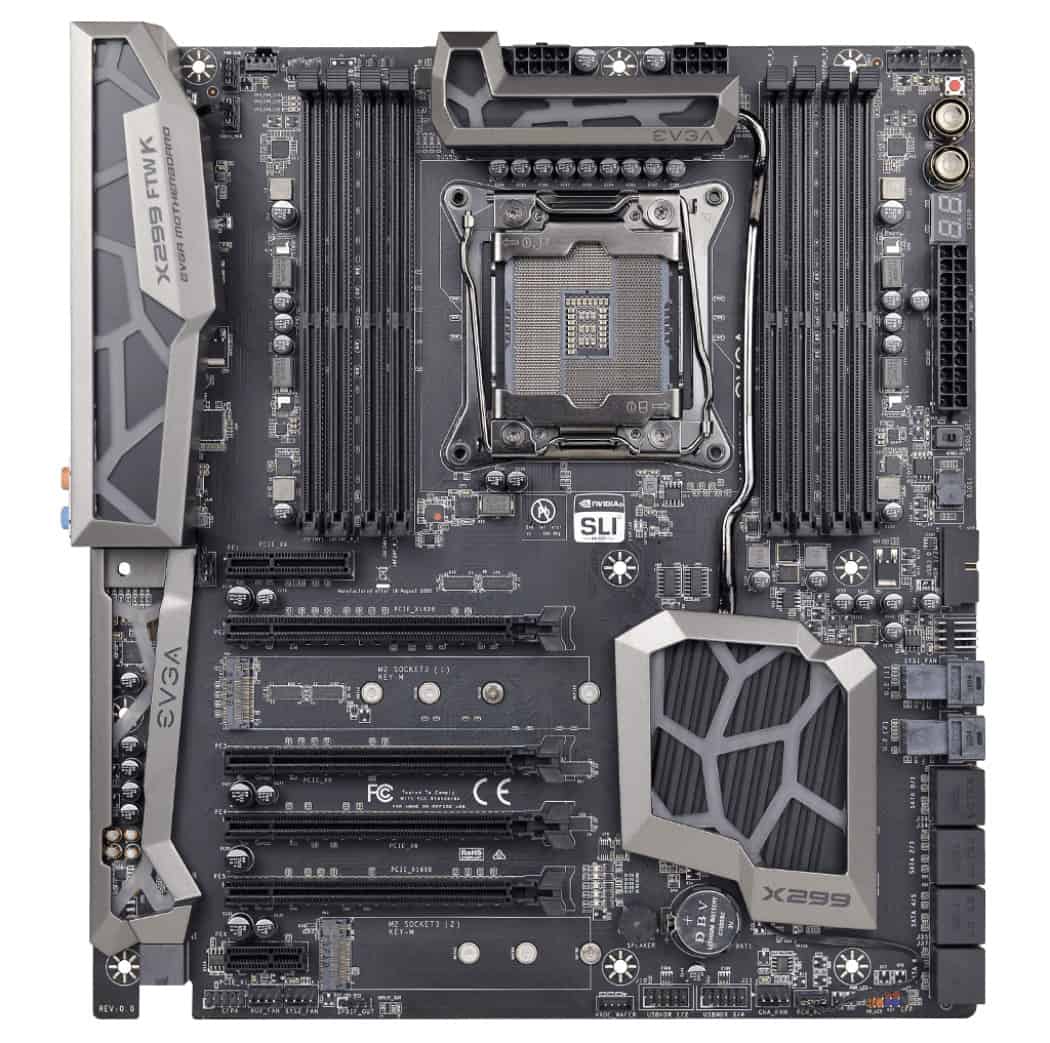
EVGA X299 FTW K

Cheapest E-ATX Motherboard: EVGA X299 FTW K

Due to the volatile nature of Motherboard prices on Amazon, it’s possible that our top budget pick may be cheaper at the time you’re looking. But usually, the EVGA X299 is the cheapest option for EATX builds if you’re comfortable with the X299 chipset.

Our Rating: 7/10

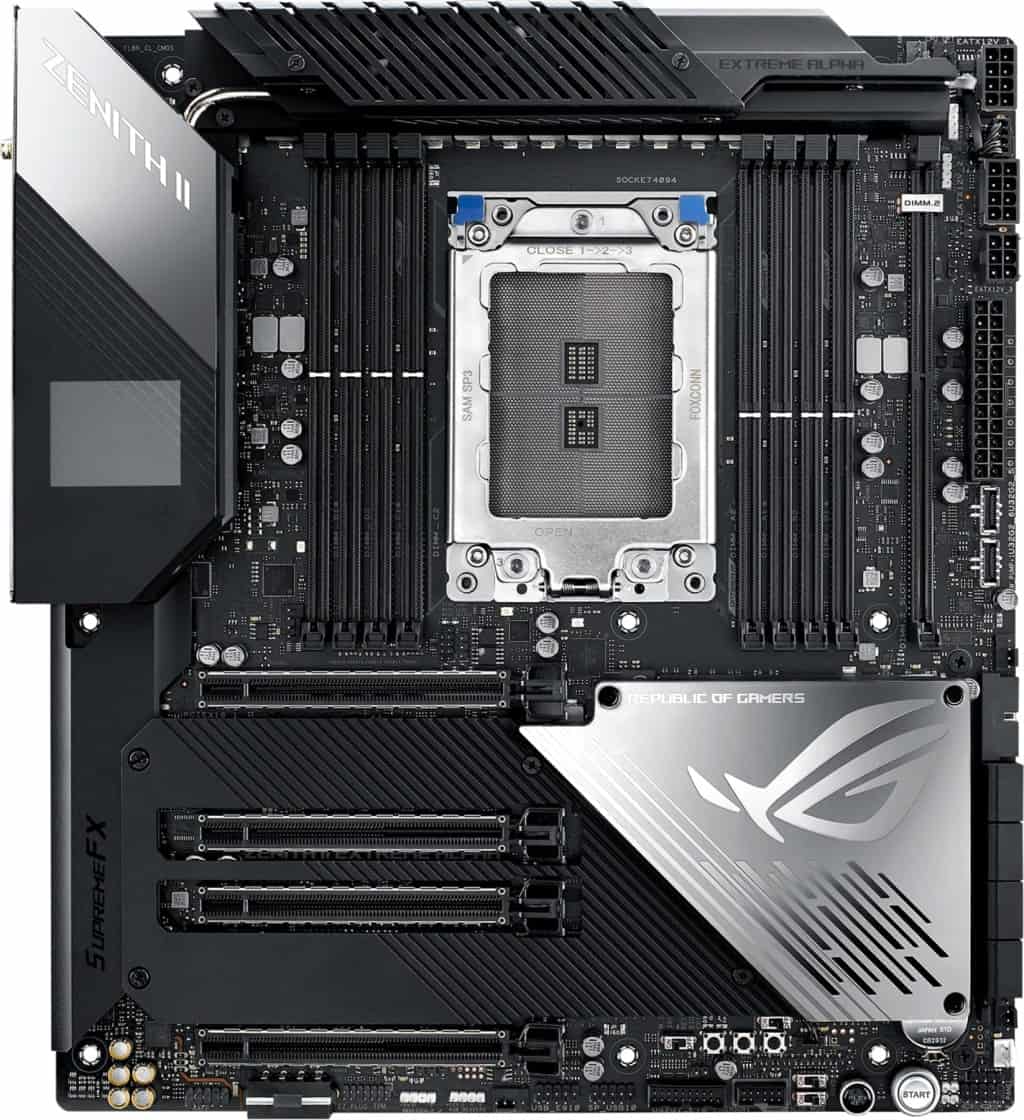
ASUS ROG Zenith II Extreme Alpha

Best TRX40 E-ATX Board: ASUS ROG Zenith II Extreme Alpha

If you’re after the best E-ATX motherboard for AMD, but are more inclined towards the TR40 chipset over the mainstream CPUs, the Zenith II Extreme Alpha is your best bet.

Our Rating: 7.5/10

What's Next?

About the author

Picture of Kaelum Ross
Kaelum Ross
Kaelum Ross, BSc is the Lead Writer at What in Tech and a leading authority in PC hardware and software. With a career as a senior IT professional, Kaelum has led multi-million dollar projects covering everything from bespoke software development to complex Windows hardware upgrades. Today, Kaelum uses his expertise to serve What in Tech's readers and has been featured in numerous global publications including New York Magazine and Lifewire.

The 8 Best Cooler Master Cases of 2023

Cooler Master Case

The 8 Best Cooler Master Cases of 2023

I updated this list in June after reviewing Cooler Master’s latest releases in 2023. None of my top picks have changed this time around, but I did find some decent alternatives in certain categories that I’ve mentioned where relevant.

Cooler Master is one of the oldest names in the PC case manufacturer business for a reason.

This behemoth brand has created hundreds of towers in all shapes, sizes, and functions over the years.

Now in 2023, there is a whole bunch of other competition. But CM’s best recent cases still manage to stand amongst the top options.

Our feature will guide you through the best Cooler Master cases available for your next PC build, tailored to different requirements and budgets.

Top Picks

Best of the Rest: Quick-Fire Picks

  • Best Budget Cooler Master Micro ATX Case: Q300L
  • Best Budget Cooler Master Mini ITX Case: Elite 130
  • Alternative Design Choice for ATX Builders: MasterBox TD500

Overall Best Cooler Master Case: MasterBox MB530P

What a truly great PC case this is.

The MB530P manages to strike an incredibly impressive balance between space, cooling, build quality, and price.

Starting with the build, this is a beautiful chassis and arguably one of the best looking Cooler Master cases, with:

  1. 3 thick tempered glass panels on the sides/front
  2. Largely steel-based exterior (with some high-quality plastic elements)
  3. 3 pre-installed high-performance 120mm addressable RGB fans & controller

With the high glass visibility, the beautiful clean black finish of the exterior material, and the included RGB fans, this is easily the best RGB case by Cooler Master.

The case also boasts decent cable management facilities and room to hide your PSU to keep a clean aesthetic.

But it’s not just pretty.

The MB530P is an ATX/mid tower case with great room for:

  • 7 x expansion slots
  • 2 x 3.5″ & 4 x 3.5″ storage bays
  • GPUs up to 410mm in length.

This case truly shines as a gaming machine, with the space for a powerful multi-GPU build and awesome cooling.

Speaking of cooling, you’ll have the options for:

  • Up to 6 x 120mm fans (with 3 x ARGB + 1 x standard 120mm fans included)
  • Up to 1 x 360mm, 1 x 240mm & 1 x 120mm radiators.

You can of course have a hybrid between water and fan cooling here.

But given the high quality (and well designed) fans included, we’d recommend sticking mostly to them.

That being said, when you tie those pre-installed fans with the great build shape for ventilation in this unit, you have one of the best PC cases for air cooling in the ATX space.

Note: You will see there are some unfavorable customer reviews for the Amazon product listing; a majority of these are for a different model, the MB Pro 5 RGB, which we are not recommending here.

MB530P may seem a little on the expensive side.

But when you consider the 4 included fans (3 being ARGB, pricey to buy individually) and the incredible case quality you’re getting, it has an amazing value.

Simply put, this is the best Cooler Master PC case available today.

We can’t recommend it enough for gaming, streaming and other mainstream enthusiast builds.

2023 update: The MB530P remains my top overall pick for the best Cooler Master case, it manages to strike such a great balance between price, design, build quality, airflow and features that we expect most users will want.

Best Budget Cooler Master Case: MasterBox NR600

There’s good news if the top pick is outside of your price range and you’re looking for a cheap Cooler Master Case option.

The MasterBox NR range has been around for a while and for good reason.

A lot of this feature is focussed on the various NR ranges but for a usual builder looking for a cooler master ATX case, the NR600 is for you.

While being in a much cheaper price range, the case still retains a great build quality and aesthetic.

With a steel/plastic hybrid exterior, a beautiful tempered glass window on the side, and a mesh front, the case has a simple but chic design.

The material isn’t quite the same quality as our top pick but is very good when compared to the other cases in the price range and the dark finish on the case looks great.

But perhaps the most impressive feature of the NR600 is the awesome space availability.

On the larger side of mid towers, there’s room for:

  • 7 x expansion slots
  • 1 x 5.25″, 4 x 3.5″ & 5 x 2.5″ drive bays
  • Graphics cards up to 410mm in length

You’ll note that while there’s clearly room in here for any budget gaming build you’ll be making, the real stand-out feature is the storage space.

Having up to 10 different drives is perhaps overkill for many users, but if you feel like you may need to expand your storage over time (for say, editing, or other production), this is a fantastic option.

Finally, for cooling, the NR600 has:

  • Up to 5 x 120mm fans with 2 pre-installed.
  • Up to 1 x 280mm, 1 x 240mm & 1 x 120mm radiators (240mm required 5.25″ drive bay removal).

While not reaching quite the same cooling capacity (or internal ventilation design) as the B530P, we don’t expect you’ll need as much for a budget gaming build.

This certainly has enough cooling capability to comfortably handle a single (or even dual) GPU machine.

While we love the 530P and think it’s worth the extra if you have the budget, don’t be disappointed if this is more in your price range.

The NR600 is a fantastic option and easily the best budget ATX case by Cooler Master available.

(If you’re looking for the cheapest PC case we’d highly recommend by CM, check out our top mATX choice below).

Best High-End & E-ATX Cooler Master PC Case: Cosmos C700P

If you have the budget, Cooler Master has created a premium PC case matched by very few.

The Cosmos C700p is an absolute beast for pretty much all major enthusiast requirements right down to the fine details.

It’s worth noting that the case is now in version 2, which fixes some initial problems the first version had (mainly PSU shroud sizing).

The build quality is fantastic, with a full high-quality steel exterior and tinted curved tempered glass side panel.

The exterior finish and large, curved glass panel really do give this case a look and feel that not many cases can replicate.

The top of the case is also lined with smooth RGB lighting.

The internals of the case are very customizable and there is a lot of freedom to install your parts in varying positions.

Stock photos don’t do it justice, with a completed PC built exactly how you like, you’d be hard-pressed to find a better case to show off your build than the C700P.

But amazing aesthetics is only a tiny portion of what the C700P offers.

This Cooler Master chassis is a full tower / E-ATX case.

The size (alongside the build quality) make this an absolute monster, with space for:

  • 8 x expansion slots
  • 1 x 5.25″, 4 x 3.5″/2.5″ & 4 x 2.5″ drive bays with the option to extend up to 12 x 3.5″ drive bays
  • GPUs up to 490 in length (without 3.5″ drive bay cage).
  • Up to 9 x 140mm fans with 3 included
  • Up to 2 x 420mm, 1 x 240mm & 1 x 120mm radiators (arguably the best PC case for water cooling).

These size specs are seriously impressive.

Breaking this down for a gaming build, the VGA space and cooling capability are some of the best on the market.

For enthusiast gamers, the C700P is one of the best PC cases for overclocking and a multi-GPU build around.

This is also hands down one of the top towers for storage available and perhaps the best PC case for video editing, server, or production usage around.

We’d be here all day if we talked about every nice detail the case had (like how all 4 of its USB front panel ports are 3.0, with an additional 3.1 type C output).

Rest assured, if you have the budget, this isn’t just the best Cooler Master PC money can buy, but one of the all-time best PC cases for gaming, video editing, and other high-end usage.

Best Cooler Master Micro ATX Case: MasterBox NR400

For builders looking at creating a mini-tower PC, we return to another variant of the NR series.

The NR400 isn’t just the best Micro ATX case, but also the cheapest PC case by Cooler Master in our top 5 favorite case picks.

Despite its low price, it still retains a decent build quality with a steel/plastic mix exterior, tempered glass window, and mesh front.

The case also manages to offer great space for an mATX PC case, with:

  • 4 x expansion slots
  • 1 x 5.25″, 4 x 3.5″ & 4 x 2.5″ drive bays
  • VGA length clearance of up to 346mm

You’ll have room in here for a dual-GPU build if you desire.

But the storge, in particular, is really impressive as far as Micro ATX towers go; because usually, you’re compromising on storage availability a little more in this form factor.

And finally, for cooling, there’s still decent room for:

  • Up to 4 x 120mm fans with 2 pre-installed.
  • Up to 1 x 240mm & 2 x 120mm radiators

While you’ll never get quite the same potential in a mini-tower over a mid/full tower, there is still enough cooling in here for a powerful Micro ATX gaming build.

NR600 vs NR400 – > The NR400 is essentially the Micro ATX version of the NR400, with the same build quality, but slightly less component room and cooling capability.

Therefore if you’re looking to build a beast of a gaming PC, the NR600 may be the better choice.

But rest assured, for single-GPU builds or people particularly fond of the compact size, the NR400 is one of the best Micro ATX PC cases on the market.

2023 update: I still rate the NR400, but Cooler Master has released another great mATX case, the TD300, which boasts similar great performance and features but at a much more modern aesthetic. Its price tag is also higher, so it’s really up to you if you would like to pay a little more to get a more exciting design.

Best Cooler Master Mini-ITX Case: MasterBox NR200

Finally in our top 5 picks is those looking for the smallest PC case form factor possible.

The NR200 is a brand new offering by Cooler Master and we’re confident it’s going to take the ITX world by storm.

Firstly, the build quality is a beautiful SGCC steel exterior.

This is particularly nice for a small tower because its durability tied with the compact size makes it ideal for a portable PC case.

But the space inside this case despite its tight dimensions is the #1 winning factor.

With what feels like wizardry, the case has room for:

  • 3 x expansion slots (nearly always 2 in a mITX case, so room for triple-slotted GPUs).
  • VGAs up to 330mm in length
  • 1 x 3.5″, 2 x 2.5″ & 1 x 3.5″ / 2.5″ hybrid drive bays
  • Up to 6 x 120mm and 1 x 92mm fans with 1 x 120mm & 1 x 92mm fans included
  • Up to 1 x 280mm, 1 x 140mm & 1 x 92mm radiators

Yes, you read those specs right!

While these aren’t all amazing space factors compared to some others on our list, anyone with mITX knowledge knows the space is very impressive for the form factor.

It’s worth noting that some of the air/water cooling capability is only available with certain customizations (e.g. not installing a GPU vertically).

That being said, the fact you can install the same amount of fans that you would find in many ATX cases is truly an achievement.

Not only that, but Cooler Master has lived up to their name by building decent 5-sided ventilation around the case to cater to the high-fan airflow.

This is hands down the best mITX case for cooling on the market right now.

And with the other space availability, you’ll get a better gaming machine than pretty much any other Micro ATX case will offer.

You can probably tell from with our review that this is less a question of whether this is the best cooler master mITX case, but more if there’s any other worthy competitor in the form factor!

If you’re looking a Mini ITX case for gaming, streaming, or other general use, rest assured – this is a great choice.

Best of the Rest: Quick-Fire Picks

If you’re looking for the best Cooler Master PC cases, we highly recommend sticking to the top 5 picks above as they’re the real stand-outs.

That being said, we wanted to include a few more options briefly for some other specific requirements

Best Budget Cooler Master Micro ATX Case: Q300L

We would really recommend picking up the NR400 case if your budget can stretch to it.

But if you are really looking for the cheapest PC case possible, this is the best available one by Cooler Master.

Best Budget Cooler Master Mini ITX Case: Elite 130

While the NR200 is the clear winner for mITX, the Elite 130 is a very decent case.

If you’re on a tight budget, prefer the style or simply don’t need the features of the NR200 in your build, this is a great option.

Alternative Design Choice for ATX Builders: MasterBox TD500

The TD500 is a beautiful new case from Cooler Master, and in a lot of ways it has similar specs on paper to our top ATX picks.

Unfortunately, the overall quality of the case is not quite up to par, and many users have also been reporting defected units.

If you particularly like the design and don’t have a very demanding build however, it could still be an option for you.

What's Next?

About the author

Picture of Kaelum Ross
Kaelum Ross
Kaelum Ross, BSc is the Lead Writer at What in Tech and a leading authority in PC hardware and software. With a career as a senior IT professional, Kaelum has led multi-million dollar projects covering everything from bespoke software development to complex Windows hardware upgrades. Today, Kaelum uses his expertise to serve What in Tech's readers and has been featured in numerous global publications including New York Magazine and Lifewire.

The 10 Best Corsair Cases in 2023

Best Corsair Case

The 10 Best Corsair Cases in 2023

I updated this feature in June after reviewing the latest Corsair releases in 2023. Most of my top recommendations remain the same, but I’ve added some extra alternatives throughout the article.

Is there anybody in the world of PC hardware that doesn’t know Corsair?

This classic manufacturer has been in the game for a long time, and it shows in their products.

Some of our all-time favorite cases come from this brand, and we can tell that they’re popular for a reason.

So today, we’re breaking down the best Corsair PC cases for gaming, streaming, production, and more (whatever price/size you’re looking for).

Top Picks

Best of the Rest: Quick-Fire Picks


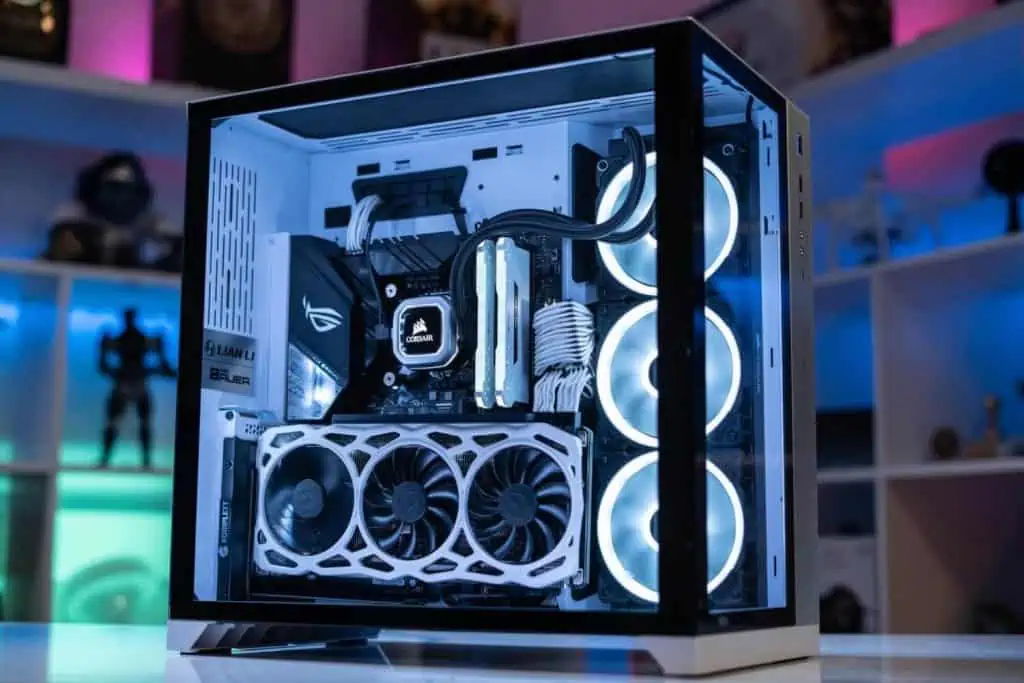
Overall Best Corsair Case: Corsair iCUE 220T RGB

The iCUE 220T is Corsair’s best achievement in balancing design, build quality, aesthetic, internal space, and overall compactness while retaining a very impressive price.

To start, stock photos do not do this case justice.

Also ranking highly in our RGB case feature, you have a chassis here with a lot of beauty out of the box. But especially when powered on.

With a full-steel exterior and a thick tempered glass window down the full length of the side and front of the case, you have high visibility for your beautiful components.

We love that this Corsair RGB case comes with tint to the windows too, meaning any bright/RGB hardware still shines through, but will look sophisticated and not too bright/tacky.

That goes for the 3 included CORSAIR SP120 RGB PRO fans too, which look beautiful through the tinted front window.

These fans are all addressable, with an ability to customize and control the lighting alongside the included iCUE Lighting Node CORE fan controller.

Even if you’re not crazy about RGB, having 3 high-quality performance fans included in a case of this build quality is a really good deal, the lighting is just a bonus.

But the 220T is far from just a pretty chassis.

It’s an ATX PC case that still manages to retain pretty tight dimensions so is nice and compact, with space for:

  • 7 x expansion slots
  • GPU Clearance up to 300mm
  • 2 x 2.5″ + 2 x 3.5″ drive bays

For a mid-range gaming PC case, this is perfect; with enough room for decent storage/most GPUs.

We will add if you’re looking for one of the larger graphics cards on the market (like the new GTX 3090) you may want to check out some of our other premium picks below.

That being said, for a large majority of builds, this will be a fantastic case for your gaming/production needs.

And that goes for cooling too, with:

  • Up to 6 x 120mm fans (with the 3 included)
  • Up to 1 x 360mm, 1 x 240mm & 1 x 120mm radiators

Tie that capability with the tower’s decent internal ventilation for its size/price range and you have a great cooling machine here, capable of overclocking your build.

Simply put, we just love the high-quality design, build, and features you’re getting in such a well-priced case.

If you’re after a mid-range gaming, production or streaming build, then this is the best Corsair PC case available today for you.

2023 update: The iCUE 220T remains my top pick for 3 years running; although I also really appreciate the iCUE 4000X and this is a worthy competitor if you prefer its aesthetic and have a slightly higher budget.

Best Corsair Case for Airflow (Mid-range): Corsair Obsidian 750D Airflow Edition

What an incredible case this is.

So good in fact, that it has been around for several years!

While we didn’t give it the top spot; that is mostly due to its higher price-point than the iCUE 220.

If you have the extra money to stretch to this case or are looking for something extra powerful, you’re getting some of the best value on the market.

Starting with the build quality, the 750D is a beast and has the reputation for being very sturdy.

With an aluminum, high-quality steel, and tempered glass mix exterior.

Arguably the best Corsair full tower case on the market, this case is very large with room for:

  • E-ATX motherboard compatibility
  • 9 Expansion slots
  • GPU lengths up to 450mm
  • 3 x 5.25″, 4 x 2.5″ & 6 x 2.5″ / 3.5″ hybrid drive bays

As you can see, you have some incredible room in here for a monstrous build.

From a gaming-side, you will easily fit any mainstream GPU in here with room to breathe, alongside other high-performing components.

And as far as the incredible storage allowance goes, you have one of the best PC cases for video editing, server builds, and other production PCs in the 750D

Not only do you have great 2.5″/3.5″ storage, but 3 optical drive bays; great for an HTPC (but equally, if you have no interest in these bays, you can convert them easily).

And then there’s the cooling.

As you can expect from the name, the Obsidian 750D is one of the best Corsair cases for air cooling, water cooling, and overall airflow today.

On top of the fantastic inner ventilation setup, you have the capacity for:

  • Up to 5 x 140mm + 4 x 120mm fans (with 3 high-quality 140mm fans included)
  • Radiator Support for 1 x 360mm, 1 x 280mm & 1 x 140mm.

You can probably see by now why we rate this case so highly.

If you’re looking to build something truly powerful while still only paying a mid-range price tag, then this is the comfortable the best Corsair PC case for the job.

2023 update: Although I still highly rate the 750D, I’ve seen it run into stock issues a lot over the past year. The modern XXXXD series is an excellent alternative if airflow is your main concern; specifically the 5000D or the more premium 7000D. These cases also boast more modern aesthetics while retaining great inner airflow and full-length mesh layouts.

Best Budget Corsair Case: Corsair 200R

We will start by saying we highly recommend you stretch your budget a little further and pick up one of the 2 great value picks above.

That said, if you’re really wallet tight and after a cheap Corsair case, this is a decent option for the price.

The exterior is largely made up of thin steel (but we appreciate that Corsair haven’t gone all-out plastic here).

The design is simple and minimalist, which certainly isn’t a bad thing if it’s to your taste, and gives the capability for more fans on the side panel (that would usually be a window).

Size-wise, this is another compact ATX case, with room for:

  • 7 expansion slots
  • 420mm length GPU clearance
  • 3 x 5.25″, 4 x 3.5″ & 4 x 2.5″ drive bays
  • Fan setup: Up to 8 x 120mm fans (2 included)

This is a pretty impressive offering for its dimensions and size.

We like that there is a lot of storage and GPU space on offer (though we would say if you’re purchasing a graphics card that demands such space, you should pick up the 750D or 680X).

The 2 included fans will be all you need for most budget gaming setups, but it’s nice that the case has a lot more capability should you wish to expand/upgrade.

Note: The product listing has a lot of negative reviews for the 100R.

The 200R, with more general space for airflow and parts, is better-received.

While we would push you to the top picks over it, make no mistake: if you’re on a tight budget, this is the best cheap Corsair case today.

Best High-End Corsair Case: Corsair Crystal Series 680X

What a case this is.

One of the most featured premium chassis on What in Tech, the 680X is one of the greatest choices for some looking to build something truly special.

Yes, it is an expensive tower.

But you’re getting so much quality for the price.

With one of the nicest build qualities we’ve seen in a case, the unit is made of high-quality steel and 3 of its sides are covered by thick tempered glass windows.

It’s one of the best dual-chamber PC cases on the market.

This means it has a main compartment for your most powerful (and beautiful) components.

And then a second hidden chamber to hide your “uglier” components that don’t need the same level of cooling (think PSUs and HDDs).

Not only does this offer the best case airflow to your important hardware, but gives you the cleanest looking aesthetic possible.

I know we’ve said it before but, stock photos don’t show you how beautiful this case is.

Tied in with the fantastic 3 x Corsair LL120 fans included, your build will look fantastic powered on.

(Don’t underestimate the value of those fans also, with them being top-of-the-line and very expensive when bought solo, adding to the case value).

Then there’s the excellent capacity of the 680X too, with:

  • 10 x expansion slots
  • GPU lengths up to 330mm (will cover nearly all mainstream cards)
  • 3 x 3.5″ & 4 x 2.5″ drive bays (in the secondary hidden case)
  • Air cooling: Up to 8 x 120mm fans
  • Water cooling: Up to 1 x 360mm, 2 x 280mm & 1 x 140mm radiator support

For cooling, not only is this capability good for an ATX tower, but when you combine it with the extra space/airflow that having a dual chamber setup provides? It’s one of the best PC cases for cooling available.

You have all the room you need to create a beautifully-presented and powerful, overclocked gaming PC.

Simply put, few cases come close to offering the fantastic utility and style of the 680X.

If you have the budget, know this isn’t just the best Corsair computer case, but one of the best towers available today from any brand.

Best Corsair Micro ATX Case: Corsair Crystal Series 280X

If you’re looking for a Corsair mATX form factor offering you’re in luck.

The fantastic 680X case has a smaller brother, and it retains much of what makes the larger chassis so great at a smaller size/price tag.

Starting with the same great steel/3-way tempered glass exterior, it feels as good as it looks.

We know that most Micro ATX builds are really focussed on a high-quality aesthetic, so we love that this also has the dual-chamber layout for your PSU/HDDs.

The internal sie is good for the form factor, with:

  • 4 x expansion slots
  • Graphics card clearance up to 300mm length (still enough for most cards, but check before buying a GPU)
  • 2 x 3.5″ & 3 x 2.5″ drive bays (all hidden in the second chamber
  • Up to 6 x 120mm fans
  • Or up to 1 x 280mm & 2 x 240mm radiators

As you can probably see from the specs, this case pretty much ticks all the boxes for either a powerful mATX gaming case or one for production/streaming.

With a fantastic fan/water cooling capability, tied in with the dual-chamber ventilation, you have a fantastic case here for overclocking.

Of course, with Micro ATX, you’re making sacrifices in space/cooling for the smaller form factor compared to ATX.

But with the 280X? We haven’t seen many other cases come close to matching a typical mid-tower in performance.

Note: The 280X has seen some stock issues in the past. If not available, you can also pick up the non-RGB version which will be the same great case (but cheaper, without the high-quality RGB fans).

If you have the budget, this is easily the best Corsair Micro ATX case today.

Best Corsair Mini ITX Case?

Unfortunately, right now, there isn’t a Corsair ITX Case we would strongly recommend to you for your next build.

Even though the 280X is technically an mATX case, it’s a great option for ITX builds too.

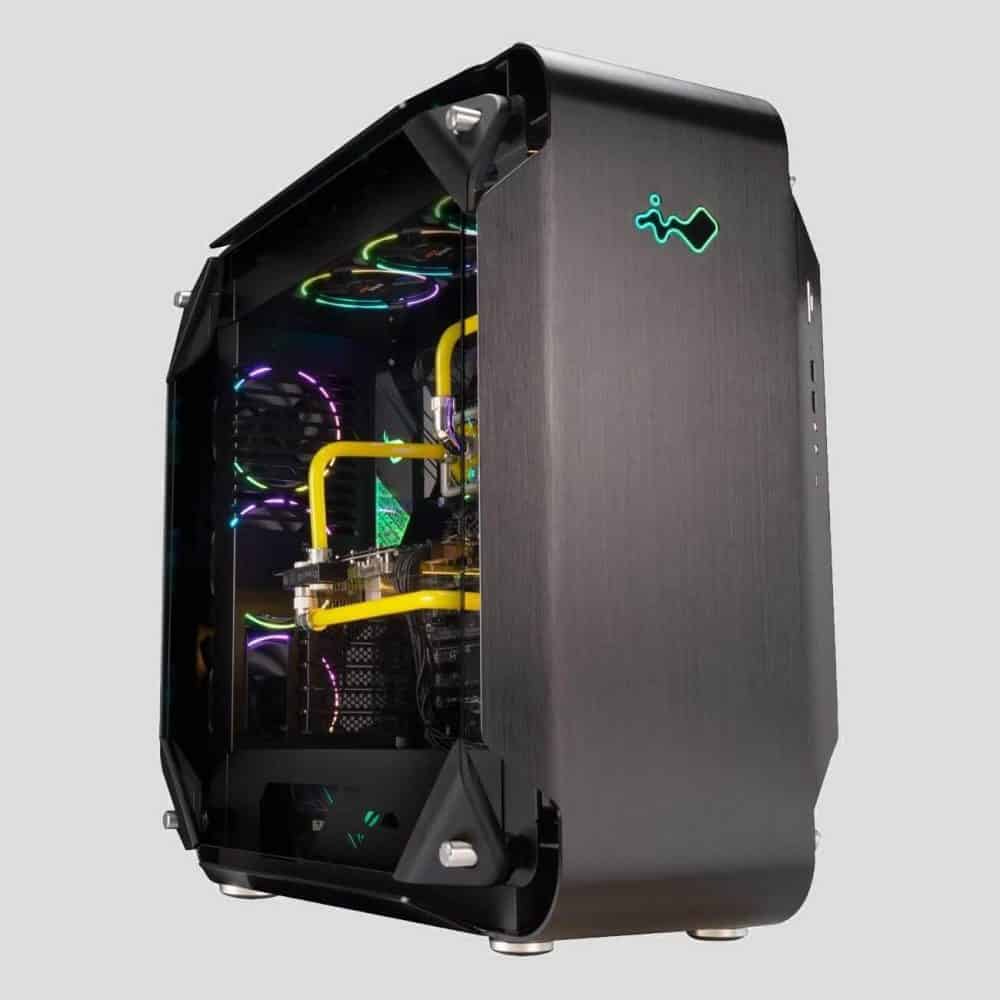
But if you want something that is “officially” mITX, check out our Lian Li, InWin, and Quiet PC Case features; these have some of the best Mini ITX cases around that will be superior to Corsair offerings.

Quick-fire picks: Best of the Rest

While the top 5 are the best Corsair tower cases available today for most needs, there are some other great choices worth considering if you are looking for something specific price/design-wise:

Best Corsair Budget Alternative: Corsair Carbide 275R

Largely an improvement on the 200R but a little more expensive, the 275R is a good option if you still need something very cheap but have a little more to spare than the 200R.

Best Looking Corsair Case: Corsair Carbide SPEC-Omega

One of our top picks for unique looking PC cases, the SPEC-Omega is a simply beautiful chassis that still performs well.

You’re paying a little premium for the design, but if you like the aesthetic – we’d say it’s worth it.

Best Top Pick Alternative: Corsair iCue 220T Mesh

If you prefer the design, this is another take on our top iCue 220T top pick.

The version we link tends to be a little cheaper and we consider it better value, but this is still a great case if the price is similar at the time you’re purchasing.

Best Corsair Case for Performance Runner-Up: Corsair Air Series 540

If it was the same price as the 750D, it would be a tough race for which case was better.

One of the best dual-chamber PC cases available, this is a great option if you’re looking for something in between the 750D and 680X price range.

Best Budget Corsair Micro ATX Case: Corsair Carbide 88R

We appreciate that or top Micro ATX pick is fairly expensive.

While we think it’s worth the price tag, the 88R is a fantastic budget option, taking a lot of the great design philosophies of the 750D in a much smaller form factor.

What's Next?

About the author

Picture of Kaelum Ross
Kaelum Ross
Kaelum Ross, BSc is the Lead Writer at What in Tech and a leading authority in PC hardware and software. With a career as a senior IT professional, Kaelum has led multi-million dollar projects covering everything from bespoke software development to complex Windows hardware upgrades. Today, Kaelum uses his expertise to serve What in Tech's readers and has been featured in numerous global publications including New York Magazine and Lifewire.

The 8 Best 1080p Ultrawide Monitors of 2023

1080p Ultrawide

The 8 Best 1080p Ultrawide Monitors of 2023

I updated this feature in June after reviewing the new ultrawide releases of 2023. None of the top choices have been this time around, but I’ve added a couple of good alternatives where relevant.

Ultrawide monitors make for some of the best screens for immersive gaming and media viewing, not to mention providing an aspect ratio perfect for extended productivity.

Which is why today’s feature is here to guide you through the best UWHD monitors available today at various price-points/specs.

Top Picks

Best of the Rest: Quick-Fire Picks

Overall Best 1080p Ultrawide Monitor: Sceptre Curved C305B-200UN

No monitor better encompassed what we think our gaming readers will be looking for than this fantastic Sceptre display.

Offering an unrivaled balance in picture quality, build quality, and price, the Sceptre C305B ticks all the boxes at a lower cost than we expected.

Note: We’ve based this top pick specifically around the best 1080 ultrawide gaming monitor. If you have no interest in gaming (or it’s at least not your main priority), the next 2 picks will be better suited for you.

To start, you are getting up to a whooping 200hz when using DisplayPort. Combined with its ultrawide resolution, this is a truly fantastic coupling of specs for competitive gaming/e-sports and playing through more immersive titles (if you haven’t played at high refresh rates before, it’s hard to overstate just how much they improve gaming).

On top of these leading specs, you’re also getting a display with a 90% sRGB color gamut, excellent blacks with its VA panel, and a 5ms GTG response time; you are well-positioned to have an excellent picture quality.

Freesync is also supported, enabling you to minimize ghosting/stuttering at the C305B’s higher refresh rates.

What makes us love this cheap 1080 ultrawide gaming monitor, even more, is that it’s not compromising on build quality too.

Built like a premium display should be; the stand/overall design is durable, the bezels are incredibly thin and there is even some subtle LED lighting on the back, which if your monitor is near a wall, will add some nice light-blend.

While we wouldn’t recommend any monitor speakers for an audiophile gaming setup, this display’s included sound is decent compared to many others we’ve experienced.

On top of everything else that’s great about this pick, it’s also a curved 1080p ultrawide monitor. Truthfully, there was enough going for this Sceptre display that we would’ve given it the top spot without this feature, but having curvature too will really take the immersion in gaming, media, and general use that extra bit further. If you’ve never used a curved monitor before, it’s something that is simply more impressive in person.

There is simply so much to love about the C305B.

Coming in at an incredible price range, we think anybody in the market after a full HD ultrawide monitor for gaming will simply love this pick.

2023 update: The C305B is still my top choice for the best 1080p ultrawide monitor. None of the new options I’ve reviewed balance price and quality better than this pick with the mid-range buyer in mind.

Best IPS 1080p Ultrawide Monitor: LG 34WN650-W 34-Inch

Our next pick is for those focussed less on a gaming monitor, and more on a very vibrant picture quality that’s perfect for media and general use (also perhaps best 1080p ultrawide monitor for Mac).

This LG display has one of the best picture qualities on the list, especially when considering its mid-range price.

Boasting an IPS panel, VesaDisplay HDR400, and an sRGB99% color gamut; the picture here is simply stunning, with excellent colors, blacks, and whites (particularly from the HDR400). This is easily our pick for the best 1080p ultrawide monitor for video editing and other production work.

With its core target focussed around being the perfect general use/office ultrawide monitor, this LG offering has some great quality-of-life features for users focussed on business software and general internet use; utility like flicker safe/reader modes, screen split, and ergonomic tilt/height options. It’s a nice, well-rounded display that meets its goals as a productivity monitor perfectly.

If you are still into gaming, we’re not trying to imply this LG 1080p ultrawide monitor isn’t more than capable of it. With its gorgeous picture quality and some decent game modes available, you can still have a quality, immersive setup on here (we just think that if you’re serious about gaming, the utility of the high refresh rate on the Sceptre ultrawide monitor or Samsung pick will be so beneficial for you).

With all that said, if you are focused on picture quality and great utility for a productivity/office monitor, this is easily the best IPS full HD ultrawide display for the job.

Best Cheap 1080p Ultrawide Monitor: LG 25UM58

Our next pick is arguably the most impressive display on the list.

Not because it’s the best, but because it’s an incredible budget 1080p ultrawide monitor. We’ve seen 16:9 full HD displays in this price-range with lower picture quality, so this LG monitor feels like it was made with some kind of wizardry to achieve a decent 1080p 21:9 display at this budget.

With an IPS panel, 99% sRGB color gamut, and up to 250-nits brightness, the specs here will still provide a decent enough picture for a nice office/budget gaming setup.

This 21:9 ultrawide display lacks support for Freesync, which isn’t as good as our top pick for hardcore gamers/those interested in esports, but will still be fine for many gamers who can’t stretch to the pricepoint.

As far as business and personal use go, we think the 25UM58 has the specs you need to create a productive visual workspace.

Perhaps the most important distinguishment between this and our other choices is that this LG display ultrawide display is 25 inches, versus the 34″+ of our other favorite choices.

This is a notable decrease. You still have a gorgeous workspace compared to traditional aspect ratios, though, but it’s probably the biggest reason why it’s still worth stretching to the better picks if you can.

Of course, at this price range, you’re not going to get the vibrance, low response times, high refresh rates, and fantastic blacks/whites as our other picks.

But we’re still floored by what a great option this is if you can only stretch to a budget display. The monitor even has bezels as thin as many of the more expensive picks which we would never expect usually with a budget pick.

If your wallet is tight but you still want a 21:9 desktop then this is, without doubt, the best cheap 1080p ultrawide monitor on the market today.

2023 update: I still highly rate the 25UM58, but wanted to make readers aware of the Philips 292E2E which often hovers around 5-10% more expensive but offers 4″ more screen space, slightly superior color, and, in my view, a more attractive design than our top LG pick; if you can fork out a little more, I think it’s worth the upgrade.

Best 1080p Super Ultrawide Monitor: Samsung 49-Inch CHG90

The last main pick on our list is for the best 1080p ultrawide screen money can buy.

Yes, it’s an expensive offering, but this Samsung ultrawide monitor is something truly special.

To start, this is a super ultrawide display.

Sounds like marketing jargon, we know, but it in fact means the CHG90 boasts a 32:9 monitor aspect ratio and a 3840 x 1080 resolution.

With standard monitors being a 16:9 aspect ratio, this Samsung offering is literally the size of 2 1080p monitors in one screen; and with its enormous 49-inch size, you really feel the presence of 2 monitors (effectively both 24.5 inches).

This dual monitor in one design makes this a beast of a productivity display, with pretty much limitless potential for business and personal use.

And combined with its QLED screen, 350-nits brightness & HDR support, the vibrant picture you will get on this display is simply phenomenal.

But there’s more; let’s talk gaming.

With a 144hz refresh rate, 1ms response time, stunning picture quality, and, of course, the 32:9 aspect ratio, this is one of the best ultrawide gaming monitors on the market.

It’s hard to overstate just how more immersive a normal ultrawide monitor can be; to get the extra screen width of the CHG90 takes this to a whole other level.

There is also a decent amount of support for this aspect ratio too. You may be worrying if you have a gaming PC powerful enough to run 3840x1080p 144hz, but this resolution has half the pixels of a 4k monitor, and there plenty of 4k 144hz displays on the market. As long as you have a mid to high-range setup, you should be able to run an array of titles here.

To top off the gaming features is built-in support for AMD Freesync 2, which is one of the best technologies available to minimize common monitor issues such as ghosting on high-end displays.

Then there is the build quality; this Samsung 1080p ultrawide display is gorgeous, with a sturdy, well-built frame. It’s worth mentioning that it doesn’t have speakers, but we think you’ll want a real audiophile solution for gaming/general use to appreciate how immersive/productive this display can be anyway.

Last but not least, this is a curved super ultrawide monitor. On top of everything else this display has going for it, its 1800R curvature offers an additional layer of immersion.

Between all the great features we’ve discussed, you probably realize why we rate this screen so highly.

If you have the budget, this is an incredible choice, and the best 1080p ultrawide monitor on the market; something truly special that will last you a long time.

Alternative Picks – Best of the Rest

While the top 4 picks are our absolute favorite options for gaming, media, and general/business use alike, we wanted to provide a few more quick-fire picks in case any of our readers have very specific requirements/briefly explain why we may not have chosen them above the top 4.

34″ 1080p Ultrawide Alternative: Sceptre C345W-2560UN

While we think the main Sceptre monitor we’ve recommended is the better choice value-wise, this is a great option if you happen to find it at a discount/if the top Sceptre choice is out of stock and you want something of similar quality.

Second Cheapest IPS 1080p Ultrawide Monitor: LG 34WL600-B

If you like the look of out budget 1080p ultrawide display pick but want something with a better design/picture quality, this LG monitor is a great pick “in-between” our top cheap and high-end IPS choices. We’d just say it will usually be worth picking up the top Sceptreor LG displays if possible over this.

Mid-Range 1080p Ultrawide IPS Monitor: Philips 342E2E

Operating in a similar space to the LG pick directly above, this is a good middle-ground pick for users focussed on a business/general use display (while we prefer our main picks, it would be decent on a discount).

Best 200Hz 1080p Ultrawide Monitor: MSI Optix MAG301CR

Our last pick is an MSI gaming monitor with a superb refresh rate; the main reasons we don’t rate this as highly as our top pick is its significantly larger price-range and user-reports of ghosting. We’d say this is only worth considering if you’re after a very high refresh-rate monitor and the other viable picks are not available.

1080p vs 1440p Ultrawide Resolution

Before we wrap up, we wanted to address the common question on the differences between 1080p and 1440p for ultrawide. Some users seem to think that 2560 x 1080 resolution is “not good enough” for ultrawide monitors. This simply isn’t true.

Of course, if you have the extra budget and a semi-powerful PC, 1440p ultrawide is a marvel to behold. But there is nothing wrong with 1080p, UWFHD monitors are still far superior and more immersive than their 16:9 counterparts and you can still expect a crisp image with full HD, making them a perfect budget ultrawide option; not to mention our Samsung monitor choice proves that this form factor has some incredible premium options too.

If your budget is more in-line with the cost of 1080p ultrawide, don’t fret! We think you’ll love the options above, with the top picks selected with a balance of the picture, high refresh rate, and build quality in mind, you can expect them to be excellent options for gaming, media, or general use.

What's Next?

About the author

Picture of Kaelum Ross
Kaelum Ross
Kaelum Ross, BSc is the Lead Writer at What in Tech and a leading authority in PC hardware and software. With a career as a senior IT professional, Kaelum has led multi-million dollar projects covering everything from bespoke software development to complex Windows hardware upgrades. Today, Kaelum uses his expertise to serve What in Tech's readers and has been featured in numerous global publications including New York Magazine and Lifewire.

The 9 Best Audiophile Headphones for Gaming in 2023

Best Audiophile Gaming Headphones

The 9 Best Audiophile Headphones for Gaming in 2023

I updated this feature in June after reviewing the latest headphone releases of 2023. Most of the top picks remain the same this time around, but I’ve added a couple of decent alternatives where relevant.

Gamer headsets are overrated.

Sure, they have their place if you really want built-in mics or enjoy the flashing logos that tend to accompany them.

But for most of us, the question is “what headphones give me the best audio quality for gaming?”. And the answer is a pair of “audiophile” headphones from reputable manufacturers combined with a great stand-alone microphone.

The focus for these companies is more on the production of the best sound quality (and comfort) money can buy instead of marketing and design that appeals to “hardcore gamers” (many, myself included, prefer the designs of the below anyway!).

There are of course some things you want to look out for in a pair of gaming headphones specifically. Namely sound staging, imaging, and open-back vs closed-back. If you want to know more about any of these terms, they’re broken down at the bottom of this article.

So with that said, we’ve put this list together to guide you through the best audiophile gaming headphones available on the market today.

 Table of Contents

Best Closed-Back Headphones for Gaming: Beyerdynamic DT 770 PRO

Oh boy, we love these.

For the mid-range price, the DT 770 PROs tick all the boxes and are easily the best closed-back headphones for gaming.

Let’s start with the sound. Boasting very impressive accuracy across the bass and mid-levels (accentuated by the closed-back design, allowing you to really “feel” the bass in isolation). While the trebles don’t reach the same peaks as the other 2 ranges, they’re still great and are going to be perfectly suitable for gamers.

The sound staging and imaging are fantastic (particularly the latter) and will offer you a sense of “wideness” during your gameplay with a high positional accuracy/quality of individual noises in isolation, making arguably some of the best headphones for FPS gaming.

Then there’s the ergonomics. The DT 770 PROs someone seems to manage to feel very comfortable, well fitted, and isolating to outside noise, while also not “suffocating” your ears or making them overheat (likely due to the great material used on the cups).

Not to mention the fantastic build quality, the DT 770 PRO’s are more than capable of handling some drops and the high-quality outer materials really add to the “premium” design feel).

We simply can’t recommend these Beyerdynamic phones enough, both the physical and audible quality will lend themselves greatly to gaming in pretty much any setting (and your music/movies will sound great too!).

2023 update: The DT 770 PROs remain my top open-back pick for 3 years running, no other phones have entered the market that manage to offer quite the fantastic balance between price, quality and longevity that Beyerdynamic have managed here.

Best Open-Back Headphones for Gaming: Sennheiser HD 599 SE

A fantastic option if you’re not a fan of closed-backs is the HD 599 SE.

The Sennheiser’s sound excels in a lot of areas, but especially treble. The accuracy of high sounds on these headphones is very impressive. It performs similarly to the 770 PROs for mid ranges, however, it doesn’t pack quite the same punch for bass (this is to be expected). That’s not to say the bass isn’t good, especially for a pair of open-backs.

The imaging and sound staging on these are both great; you’re going to achieve an excellent sense of space and quality/depth to your game audio, fully capable of creating a realistic soundscape out of the box.

As you might expect from Sennheiser, the headphones shine in design and comfort. It’s all personal taste but we think these are some of the best looking on the list, and the material will lend itself well to long playing sessions.

HD 599 vs DT 770 PRO

If we had to put our two top picks head-to-head, who wins?

Let me preface this by saying the “open vs closed back” debate is largely a personal choice and I have detailed the reasons at the bottom of the article.

That being said: we’ve got to pick the DT 770 PROs in this battle. The HD 599s are a tad superior in the treble. But aside from that, the 770s have a slight edge in most other categories a gamer is concerned in (from sound stage to comfort).

But if your heart is set on something less isolated/treble focussed or you simply like the style of the HD 599s better, don’t fret. We still rate these as one of the best audiophile gaming headsets and think you’ll love them.

Best Closed-Back Runner-Up: Audio-Technica ATH-M50x

While we certainly consider DT 770 PRO the definitive winner, the M50X’s are a great second place closed-back option.

With very comparable bass, mid and treble performance to our top pick; your sound quality is still going to be on-point across games and other media.

The imaging on the M50x’s is also very comparable to the DT 770 PROs and will be fully suitable for high-quality positional accuracy in genres that need it.

The reason this is a runner-up is the slightly lackluster sound staging in comparison to the Beyerdynamics. It’s certainly not bad, a lower sound stage will produce a “tighter” sense of spacial sound. But from a gaming perspective, you usually want the opposite.

Audio-Technica has a great history of producing high quality, comfortable builds, and the M50X’s are no exception. More than suitable for long gaming sessions, these headphones also don’t feel cheap in any sense of the word are very impressive in these respects for their price point.

While we would recommend the DT 770 PROs over these, if you have a particular allegiance to Audio Technica, the style, or prefer the idea of a tighter/narrower sound stage, definitely don’t discount the ATH-M50xs. They’re a fantastic option.

Best Open-Back Runner-Up: Audio-Technica ATH-AD700X

Perhaps the most popular pair of headphones on this list, the ATH-AD700Xs are a great option if the HD 599s don’t appeal to your open-back tastes.

With decent bass, mids and trebles, and a fantastic imaging performance; the AD700Xs going to give you a great performance across various types of games and media.

The slight disappointing factor for these is the sound staging. Which is somewhat narrower than our other top picks; if you like this in headphones then great. But for most gamers, this is a negative.

The build quality and comfort are good. Perhaps not quite as strong as the above picks with some complaints about longer sessions due to the intensity that the band “clamps” to the head, but not a problem for most.

A final feature about the build we really appreciate is the weight. Clocking in at 0.57 lbs, these are the lightest gaming headphones we’d recommend. With most options on this list falling between 0.6 – 0.85 lbs.

ATH-AD700X vs HD 599

How are these not the top open-back pick?” I hear you ask.

To be honest, while these are great headphones and worthy of a “second place”, we’re quite comfortable that the HD 599s are better gaming headphones.

With the AD700X’s performing lower (albeit still decent) across pretty much all the main categories, from mids to imaging to comfort/style; you’re not going to get the same level of quality and depth of sound as you will from our Sennheiser pick.

If you are reading this set on the AD700Xs and I have just ruined your day, don’t worry! They’re still going to be great headphones for gaming. Sure, we’d would recommend the HD 599s, but there’s a reason why the AD700X’s are so popular.

Best Gaming Headphones Under $100: Philips Audio Philips SHP9500

Let me preface this by advising that to get the best balance of sound and price, the “sweet spot” is in the mid-range headphones above.

But with that said, if you are on a budget, these Philips headphones are very impressive for the price point.

Only lagging behind somewhat in the bass department, the headphones perform comparably in the other major sound quality metrics to the above picks with great mid and treble accuracy.

The sound staging and imaging are also fantastic and more than capable of providing you with the necessary sense of “wideness” for your games.

A small note: while any open-back pair typically lack isolation and output more sound leakage, these headphones, in particular, aren’t great in these departments! Performance tests show a lot of leaking sound and little outside noise is blocked. If you like to secretly play anime visual novels and listen to the Spice Girls in your small family house (we don’t judge!) maybe you want something more isolating.

Rest assured, these are the best cheap gaming headphones out there today. If you’re on a budget, you’re going to love these.

Best Gaming Headphones Under $50: Audio-Technica ATH-M20x

Yet another pair of Audio-Technica come in as our pick for the best budget gaming headphones (you can probably see why this brand is so popular).

The M20Xs are essentially the cheapest flagship model the company produces. Surprisingly, in many ways, they still manage to output some good results for bass, mid-levels, and imaging. You’re certainly still getting a good set of headphones for gaming when comparing them to a similarly priced cheap gaming headset.

Of course, at this price, you’re going to have some weaknesses. The M20Xs have 2 for gaming: treble accuracy (i.e. the quality of your “high” sounds are not going to be great) and the small sound stage (providing you with a “narrow” audio space that won’t serve you well in a lot of gaming genres, including FPS).

The build quality is very impressive for the price. The comfort isn’t perfect (the ear caps lack swiveling and are a bit on the smaller side) but again, when considering price here, it’s really impressive what Audio-Technica has managed to construct.

Put simply, these are the cheapest headphones for gaming we’d recommend. Sure you can go lower, but we promise it’s worth forking out at least this much to get a great audio experience.

Best High-End Headphones for Gaming: Sennheiser HD 800 S

On the opposite end of the spectrum to our <$50 pick is the almighty HD 800 S.

These headphones are amazing. While we respect a majority of our readers are not going to pay this much money for their headphones, we thought it worthy to include for the minority who really want the absolute best they can get for gaming (and everything else).

There are, of course, very large diminishing returns when buying such an expensive pair of headphones compared to our mid-range picks.

That being said…

The audio quality on these things is immense. With wonderful bass, mid and treble not just for games, but for listening to music/movies too.

The HD 800 S also really shines in two of our favorite gaming audio metrics: they are some of the best headphones for imaging and sound staging. Producing excellent levels of spacial sound at a fantastic positional accuracy, it’s hard to imagine you getting a better sense of real, quality “depth” to your game sound.

Of course, at this price point, the attention to build quality and comfort is fantastic. With a very strong metal frame and high-quality padding on the inner cups, they’re some of the most comfortable headphones available and more than suitable for long sessions.

Sure, these might be the most expensive headphones for gaming on the list. But if you happen to be a lucky individual who does not care about the price tag, then stop reading and pick these up. They’ll blow you away.

Like the sound of these but can’t go quite this far in $$? There’s a good middle-ground option in the HD 600 series.

Best Wireless Gaming Headphones: Audio-Technica ATH-M50xBT

While we do prefer wired headphones from a perspective of performance and value, our final Audio-Technica pick is a great offering for someone who wants a wireless setup.

The headphones boast decent performance across bass, mid and treble accuracy levels. While not as good as our top picks above, the quality is certainly good enough for the average gamer to enjoy.

Very impressively, the headphones carry their own weight in imaging; producing a very decent positional quality for competitive/FPS gaming.

Where they fall flat, similarly to their non-wireless brother, is a slight lacking in the width of the soundstage, which is certainly lower than ideal for gaming (but certainly not bad).

ATH-M50X vs ATH50xBT

If you were set on this model and wanted to decide between the wireless and non-wired, know that the imaging and sound staging perform almost identically (a big win for the BTs).

That being said, relatively to the wired version, the BT model is really lacking in bass, mid, and treble accuracy. Meaning you’ll get a lesser sound quality (still good, but a notable difference).

Value-wise, the wireless version runs $30-50 more expensive. It doesn’t feel great paying more for headphones that don’t perform as well in quality. However, that is not outside of the norm for wireless. Simply put, how much are you willing to pay for wireless?

Please note: PS4 and Xbox One do not support most Bluetooth headsets. You will need to connect these via a wire for them to work on these systems.

If you are set on wireless, you can’t get much better than the M50XBT, they’ve created a great offering here for the wire-hating crowd.

Best Portable Gaming Headphones: Sony WH1000XM4

So this is a bit of a wildcard pick to end the list…

I’ll preface by saying that most people reading this list should go with the options above for their gaming headphones.

But I wanted to include the WH1000XM4’s as they are wonderful if you are focussed on portability and noise isolation.

With the best active noise cancellation available today, the WH1000XM4s silence outside noise to the point where it almost feels like magic (tech at its best!).

Believe me, I own a pair of these on top of my home headphones and in a situation where there is decent noise, I would happily sacrifice a little quality for less distracting background noise.

And that’s the thing with the WH10000XM4s, their audio quality is fantastic/comparable to the picks above.

With great bass, imaging, trebles, and (arguably) the best mid-levels on the entire list; it feels like these headphones defy their small form factor. Also boasting great comfort for their size, suitable to wear for hours on end.

With that said, there are 2 glaring problems for gaming.

Firstly, there is a notable latency for genres that specifically rely on reaction time. I simply wouldn’t recommend these for anyone focussed on fast-paced online multiplayer games.

But if you’re into single-player; these are great (I am very particular about having good sound/music quality in my games and have just completed FF7 Remake myself mostly wearing these).

Secondly, the sound staging is very narrow. This is the case with all active noise-canceling headphones, they’re designed to be “tighter” and “in your head” sounding to block off from the outside world. Again, for people into competitive gaming or fast paced FPS, this is a problem.

Please note: Like our other wireless pick, the headphones will need to be plugged in (with included cable) to work with PS4/Xbox unless you have a Bluetooth-compatible TV it can run through instead.

We appreciate these will be irrelevant for most of our home gamers, but if you like to game on the go, are looking also to get the best headphones for travel/your commute, or have the budget to have 2 pairs of headphones, we simply can’t recommend these enough.

2023 update: The next version of this Sony series, the XM5, have been released. I’ve spent a lot of time comparing and reviewing the different XM headphones, and I would say that if value is a concern, the XM4s are still the best choice. The XM5s offering better noise cancelling, comfort and (arguably) style, but the XM4s are still fantastic, and I’d argue that for those with a budget, the XM5s aren’t currently worth the extra $100-150 they cost.

Guide for Buying a Gaming Headset

What’s important?

The top picks have been written with a lot more than the below in mind (anything that’s important from a usual pair of headphones, mainly comfort/weight, consistency and sound quality across bass, mids, and trebles) however when looking for a headset for gaming specifically, here are a few that we paid extra special attention to that you may want to understand:

Open-Back vs Closed-Back Headphones

Closed-back headphones are designed so that the cups completely cover your ears and isolate them from outside-sound.

This is the primary advantage of closed-backs; what this isolating effect tends to do is create a type of sound that often feels like it is “in your head” (typically, closed-back headphones have slightly better bass due to less leakage too, but this is not universal).

Note that this sound isolation is different from active noise cancellation, which is when headphones use in-built mics to detect ambient noise in the outside world and output “contrasting” noise in order to “cancel out” external sounds as much as possible. The only headphones on the list that excel in ANC are the Sony WH-1000MX3s).

Open-back headphones take the other approach. They happily leak sound through the more freeing cup design. Although on paper this may not sound great, what this does is allow the headphones to output a more “realistic” sound profile that emulates the kind of noise one might expect in a live setting (the common example is it sounds like “an orchestra playing in a concert hall” vs “an orchestra playing in your head”).

This is why you’ll find that once you get to the $300+ range, most headphones will be Open-Back, as the manufacturer is assuming you’re listening in a quiet place and desire the more realistic “studio-like” sound.

Which is better for gaming?

It depends.

Controversial opinion alert: I think for a majority of gamers reading this article, closed-back will be the better choice.

The noise isolation, “in your head” audio style and slightly improved bass (on average) all play into what I think the average gamer will prefer. If you are in an environment with any background noise, having that isolation is so valuable for anything from focusing in an e-sport to immersing yourself in a single-player game (what’s the point of good quality if you can hear your flatmate cooking?).

Of course, if you are in a very low-noise environment, would prefer a more natural sound and don’t have a problem with leakage then an open-air pair could easily be the better choice.

You may be wondering if open-air headphones leak sound to your microphone while gaming. In my experience, this isn’t an issue and usually isn’t picked up, but your mileage may vary (depends on your output volume and how close the mic is).

I will say that if I could choose anything on the list, it would definitely be the open-air Sennheiser HD 800 Ss (however it’s >$1,000 more expensive than the other options, so not a fair contest!).

Go with what your gut tells you between these two types, Closed or open, any of the choices on this list will be fantastic for your respective price range.

What is Sound Staging?

Sound staging is an important factor in your choice. Essentially, it’s the headphone’s ability to portray a large “stage” of noise. For example, a narrow sound stage portrays a smaller space like listening to an intimate performance; while a large stage will give you the audible “presence” of a large, epic space with lots of noise coming from various sources.

Both narrow and wide staging have their merits but for gaming, a larger sound stage is preferred (and is what we lean towards in our top picks).

What is Imaging?

Sound staging is often touted as the be-all-end-all of deciding gaming headphone quality. This is nonsense, imaging is just as important.

Imaging, simplistically, is the detailed positioning you can hear and the quality of those intricacies.

If you’re playing Counter-Strike, to what accuracy can you hear the footsteps of the guy behind you being accurately outputted in the right direction, is the intensity of the noise increasing as he comes closer to you? Is gunshot ricochetting of the wall to your right coming across clearly (not just in position but in quality)?

My favorite example is if sound staging is the stage, imaging is the orchestra; and the better the imaging is, the better and more clearly they play (in combination with treble, mid, and bass accuracy).

Unlike sound staging, imaging is either “good” or “bad” and we have focussed on headphones that produce excellent stereo imaging for the top picks.

Final Word

There’s been a lot to go over in this list and you may feel overwhelmed by the end. If so, please let me reiterate one last time: these are all great options. For your average gamer, we most highly recommend the DT 770 PROs, but I assure you that if you’re new to the “audiophile world”, you’re going to have a great time using any of these headphones while gaming.

What's Next?

About the author

Picture of Kaelum Ross
Kaelum Ross
Kaelum Ross, BSc is the Lead Writer at What in Tech and a leading authority in PC hardware and software. With a career as a senior IT professional, Kaelum has led multi-million dollar projects covering everything from bespoke software development to complex Windows hardware upgrades. Today, Kaelum uses his expertise to serve What in Tech's readers and has been featured in numerous global publications including New York Magazine and Lifewire.

The 10 Best InWin Cases of 2023

Best InWin Case

The 10 Best InWin Cases in 2023

This feature has been updated for 2023. InWin cases have been largely unavailable through 2023. If the item you want in the feature isn’t available, I’d recommend checking out either our best PC case list, or if you prefer to shop by brand, I have a comprehensive list and a top 10 for all the popular PC case brands available here.

InWin has been in the PC case business for a long time.

And nowadays, with their wonderful mix of style, build quality, features, and value, they’re one of the best manufacturers around.

We’ve put together this feature to guide you through the best InWin case for gaming, production, streaming, and more (whatever size/budget you’re looking at).

Top Picks

Best of the Rest: Quick-Fire Picks

Overall Best InWin Case: InWin 303

The 303 is InWin’s fantastic answer to creating a “jack-of-all-trades” ATX PC case.

For the price, you’re getting a really high-quality product.

Starting with the design, this InWin chassis has an SECC steel exterior and a thick tempered glass window on its main side (a white option is also available).

It looks and feels great, with many other cases in this price-range relying on plastic elements.

What’s more, the finish of the tower is beautiful. Combined with its slick LED lighting, the 303 looks way better than most in its price range.

Feature-wise, it has everything you would want out of an ATX case for gaming or other mid-level builds, with:

  • 7 x expansion slots
  • VGA cards up to 350mm length
  • 2 x 3.5″ & 2 x 3.5″ drive bays

Great specs for a mid-range PC with enough storage room to boot.

Cooling wise, you’re looking at:

  • Up to 7 x 120mm fans
  • Up to 1 x 120mm + 1 x 360mm radiators (can be combined wth 3 x 120mm bottom fans)

Combined with a unique (and effective) ventilation design that holds the PSU on the top side of the case, you have lots of cooling potential in this case.

You’d certainly be able to handle a multi-GPU build in here should you desire.

But alternatively, it would be a great case for overclocking with a standard setup also.

There are many other nice quality-of-life features on the 303 that give it this accolade, like the (largely) toolless design & alternate GPU install options for security.

Simply put, this is easily the best InWin computer case available for mid-range builders, with such a fantastic quality coming from its low price tag.

2023 update: The 303 remains our top InWin choice for 3 years running with its fantastic balance between price, quality, and feature set.

Best Budget InWin Case: InWin 101

If you’re looking for a cheap InWin case, they’ve created a fantastic option in this chassis.

While not quite the same overall quality as the 303, the 101 nicely captures the overall “essence” of what makes the 303 a great case.

The build quality for example still has the great tempered glass window and some SECC components (but with some of the exterior being plastic).

The finish is still decent, and you’re getting some minimal LED lighting to contrast against the rest of the case color (the white version also looking sharp).

You’re largely getting  the same space availability too, with:

  • 7 x expansion slots
  • GPUs up to 305mm in length (but can be extended up to 421mm when removing side-cooling)
  • 2 x 3.5″ + 2 x 2.5″ drive bays
  • Air cooling: up to 6 x 120mm fans
  • Water cooling: up to 1 x 120mm, 1 x 240mm & 1 x 360mm radiators

As you can see, there’s still plenty of capability here for a powerful gaming/production PC.

The cooling capability in the case is still decent, albeit slightly inferior to the 303. But plenty for a single-GPU build.

If you’re building a budget PC, it’s hard to imagine you need more than what is offered here.

The 101 impressively retains a lot of our top pick’s quality for 2/3rds of the price.

We would go for the 303 if you could stretch to it for its improved aesthetic and cooling capability.

But know that if the 101 is the furthest your wallet can go, it’s still an excellent choice and easily the best budget InWin case around.

Best High-End InWin Case: InWin 925

If you’re looking to create the most powerful PC possible, regardless of price, oh boy, do we have the chassis for you.

The 925 is InWin’s answer to creating a HEDT case.

…and it is a very good answer!

Build-wise, you’re getting a beautiful brushed aluminum exterior that has been curved around edges for a truly unique aesthetic.

Stock photos don’t do the 925 justice.

Not only has the exterior been beautifully designed, but with its 2 full-length tempered glass side windows, you’ve got something special to show off your beautiful inner components.

But this case is far from just pretty.

An incredible feature-rich internal space is offered in the 925, with:

  • E-ATX Motherboard support
  • 8 standard + 2 vertical expansion slots
  • VGA cards up to 420mm length
  • 4 x 3.5″ & 3 x 2.5″ drive bays

It’s hard to imagine you needing much more capability/size than the 925 offers.

This would be an amazing case for a high-end gaming PC or production build (video editing, rendering, etc).

Cooling is another particular shining area.

With up to 9 x 120mm fans or 1 x 280mm & 2 x 360mm radiators (note, 1 360mm radiator requires removal of 3.5″ cage).

Combined with immense space and wonderful design for ventilation, this is a fantastic PC case for overclocking dual-GPUs (or more).

InWin 925 vs 928

The InWin 925 is essentially the slightly smaller version of the original 928, which retailed for over twice the price.

As good as the original case was, the 925 represents a very similar quality for much less cost.

This is of course a very expensive PC case. And with any premium product, there are slight diminishing returns.

But if you’re looking to build the most powerful PC you possibly can, this is one of the best cases around for it.

(Want something high-end but at a slightly lower price-point? Check out our alternative premium pick further down).

Best InWin Micro ATX Case: InWin 301

Another flagship model, the 301 is a great InWin mATX tower for those after a smaller form factor.

Built with the same design in mind as its bigger 303 brother, the 301 has the same SECC steel/tempered glass build quality.

The only notable design difference being the lack of LED lighting (but for around 25% less cost, logo/panel coloring still looks sharp).

Size-wise, you’ve still got room for:

  • 4 x expansion slots
  • GPU lengths up to 310mm
  • 1 x 3.5″ / 2.5″ & 2 x 2.5″ drive bays
  • Air cooling: Up to 5 x 120mm fans (2 require a PCI-e slot).
  • Radiators: Up to 1 x 120mm & 1 x 240mm (could be combined with the 2 PCI-e slot fans)

Of course, with the M ATX form factor, you’re getting a slight reduction in specs.

But you still have plenty of storage, cooling, and GPU capacity here.

And combined with the 300 series’ great internal design (with top-side PSU placement) the ventilation will be great for a small gaming/enthusiast PC.

We love that InWin managed to capture the essence of the 303 in a different form factor, for a suitably lower price without any notable sacrifice (aside the ones expected from the reduced dimensions).

If you’re looking for a smaller PC, know this is easily the best InWin Micro ATX case available for your build.

Best InWin Mini-ITX Case: InWin A1 Plus

Then there are those builders looking for the smallest PC case form factor possible.

InWin has been a particularly great manufacturer of mITX towers for years now, and at the top of that pile is the A1 Plus.

We have featured the A1 plus many times across What in Tech.

With its fantastic balance between feature-set, aesthetic, and (very small) size, its InWin at the top of their game.

Starting with the striking design, this is easily the best mITX RGB case around,

With the inclusion of 2 high-quality InWin Sirius Loop 120mm RGB fans and the whole unit resting on a transparent RGB base, the case looks wonderful as soon as it’s powered on.

The secret bonus being all of these RGB components are fully addressable, with the ability to sync them up to whatever color/pattern you like.

On top of the lighting, the unit itself is beautiful and well built; with a thick tempered glass window and solid SECC steel exterior.

It’s another example of stock photos not really demonstrating the aesthetic. Powered on with your parts installed, it’s an incredible look.

But we also like the A1 Plus because of its great space (considering the dimensions), with:

  • 2 x expansion slots
  • VGA length up to 320mm (impressive for ITX)
  • 2 x 2.5″ drive bays (often just 1 in this form factor)

As with any build this small, you’ll only be getting one GPU in here.

But the space for that single GPU is excellent, you can achieve a good amount of storage here too.

And you’ll easily be able to cool it (not something we can always say with ITX cases) with the option for up to 4 x 120mm fans (including the 2 ARGB ones included).

This is excellent for the size, and other little details like the QI wireless charger on the top of the unit give this case such a premium, feature-rich feel.

You may be thinking the price for the A1 is a tad high.

Well, on top of the build quality and addressable RGB aesthetic/cooling, you’re also getting a 650W PSU included.

While there are some complaints of the PSU quality around, we would say for a large majority of builds, the supply will cover what you’re looking for in an ITX build.

It was, for instance, testing and working with a GTX 1080TI gaming build.

The price may seem high; but with all things added in, you’re really getting some incredible value with the A1 Plus.

Not only is this the best InWin mITX case, but one of the best mITX cases available from any brand.

Best of the Rest – Alternative Picks

While the top 5 are our absolute favorite picks, we’ve included a few more quick-fire options that are still great for specific purposes (appreciating some readers will have some unique requirements ).

Best InWin Budget Mini ITX Case: InWin Chopin

As much as we love the InWin A1 Plus, if you’re looking for a much simpler build (e.g. general use or media) then the Chopin is a great option.

With its inclusion of a 150W PSU, its an incredible budget unit. Just note you’ll be relying on a build with onboard graphics (no GPU power availability).

Runner-Up Best Premium InWin Case: InWin 905

As great as the 925 is, the 905 is the best option for those after a premium case with a bit less of a price tag (or a great alternative if the 925 is out of stock).

With an incredible aesthetic, build quality, and capability in cooling/size, if this is as far as your budget can go for a high-end tower, know it’s an amazing pick.

Smallest InWin Case: InWin B1

Those looking for something extra small will love the B1.

Similarly to the Chopin, it comes with a PSU suitable for very basic usage (think HTPC or a normal browsing PC).

While we wouldn’t recommend it for anything complex, it’s a great value offering for those limited builders.

Most Unique InWin Case: InWin D-Frame

Featured many times on What in Tech, the D-Frame is the highest of innovative PC case-building without sacrificing performance.

If you want something that stands out, the D-Frame is the best InWin case for it.

Best Budget InWin Micro ATX Case: InWin BL040

Finally is a pick for those who are after an mATX PC with a bit more of a traditional design (or after something that can be lain horizontally).

While we give a slight edge to the 301, we added the BL040 as it meets a different kind of aesthetic.

If this is more what you’re after in a case, know it still performs great.

What's Next?

About the author

Picture of Kaelum Ross
Kaelum Ross
Kaelum Ross, BSc is the Lead Writer at What in Tech and a leading authority in PC hardware and software. With a career as a senior IT professional, Kaelum has led multi-million dollar projects covering everything from bespoke software development to complex Windows hardware upgrades. Today, Kaelum uses his expertise to serve What in Tech's readers and has been featured in numerous global publications including New York Magazine and Lifewire.

The 15 Best Thermaltake Cases in 2023

Best Thermaltake Case

The 15 Best Thermaltake Cases in 2023

After reviewing all of the cases from this great brand, here are our top picks

Best Thermaltake Case

I updated this article in June to cover Thermaltake’s latest releases in 2023. There are no big changes to the list this time around, but I’ve added a couple of great alternatives for certain picks that run into stock issues.

Rivaled by very few in size, Thermaltake is one of the biggest and best manufacturers in the PC case business.

They’ve been in the game for a while, and it shows in their enormous line of fantastic towers today.

If you’re looking at their fantastic line-up, you’ll quickly realize there’s a lot to choose from.

Which is why today’s feature breaks down the best Thermaltake cases for gaming, production, streaming, and more (for all different sizes & budgets).

Top Picks

Worth Considering: Thermaltake P-Series

Best of the Rest: Quick-Fire Picks

Overall Best Thermaltake Case: Thermaltake Core P3

What a fantastic chassis this is.

Featured several times previously on What in Tech, the Core P-series is the best there is when it comes to high-visibility PC cases.

Our top pick from this iconic range is the P3; which strikes the best balance between cost and spec for most mid-range gaming/enthusiast builds.

The build quality of the P3 is fantastic. With a beautiful, thick tempered-glass surrounding the top side and a base made up of high-quality SPCC steel.

It’s deceptively sturdy, with options for vertical, horizontal, or wall-mounted placements (it’s also by far the best wall-mount case available should you be inclined). 

The P3 is a mid-tower (ATX compatible case) with room for:

  • 8 x expansion slots
  • GPU lengths up to 450mm (if radiator reservoir removed) with vertical install options
  • Hidden 2 x 2.5″ / 3.5″ and accessible 2 x 2.5″ / 3.5″ drive bays

This is a decent spec for an ATX case, you’ll have all the room you need in here for any of the mainstream GPUs.

We like that it manages to retain a good amount of storage capability considering the chassis is so exposed and focussed on high visibility (drives often get “shafted” in cases like this).

Don’t be intimidated by the way the Core P3 looks compared to a more traditional chassis.

It’s deceptively easy to build in because you have lots of room to play around with (no awkwardly leaning into a case!).

Finally is the cooling, which this tower simply excels at.

You have the capability for either 3 x 140mm fans or up to 1 x 420mm radiator.

While this may not sound like much for cooling, the P series units are the best Thermaltake cases for airflow, with their open-air design.

So essentially, you can get amazing cooling/overclocking potential with fewer fans – a real bonus in terms of value too.

If you’re after something extra special, capable, and with excellent value for your next build, it’s hard to find better than the P3.

2023 update: The Core P3 remains my top Thermaltake pick for 2 years running. If you want a more traditional PC case then there are better options below, but I think the Core P3 best encapsulates the heights of Thermaltake: great quality, design and space/airflow for your hardware.

Runner-Up Best Thermaltake Case: Thermaltake H200 TG RGB

As much as we love the Core P3, we know that many of you will be looking for more of a “traditional” PC case.

If that’s you, Thermaltake has a great option in the H200 TG RGB.

At an impressively low price-tag, the case comes with the aesthetic, build quality, and size that is perfect for most mid-range gaming/production builds.

With a well-finished SPCC steel exterior, tied with a nice full-length tempered glass window and slick RGB light, the case looks and feels great powered on.

This is one of the flagship Thermaltake ATX case offerings, with:

  • 7 x Expansion slots
  • VGA length clearance of 320mm
  • Up to 2 x 3.5″ or 3 x 2.5″ drives (or 1 of each), all hidden
  • Up to 6 x 120mm fans with 1 included (great for the price)
  • Or up to 1 x 280mm + 1 x 240mm radiators

These are all pretty standard specs for a mid-tower case.

And we don’t mean that badly, the great thing about the H200 is that it ticks all of the expected boxes that you need for typical builds.

The only area it is lacking on a tad is storage capability, but there is easily enough here for gamers and most common builds.

Though if you’re looking at something very high-end or for high-storage production (video editing, etc.) then see our top premium pick below.

The cooling capability of the case is great for the price range.

With enough room to comfortably cable manage also, you have the ability to avoid main-chamber clutter (helping airflow and aesthetic).

The H200 accomplishes everything the average gaming build needs, and does so with a nice style and build quality.

If this is the kind of budget you had in mind for a PC case, know it’s an excellent choice.

2023 update: The H200 is still my top pick for a more traditional-style Thermaltake case, but I’ve seen it run into stock issues over the last few months. If it’s not available, I’d recommend looking through the rest of this list or going for the Thermaltake V250.

Best Budget Thermaltake Case: Thermaltake S100

There are plenty of cheap Thermaltake cases on the list that are excellent for their value (including our runner-up pick directly above).

But the cheapest among them is the S100.

And what’s more impressive is the case still offers a good amount of utility for its price tag.

With a gorgeous minimalist design, tempered glass window, and SPCC steel exterior, you’re still getting some really impressive quality.

The S100 is a Micro ATX case, which we often recommend for budget builds because they are typically cheaper (as are mATX motherboards). In fact, we rate this as the best Micro ATX case available today.

This case is also on the larger side of the form factor too, so no concerns for newer builders about trying to build something intricate.

With space for:

  • 4 x expansion slots
  • VGA lengths up to 330mm
  • 2 x 2.5″ & 2 x 2.5″ / 3.5″ drive bays
  • Up to 6 x 120mm fans (with 1 pre-installed)

Some of these specs are really impressive for a cheap mATX case.

You comfortably have all the storage, GPU, and cooling capability you’ll need for a budget gaming build here.

The fact that this all comes in such a nice design and build is really an impressive feat.

Not only is this the best budget Thermaltake PC case, but one of the best for tight pockets from any manufacturer.

2023 Update: The S100 is easily still our top budget PC case pick for Thermaltake, but we’ve seen it occasionally run low on stock. If this is the case for you, check out our cheapest PC case features for more options.

Best EATX Case / Premium Pick: Tower 900

What an absolute beast of a chassis the Tower 900 is.

If you’re looking to build the most powerful PC possible, whether gaming, editing, server, or other high-end production builds, you’ll find few better than this.

Featured several times on What in Tech, there is so much this unit has to offer.

Starting with the build quality: you’re getting a very high-quality SGCC steel exterior with 3 thick, tinted tempered glass windows.

Not only is it one of the most durable PC cases we’ve ever come across, but its one of the best chassis to show off your internal parts (stock photos do not do it justice).

With its “super tower” form factor, the T900 has space for:

  • E-ATX motherboard compatibility
  • 8 x Expansion slots
  • GPU lengths up to 400mm
  • 1 x 5.25 “, 6 x 3.5″ / 2.5 ” and  2 x 2.5″ drive bays

Whatever your build requirements, it’s hard to imagine needing more than the internal spec offered here.

And what’s more, the Tower 900 is one of the best modular cases today.

This means it gives you a huge amount of customization potential, like removing bays and reservoirs you don’t need for better airflow/aesthetic.

Speaking of airflow…

The Tower 900 is the best Thermaltake case for water cooling, air cooling, or a hybrid solution (and one of the best from any brand).

With up to:

  • 13 x 120mm fans
  • 1 x 560mm & 1 x 480mm radiators (which can be combined with 5 x 120mm fans)

The specs speak for themselves; with an insane combination of top-of-the-line build quality, modularity, space, and airflow design.

Simply put: if you’re looking to build the most powerful rig you possibly can, this is easily the best Thermaltake computer case to accomplish it.

Best Thermaltake Micro ATX Case: Thermaltake Level 20 VT

If you’re looking for a “traditional” micro ATX case for your next build, we’ve already got you covered with our top budget pick above, the S100.

If however, you’re after the best innovation that Thermaltake has created for the form factor, that’s the 20 VT.

With its thick SPCC steel frame being accompanied by tempered glass windows, this is a fantastic high visibility / clear PC case, perfect for showing off your Micro ATX components.

Despite its very transparent design, it’s still very sturdy compared to other mATX chassis and would make a great portable PC case.

The space is impressive for its cube design/size too, with:

  • 5 expansion slots
  • VGA lengths up to 350mm (great for mATX)
  • 3 x 2.5″ & 3 x 2.5″ / 3.5″ drive bays
  • Fan cooling: up to 7 x 120mm + 1 included high-quality RGB 200m fan on the front
  • Water cooling: up to 3 x 240mm & 1 x 120mm radiators

Let us re-iterate: for the form factor, these are really good specs.

And when a manufacturer goes for a unique, cube PC case shape, those dimensions also tend to hurt the internal capability.

But clearly that hasn’t happened here; you have everything you need for a gaming, streaming, or production PC.

What’s more, the case has a great little dual-chamber on its bottom.

This will allow you to hide cables and “uglier” components (HDDs, etc); perfect for a chassis so focussed on high visibility.

The L20VT is great, and easily one of the best Thermaltake towers if you’re looking for a balance between form factor and capability.

Best Thermaltake Mini ITX Case: Thermaltake Core V1

This is one of the most popular mini ITX towers of all time (and for a good reason).

The Core V1 is a tiny, console-sized PC case.

But despite that, it still manages some impressive internal specs and a very nice build quality for the price (it’s one of the most featured cases on What in Tech).

With an SPCC/tempered glass exterior and multiple effective mesh panels; the case is sturdy, looks unique, and does pretty well airflow-wise (for an ITX case).

With room for:

  • 2 x expansion slots
  • 2 x 2.5″ & 2 x 3.5″ hidden drive bays
  • Graphics cards lengths up to 285mm
  • 1 included 200mm fan + space for 2 x 80mm fans

These specs are really impressive for the dimensions.

To put it in context, we’ve seen larger ITX cases with just 1 x 2.5″ drive bay, and way less cooling capability.

The fact that the drives are also hidden is a cherry on top (because why build an ITX case without a clean aesthetic?).

Yes, the GPU length clearance is a little low, but that’s what you can expect with mITX.

This is still one of the best ITX cases for gaming because you’ll be able to fit a good portion of mainstream cards in here.

(If you’re looking at something like a GTX 3090, then you should look at the other larger form factor picks above).

Overall, we’re really impressed with how much the Core V1 has to offer.

With such a small price tag, you get a great fan, build quality and capability for your tiny build.

This is not just the best Thermaltake ITX case, but arguably one of the best chassis of all time for the tiny form factor.

Worth Considering: Thermaltake P-Series

Our top Core P pick is the fantastic Thermaltake P3, as it caters to the most common mid-range gaming/enthusiast builds.

That said, there are other P-series cases of different sizes/price ranges that are also fantastic. We’ve broken them down briefly below for different needs.

Thermaltake Core P1

The Mini ITX choice – this is one of the best options if you’re building a smaller machine and want to show off the internal components (with great space/airflow for the size too).

Thermaltake Core P5

Very similar to the P3, but with more height/depth for freedom in your build and additional glass side panels (if you would prefer a more closed-off case that still has high visibility).

Thermaltake Core P90

For those after something extra unique, the Core P90 retains all of the great performance/build quality that the traditional P series units have and adds a second chamber to separate your “less attractive” parts, great for airflow and aesthetic.

Thermaltake Core P8

Just look at this thing, it speaks for itself.

If you love the high-visibility aesthetic that the P-series offers, and also want to build the most powerful machine possible within it, the Core P8 is your best choice.

Alternative Picks – Best of the Rest

While the above are the best Thermaltake cases most needs, we’ve included a few other quick-fire picks that may be worth considering if you’re picky.

Best ATX Case Alternative for Performance: Thermaltake Core X71

If your budget doesn’t quite go as high as the Tower 900, you’re not interested in the P-series but still want a case with excellent airflow and specs for a powerful build, the Core X71 is a fantastic “middle-ground” option.

Best Premium Alternative: Thermaltake View 71

While we think the Tower 900 is the best choice for your next high-power build, the View 71 is still a great option if you prefer the design/RGB inclusion.

Best Budget Case Alternative: Thermaltake V200

Very popular for a reason, the V200 offers beautiful design at a cheap price.

Performance-wise you’re not getting the best case here.

But if your requirements are modest for cooling, and you’re more focussed on getting the best looking PC case for the least cost, the V200 is perfect.

Most Unique Case (Budget): Thermaltake Versa N24

An excellent case for the price and part of our Unique PC Case feature, if you’re after something different that still performs impressively for a low price-point, the N24 is a great option.

Most Unique Case (Premium): Thermaltake AH T600

Last but not least is a case perfect if you want to balance great performance with a one-of-a-kind aesthetic.

The AH T600 manages both of these wonderfully and is a true marvel in innovation if you have the budget for it.

What's Next?

About the author

Picture of Kaelum Ross
Kaelum Ross
Kaelum Ross, BSc is the Lead Writer at What in Tech and a leading authority in PC hardware and software. With a career as a senior IT professional, Kaelum has led multi-million dollar projects covering everything from bespoke software development to complex Windows hardware upgrades. Today, Kaelum uses his expertise to serve What in Tech's readers and has been featured in numerous global publications including New York Magazine and Lifewire.

The 10 Best RGB PC Cases of 2023

Best RGB PC Case Cover

The 10 Best RGB PC Cases of 2023

Best RGB PC Case Cover

I updated this feature in June after reviewing the new PC cases on the market in 2023. Most of my top picks remain the same this time, but I’ve added a few alternatives for certain options that sometimes run into stock issues.

Let’s be honest: aesthetics are a massive factor when buying a PC case.

Sure, you’re going to want the fundamentals like decent cooling, hardware space, and build quality..

But why not both?

We’ve put together this feature after many reviews to highlight the best RGB computer cases for a beautiful build. We’ve chosen them not just based on lighting, but their overall quality and value.

We’re aware beauty is in the eye of the beholder which is why we’ve included a lot of different case designs; including options for different sizes, budgets and RGB types.

1

Corsair iCUE 220T RGB

Overall Best RGB PC Case

Corsair iCUE 220T RGB

Our Rating: 9.5/10

2

MUSETEX Phantom 907 2

Runner-Up Best RGB PC Case

MUSETEX Phantom 907

Our Rating: 9.25/10

3

AeroCool Klaw

Best Budget RGB PC Case

AeroCool Klaw

Our Rating: 8.5/10

4

Asus ROG Strix Helios GX601

Best High-End RGB Case

Asus ROG Strix Helios GX601

Our Rating: 9.5/10

5

Antec Dapper Dark Phantom DP301M

Best RGB Micro ATX Case

Antec Dapper Dark Phantom DP301M

Our Rating: 9.5/10

6

InWin A1 Plus 2

Best RGB Mini-ITX Case

InWin A1 Plus

Our Rating: 9/10

7

Segotep Phoenix

Wildcard – Worth Considering

Segotep Phoenix

Our Rating: 9.25/10

8

darkflash phantom

Worth Considering

darkFlash Phantom DR12

Our Rating: 9/10

Corsair iCUE 220T RGB

Corsair iCUE 220T RGB Tempered Glass Edition

Overall Best RGB PC Case

SPECIFICATIONS*

Form Factor: Mid Tower | Motherboard Support: ATX, Micro-ATX, mini-ITX | CPU Clearance: 160mm | GPU Length Clearance: 300mm | Dimensions: 395 x 210 x 450mm | Weight: 6.8kg | Radiator Support: 360mm | Fan Mounts: 6

REASONS TO BUY

+ Beautiful aesthetic

+ High quality build and fan inclusion for the price

+ Decent layout for a neat, mid-range build

REASONS TO AVOID
– Slightly smaller than most ATX cases for big GPUs
 

Our Rating: 9.5/10

This is an awesome chassis from Corsair, one of the best case manufacturers in today’s market.

The exterior is made of good quality steel and thick tempered glass on the side/front.

These windows are slightly tinted, which may sound counter-intuitive for an RGB-focused case.

But having strong LED lights shine through tinting actually provides a way more sophisticated look and, in our experience, looks better than a fully transparent window (don’t worry, they’ll still be bright!).

Speaking of lights…

A lot of this list is focused on cases with in-built LED lighting (instead of relying on LED fans), but the iCUE 220T packs an incredible value with 3 x CORSAIR SP120 RGB PRO fans.

These are addressable RGB fans each including 8 separate LEDs.

You’re then also getting an iCUE Lighting Node CORE fan controller included, easily allowing control of your 3 included fans (and up to 3 more) with the fantastic Corsair iCue software.

The combination of the tinted windows, fantastic lighting of the fans, and control from the iCue is why we rate this case so highly for RGB builders (especially at its modest price point).

But the 220T isn’t just a pretty case.

Corsair iCUE 220T RGB 2

Source: grdud

The case is a compact mid-tower designed for an ATX motherboard (or smaller).

With space for:

  • 7 expansion slots
  • VGA lengths up to 300mm
  • 2 x 3.5″ & 2 x 2.5″ drive bays

We love how there’s good room for a powerful gaming GPU despite it being about 30% smaller than the average ATX tower. We would have liked to see an extra 20mm or so of GPU space as there will be some cards that won’t fit in here. If this is the case for your preferred card, we’ve got many larger choices below.

Cooling-wise, you’ll have room for:

  • Up to 6 x 120mm fans (with 3 included)
  • Up to 1 x 360mm, 1 x 240mm & 1 x 120mm radiators

This is an impressive amount considering it’s one of the smallest ATX cases, many larger options offer fewer allotments.

Also included is a full-length PSU shroud to aid your cable management. With a layout that aids itself nicely in building a clean setup, the 220T is deceptively capable of good ventilation despite its glass front and would manage well for overclocking.

Tied with further RGB hardware you can achieve an incredibly unique aesthetic.

But even out of the box, the iCUE 220T still looks amazing. We give it the top spot because it’s not just gorgeous in its RGB potential, but also in its build quality, cooling, and value.
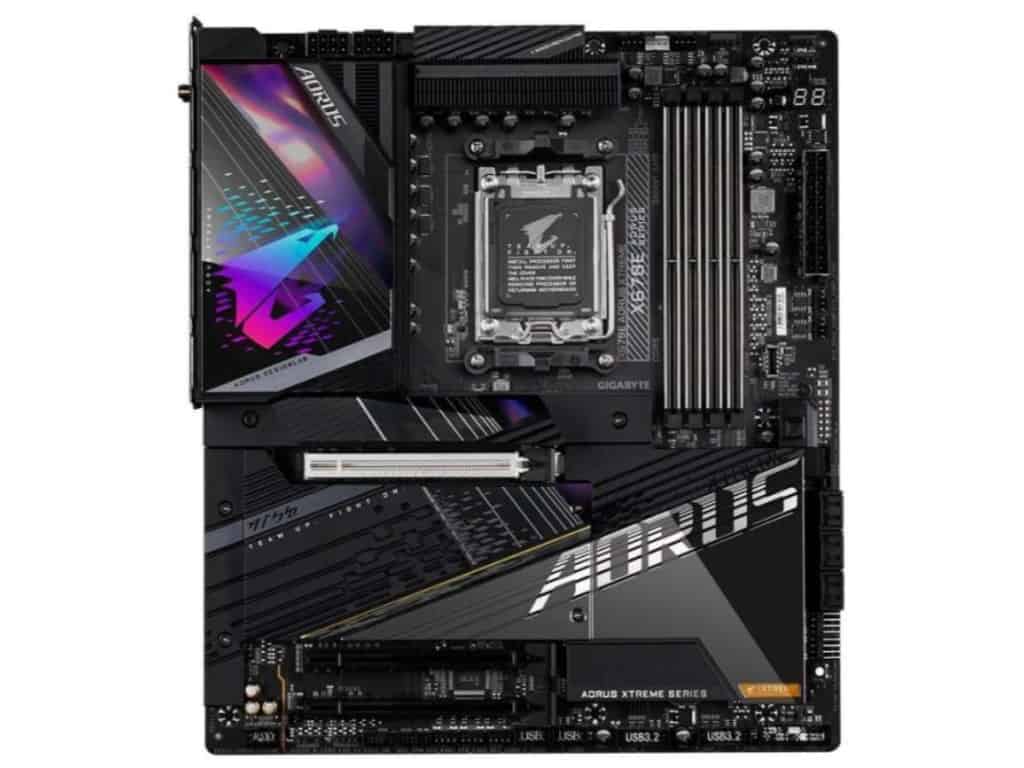
2023 update: While the iCUE 220T is still our top pick, we’ve seen it occasionally run out of stock over 2022. If this is the case for you, we can also recommend the mesh edition, which may have a more understated look, but also comes with some improved airflow on the front of the case; featured here on WIT.

MUSETEX Phantom 907 2

MUSETEX Phantom 907

Runner-Up Best RGB PC Case

SPECIFICATIONS

Form Factor: Mid Tower | Motherboard Support: ATX, Micro-ATX, mini-ITX | CPU Clearance: 160mm | GPU Length Clearance: 380mm | Dimensions: 447 x 211 x 450mm | Weight: 6.75kg | Radiator Support: 360mm | Fan Mounts: 8

REASONS TO BUY

+ Unparalleled value at its price-point

+ Nice spacious case for airflow/parts

+ Plenty of RGB inclusion/control

REASONS TO AVOID
– Fans/build quality slightly inferior to pricier options
 
– Smaller manufacturer


Our Rating: 9.25/10

We don’t often give such a small manufacturer a high accolade.

But MUSETEX has created a really impressive PC case for RGB builders at an insane value point (we nearly gave it the #1 pick and think that many of you may prefer it over the Corsair 220T).

The build quality is great; with a steel exterior and 2 sturdy tempered glass windows covering the side and front panels.

A lot of the cases great value comes from its 6 x pre-installed RGB fans. These are also connected to a fan controller that works with an included remote with plenty of features.

It might not be made for the top-of-the-line Corsair/ASUS RGB software.

But you’re getting an incredible amount of customization. Anything from static colors to having your lights change to music/your voice.

It’s hard to imagine needing much more out of an RGB ATX case.

MUSETEX Phantom 907

Source: Bojangles

The 907 has good space too, with:

  • 7 x expansion slots
  • Maximum GPU lengths of 380mm
  • 3 x 2.5″ & 3 x 3.5″ drive bays

This chassis is slightly larger than the 220T, with a good amount of room for more hard drives/SSDs and pretty much any mainstream graphics card (including RTX 3090, 3080 & 3070s).

It even boasts support for EATX motherboards (though we recommend our high-end pick below if you’re looking for an EATX RGB case).

Cooling-wise, you’re already set with the 6 x included fans and some good cable management/airflow features.

If you are looking at liquid cooling, we’d recommend the other cases on this list (as much of the value of the 907 comes from the fans).

Corsair 220T vs MUSETEX Phantom 207

So with all that said? Why do we rank the Corsair case over this MUSETEX offering?

It’s close, but we slightly prefer the 220T with its higher quality build & tinted windows giving off a more elegant RGB aesthetic (if you like a more “vibrant” case, the 907 will suit you more).

We also have a whole host of experience with Corsair, their cases, and customer service. MUSETEX isn’t a bad manufacturer, but they’re smaller and less “reputable” than Corsair. It’s not a deal-breaker, but a nice bonus to purchase from a brand with a long history of high-quality towers.

With all that said, the value of the Phantom 907 is fantastic. There’s so much included in the price tag. We really think your decision should largely come down to if you’re comfortable buying from a smaller brand and which cases you prefer aesthetically.

AeroCool Klaw

AeroCool Klaw

Best Budget RGB PC Case

SPECIFICATIONS

Form Factor: Mid Tower | Motherboard Support: ATX, Micro-ATX, mini-ITX | CPU Clearance: 165mm | GPU Length Clearance: 370mm | Dimensions: 445.5 x 228 x 461mm | Weight: 7.5kg | Radiator Support: 260 | Fan Mounts: 6

REASONS TO BUY

+ Great aesthetic/build quality for its price

+ Ticks all the boxes for a good budget build

REASONS TO AVOID
– Worth spending more on the other picks if possible
 
– Some weird layout choices makes building a little tougher
 

Our Rating: 8.5/10

If possible, we’d recommend forking out slightly more for one of our other top picks.

That being said, the AeroCool Klaw is an impressive offering if you’re looking for a mid-tower RGB case on a very tight budget.

With an SPCC steel exterior, ABS plastic front, and tempered glass side panel, you’re still getting a fairly good build quality. Though expectedly not quite on par with our pricier picks.

But the RGB is where this case really shines.

Included you’ll have:

  • 3 addressable RGB strips running down the front of the case (all controlled via a button on the front I/O panel)
  • 3 pre-installed RGB ring fans (also fully addressable)

These fans aren’t the same quality as our top picks, but for the price, it’s a very decent value point.

The Klat also has space for:

  • 7 x expansion slots
  • GPUs up to 370mm
  • 2 x 2.5″ /3.5″ & 4 x 2.5 ” drive bays
AeroCool Klaw 2

Source: Aerocool

If you’re building a budget gaming PC, we assume you’re looking at a single GPU setup, which this case can definitely perform well with.

Cooling-wise, you can have up to 6 fans (with the 3 RGB 120mm fans included).

If you’re looking at liquid cooling, we’d recommend investing in one of the more expensive cases we review in this list.

The cable management/airflow won’t be quite as decent as our top offerings but you’ll still be able to cool a budget build without concern.

If you’re looking for the cheapest RGB PC case possible, there’s one even cheaper with the AeroCool Bolt.

But we’ve chosen the Claw as our top pick because, with just a little bit more money, you’re getting the 3 RGB fans included. So we consider it the best value point for those with a slim wallet.

Sure, we’d recommend our other picks over the Klaw, but if this is the only option that fits your budget, you’re still going to have a great time building here.

2023 update: We’ve seen the Klaw occasionally run into stock issues; if that’s the case, we also recommend the Antex NX260 or the MUSETEX DT-N1 as the cheapest alternatives that are still worth your time.

Asus ROG Strix Helios GX601

Asus ROG Strix Helios GX601

Best High-End RGB Case

SPECIFICATIONS

Form Factor: Mid Tower | Motherboard Support: EATX (12″x10.9″), ATX, Micro-ATX, mini-ITX | CPU Clearance: 190mm | GPU Length Clearance: 450mm | Dimensions: 250 x 565 x 591 mm | Weight: 18kg | Radiator Support: 420mm | Fan Mounts: 7

REASONS TO BUY

+ Unrivalled build quality & design

+ Great spacious layout for high-end hardware

+ Plenty of cooling/cable management potential

REASONS TO AVOID
– Fairly expensive
 
– High-quality build makes it heavy and large
 

Our Rating: 9.5/10

Oh boy, this is an amazing case.

Popular for a reason despite its high price point, the GX601 has so many great features.

The exterior is largely a thick aluminum, easily the best material for PC cases. It gives a sleek look and better build quality than the usual steel/plastic hybrid options.

Then there are the 3 thick, tempered glass windows on the front, left, and right sides.

These are tinted slightly while still being bright enough to allow your hardware and RGB components to shine through (we find this looks way better than non-tinted).

Finally, there’s the beautiful front panel addressable RGB lighting that has a tempered glass etching to allow your inner lighting to shine through the front ASUS design (we’ve not seen this in a case before!). The RGB is also nicely controllable with the front I/O panel button or the Asus Aura Sync software (one of the best on the market).

Asus ROG Strix Helios GX601 2

Source: mgkhn

This means that you could have RGB fans on the front accommodating the pre-installed lighting.

It’s hard to express how good the GX601 looks through stock photos, it looks so much better in person. This is truly one of the best-looking PC cases once your high-end gaming build is setup and running.

But enough on design, because this chassis excels across the board, with:

  • 8 + 2 vertical expansion slots
  • Maximum 450mm GPU length
  • 2 x 2.5″ / 3.5″ & 4 x 2.5″ drive bays pre-installed with up to 9 total (enough space for even the most SSD-heavy builds)
  • Great I/O panel with 4 x USB 3.1 Gen 1 & 1 x USB 3.1 Gen 2 (Type C), LED/fan control, and the usual HD audio ports.
  • Good quality, easy-to-use dust filters

It has the most space out of all the cases on the list, also making it our top pick for anyone looking for the best RGB EATX case.

With this room, you have everything needed for a high storage/multi-GPU enthusiast builds dedicated to gaming, streaming, or production/video editing.

And to cool all of that hardware, you’ll also have:

  • Up to 6 x 140mm fans (4 high-quality ones included)
  • Up to 1 x 420mm, 1 x 360mm & 1 x 140mm radiators

6 fan mounts may sound low, but these are 140mm which perform notably better than 120mm.

Tied with excellent cable management facilities and a good overall design for airflow, you’ve got an amazing PC case for water cooling & air cooling alike, capable of overclocking an intense gaming setup.

A small but nice detail is the included straps on the top of the tower if you need it to operate as a LAN party PC case (fair warning though: this thing is heavy).

Yes, this tower is expensive.

But compared to the other cases on this list and out of all of our experience with in-built RGB options, this ASUS offering is one of the real standouts for high-end builds.

If you’re building something truly special and are looking for the best RGB full tower on the market, you’ve found it.

Antec Dapper Dark Phantom DP301M

Antec Dapper Dark Phantom DP301M

Best RGB Micro ATX Case

SPECIFICATIONS

Form Factor: Mini Tower | Motherboard Support: Micro-ATX, mini-ITX | CPU Clearance: 160mm | GPU Length Clearance: 360mm | Dimensions: 420 x 210 x 402mm | Weight: 5.9kg | Radiator Support: 280mm | Fan Mounts: 6

REASONS TO BUY

+ Great ARGB aesthetic for the price

+ Surprisingly spacious for mATX

+ Good cooling options

REASONS TO AVOID
– No RGB fans included
 
– Lighting may be too minimalist for some tastes
 
– Build quality is mostly good, but some lesser elements are not found in cases like the Corsair 280X
 

Our Rating: 9/10

Don’t be deceived by the bizarre name. This is a fantastic choice if you’re looking for a Micro ATX case with decent RGB capability.

From one of the “OG” gaming PC case manufacturers, Antec has created a great design with the DP301M.

With a largely SPCC steel (plus some plastic), tempered glass window, and a unique “boomerang” RGB strip on the front, the case has a great aesthetic and build quality.

That RGB strip is also easily controlled from the front I/O panel with a single button.

Naturally, with an RGB mini-tower form factor, you’re getting less space than an ATX case.

But there’s still impressive room in here for:

  • 4 expansion slots
  • GPU length up to 360mm (great for an mATX tower)
  • 2 x 2.5″ / 3.5″ & 2 x 2.5″ drive bays
Antec Dapper Dark Phantom DP301M 2

Source: Ingreen

With the decent GPU allowance and storage, we’re pleasantly surprised by the space. It has a good design to accommodate airflow/cable management, alongside:

  • Up to 6 x 120mm fans (with 1 included)
  • Up to 280mm top & 120mm rear radiators (could be combined with 2 x 120mm fans on top)

This is really impressive for mATX, definitely still suitable for some decent overclocking in a small gaming build.

Looking for a high-end RGB mATX option?  If you have the budget, the best choice is the CORSAIR Crystal 280X

We’ve raved about the 280X in our dual-chamber guide and recommend it if you can stretch to it.

With that said, we’ve focussed on the DP301M for a reason. We think it will reflect a more reasonable budget for most and love its understated lighting.

When considering the average mid-range PC and value, this is easily the best mATX RGB case available.

2023 update: The DP301M is also sadly occasionally out of stock right now. There isn’t another Micro ATX option on the market with a decent amount of built-in RGB, so if you’re unlucky on its availability, I would recommend either getting a slightly larger case for your build from the options above or going with an mATX case that has great ARGB fans like the Lian Li 205M MESH.

InWin A1 Plus 2

InWin A1 Plus

Best RGB Mini-ITX Case

SPECIFICATIONS

Form Factor: SFF | Motherboard Support: ATX, Micro-ATX, mini-ITX | CPU Clearance: 160mm | GPU Length Clearance: 320mm | Dimensions: 273 x 224 x 357mm | Weight: 7.1 kg | Radiator Support: 120mm | Fan Mounts: 4

REASONS TO BUY

+ Incredible build qualtiy and ARGB aesthetic

+ Balances compact dimensions with a decent layout for ITX builds

+ Decent thermals for an ITX case

REASONS TO AVOID
– Slightly expensive
 
– Included PSU could be better
 

Our Rating: 9.25/10

And then there are those of you looking for nice lighting in the smallest form factor.

Recommended multiple times on other What in Tech features, the A1 Plus is a fantastic RGB ITX case.

With an excellent quality SECC steel exterior and a thick, tinted tempered glass window, the tiny tower sits on a beautiful transparent RGB base.

We don’t really come across many other towers with such lighting.

And what’s more, it comes with 2 high-quality InWin Sirius Loop 120mm ARGB case fans (fully addressable).

It packs great space for the form factor too, with:

  • 2 expansion slots
  • VGA length up to 320mm (great for ITX)
  • 2 x 2.5″ drive bays
  • Wireless QI charger on the top (very unique/impressive for the size)

This may all sound super low, but we’re very impressed with the incisions compared to many of its Mini ITX case competitors.

InWin A1 Plus

Source: SpiralCaseMods

This would be perfect if you’re looking for a portable case or if you’re simply someone that likes their builds as compact as possible.

On top of the 2 included RGB case fans, you could include a further 2 x 120mm fans (or 1 x 120mm radiator).

Having up to 4 fans in a chassis this small is a great feat. It really stands out as one of the top ITX choices for cooling.

Additionally, the case comes included with a 650W PSU pre-installed.

We will say the power supply is a slight letdown. If you’re getting a very powerful GPU, CPU, and motherboard, you may want to invest in another and use the base one as a backup.

But for the average ITX gaming PC, it will be able to handle things if this sounds like overkill for you.

If you’re looking for a very cheap RGB Mini ITX case, then a good backup is the Cooler Master Case H100.

This case still boasts impressive capability for the size and comes with a 200mm RGB fan.

But without question, the InWin A1 Plus is our top choice.

Honorable Mentions

While the above choices are the best RGB tower cases available, if you’re looking for a different flavour, we’ve included some extras we’d still highly recommend.

Segotep Phoenix

Segotep Phoenix

Wildcard - Worth Considering

SPECIFICATIONS

Form Factor: Mid Tower | Motherboard Support: ATX, Micro-ATX, mini-ITX | CPU Clearance: 167mm | GPU Length Clearance: 323mm | Dimensions: 483 x 216 x 508mm | Weight: 10.85kg | Radiator Support: 360mm | Fan Mounts: 7

REASONS TO BUY

+ Beautiful, unique RGB lighting

+ Fairly spacious for a mid-range build

REASONS TO AVOID
– No front airflow or fans included
 
– A little pricey; the premium is for the design
 

Our Rating: 8.5/10

I’m sure you can tell from the image why we wanted to include this.

Boasting a fantastic design, the case’s front panel has incredible LED lighting that can be synced with the most popular RGB software if you have an addressable header on your motherboard.

You’re also getting good build quality, with a tempered glass panel and 0.8mm thick SPCC steel.

The Phoenix has made a couple more design choices that truly make it one of the more unique towers on the market.

Firstly, it’s an inverted case, with the side panel on the right side. Perfect if you’d rather your case sit on the left side.

Next, the case is designed with sideways motherboard mounting.  i.e. the rear I/O panels and cables come out of the top of the case instead of the back.

We actually really like this design choice as it means your I/O panel ports are really easily accessible (no reaching behind the back of the PC).

It also means your GPU will hang directly downwards, you won’t find many other builds that look like this!

Segotep Phoenix 2

Source: FpsMafia

The Phoenix is an ATX RGB mid-tower, with space for:

  • 7 expansion slots
  • VGA lengths up to 320mm
  • 2 x 3.5″ & 2 x 2.5″ drive bays

Pretty standard for an ATX chassis, perfectly suitable as a mid-range gaming case.

For cooling, there’s space for:

  • Up to 5 x 120mm fans
  • Up to 1 x 360mm & 1 x 240mm radiators

Not particularly impressive for its size, but still enough for some decent graphics cards.

The cable management and airflow design also aren’t as good as our top picks which were the main reasons this case missed out on the spots taken by the 220T and Phantom.

But that being said, this is perhaps the most unique case on the list.

If you really want to stand out, the Phoenix is still a great option.

darkflash phantom

darkFlash Phantom DR12

Worth Considering

SPECIFICATIONS

Form Factor: Mid Tower | Motherboard Support: ATX, Micro-ATX, mini-ITX | CPU Clearance: 174mm | GPU Length Clearance: 375mm | Dimensions: 548 x 219 x 419mm | Weight: 8.8kg | Radiator Support: 360mm | Fan Mounts: 11

REASONS TO BUY

+ Stunning glass + RGB fan aesthetic

+ Great value for the build quality and fan inclusion

REASONS TO AVOID
– Airflow is serviceable but not the best due to the glass coverage
 
– Some layout decisions make building “hands-on”
 

Our Rating: 8.5/10

Last but by no means least is a great option if you’re looking for a PC case with RGB fans (and a lot of them).

We’ve included the DR12 as it’s a great “mid-range” choice for a lot of different build types.

To start, it has 3 very sharp, full-length tempered-glass windows (left/right sides and front).

But the case’s crowning design feature is the 6 pre-installed 120mm RGB LED fans.

Combined with the high-quality glass windows, these fans beautifully illuminate the front and rear of the build.

The DR12 is a mid-tower, with space for:

  • 7 x expansion slots
  • GPU card lengths up to 359mm
  • 2 x 3.5″ & 3 x 2.5″ drive bays

Pretty standard specifications here but a good balance for either a gaming or streaming build.

darkflash phantom 2

Source: JLewis198038

As far as cooling goes, given the tower includes 6 RGB fans, you’ll be wanting to focus on air cooling.

You can add a further 5 x 120mm fans if you wish, totaling 11 x 120mm fans.

That’s a crazy amount for an ATX case.

One downside though is the airflow. While not awful, is not the best in the DR12.

This is a tad disappointing given how clearly aligned to air cooling the case is.

But given the sheer quantity of fans you can install, you still have a great PC for overclocking here.

(If you were inclined, you could even use the spare space we talked about using for 5 extra fans on radiators for an air/water cooling hybrid build).

Overall, with specific consideration to the fantastic value the 6 RGB fans add, this is a great RGB ATX case if you like the design.

More RGB PC Case Options?

There are some more RGB computer cases floating around.

But we simply wouldn’t recommend them over the above choices.

For example, we know a lot of gamers may be looking for an NZXT RGB case.

While you can easily add RGB fans to NZXT towers, we’ve focussed specifically here on PC cases that have RGB elements included (either fans and or/in-built lighting) at a great value.

We’d push you towards the above for anything from a gaming/streaming PC to a production/video editing computer.

That being said, If you wanted an alternate idea, you could create a cool “RGB” computer by:

  1. Purchasing a clear PC case as a foundation
  2. Installing RGB fans that will give you lighting in your transparent tower
  3. Buying an RGB motherboard that will give you the best onboard lighting and RGB header capacity for additional lighting

If you’d prefer to add your own RGB fans to a case that doesn’t include any lighting by default, we’ve included 2 final quick-fire picks below that are premium, large, and the cases that could include the most RGB fans (purchased separately):

Corsair Obsidian Series 1000D

Best Premium Case for RGB Fans: Corsair Obsidian Series 1000D

This is a monstrous case with the capability to host up to 18 x 120mm fans in a wonderful presentation and everything you need for a high-end gaming build.

If you want to see an example of how effective RGB fans can look in this case, check out our more detailed review included in our EATX Case feature.

The only reason this case doesn’t get a high ranking in this list is because we’ve focussed on cases with included lighting, if that’s not important to you in building your RGB PC, this is a wonderful high-end option.

Our Rating: 9.5/10

Thermaltake Core P8

Best Looking Case for RGB Fans: Thermaltake Core P8

Featured many, many times on What in Tech, the fabulous Core P8 can host up to 18 x 120mm RGB fans all highly visible in the cases 3 x tempered glass, high-visibility layout.

If you have the budget to purchase this great case and RGB fans, it’s one of the most amazing aesthetics you can achieve. Check out our full Core P8 review on the premium case spotlight.

Our Rating: 9.5/10

Final Thoughts

And there you have it! After reviewing countless options, these are the options that really stand out to us as the best RGB PC cases.

If you’re still feeling overwhelmed by what to pick, we would recommend focusing on these factors:

  1. Price: are you interested in budget, mid-range, or high-end?
  2. Size: are you looking to build something small or huge? ITX, mATX, ATX or eATX? What sized GPU/PSU/CPU cooler are you looking for? This will narrow things down a lot.
  3. Aesthetic: So you’re looking for an RGB case, but do you want one understated and sophisticated like our top Corsair 220T pick? Or something a little more vibrant like the MUSEXTEX offering? You can also think about if you’re more interested in in-built lighting or simply buying a clear PC case with lots of visibility for RGB fans.

If you’re clear on these 3 areas, finding the perfect case from this list (or some of our other features) will be a piece of cake!

What's Next?

About the author

Picture of Kaelum Ross
Kaelum Ross
Kaelum Ross, BSc is the Lead Writer at What in Tech and a leading authority in PC hardware and software. With a career as a senior IT professional, Kaelum has led multi-million dollar projects covering everything from bespoke software development to complex Windows hardware upgrades. Today, Kaelum uses his expertise to serve What in Tech's readers and has been featured in numerous global publications including New York Magazine and Lifewire.

* Specifications throughout our articles are double-checked and intended to inform our users, but should not be treated as factual information. When making final decisions on your products, please check the manufacturer pages to confirm the fine details.